How to integrate custom OpenStack services with
DevStack
Sławek Kapłoński
slawomir.kaplonski@corp.ovh.com
IRC: slaweq @ freenode
Agenda
• What is DevStack
• DevStack config
• Scripts in DevStack
• DevStack plugin
• What is it?
• How to do own plugin?
https://docs.openstack.org/developer/devstack/
DevStack is a series of extensible scripts used to
quickly bring up a complete OpenStack environment
based on the latest versions of everything from git
master. It is used interactively as a development
environment and as the basis for much of the
OpenStack project’s functional testing.
DevStack alternatives
• Packstack - written in Python, uses Puppet modules, works
over SSH, supports CentOS and RHEL
• OpenStack-ansible - can deploy Openstack from Git
repositories, from newest branch, services runs in LXC
containers,
• OpenStack Kolla - provides containers and deployment
tools for OpenStack,
• TripleO - allows to install, upgrade and operate OpenStack
cloud, using Puppet underneath
Supported operating systems
✓ Ubuntu 16.04 or newer
✓ Fedora F24 or newer
✓ CentOS/RHEL 7 or newer
✓ Other platforms - it may work but is not
supported by community
Configuration of DevStack
✓ Environment variables
[[local|localrc]]
ADMIN_PASSWORD=secret
export DATABASE_PASSWORD=super_secret_db_password
DATABASE_PASSWORD=super_secret_db_password ./stack.sh
✓ In command line
✓ Persistent variables can be stored in
local.conf
Basic scripts in DevStack
stack.sh
Installs and configures various OpenStack and
additional, required by OpenStack, services
like MySQL or RabbitMQ.
Basic scripts in DevStack
unstack.sh
Stops OpenStack services which were started by
stack.sh
Services like MySQL or RabbitMQ are not
stopped
Basic scripts in DevStack
clean.sh
Do the same as unstack.sh but also:
• tries to clean config files of OpenStack services,
• stops RabbitMQ and MySQL,
• cleans other services.
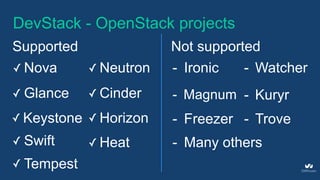
DevStack - OpenStack projects
Supported
✓ Nova ✓ Neutron
✓ Glance ✓ Cinder
✓ Keystone ✓ Horizon
✓ Swift ✓ Heat
Not supported
- Ironic
- Magnum
- Freezer
- Watcher
- Kuryr
- Trove
- Many others
✓ Tempest
DevStack Plugins
Why to do Your own DevStack plugin?
• Simplification of installation Your OpenStack
extension for further testing and develop
• Install DevStack with some specific
packages, configurations, etc.
• Test own OpenStack project in gate on
OpenStack CI infrastructure
DevStack plugin
• can be in any external git repository that
contains devstack/ directory,
• are written in bash,
• list of existing plugins on https://docs.openstack.org/
developer/devstack/plugin-registry.html
DevStack plugin
devstack/ directory can contains 3 files:
• plugin.sh - plugin script executed by DevStack
• settings - file with global variables - config options
for Your plugin
• override-defaults - file with overwritten DevStack’s
global variables
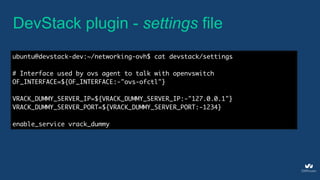
DevStack plugin - settings file
ubuntu@devstack-dev:~/networking-ovh$ cat devstack/settings
# Interface used by ovs agent to talk with openvswitch
OF_INTERFACE=${OF_INTERFACE:-"ovs-ofctl"}
VRACK_DUMMY_SERVER_IP=${VRACK_DUMMY_SERVER_IP:-"127.0.0.1"}
VRACK_DUMMY_SERVER_PORT=${VRACK_DUMMY_SERVER_PORT:-1234}
enable_service vrack_dummy
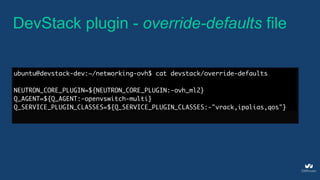
DevStack plugin - override-defaults file
ubuntu@devstack-dev:~/networking-ovh$ cat devstack/override-defaults
NEUTRON_CORE_PLUGIN=${NEUTRON_CORE_PLUGIN:-ovh_ml2}
Q_AGENT=${Q_AGENT:-openvswitch-multi}
Q_SERVICE_PLUGIN_CLASSES=${Q_SERVICE_PLUGIN_CLASSES:-"vrack,ipalias,qos"}
DevStack plugin - plugin.sh structure
Script called in specific points during stack.sh,
unstack.sh and clean.sh
source $PATH/TO/plugin.sh <mode> [phase]
This script is called by devstack in following
way
DevStack plugin - plugin.sh phase
• pre-install - Called after system (OS) setup is complete and
before project source is installed
• install - Called after the layer 1 and 2 projects source and
their dependencies have been installed.
• post-config - Called after the layer 1 and 2 services have
been configured. All configuration files for enabled services
should exist at this point.
DevStack plugin - plugin.sh phase
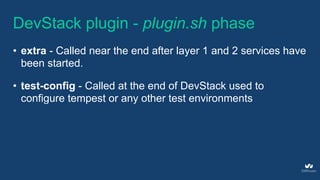
• extra - Called near the end after layer 1 and 2 services have
been started.
• test-config - Called at the end of DevStack used to
configure tempest or any other test environments
DevStack - enable plugin
[[local|localrc]]
enable_plugin <NAME> <GITURL> [GITREF]
Plugin is registered by adding following line in
local.conf file
enable_plugin ec2-api git://git.openstack.org/openstack/ec2-api
DevStack plugin - useful functions
install_package <PACKAGE_NAME> [PACKAGE_NAME …]
Packages installation
setup_develop <PROJECT_DIR> [EXTRAS]
Python projects installation
setup_install <PROJECT_DIR> [EXTRAS]
DevStack plugin - useful functions
uninstall_package <PACKAGE_NAME> [PACKAGE_NAME …]
Packages deinstallation
Running process
run_process <SERVICE_NAME> <COMMAND> [GROUP] [USER]
DevStack plugin - useful functions
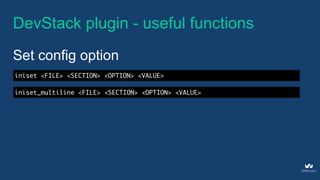
iniset <FILE> <SECTION> <OPTION> <VALUE>
Set config option
iniset_multiline <FILE> <SECTION> <OPTION> <VALUE>
DevStack plugin - useful functions
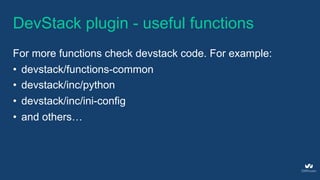
For more functions check devstack code. For example:
• devstack/functions-common
• devstack/inc/python
• devstack/inc/ini-config
• and others…
Thank you
How to integrate custom OpenStack services with DevStack
Sławek Kapłoński
slawomir.kaplonski@corp.ovh.com
IRC: slaweq @ freenode
@slaweq

How to integrate_custom_openstack_services_with_devstack

  • 1.
    How to integratecustom OpenStack services with DevStack Sławek Kapłoński slawomir.kaplonski@corp.ovh.com IRC: slaweq @ freenode
  • 2.
    Agenda • What isDevStack • DevStack config • Scripts in DevStack • DevStack plugin • What is it? • How to do own plugin?
  • 3.
    https://docs.openstack.org/developer/devstack/ DevStack is aseries of extensible scripts used to quickly bring up a complete OpenStack environment based on the latest versions of everything from git master. It is used interactively as a development environment and as the basis for much of the OpenStack project’s functional testing.
  • 4.
    DevStack alternatives • Packstack- written in Python, uses Puppet modules, works over SSH, supports CentOS and RHEL • OpenStack-ansible - can deploy Openstack from Git repositories, from newest branch, services runs in LXC containers, • OpenStack Kolla - provides containers and deployment tools for OpenStack, • TripleO - allows to install, upgrade and operate OpenStack cloud, using Puppet underneath
  • 5.
    Supported operating systems ✓Ubuntu 16.04 or newer ✓ Fedora F24 or newer ✓ CentOS/RHEL 7 or newer ✓ Other platforms - it may work but is not supported by community
  • 6.
    Configuration of DevStack ✓Environment variables [[local|localrc]] ADMIN_PASSWORD=secret export DATABASE_PASSWORD=super_secret_db_password DATABASE_PASSWORD=super_secret_db_password ./stack.sh ✓ In command line ✓ Persistent variables can be stored in local.conf
  • 7.
    Basic scripts inDevStack stack.sh Installs and configures various OpenStack and additional, required by OpenStack, services like MySQL or RabbitMQ.
  • 8.
    Basic scripts inDevStack unstack.sh Stops OpenStack services which were started by stack.sh Services like MySQL or RabbitMQ are not stopped
  • 9.
    Basic scripts inDevStack clean.sh Do the same as unstack.sh but also: • tries to clean config files of OpenStack services, • stops RabbitMQ and MySQL, • cleans other services.
  • 10.
    DevStack - OpenStackprojects Supported ✓ Nova ✓ Neutron ✓ Glance ✓ Cinder ✓ Keystone ✓ Horizon ✓ Swift ✓ Heat Not supported - Ironic - Magnum - Freezer - Watcher - Kuryr - Trove - Many others ✓ Tempest
  • 11.
  • 12.
    Why to doYour own DevStack plugin? • Simplification of installation Your OpenStack extension for further testing and develop • Install DevStack with some specific packages, configurations, etc. • Test own OpenStack project in gate on OpenStack CI infrastructure
  • 13.
    DevStack plugin • canbe in any external git repository that contains devstack/ directory, • are written in bash, • list of existing plugins on https://docs.openstack.org/ developer/devstack/plugin-registry.html
  • 14.
    DevStack plugin devstack/ directorycan contains 3 files: • plugin.sh - plugin script executed by DevStack • settings - file with global variables - config options for Your plugin • override-defaults - file with overwritten DevStack’s global variables
  • 15.
    DevStack plugin -settings file ubuntu@devstack-dev:~/networking-ovh$ cat devstack/settings # Interface used by ovs agent to talk with openvswitch OF_INTERFACE=${OF_INTERFACE:-"ovs-ofctl"} VRACK_DUMMY_SERVER_IP=${VRACK_DUMMY_SERVER_IP:-"127.0.0.1"} VRACK_DUMMY_SERVER_PORT=${VRACK_DUMMY_SERVER_PORT:-1234} enable_service vrack_dummy
  • 16.
    DevStack plugin -override-defaults file ubuntu@devstack-dev:~/networking-ovh$ cat devstack/override-defaults NEUTRON_CORE_PLUGIN=${NEUTRON_CORE_PLUGIN:-ovh_ml2} Q_AGENT=${Q_AGENT:-openvswitch-multi} Q_SERVICE_PLUGIN_CLASSES=${Q_SERVICE_PLUGIN_CLASSES:-"vrack,ipalias,qos"}
  • 17.
    DevStack plugin -plugin.sh structure Script called in specific points during stack.sh, unstack.sh and clean.sh source $PATH/TO/plugin.sh <mode> [phase] This script is called by devstack in following way
  • 18.
    DevStack plugin -plugin.sh phase • pre-install - Called after system (OS) setup is complete and before project source is installed • install - Called after the layer 1 and 2 projects source and their dependencies have been installed. • post-config - Called after the layer 1 and 2 services have been configured. All configuration files for enabled services should exist at this point.
  • 19.
    DevStack plugin -plugin.sh phase • extra - Called near the end after layer 1 and 2 services have been started. • test-config - Called at the end of DevStack used to configure tempest or any other test environments
  • 20.
    DevStack - enableplugin [[local|localrc]] enable_plugin <NAME> <GITURL> [GITREF] Plugin is registered by adding following line in local.conf file enable_plugin ec2-api git://git.openstack.org/openstack/ec2-api
  • 21.
    DevStack plugin -useful functions install_package <PACKAGE_NAME> [PACKAGE_NAME …] Packages installation setup_develop <PROJECT_DIR> [EXTRAS] Python projects installation setup_install <PROJECT_DIR> [EXTRAS]
  • 22.
    DevStack plugin -useful functions uninstall_package <PACKAGE_NAME> [PACKAGE_NAME …] Packages deinstallation Running process run_process <SERVICE_NAME> <COMMAND> [GROUP] [USER]
  • 23.
    DevStack plugin -useful functions iniset <FILE> <SECTION> <OPTION> <VALUE> Set config option iniset_multiline <FILE> <SECTION> <OPTION> <VALUE>
  • 24.
    DevStack plugin -useful functions For more functions check devstack code. For example: • devstack/functions-common • devstack/inc/python • devstack/inc/ini-config • and others…
  • 25.
    Thank you How tointegrate custom OpenStack services with DevStack Sławek Kapłoński slawomir.kaplonski@corp.ovh.com IRC: slaweq @ freenode @slaweq