Session Resources www.k12opened.com/necc2009 All resources are linked here, as well as step-by-step instructions and other options for hands on activities. This is a wiki. Feel free to add your own links, comments, thoughts, etc.
Why Open Education? Content is central to education and learning. Differentiating instruction requires the ability to modify and remix content. Textbooks and proprietary software make it difficult, expensive, and even illegal to do this. Open content that permits and encourages remixing and sharing is a solution to this. Sharing is good.
Open Educational Resources (OER) are: Digital Free  and  open Tools, content, and implementation resources For teachers, students, and lifelong learners
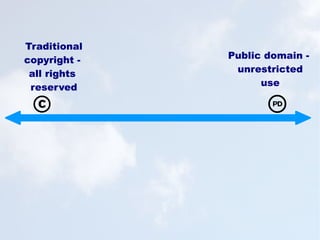
Traditional copyright -  all rights  reserved Public domain -  unrestricted use
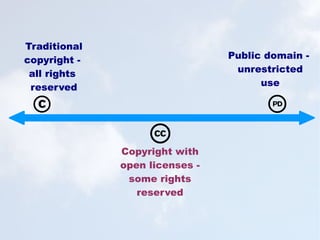
Traditional copyright -  all rights  reserved Public domain -  unrestricted use Copyright with open licenses -  some rights reserved
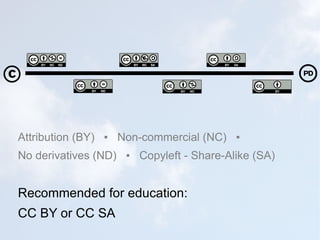
Attribution (BY)  ▪  Non-commercial (NC)  ▪  No derivatives (ND)  ▪  Copyleft - Share-Alike (SA) Recommended for education: CC BY or CC SA
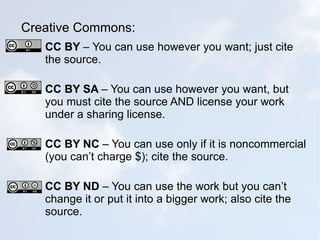
Creative Commons: CC BY  –   You can use however you want; just cite the source. CC BY SA  – You can use however you want, but you must cite the source AND license your work under a sharing license. CC BY NC  – You can use only if it is noncommercial (you can’t charge $); cite the source. CC BY ND  – You can use the work but you can’t change it or put it into a bigger work; also cite the source.
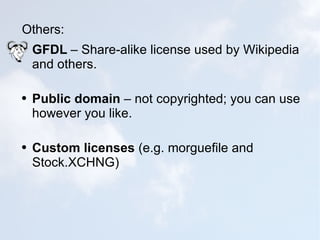
Others: GFDL  – Share-alike license used by Wikipedia and others. Public domain  – not copyrighted; you can use however you like. Custom licenses  (e.g. morguefile and Stock.XCHNG)
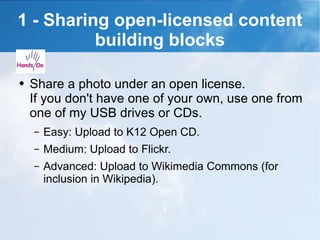
1 - Sharing open-licensed content building blocks Share a photo under an open license. If you don't have one of your own, use one from one of my USB drives or CDs. Easy: Upload to K12 Open CD. Medium: Upload to Flickr. Advanced: Upload to Wikimedia Commons (for inclusion in Wikipedia).
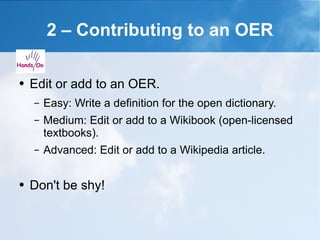
2 – Contributing to an OER Edit or add to an OER. Easy: Write a definition for the open dictionary. Medium: Edit or add to a Wikibook (open-licensed textbooks). Advanced: Edit or add to a Wikipedia article. Don't be shy!
3 – Open licensing  your own work  If you are willing to share your original lesson plans, presentations, handouts, or web-based materials, open license them. Easy: Write "licensed under Creative Commons Attribution" (or the license of your choice) on your work or web site. Medium: Use the CC license wizard. Sharing is good!
Spreading the word If you like what you learned today,  tell three people you know about OER. Q&A I'll be in the Open Source playground today and tomorrow from 2-4. Hope you see you there!
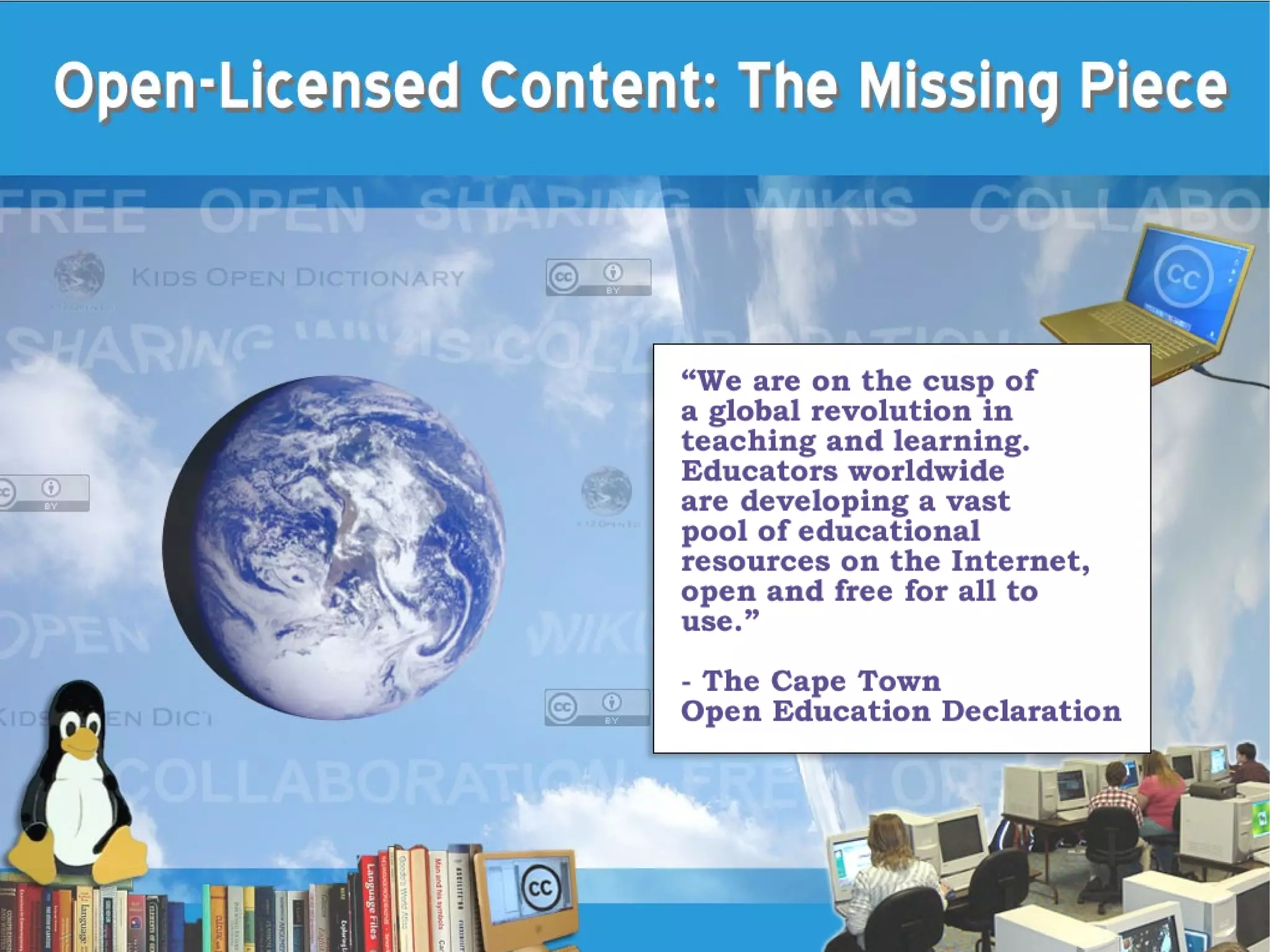
Thank you. Licensed under CC BY Karen Fasimpaur www.k12opened.com [email_address] First screen image credits: Linux computer lab – Michael Surran Linux penguin - Larry Ewing <lewing@isc.tamu.edu> with the GIMP Books - Tizzie Globe – NASA Cloud background - Anca Mosoiu

Open-Licensed Content: The Missing Piece

  • 1.
  • 2.
    Session Resources www.k12opened.com/necc2009All resources are linked here, as well as step-by-step instructions and other options for hands on activities. This is a wiki. Feel free to add your own links, comments, thoughts, etc.
  • 3.
    Why Open Education?Content is central to education and learning. Differentiating instruction requires the ability to modify and remix content. Textbooks and proprietary software make it difficult, expensive, and even illegal to do this. Open content that permits and encourages remixing and sharing is a solution to this. Sharing is good.
  • 4.
    Open Educational Resources(OER) are: Digital Free and open Tools, content, and implementation resources For teachers, students, and lifelong learners
  • 5.
    Traditional copyright - all rights reserved Public domain - unrestricted use
  • 6.
    Traditional copyright - all rights reserved Public domain - unrestricted use Copyright with open licenses - some rights reserved
  • 7.
    Attribution (BY) ▪ Non-commercial (NC) ▪ No derivatives (ND) ▪ Copyleft - Share-Alike (SA) Recommended for education: CC BY or CC SA
  • 8.
    Creative Commons: CCBY – You can use however you want; just cite the source. CC BY SA – You can use however you want, but you must cite the source AND license your work under a sharing license. CC BY NC – You can use only if it is noncommercial (you can’t charge $); cite the source. CC BY ND – You can use the work but you can’t change it or put it into a bigger work; also cite the source.
  • 9.
    Others: GFDL – Share-alike license used by Wikipedia and others. Public domain – not copyrighted; you can use however you like. Custom licenses (e.g. morguefile and Stock.XCHNG)
  • 10.
    1 - Sharingopen-licensed content building blocks Share a photo under an open license. If you don't have one of your own, use one from one of my USB drives or CDs. Easy: Upload to K12 Open CD. Medium: Upload to Flickr. Advanced: Upload to Wikimedia Commons (for inclusion in Wikipedia).
  • 11.
    2 – Contributingto an OER Edit or add to an OER. Easy: Write a definition for the open dictionary. Medium: Edit or add to a Wikibook (open-licensed textbooks). Advanced: Edit or add to a Wikipedia article. Don't be shy!
  • 12.
    3 – Openlicensing your own work If you are willing to share your original lesson plans, presentations, handouts, or web-based materials, open license them. Easy: Write &quot;licensed under Creative Commons Attribution&quot; (or the license of your choice) on your work or web site. Medium: Use the CC license wizard. Sharing is good!
  • 13.
    Spreading the wordIf you like what you learned today, tell three people you know about OER. Q&A I'll be in the Open Source playground today and tomorrow from 2-4. Hope you see you there!
  • 14.
    Thank you. Licensedunder CC BY Karen Fasimpaur www.k12opened.com [email_address] First screen image credits: Linux computer lab – Michael Surran Linux penguin - Larry Ewing <lewing@isc.tamu.edu> with the GIMP Books - Tizzie Globe – NASA Cloud background - Anca Mosoiu