How to Contribute
to OpenStack
Documentation
Mirantis, 2013
• The philosophy of documentation
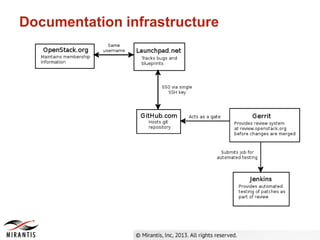
• The documentation infrastructure
• Setting up the required accounts
• Installing the required software
• Making a contribution
Contributing to OpenStack Documentation
• Documentation shouldn't be an afterthought
• Documentation treated like code
• Automate documentation wherever possible
Documentation philosophy
Documentation infrastructure
Getting ready to contribute to
documentation
• Becoming a member of the docs team
• Configuring Launchpad
• Configuring Gerrit
• Working with Github
• Submitting a bug
• Fixing a bug
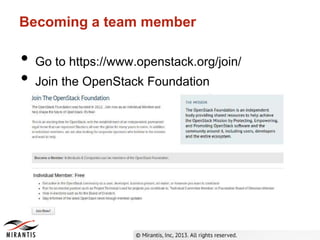
Becoming a team member
• Go to https://www.openstack.org/join/
• Join the OpenStack Foundation
Becoming a team member
• Read the membership terms
• Add your personal information
• Specify affiliation
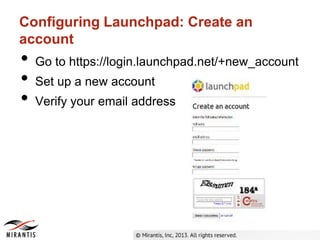
Configuring Launchpad: Create an
account
• Go to https://login.launchpad.net/+new_account
• Set up a new account
• Verify your email address
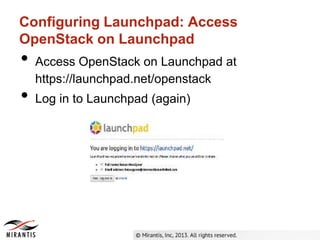
Configuring Launchpad: Access
OpenStack on Launchpad
• Access OpenStack on Launchpad at
https://launchpad.net/openstack
• Log in to Launchpad (again)
Configuring Launchpad: Create an SSH
key
• Create an SSH key
ssh-keygen -t rsa -C "your_email@example.com”
• Specify the file location
• Specify a passphrase
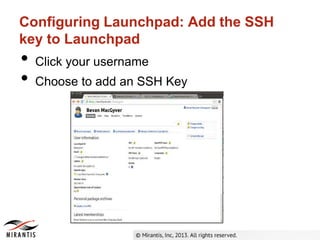
Configuring Launchpad: Add the SSH
key to Launchpad
• Click your username
• Choose to add an SSH Key
Configuring Launchpad: Add the SSH
key to Launchpad (cont’d)
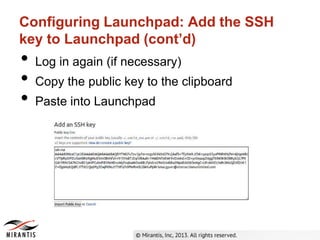
• Log in again (if necessary)
• Copy the public key to the clipboard
• Paste into Launchpad
Setting up GitHub
• Go to http://github.com
• Create an account
• Add your SSH Key
Setting up Gerrit
• Go to https://review.openstack.org
• Sign in
• Click New Contributor Agreement
• Select ICLA
• Fill out the form and type “I AGREE”
Joining the Docs Team
• Go to http://launchpad.net/openstack-manuals
• Log in if necessary
• Click Join Team
• Click Join
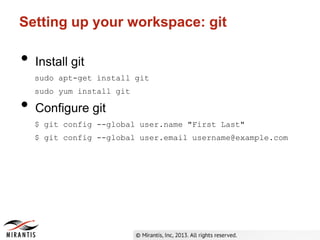
Setting up your workspace: git
• Install git
sudo apt-get install git
sudo yum install git
• Configure git
$ git config --global user.name "First Last"
$ git config --global user.email username@example.com
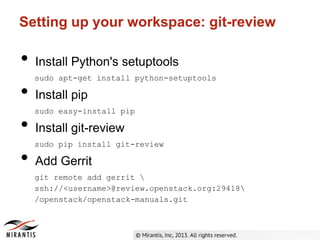
Setting up your workspace: git-review
• Install Python's setuptools
sudo apt-get install python-setuptools
• Install pip
sudo easy-install pip
• Install git-review
sudo pip install git-review
• Add Gerrit
git remote add gerrit 
ssh://<username>@review.openstack.org:29418
/openstack/openstack-manuals.git
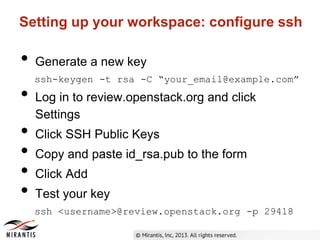
Setting up your workspace: configure ssh
• Generate a new key
ssh-keygen -t rsa -C “your_email@example.com”
• Log in to review.openstack.org and click
Settings
• Click SSH Public Keys
• Copy and paste id_rsa.pub to the form
• Click Add
• Test your key
ssh <username>@review.openstack.org -p 29418
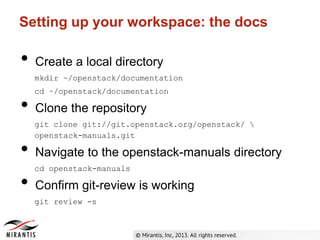
Setting up your workspace: the docs
• Create a local directory
mkdir ~/openstack/documentation
cd ~/openstack/documentation
• Clone the repository
git clone git://git.openstack.org/openstack/ 
openstack-manuals.git
• Navigate to the openstack-manuals directory
cd openstack-manuals
• Confirm git-review is working
git review -s
Setting up your workspace: tools
• Install Maven
sudo apt-get install maven
• Pick an editor, (almost) any editor
Fixing a docs bug
• All changes to docs must be tied to a bug
• Docs bugs are listed at
https://bugs.launchpad.net/openstack-manuals 
/+bugs?orderby=-id&start=0
Making a documentation change
• Update your local copy
git remote update
git checkout master
git pull origin master
• Create a topic branch for the bug
git checkout -b bug/1189885
• Make changes locally
Testing your changes
• Build the book
cd openstack-manuals/doc/<manual>
mvn clean generate-sources
• View the changes in
/target/docbkx/webhelp/<guide-name>
• Compare to the old version,e specially if you're
not vamiliar with the book
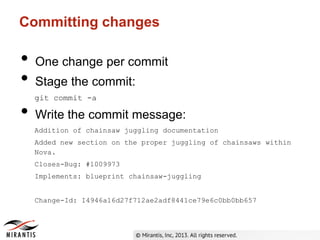
Committing changes
• One change per commit
• Stage the commit:
git commit -a
• Write the commit message:
Addition of chainsaw juggling documentation
Added new section on the proper juggling of chainsaws within
Nova.
Closes-Bug: #1009973
Implements: blueprint chainsaw-juggling
Change-Id: I4946a16d27f712ae2adf8441ce79e6c0bb0bb657
Committing changes (cont’d)
• More information on commit messages:
https://wiki.openstack.org/wiki/GitCommitMessages
Submitting the change for review
• Submit the change
git review
• The change shows up on
http://review.openstack.org
• Core team is notified
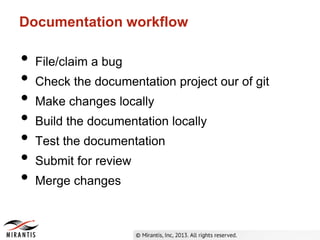
Documentation workflow
• File/claim a bug
• Check the documentation project our of git
• Make changes locally
• Build the documentation locally
• Test the documentation
• Submit for review
• Merge changes

How to contribute to OpenStack Documentation

  • 1.
    How to Contribute toOpenStack Documentation Mirantis, 2013
  • 2.
    • The philosophyof documentation • The documentation infrastructure • Setting up the required accounts • Installing the required software • Making a contribution Contributing to OpenStack Documentation
  • 3.
    • Documentation shouldn'tbe an afterthought • Documentation treated like code • Automate documentation wherever possible Documentation philosophy
  • 4.
  • 5.
    Getting ready tocontribute to documentation • Becoming a member of the docs team • Configuring Launchpad • Configuring Gerrit • Working with Github • Submitting a bug • Fixing a bug
  • 6.
    Becoming a teammember • Go to https://www.openstack.org/join/ • Join the OpenStack Foundation
  • 7.
    Becoming a teammember • Read the membership terms • Add your personal information • Specify affiliation
  • 8.
    Configuring Launchpad: Createan account • Go to https://login.launchpad.net/+new_account • Set up a new account • Verify your email address
  • 9.
    Configuring Launchpad: Access OpenStackon Launchpad • Access OpenStack on Launchpad at https://launchpad.net/openstack • Log in to Launchpad (again)
  • 10.
    Configuring Launchpad: Createan SSH key • Create an SSH key ssh-keygen -t rsa -C "your_email@example.com” • Specify the file location • Specify a passphrase
  • 11.
    Configuring Launchpad: Addthe SSH key to Launchpad • Click your username • Choose to add an SSH Key
  • 12.
    Configuring Launchpad: Addthe SSH key to Launchpad (cont’d) • Log in again (if necessary) • Copy the public key to the clipboard • Paste into Launchpad
  • 13.
    Setting up GitHub •Go to http://github.com • Create an account • Add your SSH Key
  • 14.
    Setting up Gerrit •Go to https://review.openstack.org • Sign in • Click New Contributor Agreement • Select ICLA • Fill out the form and type “I AGREE”
  • 15.
    Joining the DocsTeam • Go to http://launchpad.net/openstack-manuals • Log in if necessary • Click Join Team • Click Join
  • 16.
    Setting up yourworkspace: git • Install git sudo apt-get install git sudo yum install git • Configure git $ git config --global user.name "First Last" $ git config --global user.email username@example.com
  • 17.
    Setting up yourworkspace: git-review • Install Python's setuptools sudo apt-get install python-setuptools • Install pip sudo easy-install pip • Install git-review sudo pip install git-review • Add Gerrit git remote add gerrit ssh://<username>@review.openstack.org:29418 /openstack/openstack-manuals.git
  • 18.
    Setting up yourworkspace: configure ssh • Generate a new key ssh-keygen -t rsa -C “your_email@example.com” • Log in to review.openstack.org and click Settings • Click SSH Public Keys • Copy and paste id_rsa.pub to the form • Click Add • Test your key ssh <username>@review.openstack.org -p 29418
  • 19.
    Setting up yourworkspace: the docs • Create a local directory mkdir ~/openstack/documentation cd ~/openstack/documentation • Clone the repository git clone git://git.openstack.org/openstack/ openstack-manuals.git • Navigate to the openstack-manuals directory cd openstack-manuals • Confirm git-review is working git review -s
  • 20.
    Setting up yourworkspace: tools • Install Maven sudo apt-get install maven • Pick an editor, (almost) any editor
  • 21.
    Fixing a docsbug • All changes to docs must be tied to a bug • Docs bugs are listed at https://bugs.launchpad.net/openstack-manuals /+bugs?orderby=-id&start=0
  • 22.
    Making a documentationchange • Update your local copy git remote update git checkout master git pull origin master • Create a topic branch for the bug git checkout -b bug/1189885 • Make changes locally
  • 23.
    Testing your changes •Build the book cd openstack-manuals/doc/<manual> mvn clean generate-sources • View the changes in /target/docbkx/webhelp/<guide-name> • Compare to the old version,e specially if you're not vamiliar with the book
  • 24.
    Committing changes • Onechange per commit • Stage the commit: git commit -a • Write the commit message: Addition of chainsaw juggling documentation Added new section on the proper juggling of chainsaws within Nova. Closes-Bug: #1009973 Implements: blueprint chainsaw-juggling Change-Id: I4946a16d27f712ae2adf8441ce79e6c0bb0bb657
  • 25.
    Committing changes (cont’d) •More information on commit messages: https://wiki.openstack.org/wiki/GitCommitMessages
  • 26.
    Submitting the changefor review • Submit the change git review • The change shows up on http://review.openstack.org • Core team is notified
  • 27.
    Documentation workflow • File/claima bug • Check the documentation project our of git • Make changes locally • Build the documentation locally • Test the documentation • Submit for review • Merge changes