




Laurence Yap/Training 1
Internet Information
Research Skills:
Get what you want in 5 minutes
Laurence Yap/Training 2
Laurence Yap/Training 3
Objectives:
Understand the internet history,
etiquette and politics
Aware of info management and online
search skills
Practice different information
searching tools - directories, search
engines, mailing lists and newsgroups
Able to evaluate information
Laurence Yap/Training 4
Outline
1. Introduction - video, test and needs
2. Online Search Skills
3. Search Tools: Search engine,
directories and communication
4. Evaluation and sharing - exercise
5. Conclusion - test and summary
Laurence Yap/Training 5
1. Introduction
What is internet?
 NEC Research Institute estimated that as of February
1999, there were 2.8 million publicly accessible web
servers
800 million pages on the web, as of Feb, 1999
Network of networks
Laurence Yap/Training 6
Too wide!!
Laurence Yap/Training 7
1.1 Your needs?
1. What information you want to have
right now?
A.________________________
B. _______________________
C. _______________________
Laurence Yap/Training 8
1.2 Intro: History
What do you know about internet
history?
1962-1969 APRANET
1970-1988 Universities, government,
major corporations
1988-1990 Decommission APRANET,
renamed INTERNET
1991-1993 Commercial activities allowed,
Gopher and Mosaic
1994-1996 Netscape - 40 million users
……………………………………………………………………
..
 BBN Timeline
 http://www.bbn.com/customer_connection/timeline.
htm
Laurence Yap/Training 9
1.3 Introduction: Test
how many web pages in internet know?
Name three major search engines?
Name two web based mailing list?
Is Yahoo a directory?
What is meta-search engine?
What is mailing list used for?
Laurence Yap/Training 10
1.4 Browser - functions
Homepage
Back.Forward - Fast Back
Find within the same document
Organize info - Bookmark
Save
Laurence Yap/Training 11
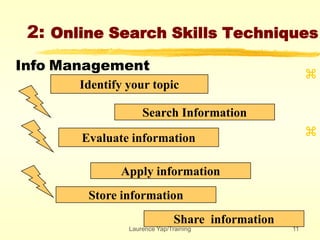
2: Online Search Skills Techniques
Identify your topic
Search Information


Evaluate information
Apply information
Store information
Share information
Info Management
Laurence Yap/Training 12
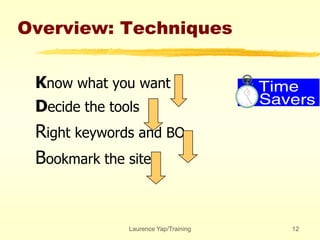
Overview: Techniques
Know what you want
Decide the tools
Right keywords and BO
Bookmark the site
Laurence Yap/Training 13
2.1 Know What you want ?
 What is your subject matter?
 What info you want?
Reports?
Pictures?
Discussion?
How long is your search time?
•Exercise: Define three area……..
Laurence Yap/Training 14
2.2 Decide the tools
 General Info
 Directories
 Specific info
Search engine
 Communication
 Mailing List/ Newsgroups/Online Chat
•Exercise: Define the tools in those
areas……..
Laurence Yap/Training 15
2.3 Right keywords
 What are the keywords?
Memosa Pudica
Kitty Cat or Hello Kitty
 What are the alternate keywords?
•Exercise: Define keywords of three
areas……..
Laurence Yap/Training 16
2.4 Book Mark
 Bookmark it
 Create Folder, Change name
 Create a off-site bookmark
•Exercise: Create three folder names
Laurence Yap/Training 17
3.O Search Tools:
directories and search
engine communication
General Info
 Directories
 Specific info
Search engine
 Communication
 Mailing List/ Newsgroups/Online Chat
Laurence Yap/Training 18
3.1 Search Tools:
a. General Directories
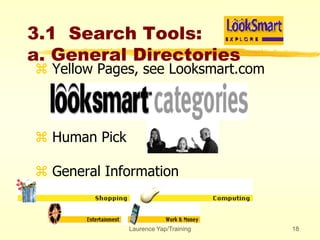
 Yellow Pages, see Looksmart.com
 Human Pick
 General Information
Laurence Yap/Training 19
3.1 Search Tools:
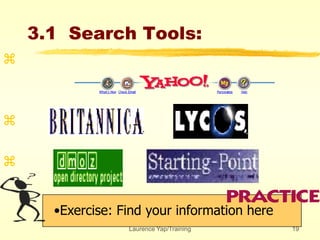
•Exercise: Find your information here



Laurence Yap/Training 20
3.1 Search Tools:
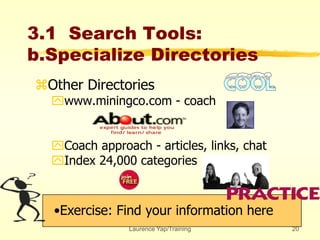
b.Specialize Directories
Other Directories
www.miningco.com - coach
Coach approach - articles, links, chat
Index 24,000 categories
•Exercise: Find your information here
Laurence Yap/Training 21
3.1 Search Tools:
•Exercise: Find your information here

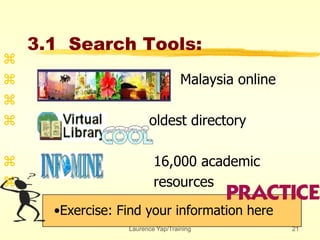
 Malaysia online

 oldest directory
 16,000 academic
 resources
Laurence Yap/Training 22
3.1 Search Tools:
•Exercise: Find your information here

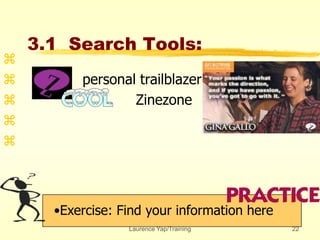
 personal trailblazer
 Zinezone


Laurence Yap/Training 23
3.2 Search Tools:
Search Engines
•Exercise: Find your information here



•
• Pick up by software: Robot, Bot etc
• Look for specific information
• Detective
Laurence Yap/Training 24
3.2 Search Tools:
Search Engines
Exercise: List 3 BO for each of the
information you need



•
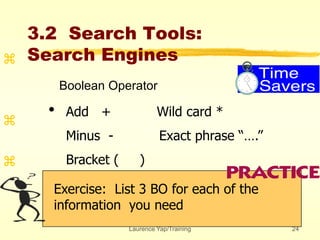
Boolean Operator
Add + Wild card *
Minus - Exact phrase “….”
Bracket ( )
Laurence Yap/Training 25
3.2 Search Tools:
Search Engines
•Exercise: Find your information here



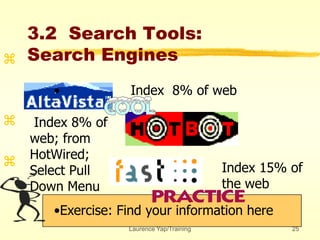
•• Index 8% of web
Index 8% of
web; from
HotWired;
Select Pull
Down Menu
Index 15% of
the web
Laurence Yap/Training 26
3.2 Search Tools:
Meta Search Engines


•• Combine search engines
• Similar BO
• General terms
Laurence Yap/Training 27
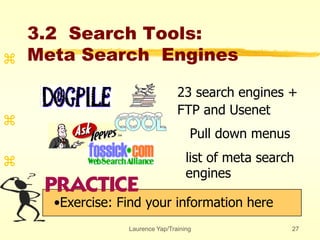
23 search engines +
FTP and Usenet
Pull down menus
list of meta search
engines
3.2 Search Tools:
Meta Search Engines
•Exercise: Find your information here



Laurence Yap/Training 28
3.3 Communication:
web based mailing list
•Exercise: Find your information here



• Web/Email Based Mailing List
•Register as member
•Example: TQM in Egroups
Laurence Yap/Training 29
3.3 Communication:
Email based mailing list
•Exercise: Find your information here



- www.liszt.com
- subscibe listname
- unsubscribe
- listserv/majodomo
Laurence Yap/Training 30
3.3 Communication:
Dejanews
•Exercise: Find your information here



- www.dejanews.com
- soc.culture.malaysia
- use newsreader
Laurence Yap/Training 31
4. Evaluation and Sharing
 Evaluation of Information
author’s authority
publisher’s background
currency: date
reference of other sources
motive: commercial, academic or
propaganda
Laurence Yap/Training 32
Internet Politics
Virus
Freedom of speech
Pornography
Company policies
Copy right
Sharing information
Laurence Yap/Training 33
5. Conclusion and
Summaries
internet history, etiquette and politics
info management and online search skills
directories, search engines, mailing lists
and newsgroups
evaluate information
Laurence Yap/Training 34
5. Conclusion and
Summaries

Online search 1 day

  • 1.
    Laurence Yap/Training 1 InternetInformation Research Skills: Get what you want in 5 minutes
  • 2.
  • 3.
    Laurence Yap/Training 3 Objectives: Understandthe internet history, etiquette and politics Aware of info management and online search skills Practice different information searching tools - directories, search engines, mailing lists and newsgroups Able to evaluate information
  • 4.
    Laurence Yap/Training 4 Outline 1.Introduction - video, test and needs 2. Online Search Skills 3. Search Tools: Search engine, directories and communication 4. Evaluation and sharing - exercise 5. Conclusion - test and summary
  • 5.
    Laurence Yap/Training 5 1.Introduction What is internet?  NEC Research Institute estimated that as of February 1999, there were 2.8 million publicly accessible web servers 800 million pages on the web, as of Feb, 1999 Network of networks
  • 6.
  • 7.
    Laurence Yap/Training 7 1.1Your needs? 1. What information you want to have right now? A.________________________ B. _______________________ C. _______________________
  • 8.
    Laurence Yap/Training 8 1.2Intro: History What do you know about internet history? 1962-1969 APRANET 1970-1988 Universities, government, major corporations 1988-1990 Decommission APRANET, renamed INTERNET 1991-1993 Commercial activities allowed, Gopher and Mosaic 1994-1996 Netscape - 40 million users …………………………………………………………………… ..  BBN Timeline  http://www.bbn.com/customer_connection/timeline. htm
  • 9.
    Laurence Yap/Training 9 1.3Introduction: Test how many web pages in internet know? Name three major search engines? Name two web based mailing list? Is Yahoo a directory? What is meta-search engine? What is mailing list used for?
  • 10.
    Laurence Yap/Training 10 1.4Browser - functions Homepage Back.Forward - Fast Back Find within the same document Organize info - Bookmark Save
  • 11.
    Laurence Yap/Training 11 2:Online Search Skills Techniques Identify your topic Search Information   Evaluate information Apply information Store information Share information Info Management
  • 12.
    Laurence Yap/Training 12 Overview:Techniques Know what you want Decide the tools Right keywords and BO Bookmark the site
  • 13.
    Laurence Yap/Training 13 2.1Know What you want ?  What is your subject matter?  What info you want? Reports? Pictures? Discussion? How long is your search time? •Exercise: Define three area……..
  • 14.
    Laurence Yap/Training 14 2.2Decide the tools  General Info  Directories  Specific info Search engine  Communication  Mailing List/ Newsgroups/Online Chat •Exercise: Define the tools in those areas……..
  • 15.
    Laurence Yap/Training 15 2.3Right keywords  What are the keywords? Memosa Pudica Kitty Cat or Hello Kitty  What are the alternate keywords? •Exercise: Define keywords of three areas……..
  • 16.
    Laurence Yap/Training 16 2.4Book Mark  Bookmark it  Create Folder, Change name  Create a off-site bookmark •Exercise: Create three folder names
  • 17.
    Laurence Yap/Training 17 3.OSearch Tools: directories and search engine communication General Info  Directories  Specific info Search engine  Communication  Mailing List/ Newsgroups/Online Chat
  • 18.
    Laurence Yap/Training 18 3.1Search Tools: a. General Directories  Yellow Pages, see Looksmart.com  Human Pick  General Information
  • 19.
    Laurence Yap/Training 19 3.1Search Tools: •Exercise: Find your information here   
  • 20.
    Laurence Yap/Training 20 3.1Search Tools: b.Specialize Directories Other Directories www.miningco.com - coach Coach approach - articles, links, chat Index 24,000 categories •Exercise: Find your information here
  • 21.
    Laurence Yap/Training 21 3.1Search Tools: •Exercise: Find your information here   Malaysia online   oldest directory  16,000 academic  resources
  • 22.
    Laurence Yap/Training 22 3.1Search Tools: •Exercise: Find your information here   personal trailblazer  Zinezone  
  • 23.
    Laurence Yap/Training 23 3.2Search Tools: Search Engines •Exercise: Find your information here    • • Pick up by software: Robot, Bot etc • Look for specific information • Detective
  • 24.
    Laurence Yap/Training 24 3.2Search Tools: Search Engines Exercise: List 3 BO for each of the information you need    • Boolean Operator Add + Wild card * Minus - Exact phrase “….” Bracket ( )
  • 25.
    Laurence Yap/Training 25 3.2Search Tools: Search Engines •Exercise: Find your information here    •• Index 8% of web Index 8% of web; from HotWired; Select Pull Down Menu Index 15% of the web
  • 26.
    Laurence Yap/Training 26 3.2Search Tools: Meta Search Engines   •• Combine search engines • Similar BO • General terms
  • 27.
    Laurence Yap/Training 27 23search engines + FTP and Usenet Pull down menus list of meta search engines 3.2 Search Tools: Meta Search Engines •Exercise: Find your information here   
  • 28.
    Laurence Yap/Training 28 3.3Communication: web based mailing list •Exercise: Find your information here    • Web/Email Based Mailing List •Register as member •Example: TQM in Egroups
  • 29.
    Laurence Yap/Training 29 3.3Communication: Email based mailing list •Exercise: Find your information here    - www.liszt.com - subscibe listname - unsubscribe - listserv/majodomo
  • 30.
    Laurence Yap/Training 30 3.3Communication: Dejanews •Exercise: Find your information here    - www.dejanews.com - soc.culture.malaysia - use newsreader
  • 31.
    Laurence Yap/Training 31 4.Evaluation and Sharing  Evaluation of Information author’s authority publisher’s background currency: date reference of other sources motive: commercial, academic or propaganda
  • 32.
    Laurence Yap/Training 32 InternetPolitics Virus Freedom of speech Pornography Company policies Copy right Sharing information
  • 33.
    Laurence Yap/Training 33 5.Conclusion and Summaries internet history, etiquette and politics info management and online search skills directories, search engines, mailing lists and newsgroups evaluate information
  • 34.
    Laurence Yap/Training 34 5.Conclusion and Summaries