Laurence Yap/Training 1
Internet Information
Research Skills 101
Get what you want in 5 minutes
Laurence Yap/Training 2
Laurence Yap/Training 3
Objectives:
Understand the internet history,
etiquette and politics
Aware of info management and online
search skills
Practice different information
searching tools - directories, search
engines, mailing lists and newsgroups
Able to evaluate information
Laurence Yap/Training 4
Outline
1. Introduction - video, test and needs
2. Online Search Skills

3. Search Tools: Search engine,
directories and communication
4. Evaluation and sharing - exercise
5. Conclusion - test and summary
Laurence Yap/Training 5
1. Introduction
What is internet?
 NEC Research Institute estimated that as of February
1999, there were 2.8 million publicly accessible web
servers
800 million pages on the web, as of Feb, 1999
Network of networks
Laurence Yap/Training 6
Too wide!!
Laurence Yap/Training 7
1.1 Your needs?
1. What information you want to have
right now?
A.________________________
B. _______________________
C. _______________________
Laurence Yap/Training 8
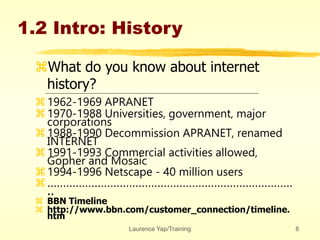
1.2 Intro: History
What do you know about internet
history?
1962-1969 APRANET
1970-1988 Universities, government, major
corporations
1988-1990 Decommission APRANET, renamed
INTERNET
1991-1993 Commercial activities allowed,
Gopher and Mosaic
1994-1996 Netscape - 40 million users
……………………………………………………………………
..
 BBN Timeline
 http://www.bbn.com/customer_connection/timeline.
htm
Laurence Yap/Training 9
1.3 Introduction: Test
how many web pages in internet know?
Name three major search engines?
Name two web based mailing list?
Is Yahoo a directory?
What is meta-search engine?
What is mailing list used for?
Laurence Yap/Training 10
1.4 Browser - functions
Homepage
Back.Forward - Fast Back
Find within the same document
Organize info - Bookmark
Save
Laurence Yap/Training 11
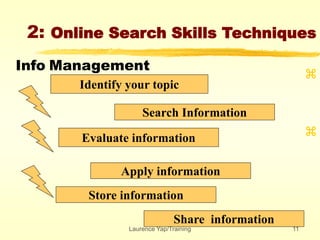
2: Online Search Skills Techniques
Identify your topic
Search Information


Evaluate information
Apply information
Store information
Share information
Info Management
Laurence Yap/Training 12
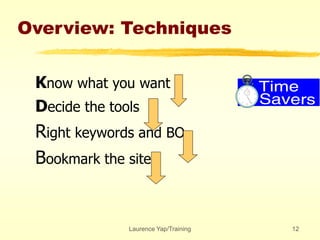
Overview: Techniques
Know what you want
Decide the tools
Right keywords and BO
Bookmark the site
Laurence Yap/Training 13
2.1 Know What you want ?
 What is your subject matter?
 What info you want?
Reports?
Pictures?
Discussion?
How long is your search time?
•Exercise: Define three area……..
Laurence Yap/Training 14
2.2 Decide the tools
 General Info
 Directories
 Specific info
Search engine
 Communication
 Mailing List/ Newsgroups/Online Chat
•Exercise: Define the tools in those
areas……..
Laurence Yap/Training 15
2.3 Right keywords
 What are the keywords?
Memosa Pudica
Kitty Cat or Hello Kitty
 What are the alternate keywords?
•Exercise: Define keywords of three
areas……..
Laurence Yap/Training 16
2.4 Book Mark
 Bookmark it
 Create Folder, Change name
 Create a off-site bookmark
•Exercise: Create three folder names
Laurence Yap/Training 17
3.O Search Tools:
directories and search
engine communication
General Info
 Directories
 Specific info
Search engine
 Communication
 Mailing List/ Newsgroups/Online Chat
Laurence Yap/Training 18
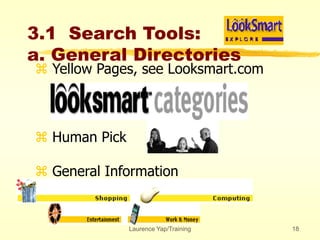
3.1 Search Tools:
a. General Directories
 Yellow Pages, see Looksmart.com
 Human Pick
 General Information
Laurence Yap/Training 19
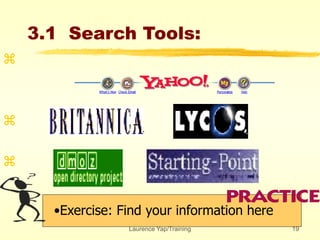
3.1 Search Tools:
•Exercise: Find your information here



Laurence Yap/Training 20
3.1 Search Tools:
b.Specialize Directories
Other Directories
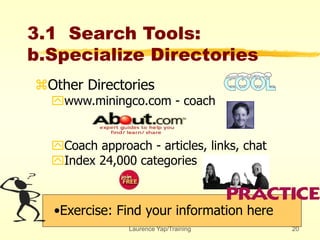
www.miningco.com - coach
Coach approach - articles, links, chat
Index 24,000 categories
•Exercise: Find your information here
Laurence Yap/Training 21
3.1 Search Tools:
•Exercise: Find your information here

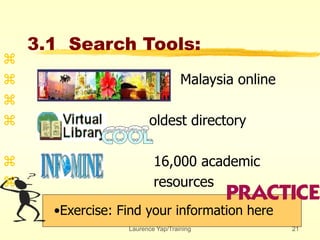
 Malaysia online

 oldest directory
 16,000 academic
 resources
Laurence Yap/Training 22
3.1 Search Tools:
•Exercise: Find your information here

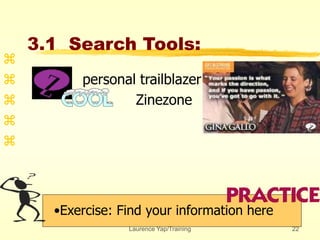
 personal trailblazer
 Zinezone


Laurence Yap/Training 23
3.2 Search Tools:
Search Engines
•Exercise: Find your information here



•
• Pick up by software: Robot, Bot etc
• Look for specific information
• Detective
Laurence Yap/Training 24
3.2 Search Tools:
Search Engines
Exercise: List 3 BO for each of the
information you need



•
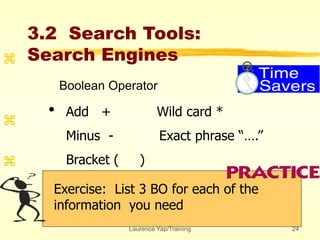
Boolean Operator
Add + Wild card *
Minus - Exact phrase “….”
Bracket ( )
Laurence Yap/Training 25
3.2 Search Tools:
Search Engines
•Exercise: Find your information here



•
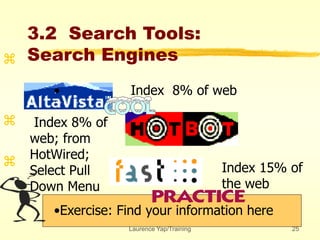
• Index 8% of web
Index 8% of
web; from
HotWired;
Select Pull
Down Menu
Index 15% of
the web
Laurence Yap/Training 26
3.2 Search Tools:
Meta Search Engines



•
• Combine search engines
• Similar BO
• General terms
Laurence Yap/Training 27
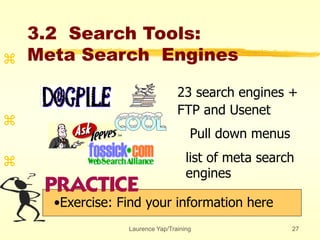
23 search engines +
FTP and Usenet
Pull down menus
list of meta search
engines
3.2 Search Tools:
Meta Search Engines
•Exercise: Find your information here



Laurence Yap/Training 28
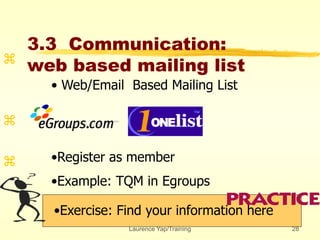
3.3 Communication:
web based mailing list
•Exercise: Find your information here



• Web/Email Based Mailing List
•Register as member
•Example: TQM in Egroups
Laurence Yap/Training 29
3.3 Communication:
Email based mailing list
•Exercise: Find your information here



- www.liszt.com
- subscibe listname
- unsubscribe
- listserv/majodomo
Laurence Yap/Training 30
3.3 Communication:
Dejanews
•Exercise: Find your information here



- www.dejanews.com
- soc.culture.malaysia
- use newsreader
Laurence Yap/Training 31
4. Evaluation and Sharing
 Evaluation of Information
author’s authority
publisher’s background
currency: date
reference of other sources
motive: commercial, academic or
propaganda
Laurence Yap/Training 32
Internet Politics
Virus
Freedom of speech
Pornography
Company policies
Copy right
Sharing information
Laurence Yap/Training 33
5. Conclusion and
Summaries
internet history, etiquette and politics
info management and online search skills
directories, search engines, mailing lists
and newsgroups
evaluate information
Laurence Yap/Training 34
5. Conclusion and
Summaries
Laurence Yap/Training 35
Internet Information
Research Skills 102
Getting Involved
Laurence Yap/Training 36
Objectives:
Understand the internet
communication behaviors
Practice different information
searching tools - Newsgroups and
mailing list
Laurence Yap/Training 37
Outlines
Revision
Why communicate?
Mailing List
Web Based
Email Based
Newsgroups
Web Based
Test and Summary
Laurence Yap/Training 38
Laurence Yap/Training 39
Revision
What is Internet?
How did Internet get started?
Steps of online research?
What is a directory? Examples?
What is a search engine? Example?
What are the four keywords for fast search?
What other methods for fast search?
How do we evaluate information?
Tell us about virus, porno, copy right.
Laurence Yap/Training 40
Laurence Yap/Training 41
Laurence Yap/Training 42
• Ask questions
• Sense of belonging
• International exposure
• Contribution
• Networking
Laurence Yap/Training 43
Danger?
Lurk first
Beware of the audience
Reveal not the process and
machines used
Laurence Yap/Training 44
Laurence Yap/Training 45
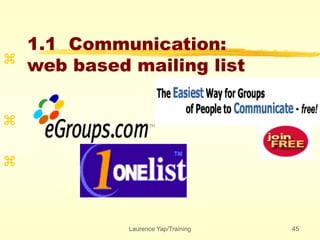
1.1 Communication:
web based mailing list



Laurence Yap/Training 46
1.1 Communication:
web based mailing list



Business-Management-HR-
Workplace Communication
http://www.egroups.com
Laurence Yap/Training 47
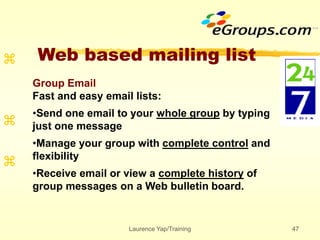
Web based mailing list



Group Email
Fast and easy email lists:
•Send one email to your whole group by typing
just one message
•Manage your group with complete control and
flexibility
•Receive email or view a complete history of
group messages on a Web bulletin board.
Laurence Yap/Training 48
1.1 Communication:
web based mailing list


 Business grammar
Laurence Yap/Training 49
1.1 Communication:
web based mailing list



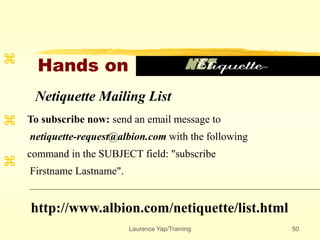
Laurence Yap/Training 50
Hands on



Netiquette Mailing List
To subscribe now: send an email message to
netiquette-request@albion.com with the following
command in the SUBJECT field: "subscribe
Firstname Lastname".
http://www.albion.com/netiquette/list.html
Laurence Yap/Training 51
Hands on



http://www.liszt.com
70,000 listserv, listproc, majordomo and
independently managed mailing lists.
Laurence Yap/Training 52
MailBit



http://www.mailbits.com/
Laurence Yap/Training 53
Command



Moderated vs Anarchic
Discussion vs Announcement
Open vs Closed
Individual-Message vs Digest
Laurence Yap/Training 54
Command



Three Types of Mailing List Software:
"listserv," @domainname
"majordomo," @domainname
"listname-request" @domainname
(listproc)
LISTSERV@HYPATIA.CS.WISC.EDU
listserv@cs.wisc.edu
Laurence Yap/Training 55
Command



Basic:
Subscribe: subscribe [listname] {firstname
lastname}
Unsubscribe: unsubscribe [listname]
Receive digest version: set [listname] digest
Vacation, stop mail: set [listname] nomail
Example: subscribe TRDEV-L laurence yap
Laurence Yap/Training 56
Command



Messages for distribution to the subscribers
must sent to an entirely different address.
Usually that address begins: "listname"
@domainname.
NET-HAPPENINGS@HYPATIA.CS.WISC.EDU
TRDEV-L@LISTS.PSU.EDU
Laurence Yap/Training 57



TRDEV-L welcome message
http://train.ed.psu.edu/trdev-
l/welcome.html
Read it.
Laurence Yap/Training 58



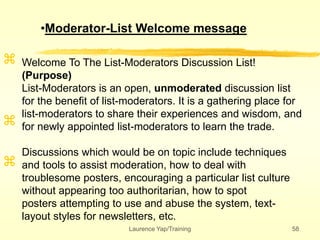
Welcome To The List-Moderators Discussion List!
(Purpose)
List-Moderators is an open, unmoderated discussion list
for the benefit of list-moderators. It is a gathering place for
list-moderators to share their experiences and wisdom, and
for newly appointed list-moderators to learn the trade.
Discussions which would be on topic include techniques
and tools to assist moderation, how to deal with
troublesome posters, encouraging a particular list culture
without appearing too authoritarian, how to spot
posters attempting to use and abuse the system, text-
layout styles for newsletters, etc.
•Moderator-List Welcome message
Laurence Yap/Training 59



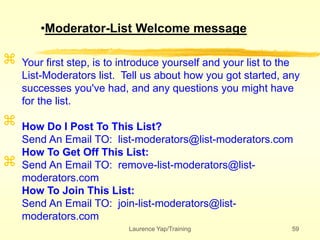
Your first step, is to introduce yourself and your list to the
List-Moderators list. Tell us about how you got started, any
successes you've had, and any questions you might have
for the list.
How Do I Post To This List?
Send An Email TO: list-moderators@list-moderators.com
How To Get Off This List:
Send An Email TO: remove-list-moderators@list-
moderators.com
How To Join This List:
Send An Email TO: join-list-moderators@list-
moderators.com
•Moderator-List Welcome message
Laurence Yap/Training 60
Emoticon
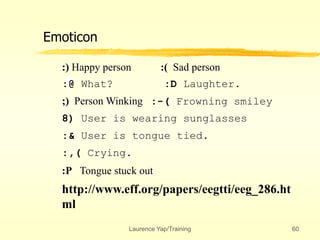
:) Happy person :( Sad person
:@ What? :D Laughter.
;) Person Winking :-( Frowning smiley
8) User is wearing sunglasses
:& User is tongue tied.
:,( Crying.
:P Tongue stuck out
http://www.eff.org/papers/eegtti/eeg_286.ht
ml
Laurence Yap/Training 61
Abbreviation
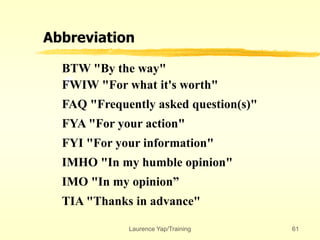
BTW "By the way"
FWIW "For what it's worth"
FAQ "Frequently asked question(s)"
FYA "For your action"
FYI "For your information"
IMHO "In my humble opinion"
IMO "In my opinion”
TIA "Thanks in advance"
Laurence Yap/Training 62
Email Newsletter Subscriber
Look for unsubscription directions,
and follow them. Do NOT assume that
hitting "reply" with "remove" in the
subject field (for example) will get you off
the list. Don't expect the publisher to
remove you manually: you subscribed;
you can remove yourself.
Save your welcome messages with list
rules and unsubscription information.
If you have a problem, take it up nicely
with the publisher.
Laurence Yap/Training 63
Discussion List Members
Be courteous to other list members. If you disagree
with them, fine, just don't resort to personal insults.
Consult the list archives, if available, before posting
a question. This is also a good way to become familiar
with a list's acceptable topics, etc.
Consult the list FAQ if there is one available.
Do not cross-post (send the same message to more
than one list).
Laurence Yap/Training 64
Discussion List Members
Follow the list rules at all times. If you're not sure
whether your post will violate the rules, ask the
moderator before you send it.
Lurk and learn what's acceptable before posting to
the list.
Don't overquote. Include only the specific
information you're responding to, and chop out the
rest.
Keep posts to the list brief. If you're post doesn't
add value, don't send it. (Example: Don't send a
"thanks" message through the list. Send something
like that directly to the person you're thanking.)
Laurence Yap/Training 65
Discussion List Members
Do not forward virus warnings and the like to a list
unless it's devoted to that topic.
Respect other people's opinions. If you disagree,
do it politely.
Spell check and reread your messages before
posting.
Do not forward copyrighted material to the list
unless you have permission to do so.
Laurence Yap/Training 66
searchable mailing list
archive
Laurence Yap/Training 67
An easy to use archiving
service for electronic mailing lists.
http://www.mail-archive.com/
Laurence Yap/Training 68
http://www.listquest.com/
hosts free searchable archives for mailing
lists and discussion forms
Laurence Yap/Training 69
http://list-tips.com/
Extra:
When
you
become
a list
owner
Laurence Yap/Training 70
Laurence Yap/Training 71



Laurence Yap/Training 72
2.1 Communication:
Dejanews
•Exercise: Find your information here



www.dejanews.com
Computing_PC Peripheral
storage media
Laurence Yap/Training 73
2.1 Communication:
Dejanews



TRY THIS...
Find the newsgroup of your
dreams at Deja, the discussion
network.
Laurence Yap/Training 74
Alternatives



AltaVista - Discussion Group
Laurence Yap/Training 75
Alternatives



Lycos - Advance Serach
Laurence Yap/Training 76



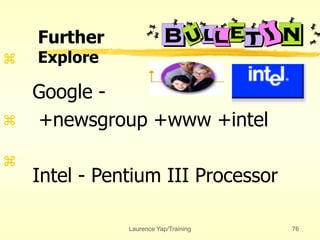
Google -
+newsgroup +www +intel
Intel - Pentium III Processor
Further
Explore
Laurence Yap/Training 77
2.1 LISTZ
•Exercise: Find your information here



http://www.liszt.com/news/
notice the different categories such
as BIZ, SOC, REC
Laurence Yap/Training 78



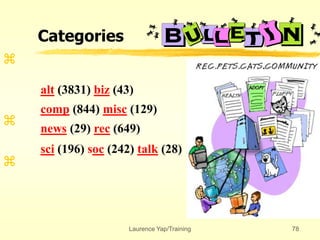
alt (3831) biz (43)
comp (844) misc (129)
news (29) rec (649)
sci (196) soc (242) talk (28)
Categories
Laurence Yap/Training 79



For example: Science- Eng
Look for your topics
………………………………………………..
Categories
Laurence Yap/Training 80
Dejanews



use newsreader
Watch VCD
Laurence Yap/Training 81
Laurence Yap/Training 82
7. Test
Discussion on time managment
Convertion of world time zone
Directories of US university’s library
Trend of hard disk indutsries
Directories of magazines
Laurence Yap/Training 83
Laurence Yap/Training 84
Test
http://www.albion.com/netiquette/netiquiz.html
Laurence Yap/Training 85
The Netiquette
Laurence Yap/Training 86
Laurence Yap/Training 87
8. Summaries
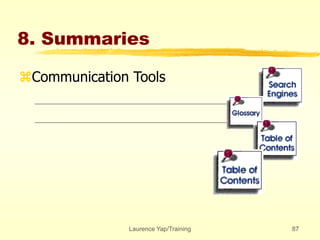
Communication Tools

Internet Information Research Skills

  • 1.
    Laurence Yap/Training 1 InternetInformation Research Skills 101 Get what you want in 5 minutes
  • 2.
  • 3.
    Laurence Yap/Training 3 Objectives: Understandthe internet history, etiquette and politics Aware of info management and online search skills Practice different information searching tools - directories, search engines, mailing lists and newsgroups Able to evaluate information
  • 4.
    Laurence Yap/Training 4 Outline 1.Introduction - video, test and needs 2. Online Search Skills 3. Search Tools: Search engine, directories and communication 4. Evaluation and sharing - exercise 5. Conclusion - test and summary
  • 5.
    Laurence Yap/Training 5 1.Introduction What is internet?  NEC Research Institute estimated that as of February 1999, there were 2.8 million publicly accessible web servers 800 million pages on the web, as of Feb, 1999 Network of networks
  • 6.
  • 7.
    Laurence Yap/Training 7 1.1Your needs? 1. What information you want to have right now? A.________________________ B. _______________________ C. _______________________
  • 8.
    Laurence Yap/Training 8 1.2Intro: History What do you know about internet history? 1962-1969 APRANET 1970-1988 Universities, government, major corporations 1988-1990 Decommission APRANET, renamed INTERNET 1991-1993 Commercial activities allowed, Gopher and Mosaic 1994-1996 Netscape - 40 million users …………………………………………………………………… ..  BBN Timeline  http://www.bbn.com/customer_connection/timeline. htm
  • 9.
    Laurence Yap/Training 9 1.3Introduction: Test how many web pages in internet know? Name three major search engines? Name two web based mailing list? Is Yahoo a directory? What is meta-search engine? What is mailing list used for?
  • 10.
    Laurence Yap/Training 10 1.4Browser - functions Homepage Back.Forward - Fast Back Find within the same document Organize info - Bookmark Save
  • 11.
    Laurence Yap/Training 11 2:Online Search Skills Techniques Identify your topic Search Information   Evaluate information Apply information Store information Share information Info Management
  • 12.
    Laurence Yap/Training 12 Overview:Techniques Know what you want Decide the tools Right keywords and BO Bookmark the site
  • 13.
    Laurence Yap/Training 13 2.1Know What you want ?  What is your subject matter?  What info you want? Reports? Pictures? Discussion? How long is your search time? •Exercise: Define three area……..
  • 14.
    Laurence Yap/Training 14 2.2Decide the tools  General Info  Directories  Specific info Search engine  Communication  Mailing List/ Newsgroups/Online Chat •Exercise: Define the tools in those areas……..
  • 15.
    Laurence Yap/Training 15 2.3Right keywords  What are the keywords? Memosa Pudica Kitty Cat or Hello Kitty  What are the alternate keywords? •Exercise: Define keywords of three areas……..
  • 16.
    Laurence Yap/Training 16 2.4Book Mark  Bookmark it  Create Folder, Change name  Create a off-site bookmark •Exercise: Create three folder names
  • 17.
    Laurence Yap/Training 17 3.OSearch Tools: directories and search engine communication General Info  Directories  Specific info Search engine  Communication  Mailing List/ Newsgroups/Online Chat
  • 18.
    Laurence Yap/Training 18 3.1Search Tools: a. General Directories  Yellow Pages, see Looksmart.com  Human Pick  General Information
  • 19.
    Laurence Yap/Training 19 3.1Search Tools: •Exercise: Find your information here   
  • 20.
    Laurence Yap/Training 20 3.1Search Tools: b.Specialize Directories Other Directories www.miningco.com - coach Coach approach - articles, links, chat Index 24,000 categories •Exercise: Find your information here
  • 21.
    Laurence Yap/Training 21 3.1Search Tools: •Exercise: Find your information here   Malaysia online   oldest directory  16,000 academic  resources
  • 22.
    Laurence Yap/Training 22 3.1Search Tools: •Exercise: Find your information here   personal trailblazer  Zinezone  
  • 23.
    Laurence Yap/Training 23 3.2Search Tools: Search Engines •Exercise: Find your information here    • • Pick up by software: Robot, Bot etc • Look for specific information • Detective
  • 24.
    Laurence Yap/Training 24 3.2Search Tools: Search Engines Exercise: List 3 BO for each of the information you need    • Boolean Operator Add + Wild card * Minus - Exact phrase “….” Bracket ( )
  • 25.
    Laurence Yap/Training 25 3.2Search Tools: Search Engines •Exercise: Find your information here    • • Index 8% of web Index 8% of web; from HotWired; Select Pull Down Menu Index 15% of the web
  • 26.
    Laurence Yap/Training 26 3.2Search Tools: Meta Search Engines    • • Combine search engines • Similar BO • General terms
  • 27.
    Laurence Yap/Training 27 23search engines + FTP and Usenet Pull down menus list of meta search engines 3.2 Search Tools: Meta Search Engines •Exercise: Find your information here   
  • 28.
    Laurence Yap/Training 28 3.3Communication: web based mailing list •Exercise: Find your information here    • Web/Email Based Mailing List •Register as member •Example: TQM in Egroups
  • 29.
    Laurence Yap/Training 29 3.3Communication: Email based mailing list •Exercise: Find your information here    - www.liszt.com - subscibe listname - unsubscribe - listserv/majodomo
  • 30.
    Laurence Yap/Training 30 3.3Communication: Dejanews •Exercise: Find your information here    - www.dejanews.com - soc.culture.malaysia - use newsreader
  • 31.
    Laurence Yap/Training 31 4.Evaluation and Sharing  Evaluation of Information author’s authority publisher’s background currency: date reference of other sources motive: commercial, academic or propaganda
  • 32.
    Laurence Yap/Training 32 InternetPolitics Virus Freedom of speech Pornography Company policies Copy right Sharing information
  • 33.
    Laurence Yap/Training 33 5.Conclusion and Summaries internet history, etiquette and politics info management and online search skills directories, search engines, mailing lists and newsgroups evaluate information
  • 34.
    Laurence Yap/Training 34 5.Conclusion and Summaries
  • 35.
    Laurence Yap/Training 35 InternetInformation Research Skills 102 Getting Involved
  • 36.
    Laurence Yap/Training 36 Objectives: Understandthe internet communication behaviors Practice different information searching tools - Newsgroups and mailing list
  • 37.
    Laurence Yap/Training 37 Outlines Revision Whycommunicate? Mailing List Web Based Email Based Newsgroups Web Based Test and Summary
  • 38.
  • 39.
    Laurence Yap/Training 39 Revision Whatis Internet? How did Internet get started? Steps of online research? What is a directory? Examples? What is a search engine? Example? What are the four keywords for fast search? What other methods for fast search? How do we evaluate information? Tell us about virus, porno, copy right.
  • 40.
  • 41.
  • 42.
    Laurence Yap/Training 42 •Ask questions • Sense of belonging • International exposure • Contribution • Networking
  • 43.
    Laurence Yap/Training 43 Danger? Lurkfirst Beware of the audience Reveal not the process and machines used
  • 44.
  • 45.
    Laurence Yap/Training 45 1.1Communication: web based mailing list   
  • 46.
    Laurence Yap/Training 46 1.1Communication: web based mailing list    Business-Management-HR- Workplace Communication http://www.egroups.com
  • 47.
    Laurence Yap/Training 47 Webbased mailing list    Group Email Fast and easy email lists: •Send one email to your whole group by typing just one message •Manage your group with complete control and flexibility •Receive email or view a complete history of group messages on a Web bulletin board.
  • 48.
    Laurence Yap/Training 48 1.1Communication: web based mailing list    Business grammar
  • 49.
    Laurence Yap/Training 49 1.1Communication: web based mailing list   
  • 50.
    Laurence Yap/Training 50 Handson    Netiquette Mailing List To subscribe now: send an email message to netiquette-request@albion.com with the following command in the SUBJECT field: "subscribe Firstname Lastname". http://www.albion.com/netiquette/list.html
  • 51.
    Laurence Yap/Training 51 Handson    http://www.liszt.com 70,000 listserv, listproc, majordomo and independently managed mailing lists.
  • 52.
  • 53.
    Laurence Yap/Training 53 Command    Moderatedvs Anarchic Discussion vs Announcement Open vs Closed Individual-Message vs Digest
  • 54.
    Laurence Yap/Training 54 Command    ThreeTypes of Mailing List Software: "listserv," @domainname "majordomo," @domainname "listname-request" @domainname (listproc) LISTSERV@HYPATIA.CS.WISC.EDU listserv@cs.wisc.edu
  • 55.
    Laurence Yap/Training 55 Command    Basic: Subscribe:subscribe [listname] {firstname lastname} Unsubscribe: unsubscribe [listname] Receive digest version: set [listname] digest Vacation, stop mail: set [listname] nomail Example: subscribe TRDEV-L laurence yap
  • 56.
    Laurence Yap/Training 56 Command    Messagesfor distribution to the subscribers must sent to an entirely different address. Usually that address begins: "listname" @domainname. NET-HAPPENINGS@HYPATIA.CS.WISC.EDU TRDEV-L@LISTS.PSU.EDU
  • 57.
    Laurence Yap/Training 57    TRDEV-Lwelcome message http://train.ed.psu.edu/trdev- l/welcome.html Read it.
  • 58.
    Laurence Yap/Training 58    WelcomeTo The List-Moderators Discussion List! (Purpose) List-Moderators is an open, unmoderated discussion list for the benefit of list-moderators. It is a gathering place for list-moderators to share their experiences and wisdom, and for newly appointed list-moderators to learn the trade. Discussions which would be on topic include techniques and tools to assist moderation, how to deal with troublesome posters, encouraging a particular list culture without appearing too authoritarian, how to spot posters attempting to use and abuse the system, text- layout styles for newsletters, etc. •Moderator-List Welcome message
  • 59.
    Laurence Yap/Training 59    Yourfirst step, is to introduce yourself and your list to the List-Moderators list. Tell us about how you got started, any successes you've had, and any questions you might have for the list. How Do I Post To This List? Send An Email TO: list-moderators@list-moderators.com How To Get Off This List: Send An Email TO: remove-list-moderators@list- moderators.com How To Join This List: Send An Email TO: join-list-moderators@list- moderators.com •Moderator-List Welcome message
  • 60.
    Laurence Yap/Training 60 Emoticon :)Happy person :( Sad person :@ What? :D Laughter. ;) Person Winking :-( Frowning smiley 8) User is wearing sunglasses :& User is tongue tied. :,( Crying. :P Tongue stuck out http://www.eff.org/papers/eegtti/eeg_286.ht ml
  • 61.
    Laurence Yap/Training 61 Abbreviation BTW"By the way" FWIW "For what it's worth" FAQ "Frequently asked question(s)" FYA "For your action" FYI "For your information" IMHO "In my humble opinion" IMO "In my opinion” TIA "Thanks in advance"
  • 62.
    Laurence Yap/Training 62 EmailNewsletter Subscriber Look for unsubscription directions, and follow them. Do NOT assume that hitting "reply" with "remove" in the subject field (for example) will get you off the list. Don't expect the publisher to remove you manually: you subscribed; you can remove yourself. Save your welcome messages with list rules and unsubscription information. If you have a problem, take it up nicely with the publisher.
  • 63.
    Laurence Yap/Training 63 DiscussionList Members Be courteous to other list members. If you disagree with them, fine, just don't resort to personal insults. Consult the list archives, if available, before posting a question. This is also a good way to become familiar with a list's acceptable topics, etc. Consult the list FAQ if there is one available. Do not cross-post (send the same message to more than one list).
  • 64.
    Laurence Yap/Training 64 DiscussionList Members Follow the list rules at all times. If you're not sure whether your post will violate the rules, ask the moderator before you send it. Lurk and learn what's acceptable before posting to the list. Don't overquote. Include only the specific information you're responding to, and chop out the rest. Keep posts to the list brief. If you're post doesn't add value, don't send it. (Example: Don't send a "thanks" message through the list. Send something like that directly to the person you're thanking.)
  • 65.
    Laurence Yap/Training 65 DiscussionList Members Do not forward virus warnings and the like to a list unless it's devoted to that topic. Respect other people's opinions. If you disagree, do it politely. Spell check and reread your messages before posting. Do not forward copyrighted material to the list unless you have permission to do so.
  • 66.
  • 67.
    Laurence Yap/Training 67 Aneasy to use archiving service for electronic mailing lists. http://www.mail-archive.com/
  • 68.
    Laurence Yap/Training 68 http://www.listquest.com/ hostsfree searchable archives for mailing lists and discussion forms
  • 69.
  • 70.
  • 71.
  • 72.
    Laurence Yap/Training 72 2.1Communication: Dejanews •Exercise: Find your information here    www.dejanews.com Computing_PC Peripheral storage media
  • 73.
    Laurence Yap/Training 73 2.1Communication: Dejanews    TRY THIS... Find the newsgroup of your dreams at Deja, the discussion network.
  • 74.
  • 75.
  • 76.
    Laurence Yap/Training 76    Google- +newsgroup +www +intel Intel - Pentium III Processor Further Explore
  • 77.
    Laurence Yap/Training 77 2.1LISTZ •Exercise: Find your information here    http://www.liszt.com/news/ notice the different categories such as BIZ, SOC, REC
  • 78.
    Laurence Yap/Training 78    alt(3831) biz (43) comp (844) misc (129) news (29) rec (649) sci (196) soc (242) talk (28) Categories
  • 79.
    Laurence Yap/Training 79    Forexample: Science- Eng Look for your topics ……………………………………………….. Categories
  • 80.
  • 81.
  • 82.
    Laurence Yap/Training 82 7.Test Discussion on time managment Convertion of world time zone Directories of US university’s library Trend of hard disk indutsries Directories of magazines
  • 83.
  • 84.
  • 85.
  • 86.
  • 87.
    Laurence Yap/Training 87 8.Summaries Communication Tools