THE NCAD LIBRARY 27.10.2022
ONLINERESOURCES
THE NCAD LIBRARY 27.10.2022
Agenda:
-DATABASES AND THE
CATALOGUE
-PEER-REVIEWED ARTICLES
-COPYRIGHT
-ACADEMIC VIDEOS ONLINE
DATABASES
- A database is a giant online server or container of scholarly articles, reviews,
and journals. Articles are added to the databases daily, much the same way as
websites are created on the web.
-Databases contain the newest published material from a host of well known
journals: online and in print.
-Databases NCAD subscribes to: Art and Architecture Source, Eric, Taylor &
Francis, Jstor, and Proquest indexes. Also Material ConneXion and
Artstor.
-These are free while you are a student in NCAD, as the college has access to
over 1880 journals through the databases
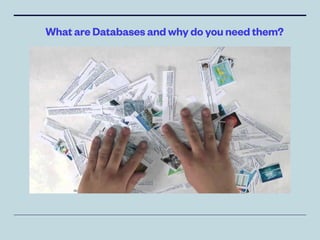
What are Databases and why do you need them?
• Academic & Credible Articles you won’t
fi
nd in full
anywhere else online
• Peer Reviewed
• Most up to date / current research
• Limited access to books: quicker & no reserves
needed
• Use Control F to
fi
nd what you are looking for:
Quicker then indexes and other information
sources
• Free - No Fines
• You can download and citation tools available
Why Use Databases?
PeerReviewed
• “Peer review” When a book or journal article is submitted to
experts in the
fi
eld for review prior to publication. It is checked
for accuracy, impartiality, and methodology.
• “Full-text” The complete text of books, dissertations,
journals, magazines, newspapers or other kinds of textual
documents -- usually in reference to a database.
• “Closed Access” Digital journal articles and books which
are paid by NCAD for students to use. Only available to use
while in UCD.
• “Open Access” Digital journal articles and books which are
open to all, with no access fees.
THE NCAD LIBRARY 20.10.2022
• Databases can be found on the library’s website:
https://ncadlibrary.on.worldcat.org/discovery
• Type in a keyword, artists or artwork into the search bar.
• Filter your results to ‘Downloadable article’
• Click ‘Access Online’
HowtoAccessDatabases
• Use 2 to 4 Keywords to find what you are
looking for
• Use Thesaurus for keywords
• Use language appropriate to subject (scientific
etc)
• Use Filters / Limiters: Date, Type, Full Text,
Source Etc
• There are Advanced Search options to narrow
down search results
Tips for Searching Databases
Advanced Search
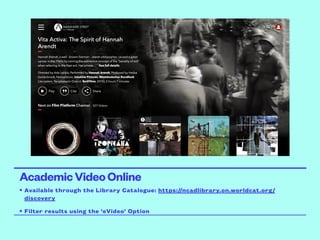
AcademicVideoOnline
• Available through the Library Catalogue: https://ncadlibrary.on.worldcat.org/
discovery
• Filter results using the ‘eVideo’ Option

online resources_sculpture students (1).pdf

  • 1.
    THE NCAD LIBRARY27.10.2022 ONLINERESOURCES
  • 2.
    THE NCAD LIBRARY27.10.2022 Agenda: -DATABASES AND THE CATALOGUE -PEER-REVIEWED ARTICLES -COPYRIGHT -ACADEMIC VIDEOS ONLINE
  • 3.
    DATABASES - A databaseis a giant online server or container of scholarly articles, reviews, and journals. Articles are added to the databases daily, much the same way as websites are created on the web. -Databases contain the newest published material from a host of well known journals: online and in print. -Databases NCAD subscribes to: Art and Architecture Source, Eric, Taylor & Francis, Jstor, and Proquest indexes. Also Material ConneXion and Artstor. -These are free while you are a student in NCAD, as the college has access to over 1880 journals through the databases
  • 4.
    What are Databasesand why do you need them?
  • 5.
    • Academic &Credible Articles you won’t fi nd in full anywhere else online • Peer Reviewed • Most up to date / current research • Limited access to books: quicker & no reserves needed • Use Control F to fi nd what you are looking for: Quicker then indexes and other information sources • Free - No Fines • You can download and citation tools available Why Use Databases?
  • 6.
    PeerReviewed • “Peer review”When a book or journal article is submitted to experts in the fi eld for review prior to publication. It is checked for accuracy, impartiality, and methodology. • “Full-text” The complete text of books, dissertations, journals, magazines, newspapers or other kinds of textual documents -- usually in reference to a database. • “Closed Access” Digital journal articles and books which are paid by NCAD for students to use. Only available to use while in UCD. • “Open Access” Digital journal articles and books which are open to all, with no access fees.
  • 7.
    THE NCAD LIBRARY20.10.2022 • Databases can be found on the library’s website: https://ncadlibrary.on.worldcat.org/discovery • Type in a keyword, artists or artwork into the search bar. • Filter your results to ‘Downloadable article’ • Click ‘Access Online’ HowtoAccessDatabases
  • 8.
    • Use 2to 4 Keywords to find what you are looking for • Use Thesaurus for keywords • Use language appropriate to subject (scientific etc) • Use Filters / Limiters: Date, Type, Full Text, Source Etc • There are Advanced Search options to narrow down search results Tips for Searching Databases
  • 9.
  • 10.
    AcademicVideoOnline • Available throughthe Library Catalogue: https://ncadlibrary.on.worldcat.org/ discovery • Filter results using the ‘eVideo’ Option