Instructor Richard Le October 30, 2009 Online Job Search
Disclaimer of Endorsement Reference herein to any commercial websites and products does not imply endorsement by the Library My views & opinions
Class Goals General search strategy Tools for developing keywords 5 job search methods Handouts: job sites, hotlines & books
Online Job Search 40,000+ job search sites 80-90% jobs are online Print classifieds are out Types Job board (listing & bulletin) Job banks (search capability) Job portals (cross searching) Benefits Convenient, less cost Great access, remote search Access to job information
Requirements Good computer  Internet connection (DSL) Word process software PDF reader Internet Access Public libraries Schools Internet Café (Wi-Fi) Friend’s home Other places: shopping malls, hotels, airports (access fees)
Before you begin Do know… What you are looking for Skills & abilities (keywords) Company & industry Preferred work location Suggestions Talk to a career counselor Do some research yourself Ask a librarian for job info Ask a friend or coworker
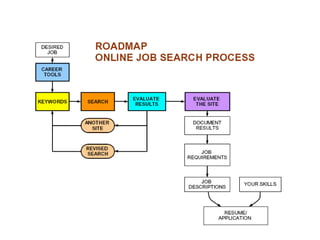
The Search KEYWORDS General Strategy Scan job listings for keywords Make a list of keywords Select job search sites Begin with general terms; then specific terms Evaluate finds & refine search Keep a list of keywords Document your finds
 
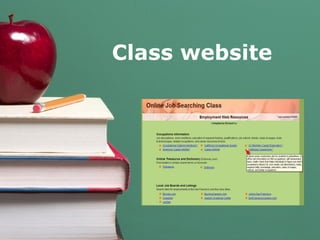
Class website
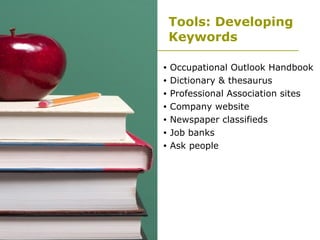
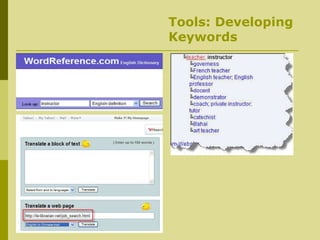
Tools: Developing Keywords Occupational Outlook Handbook Dictionary & thesaurus Professional Association sites Company website Newspaper classifieds Job banks Ask people
Tools: Developing Keywords
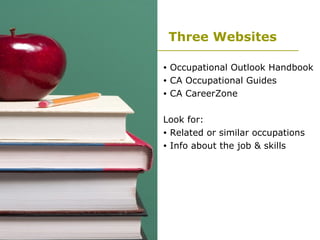
Three Websites Occupational Outlook Handbook CA Occupational Guides CA CareerZone Look for:  Related or similar occupations Info about the job & skills
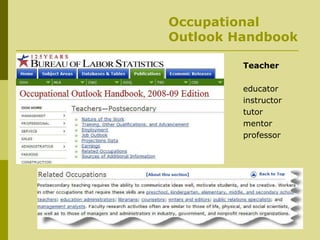
Occupational Outlook Handbook Teacher educator instructor tutor mentor professor
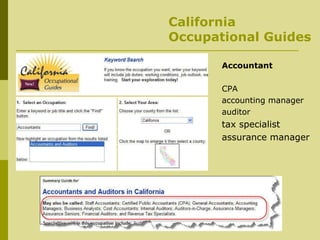
California Occupational Guides Accountant CPA accounting manager auditor tax specialist assurance manager
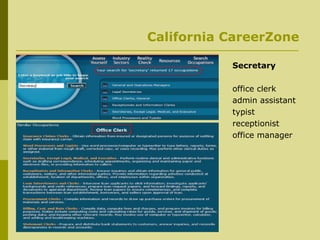
California CareerZone Secretary office clerk admin assistant typist receptionist  office manager
Sample Searches Developing Keywords:   Office Receptionist Occupational Outlook Handbook California Occupational Guides California CareerZones Online dictionary Online translation
5 Search Methods Use job search engines Search company website Direct search (Google) Online newspaper listings Job fairs
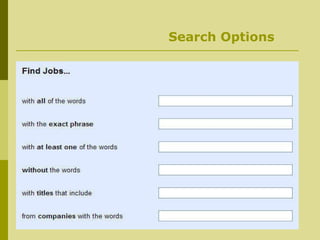
Method 1: Job Sites Gather a list of keywords Use “Advanced” feature Use “in-title” search Use multiple keywords Use discriminating terms Review finds & revise search Keep track of good keywords Use “help” for search tips Know when to stop
Search Options
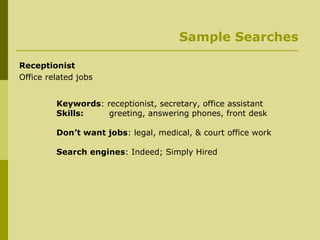
Sample Searches Receptionist Office related jobs Keywords : receptionist, secretary, office assistant Skills:   greeting, answering phones, front desk Don’t want jobs : legal, medical, & court office work Search engines : Indeed; Simply Hired
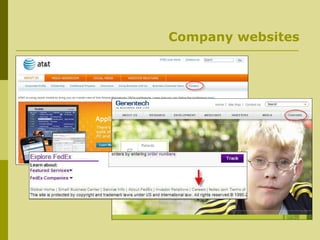
Method 2: Company’s Website Tools Use Google & Yahoo! Directory D&B Million Dollar database ReferenceUSA database Look for headings About us Careers Employments Jobs Employment opportunities
Company websites
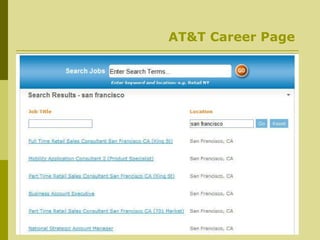
AT&T Career Page
Company Search: Library Database D&B Million Dollar   Information on 1.6 million U.S. & Canadian leading businesses and companies ReferenceUSA U.S. business & residential telephone directories & business info Sample Search: Microsoft   Best Buy Company
Method 3: Direct Search (Google) keywords site:domain job   careers   employment  site:att.com Searches:  microsoft.com bestbuy.com target.com macy.com manager site:connect.att.jobs/careers/  “ 10/??/2009" "san francisco"
Sample Searches Company website: AT&T  Library Databases D&B Million Dollar  ReferenceUSA Sample Search: Microsoft, Best Buy Company Direct Search (Google) : Keywords site:domain Jobs careers employment site:att.com Manager site:connect.att.jobs/careers/ “10/??/2009” “san francisco”
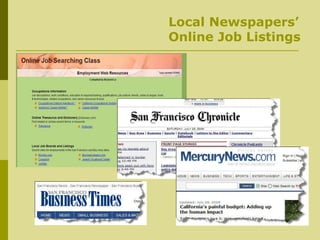
Method 4: Newspapers’ Job Listings Many local job listings Use class website Locate online newspapers Look for “Employments” or  “ Jobs” section  Use search skills & techniques Use CTRL + F
Local Newspapers’ Online Job Listings
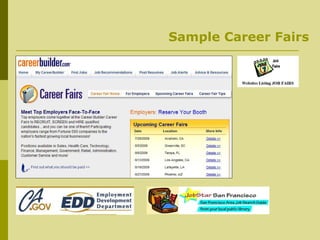
Method 5:  Career Fairs Job recruitments by companies Good networking opportunity  All day event Meet HR persons Bring resumes Use class website Locate upcoming local fairs
Sample Career Fairs
Search Demos Class website Go through each section Try to locate jobs you wanted Answer your questions
Five Take-a-ways Search skills is important  Tools for developing keywords 5 search methods Class website Library database
Class Handouts & Evaluation Selected job search websites Recommended books Job hotlines Local job careers  Class Evaluation Suggestion sheet

Online Job Search

  • 1.
    Instructor Richard LeOctober 30, 2009 Online Job Search
  • 2.
    Disclaimer of EndorsementReference herein to any commercial websites and products does not imply endorsement by the Library My views & opinions
  • 3.
    Class Goals Generalsearch strategy Tools for developing keywords 5 job search methods Handouts: job sites, hotlines & books
  • 4.
    Online Job Search40,000+ job search sites 80-90% jobs are online Print classifieds are out Types Job board (listing & bulletin) Job banks (search capability) Job portals (cross searching) Benefits Convenient, less cost Great access, remote search Access to job information
  • 5.
    Requirements Good computer Internet connection (DSL) Word process software PDF reader Internet Access Public libraries Schools Internet Café (Wi-Fi) Friend’s home Other places: shopping malls, hotels, airports (access fees)
  • 6.
    Before you beginDo know… What you are looking for Skills & abilities (keywords) Company & industry Preferred work location Suggestions Talk to a career counselor Do some research yourself Ask a librarian for job info Ask a friend or coworker
  • 7.
    The Search KEYWORDSGeneral Strategy Scan job listings for keywords Make a list of keywords Select job search sites Begin with general terms; then specific terms Evaluate finds & refine search Keep a list of keywords Document your finds
  • 8.
  • 9.
  • 10.
    Tools: Developing KeywordsOccupational Outlook Handbook Dictionary & thesaurus Professional Association sites Company website Newspaper classifieds Job banks Ask people
  • 11.
  • 12.
    Three Websites OccupationalOutlook Handbook CA Occupational Guides CA CareerZone Look for: Related or similar occupations Info about the job & skills
  • 13.
    Occupational Outlook HandbookTeacher educator instructor tutor mentor professor
  • 14.
    California Occupational GuidesAccountant CPA accounting manager auditor tax specialist assurance manager
  • 15.
    California CareerZone Secretaryoffice clerk admin assistant typist receptionist office manager
  • 16.
    Sample Searches DevelopingKeywords: Office Receptionist Occupational Outlook Handbook California Occupational Guides California CareerZones Online dictionary Online translation
  • 17.
    5 Search MethodsUse job search engines Search company website Direct search (Google) Online newspaper listings Job fairs
  • 18.
    Method 1: JobSites Gather a list of keywords Use “Advanced” feature Use “in-title” search Use multiple keywords Use discriminating terms Review finds & revise search Keep track of good keywords Use “help” for search tips Know when to stop
  • 19.
  • 20.
    Sample Searches ReceptionistOffice related jobs Keywords : receptionist, secretary, office assistant Skills: greeting, answering phones, front desk Don’t want jobs : legal, medical, & court office work Search engines : Indeed; Simply Hired
  • 21.
    Method 2: Company’sWebsite Tools Use Google & Yahoo! Directory D&B Million Dollar database ReferenceUSA database Look for headings About us Careers Employments Jobs Employment opportunities
  • 22.
  • 23.
  • 24.
    Company Search: LibraryDatabase D&B Million Dollar Information on 1.6 million U.S. & Canadian leading businesses and companies ReferenceUSA U.S. business & residential telephone directories & business info Sample Search: Microsoft Best Buy Company
  • 25.
    Method 3: DirectSearch (Google) keywords site:domain job careers employment site:att.com Searches: microsoft.com bestbuy.com target.com macy.com manager site:connect.att.jobs/careers/ “ 10/??/2009" "san francisco"
  • 26.
    Sample Searches Companywebsite: AT&T Library Databases D&B Million Dollar ReferenceUSA Sample Search: Microsoft, Best Buy Company Direct Search (Google) : Keywords site:domain Jobs careers employment site:att.com Manager site:connect.att.jobs/careers/ “10/??/2009” “san francisco”
  • 27.
    Method 4: Newspapers’Job Listings Many local job listings Use class website Locate online newspapers Look for “Employments” or “ Jobs” section Use search skills & techniques Use CTRL + F
  • 28.
  • 29.
    Method 5: Career Fairs Job recruitments by companies Good networking opportunity All day event Meet HR persons Bring resumes Use class website Locate upcoming local fairs
  • 30.
  • 31.
    Search Demos Classwebsite Go through each section Try to locate jobs you wanted Answer your questions
  • 32.
    Five Take-a-ways Searchskills is important Tools for developing keywords 5 search methods Class website Library database
  • 33.
    Class Handouts &Evaluation Selected job search websites Recommended books Job hotlines Local job careers Class Evaluation Suggestion sheet