One Tool to Help Them All 
Leigh White 
DITA Specialist 
October 2014
End-to-end solution to manage 
Authoring 
Reviewing 
Localization 
Publishing
An enterprise-class solution 
Fault Tolerance 
Compliant with Windows and 
Linux clustering systems 
Multi Platform 
Windows and Linux 
Tokyo 
Los Angeles Bangalore 
Replication 
A replication mechanism to support 
a global solution deployment
Many people create and manage 
content inside the organization 
• Writers create user manuals, installation guides, etc. 
• Engineers create application notes, knowledge base 
articles, etc. 
• Information Architects organize content 
• Trainers create training guides 
• Support teams create FAQs 
• Translators localize content 
• End-users comment on the content 
All of them need the right tool
So many things to show… 
• The DITA CMS includes many tools to support the needs of 
different groups within the organization 
• Today, lets have a look at 3 types of activities that require 3 
different tools: 
 Authoring by power users 
 Authoring by casual contributors (SMEs) 
 Reviewing process with a PDF annotation tool
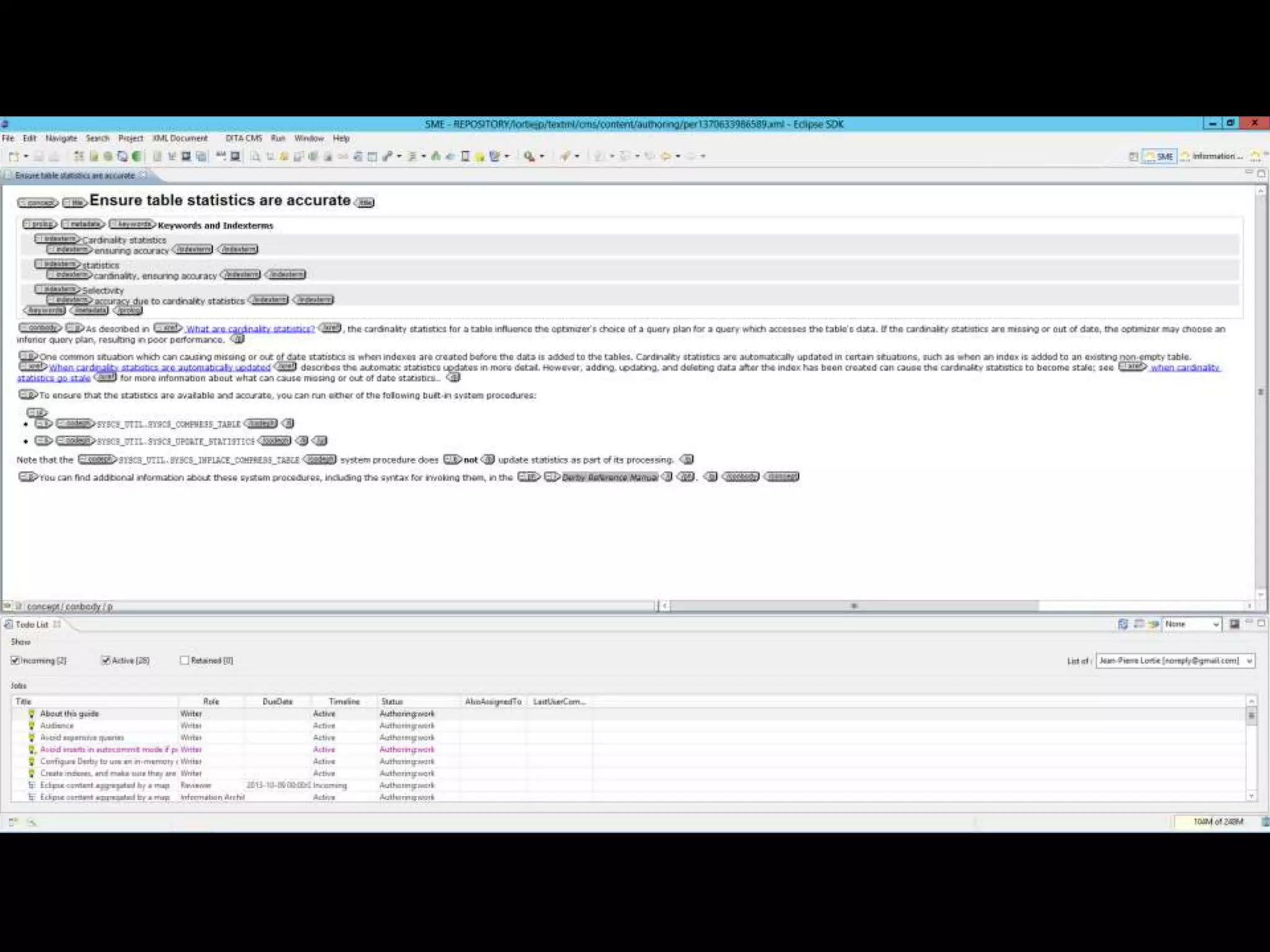
Authoring by power users 
• Who are they? 
 Technical writers, information architects, editors, project 
managers 
• Characteristics 
 Spend most of their time in the CMS 
 Need an extensive set of functionalities 
 Understand XML and DITA 
 Limited number of people in the organization (less than 100) 
• Recommended tool 
 The DITA CMS Eclipse client
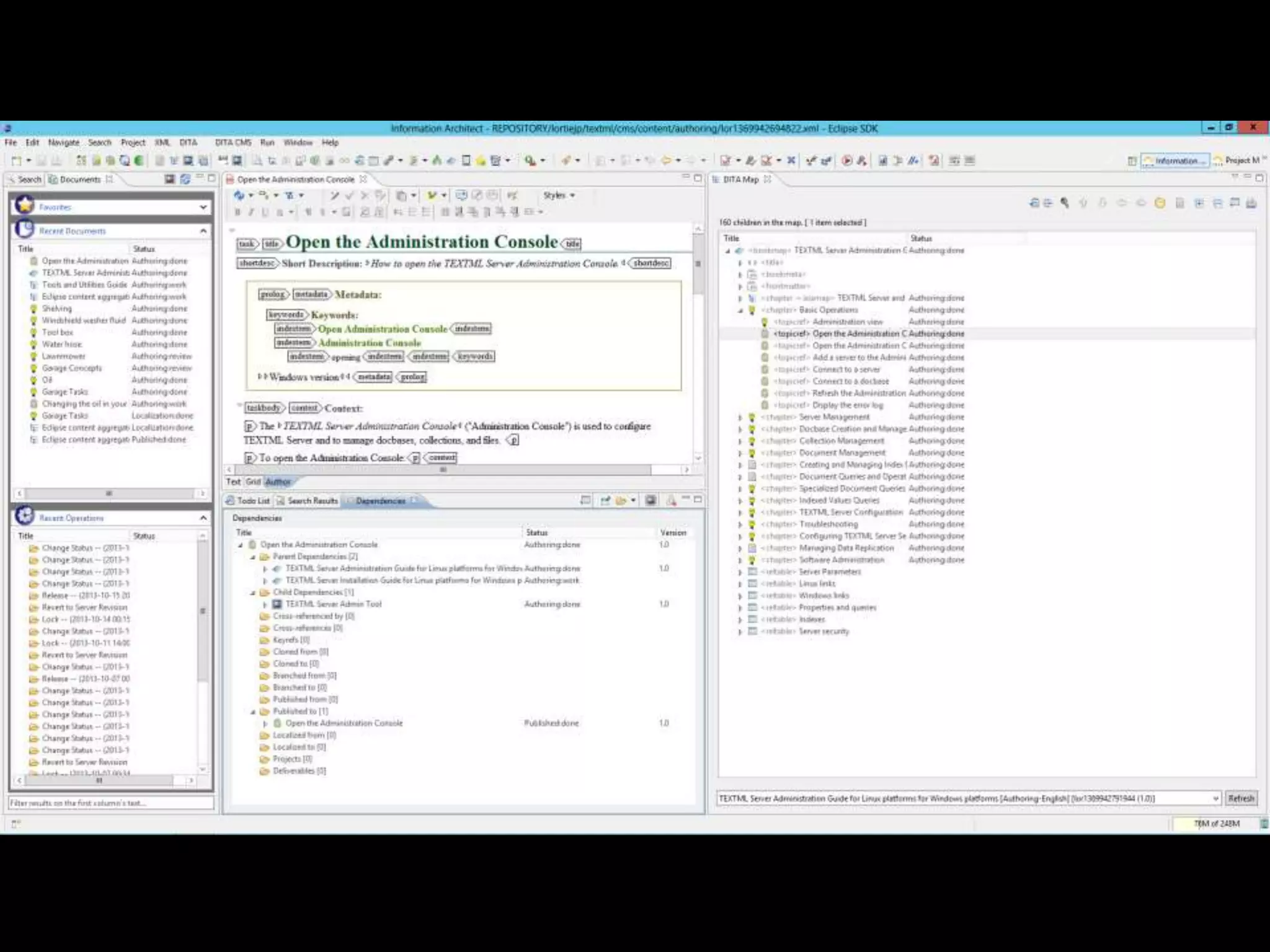
Search result panel 
• Configurable display 
• Sorting capability 
• Quick preview 
• Grouping 
• … 
XML editor panel 
• Topic authoring 
• Oxygen or XMetal 
• XML tags are visible or not 
• Tracks changes 
• … 
Search panel 
• DITA generates a very large number of 
Map Editor panel 
• Create and edit maps 
• Drag & drop topics/submaps 
• Reorganize topics 
• Inserts a sub maps 
• Open objects 
• … 
content components. Advanced search is 
mandatory. 
• Multiple filtering criteria is available 
• Recently used objects 
• Favorites 
• … 
Dependencies view panel 
• Show all related objects 
• Show all relations to other objects 
• … 
Eclipse plugin 
• Eclipse environment offers a 
highly configurable perspective 
for different kinds of users 
• Writer perspective 
• Project manager persp. 
• IA perspective 
• Unified User Interface 
• Extension can be developed
Authoring by Subject Matter Expert 
• Who are they? 
 Engineers, developers, support teams,… 
• Characteristics 
 Use the CMS application occasionally 
 Need basic functionalities 
 Limited XML or DITA knowledge 
 Potentially large number of people (hundreds) 
• Recommended Tool 
 Web Author
XML editor panel 
• Topic authoring 
• Form-based authoring 
• Can be used for Topic review 
• Tracks changes 
• Commenting 
ToDo list 
• Work is assigned to them (e-mail) 
• Can display assignments by role 
• Contributor or reviewer 
• Interface is very intuitive 
Web browser 
• Easy to deploy 
• Ease of use 
• Perfect for distributed teams
Reviewing with a PDF annotation tool 
• Who is doing the review? 
 Engineers, developers, writers, editors, … 
• Characteristics 
 Perform tasks occasionally 
 Need features to annotate, comment and approve/reject content 
 Do not need to be knowledgeable about XML and DITA 
 Potentially large number of people (hundreds) 
• Recommended Tool 
 Web Collaborative Reviewer
ToDo list 
• Work is assigned to them (e-mail) 
• Interface is intuitive 
Web browser 
• Easy to deploy 
• Ease of use 
• Perfect for distributed teams 
PDF annotation tool used to: 
• Comment (cannot edit) 
• Suggest modifications 
• Accelerate review process (concurrent users) 
• Track comments history (audit purposes) 
• Document review
Reviewers can 
• Add comments 
• Strike out text 
• Propose new text 
• Draw information 
• Stamp notice 
• And much more 
Approval 
• Users can approve or reject content 
• Supports multiple approval mechanisms 
• Tracks the “approve and reject” history
How do you select the right tool ? 
• Identify the content that needs to be created 
 User guide, FAQ, application notes, knowledge base articles, training material, … 
• Identify the content creator 
 Technical writers, engineers, support engineers, developers, trainers, … 
• Identify the workflow required for each content type 
 Does it need to be reviewed? Does it need to be approved by a specific person? Is it 
regulated content? 
• Identify the characteristics of the content creator 
 Power users, casual users, DITA expert, … 
With that information in mind, it is possible to select and configure 
the right tool for the job
If you need more, I can talk about… 
• Version control management 
 Keeps track of revision history for all object types 
• Release management 
 Support for branching (modifications can happen in parallel versions) 
• Link management 
 Includes support for the new link management of DITA 1.2 
• Relationship table editor 
 Manages relations between topics 
• Asset management (images, PDF, videos, ...) 
• Dynamic publishing 
 Generate more than just PDF and HTML 
• Localization 
 Minimizes the content sent to translation vendors
Three things to take away … 
• Enterprise-class solution 
 We provide a solution which supports geographically dispersed teams for the creation, 
review and publishing of global documentation efficiently and with a high level of 
reliability 
• Best-of-breed approach 
 We work with many best-in-class partners with complementary technologies to give our 
customers the flexibility to build the solution that fits their specific needs 
• The “one size fits all” approach is not flexible enough 
 We build a solution that gives our customers the possibility to put the right tool in the 
hand of each user
Thank you! 
Leigh White 
DITA Specialist 
leigh.white@ixiasoft.com

One Tool to Help Them All - Leigh White

  • 1.
    One Tool toHelp Them All Leigh White DITA Specialist October 2014
  • 2.
    End-to-end solution tomanage Authoring Reviewing Localization Publishing
  • 4.
    An enterprise-class solution Fault Tolerance Compliant with Windows and Linux clustering systems Multi Platform Windows and Linux Tokyo Los Angeles Bangalore Replication A replication mechanism to support a global solution deployment
  • 5.
    Many people createand manage content inside the organization • Writers create user manuals, installation guides, etc. • Engineers create application notes, knowledge base articles, etc. • Information Architects organize content • Trainers create training guides • Support teams create FAQs • Translators localize content • End-users comment on the content All of them need the right tool
  • 6.
    So many thingsto show… • The DITA CMS includes many tools to support the needs of different groups within the organization • Today, lets have a look at 3 types of activities that require 3 different tools:  Authoring by power users  Authoring by casual contributors (SMEs)  Reviewing process with a PDF annotation tool
  • 7.
    Authoring by powerusers • Who are they?  Technical writers, information architects, editors, project managers • Characteristics  Spend most of their time in the CMS  Need an extensive set of functionalities  Understand XML and DITA  Limited number of people in the organization (less than 100) • Recommended tool  The DITA CMS Eclipse client
  • 8.
    Search result panel • Configurable display • Sorting capability • Quick preview • Grouping • … XML editor panel • Topic authoring • Oxygen or XMetal • XML tags are visible or not • Tracks changes • … Search panel • DITA generates a very large number of Map Editor panel • Create and edit maps • Drag & drop topics/submaps • Reorganize topics • Inserts a sub maps • Open objects • … content components. Advanced search is mandatory. • Multiple filtering criteria is available • Recently used objects • Favorites • … Dependencies view panel • Show all related objects • Show all relations to other objects • … Eclipse plugin • Eclipse environment offers a highly configurable perspective for different kinds of users • Writer perspective • Project manager persp. • IA perspective • Unified User Interface • Extension can be developed
  • 13.
    Authoring by SubjectMatter Expert • Who are they?  Engineers, developers, support teams,… • Characteristics  Use the CMS application occasionally  Need basic functionalities  Limited XML or DITA knowledge  Potentially large number of people (hundreds) • Recommended Tool  Web Author
  • 14.
    XML editor panel • Topic authoring • Form-based authoring • Can be used for Topic review • Tracks changes • Commenting ToDo list • Work is assigned to them (e-mail) • Can display assignments by role • Contributor or reviewer • Interface is very intuitive Web browser • Easy to deploy • Ease of use • Perfect for distributed teams
  • 16.
    Reviewing with aPDF annotation tool • Who is doing the review?  Engineers, developers, writers, editors, … • Characteristics  Perform tasks occasionally  Need features to annotate, comment and approve/reject content  Do not need to be knowledgeable about XML and DITA  Potentially large number of people (hundreds) • Recommended Tool  Web Collaborative Reviewer
  • 17.
    ToDo list •Work is assigned to them (e-mail) • Interface is intuitive Web browser • Easy to deploy • Ease of use • Perfect for distributed teams PDF annotation tool used to: • Comment (cannot edit) • Suggest modifications • Accelerate review process (concurrent users) • Track comments history (audit purposes) • Document review
  • 18.
    Reviewers can •Add comments • Strike out text • Propose new text • Draw information • Stamp notice • And much more Approval • Users can approve or reject content • Supports multiple approval mechanisms • Tracks the “approve and reject” history
  • 19.
    How do youselect the right tool ? • Identify the content that needs to be created  User guide, FAQ, application notes, knowledge base articles, training material, … • Identify the content creator  Technical writers, engineers, support engineers, developers, trainers, … • Identify the workflow required for each content type  Does it need to be reviewed? Does it need to be approved by a specific person? Is it regulated content? • Identify the characteristics of the content creator  Power users, casual users, DITA expert, … With that information in mind, it is possible to select and configure the right tool for the job
  • 20.
    If you needmore, I can talk about… • Version control management  Keeps track of revision history for all object types • Release management  Support for branching (modifications can happen in parallel versions) • Link management  Includes support for the new link management of DITA 1.2 • Relationship table editor  Manages relations between topics • Asset management (images, PDF, videos, ...) • Dynamic publishing  Generate more than just PDF and HTML • Localization  Minimizes the content sent to translation vendors
  • 21.
    Three things totake away … • Enterprise-class solution  We provide a solution which supports geographically dispersed teams for the creation, review and publishing of global documentation efficiently and with a high level of reliability • Best-of-breed approach  We work with many best-in-class partners with complementary technologies to give our customers the flexibility to build the solution that fits their specific needs • The “one size fits all” approach is not flexible enough  We build a solution that gives our customers the possibility to put the right tool in the hand of each user
  • 22.
    Thank you! LeighWhite DITA Specialist leigh.white@ixiasoft.com