By
Rajeev Ranjan
What on-page optimization…….
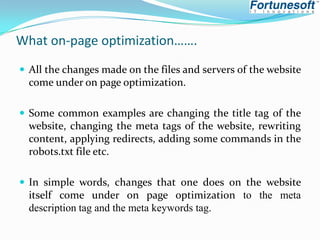
 All the changes made on the files and servers of the website

come under on page optimization.
 Some common examples are changing the title tag of the

website, changing the meta tags of the website, rewriting
content, applying redirects, adding some commands in the
robots.txt file etc.
 In simple words, changes that one does on the website

itself come under on page optimization to the meta
description tag and the meta keywords tag.
On-page factors………..














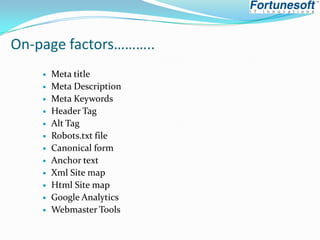
Meta title
Meta Description
Meta Keywords
Header Tag
Alt Tag
Robots.txt file
Canonical form
Anchor text
Xml Site map
Html Site map
Google Analytics
Webmaster Tools
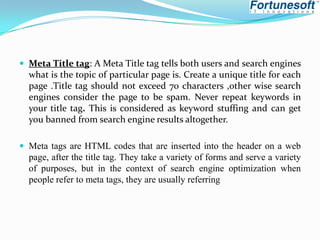
 Meta Title tag: A Meta Title tag tells both users and search engines

what is the topic of particular page is. Create a unique title for each
page .Title tag should not exceed 70 characters ,other wise search
engines consider the page to be spam. Never repeat keywords in
your title tag. This is considered as keyword stuffing and can get
you banned from search engine results altogether.
 Meta tags are HTML codes that are inserted into the header on a web

page, after the title tag. They take a variety of forms and serve a variety
of purposes, but in the context of search engine optimization when
people refer to meta tags, they are usually referring
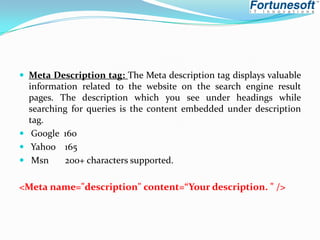
 Meta Description tag: The Meta description tag displays valuable

information related to the website on the search engine result
pages. The description which you see under headings while
searching for queries is the content embedded under description
tag.
 Google 160
 Yahoo 165
 Msn
200+ characters supported.

<Meta name="description" content=“Your description. " />
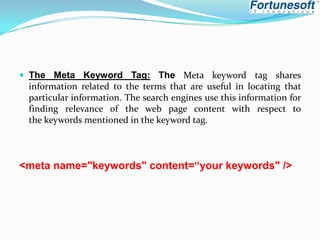
 The Meta Keyword Tag: The Meta keyword tag shares

information related to the terms that are useful in locating that
particular information. The search engines use this information for
finding relevance of the web page content with respect to
the keywords mentioned in the keyword tag.

<meta name="keywords" content=“your keywords" />
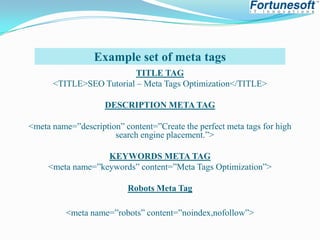
Example set of meta tags
TITLE TAG
<TITLE>SEO Tutorial – Meta Tags Optimization</TITLE>
DESCRIPTION META TAG
<meta name=”description” content=”Create the perfect meta tags for high
search engine placement.”>
KEYWORDS META TAG
<meta name=”keywords” content=”Meta Tags Optimization”>

Robots Meta Tag
<meta name=”robots” content=”noindex,nofollow”>
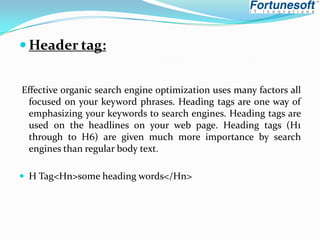
 Header tag:
Effective organic search engine optimization uses many factors all
focused on your keyword phrases. Heading tags are one way of
emphasizing your keywords to search engines. Heading tags are
used on the headlines on your web page. Heading tags (H1
through to H6) are given much more importance by search
engines than regular body text.
 H Tag<Hn>some heading words</Hn>
 Alt Tag :Alt tag (also referred to as image tag) is textual

information related to a graphic image to indicate its relevancy
and avoid indexing problems. The thing is that search engines
don’t perceive websites the way we do. They cannot read
images, that’s why it is important to use ALT tags to tell the
search engine spiders what this or that picture is about. Basically
an ALT tag is a name of a picture or graphic image.
 Generally the image ALT tag looks like this

[IMG SRC="URL" ALT="Insert your alternative Text Here“]
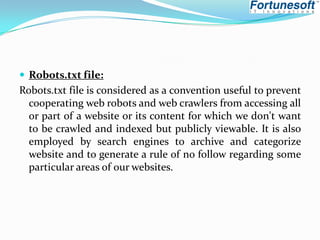
 Robots.txt file:

Robots.txt file is considered as a convention useful to prevent
cooperating web robots and web crawlers from accessing all
or part of a website or its content for which we don't want
to be crawled and indexed but publicly viewable. It is also
employed by search engines to archive and categorize
website and to generate a rule of no follow regarding some
particular areas of our websites.
Canonical form: Canonicalization is the process of picking the
best url when there are several choices, and it usually refers to
home pages. For example, most people would consider these the
same urls:
 www.fortuneprops.com
 fortuneprops.com/
 www.fortuneprops.com/index.html


But technically all of these urls are different. A web server could
return completely different content for all the urls above. When
Google “canonicalizes” a url, we try to pick the url that seems like
the best representative from that set.
Anchor Text: Anchor text is the name of the hyperlink
describing the web page associated with that link. It is the
clickable text associated with the link.
You can create an anchor text with the help of the <a> tag. Example is given
below:<a href="http://www.thisisanexampleofdoll.com">Doll</a>
Here:The href attribute specifies the link
The text “Doll” is the anchor text.
Hence, to create an anchor text you must supply text before the closing </a>
tag
<img src=“Image.gif”alt=“keywords”/></A>
 HTML &XML Site maps : sitemap incorporates list of

web-pages
which is accessible to users or crawlers. This helps search engine
bots and users to find out the pages on a website. The site map
renders our website more search engine friendly as well enhances
the probability for frequent indexing.HTML sitemap can be
incorporated directly in a web page for user’s flexibility and can
be implemented through proper design. On the other hand,
XML sitemap is useful only for search engine crawlers or spiders
and doesn't visible to users. It sits in the root of website.

 Such as: http://www.fortuneprops.com/sitemap.xml
 Google Analytics :
 It is a free web analysis tool first rolled out in late 2005but
generally it become available for users in August 2006. This tool
acts between website & internet browser/users and offers
complete overview of visitors statistics which exactly says about
general website activities like page views, site visits, bounce
rates, average time spent on site or pages, sources of
traffic, location etc. It is also obvious for tracking Adword
queries.
 Webmaster Tool: It is a free service catered by Google which

provide us a complete report for indexed data, crawling errors,
back links information, search queries, website malware errors,
CTR and submitting XML sitemap. Basically, it acts as a mediator
between website and server provide complete overview of
data,issues and other queries.
On page Optimization

On page Optimization

  • 1.
  • 2.
    What on-page optimization……. All the changes made on the files and servers of the website come under on page optimization.  Some common examples are changing the title tag of the website, changing the meta tags of the website, rewriting content, applying redirects, adding some commands in the robots.txt file etc.  In simple words, changes that one does on the website itself come under on page optimization to the meta description tag and the meta keywords tag.
  • 3.
    On-page factors………..             Meta title MetaDescription Meta Keywords Header Tag Alt Tag Robots.txt file Canonical form Anchor text Xml Site map Html Site map Google Analytics Webmaster Tools
  • 4.
     Meta Titletag: A Meta Title tag tells both users and search engines what is the topic of particular page is. Create a unique title for each page .Title tag should not exceed 70 characters ,other wise search engines consider the page to be spam. Never repeat keywords in your title tag. This is considered as keyword stuffing and can get you banned from search engine results altogether.  Meta tags are HTML codes that are inserted into the header on a web page, after the title tag. They take a variety of forms and serve a variety of purposes, but in the context of search engine optimization when people refer to meta tags, they are usually referring
  • 5.
     Meta Descriptiontag: The Meta description tag displays valuable information related to the website on the search engine result pages. The description which you see under headings while searching for queries is the content embedded under description tag.  Google 160  Yahoo 165  Msn 200+ characters supported. <Meta name="description" content=“Your description. " />
  • 6.
     The MetaKeyword Tag: The Meta keyword tag shares information related to the terms that are useful in locating that particular information. The search engines use this information for finding relevance of the web page content with respect to the keywords mentioned in the keyword tag. <meta name="keywords" content=“your keywords" />
  • 7.
    Example set ofmeta tags TITLE TAG <TITLE>SEO Tutorial – Meta Tags Optimization</TITLE> DESCRIPTION META TAG <meta name=”description” content=”Create the perfect meta tags for high search engine placement.”> KEYWORDS META TAG <meta name=”keywords” content=”Meta Tags Optimization”> Robots Meta Tag <meta name=”robots” content=”noindex,nofollow”>
  • 8.
     Header tag: Effectiveorganic search engine optimization uses many factors all focused on your keyword phrases. Heading tags are one way of emphasizing your keywords to search engines. Heading tags are used on the headlines on your web page. Heading tags (H1 through to H6) are given much more importance by search engines than regular body text.  H Tag<Hn>some heading words</Hn>
  • 9.
     Alt Tag:Alt tag (also referred to as image tag) is textual information related to a graphic image to indicate its relevancy and avoid indexing problems. The thing is that search engines don’t perceive websites the way we do. They cannot read images, that’s why it is important to use ALT tags to tell the search engine spiders what this or that picture is about. Basically an ALT tag is a name of a picture or graphic image.  Generally the image ALT tag looks like this [IMG SRC="URL" ALT="Insert your alternative Text Here“]
  • 10.
     Robots.txt file: Robots.txtfile is considered as a convention useful to prevent cooperating web robots and web crawlers from accessing all or part of a website or its content for which we don't want to be crawled and indexed but publicly viewable. It is also employed by search engines to archive and categorize website and to generate a rule of no follow regarding some particular areas of our websites.
  • 11.
    Canonical form: Canonicalizationis the process of picking the best url when there are several choices, and it usually refers to home pages. For example, most people would consider these the same urls:  www.fortuneprops.com  fortuneprops.com/  www.fortuneprops.com/index.html  But technically all of these urls are different. A web server could return completely different content for all the urls above. When Google “canonicalizes” a url, we try to pick the url that seems like the best representative from that set.
  • 12.
    Anchor Text: Anchortext is the name of the hyperlink describing the web page associated with that link. It is the clickable text associated with the link. You can create an anchor text with the help of the <a> tag. Example is given below:<a href="http://www.thisisanexampleofdoll.com">Doll</a> Here:The href attribute specifies the link The text “Doll” is the anchor text. Hence, to create an anchor text you must supply text before the closing </a> tag <img src=“Image.gif”alt=“keywords”/></A>
  • 13.
     HTML &XMLSite maps : sitemap incorporates list of web-pages which is accessible to users or crawlers. This helps search engine bots and users to find out the pages on a website. The site map renders our website more search engine friendly as well enhances the probability for frequent indexing.HTML sitemap can be incorporated directly in a web page for user’s flexibility and can be implemented through proper design. On the other hand, XML sitemap is useful only for search engine crawlers or spiders and doesn't visible to users. It sits in the root of website.  Such as: http://www.fortuneprops.com/sitemap.xml
  • 14.
     Google Analytics:  It is a free web analysis tool first rolled out in late 2005but generally it become available for users in August 2006. This tool acts between website & internet browser/users and offers complete overview of visitors statistics which exactly says about general website activities like page views, site visits, bounce rates, average time spent on site or pages, sources of traffic, location etc. It is also obvious for tracking Adword queries.
  • 15.
     Webmaster Tool:It is a free service catered by Google which provide us a complete report for indexed data, crawling errors, back links information, search queries, website malware errors, CTR and submitting XML sitemap. Basically, it acts as a mediator between website and server provide complete overview of data,issues and other queries.