Slide
1
Understanding Office 2016
ProPlus
Andrew J. Price | @andrewpriceuc
1
Understanding Office2016 ProPlus | Andrew J. Price | 16:30 22nd June
I tweet from @andrewpriceuc
I blog at www.lyncme.co.uk
Email me andrew.price@lyncme.co.uk
Who Am I?
Andrew J. Price
Consultant @ Avanade
Agenda
Modern productivity – What’s
new in Office 2016?
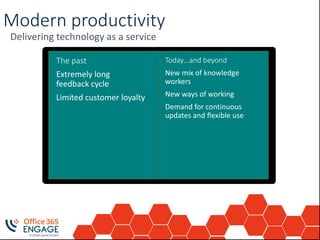
Modern productivity
Delivering technology as a service
Today…and beyond
New mix of knowledge
workers
New ways of working
Demand for continuous
updates and flexible use
The past
Extremely long
feedback cycle
Limited customer loyalty
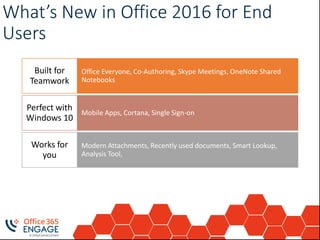
What’s New in Office 2016 for End
Users
Office Everyone, Co-Authoring, Skype Meetings, OneNote Shared
Notebooks
Built for
Teamwork
Mobile Apps, Cortana, Single Sign-on
Perfect with
Windows 10
Modern Attachments, Recently used documents, Smart Lookup,
Analysis Tool,
Works for
you
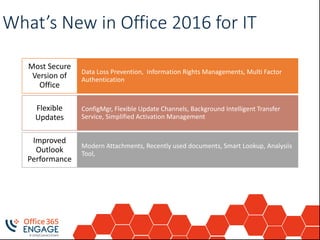
What’s New in Office 2016 for IT
Data Loss Prevention, Information Rights Managements, Multi Factor
Authentication
Most Secure
Version of
Office
ConfigMgr, Flexible Update Channels, Background Intelligent Transfer
Service, Simplified Activation Management
Flexible
Updates
Modern Attachments, Recently used documents, Smart Lookup, Analysiis
Tool,
Improved
Outlook
Performance
Office 365 ProPlus
The Basics
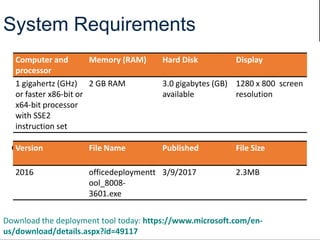
System Requirements
Computer and
processor
Memory (RAM) Hard Disk Display
1 gigahertz (GHz)
or faster x86-bit or
x64-bit processor
with SSE2
instruction set
2 GB RAM 3.0 gigabytes (GB)
available
1280 x 800 screen
resolution
Office 2016 RequirementsVersion File Name Published File Size
2016 officedeploymentt
ool_8008-
3601.exe
3/9/2017 2.3MB
Download the deployment tool today: https://www.microsoft.com/en-
us/download/details.aspx?id=49117
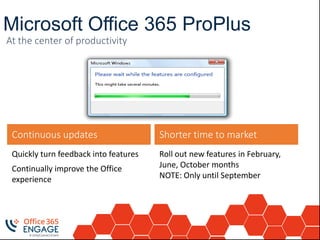
Microsoft Office 365 ProPlus
Roll out new features in February,
June, October months
NOTE: Only until September
Shorter time to market
Quickly turn feedback into features
Continually improve the Office
experience
Continuous updates
At the center of productivity
Adoption
Challenges
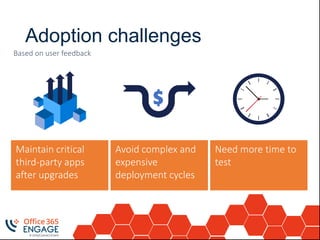
Adoption challenges
Maintain critical
third-party apps
after upgrades
Avoid complex and
expensive
deployment cycles
Need more time to
test
Based on user feedback
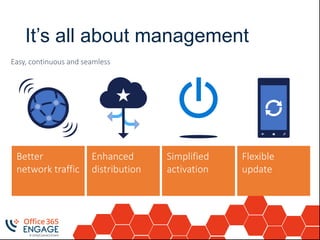
It’s all about management
Better
network traffic
Enhanced
distribution
Flexible
update
Simplified
activation
Easy, continuous and seamless
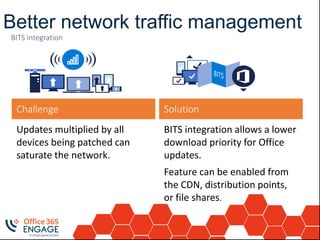
Better network traffic management
BITS integration allows a lower
download priority for Office
updates.
Feature can be enabled from
the CDN, distribution points,
or file shares.
Solution
Updates multiplied by all
devices being patched can
saturate the network.
Challenge
BITS integration
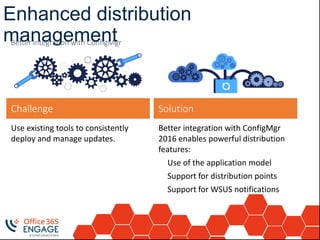
Enhanced distribution
management
Better integration with ConfigMgr
2016 enables powerful distribution
features:
Use of the application model
Support for distribution points
Support for WSUS notifications
Solution
Use existing tools to consistently
deploy and manage updates.
Challenge
Better integration with ConfigMgr
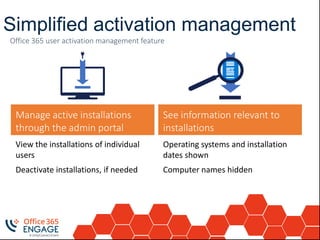
Simplified activation management
Office 365 user activation management feature
Operating systems and installation
dates shown
Computer names hidden
View the installations of individual
users
Deactivate installations, if needed
See information relevant to
installations
Manage active installations
through the admin portal
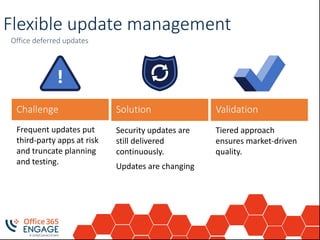
Flexible update management
Office deferred updates
Challenge Solution Validation
Security updates are
still delivered
continuously.
Updates are changing
Frequent updates put
third-party apps at risk
and truncate planning
and testing.
Tiered approach
ensures market-driven
quality.
Deploying Office 2016
Deploy the
product
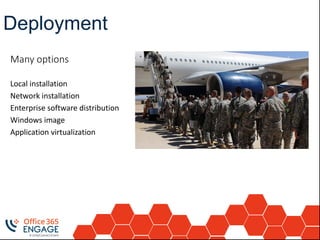
Many options
Local installation
Network installation
Enterprise software distribution
Windows image
Application virtualization
Deployment
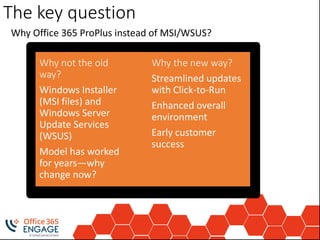
The key question
Why the new way?
Streamlined updates
with Click-to-Run
Enhanced overall
environment
Early customer
success
Why not the old
way?
Windows Installer
(MSI files) and
Windows Server
Update Services
(WSUS)
Model has worked
for years—why
change now?
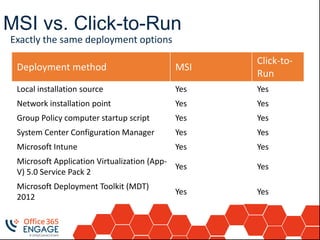
MSI vs. Click-to-Run
Exactly the same deployment options
Deployment method MSI
Click-to-
Run
Local installation source Yes Yes
Network installation point Yes Yes
Group Policy computer startup script Yes Yes
System Center Configuration Manager Yes Yes
Microsoft Intune Yes Yes
Microsoft Application Virtualization (App-
V) 5.0 Service Pack 2
Yes Yes
Microsoft Deployment Toolkit (MDT)
2012
Yes Yes
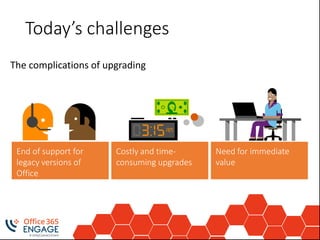
Today’s challenges
End of support for
legacy versions of
Office
Costly and time-
consuming upgrades
Need for immediate
value
Deployment
method
System Center Configuration Manager
Requires the Office Deployment Tool
Create an app in SCCM
Distribute the app to selected distribution points
Deploy to one or many users/devices
Deployment
method
Windows image
Deploy during build
Capture task sequence
Run ospprearm.exe before sysprep.exe
MSI: deploy within 4 weeks to avoid long install times
Click-to-run: deploy whenever (deltas only)
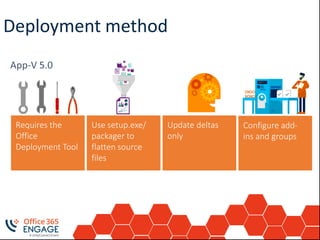
Deployment method
Requires the
Office
Deployment Tool
Use setup.exe/
packager to
flatten source
files
Update deltas
only
Configure add-
ins and groups
Deployment ToolsOffice Deployment Tool (ODT)
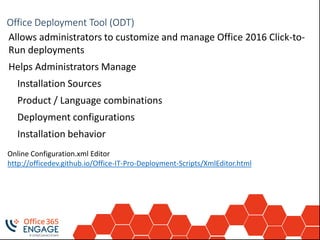
Allows administrators to customize and manage Office 2016 Click-to-
Run deployments
Helps Administrators Manage
Installation Sources
Product / Language combinations
Deployment configurations
Installation behavior
Online Configuration.xml Editor
http://officedev.github.io/Office-IT-Pro-Deployment-Scripts/XmlEditor.html
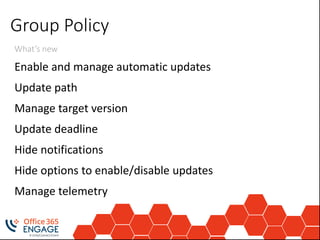
Group Policy
What’s new
Enable and manage automatic updates
Update path
Manage target version
Update deadline
Hide notifications
Hide options to enable/disable updates
Manage telemetry
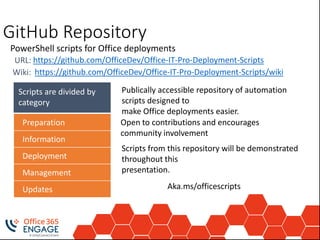
Scripts are divided by
category
GitHub Repository
https://github.com/OfficeDev/Office-IT-Pro-Deployment-ScriptsURL:
https://github.com/OfficeDev/Office-IT-Pro-Deployment-Scripts/wikiWiki:
Preparation
Information
Deployment
Management
Updates
Publically accessible repository of automation
scripts designed to
make Office deployments easier.
Open to contributions and encourages
community involvement
Scripts from this repository will be demonstrated
throughout this
presentation.
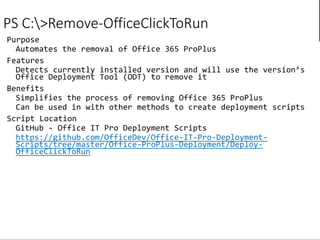
PS C:>Remove-OfficeClickToRun
https://github.com/OfficeDev/Office-IT-Pro-Deployment-
Scripts/tree/master/Office-ProPlus-Deployment/Deploy-
OfficeClickToRun
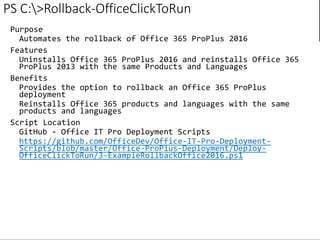
PS C:>Rollback-OfficeClickToRun
https://github.com/OfficeDev/Office-IT-Pro-Deployment-
Scripts/blob/master/Office-ProPlus-Deployment/Deploy-
OfficeClickToRun/3-ExampleRollbackOffice2016.ps1
Understanding Office2016 ProPlus | Andrew J. Price | 16:30 22nd June
DEMO
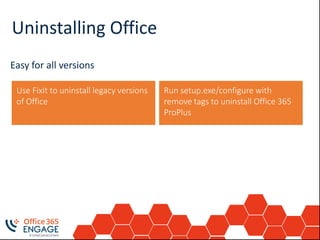
Uninstalling Office
Easy for all versions
Run setup.exe/configure with
remove tags to uninstall Office 365
ProPlus
Use FixIt to uninstall legacy versions
of Office
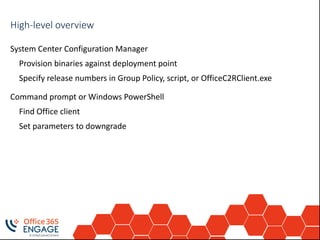
Rollback processHigh-level overview
System Center Configuration Manager
Provision binaries against deployment point
Specify release numbers in Group Policy, script, or OfficeC2RClient.exe
Command prompt or Windows PowerShell
Find Office client
Set parameters to downgrade
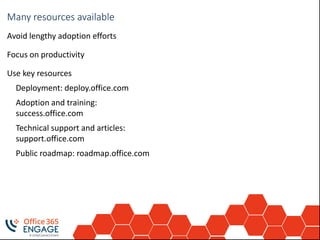
Train your usersMany resources available
Avoid lengthy adoption efforts
Focus on productivity
Use key resources
Deployment: deploy.office.com
Adoption and training:
success.office.com
Technical support and articles:
support.office.com
Public roadmap: roadmap.office.com
Session Title (Keep title BOLD) | Presenter Name (normal) | Time and Date of Session (normal) [CHANGE THIS IN THE MASTER]
Deployment
Considerations
Consider all the
options available to
you
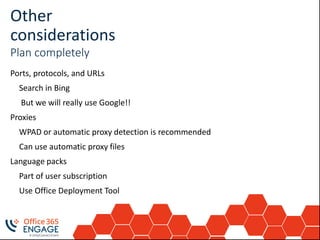
Other
considerations
Plan completely
Ports, protocols, and URLs
Search in Bing
But we will really use Google!!
Proxies
WPAD or automatic proxy detection is recommended
Can use automatic proxy files
Language packs
Part of user subscription
Use Office Deployment Tool
Session Title (Keep title BOLD) | Presenter Name (normal) | Time and Date of Session (normal) [CHANGE THIS IN THE MASTER]
Channels?
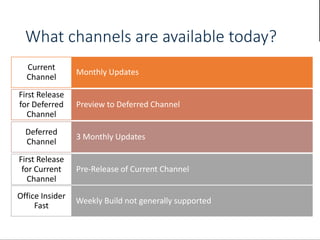
What channels are available today?
Monthly Updates
Current
Channel
Preview to Deferred Channel
First Release
for Deferred
Channel
3 Monthly Updates
Deferred
Channel
Pre-Release of Current Channel
First Release
for Current
Channel
Weekly Build not generally supported
Office Insider
Fast
Understanding Office2016 ProPlus | Andrew J. Price | 16:30 22nd June
Follow us:
#O365ENGAGE17
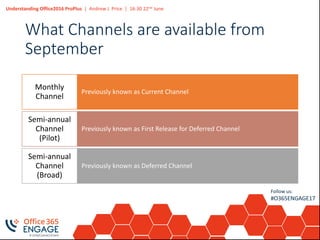
What Channels are available from
September
Previously known as Current Channel
Monthly
Channel
Previously known as First Release for Deferred Channel
Semi-annual
Channel
(Pilot)
Previously known as Deferred Channel
Semi-annual
Channel
(Broad)
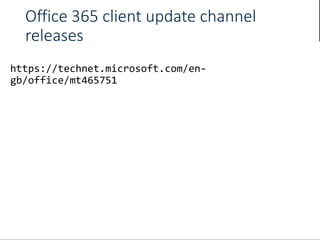
Office 365 client update channel
releases
Understanding Office2016 ProPlus | Andrew J. Price | 16:30 22nd June
Follow us:
#O365ENGAGE17
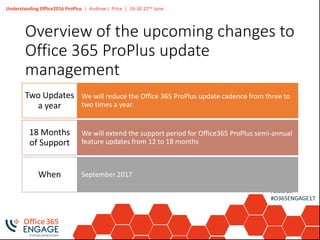
Overview of the upcoming changes to
Office 365 ProPlus update
management
We will reduce the Office 365 ProPlus update cadence from three to
two times a year.
Two Updates
a year
We will extend the support period for Office365 ProPlus semi-annual
feature updates from 12 to 18 months
18 Months
of Support
September 2017When
Understanding Office2016 ProPlus | Andrew J. Price | 16:30 22nd June
Follow us:
#O365ENGAGE17
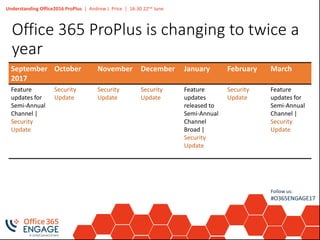
Office 365 ProPlus is changing to twice a
year
September
2017
October November December January February March
Feature
updates for
Semi-Annual
Channel |
Security
Update
Security
Update
Security
Update
Security
Update
Feature
updates
released to
Semi-Annual
Channel
Broad |
Security
Update
Security
Update
Feature
updates for
Semi-Annual
Channel |
Security
Update
Understanding Office2016 ProPlus | Andrew J. Price | 16:30 22nd June
Follow us:
#O365ENGAGE17
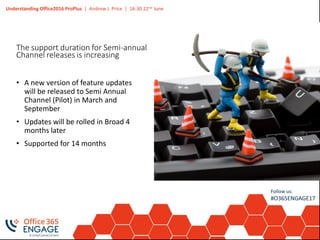
The support duration for Semi-annual
Channel releases is increasing
• A new version of feature updates
will be released to Semi Annual
Channel (Pilot) in March and
September
• Updates will be rolled in Broad 4
months later
• Supported for 14 months
Understanding Office2016 ProPlus | Andrew J. Price | 16:30 22nd June
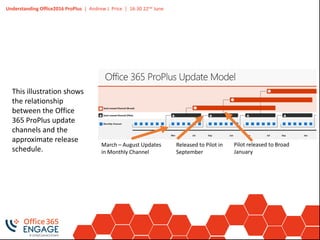
This illustration shows
the relationship
between the Office
365 ProPlus update
channels and the
approximate release
schedule.
March – August Updates
in Monthly Channel
Released to Pilot in
September
Pilot released to Broad
January
Understanding Office2016 ProPlus | Andrew J. Price | 16:30 22nd June
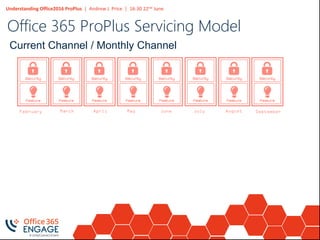
Office 365 ProPlus Servicing Model
Current Channel / Monthly Channel
March April May June JulyFebruary August September
Understanding Office2016 ProPlus | Andrew J. Price | 16:30 22nd June
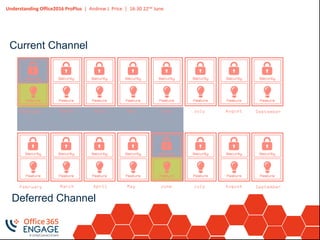
Deferred Channel
Current Channel
March April May June JulyFebruary August September
Understanding Office2016 ProPlus | Andrew J. Price | 16:30 22nd June
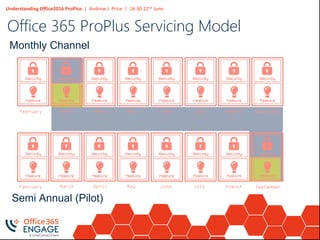
Office 365 ProPlus Servicing Model
Semi Annual (Pilot)
Monthly Channel
March April May June JulyFebruary August September
Understanding Office2016 ProPlus | Andrew J. Price | 16:30 22nd June
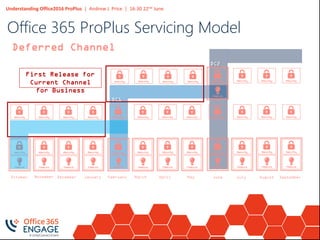
Deferred Channel
DC1
DC2
First Release for
Current Channel
for Business
November December January February MarchOctober April May June July August September
Office 365 ProPlus Servicing Model
Understanding Office2016 ProPlus | Andrew J. Price | 16:30 22nd June
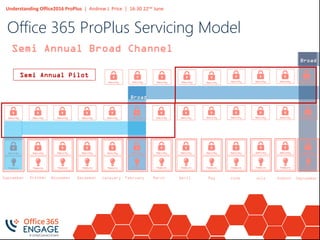
Semi Annual Broad Channel
Broad
Broad
Semi Annual Pilot
October November December Janauary FebruarySeptember March April May June July August
Office 365 ProPlus Servicing Model
September
Understanding Office2016 ProPlus | Andrew J. Price | 16:30 22nd June
Follow us:
#O365ENGAGE17
Deploying updates for Office 365
ProPlus
Session Title (Keep title BOLD) | Presenter Name (normal) | Time and Date of Session (normal) [CHANGE THIS IN THE MASTER]
Channel
Management?
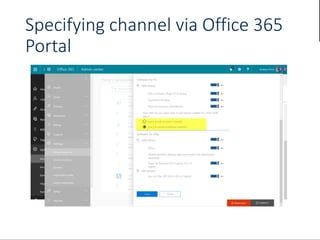
Specifying channel via Office 365
Portal
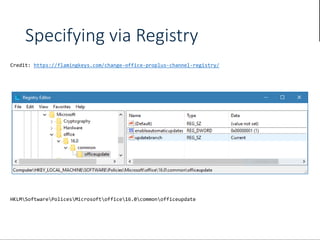
Specifying via Registry
https://flamingkeys.com/change-office-proplus-channel-registry/
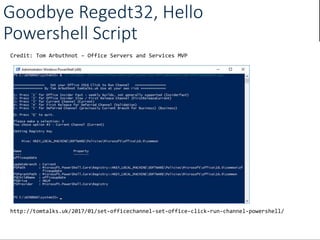
Goodbye Regedt32, Hello
Powershell Script
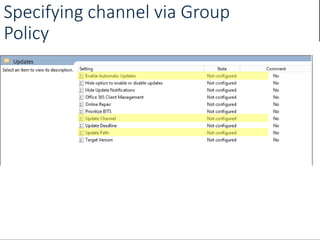
Specifying channel via Group
Policy
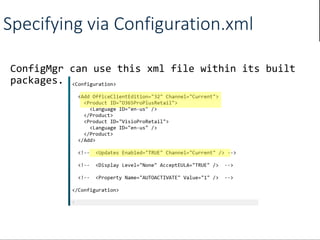
Specifying via Configuration.xml
Audit your
environment
Audit and understand what’s in the
environment
See what solutions/add-ins are in use
Understand what’s important
Validate user testing
Monitor, report, and analyze
PS C:>Deploy-OfficeTelemetryDashboard
https://github.com/OfficeDev/Office-IT-Pro-Deployment-
Scripts/tree/master/Office-ProPlus-Management/Deploy-
OfficeTelemetryDashboard
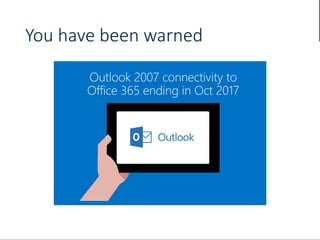
You have been warned
Time to start planning for 2020
Big Changes coming to Microsoft Office, it time to consider rolling
out ProPlus now!
• Office 365 ProPlus or Office perpetual in mainstream support required
to connect to Office 365 services.
• Applies to Office 365 commercial services only.
• More than three years’ notice.
Understanding Office2016 ProPlus | Andrew J. Price | 16:30 22nd June
Follow us:
#O365ENGAGE17
Recap Changes to Update Model
Targeting September 2017, we will make the following changes
to the Office 365 ProPlus update model:
• Two updates a year.
• 18 months of support
• System Center Configuration Manager support.
Understanding Office2016 ProPlus | Andrew J. Price | 16:30 22nd June
Follow us:
#O365ENGAGE17
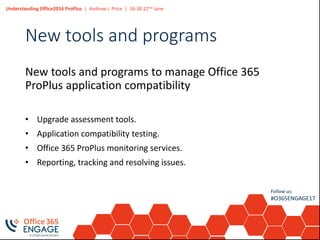
New tools and programs
New tools and programs to manage Office 365
ProPlus application compatibility
• Upgrade assessment tools.
• Application compatibility testing.
• Office 365 ProPlus monitoring services.
• Reporting, tracking and resolving issues.
Keep up to date via Office Blogs
Follow us:
#O365ENGAGE17
Questions? | Thank You!
Andrew J. Price
Andrew.price@lyncme.co.uk
66
We’d like to know what
you think!
Please fill out the evaluation form
you received at the registration
desk for this session
Session recordings
and materials:
Materials will be available on
Office365Engage.com soon

O365Engage17 - Understanding Office 2016 Pro Plus

  • 1.
  • 3.
    Understanding Office2016 ProPlus| Andrew J. Price | 16:30 22nd June I tweet from @andrewpriceuc I blog at www.lyncme.co.uk Email me andrew.price@lyncme.co.uk Who Am I? Andrew J. Price Consultant @ Avanade
  • 4.
  • 5.
    Modern productivity –What’s new in Office 2016?
  • 6.
    Modern productivity Delivering technologyas a service Today…and beyond New mix of knowledge workers New ways of working Demand for continuous updates and flexible use The past Extremely long feedback cycle Limited customer loyalty
  • 7.
    What’s New inOffice 2016 for End Users Office Everyone, Co-Authoring, Skype Meetings, OneNote Shared Notebooks Built for Teamwork Mobile Apps, Cortana, Single Sign-on Perfect with Windows 10 Modern Attachments, Recently used documents, Smart Lookup, Analysis Tool, Works for you
  • 8.
    What’s New inOffice 2016 for IT Data Loss Prevention, Information Rights Managements, Multi Factor Authentication Most Secure Version of Office ConfigMgr, Flexible Update Channels, Background Intelligent Transfer Service, Simplified Activation Management Flexible Updates Modern Attachments, Recently used documents, Smart Lookup, Analysiis Tool, Improved Outlook Performance
  • 9.
  • 10.
    System Requirements Computer and processor Memory(RAM) Hard Disk Display 1 gigahertz (GHz) or faster x86-bit or x64-bit processor with SSE2 instruction set 2 GB RAM 3.0 gigabytes (GB) available 1280 x 800 screen resolution Office 2016 RequirementsVersion File Name Published File Size 2016 officedeploymentt ool_8008- 3601.exe 3/9/2017 2.3MB Download the deployment tool today: https://www.microsoft.com/en- us/download/details.aspx?id=49117
  • 11.
    Microsoft Office 365ProPlus Roll out new features in February, June, October months NOTE: Only until September Shorter time to market Quickly turn feedback into features Continually improve the Office experience Continuous updates At the center of productivity
  • 12.
  • 13.
    Adoption challenges Maintain critical third-partyapps after upgrades Avoid complex and expensive deployment cycles Need more time to test Based on user feedback
  • 14.
    It’s all aboutmanagement Better network traffic Enhanced distribution Flexible update Simplified activation Easy, continuous and seamless
  • 15.
    Better network trafficmanagement BITS integration allows a lower download priority for Office updates. Feature can be enabled from the CDN, distribution points, or file shares. Solution Updates multiplied by all devices being patched can saturate the network. Challenge BITS integration
  • 16.
    Enhanced distribution management Better integrationwith ConfigMgr 2016 enables powerful distribution features: Use of the application model Support for distribution points Support for WSUS notifications Solution Use existing tools to consistently deploy and manage updates. Challenge Better integration with ConfigMgr
  • 17.
    Simplified activation management Office365 user activation management feature Operating systems and installation dates shown Computer names hidden View the installations of individual users Deactivate installations, if needed See information relevant to installations Manage active installations through the admin portal
  • 18.
    Flexible update management Officedeferred updates Challenge Solution Validation Security updates are still delivered continuously. Updates are changing Frequent updates put third-party apps at risk and truncate planning and testing. Tiered approach ensures market-driven quality.
  • 19.
  • 20.
    Deploy the product Many options Localinstallation Network installation Enterprise software distribution Windows image Application virtualization Deployment
  • 21.
    The key question Whythe new way? Streamlined updates with Click-to-Run Enhanced overall environment Early customer success Why not the old way? Windows Installer (MSI files) and Windows Server Update Services (WSUS) Model has worked for years—why change now?
  • 22.
    MSI vs. Click-to-Run Exactlythe same deployment options Deployment method MSI Click-to- Run Local installation source Yes Yes Network installation point Yes Yes Group Policy computer startup script Yes Yes System Center Configuration Manager Yes Yes Microsoft Intune Yes Yes Microsoft Application Virtualization (App- V) 5.0 Service Pack 2 Yes Yes Microsoft Deployment Toolkit (MDT) 2012 Yes Yes
  • 23.
    Today’s challenges End ofsupport for legacy versions of Office Costly and time- consuming upgrades Need for immediate value
  • 24.
    Deployment method System Center ConfigurationManager Requires the Office Deployment Tool Create an app in SCCM Distribute the app to selected distribution points Deploy to one or many users/devices
  • 25.
    Deployment method Windows image Deploy duringbuild Capture task sequence Run ospprearm.exe before sysprep.exe MSI: deploy within 4 weeks to avoid long install times Click-to-run: deploy whenever (deltas only)
  • 26.
    Deployment method Requires the Office DeploymentTool Use setup.exe/ packager to flatten source files Update deltas only Configure add- ins and groups
  • 27.
    Deployment ToolsOffice DeploymentTool (ODT) Allows administrators to customize and manage Office 2016 Click-to- Run deployments Helps Administrators Manage Installation Sources Product / Language combinations Deployment configurations Installation behavior Online Configuration.xml Editor http://officedev.github.io/Office-IT-Pro-Deployment-Scripts/XmlEditor.html
  • 28.
    Group Policy What’s new Enableand manage automatic updates Update path Manage target version Update deadline Hide notifications Hide options to enable/disable updates Manage telemetry
  • 29.
    Scripts are dividedby category GitHub Repository https://github.com/OfficeDev/Office-IT-Pro-Deployment-ScriptsURL: https://github.com/OfficeDev/Office-IT-Pro-Deployment-Scripts/wikiWiki: Preparation Information Deployment Management Updates Publically accessible repository of automation scripts designed to make Office deployments easier. Open to contributions and encourages community involvement Scripts from this repository will be demonstrated throughout this presentation.
  • 30.
  • 31.
  • 32.
    Understanding Office2016 ProPlus| Andrew J. Price | 16:30 22nd June DEMO
  • 33.
    Uninstalling Office Easy forall versions Run setup.exe/configure with remove tags to uninstall Office 365 ProPlus Use FixIt to uninstall legacy versions of Office
  • 34.
    Rollback processHigh-level overview SystemCenter Configuration Manager Provision binaries against deployment point Specify release numbers in Group Policy, script, or OfficeC2RClient.exe Command prompt or Windows PowerShell Find Office client Set parameters to downgrade
  • 35.
    Train your usersManyresources available Avoid lengthy adoption efforts Focus on productivity Use key resources Deployment: deploy.office.com Adoption and training: success.office.com Technical support and articles: support.office.com Public roadmap: roadmap.office.com
  • 36.
    Session Title (Keeptitle BOLD) | Presenter Name (normal) | Time and Date of Session (normal) [CHANGE THIS IN THE MASTER] Deployment Considerations
  • 37.
    Consider all the optionsavailable to you
  • 38.
    Other considerations Plan completely Ports, protocols,and URLs Search in Bing But we will really use Google!! Proxies WPAD or automatic proxy detection is recommended Can use automatic proxy files Language packs Part of user subscription Use Office Deployment Tool
  • 39.
    Session Title (Keeptitle BOLD) | Presenter Name (normal) | Time and Date of Session (normal) [CHANGE THIS IN THE MASTER] Channels?
  • 40.
    What channels areavailable today? Monthly Updates Current Channel Preview to Deferred Channel First Release for Deferred Channel 3 Monthly Updates Deferred Channel Pre-Release of Current Channel First Release for Current Channel Weekly Build not generally supported Office Insider Fast
  • 41.
    Understanding Office2016 ProPlus| Andrew J. Price | 16:30 22nd June Follow us: #O365ENGAGE17 What Channels are available from September Previously known as Current Channel Monthly Channel Previously known as First Release for Deferred Channel Semi-annual Channel (Pilot) Previously known as Deferred Channel Semi-annual Channel (Broad)
  • 42.
    Office 365 clientupdate channel releases
  • 43.
    Understanding Office2016 ProPlus| Andrew J. Price | 16:30 22nd June Follow us: #O365ENGAGE17 Overview of the upcoming changes to Office 365 ProPlus update management We will reduce the Office 365 ProPlus update cadence from three to two times a year. Two Updates a year We will extend the support period for Office365 ProPlus semi-annual feature updates from 12 to 18 months 18 Months of Support September 2017When
  • 44.
    Understanding Office2016 ProPlus| Andrew J. Price | 16:30 22nd June Follow us: #O365ENGAGE17 Office 365 ProPlus is changing to twice a year September 2017 October November December January February March Feature updates for Semi-Annual Channel | Security Update Security Update Security Update Security Update Feature updates released to Semi-Annual Channel Broad | Security Update Security Update Feature updates for Semi-Annual Channel | Security Update
  • 45.
    Understanding Office2016 ProPlus| Andrew J. Price | 16:30 22nd June Follow us: #O365ENGAGE17 The support duration for Semi-annual Channel releases is increasing • A new version of feature updates will be released to Semi Annual Channel (Pilot) in March and September • Updates will be rolled in Broad 4 months later • Supported for 14 months
  • 46.
    Understanding Office2016 ProPlus| Andrew J. Price | 16:30 22nd June This illustration shows the relationship between the Office 365 ProPlus update channels and the approximate release schedule. March – August Updates in Monthly Channel Released to Pilot in September Pilot released to Broad January
  • 47.
    Understanding Office2016 ProPlus| Andrew J. Price | 16:30 22nd June Office 365 ProPlus Servicing Model Current Channel / Monthly Channel March April May June JulyFebruary August September
  • 48.
    Understanding Office2016 ProPlus| Andrew J. Price | 16:30 22nd June Deferred Channel Current Channel March April May June JulyFebruary August September March April May June JulyFebruary August September
  • 49.
    Understanding Office2016 ProPlus| Andrew J. Price | 16:30 22nd June Office 365 ProPlus Servicing Model Semi Annual (Pilot) Monthly Channel March April May June JulyFebruary August September March April May June JulyFebruary August September
  • 50.
    Understanding Office2016 ProPlus| Andrew J. Price | 16:30 22nd June Deferred Channel DC1 DC2 First Release for Current Channel for Business November December January February MarchOctober April May June July August September Office 365 ProPlus Servicing Model
  • 51.
    Understanding Office2016 ProPlus| Andrew J. Price | 16:30 22nd June Semi Annual Broad Channel Broad Broad Semi Annual Pilot October November December Janauary FebruarySeptember March April May June July August Office 365 ProPlus Servicing Model September
  • 52.
    Understanding Office2016 ProPlus| Andrew J. Price | 16:30 22nd June Follow us: #O365ENGAGE17 Deploying updates for Office 365 ProPlus
  • 53.
    Session Title (Keeptitle BOLD) | Presenter Name (normal) | Time and Date of Session (normal) [CHANGE THIS IN THE MASTER] Channel Management?
  • 54.
    Specifying channel viaOffice 365 Portal
  • 55.
  • 56.
  • 57.
  • 58.
  • 59.
    Audit your environment Audit andunderstand what’s in the environment See what solutions/add-ins are in use Understand what’s important Validate user testing Monitor, report, and analyze
  • 60.
  • 61.
  • 62.
    Time to startplanning for 2020 Big Changes coming to Microsoft Office, it time to consider rolling out ProPlus now! • Office 365 ProPlus or Office perpetual in mainstream support required to connect to Office 365 services. • Applies to Office 365 commercial services only. • More than three years’ notice.
  • 63.
    Understanding Office2016 ProPlus| Andrew J. Price | 16:30 22nd June Follow us: #O365ENGAGE17 Recap Changes to Update Model Targeting September 2017, we will make the following changes to the Office 365 ProPlus update model: • Two updates a year. • 18 months of support • System Center Configuration Manager support.
  • 64.
    Understanding Office2016 ProPlus| Andrew J. Price | 16:30 22nd June Follow us: #O365ENGAGE17 New tools and programs New tools and programs to manage Office 365 ProPlus application compatibility • Upgrade assessment tools. • Application compatibility testing. • Office 365 ProPlus monitoring services. • Reporting, tracking and resolving issues.
  • 65.
    Keep up todate via Office Blogs
  • 66.
    Follow us: #O365ENGAGE17 Questions? |Thank You! Andrew J. Price Andrew.price@lyncme.co.uk 66 We’d like to know what you think! Please fill out the evaluation form you received at the registration desk for this session Session recordings and materials: Materials will be available on Office365Engage.com soon