1
Slide
1
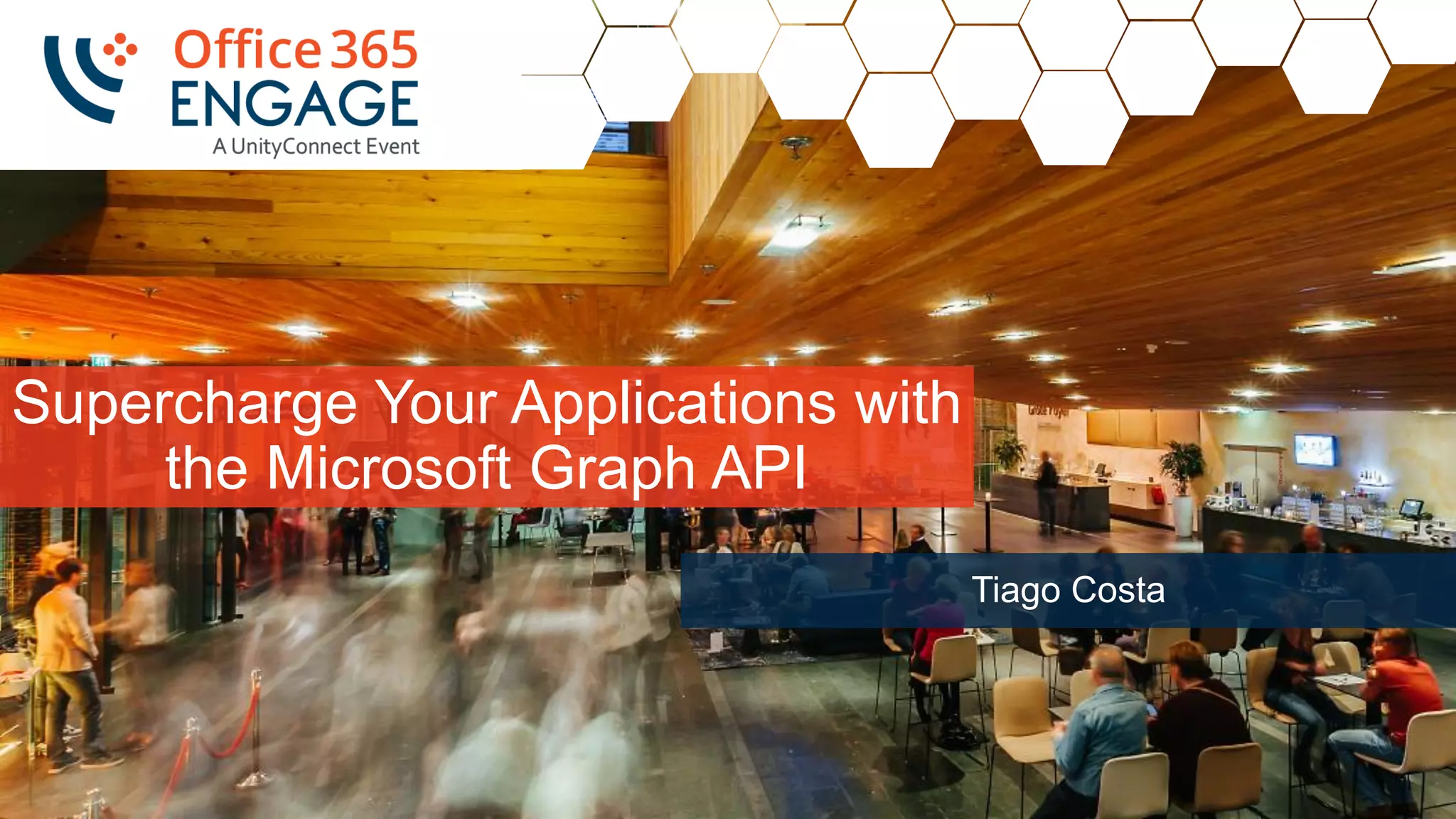
Supercharge Your Applications with
the Microsoft Graph API
Tiago Costa
2
Slide
2
Supercharge Your Applications with the Microsoft Graph API | Tiago Costa | 13:15 – 14:30 - Day 2, Thursday 21 June
Follow us:
#O365ENGAGE17
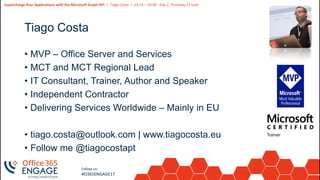
Tiago Costa
• MVP – Office Server and Services
• MCT and MCT Regional Lead
• IT Consultant, Trainer, Author and Speaker
• Independent Contractor
• Delivering Services Worldwide – Mainly in EU
• tiago.costa@outlook.com | www.tiagocosta.eu
• Follow me @tiagocostapt
3
Slide
3
Supercharge Your Applications with the Microsoft Graph API | Tiago Costa | 13:15 – 14:30 - Day 2, Thursday 21 June
Follow us:
#O365ENGAGE17
Agenda
• Intro to the Microsoft Graph API
• Getting started
• SDKs and Code Samples
• Resources
4
Slide
4
Follow us:
#O365ENGAGE17
Intro to the Microsoft Graph API
5
Slide
5
Supercharge Your Applications with the Microsoft Graph API | Tiago Costa | 13:15 – 14:30 - Day 2, Thursday 21 June
Follow us:
#O365ENGAGE17
Developer Vision
• Focus on User experience and their data.
• We should bring user data and user experience into our
applications.
• Microsoft Office has over 1.2 billion users worldwide.
• Office 365 numbers are huge with over 100 million monthly
active subscribers.
6
Slide
6
Supercharge Your Applications with the Microsoft Graph API | Tiago Costa | 13:15 – 14:30 - Day 2, Thursday 21 June
Follow us:
#O365ENGAGE17
Office 365 Developer momentum
"The most strategic
developer surface area
for us is Office 365“
- Satya Nadella
7
Slide
7
Supercharge Your Applications with the Microsoft Graph API | Tiago Costa | 13:15 – 14:30 - Day 2, Thursday 21 June
Follow us:
#O365ENGAGE17
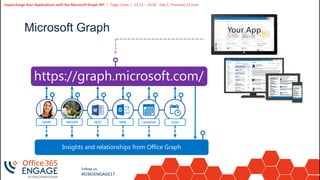
Microsoft Graph
https://graph.microsoft.com/
USERS FILES MAIL CALENDARGROUPS
Insights and relationships from Office Graph
TASKS
8
Slide
8
Supercharge Your Applications with the Microsoft Graph API | Tiago Costa | 13:15 – 14:30 - Day 2, Thursday 21 June
Follow us:
#O365ENGAGE17
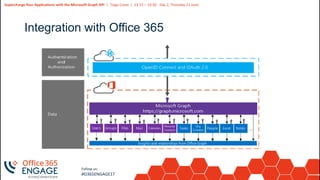
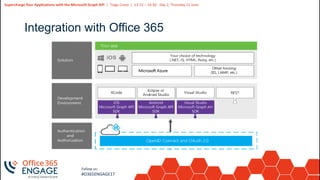
Integration with Office 365
9
Slide
9
Supercharge Your Applications with the Microsoft Graph API | Tiago Costa | 13:15 – 14:30 - Day 2, Thursday 21 June
Follow us:
#O365ENGAGE17
Integration with Office 365
10
Slide
10
Supercharge Your Applications with the Microsoft Graph API | Tiago Costa | 13:15 – 14:30 - Day 2, Thursday 21 June
Follow us:
#O365ENGAGE17
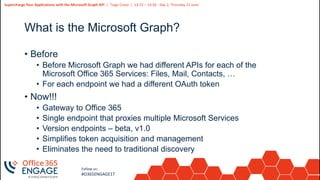
What is the Microsoft Graph?
• Before
• Before Microsoft Graph we had different APIs for each of the
Microsoft Office 365 Services: Files, Mail, Contacts, …
• For each endpoint we had a different OAuth token
• Now!!!
• Gateway to Office 365
• Single endpoint that proxies multiple Microsoft Services
• Version endpoints – beta, v1.0
• Simplifies token acquisition and management
• Eliminates the need to traditional discovery
11
Slide
11
Supercharge Your Applications with the Microsoft Graph API | Tiago Costa | 13:15 – 14:30 - Day 2, Thursday 21 June
Follow us:
#O365ENGAGE17
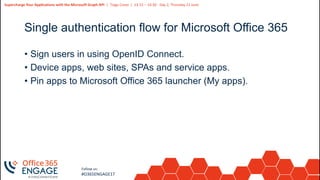
Single authentication flow for Microsoft Office 365
• Sign users in using OpenID Connect.
• Device apps, web sites, SPAs and service apps.
• Pin apps to Microsoft Office 365 launcher (My apps).
12
Slide
12
Supercharge Your Applications with the Microsoft Graph API | Tiago Costa | 13:15 – 14:30 - Day 2, Thursday 21 June
Follow us:
#O365ENGAGE17
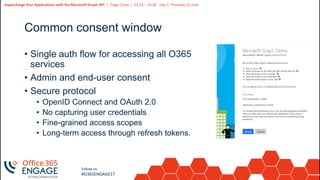
Common consent window
• Single auth flow for accessing all O365
services
• Admin and end-user consent
• Secure protocol
• OpenID Connect and OAuth 2.0
• No capturing user credentials
• Fine-grained access scopes
• Long-term access through refresh tokens.
13
Slide
13
Supercharge Your Applications with the Microsoft Graph API | Tiago Costa | 13:15 – 14:30 - Day 2, Thursday 21 June
Follow us:
#O365ENGAGE17
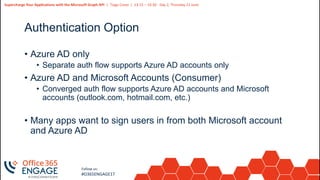
Authentication Option
• Azure AD only
• Separate auth flow supports Azure AD accounts only
• Azure AD and Microsoft Accounts (Consumer)
• Converged auth flow supports Azure AD accounts and Microsoft
accounts (outlook.com, hotmail.com, etc.)
• Many apps want to sign users in from both Microsoft account
and Azure AD
14
Slide
14
Follow us:
#O365ENGAGE17
Getting Started
15
Slide
15
Supercharge Your Applications with the Microsoft Graph API | Tiago Costa | 13:15 – 14:30 - Day 2, Thursday 21 June
Follow us:
#O365ENGAGE17
TASKS
manager
memberOf
FILES
MESSAGES
workingWith
Shared with me
directReports
createdBy
FILES
CONVERSATIONS
createdBy
workingWith
EVENTS
trendingAround
GROUPS
TASKS
NOTES
NOTES
public
modifiedBy
USER
trendingAround
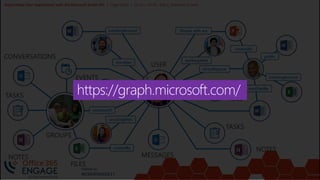
https://graph.microsoft.com/
16
Slide
16
Supercharge Your Applications with the Microsoft Graph API | Tiago Costa | 13:15 – 14:30 - Day 2, Thursday 21 June
Follow us:
#O365ENGAGE17
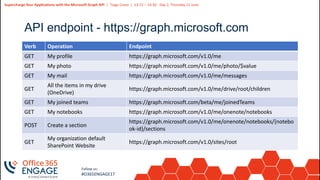
API endpoint - https://graph.microsoft.com
Verb Operation Endpoint
GET My profile https://graph.microsoft.com/v1.0/me
GET My photo https://graph.microsoft.com/v1.0/me/photo/$value
GET My mail https://graph.microsoft.com/v1.0/me/messages
GET
All the items in my drive
(OneDrive)
https://graph.microsoft.com/v1.0/me/drive/root/children
GET My joined teams https://graph.microsoft.com/beta/me/joinedTeams
GET My notebooks https://graph.microsoft.com/v1.0/me/onenote/notebooks
POST Create a section
https://graph.microsoft.com/v1.0/me/onenote/notebooks/{notebo
ok-id}/sections
GET
My organization default
SharePoint Website
https://graph.microsoft.com/v1.0/sites/root
17
Slide
17
Follow us:
#O365ENGAGE17
Microsoft Graph Explorer
Demo
18
Slide
18
Supercharge Your Applications with the Microsoft Graph API | Tiago Costa | 13:15 – 14:30 - Day 2, Thursday 21 June
Follow us:
#O365ENGAGE17
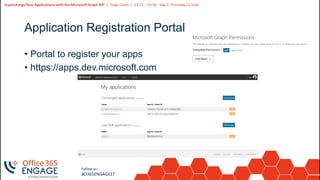
Application Registration Portal
• Portal to register your apps
• https://apps.dev.microsoft.com
19
Slide
19
Supercharge Your Applications with the Microsoft Graph API | Tiago Costa | 13:15 – 14:30 - Day 2, Thursday 21 June
Follow us:
#O365ENGAGE17
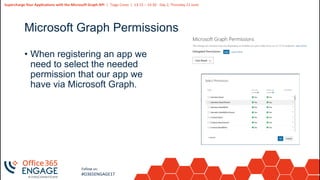
Microsoft Graph Permissions
• When registering an app we
need to select the needed
permission that our app we
have via Microsoft Graph.
20
Slide
20
Follow us:
#O365ENGAGE17
Register a new Application
Demo
21
Slide
21
Supercharge Your Applications with the Microsoft Graph API | Tiago Costa | 13:15 – 14:30 - Day 2, Thursday 21 June
Follow us:
#O365ENGAGE17
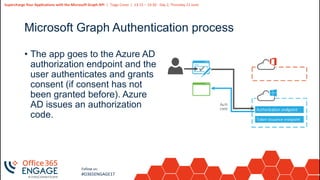
Microsoft Graph Authentication process
• The app goes to the Azure AD
authorization endpoint and the
user authenticates and grants
consent (if consent has not
been granted before). Azure
AD issues an authorization
code.
22
Slide
22
Supercharge Your Applications with the Microsoft Graph API | Tiago Costa | 13:15 – 14:30 - Day 2, Thursday 21 June
Follow us:
#O365ENGAGE17
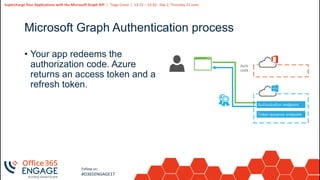
Microsoft Graph Authentication process
• Your app redeems the
authorization code. Azure
returns an access token and a
refresh token.
23
Slide
23
Supercharge Your Applications with the Microsoft Graph API | Tiago Costa | 13:15 – 14:30 - Day 2, Thursday 21 June
Follow us:
#O365ENGAGE17
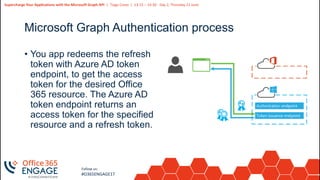
Microsoft Graph Authentication process
• You app redeems the refresh
token with Azure AD token
endpoint, to get the access
token for the desired Office
365 resource. The Azure AD
token endpoint returns an
access token for the specified
resource and a refresh token.
24
Slide
24
Supercharge Your Applications with the Microsoft Graph API | Tiago Costa | 13:15 – 14:30 - Day 2, Thursday 21 June
Follow us:
#O365ENGAGE17
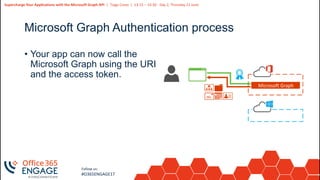
Microsoft Graph Authentication process
Microsoft Graph
• Your app can now call the
Microsoft Graph using the URI
and the access token.
25
Slide
25
Supercharge Your Applications with the Microsoft Graph API | Tiago Costa | 13:15 – 14:30 - Day 2, Thursday 21 June
Follow us:
#O365ENGAGE17
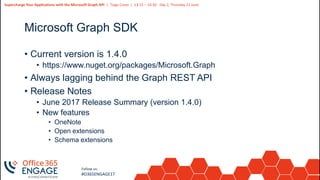
Microsoft Graph SDK
• Current version is 1.4.0
• https://www.nuget.org/packages/Microsoft.Graph
• Always lagging behind the Graph REST API
• Release Notes
• June 2017 Release Summary (version 1.4.0)
• New features
• OneNote
• Open extensions
• Schema extensions
26
Slide
26
Supercharge Your Applications with the Microsoft Graph API | Tiago Costa | 13:15 – 14:30 - Day 2, Thursday 21 June
Follow us:
#O365ENGAGE17
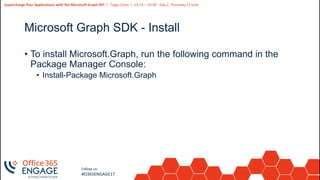
Microsoft Graph SDK - Install
• To install Microsoft.Graph, run the following command in the
Package Manager Console:
• Install-Package Microsoft.Graph
27
Slide
27
Follow us:
#O365ENGAGE17
ASP.NET Application using the Microsoft
Graph via SDK
Demo
28
Slide
28
Follow us:
#O365ENGAGE17
Resources
29
Slide
29
Supercharge Your Applications with the Microsoft Graph API | Tiago Costa | 13:15 – 14:30 - Day 2, Thursday 21 June
Follow us:
#O365ENGAGE17
Resources
• Documentation, samples and more
• https://graph.microsoft.com
• https://github.com/microsoftgraph
• Stack Overflow
• [MicrosoftGraph] and [Office365]
• Twitter
• #MicrosoftGraph and #Office365dev
30
Slide
30
Supercharge Your Applications with the Microsoft Graph API | Tiago Costa | 13:15 – 14:30 - Day 2, Thursday 21 June
Follow us:
#O365ENGAGE17
Getting started
• Getting Started with APIs
• Microsoft Graph API Code Samples
• Microsoft Graph API documentation
31
Slide
31
Supercharge Your Applications with the Microsoft Graph API | Tiago Costa | 13:15 – 14:30 - Day 2, Thursday 21 June
Follow us:
#O365ENGAGE17
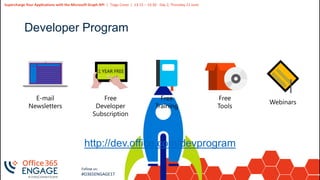
Developer Program
http://dev.office.com/devprogram
32
Slide
32
Supercharge Your Applications with the Microsoft Graph API | Tiago Costa | 13:15 – 14:30 - Day 2, Thursday 21 June
Follow us:
#O365ENGAGE17
Questions? | Thank You
Tiago Costa
tiago.costa@outlook.com
We’d like to know what you think!
Please fill out the evaluation form you
received at the registration desk for this
session
Session recordings and materials:
Materials will be available on
Office365Engage.com soon

O365Engage17 - Supercharge Your Applications with the Microsoft Graph API

  • 1.
    1 Slide 1 Supercharge Your Applicationswith the Microsoft Graph API Tiago Costa
  • 2.
    2 Slide 2 Supercharge Your Applicationswith the Microsoft Graph API | Tiago Costa | 13:15 – 14:30 - Day 2, Thursday 21 June Follow us: #O365ENGAGE17 Tiago Costa • MVP – Office Server and Services • MCT and MCT Regional Lead • IT Consultant, Trainer, Author and Speaker • Independent Contractor • Delivering Services Worldwide – Mainly in EU • tiago.costa@outlook.com | www.tiagocosta.eu • Follow me @tiagocostapt
  • 3.
    3 Slide 3 Supercharge Your Applicationswith the Microsoft Graph API | Tiago Costa | 13:15 – 14:30 - Day 2, Thursday 21 June Follow us: #O365ENGAGE17 Agenda • Intro to the Microsoft Graph API • Getting started • SDKs and Code Samples • Resources
  • 4.
  • 5.
    5 Slide 5 Supercharge Your Applicationswith the Microsoft Graph API | Tiago Costa | 13:15 – 14:30 - Day 2, Thursday 21 June Follow us: #O365ENGAGE17 Developer Vision • Focus on User experience and their data. • We should bring user data and user experience into our applications. • Microsoft Office has over 1.2 billion users worldwide. • Office 365 numbers are huge with over 100 million monthly active subscribers.
  • 6.
    6 Slide 6 Supercharge Your Applicationswith the Microsoft Graph API | Tiago Costa | 13:15 – 14:30 - Day 2, Thursday 21 June Follow us: #O365ENGAGE17 Office 365 Developer momentum "The most strategic developer surface area for us is Office 365“ - Satya Nadella
  • 7.
    7 Slide 7 Supercharge Your Applicationswith the Microsoft Graph API | Tiago Costa | 13:15 – 14:30 - Day 2, Thursday 21 June Follow us: #O365ENGAGE17 Microsoft Graph https://graph.microsoft.com/ USERS FILES MAIL CALENDARGROUPS Insights and relationships from Office Graph TASKS
  • 8.
    8 Slide 8 Supercharge Your Applicationswith the Microsoft Graph API | Tiago Costa | 13:15 – 14:30 - Day 2, Thursday 21 June Follow us: #O365ENGAGE17 Integration with Office 365
  • 9.
    9 Slide 9 Supercharge Your Applicationswith the Microsoft Graph API | Tiago Costa | 13:15 – 14:30 - Day 2, Thursday 21 June Follow us: #O365ENGAGE17 Integration with Office 365
  • 10.
    10 Slide 10 Supercharge Your Applicationswith the Microsoft Graph API | Tiago Costa | 13:15 – 14:30 - Day 2, Thursday 21 June Follow us: #O365ENGAGE17 What is the Microsoft Graph? • Before • Before Microsoft Graph we had different APIs for each of the Microsoft Office 365 Services: Files, Mail, Contacts, … • For each endpoint we had a different OAuth token • Now!!! • Gateway to Office 365 • Single endpoint that proxies multiple Microsoft Services • Version endpoints – beta, v1.0 • Simplifies token acquisition and management • Eliminates the need to traditional discovery
  • 11.
    11 Slide 11 Supercharge Your Applicationswith the Microsoft Graph API | Tiago Costa | 13:15 – 14:30 - Day 2, Thursday 21 June Follow us: #O365ENGAGE17 Single authentication flow for Microsoft Office 365 • Sign users in using OpenID Connect. • Device apps, web sites, SPAs and service apps. • Pin apps to Microsoft Office 365 launcher (My apps).
  • 12.
    12 Slide 12 Supercharge Your Applicationswith the Microsoft Graph API | Tiago Costa | 13:15 – 14:30 - Day 2, Thursday 21 June Follow us: #O365ENGAGE17 Common consent window • Single auth flow for accessing all O365 services • Admin and end-user consent • Secure protocol • OpenID Connect and OAuth 2.0 • No capturing user credentials • Fine-grained access scopes • Long-term access through refresh tokens.
  • 13.
    13 Slide 13 Supercharge Your Applicationswith the Microsoft Graph API | Tiago Costa | 13:15 – 14:30 - Day 2, Thursday 21 June Follow us: #O365ENGAGE17 Authentication Option • Azure AD only • Separate auth flow supports Azure AD accounts only • Azure AD and Microsoft Accounts (Consumer) • Converged auth flow supports Azure AD accounts and Microsoft accounts (outlook.com, hotmail.com, etc.) • Many apps want to sign users in from both Microsoft account and Azure AD
  • 14.
  • 15.
    15 Slide 15 Supercharge Your Applicationswith the Microsoft Graph API | Tiago Costa | 13:15 – 14:30 - Day 2, Thursday 21 June Follow us: #O365ENGAGE17 TASKS manager memberOf FILES MESSAGES workingWith Shared with me directReports createdBy FILES CONVERSATIONS createdBy workingWith EVENTS trendingAround GROUPS TASKS NOTES NOTES public modifiedBy USER trendingAround https://graph.microsoft.com/
  • 16.
    16 Slide 16 Supercharge Your Applicationswith the Microsoft Graph API | Tiago Costa | 13:15 – 14:30 - Day 2, Thursday 21 June Follow us: #O365ENGAGE17 API endpoint - https://graph.microsoft.com Verb Operation Endpoint GET My profile https://graph.microsoft.com/v1.0/me GET My photo https://graph.microsoft.com/v1.0/me/photo/$value GET My mail https://graph.microsoft.com/v1.0/me/messages GET All the items in my drive (OneDrive) https://graph.microsoft.com/v1.0/me/drive/root/children GET My joined teams https://graph.microsoft.com/beta/me/joinedTeams GET My notebooks https://graph.microsoft.com/v1.0/me/onenote/notebooks POST Create a section https://graph.microsoft.com/v1.0/me/onenote/notebooks/{notebo ok-id}/sections GET My organization default SharePoint Website https://graph.microsoft.com/v1.0/sites/root
  • 17.
  • 18.
    18 Slide 18 Supercharge Your Applicationswith the Microsoft Graph API | Tiago Costa | 13:15 – 14:30 - Day 2, Thursday 21 June Follow us: #O365ENGAGE17 Application Registration Portal • Portal to register your apps • https://apps.dev.microsoft.com
  • 19.
    19 Slide 19 Supercharge Your Applicationswith the Microsoft Graph API | Tiago Costa | 13:15 – 14:30 - Day 2, Thursday 21 June Follow us: #O365ENGAGE17 Microsoft Graph Permissions • When registering an app we need to select the needed permission that our app we have via Microsoft Graph.
  • 20.
  • 21.
    21 Slide 21 Supercharge Your Applicationswith the Microsoft Graph API | Tiago Costa | 13:15 – 14:30 - Day 2, Thursday 21 June Follow us: #O365ENGAGE17 Microsoft Graph Authentication process • The app goes to the Azure AD authorization endpoint and the user authenticates and grants consent (if consent has not been granted before). Azure AD issues an authorization code.
  • 22.
    22 Slide 22 Supercharge Your Applicationswith the Microsoft Graph API | Tiago Costa | 13:15 – 14:30 - Day 2, Thursday 21 June Follow us: #O365ENGAGE17 Microsoft Graph Authentication process • Your app redeems the authorization code. Azure returns an access token and a refresh token.
  • 23.
    23 Slide 23 Supercharge Your Applicationswith the Microsoft Graph API | Tiago Costa | 13:15 – 14:30 - Day 2, Thursday 21 June Follow us: #O365ENGAGE17 Microsoft Graph Authentication process • You app redeems the refresh token with Azure AD token endpoint, to get the access token for the desired Office 365 resource. The Azure AD token endpoint returns an access token for the specified resource and a refresh token.
  • 24.
    24 Slide 24 Supercharge Your Applicationswith the Microsoft Graph API | Tiago Costa | 13:15 – 14:30 - Day 2, Thursday 21 June Follow us: #O365ENGAGE17 Microsoft Graph Authentication process Microsoft Graph • Your app can now call the Microsoft Graph using the URI and the access token.
  • 25.
    25 Slide 25 Supercharge Your Applicationswith the Microsoft Graph API | Tiago Costa | 13:15 – 14:30 - Day 2, Thursday 21 June Follow us: #O365ENGAGE17 Microsoft Graph SDK • Current version is 1.4.0 • https://www.nuget.org/packages/Microsoft.Graph • Always lagging behind the Graph REST API • Release Notes • June 2017 Release Summary (version 1.4.0) • New features • OneNote • Open extensions • Schema extensions
  • 26.
    26 Slide 26 Supercharge Your Applicationswith the Microsoft Graph API | Tiago Costa | 13:15 – 14:30 - Day 2, Thursday 21 June Follow us: #O365ENGAGE17 Microsoft Graph SDK - Install • To install Microsoft.Graph, run the following command in the Package Manager Console: • Install-Package Microsoft.Graph
  • 27.
    27 Slide 27 Follow us: #O365ENGAGE17 ASP.NET Applicationusing the Microsoft Graph via SDK Demo
  • 28.
  • 29.
    29 Slide 29 Supercharge Your Applicationswith the Microsoft Graph API | Tiago Costa | 13:15 – 14:30 - Day 2, Thursday 21 June Follow us: #O365ENGAGE17 Resources • Documentation, samples and more • https://graph.microsoft.com • https://github.com/microsoftgraph • Stack Overflow • [MicrosoftGraph] and [Office365] • Twitter • #MicrosoftGraph and #Office365dev
  • 30.
    30 Slide 30 Supercharge Your Applicationswith the Microsoft Graph API | Tiago Costa | 13:15 – 14:30 - Day 2, Thursday 21 June Follow us: #O365ENGAGE17 Getting started • Getting Started with APIs • Microsoft Graph API Code Samples • Microsoft Graph API documentation
  • 31.
    31 Slide 31 Supercharge Your Applicationswith the Microsoft Graph API | Tiago Costa | 13:15 – 14:30 - Day 2, Thursday 21 June Follow us: #O365ENGAGE17 Developer Program http://dev.office.com/devprogram
  • 32.
    32 Slide 32 Supercharge Your Applicationswith the Microsoft Graph API | Tiago Costa | 13:15 – 14:30 - Day 2, Thursday 21 June Follow us: #O365ENGAGE17 Questions? | Thank You Tiago Costa tiago.costa@outlook.com We’d like to know what you think! Please fill out the evaluation form you received at the registration desk for this session Session recordings and materials: Materials will be available on Office365Engage.com soon