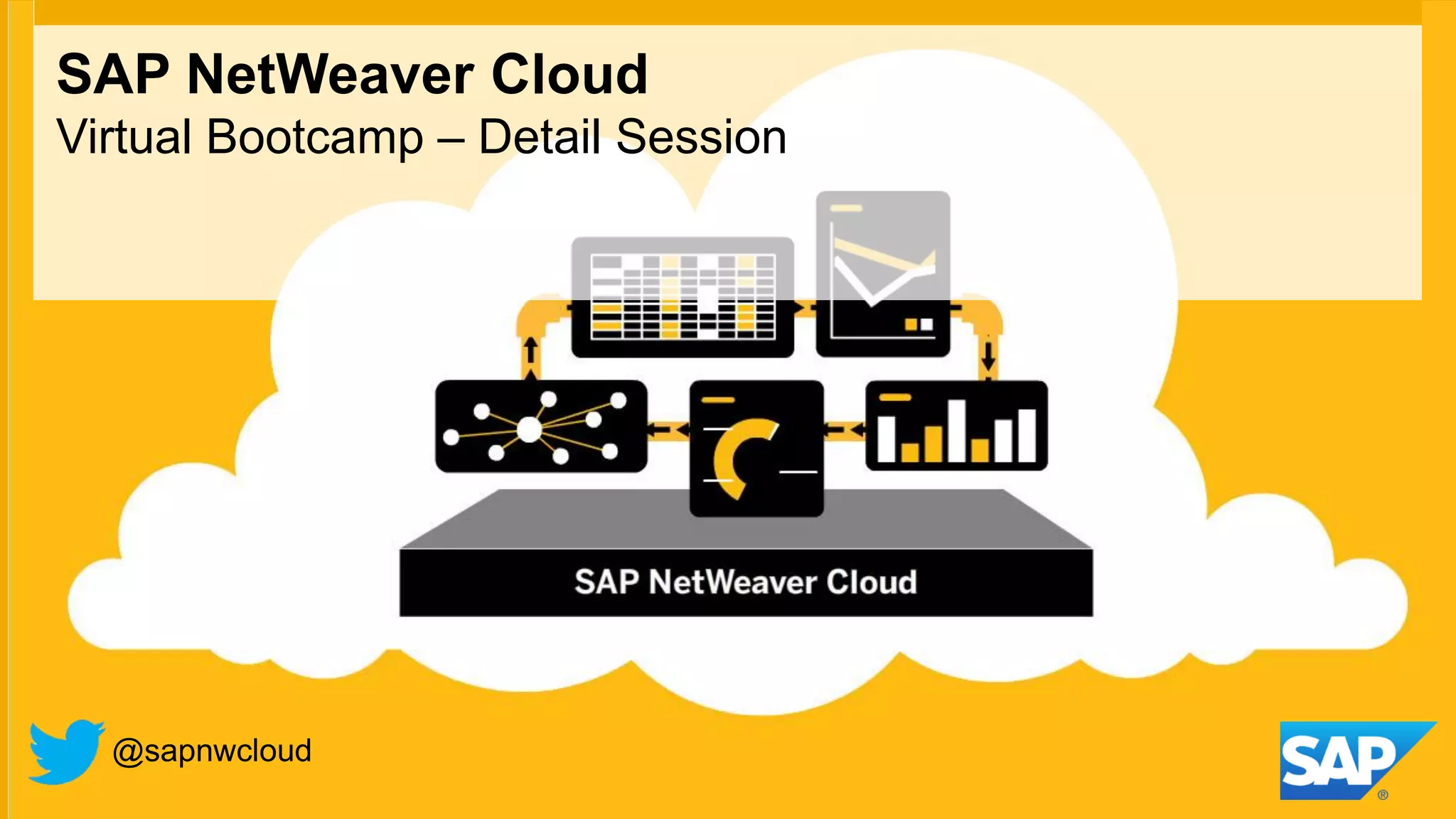
SAP NetWeaver Cloud
Virtual Bootcamp – Detail Session


  @sapnwcloud
Agenda
Build an application on NetWeaver Cloud

                                           Review application functionality

                                           Create project and import code

                                           Write code snippets

                                           Deploy application locally

                                           Deploy application in the cloud

                                           Test application


© 2012 SAP AG. All rights reserved.                                            3
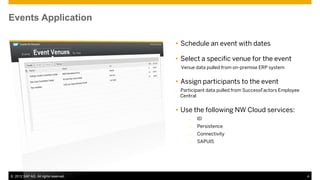
Events Application

                                       Schedule an event with dates

                                       Select a specific venue for the event
                                          Venue data pulled from on-premise ERP system


                                       Assign participants to the event
                                      –   Participant data pulled from SuccessFactors Employee
                                          Central


                                       Use the following NW Cloud services:
                                              –   ID
                                              –   Persistence
                                              –   Connectivity
                                              –   SAPUI5


© 2012 SAP AG. All rights reserved.                                                              4
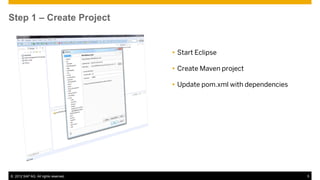
Step 1 – Create Project


                                       Start Eclipse

                                       Create Maven project

                                       Update pom.xml with dependencies


© 2012 SAP AG. All rights reserved.                                        5
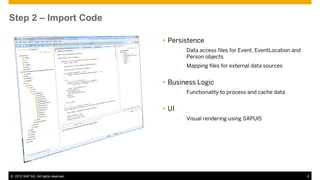
Step 2 – Import Code

                                       Persistence
                                             –   Data access files for Event, EventLocation and
                                                 Person objects
                                             –   Mapping files for external data sources


                                       Business Logic
                                             –   Functionality to process and cache data


                                       UI
                                             –   Visual rendering using SAPUI5


© 2012 SAP AG. All rights reserved.                                                               6
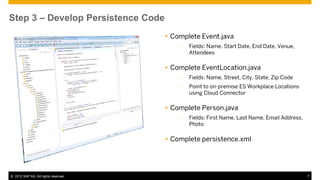
Step 3 – Develop Persistence Code
                                       Complete Event.java
                                          –   Fields: Name, Start Date, End Date, Venue,
                                              Attendees

                                       Complete EventLocation.java
                                          –   Fields: Name, Street, City, State, Zip Code
                                          –   Point to on-premise ES Workplace Locations
                                              using Cloud Connector

                                       Complete Person.java
                                          –   Fields: First Name, Last Name, Email Address,
                                              Photo

                                       Complete persistence.xml


© 2012 SAP AG. All rights reserved.                                                           7
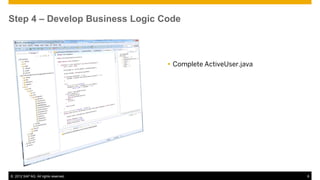
Step 4 – Develop Business Logic Code


                                       Complete ActiveUser.java


© 2012 SAP AG. All rights reserved.                                8
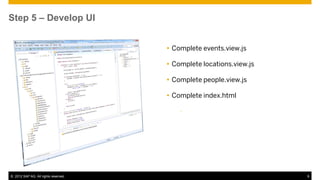
Step 5 – Develop UI


                                       Complete events.view.js

                                       Complete locations.view.js

                                       Complete people.view.js

                                       Complete index.html

                                          –


© 2012 SAP AG. All rights reserved.                                  9
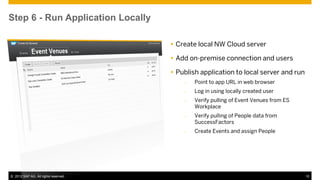
Step 6 - Run Application Locally

                                       Create local NW Cloud server

                                       Add on-premise connection and users

                                       Publish application to local server and run
                                          –   Point to app URL in web browser
                                          –   Log in using locally created user
                                          –   Verify pulling of Event Venues from ES
                                              Workplace
                                          –   Verify pulling of People data from
                                              SuccessFactors
                                          –   Create Events and assign People


© 2012 SAP AG. All rights reserved.                                                    10
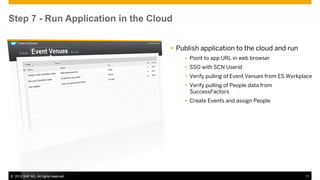
Step 7 - Run Application in the Cloud


                                       Publish application to the cloud and run
                                           Point to app URL in web browser
                                           SSO with SCN Userid
                                           Verify pulling of Event Venues from ES Workplace
                                           Verify pulling of People data from
                                            SuccessFactors
                                           Create Events and assign People


© 2012 SAP AG. All rights reserved.                                                      11
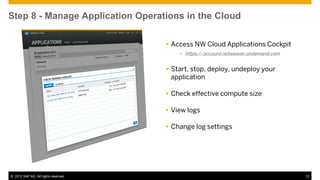
Step 8 - Manage Application Operations in the Cloud

                                       Access NW Cloud Applications Cockpit
                                           https://account.netweaver.ondemand.com


                                       Start, stop, deploy, undeploy your
                                        application

                                       Check effective compute size

                                       View logs

                                       Change log settings


© 2012 SAP AG. All rights reserved.                                                  12
Online Resources

  Partner Center
        http://www.sapcloudappspartnercenter.com


   Developer Center
        http://scn.sap.com/community/developer-center/cloud-platform


© 2012 SAP AG. All rights reserved.                                     13
Discussion / Q&A
Questions & Answers – 1/3
  Q: Is there any step by step document for this event management?
  A: Step-by-step tutorial to be made available on the NW Cloud website. Timeline to be verified.


   Q: In the previous session, SAP announced an additional addendum will sent to partners for SAP NetWeaver Portal. We
   didn't receive it yet. Is this right?
   A: Yes, planned to be finalized on Feb 18th


   Q: In the connectivity destination section where do you obtain the url from?
   A: In our demo, the URL was the location of the Gateway instance that provided the connectivity to the on-premise ES
   Workplace system.


  Q: Lets supposed that I have an existing app that is not 100% compatible with SAP NetWeaver Cloud, can I use this app
  through an iframe? (like Facebook Apps)
  A: Yes, you can embed an app in an iFrame inside a NW Cloud application. You should, however, take into consideration
  the appropriate on boarding and resource allocation requirements for your existing app when the NW Cloud app is
  instantiated and users begin using it. You may also get warnings from certain browsers with default settings like IE when
  you invoke another URL in an iFrame embedded in another page.

© 2012 SAP AG. All rights reserved.                                                                                           15
Questions & Answers – 2/3
  Q: How to fetch data from other system say from ByD or how can we write some thing in other system?
  A: You can consume REST web services from other cloud-based applications inside your NW Cloud application. Using the
  NW Cloud Connectivity service, you can also establish secure connections to on-premise systems and exchange data with
  them.

   Q: In cloud connectivity service we have to just add url and we can use other service over internet. Am I right?
   A: In essence, yes. You do, however, have to set up your own cloud connector instance and configure it to point to the on-
   premise systems you want to access. You would then use the URL and appropriate credentials for your cloud connector in
   the destination file in the application.

   Q: Can we use NetWeaver Cloud on other SAP Cloud product like BbyD or SOD
   A: NW Cloud runs on the same SAP Cloud infrastructure as ByD and SOD, but it is a standalone platform that is not directly
   related to either ByD or SOD. You can, however, integrate with either application as discussed above.

   Q: Lets supposed that I have an apps running in MySQL. Can I use SAP NW Cloud and connect to this external database?
   A: Right now the Cloud Connector does not support direct invocation of JDBC calls to an external database. It currently
   supports calls via https, and JCo will supported soon. What you could do is have a lightweight process running on-premise
   that receives REST calls via https from the NW Cloud app and issues the JDBC calls to the MySQL database. Otherwise,
   you could port the data to the NW Cloud persistence service (HANA or MaxDB).


© 2012 SAP AG. All rights reserved.                                                                                            16
Questions & Answers – 3/3
  Q: Can we also use other HANA tools on the HANA database in the cloud
  A: The HANA Studio uses JDBC to connect to the HANA database. For security reasons, HANA in the cloud does not
  expose the JDBC port. Therefore, you currently cannot connect to the HANA database that NW Cloud uses using HANA
  Studio. However, in the upcoming HANA SP6 release there will be an add-on that allows invoking a JDBC tunnel over
  https. Once this is available, you should be able to do so.

   Q: in this event management where do you have used SAPUI5, I mean there is .java and .js where is it written in ***view.js
   file?
   A: In the .js files, we are making calls to the SAPUI5 libraries. I didn't specifically show this, but there are numerous calls in
   the files to methods such as sap.ui.commons.layout and sap.ui.get.core.

  Q: Will the ODATA protocol available on the HANA DB or only JPA?
  A: OData is primarily used for exposing rest service calls and getting data that way. What is planned is a gateway as a
  service for aggregating backend calls via odata. But if you wish to directly issue SQL statements to HANA, for example, you
  would have to stick with JDBC or JPA.

   Q: For trail account what database we are using here for Netweaver cloud, it is MaxDb or HANA or others?
   A: We offer both, and you actually choose which database you want as a part of the initial setup when you sign up for a trial
   account. The default choice is HANA.


© 2012 SAP AG. All rights reserved.                                                                                                 17
Thank You!
© 2012 SAP AG. All rights reserved.

No part of this publication may be reproduced or transmitted in any form or for any purpose without the express   Google App Engine, Google Apps, Google Checkout, Google Data API, Google Maps, Google Mobile Ads,
permission of SAP AG. The information contained herein may be changed without prior notice.                       Google Mobile Updater, Google Mobile, Google Store, Google Sync, Google Updater, Google Voice,
                                                                                                                  Google Mail, Gmail, YouTube, Dalvik and Android are trademarks or registered trademarks of Google Inc.
Some software products marketed by SAP AG and its distributors contain proprietary software components of
other software vendors.                                                                                           INTERMEC is a registered trademark of Intermec Technologies Corporation.
Microsoft, Windows, Excel, Outlook, PowerPoint, Silverlight, and Visual Studio are registered trademarks of       Wi-Fi is a registered trademark of Wi-Fi Alliance.
Microsoft Corporation.
                                                                                                                  Bluetooth is a registered trademark of Bluetooth SIG Inc.
IBM, DB2, DB2 Universal Database, System i, System i5, System p, System p5, System x, System z, System
                                                                                                                  Motorola is a registered trademark of Motorola Trademark Holdings LLC.
z10, z10, z/VM, z/OS, OS/390, zEnterprise, PowerVM, Power Architecture, Power Systems, POWER7,
POWER6+, POWER6, POWER, PowerHA, pureScale, PowerPC, BladeCenter, System Storage, Storwize,                       Computop is a registered trademark of Computop Wirtschaftsinformatik GmbH.
XIV, GPFS, HACMP, RETAIN, DB2 Connect, RACF, Redbooks, OS/2, AIX, Intelligent Miner, WebSphere,
Tivoli, Informix, and Smarter Planet are trademarks or registered trademarks of IBM Corporation.                  SAP, R/3, SAP NetWeaver, Duet, PartnerEdge, ByDesign, SAP BusinessObjects Explorer, StreamWork,
                                                                                                                  SAP HANA, and other SAP products and services mentioned herein as well as their respective logos are
Linux is the registered trademark of Linus Torvalds in the United States and other countries.                     trademarks or registered trademarks of SAP AG in Germany and other countries.
Adobe, the Adobe logo, Acrobat, PostScript, and Reader are trademarks or registered trademarks of Adobe           Business Objects and the Business Objects logo, BusinessObjects, Crystal Reports, Crystal Decisions, Web
Systems Incorporated in the United States and other countries.                                                    Intelligence, Xcelsius, and other Business Objects products and services mentioned herein as well as their
                                                                                                                  respective logos are trademarks or registered trademarks of Business Objects Software Ltd. Business Objects
Oracle and Java are registered trademarks of Oracle and its affiliates.
                                                                                                                  is an SAP company.
UNIX, X/Open, OSF/1, and Motif are registered trademarks of the Open Group.
                                                                                                                  Sybase and Adaptive Server, iAnywhere, Sybase 365, SQL Anywhere, and other Sybase products and services
Citrix, ICA, Program Neighborhood, MetaFrame, WinFrame, VideoFrame, and MultiWin are trademarks or                mentioned herein as well as their respective logos are trademarks or registered trademarks of Sybase Inc.
registered trademarks of Citrix Systems Inc.                                                                      Sybase is an SAP company.
HTML, XML, XHTML, and W3C are trademarks or registered trademarks of W3C®, World Wide Web                         Crossgate, m@gic EDDY, B2B 360°, and B2B 360° Services are registered trademarks of Crossgate AG
Consortium, Massachusetts Institute of Technology.                                                                in Germany and other countries. Crossgate is an SAP company.
Apple, App Store, iBooks, iPad, iPhone, iPhoto, iPod, iTunes, Multi-Touch, Objective-C, Retina, Safari, Siri,     All other product and service names mentioned are the trademarks of their respective companies. Data
and Xcode are trademarks or registered trademarks of Apple Inc.                                                   contained in this document serves informational purposes only. National product specifications may vary.
IOS is a registered trademark of Cisco Systems Inc.                                                               The information in this document is proprietary to SAP. No part of this document may be reproduced, copied,
                                                                                                                  or transmitted in any form or for any purpose without the express prior written permission of SAP AG.
RIM, BlackBerry, BBM, BlackBerry Curve, BlackBerry Bold, BlackBerry Pearl, BlackBerry Torch, BlackBerry
Storm, BlackBerry Storm2, BlackBerry PlayBook, and BlackBerry App World are trademarks or registered
trademarks of Research in Motion Limited.


 © 2012 SAP AG. All rights reserved.                                                                                                                                                                                         19

SAP NetWeaver Cloud Platform - Virtual Bootcamp - Part 2

  • 1.
    SAP NetWeaver Cloud VirtualBootcamp – Detail Session @sapnwcloud
  • 2.
    Agenda Build an applicationon NetWeaver Cloud  Review application functionality  Create project and import code  Write code snippets  Deploy application locally  Deploy application in the cloud  Test application © 2012 SAP AG. All rights reserved. 3
  • 3.
    Events Application  Schedule an event with dates  Select a specific venue for the event Venue data pulled from on-premise ERP system  Assign participants to the event – Participant data pulled from SuccessFactors Employee Central  Use the following NW Cloud services: – ID – Persistence – Connectivity – SAPUI5 © 2012 SAP AG. All rights reserved. 4
  • 4.
    Step 1 –Create Project  Start Eclipse  Create Maven project  Update pom.xml with dependencies © 2012 SAP AG. All rights reserved. 5
  • 5.
    Step 2 –Import Code  Persistence – Data access files for Event, EventLocation and Person objects – Mapping files for external data sources  Business Logic – Functionality to process and cache data  UI – Visual rendering using SAPUI5 © 2012 SAP AG. All rights reserved. 6
  • 6.
    Step 3 –Develop Persistence Code  Complete Event.java – Fields: Name, Start Date, End Date, Venue, Attendees  Complete EventLocation.java – Fields: Name, Street, City, State, Zip Code – Point to on-premise ES Workplace Locations using Cloud Connector  Complete Person.java – Fields: First Name, Last Name, Email Address, Photo  Complete persistence.xml © 2012 SAP AG. All rights reserved. 7
  • 7.
    Step 4 –Develop Business Logic Code  Complete ActiveUser.java © 2012 SAP AG. All rights reserved. 8
  • 8.
    Step 5 –Develop UI  Complete events.view.js  Complete locations.view.js  Complete people.view.js  Complete index.html – © 2012 SAP AG. All rights reserved. 9
  • 9.
    Step 6 -Run Application Locally  Create local NW Cloud server  Add on-premise connection and users  Publish application to local server and run – Point to app URL in web browser – Log in using locally created user – Verify pulling of Event Venues from ES Workplace – Verify pulling of People data from SuccessFactors – Create Events and assign People © 2012 SAP AG. All rights reserved. 10
  • 10.
    Step 7 -Run Application in the Cloud  Publish application to the cloud and run  Point to app URL in web browser  SSO with SCN Userid  Verify pulling of Event Venues from ES Workplace  Verify pulling of People data from SuccessFactors  Create Events and assign People © 2012 SAP AG. All rights reserved. 11
  • 11.
    Step 8 -Manage Application Operations in the Cloud  Access NW Cloud Applications Cockpit  https://account.netweaver.ondemand.com  Start, stop, deploy, undeploy your application  Check effective compute size  View logs  Change log settings © 2012 SAP AG. All rights reserved. 12
  • 12.
    Online Resources Partner Center  http://www.sapcloudappspartnercenter.com Developer Center  http://scn.sap.com/community/developer-center/cloud-platform © 2012 SAP AG. All rights reserved. 13
  • 13.
  • 14.
    Questions & Answers– 1/3 Q: Is there any step by step document for this event management? A: Step-by-step tutorial to be made available on the NW Cloud website. Timeline to be verified. Q: In the previous session, SAP announced an additional addendum will sent to partners for SAP NetWeaver Portal. We didn't receive it yet. Is this right? A: Yes, planned to be finalized on Feb 18th Q: In the connectivity destination section where do you obtain the url from? A: In our demo, the URL was the location of the Gateway instance that provided the connectivity to the on-premise ES Workplace system. Q: Lets supposed that I have an existing app that is not 100% compatible with SAP NetWeaver Cloud, can I use this app through an iframe? (like Facebook Apps) A: Yes, you can embed an app in an iFrame inside a NW Cloud application. You should, however, take into consideration the appropriate on boarding and resource allocation requirements for your existing app when the NW Cloud app is instantiated and users begin using it. You may also get warnings from certain browsers with default settings like IE when you invoke another URL in an iFrame embedded in another page. © 2012 SAP AG. All rights reserved. 15
  • 15.
    Questions & Answers– 2/3 Q: How to fetch data from other system say from ByD or how can we write some thing in other system? A: You can consume REST web services from other cloud-based applications inside your NW Cloud application. Using the NW Cloud Connectivity service, you can also establish secure connections to on-premise systems and exchange data with them. Q: In cloud connectivity service we have to just add url and we can use other service over internet. Am I right? A: In essence, yes. You do, however, have to set up your own cloud connector instance and configure it to point to the on- premise systems you want to access. You would then use the URL and appropriate credentials for your cloud connector in the destination file in the application. Q: Can we use NetWeaver Cloud on other SAP Cloud product like BbyD or SOD A: NW Cloud runs on the same SAP Cloud infrastructure as ByD and SOD, but it is a standalone platform that is not directly related to either ByD or SOD. You can, however, integrate with either application as discussed above. Q: Lets supposed that I have an apps running in MySQL. Can I use SAP NW Cloud and connect to this external database? A: Right now the Cloud Connector does not support direct invocation of JDBC calls to an external database. It currently supports calls via https, and JCo will supported soon. What you could do is have a lightweight process running on-premise that receives REST calls via https from the NW Cloud app and issues the JDBC calls to the MySQL database. Otherwise, you could port the data to the NW Cloud persistence service (HANA or MaxDB). © 2012 SAP AG. All rights reserved. 16
  • 16.
    Questions & Answers– 3/3 Q: Can we also use other HANA tools on the HANA database in the cloud A: The HANA Studio uses JDBC to connect to the HANA database. For security reasons, HANA in the cloud does not expose the JDBC port. Therefore, you currently cannot connect to the HANA database that NW Cloud uses using HANA Studio. However, in the upcoming HANA SP6 release there will be an add-on that allows invoking a JDBC tunnel over https. Once this is available, you should be able to do so. Q: in this event management where do you have used SAPUI5, I mean there is .java and .js where is it written in ***view.js file? A: In the .js files, we are making calls to the SAPUI5 libraries. I didn't specifically show this, but there are numerous calls in the files to methods such as sap.ui.commons.layout and sap.ui.get.core. Q: Will the ODATA protocol available on the HANA DB or only JPA? A: OData is primarily used for exposing rest service calls and getting data that way. What is planned is a gateway as a service for aggregating backend calls via odata. But if you wish to directly issue SQL statements to HANA, for example, you would have to stick with JDBC or JPA. Q: For trail account what database we are using here for Netweaver cloud, it is MaxDb or HANA or others? A: We offer both, and you actually choose which database you want as a part of the initial setup when you sign up for a trial account. The default choice is HANA. © 2012 SAP AG. All rights reserved. 17
  • 17.
  • 18.
    © 2012 SAPAG. All rights reserved. No part of this publication may be reproduced or transmitted in any form or for any purpose without the express Google App Engine, Google Apps, Google Checkout, Google Data API, Google Maps, Google Mobile Ads, permission of SAP AG. The information contained herein may be changed without prior notice. Google Mobile Updater, Google Mobile, Google Store, Google Sync, Google Updater, Google Voice, Google Mail, Gmail, YouTube, Dalvik and Android are trademarks or registered trademarks of Google Inc. Some software products marketed by SAP AG and its distributors contain proprietary software components of other software vendors. INTERMEC is a registered trademark of Intermec Technologies Corporation. Microsoft, Windows, Excel, Outlook, PowerPoint, Silverlight, and Visual Studio are registered trademarks of Wi-Fi is a registered trademark of Wi-Fi Alliance. Microsoft Corporation. Bluetooth is a registered trademark of Bluetooth SIG Inc. IBM, DB2, DB2 Universal Database, System i, System i5, System p, System p5, System x, System z, System Motorola is a registered trademark of Motorola Trademark Holdings LLC. z10, z10, z/VM, z/OS, OS/390, zEnterprise, PowerVM, Power Architecture, Power Systems, POWER7, POWER6+, POWER6, POWER, PowerHA, pureScale, PowerPC, BladeCenter, System Storage, Storwize, Computop is a registered trademark of Computop Wirtschaftsinformatik GmbH. XIV, GPFS, HACMP, RETAIN, DB2 Connect, RACF, Redbooks, OS/2, AIX, Intelligent Miner, WebSphere, Tivoli, Informix, and Smarter Planet are trademarks or registered trademarks of IBM Corporation. SAP, R/3, SAP NetWeaver, Duet, PartnerEdge, ByDesign, SAP BusinessObjects Explorer, StreamWork, SAP HANA, and other SAP products and services mentioned herein as well as their respective logos are Linux is the registered trademark of Linus Torvalds in the United States and other countries. trademarks or registered trademarks of SAP AG in Germany and other countries. Adobe, the Adobe logo, Acrobat, PostScript, and Reader are trademarks or registered trademarks of Adobe Business Objects and the Business Objects logo, BusinessObjects, Crystal Reports, Crystal Decisions, Web Systems Incorporated in the United States and other countries. Intelligence, Xcelsius, and other Business Objects products and services mentioned herein as well as their respective logos are trademarks or registered trademarks of Business Objects Software Ltd. Business Objects Oracle and Java are registered trademarks of Oracle and its affiliates. is an SAP company. UNIX, X/Open, OSF/1, and Motif are registered trademarks of the Open Group. Sybase and Adaptive Server, iAnywhere, Sybase 365, SQL Anywhere, and other Sybase products and services Citrix, ICA, Program Neighborhood, MetaFrame, WinFrame, VideoFrame, and MultiWin are trademarks or mentioned herein as well as their respective logos are trademarks or registered trademarks of Sybase Inc. registered trademarks of Citrix Systems Inc. Sybase is an SAP company. HTML, XML, XHTML, and W3C are trademarks or registered trademarks of W3C®, World Wide Web Crossgate, m@gic EDDY, B2B 360°, and B2B 360° Services are registered trademarks of Crossgate AG Consortium, Massachusetts Institute of Technology. in Germany and other countries. Crossgate is an SAP company. Apple, App Store, iBooks, iPad, iPhone, iPhoto, iPod, iTunes, Multi-Touch, Objective-C, Retina, Safari, Siri, All other product and service names mentioned are the trademarks of their respective companies. Data and Xcode are trademarks or registered trademarks of Apple Inc. contained in this document serves informational purposes only. National product specifications may vary. IOS is a registered trademark of Cisco Systems Inc. The information in this document is proprietary to SAP. No part of this document may be reproduced, copied, or transmitted in any form or for any purpose without the express prior written permission of SAP AG. RIM, BlackBerry, BBM, BlackBerry Curve, BlackBerry Bold, BlackBerry Pearl, BlackBerry Torch, BlackBerry Storm, BlackBerry Storm2, BlackBerry PlayBook, and BlackBerry App World are trademarks or registered trademarks of Research in Motion Limited. © 2012 SAP AG. All rights reserved. 19