Nuclei
By projectdiscovery
Nuclei
• Nuclei is a tool by Project Discovery
• It is a very powerful tool that helps automate
vulnerability scanning, reconnaissance and
penetration testing easily.
• Nuclei is a template based tool and finds bugs
based on given templates.
• It comes with the dedicated nuclei-templates
Installation
• To download Nuclei in your Operating System,
you need to visit the official website of Project
Discovery where you will find different ways to
install nuclei in your system.
• https://github.com/projectdiscovery/nuclei
• Download latest release tgz file
• Tar –xzvf tgz-file
Nuclei-Templates
• In order to get the latest templates, you can
simply supply this command,
nuclei -update-templates
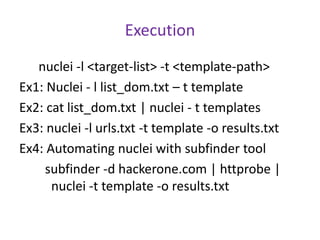
Execution
nuclei -l <target-list> -t <template-path>
Ex1: Nuclei - l list_dom.txt – t template
Ex2: cat list_dom.txt | nuclei - t templates
Ex3: nuclei -l urls.txt -t template -o results.txt
Ex4: Automating nuclei with subfinder tool
subfinder -d hackerone.com | httprobe |
nuclei -t template -o results.txt
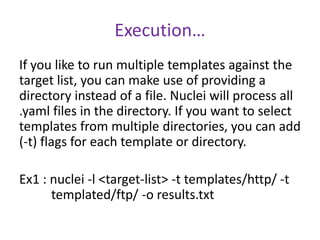
Execution…
If you like to run multiple templates against the
target list, you can make use of providing a
directory instead of a file. Nuclei will process all
.yaml files in the directory. If you want to select
templates from multiple directories, you can add
(-t) flags for each template or directory.
Ex1 : nuclei -l <target-list> -t templates/http/ -t
templated/ftp/ -o results.txt
Execution…
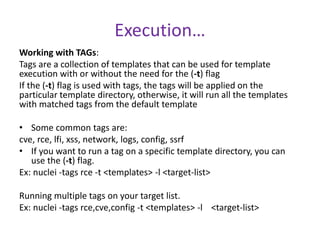
Working with TAGs:
Tags are a collection of templates that can be used for template
execution with or without the need for the (-t) flag
If the (-t) flag is used with tags, the tags will be applied on the
particular template directory, otherwise, it will run all the templates
with matched tags from the default template
• Some common tags are:
cve, rce, lfi, xss, network, logs, config, ssrf
• If you want to run a tag on a specific template directory, you can
use the (-t) flag.
Ex: nuclei -tags rce -t <templates> -l <target-list>
Running multiple tags on your target list.
Ex: nuclei -tags rce,cve,config -t <templates> -l <target-list>

Nuclei.pptx

  • 1.
  • 2.
    Nuclei • Nuclei isa tool by Project Discovery • It is a very powerful tool that helps automate vulnerability scanning, reconnaissance and penetration testing easily. • Nuclei is a template based tool and finds bugs based on given templates. • It comes with the dedicated nuclei-templates
  • 3.
    Installation • To downloadNuclei in your Operating System, you need to visit the official website of Project Discovery where you will find different ways to install nuclei in your system. • https://github.com/projectdiscovery/nuclei • Download latest release tgz file • Tar –xzvf tgz-file
  • 4.
    Nuclei-Templates • In orderto get the latest templates, you can simply supply this command, nuclei -update-templates
  • 5.
    Execution nuclei -l <target-list>-t <template-path> Ex1: Nuclei - l list_dom.txt – t template Ex2: cat list_dom.txt | nuclei - t templates Ex3: nuclei -l urls.txt -t template -o results.txt Ex4: Automating nuclei with subfinder tool subfinder -d hackerone.com | httprobe | nuclei -t template -o results.txt
  • 6.
    Execution… If you liketo run multiple templates against the target list, you can make use of providing a directory instead of a file. Nuclei will process all .yaml files in the directory. If you want to select templates from multiple directories, you can add (-t) flags for each template or directory. Ex1 : nuclei -l <target-list> -t templates/http/ -t templated/ftp/ -o results.txt
  • 7.
    Execution… Working with TAGs: Tagsare a collection of templates that can be used for template execution with or without the need for the (-t) flag If the (-t) flag is used with tags, the tags will be applied on the particular template directory, otherwise, it will run all the templates with matched tags from the default template • Some common tags are: cve, rce, lfi, xss, network, logs, config, ssrf • If you want to run a tag on a specific template directory, you can use the (-t) flag. Ex: nuclei -tags rce -t <templates> -l <target-list> Running multiple tags on your target list. Ex: nuclei -tags rce,cve,config -t <templates> -l <target-list>