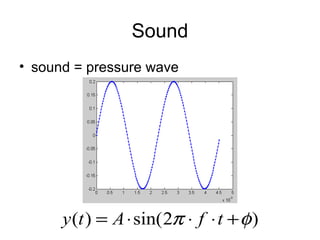
This document discusses working with sound in Matlab and Cogent. It covers loading and playing sounds, creating sounds of different frequencies and amplitudes, combining sounds, and plotting sound waves. Key steps include reading and writing .wav files, configuring sound in Cogent, generating sine waves of different frequencies to create melodies, and manipulating amplitude to make sounds louder or quieter. Functions mentioned include wavread, sound, wavwrite, config_sound, loadsound, playsound, waitsound, sin, and plot.
![Playing a sound in Matlab
• load wavfile
– y = wavread(‘filename.wav’);
• play wavfile
– sound(y,Fs)
• if unsure which Fs
– [y, Fs, nbits, opts] = wavread(‘filename.wav’)
• write to disk
– wavwrite(y,Fs,’filename.wav’)](https://image.slidesharecdn.com/soundinmatlab-160302180109/85/noise-removal-in-matlab-4-320.jpg)
![Playing a sound in Cogent
• config_sound(nchannels,nbits,Fs,nbuffs)
– nchannels: 1 = mono, 2 = stereo
– nbits: e.g. 16
– Fs: sampling frequency (e.g. 44100)
– nbuffs: number of buffers
• wavfilename = [‘filename.wav’];
• loadsound(wavfilename, buffer number)
• playsound(buffer number)
• waitsound(buffer number)
– otherwise next command will be executed
immediately)](https://image.slidesharecdn.com/soundinmatlab-160302180109/85/noise-removal-in-matlab-5-320.jpg)
![creating a sound in Matlab
• Fs = 44100;
• t = [0:1/Fs:1-1/Fs]; %1 second, length 44100
• freq = 400; % Hz
• f1 = sin(2*pi*freq*t);
– sound(f1,Fs)
• f2 = sin(2*pi*(2*freq)*t);
– sound(f2,Fs)
• period: 1/freq (*Fs)
• figure(1);plot(f1)
• figure(2);plot(f1(1:round(1/freq*Fs+1)))](https://image.slidesharecdn.com/soundinmatlab-160302180109/85/noise-removal-in-matlab-6-320.jpg)
![• play consecutively
– f12 = [f1 f2];
– sound(f12,Fs)
• play together/superimposed:
– f_12 = [f1+f2];
• or:
– f_12 = sum([f1;f2]);
– sound(f_12,Fs);](https://image.slidesharecdn.com/soundinmatlab-160302180109/85/noise-removal-in-matlab-7-320.jpg)
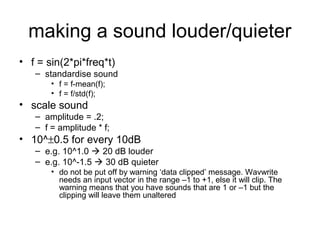
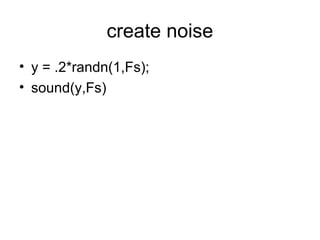
![FM sweep
• f = chirp(t1,f1,t2,f2);
– t1 = vector t = [0:1/Fs:1-1/fs];
– f1 = initial frequency
– f2 = final frequency
– t2 = time at which f2 is reached
• f = chirp(t,freq,1,2*freq);
• sound(f,Fs)](https://image.slidesharecdn.com/soundinmatlab-160302180109/85/noise-removal-in-matlab-10-320.jpg)
![AM sound
• freq = 400; % carrier frequency
• fm = 10; % modulation frequency
• f_c = sin(2*pi*freq*t);
• f_m = sin(2*pi*fm*t);
• f_mod = [f_c .* f_m];
• sound(f_mod,Fs)](https://image.slidesharecdn.com/soundinmatlab-160302180109/85/noise-removal-in-matlab-11-320.jpg)
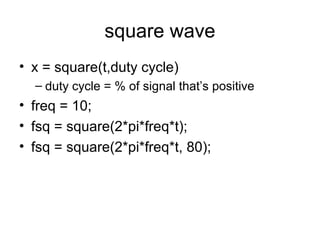
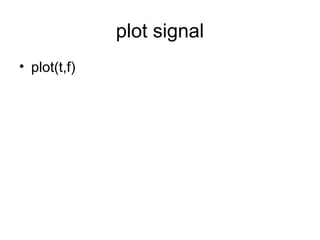
![scale
• 12-split equitempered octave
– f(n) = sin(2*pi*freq*2^(n/12)*t)
– for example
n=[0:12]; % 12 semitones
for i=1:length(n)
f(i,:) = sin(2*pi*freq*2^(n(i)/12)*t);
end
fs=[];
for i=1:13
fs = [fs f(i,:)];
end
fs=fs-mean(fs);
fs=fs/std(fs);
fs=.2*fs;
sound(fs,Fs)](https://image.slidesharecdn.com/soundinmatlab-160302180109/85/noise-removal-in-matlab-14-320.jpg)


