Node JS
Module 2 – Packages Global vs Local
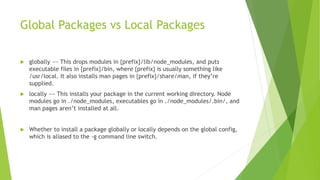
Global Packages vs Local Packages
 globally —- This drops modules in {prefix}/lib/node_modules, and puts
executable files in {prefix}/bin, where {prefix} is usually something like
/usr/local. It also installs man pages in {prefix}/share/man, if they’re
supplied.
 locally —- This installs your package in the current working directory. Node
modules go in ./node_modules, executables go in ./node_modules/.bin/, and
man pages aren’t installed at all.
 Whether to install a package globally or locally depends on the global config,
which is aliased to the -g command line switch.
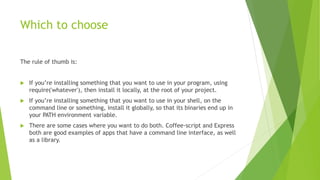
Which to choose
The rule of thumb is:
 If you’re installing something that you want to use in your program, using
require('whatever'), then install it locally, at the root of your project.
 If you’re installing something that you want to use in your shell, on the
command line or something, install it globally, so that its binaries end up in
your PATH environment variable.
 There are some cases where you want to do both. Coffee-script and Express
both are good examples of apps that have a command line interface, as well
as a library.
Global Objects
 Global objects are available in all modules.
 Global objects need not to be included in application rather we can use them
directly.
 These could be Strings, objects, functions , modules also.
 Few Examples:
 Console
 Process
Global Strings
 Few Examples:
 __filename
 __dirname
 setTimeout(cb,ms)
 clearTimeout(t)
 setInterval(cb,ms)
Automating with Gulp
 What is gulp?
 Automation - gulp is a toolkit that helps you automate painful or time-consuming tasks in
your development workflow.
 Platform-agnostic - Integrations are built into all major IDEs and people are using gulp
with PHP, .NET, Node.js, Java, and other platforms.
 Simple - By providing only a minimal API surface, gulp is easy to learn and simple to use
Gulp methods
 Src: name of the file we work with
 Pipe: output of previous command as pipe it as input for the next
 Dest: writes the output to folder we specify
Example
Gulp.task(‘copy’,function(){
Gulp.src(‘index.html’)
.pipe(gulp.dest(‘assets’))
});

Node js Global Packages

  • 1.
    Node JS Module 2– Packages Global vs Local
  • 2.
    Global Packages vsLocal Packages  globally —- This drops modules in {prefix}/lib/node_modules, and puts executable files in {prefix}/bin, where {prefix} is usually something like /usr/local. It also installs man pages in {prefix}/share/man, if they’re supplied.  locally —- This installs your package in the current working directory. Node modules go in ./node_modules, executables go in ./node_modules/.bin/, and man pages aren’t installed at all.  Whether to install a package globally or locally depends on the global config, which is aliased to the -g command line switch.
  • 3.
    Which to choose Therule of thumb is:  If you’re installing something that you want to use in your program, using require('whatever'), then install it locally, at the root of your project.  If you’re installing something that you want to use in your shell, on the command line or something, install it globally, so that its binaries end up in your PATH environment variable.  There are some cases where you want to do both. Coffee-script and Express both are good examples of apps that have a command line interface, as well as a library.
  • 4.
    Global Objects  Globalobjects are available in all modules.  Global objects need not to be included in application rather we can use them directly.  These could be Strings, objects, functions , modules also.  Few Examples:  Console  Process
  • 5.
    Global Strings  FewExamples:  __filename  __dirname  setTimeout(cb,ms)  clearTimeout(t)  setInterval(cb,ms)
  • 6.
    Automating with Gulp What is gulp?  Automation - gulp is a toolkit that helps you automate painful or time-consuming tasks in your development workflow.  Platform-agnostic - Integrations are built into all major IDEs and people are using gulp with PHP, .NET, Node.js, Java, and other platforms.  Simple - By providing only a minimal API surface, gulp is easy to learn and simple to use
  • 7.
    Gulp methods  Src:name of the file we work with  Pipe: output of previous command as pipe it as input for the next  Dest: writes the output to folder we specify
  • 8.