School Libraries
Supporting Learning
     Day One
Welcome and housekeeping
The Role of the
      School Library Team
          in Supporting
      Learning and Literacy


http://animoto.com/play/5b84f59869b8cbf7c6ab7426548e957e
Success
•
•


    114280476/#photo_3573598435This image is used under a CC license from
    http://www.flickr.com/photos/77451628@N04/galleries/72157629
Your role in supporting
students learning and
literacy is........
What happens in 5 years
time, if print media is a tiny
part of your library.
Does your role still hold up?
Albany Junior Highchool, National Library Photo Collection
This image is used under a CC license from
http://www.flickr.com/photos/77451628@N04/galleries/72157629114280476/#photo_5391176827
(H.E. Luccock)
"No one can whistle a symphony. It takes a whole orchestra
to play it"
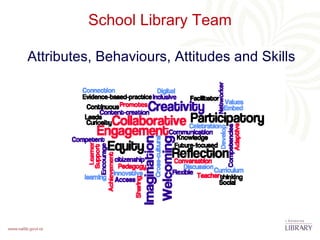
School Library Team

Attributes, Behaviours, Attitudes and Skills
This image is used under a CC license from http://www.youtube.com/watch?v=mMf_zQEr3cA&feature=related
This image is used under a CC license from, http://www.flickr.com/photos/localstatic/381394413/
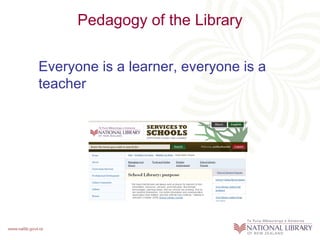
Pedagogy of the Library

Everyone is a learner, everyone is a
teacher
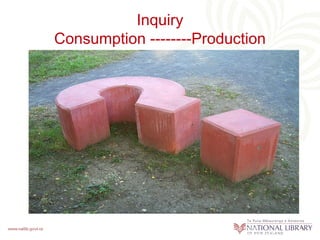
Inquiry
Consumption --------Production


           This image is used under a CC license from
           http://www.flickr.com/photos/drachmann/327122302/
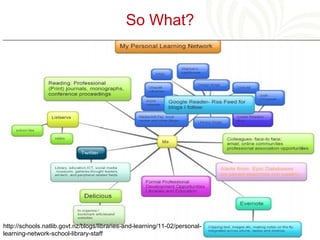
So What?


http://schools.natlib.govt.nz/blogs/libraries-and-learning/11-02/personal-
learning-network-school-library-staff
Time for a break…

     Browse the displays
 and have some reading time,
talking time, and refreshment…
Two key tools for managing your
             library
During this session…

During this session we will:

• explore the Services to Schools website
  http://schools.natlib.govt.nz

• consider the content of a school library handbook: a
  useful tool that will outline procedures and
  processes relevant to your library and assist you to
  organise other relevant information
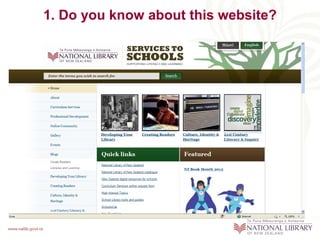
1. Do you know about this website?
Why would you use this website?

It provides:
• Easily accessible information
• Recommended best practice
• Opportunities to link with other library teams through the
  online community
• Keeping up-to-date with events in the school library world
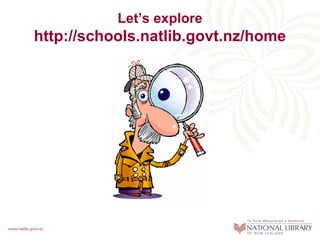
Let’s explore
http://schools.natlib.govt.nz/home
2. The School Library handbook


This document:
• Makes links to essential library management information
  available through the Services to Schools website
  www.schools.natlib.govt.nz
• Outlines procedures relevant to your library
• Organises other useful information
Why do you need one?

An effective school library handbook
• Provides the information that you need to do your job
• Establishes guidelines for consistent library operations
• Identifies key support organisations/people
• Ensures continuity and consistency of service
• Underpins and supports training for new staff
Group activity
Your previous TLR/librarian has just won Lotto and sailed off
                      around the world
                 – and is not coming back!


You are the new library manager.


 What documentation has been left in your school for you to
                         follow?
Writing your own library handbook: hot
                 tips
• Brainstorm essential information that you needed when
  you began this job
• Go to the website, print out the guide School library
  handbook: management and procedures
• Decide which headings from the guide are relevant to your
  library
• Prepare a contents page
Hot tips 2

• Gather together existing documentation
• Identify which documentation needs to be created - start
  small and build up
• Create electronically, but print and store in loose-leaf
  format
• Keep a print copy in the library where it can be easily
  found
Hot tips 3

• Write for a reader who has no previous knowledge of your
  library
• Include flow charts, diagrams or photos
• Include master copies of forms
• Date each section
• Remember your handbook is a work in progress and will
  need ongoing revision
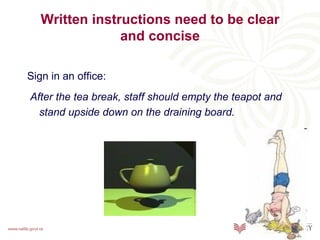
Written instructions need to be clear
                and concise

Sign in an office:
After the tea break, staff should empty the teapot and
  stand upside down on the draining board.
Other key content:
             people and organisations
Who (names, emails, phone numbers, addresses)
   –   Key school staff
   –   ICT support
   –   Library software support
   –   National Library Advisers and CS staff
   –   Public library contacts
   –   School library network
   –   Literacy Associations
   –   NZEI rep
Other key content:
      logins, passwords and security
• Library building alarm code
• Library software logins
• SCIS and SchoolsCat logins
• Online ordering passwords e.g. Wheelers, Fishpond…
• EPIC login
• Social networking passwords e.g. LibraryThing
What content needs to be shared?


• What the library team needs to know
• What the students need to know
• What the teachers need to know
• What senior management needs to know
• What administration needs to know
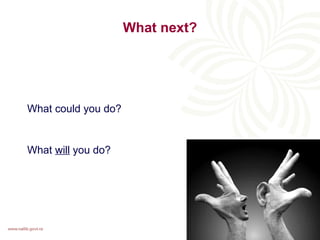
What next?


What could you do?


What will you do?
Lunch
Understanding your integrated library
                system (ILS)

Participants will:
• Begin to understand the functions of their ILS
• Be aware of the information that their ILS can provide to
  demonstrate the impact of the library on learning
• Be aware of suppliers of cataloguing records for schools
  and how to access these services
• Be able to locate support information on the ODC
• Begin to draw together supporting information for their
  school library handbook
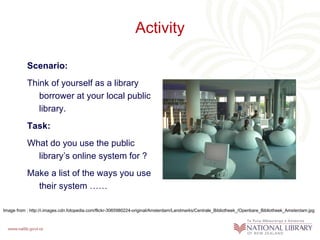
Activity

           Scenario:
           Think of yourself as a library
              borrower at your local public
              library.
           Task:
           What do you use the public
             library’s online system for ?
           Make a list of the ways you use
             their system ……

Image from : http://i.images.cdn.fotopedia.com/flickr-3065980224-original/Amsterdam/Landmarks/Centrale_Bibliotheek_/Openbare_Bibliotheek_Amsterdam.jpg
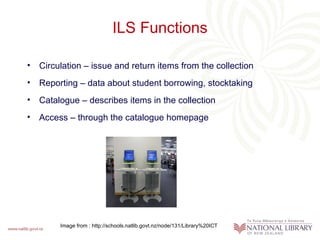
ILS Functions

• Circulation – issue and return items from the collection
• Reporting – data about student borrowing, stocktaking
• Catalogue – describes items in the collection
• Access – through the catalogue homepage


        Image from : http://schools.natlib.govt.nz/node/131/Library%20ICT
Key ILS roles

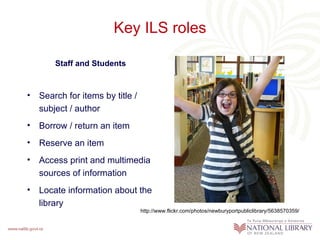
        Staff and Students


•   Search for items by title /
    subject / author
•   Borrow / return an item
•   Reserve an item
•   Access print and multimedia
    sources of information
•   Locate information about the
    library
                                  http://www.flickr.com/photos/newburyportpubliclibrary/5638570359/
Key ILS roles
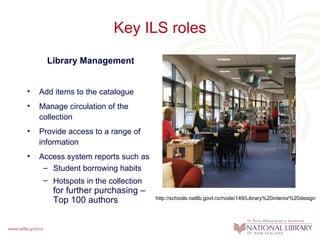
      Library Management


•   Add items to the catalogue
•   Manage circulation of the
    collection
•   Provide access to a range of
    information
•   Access system reports such as
     – Student borrowing habits
     – Hotspots in the collection
       for further purchasing –
       Top 100 authors              http://schools.natlib.govt.nz/node/149/Library%20interior%20design
Scavenger Hunt


Photo by A. Gude
Scavenger Hunt

Suggestions for advisers
•   You will need to bring:
     – 4 sets of dice and tokens
     – Print copies of the scavenger hunt questions and game board

•   If online access to the ODC is not possible then participants will need a
    print copy of the guide, “Optimising your integrated library system (ILS)”
•   Divide participants into groups – one game board per group
•   Read playing instructions as listed on next slide
•   When all answers have been found ask each group to report their
    findings to all participants
Scavenger Hunt – How to play


•   Each team will need:
     – ILS scavenger hunt questions
     – Game board, dice and token

•   Use the guide, “Optimising your integrated library system (ILS)”, to
    locate the answer to your first question
•   Check with an adviser that your answer is correct
•   Now roll the dice and move your token
•   Repeat this process for each question
•   For each question please note the answer, plus the section, paragraph,
    and bullet point or number where you found the answer e.g. Library
    Management, Paragraph 4, bullet point 3
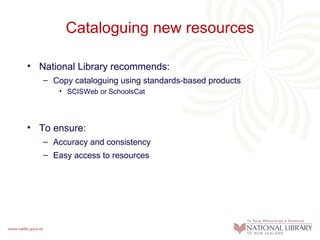
Cataloguing new resources

• National Library recommends:
   – Copy cataloguing using standards-based products
      • SCISWeb or SchoolsCat


• To ensure:
   – Accuracy and consistency
   – Easy access to resources
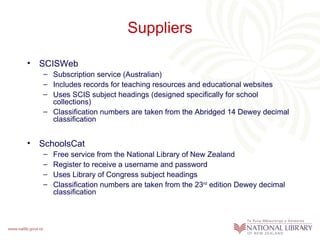
Suppliers

• SCISWeb
   – Subscription service (Australian)
   – Includes records for teaching resources and educational websites
   – Uses SCIS subject headings (designed specifically for school
     collections)
   – Classification numbers are taken from the Abridged 14 Dewey decimal
     classification


• SchoolsCat
   –   Free service from the National Library of New Zealand
   –   Register to receive a username and password
   –   Uses Library of Congress subject headings
   –   Classification numbers are taken from the 23rd edition Dewey decimal
       classification
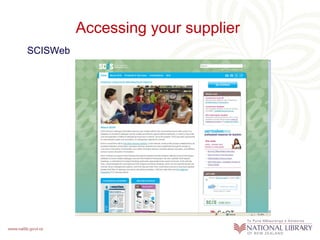
Accessing your supplier
SCISWeb
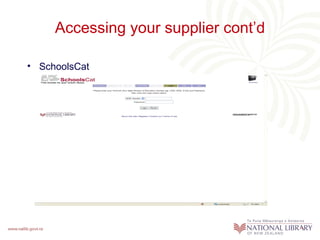
Accessing your supplier cont’d

• SchoolsCat
Troubleshooting

• Use the guide
  Cataloguing your library and multimedia resources available on
  the Services to Schools website to solve these problems:
   – Where to find an online catalogue record if one is not available through
     SCISWeb or SchoolsCat
       • Two solutions required
            – You can find a record but not an exact match
            – There is no online record in either source

   – Where to find a simple explanation of the Dewey Decimal system
   – Locate an explanation of unfamiliar cataloguing terms you have noticed
     in this guide
   – If you are a new SCISWeb or SchoolsCat user should you replace old,
     and perhaps inaccurate, existing catalogue records?
Key resources

•   Guides – all available on
    http://schools.natlib.govt.nz/developing-your-library/tools-and-guides
     –   Integrated library systems (ILS)
     –   Optimising your integrated library system (ILS)
     –   Changing your integrated library system (ILS)
     –   Cataloguing your library and multimedia resources

•   Your school library handbook
     – Step-by-step instructions for importing catalogue records into your ILS
     – Plain English instructions for programming your scanner
     – Contact details for your system helpdesk and 0800 LIB LINE

•   Specific manuals – printer, scanner…
•   Updates and release notes provided by your system vendor
Online and professional learning
         communities
In this session we will …
• Explore the online community (OLC) for this
  course
• Talk about professional learning communities
• Find out about a range of support networks
  for library teams
• Post on the OLC
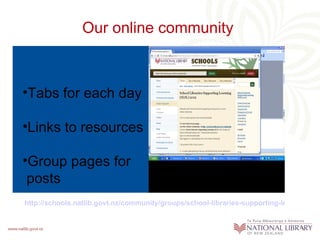
Our online community


•Tabs for each day

•Links to resources

•Group pages for
 posts
http://schools.natlib.govt.nz/community/groups/school-libraries-supporting-learning-sls
Building a professional learning community

"Professional Learning Communities have a common
  purpose and a shared vision.
Members of PLCs work in a collaborative environment
  and the focus is on learning by doing."
From: Catherine Trinkle in School Library
  Monthly/Volume XXVI, Number 4/December 2009.
• Professional learning communities in schools have a
  shared purpose to improve student achievement and
  make a difference to student learning
• How could we develop this group and other SLSL
  course groups as a professional learning community?
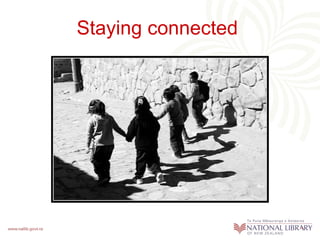
Staying connected
Where to from here?
PLD Effectiveness next steps:
  “It’s all about the kids…”
PLD Effectiveness Process
 “How do I get my Principal to take more notice of my school
                         library?”


How many of you feel that what your library contributes is always a
  bit “under the radar” in your school?


Today we are going to introduce you to a challenging change
  process which is likely to gain you more interest in, and support
  for your school library from the wider school.


After our PLD session today, we will be supporting you to use this
   process – and we are very interested in your results.
“It’s all about the kids…”
                   Research tells us:
• Student learning needs should be the basis of any school library
  development initiative.
• Conversations with Principals/ School Managers should be
  about how the library can contribute to meeting student learning
  targets
• Based on learning from PLD, schools should be able to initiate
  their own library based development proposals tailored to their
  student needs.
• Collaborative library/ teacher planning should take place to trial
  initiatives with students in the “Action learning cycle”, before
• Successfully trialled initiatives become “business as usual” in
  the school.
• Professional Learning Communities: Advisers available to
  provide expert support and coaching to support in school
  initiatives.
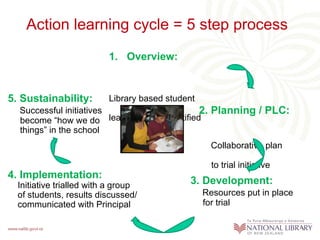
Action learning cycle = 5 step process
                          1. Overview:


5. Sustainability:        Library based student
  Successful initiatives                         2. Planning / PLC:
  become “how we do      learning need identified
  things” in the school
                                                    Collaborative plan

                                                    to trial initiative
4. Implementation:
  Initiative trialled with a group           3. Development:
  of students, results discussed/                 Resources put in place
  communicated with Principal                     for trial
PLD Effectiveness Process
            Action learning cycle: next steps

• After this PLD, we’d like you to develop your own library
  development initiative and work through the process including a
  trial with students.
• Holding your digital hands: we’ll give you examples and on-
  going support through the PLD Online Community & our 0800
  LIBLINE
• Principals: To help you get underway, we’ll contact your
  Principals, explaining they should expect a conversation with
  your planning teams about the development of your school
  based initiatives.
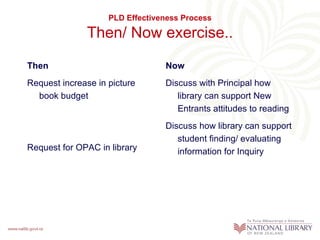
PLD Effectiveness Process

              Then/ Now exercise..
Then                             Now
Request increase in picture      Discuss with Principal how
  book budget                       library can support New
                                    Entrants attitudes to reading
                                 Discuss how library can support
                                    student finding/ evaluating
Request for OPAC in library         information for Inquiry
School planning and reporting
Annual reporting = opportunity for BOTs to reflect on how they are
  delivering on the needs of their school learners, especially for priority
  groups including:
• Maori learners
• Pasifika learners
• Learners with special education needs
• “All learners” by identified school group e.g. new entrants, boys/ girls,
  NCEA participants, extension students etc.
Challenge = to encourage progress/ achievement for all learners each
  year.
 PLD Effectiveness Process Initiatives support the school planning/
                               reporting process
PLD Effectiveness Process

                            Goals
• Advocacy: to encourage school leaders to include library
  teams in their planning to meet school student learning
  targets.
• School library teams: to encourage reflective
  practitioners in school libraries who constantly develop
  their libraries through student focussed initiatives using a
  change model promoted though our PLD programmes.

Nl cims #454671-v1-a-slsl_course_2012_day_1_powerpoint

  • 1.
  • 2.
  • 3.
    The Role ofthe School Library Team in Supporting Learning and Literacy http://animoto.com/play/5b84f59869b8cbf7c6ab7426548e957e
  • 5.
    Success • • 114280476/#photo_3573598435This image is used under a CC license from http://www.flickr.com/photos/77451628@N04/galleries/72157629
  • 6.
    Your role insupporting students learning and literacy is........
  • 7.
    What happens in5 years time, if print media is a tiny part of your library. Does your role still hold up?
  • 8.
    Albany Junior Highchool,National Library Photo Collection
  • 9.
    This image isused under a CC license from http://www.flickr.com/photos/77451628@N04/galleries/72157629114280476/#photo_5391176827
  • 10.
    (H.E. Luccock) "No onecan whistle a symphony. It takes a whole orchestra to play it"
  • 11.
    School Library Team Attributes,Behaviours, Attitudes and Skills
  • 12.
    This image isused under a CC license from http://www.youtube.com/watch?v=mMf_zQEr3cA&feature=related
  • 13.
    This image isused under a CC license from, http://www.flickr.com/photos/localstatic/381394413/
  • 14.
    Pedagogy of theLibrary Everyone is a learner, everyone is a teacher
  • 15.
    Inquiry Consumption --------Production This image is used under a CC license from http://www.flickr.com/photos/drachmann/327122302/
  • 17.
  • 18.
    Time for abreak… Browse the displays and have some reading time, talking time, and refreshment…
  • 19.
    Two key toolsfor managing your library
  • 20.
    During this session… Duringthis session we will: • explore the Services to Schools website http://schools.natlib.govt.nz • consider the content of a school library handbook: a useful tool that will outline procedures and processes relevant to your library and assist you to organise other relevant information
  • 21.
    1. Do youknow about this website?
  • 22.
    Why would youuse this website? It provides: • Easily accessible information • Recommended best practice • Opportunities to link with other library teams through the online community • Keeping up-to-date with events in the school library world
  • 23.
  • 24.
    2. The SchoolLibrary handbook This document: • Makes links to essential library management information available through the Services to Schools website www.schools.natlib.govt.nz • Outlines procedures relevant to your library • Organises other useful information
  • 25.
    Why do youneed one? An effective school library handbook • Provides the information that you need to do your job • Establishes guidelines for consistent library operations • Identifies key support organisations/people • Ensures continuity and consistency of service • Underpins and supports training for new staff
  • 26.
    Group activity Your previousTLR/librarian has just won Lotto and sailed off around the world – and is not coming back! You are the new library manager. What documentation has been left in your school for you to follow?
  • 27.
    Writing your ownlibrary handbook: hot tips • Brainstorm essential information that you needed when you began this job • Go to the website, print out the guide School library handbook: management and procedures • Decide which headings from the guide are relevant to your library • Prepare a contents page
  • 28.
    Hot tips 2 •Gather together existing documentation • Identify which documentation needs to be created - start small and build up • Create electronically, but print and store in loose-leaf format • Keep a print copy in the library where it can be easily found
  • 29.
    Hot tips 3 •Write for a reader who has no previous knowledge of your library • Include flow charts, diagrams or photos • Include master copies of forms • Date each section • Remember your handbook is a work in progress and will need ongoing revision
  • 30.
    Written instructions needto be clear and concise Sign in an office: After the tea break, staff should empty the teapot and stand upside down on the draining board.
  • 31.
    Other key content: people and organisations Who (names, emails, phone numbers, addresses) – Key school staff – ICT support – Library software support – National Library Advisers and CS staff – Public library contacts – School library network – Literacy Associations – NZEI rep
  • 32.
    Other key content: logins, passwords and security • Library building alarm code • Library software logins • SCIS and SchoolsCat logins • Online ordering passwords e.g. Wheelers, Fishpond… • EPIC login • Social networking passwords e.g. LibraryThing
  • 33.
    What content needsto be shared? • What the library team needs to know • What the students need to know • What the teachers need to know • What senior management needs to know • What administration needs to know
  • 34.
    What next? What couldyou do? What will you do?
  • 35.
  • 36.
    Understanding your integratedlibrary system (ILS) Participants will: • Begin to understand the functions of their ILS • Be aware of the information that their ILS can provide to demonstrate the impact of the library on learning • Be aware of suppliers of cataloguing records for schools and how to access these services • Be able to locate support information on the ODC • Begin to draw together supporting information for their school library handbook
  • 37.
    Activity Scenario: Think of yourself as a library borrower at your local public library. Task: What do you use the public library’s online system for ? Make a list of the ways you use their system …… Image from : http://i.images.cdn.fotopedia.com/flickr-3065980224-original/Amsterdam/Landmarks/Centrale_Bibliotheek_/Openbare_Bibliotheek_Amsterdam.jpg
  • 38.
    ILS Functions • Circulation– issue and return items from the collection • Reporting – data about student borrowing, stocktaking • Catalogue – describes items in the collection • Access – through the catalogue homepage Image from : http://schools.natlib.govt.nz/node/131/Library%20ICT
  • 39.
    Key ILS roles Staff and Students • Search for items by title / subject / author • Borrow / return an item • Reserve an item • Access print and multimedia sources of information • Locate information about the library http://www.flickr.com/photos/newburyportpubliclibrary/5638570359/
  • 40.
    Key ILS roles Library Management • Add items to the catalogue • Manage circulation of the collection • Provide access to a range of information • Access system reports such as – Student borrowing habits – Hotspots in the collection for further purchasing – Top 100 authors http://schools.natlib.govt.nz/node/149/Library%20interior%20design
  • 41.
  • 42.
    Scavenger Hunt Suggestions foradvisers • You will need to bring: – 4 sets of dice and tokens – Print copies of the scavenger hunt questions and game board • If online access to the ODC is not possible then participants will need a print copy of the guide, “Optimising your integrated library system (ILS)” • Divide participants into groups – one game board per group • Read playing instructions as listed on next slide • When all answers have been found ask each group to report their findings to all participants
  • 43.
    Scavenger Hunt –How to play • Each team will need: – ILS scavenger hunt questions – Game board, dice and token • Use the guide, “Optimising your integrated library system (ILS)”, to locate the answer to your first question • Check with an adviser that your answer is correct • Now roll the dice and move your token • Repeat this process for each question • For each question please note the answer, plus the section, paragraph, and bullet point or number where you found the answer e.g. Library Management, Paragraph 4, bullet point 3
  • 44.
    Cataloguing new resources •National Library recommends: – Copy cataloguing using standards-based products • SCISWeb or SchoolsCat • To ensure: – Accuracy and consistency – Easy access to resources
  • 45.
    Suppliers • SCISWeb – Subscription service (Australian) – Includes records for teaching resources and educational websites – Uses SCIS subject headings (designed specifically for school collections) – Classification numbers are taken from the Abridged 14 Dewey decimal classification • SchoolsCat – Free service from the National Library of New Zealand – Register to receive a username and password – Uses Library of Congress subject headings – Classification numbers are taken from the 23rd edition Dewey decimal classification
  • 46.
  • 47.
    Accessing your suppliercont’d • SchoolsCat
  • 48.
    Troubleshooting • Use theguide Cataloguing your library and multimedia resources available on the Services to Schools website to solve these problems: – Where to find an online catalogue record if one is not available through SCISWeb or SchoolsCat • Two solutions required – You can find a record but not an exact match – There is no online record in either source – Where to find a simple explanation of the Dewey Decimal system – Locate an explanation of unfamiliar cataloguing terms you have noticed in this guide – If you are a new SCISWeb or SchoolsCat user should you replace old, and perhaps inaccurate, existing catalogue records?
  • 49.
    Key resources • Guides – all available on http://schools.natlib.govt.nz/developing-your-library/tools-and-guides – Integrated library systems (ILS) – Optimising your integrated library system (ILS) – Changing your integrated library system (ILS) – Cataloguing your library and multimedia resources • Your school library handbook – Step-by-step instructions for importing catalogue records into your ILS – Plain English instructions for programming your scanner – Contact details for your system helpdesk and 0800 LIB LINE • Specific manuals – printer, scanner… • Updates and release notes provided by your system vendor
  • 50.
    Online and professionallearning communities In this session we will … • Explore the online community (OLC) for this course • Talk about professional learning communities • Find out about a range of support networks for library teams • Post on the OLC
  • 51.
    Our online community •Tabsfor each day •Links to resources •Group pages for posts http://schools.natlib.govt.nz/community/groups/school-libraries-supporting-learning-sls
  • 52.
    Building a professionallearning community "Professional Learning Communities have a common purpose and a shared vision. Members of PLCs work in a collaborative environment and the focus is on learning by doing." From: Catherine Trinkle in School Library Monthly/Volume XXVI, Number 4/December 2009. • Professional learning communities in schools have a shared purpose to improve student achievement and make a difference to student learning • How could we develop this group and other SLSL course groups as a professional learning community?
  • 53.
  • 54.
  • 55.
    PLD Effectiveness nextsteps: “It’s all about the kids…”
  • 56.
    PLD Effectiveness Process “How do I get my Principal to take more notice of my school library?” How many of you feel that what your library contributes is always a bit “under the radar” in your school? Today we are going to introduce you to a challenging change process which is likely to gain you more interest in, and support for your school library from the wider school. After our PLD session today, we will be supporting you to use this process – and we are very interested in your results.
  • 57.
    “It’s all aboutthe kids…” Research tells us: • Student learning needs should be the basis of any school library development initiative. • Conversations with Principals/ School Managers should be about how the library can contribute to meeting student learning targets • Based on learning from PLD, schools should be able to initiate their own library based development proposals tailored to their student needs. • Collaborative library/ teacher planning should take place to trial initiatives with students in the “Action learning cycle”, before • Successfully trialled initiatives become “business as usual” in the school. • Professional Learning Communities: Advisers available to provide expert support and coaching to support in school initiatives.
  • 58.
    Action learning cycle= 5 step process 1. Overview: 5. Sustainability: Library based student Successful initiatives 2. Planning / PLC: become “how we do learning need identified things” in the school Collaborative plan to trial initiative 4. Implementation: Initiative trialled with a group 3. Development: of students, results discussed/ Resources put in place communicated with Principal for trial
  • 59.
    PLD Effectiveness Process Action learning cycle: next steps • After this PLD, we’d like you to develop your own library development initiative and work through the process including a trial with students. • Holding your digital hands: we’ll give you examples and on- going support through the PLD Online Community & our 0800 LIBLINE • Principals: To help you get underway, we’ll contact your Principals, explaining they should expect a conversation with your planning teams about the development of your school based initiatives.
  • 60.
    PLD Effectiveness Process Then/ Now exercise.. Then Now Request increase in picture Discuss with Principal how book budget library can support New Entrants attitudes to reading Discuss how library can support student finding/ evaluating Request for OPAC in library information for Inquiry
  • 62.
    School planning andreporting Annual reporting = opportunity for BOTs to reflect on how they are delivering on the needs of their school learners, especially for priority groups including: • Maori learners • Pasifika learners • Learners with special education needs • “All learners” by identified school group e.g. new entrants, boys/ girls, NCEA participants, extension students etc. Challenge = to encourage progress/ achievement for all learners each year. PLD Effectiveness Process Initiatives support the school planning/ reporting process
  • 63.
    PLD Effectiveness Process Goals • Advocacy: to encourage school leaders to include library teams in their planning to meet school student learning targets. • School library teams: to encourage reflective practitioners in school libraries who constantly develop their libraries through student focussed initiatives using a change model promoted though our PLD programmes.