#TinCanAPI
9 Practical Applications of…
Andrew Downes
andrew.downes@tincanapi.com
@projecttincan @mrdownes #TinCanAPI
http://tincanapi.com
http://twitter.com/projecttincan
#TinCanAPI
Pick one idea to
get started.
Run a pilot.
Improve from there.
#TinCanAPI
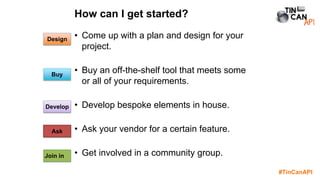
• Come up with a plan and design for your
project.
• Buy an off-the-shelf tool that meets some
or all of your requirements.
• Develop bespoke elements in house.
• Ask your vendor for a certain feature.
• Get involved in a community group.
How can I get started?
Buy
Develop
Design
Ask
Join in
#TinCanAPI
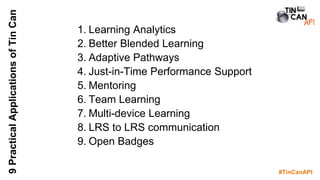
9PracticalApplicationsofTinCan
1. Learning Analytics
2. Better Blended Learning
3. Adaptive Pathways
4. Just-in-Time Performance Support
5. Mentoring
6. Team Learning
7. Multi-device Learning
8. LRS to LRS communication
9. Open Badges
#TinCanAPI
• Whatever you do, you’ll need an LRS.
• Most LRS offer a free trial.
• There’s a lot of variety in the level of
analytics, reporting and other features
on offer.
• Consider your immediate and possible
future needs.
• Consider conformance.
Get an LRS
#TinCanAPI
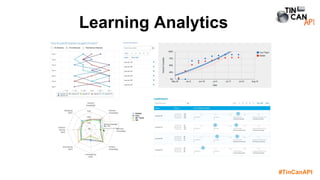
Learning Analytics
#TinCanAPI
LearningAnalytics
• Track learning and workplace
experiences from multiple
sources.
• Compare and correlate training
and job performance
• Use data to improve future
learning interventions
What is it and why should you care?
#TinCanAPI
LearningAnalytics
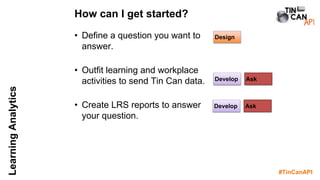
• Define a question you want to
answer.
• Outfit learning and workplace
activities to send Tin Can data.
• Create LRS reports to answer
your question.
How can I get started?
Develop
Develop
Design
Ask
Ask
#TinCanAPI
LearningAnalytics
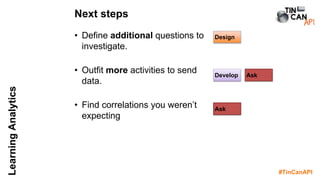
• Define additional questions to
investigate.
• Outfit more activities to send
data.
• Find correlations you weren’t
expecting
Next steps
Develop
Design
Ask
Ask
#TinCanAPI
LearningAnalytics
• If you have access to a tool, you can
outfit it to send Tin Can data directly.
• If not, use a connector to translate data
from a bespoke API or database query
into statements.
• Use our code libraries!
tincanapi.com/libraries
• Always use recipes when defining the
statements you’ll send. This makes
analytics easier.
tincanapi.com/recipes
Technical Tips
#TinCanAPI
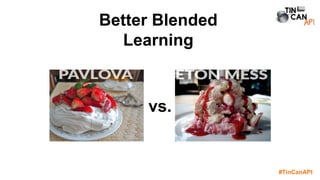
Better Blended
Learning
vs.
#TinCanAPI
BetterBlendedLearning
• What happens in one element impacts
another.
• Create coherent learning solutions, not
stand-alone resources.
• Use off-the-shelf authoring tools (with
some customisation) to do it.
What is it and why should you care?
#TinCanAPI
BetterBlendedLearning
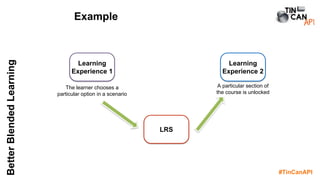
Example
Learning
Experience 1
Learning
Experience 2
LRS
The learner chooses a
particular option in a scenario
A particular section of
the course is unlocked
#TinCanAPI
BetterBlendedLearning
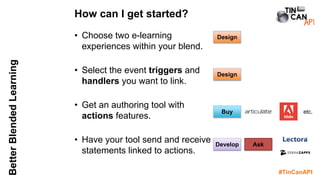
• Choose two e-learning
experiences within your blend.
• Select the event triggers and
handlers you want to link.
• Get an authoring tool with
actions features.
• Have your tool send and receive
statements linked to actions.
How can I get started?
Buy
Develop
Design
Ask
Design
etc.
#TinCanAPI
BetterBlendedLearning
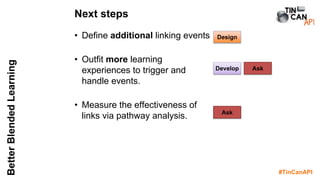
• Define additional linking events
• Outfit more learning
experiences to trigger and
handle events.
• Measure the effectiveness of
links via pathway analysis.
Next steps
Develop
Design
Ask
Ask
#TinCanAPI
BetterBlendedLearning
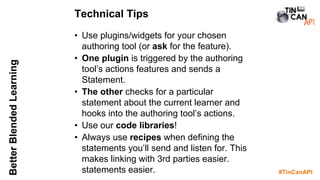
• Use plugins/widgets for your chosen
authoring tool (or ask for the feature).
• One plugin is triggered by the authoring
tool’s actions features and sends a
Statement.
• The other checks for a particular
statement about the current learner and
hooks into the authoring tool’s actions.
• Use our code libraries!
• Always use recipes when defining the
statements you’ll send and listen for. This
makes linking with 3rd parties easier.
statements easier.
Technical Tips
#TinCanAPI
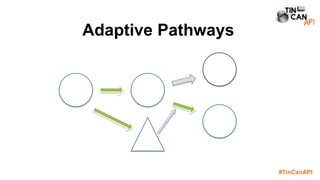
Adaptive Pathways
#TinCanAPI
AdaptivePathways
• What happens in one learning experience
affects which future experiences you’re
presented with.
• Many LMS already include adaptive
pathway features based on completion
and/or score.
• Now you can inform those adaptive
decisions based on more specific events
within a learning experience.
What is it and why should you care?
#TinCanAPI
AdaptivePathways
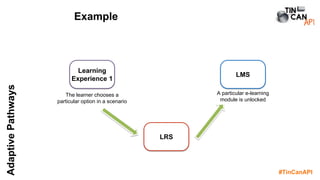
Example
Learning
Experience 1
LMS
LRS
The learner chooses a
particular option in a scenario
A particular e-learning
module is unlocked
#TinCanAPI
AdaptivePathways
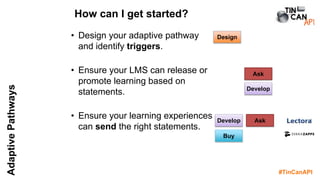
• Design your adaptive pathway
and identify triggers.
• Ensure your LMS can release or
promote learning based on
statements.
• Ensure your learning experiences
can send the right statements.
How can I get started?
Develop
Design
Ask
Buy
Ask
Develop
#TinCanAPI
AdaptivePathways
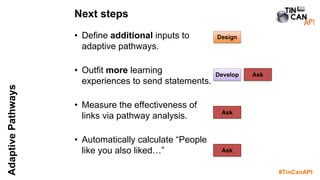
• Define additional inputs to
adaptive pathways.
• Outfit more learning
experiences to send statements.
• Measure the effectiveness of
links via pathway analysis.
• Automatically calculate “People
like you also liked…”
Next steps
Develop
Design
Ask
Ask
Ask
#TinCanAPI
AdaptivePathways
• Use the same statement sending plugins
developed to support blended learning.
• See my Moodle plugin’s connection to
Moodle’s completion tracking.
• Use code libraries and recipes!
Technical Tips
#TinCanAPI
Just-in-time
Performance Support
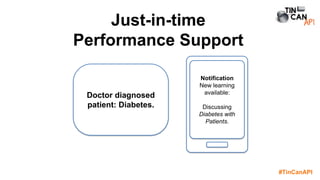
Doctor diagnosed
patient: Diabetes.
Notification
New learning
available:
Discussing
Diabetes with
Patients.
#TinCanAPI
Just-in-timePerformanceSupport
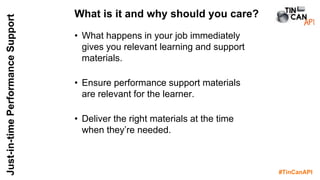
• What happens in your job immediately
gives you relevant learning and support
materials.
• Ensure performance support materials
are relevant for the learner.
• Deliver the right materials at the time
when they’re needed.
What is it and why should you care?
#TinCanAPI
Just-in-timePerformanceSupport
Example
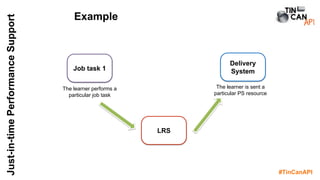
Job task 1
Delivery
System
LRS
The learner performs a
particular job task
The learner is sent a
particular PS resource
#TinCanAPI
Just-in-timePerformanceSupport
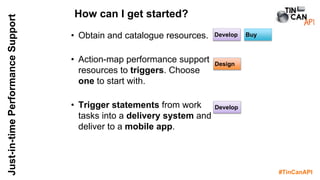
• Obtain and catalogue resources.
• Action-map performance support
resources to triggers. Choose
one to start with.
• Trigger statements from work
tasks into a delivery system and
deliver to a mobile app.
How can I get started?
Develop
Design
BuyDevelop
#TinCanAPI
Just-in-timePerformanceSupport
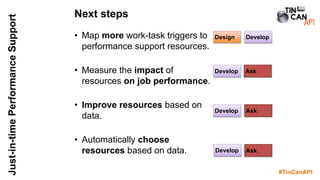
• Map more work-task triggers to
performance support resources.
• Measure the impact of
resources on job performance.
• Improve resources based on
data.
• Automatically choose
resources based on data.
Next steps
Develop
Design
Ask
Develop
Develop
Develop Ask
Ask
#TinCanAPI
Just-in-timePerformanceSupport
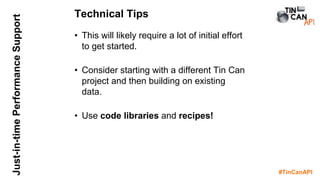
• This will likely require a lot of initial effort
to get started.
• Consider starting with a different Tin Can
project and then building on existing
data.
• Use code libraries and recipes!
Technical Tips
#TinCanAPI
Mentoring
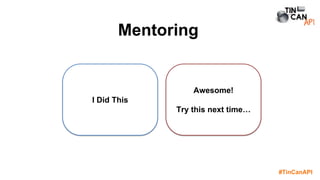
I Did This
Awesome!
Try this next time…
#TinCanAPI
Mentoring
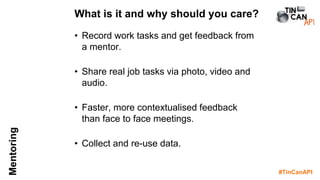
• Record work tasks and get feedback from
a mentor.
• Share real job tasks via photo, video and
audio.
• Faster, more contextualised feedback
than face to face meetings.
• Collect and re-use data.
What is it and why should you care?
#TinCanAPI
Mentoring
Example
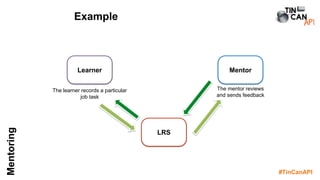
Learner Mentor
LRS
The learner records a particular
job task
The mentor reviews
and sends feedback
#TinCanAPI
Mentoring
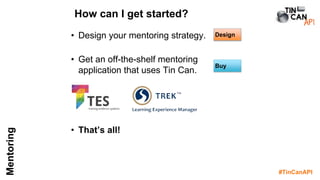
• Design your mentoring strategy.
• Get an off-the-shelf mentoring
application that uses Tin Can.
• That’s all!
How can I get started?
Buy
Design
#TinCanAPI
Mentoring
If you decide to build your own…
• Use attachments to send records of work
tasks to the mentor via statements.
• Also use statements to return feedback
to the learner.
• Use code libraries and recipes!
Technical Tips
#TinCanAPI
Team Learning
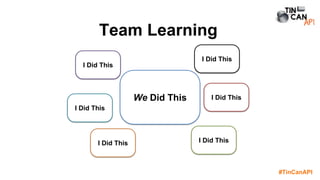
We Did This
I Did This
I Did This
I Did This
I Did This
I Did ThisI Did This
#TinCanAPI
TeamLearning
• What one learner does impacts another.
• Learning experiences that mirror real
work-life teams.
• Collaborative and/or competitive
experiences.
• Use off-the-shelf authoring tools (with
some customisation) to do it.
What is it and why should you care?
#TinCanAPI
TeamLearning
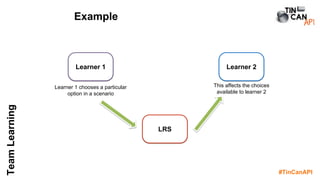
Example
Learner 1 Learner 2
LRS
Learner 1 chooses a particular
option in a scenario
This affects the choices
available to learner 2
#TinCanAPI
TeamLearning
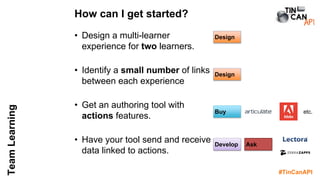
• Design a multi-learner
experience for two learners.
• Identify a small number of links
between each experience
• Get an authoring tool with
actions features.
• Have your tool send and receive
data linked to actions.
How can I get started?
Buy
Develop
Design
Ask
Design
etc.
#TinCanAPI
TeamLearning
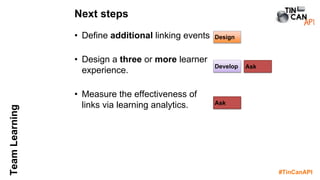
• Define additional linking events
• Design a three or more learner
experience.
• Measure the effectiveness of
links via learning analytics.
Next steps
Develop
Design
Ask
Ask
#TinCanAPI
TeamLearning
• Use the Activity Profile API to share
Documents between learners.
• Technically, this is very similar to Better
Blended Learning.
Technical Tips
#TinCanAPI
Multi-device Learning
Scan!
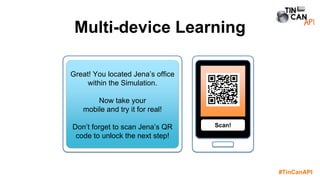
Great! You located Jena’s office
within the Simulation.
Now take your
mobile and try it for real!
Don’t forget to scan Jena’s QR
code to unlock the next step!
#TinCanAPI
Multi-DeviceLearning
• What happens on one device impacts
another.
• Design a learning experience with
elements on multi devices. Take
advantage of the unique benefits of each
device.
• Use off-the-shelf authoring tools (with
some customisation) to do it.
What is it and why should you care?
#TinCanAPI
Multi-DeviceLearning
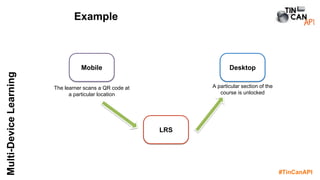
Example
Mobile Desktop
LRS
The learner scans a QR code at
a particular location
A particular section of the
course is unlocked
#TinCanAPI
Multi-DeviceLearning
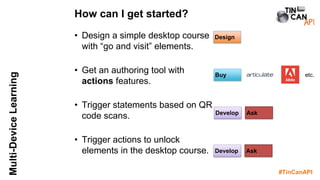
• Design a simple desktop course
with “go and visit” elements.
• Get an authoring tool with
actions features.
• Trigger statements based on QR
code scans.
• Trigger actions to unlock
elements in the desktop course.
How can I get started?
Buy
Develop
Design
Ask
Develop Ask
etc.
#TinCanAPI
Multi-DeviceLearning
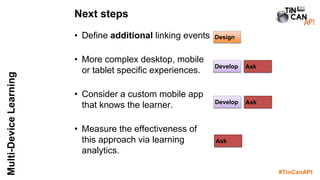
• Define additional linking events
• More complex desktop, mobile
or tablet specific experiences.
• Consider a custom mobile app
that knows the learner.
• Measure the effectiveness of
this approach via learning
analytics.
Next steps
Develop
Design
Ask
Ask
Develop Ask
#TinCanAPI
Multi-DeviceLearning
• Use the State and Statement APIs to
share Documents and Statements
between devices.
• Use tiny courses or bespoke pages to
trigger statements from QR codes.
• Technically, this is very similar to Better
Blended Learning and Team Learning.
• The most technical part is creating the
device specific elements.
Technical Tips
#TinCanAPI
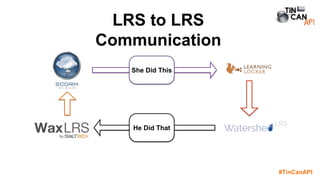
LRS to LRS
Communication
Bad
BadShe Did This
He Did That
#TinCanAPI
LRStoLRScommunication
• Transfer statements from one LRS to
another.
• Link multiple systems within an
organisation.
• Let learners bring (and take) their training
record with them.
• Migrate to a new system.
What is it and why should you care?
#TinCanAPI
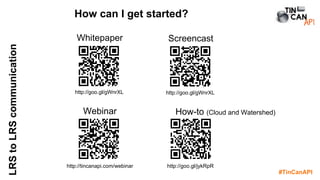
LRStoLRScommunication How can I get started?
Whitepaper
http://goo.gl/gWnrXL
Screencast
http://goo.gl/gWnrXL
Webinar
http://tincanapi.com/webinar
How-to (Cloud and Watershed)
http://goo.gl/jykRpR
#TinCanAPI
Open Badges
#TinCanAPI
OpenBadges
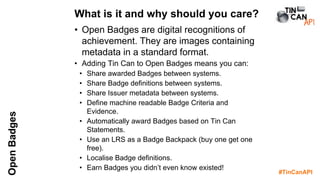
• Open Badges are digital recognitions of
achievement. They are images containing
metadata in a standard format.
• Adding Tin Can to Open Badges means you can:
• Share awarded Badges between systems.
• Share Badge definitions between systems.
• Share Issuer metadata between systems.
• Define machine readable Badge Criteria and
Evidence.
• Automatically award Badges based on Tin Can
Statements.
• Use an LRS as a Badge Backpack (buy one get one
free).
• Localise Badge definitions.
• Earn Badges you didn’t even know existed!
What is it and why should you care?
#TinCanAPI
Badge
Definer
LRS
LRS
Badge
Issuer
LRS
Organisation
Accreditation Body
Professional Body
LMS
CPD
record
Bad
Bad
Bad
Bad
Bad Bad
Bad
Bad
Bad
Bad
Badge Definition
Experiences
Awarded Badge
#TinCanAPI
OpenBadges
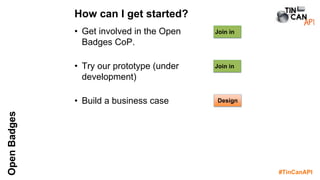
• Get involved in the Open
Badges CoP.
• Try our prototype (under
development)
• Build a business case
How can I get started?
Join in
Join in
Design
#TinCanAPI
OpenBadges
Develop Ask
Develop Ask
Next steps
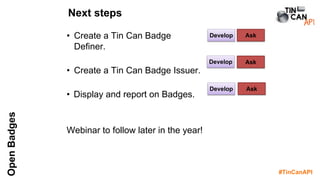
• Create a Tin Can Badge
Definer.
• Create a Tin Can Badge Issuer.
• Display and report on Badges.
Webinar to follow later in the year!
Develop Ask
#TinCanAPI
OpenBadges
• Follow the Open Badges recipe (under
development).
• Look at the ‘Tin Badges’ prototype.
• Use our code libraries!
• Consider statement signing to verify the
Badge Issuer.
Technical Tips
#TinCanAPI
How are you interested in
using the Tin Can API?
#TinCanAPI
Any questions?
Andrew Downes
andrew.downes@tincanapi.com
@projecttincan @mrdownes #TinCanAPI
http://tincanapi.com
#TinCanAPI
Pick one idea to
get started.
Run a pilot.
Improve from there.
#TinCanAPI
9PracticalApplicationsofTinCan
1. Learning Analytics
2. Better Blended Learning
3. Adaptive Pathways
4. Just-in-Time Performance Support
5. Mentoring
6. Team Learning
7. Multi-device Learning
8. LRS to LRS communication
9. Open Badges
Which will you try?

Nine applications of the Tin Can API (xAPI)

Editor's Notes

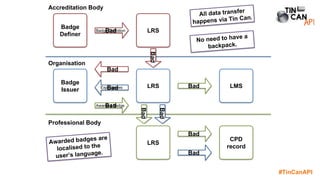
  • #52 An accreditation organisation defines a Badge in multi-languages. This Badge definition is shared with the organisation’s LRS via Tin Can. The organisation’s internal Badge Issuer reads the new Badge and it’s criteria from the LRS. Based on existing and incoming statements from the LRS, the Badge Issuer issues the Badge to learners using the appropriate language and attaches these to statements. Contributing experiences and achievements are listed in the Badge evidence metadata as statements. No separate backpack is required, just an LRS. The Learner’s LMS dashboard reads the ‘Badge earned’ statements and displays badges to the learner. The learner didn’t even know the badge existed, but is delighted to have their achievement recognised. The Learner chooses to forward these badges and associated evidence statements via Tin Can to their professional body’s LRS as part of their CPD record. The Learner also downloads the badge to upload to a non-Tin Can conformant backpack. All this is possible within EXISTING Tin Can and Open Badge specifications.