Networking Deep Dive
Design your Azure network in a secure way!
Jeroen Niesen
@jeroenniesen
jeroenniesen.com talkingazure.com
AzureVlog
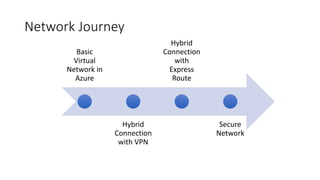
Network Journey
Basic
Virtual
Network in
Azure
Hybrid
Connection
with VPN
Hybrid
Connection
with
Express
Route
Secure
Network
VNET Basics
Design and deploy your basic
VNET
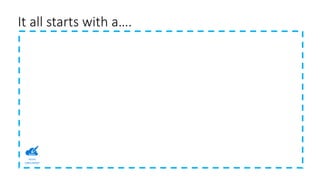
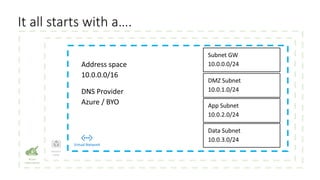
It all starts with a….
Azure
subscription
Resource
group
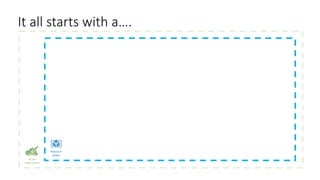
It all starts with a….
Virtual Network
Resource
group
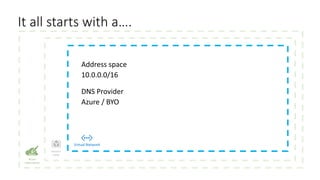
It all starts with a….
Resource
group
Virtual Network
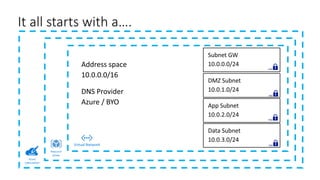
It all starts with a….
Azure
subscription
Resource
group
Virtual Network
NSG
NSG
NSG
NSG
It all starts with a….
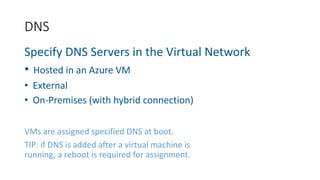
Specify DNS Servers in the Virtual Network
• Hosted in an Azure VM
• External
• On-Premises (with hybrid connection)
VMs are assigned specified DNS at boot.
TIP: if DNS is added after a virtual machine is
running, a reboot is required for assignment.
DNS
Demo
Creating A Basic
Network
DemoCreating a basic network
Demo 1
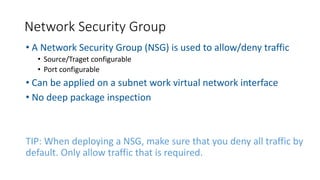
• A Network Security Group (NSG) is used to allow/deny traffic
• Source/Traget configurable
• Port configurable
• Can be applied on a subnet work virtual network interface
• No deep package inspection
TIP: When deploying a NSG, make sure that you deny all traffic by
default. Only allow traffic that is required.
Network Security Group
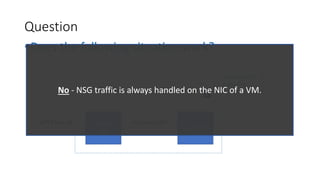
•Does the following situation work?
Question
FrontEnd
VM
BackEnd VM
Subnet 10.0.0.0/24
NSG
1. Allow port 80
2. Deny Any
HTTP Port 80 App Port 8080
No - NSG traffic is always handled on the NIC of a VM.
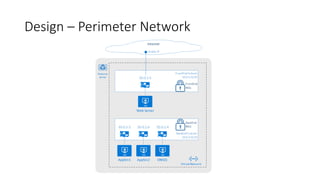
Design – Perimeter Network
DEMO
Applying Network
Security Groups
Demo
Creating A Basic
Network
DemoApplying Network Security
Groups
Demo 2
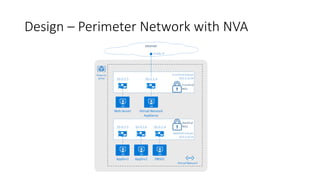
•A Network Virtual Appliance (NVA) can be used to
control the flow of network traffic.
• Firewall
• Load Balancing
• (Reverse) Proxy
Network Virtual Appliance
Design – Perimeter Network with NVA
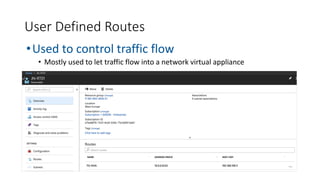
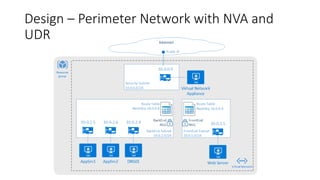
•Used to control traffic flow
• Mostly used to let traffic flow into a network virtual appliance
User Defined Routes
Design – Perimeter Network with NVA and
UDR
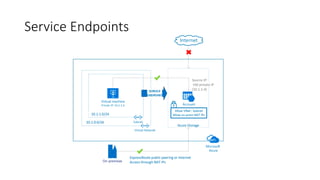
Service Endpoints
•Connect Public Azure Services to your VNET
• More secure, internet access to the public service can now be disabled
• At this moment available for:
• Azure Cosmos DB
• Azure SQL
• Azure SQL Data Warehouse
• Azure Storage (storage accounts and backup)
Service Endpoints
DEMO
Applying Network
Security Groups
Demo
Creating A Basic
Network
DemoService-Endpoints
Demo 3
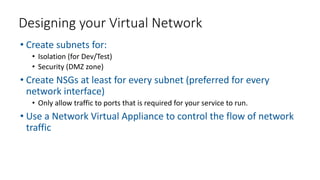
• Create subnets for:
• Isolation (for Dev/Test)
• Security (DMZ zone)
• Create NSGs at least for every subnet (preferred for every
network interface)
• Only allow traffic to ports that is required for your service to run.
• Use a Network Virtual Appliance to control the flow of network
traffic
Designing your Virtual Network
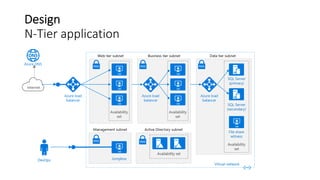
Design
N-Tier application
Hybrid
Connection
(Hybrid)
Connections
Your connection to other
networks and the on-premise
site!
•Via VNET Peering
• Connect at least two Azure Virtual Networks trough the Azure Backbone
•Via VPN
• Traffic is routed in a secure tunnel (IPSEC) over the internet to Microsoft Azure.
• Can be used for site-to-site purposes but also client-to-site purposes.
•Via ExpressRoute
• Traffic is routed directly from your network to Microsoft Azure
• A cloud connect provider/datacenter is required
Available connection types
Hybrid Connection
via ExpressRouteVNET
Peering
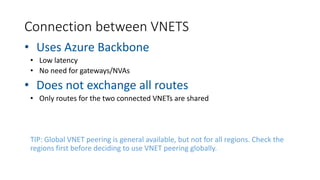
Connection between VNETS
• Uses Azure Backbone
• Low latency
• No need for gateways/NVAs
• Does not exchange all routes
• Only routes for the two connected VNETs are shared
TIP: Global VNET peering is general available, but not for all regions. Check the
regions first before deciding to use VNET peering globally.
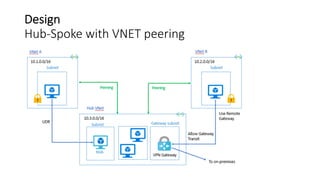
Design
Hub-Spoke with VNET peering
Demo
Creating a VPN
connection
Demo
Creating A Basic
Network
DemoSetup VNET Peering
Demo 4
Hybrid Connection
via ExpressRouteVPN
Connections
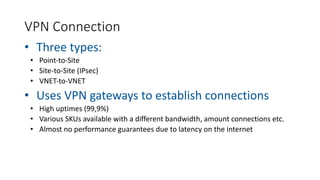
VPN Connection
• Three types:
• Point-to-Site
• Site-to-Site (IPsec)
• VNET-to-VNET
• Uses VPN gateways to establish connections
• High uptimes (99,9%)
• Various SKUs available with a different bandwidth, amount connections etc.
• Almost no performance guarantees due to latency on the internet
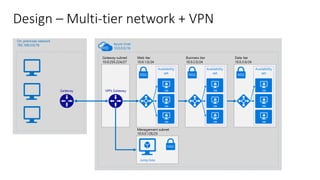
Design – Multi-tier network + VPN
Demo
Creating a VPN
connection
Demo
Creating A Basic
Network
DemoDeploy a VPN connected
network with ARM templates
Demo 5
Hybrid Connection
via ExpressRouteExpress
Route
•Connection via:
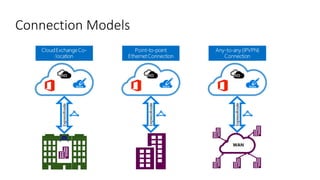
• Cloud Exchange
• Service Provider
•Connection is secure/private
•Performance
Your Private Connection to Azure
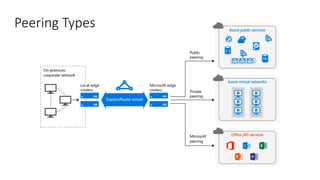
Peering Types
Connection Models
Intranet
Internet
Azure Private Peering
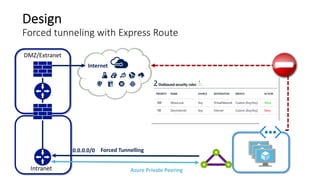
Forced Tunnelling
DMZ/Extranet
0.0.0.0/0
xxxxxxx-xxxx-xxxx-xxxx-xxxxxxxxxxxx
Design
Forced tunneling with Express Route
Design
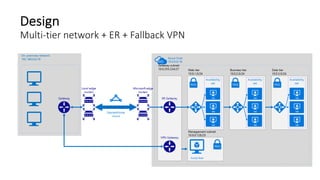
Multi-tier network + ER + Fallback VPN
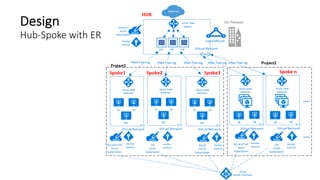
Design
Hub-Spoke with ER
SecuritySecurity
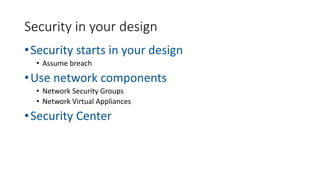
Networking is one of the first
lines of defence
•Security starts in your design
• Assume breach
•Use network components
• Network Security Groups
• Network Virtual Appliances
•Security Center
Security in your design
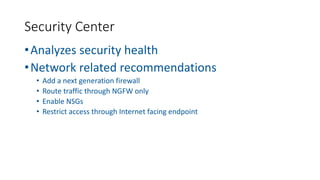
•Analyzes security health
•Network related recommendations
• Add a next generation firewall
• Route traffic through NGFW only
• Enable NSGs
• Restrict access through Internet facing endpoint
Security Center
Demo
Security Center
Demo
Creating A Basic
Network
DemoSecurity Center
Demo 6
Thanks!
@jeroenniesen
talkingazure.com AzureVlog (youtube)
Challenge
• Create a Hub-Spoke VNET topology
• Deploy two VNETs
• Connect them by using VNET peering
• Deploy one VM in a spoke VNET
• Deploy one VM in the hub VNET
• Test the connectivity between the
two VMs
Win a ticket for Experts Live
Netherlands
19 June, Cinemec Ede

Networking deep dive