Compiled by: Jayakumar Balasubramanian Web:  http://www.jwritings.com Email:  [email_address]
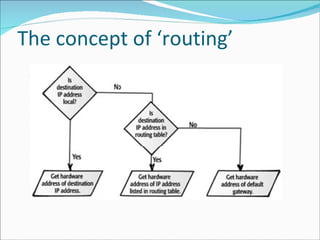
Introduction to IP The concept of ‘unreliability’ Datagram delivery from source to destination Creates a ‘virtual path’ and forms the basis of packet switching Takes the optimal/shortest path Learn the network topology and perform ‘routing’ functionality Independent of data link layer technology
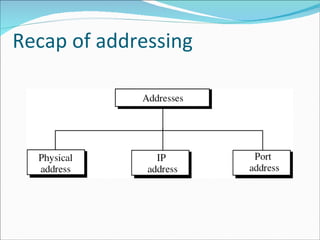
Recap of addressing
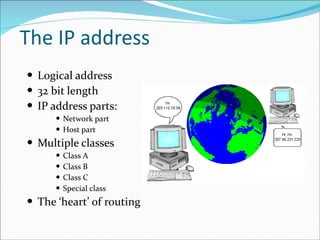
The IP address Logical address 32 bit length IP address parts: Network part Host part Multiple classes Class A Class B Class C Special class The ‘heart’ of routing
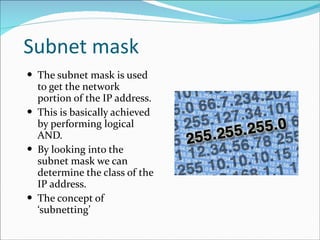
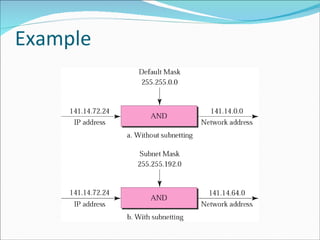
Subnet mask The subnet mask is used to get the network portion of the IP address. This is basically achieved by performing logical AND. By looking into the subnet mask we can determine the class of the IP address. The concept of ‘subnetting’
Example
The concept of ‘routing’
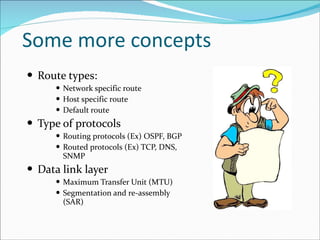
Some more concepts Route types: Network specific route Host specific route Default route Type of protocols Routing protocols (Ex) OSPF, BGP Routed protocols (Ex) TCP, DNS, SNMP Data link layer  Maximum Transfer Unit (MTU) Segmentation and re-assembly (SAR)
Special class of IP addresses Broadcast Address Multicast Address Loop back Address
The concept of Multicasting Have you used Yahoo/Google groups? Instead of sending a separate copy of the data for each recipient, the source ends the data only once.  Unicast does mass mailings; Multicast does chain letters. Advantages: Cost-efficient Timely distribution of data Reduces WAN traffic
Multicast IP addresses The IP address belongs to ‘Class D’ Ranges from 224.0.0.0 to 239.255.255.255 Each address corresponds to a particular group/pre-defined protocol. 224.0.0.1 is for “All-hosts-in-LAN”
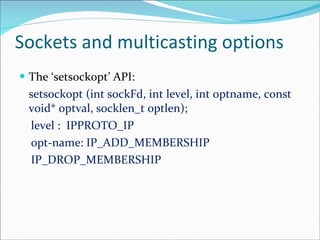
Sockets and multicasting options The ‘setsockopt’ API: setsockopt (int sockFd, int level, int optname, const void* optval, socklen_t optlen); level :  IPPROTO_IP opt-name: IP_ADD_MEMBERSHIP IP_DROP_MEMBERSHIP
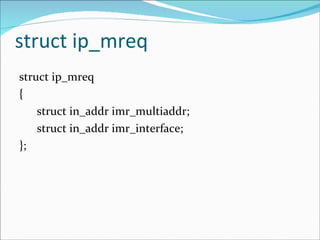
struct ip_mreq struct ip_mreq { struct in_addr imr_multiaddr; struct in_addr imr_interface; };
The ‘xinetd’ daemon The ‘xinetd’ is a replacement for ‘inetd’, the internet services daemon. Each internet services are categorized based on port number. The daemons in Linux are started when the system is booting up. Basically all standard  servers (Telnet, FTP, SSH, etc..) are started in the similar way. Our idea is to make our server program as a daemon and try out some things.
Some basics The syntax of ‘select()’ and brush up. Standard socket descriptors: STDIN and STDOUT. Linux specific: The /etc directory The *.conf files in Linux
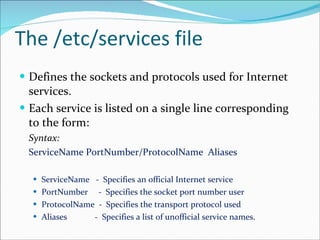
The /etc/services file Defines the sockets and protocols used for Internet services.  Each service is listed on a single line corresponding to the form: Syntax: ServiceName PortNumber/ProtocolName  Aliases ServiceName  -  Specifies an official Internet service  PortNumber  -  Specifies the socket port number user  ProtocolName  -  Specifies the transport protocol used  Aliases  -  Specifies a list of unofficial service names.
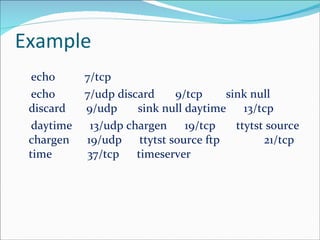
Example echo          7/tcp  echo          7/udp discard       9/tcp        sink null discard       9/udp       sink null daytime      13/tcp  daytime      13/udp chargen      19/tcp       ttytst source chargen      19/udp      ttytst source ftp            21/tcp time           37/tcp      timeserver
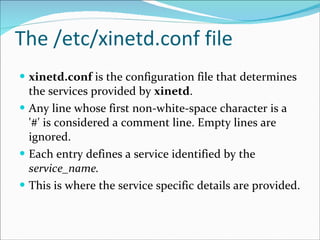
The /etc/xinetd.conf file xinetd.conf  is the configuration file that determines the services provided by  xinetd .  Any line whose first non-white-space character is a '#' is considered a comment line. Empty lines are ignored.  Each entry defines a service identified by the  service_name.   This is where the service specific details are provided.
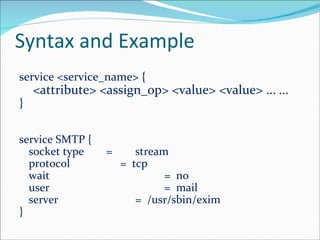
Syntax and Example service <service_name> {  <attribute> <assign_op> <value> <value> ...  ... } service SMTP {  socket type  = stream protocol   =  tcp wait =  no user =  mail server =  /usr/sbin/exim }
Inside your program Important points: Use ‘select’ and STDIN combination for receiving client requests. Use STDOUT for sending the data out to clients. Restarting the ‘xinetd’  /etc/init.d/xinetd restart
Web  :  http://www.jwritings.com Email:  [email_address]

Networking chapter VI

  • 1.
    Compiled by: JayakumarBalasubramanian Web: http://www.jwritings.com Email: [email_address]
  • 2.
    Introduction to IPThe concept of ‘unreliability’ Datagram delivery from source to destination Creates a ‘virtual path’ and forms the basis of packet switching Takes the optimal/shortest path Learn the network topology and perform ‘routing’ functionality Independent of data link layer technology
  • 3.
  • 4.
    The IP addressLogical address 32 bit length IP address parts: Network part Host part Multiple classes Class A Class B Class C Special class The ‘heart’ of routing
  • 5.
    Subnet mask Thesubnet mask is used to get the network portion of the IP address. This is basically achieved by performing logical AND. By looking into the subnet mask we can determine the class of the IP address. The concept of ‘subnetting’
  • 6.
  • 7.
    The concept of‘routing’
  • 8.
    Some more conceptsRoute types: Network specific route Host specific route Default route Type of protocols Routing protocols (Ex) OSPF, BGP Routed protocols (Ex) TCP, DNS, SNMP Data link layer Maximum Transfer Unit (MTU) Segmentation and re-assembly (SAR)
  • 9.
    Special class ofIP addresses Broadcast Address Multicast Address Loop back Address
  • 10.
    The concept ofMulticasting Have you used Yahoo/Google groups? Instead of sending a separate copy of the data for each recipient, the source ends the data only once. Unicast does mass mailings; Multicast does chain letters. Advantages: Cost-efficient Timely distribution of data Reduces WAN traffic
  • 11.
    Multicast IP addressesThe IP address belongs to ‘Class D’ Ranges from 224.0.0.0 to 239.255.255.255 Each address corresponds to a particular group/pre-defined protocol. 224.0.0.1 is for “All-hosts-in-LAN”
  • 12.
    Sockets and multicastingoptions The ‘setsockopt’ API: setsockopt (int sockFd, int level, int optname, const void* optval, socklen_t optlen); level : IPPROTO_IP opt-name: IP_ADD_MEMBERSHIP IP_DROP_MEMBERSHIP
  • 13.
    struct ip_mreq structip_mreq { struct in_addr imr_multiaddr; struct in_addr imr_interface; };
  • 14.
    The ‘xinetd’ daemonThe ‘xinetd’ is a replacement for ‘inetd’, the internet services daemon. Each internet services are categorized based on port number. The daemons in Linux are started when the system is booting up. Basically all standard servers (Telnet, FTP, SSH, etc..) are started in the similar way. Our idea is to make our server program as a daemon and try out some things.
  • 15.
    Some basics Thesyntax of ‘select()’ and brush up. Standard socket descriptors: STDIN and STDOUT. Linux specific: The /etc directory The *.conf files in Linux
  • 16.
    The /etc/services fileDefines the sockets and protocols used for Internet services. Each service is listed on a single line corresponding to the form: Syntax: ServiceName PortNumber/ProtocolName  Aliases ServiceName - Specifies an official Internet service PortNumber - Specifies the socket port number user ProtocolName - Specifies the transport protocol used Aliases - Specifies a list of unofficial service names.
  • 17.
    Example echo          7/tcp echo          7/udp discard       9/tcp       sink null discard       9/udp       sink null daytime      13/tcp daytime      13/udp chargen      19/tcp       ttytst source chargen      19/udp      ttytst source ftp           21/tcp time          37/tcp      timeserver
  • 18.
    The /etc/xinetd.conf filexinetd.conf is the configuration file that determines the services provided by xinetd . Any line whose first non-white-space character is a '#' is considered a comment line. Empty lines are ignored. Each entry defines a service identified by the service_name. This is where the service specific details are provided.
  • 19.
    Syntax and Exampleservice <service_name> { <attribute> <assign_op> <value> <value> ... ... } service SMTP { socket type = stream protocol = tcp wait = no user = mail server = /usr/sbin/exim }
  • 20.
    Inside your programImportant points: Use ‘select’ and STDIN combination for receiving client requests. Use STDOUT for sending the data out to clients. Restarting the ‘xinetd’ /etc/init.d/xinetd restart
  • 21.
    Web : http://www.jwritings.com Email: [email_address]