Command Line WordPress 
with WP-CLI 
! 
James Collins 
! 
@om4james 
http://jamesc.id.au/ 
! 
! 
WordPress Perth User Group - October 2014
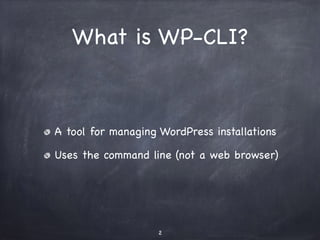
What is WP-CLI? 
A tool for managing WordPress installations 
Uses the command line (not a web browser) 
2
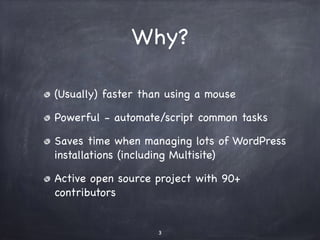
Why? 
(Usually) faster than using a mouse 
Powerful - automate/script common tasks 
Saves time when managing lots of WordPress 
installations (including Multisite) 
Active open source project with 90+ 
contributors 
3
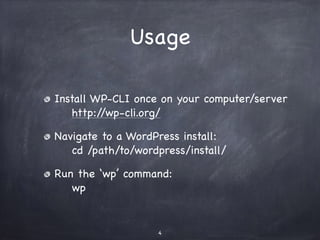
Usage 
Install WP-CLI once on your computer/server 
http://wp-cli.org/ 
Navigate to a WordPress install: 
cd /path/to/wordpress/install/ 
Run the ‘wp’ command: 
wp 
4
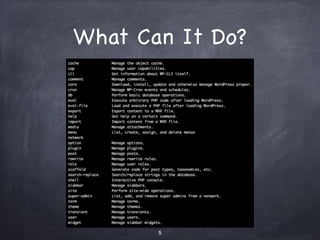
What Can It Do? 
5
My Favourite Uses 
for WP-CLI 
6
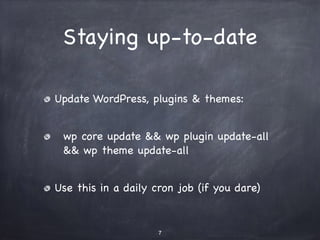
Staying up-to-date 
Update WordPress, plugins & themes: 
wp core update && wp plugin update-all 
&& wp theme update-all 
Use this in a daily cron job (if you dare) 
7
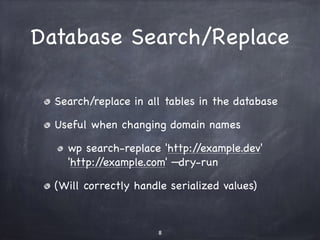
Database Search/Replace 
Search/replace in all tables in the database 
Useful when changing domain names 
wp search-replace 'http://example.dev' 
'http://example.com' —dry-run 
(Will correctly handle serialized values) 
8
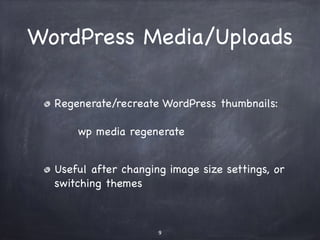
WordPress Media/Uploads 
Regenerate/recreate WordPress thumbnails: 
wp media regenerate 
Useful after changing image size settings, or 
switching themes 
9
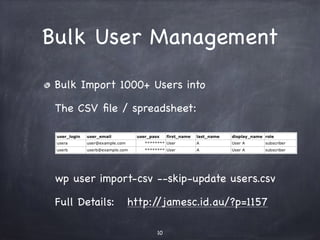
Bulk User Management 
Bulk Import 1000+ Users 
The CSV file / spreadsheet: 
! 
! 
wp user import-csv --skip-update users.csv 
Full Details: http://jamesc.id.au/?p=1157 
10
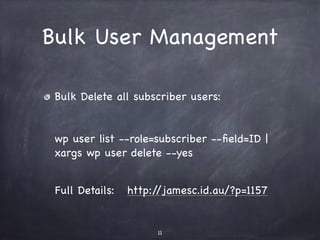
Bulk User Management 
Bulk Delete all subscriber users: 
wp user list --role=subscriber --field=ID | 
xargs wp user delete --yes 
Full Details: http://jamesc.id.au/?p=1157 
11
Also: 
Install WordPress 
Database import/export 
Change WordPress options 
Heaps more! 
12
Questions? 
http://wp-cli.org/ 
https://github.com/wp-cli/wp-cli 
These slides are online at: 
http://jamesc.id.au/wp-cli-perth/ 
13

Command Line WordPress with WP-CLI - WordPress Perth User Group

  • 1.
    Command Line WordPress with WP-CLI ! James Collins ! @om4james http://jamesc.id.au/ ! ! WordPress Perth User Group - October 2014
  • 2.
    What is WP-CLI? A tool for managing WordPress installations Uses the command line (not a web browser) 2
  • 3.
    Why? (Usually) fasterthan using a mouse Powerful - automate/script common tasks Saves time when managing lots of WordPress installations (including Multisite) Active open source project with 90+ contributors 3
  • 4.
    Usage Install WP-CLIonce on your computer/server http://wp-cli.org/ Navigate to a WordPress install: cd /path/to/wordpress/install/ Run the ‘wp’ command: wp 4
  • 5.
  • 6.
    My Favourite Uses for WP-CLI 6
  • 7.
    Staying up-to-date UpdateWordPress, plugins & themes: wp core update && wp plugin update-all && wp theme update-all Use this in a daily cron job (if you dare) 7
  • 8.
    Database Search/Replace Search/replacein all tables in the database Useful when changing domain names wp search-replace 'http://example.dev' 'http://example.com' —dry-run (Will correctly handle serialized values) 8
  • 9.
    WordPress Media/Uploads Regenerate/recreateWordPress thumbnails: wp media regenerate Useful after changing image size settings, or switching themes 9
  • 10.
    Bulk User Management Bulk Import 1000+ Users The CSV file / spreadsheet: ! ! wp user import-csv --skip-update users.csv Full Details: http://jamesc.id.au/?p=1157 10
  • 11.
    Bulk User Management Bulk Delete all subscriber users: wp user list --role=subscriber --field=ID | xargs wp user delete --yes Full Details: http://jamesc.id.au/?p=1157 11
  • 12.
    Also: Install WordPress Database import/export Change WordPress options Heaps more! 12
  • 13.
    Questions? http://wp-cli.org/ https://github.com/wp-cli/wp-cli These slides are online at: http://jamesc.id.au/wp-cli-perth/ 13