blogger basics
mike lawrence
cue, inc.


                • • push-button publishing • •
what is a blog?

   A blog (a portmanteau of web log) is a website
 where entries are written in chronological order and
      displayed in reverse chronological order.

  Blogs provide commentary or news on a particular
  subject such as food, politics, or local news; some
  function as more personal online diaries. A typical
    blog combines text, images, and links to other
   blogs, web pages, and other media related to its
                        topic.

                              sources: wikipedia
We love to build
We love to create
We love to form
We love to control
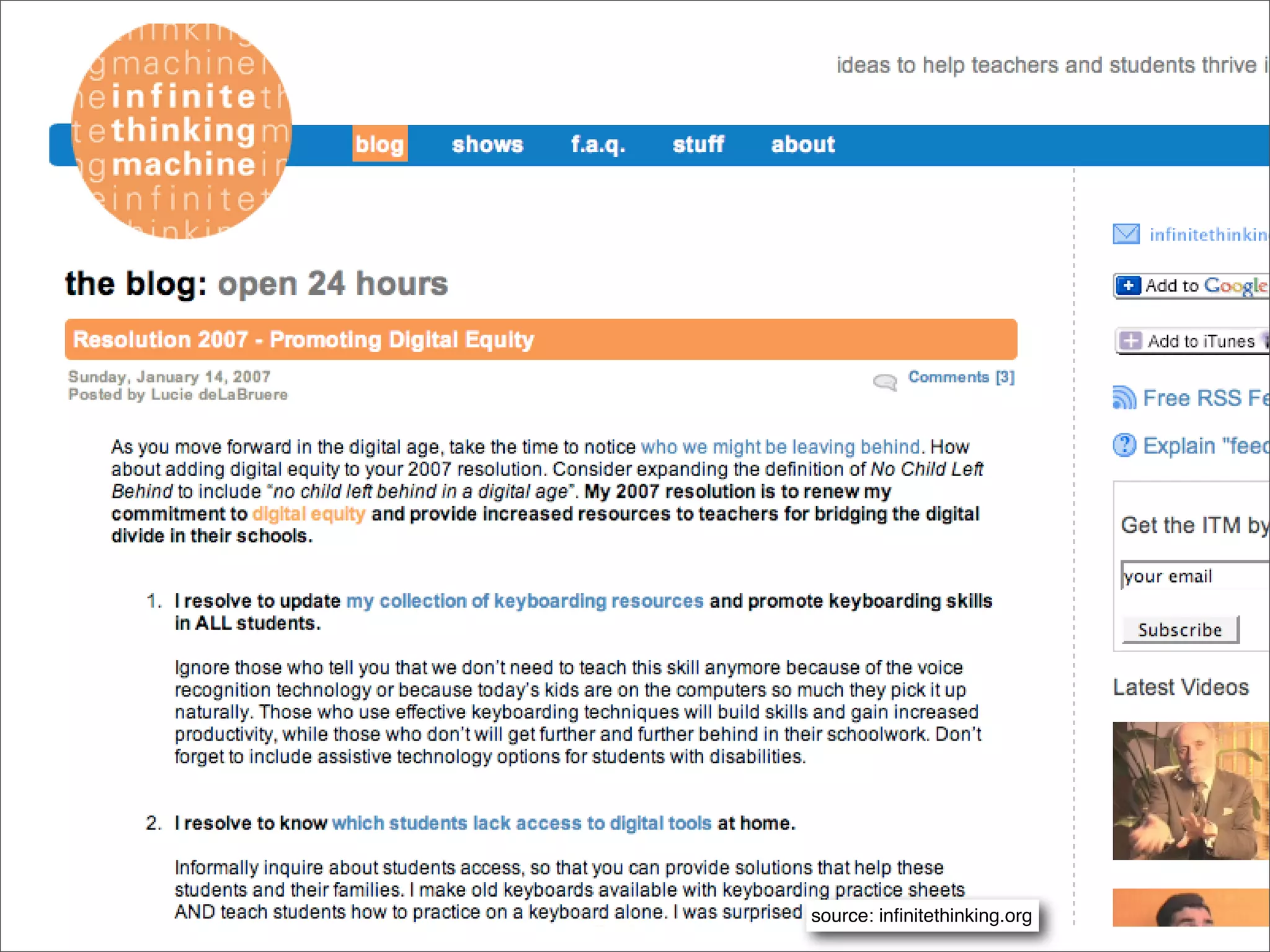
source: infinitethinking.org
educational blogs

• 2 Cents Worth by David Warlick

• A Digital Storytelling Blog (Bernajean Porter)

• Moving at the Speed of Creativity (Wesley Fryer)

• The Infinite Thinking Machine (team blog)

• Weblogg-ed (Will Richardson)


                    source: www.supportblogging.com
classroom blogs


 Here’s a growing list of class
 blogs (scroll down to
 “Classroom Blogs” section)
 http://supportblogging.com/
 Links+to+School+Bloggers
creating your first blog
• Google account

• Visit blogger.com, login

• Name your blog

• Select hosting solution (blogspot.com) vs.
 your own server (and custom domain)

• Begin posting!
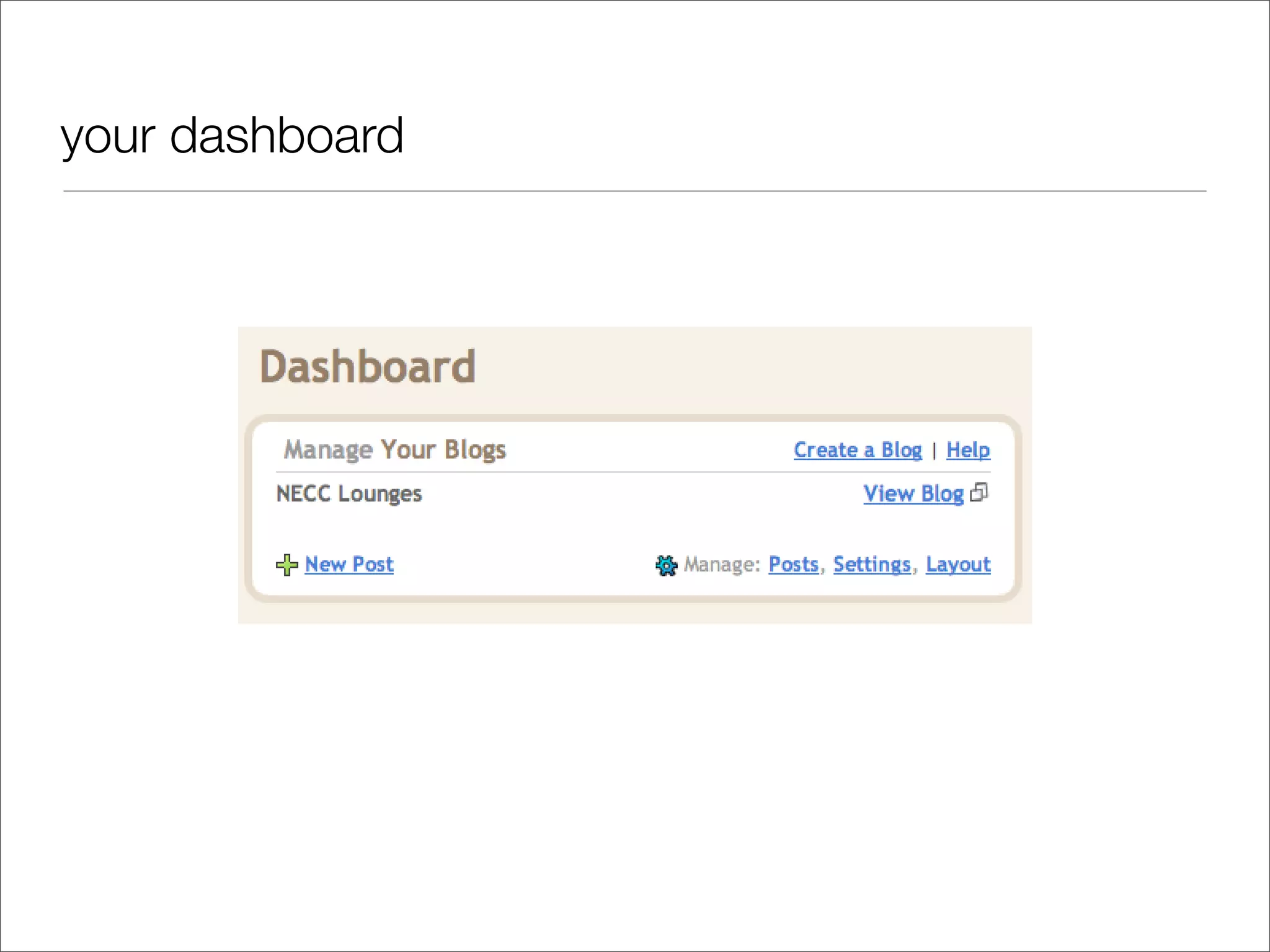
your dashboard
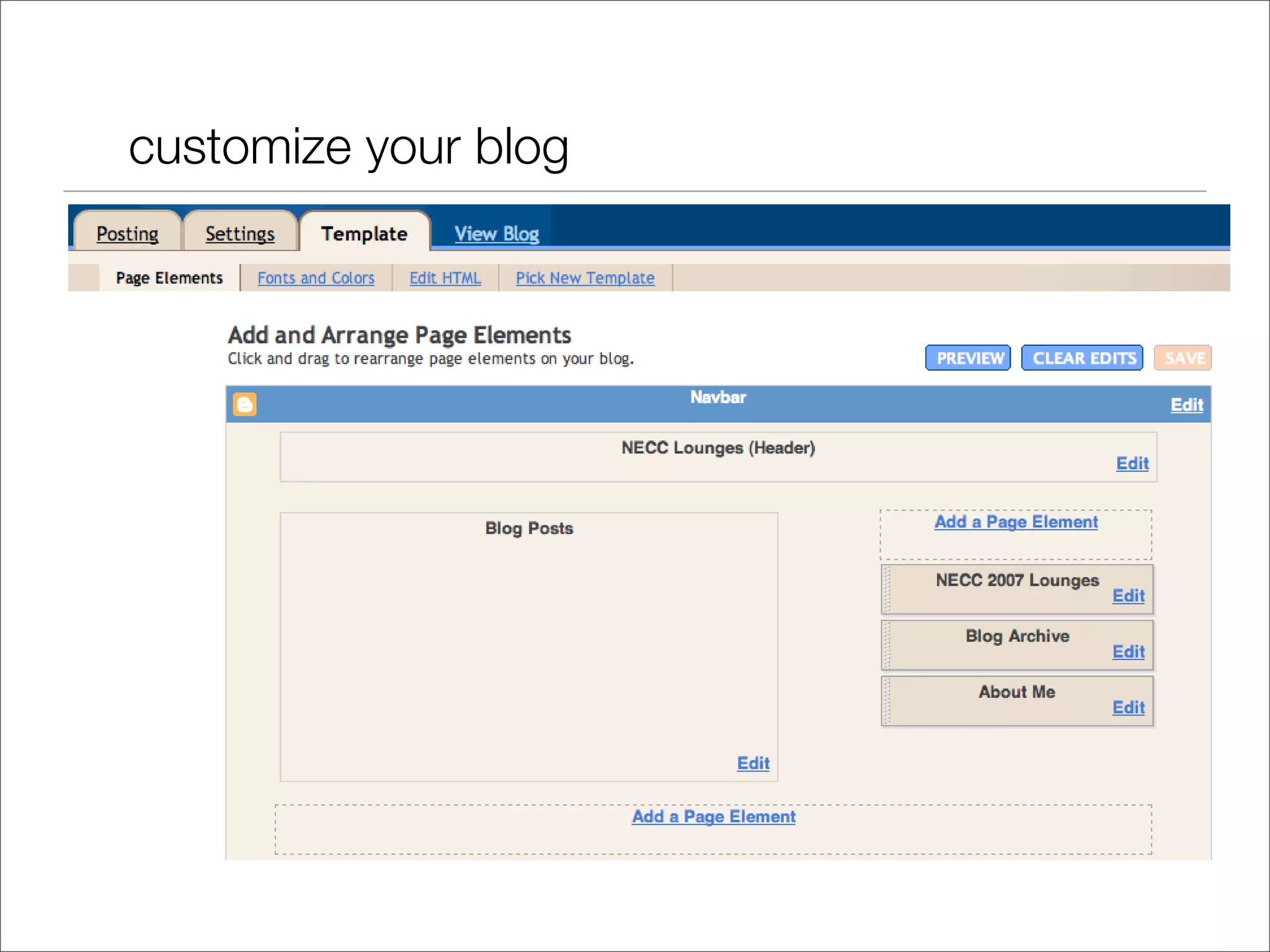
customize your blog
new layouts
source: www.freevlog.org via buzz.blogger.com/
Removing the NavBar (hosted)

   Unfortunately, the NavBar cannot be
   disabled in blogs hosted at blogspot.com.
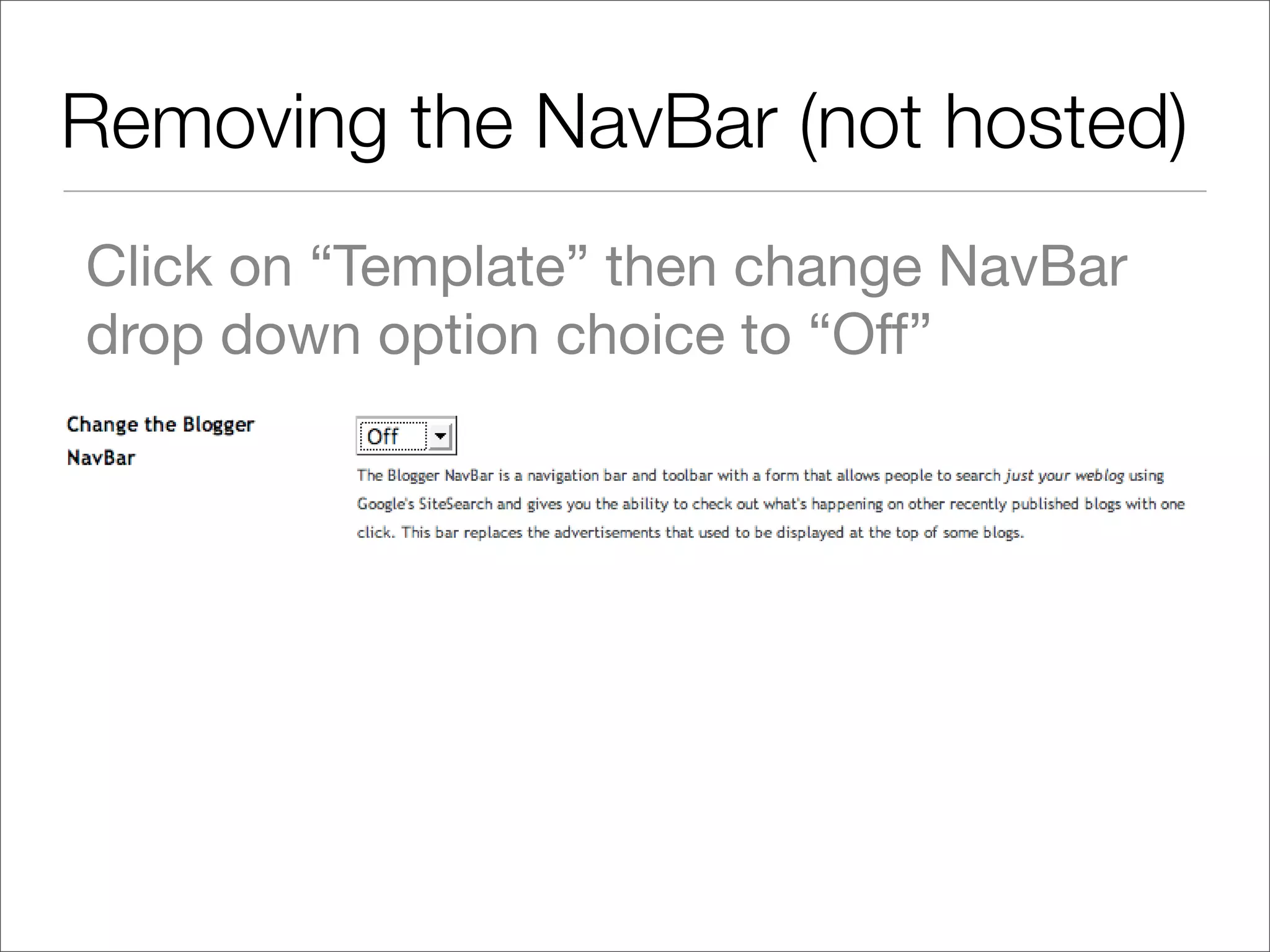
Removing the NavBar (not hosted)
Click on “Template” then change NavBar
drop down option choice to “Off”
Posts vs. comments

• Blog posts = published entries
 in the blog
• Comments = reader’s
 responses to blog posts
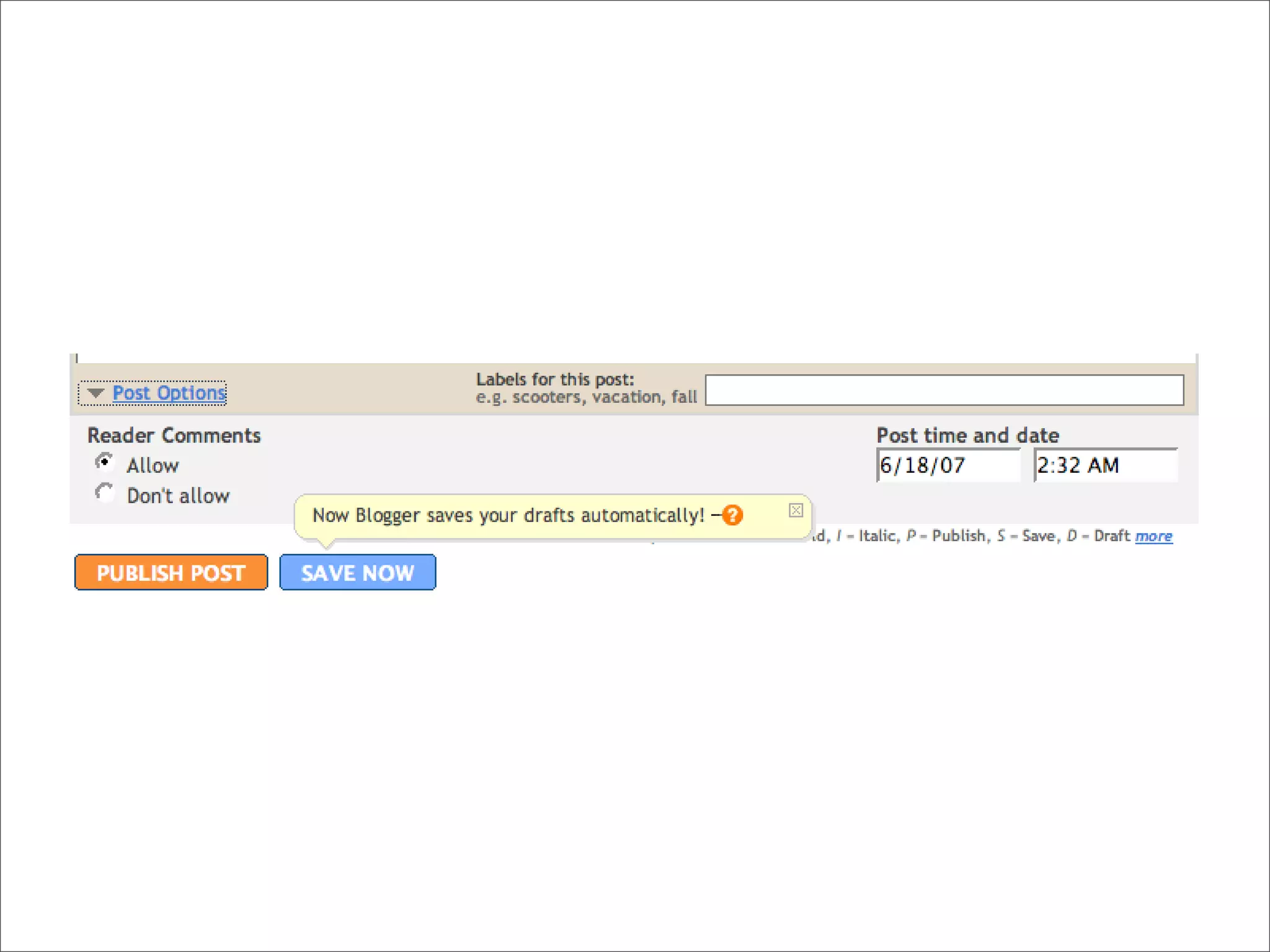
Labels (tags)	

• Labels are keywords associated with
 individual posts.

• These are often referred to as “tags” in the
 blogosphere.

• Tags are searchable, and have become a
 taxonomy of sorts - referred to as a
 ‘folksonomy’ since they’re user-determined.
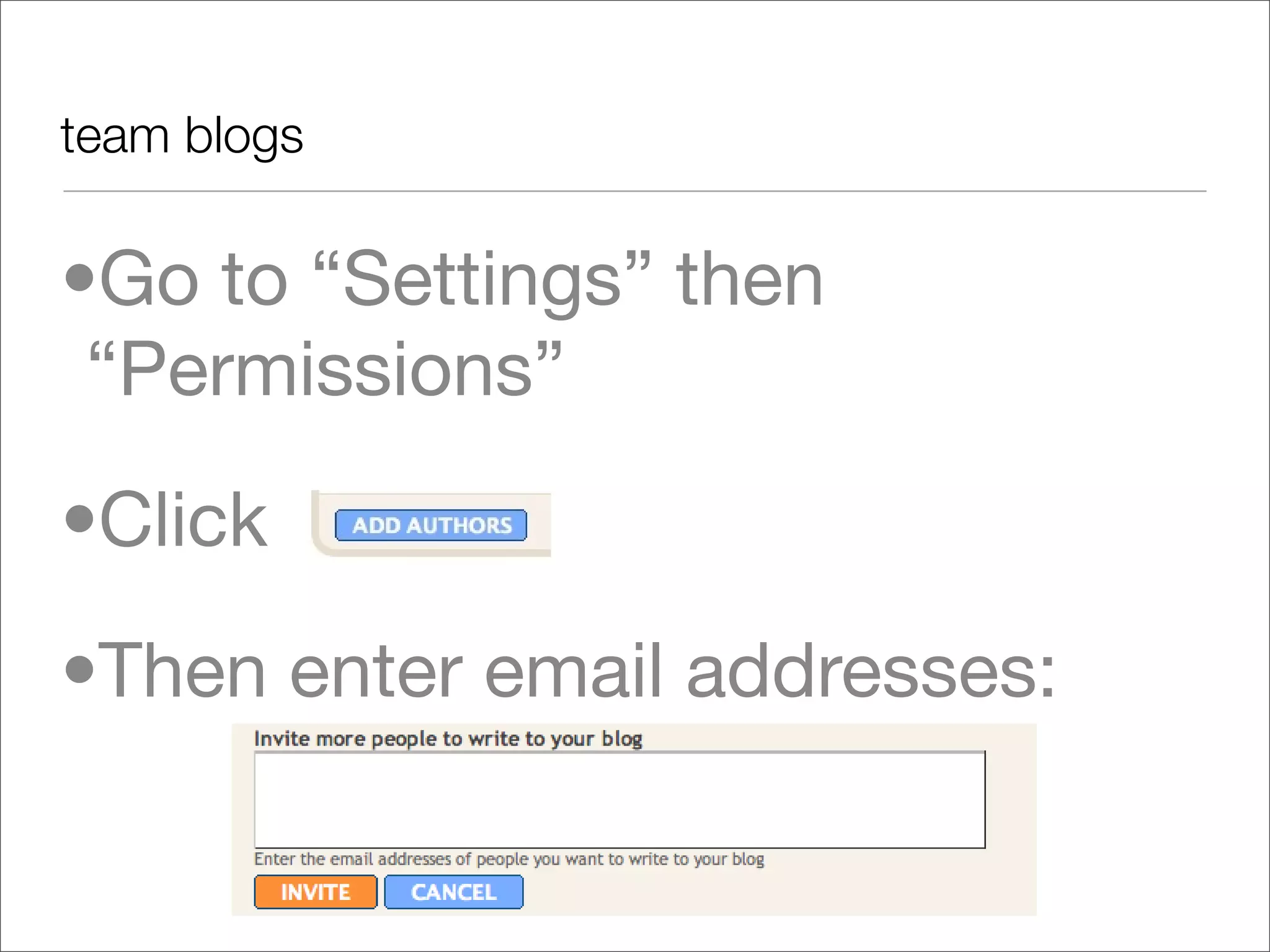
team blogs


•Go to “Settings” then
 “Permissions”
•Click
•Then enter email addresses:
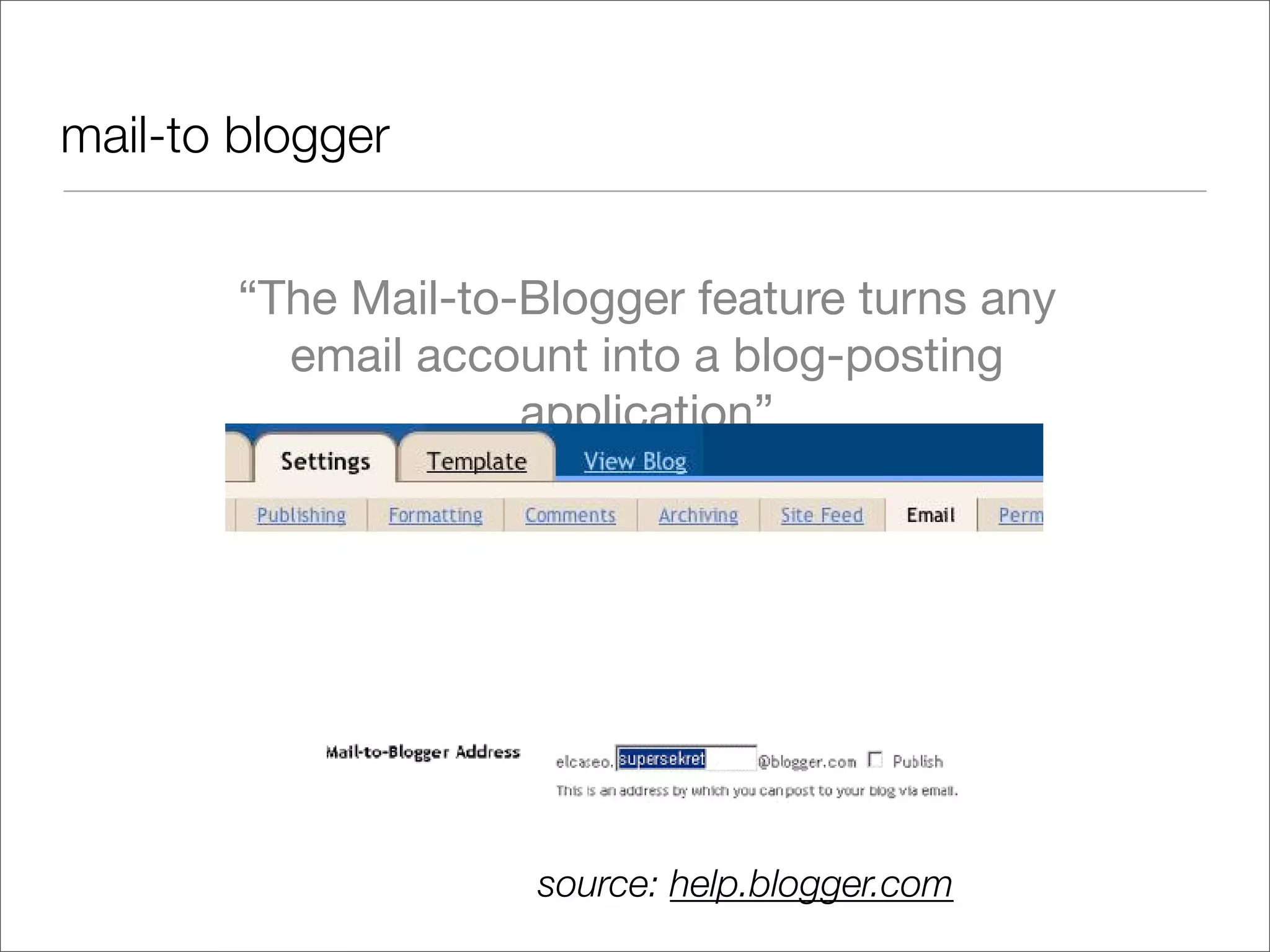
mail-to blogger


        “The Mail-to-Blogger feature turns any
          email account into a blog-posting
                     application”


                  Subject line = Post title

                        source: help.blogger.com
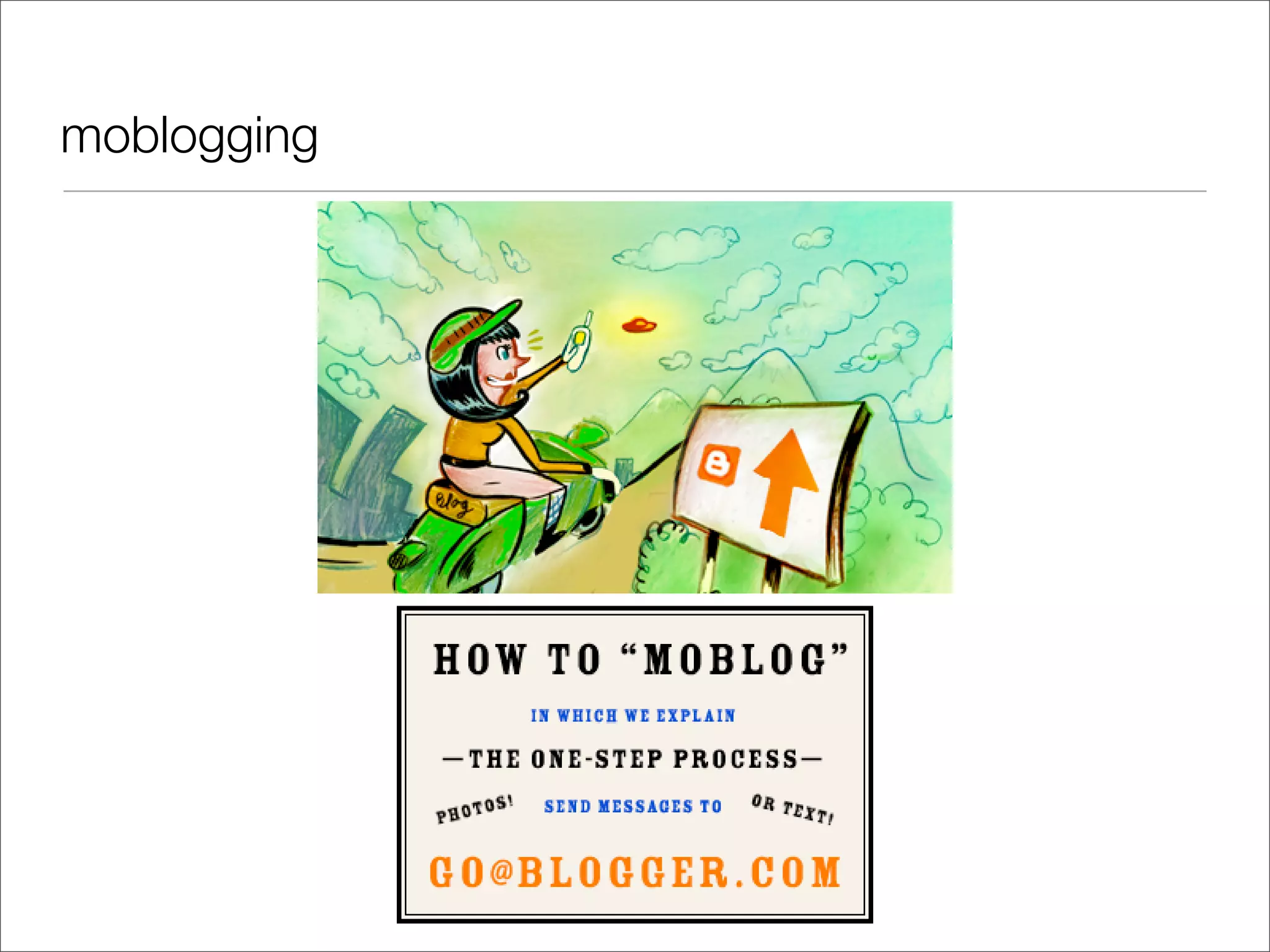
moblogging
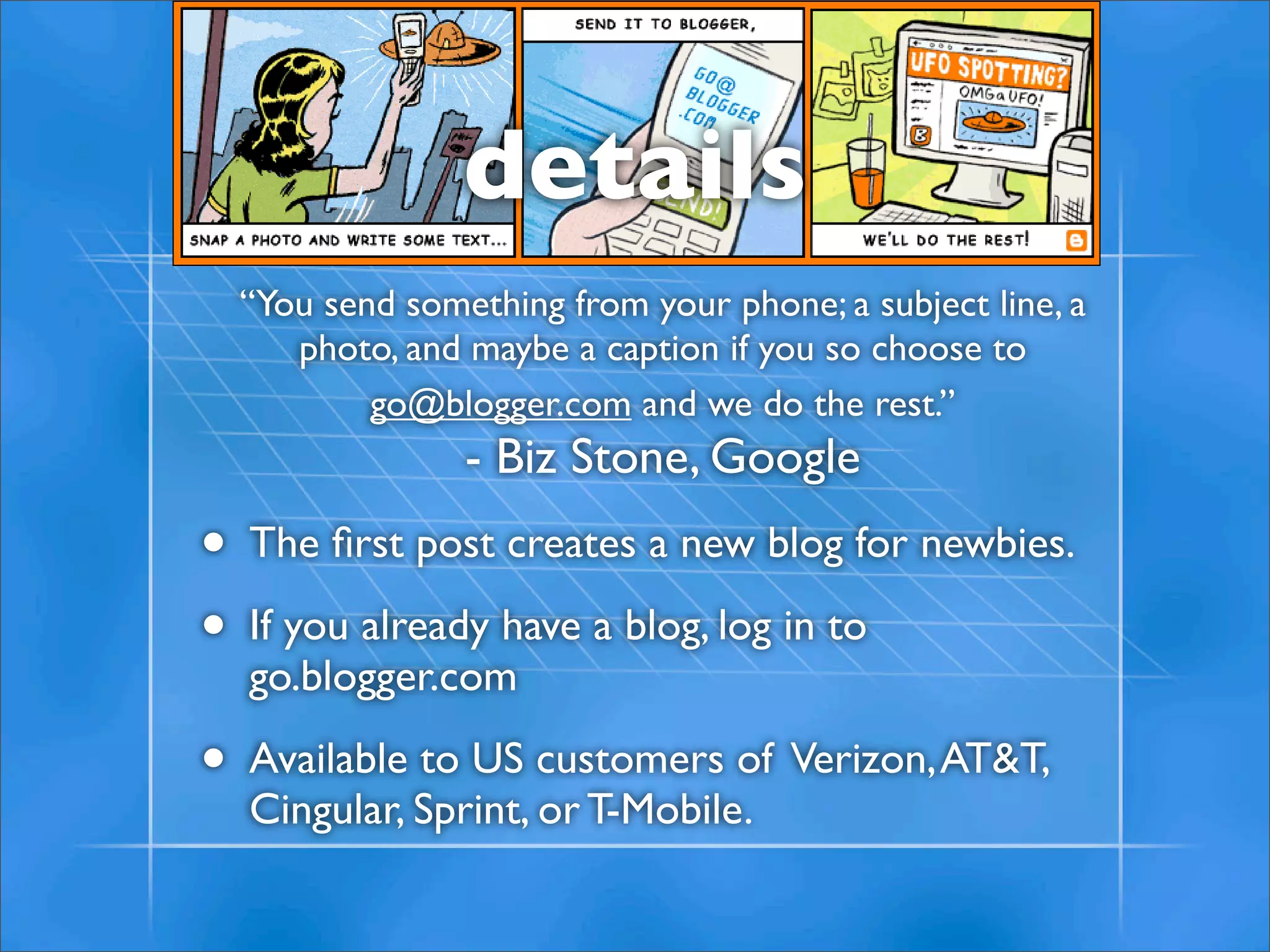
details
  “You send something from your phone; a subject line, a
     photo, and maybe a caption if you so choose to
          go@blogger.com and we do the rest.”
                - Biz Stone, Google
• The first post creates a new blog for newbies.
• If you already have a blog, log in to
  go.blogger.com

• Available to US customers of Verizon, AT&T,
  Cingular, Sprint, or T-Mobile.
more resources

blogifyoulovelearning.wikispaces.com/

http://awd.cl.uh.edu/blog/

http://supportblogging.com/

Necc Bloggerbasics

  • 1.
    blogger basics mike lawrence cue,inc. • • push-button publishing • •
  • 2.
    what is ablog? A blog (a portmanteau of web log) is a website where entries are written in chronological order and displayed in reverse chronological order. Blogs provide commentary or news on a particular subject such as food, politics, or local news; some function as more personal online diaries. A typical blog combines text, images, and links to other blogs, web pages, and other media related to its topic. sources: wikipedia
  • 4.
  • 5.
    We love tocreate
  • 6.
  • 7.
    We love tocontrol
  • 10.
  • 11.
    educational blogs • 2Cents Worth by David Warlick • A Digital Storytelling Blog (Bernajean Porter) • Moving at the Speed of Creativity (Wesley Fryer) • The Infinite Thinking Machine (team blog) • Weblogg-ed (Will Richardson) source: www.supportblogging.com
  • 12.
    classroom blogs Here’sa growing list of class blogs (scroll down to “Classroom Blogs” section) http://supportblogging.com/ Links+to+School+Bloggers
  • 13.
    creating your firstblog • Google account • Visit blogger.com, login • Name your blog • Select hosting solution (blogspot.com) vs. your own server (and custom domain) • Begin posting!
  • 14.
  • 15.
  • 16.
  • 17.
    Removing the NavBar(hosted) Unfortunately, the NavBar cannot be disabled in blogs hosted at blogspot.com.
  • 18.
    Removing the NavBar(not hosted) Click on “Template” then change NavBar drop down option choice to “Off”
  • 19.
    Posts vs. comments •Blog posts = published entries in the blog • Comments = reader’s responses to blog posts
  • 21.
    Labels (tags) • Labelsare keywords associated with individual posts. • These are often referred to as “tags” in the blogosphere. • Tags are searchable, and have become a taxonomy of sorts - referred to as a ‘folksonomy’ since they’re user-determined.
  • 22.
    team blogs •Go to“Settings” then “Permissions” •Click •Then enter email addresses:
  • 23.
    mail-to blogger “The Mail-to-Blogger feature turns any email account into a blog-posting application” Subject line = Post title source: help.blogger.com
  • 24.
  • 25.
    details “Yousend something from your phone; a subject line, a photo, and maybe a caption if you so choose to go@blogger.com and we do the rest.” - Biz Stone, Google • The first post creates a new blog for newbies. • If you already have a blog, log in to go.blogger.com • Available to US customers of Verizon, AT&T, Cingular, Sprint, or T-Mobile.
  • 28.