
know more about MySQL open source database


                 Salaria Software Services   1
 Storage engines
 Schema
 Normalization
 Data types
 Indexes
 Know more about your SQL queries - Using EXPLAIN
 Character set and Collation
 Resources


                        Salaria Software Services    2
 Generics are inefficient
• If you have chosen MySQL, take advantage of its
   strengths
• Having an understanding of the database helps you
   develop better-performing applications
   better to design a well-performing database-driven
    application from the start
   than try to fix a slow one after the fact!


                           Salaria Software Services     3
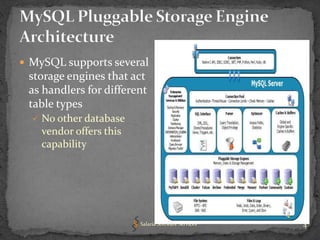
 MySQL supports several
 storage engines that act
 as handlers for different
 table types
   No other database
    vendor offers this
    capability


                         Salaria Software Services   4
 Dynamically add and remove storage engines.
 Change the storage engine on a table with
   “ALTER TABLE <table> ENGINE=InnoDB;”


                        Salaria Software Services   5
 Concurrency: some have more granular locks than
  others
   right locking can improve performance.
• Storage: how the data is stored on disk
   page size for tables, indexes, format used
• Indexes: b-trees, hash
• Memory usage
   caching strategy
• Transactions:
   not every application table needs transactions

                           Salaria Software Services   6
“As a developer, what do I need to know
   about storage engines, without being a
              MySQL expert?”
• Keep in mind the following questions:
   What type of data will you be storing?
   Is the data constantly changing?
   Is the data mostly logs (INSERTs)?
   requirements for reports?
   need for transaction control?


                         Salaria Software Services   7
 Default MySQL engine
• high-speed Query and Insert capability
   insert uses shared read lock
   updates, deletes use table-level locking, slower
• full-text indexing
   Good for text search
• Non-transactional, No foreign key support
• good choice for :
   read-only or read-mostly application tables that don't
    require transactions
   Web, data warehousing, logging, auditing

                           Salaria Software Services         8
 Transaction-safe and ACID
  (atomicity, consistency, isolation, durability) compliant
   crash recovery, foreign key constraints
• good query performance, depending on indexes
• row-level locking, Multi Version Concurrency Control
   (MVCC)
   allows fewer row locks by keeping data snapshots
     – Depending on the isolation level, no locking for SELECT
     – high concurrency possible
• uses more disk space and memory than ISAM
• Good for Online transaction processing (OLTP)
   Lots of users: eBay, Google, Yahoo!, Facebook, etc.


                              Salaria Software Services          9
 Entirely in-memory engine
   stores all data in RAM for extremely fast access
   Updated Data is not persisted
     – table loaded on restart
• Hash index used by default
• Good for
   Summary and transient data
   "lookup" tables,
   calculated table counts,
   for caching, temporary tables


                          Salaria Software Services    10
 Incredible insert speeds
• Great compression rates (zlib)?
   Typically 6-8x smaller than MyISAM
• No UPDATEs
• Ideal for storing and retrieving large amounts of
   historical data
   audit data, log files,Web traffic records
   Data that can never be updated


                          Salaria Software Services   11
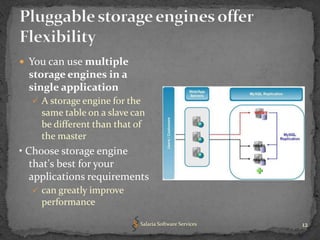
 You can use multiple
  storage engines in a
  single application
   A storage engine for the
    same table on a slave can
    be different than that of
    the master
• Choose storage engine
   that's best for your
   applications requirements
   can greatly improve
    performance

                           Salaria Software Services   12
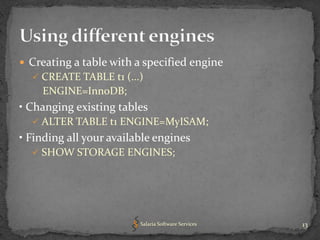
 Creating a table with a specified engine
   CREATE TABLE t1 (...)
    ENGINE=InnoDB;
• Changing existing tables
   ALTER TABLE t1 ENGINE=MyISAM;
• Finding all your available engines
   SHOW STORAGE ENGINES;


                         Salaria Software Services   13
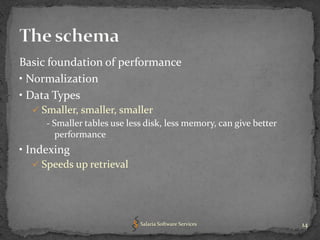
Basic foundation of performance
• Normalization
• Data Types
   Smaller, smaller, smaller
     - Smaller tables use less disk, less memory, can give better
        performance
• Indexing
   Speeds up retrieval


                             Salaria Software Services              14
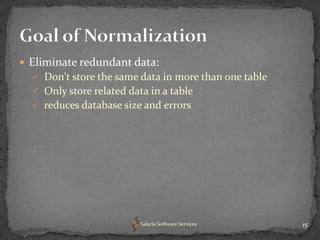
 Eliminate redundant data:
   Don't store the same data in more than one table
   Only store related data in a table
   reduces database size and errors


                          Salaria Software Services    15
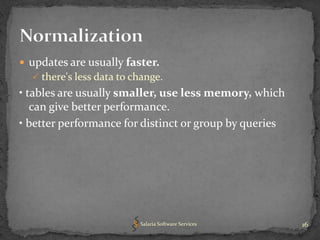
 updates are usually faster.
   there's less data to change.
• tables are usually smaller, use less memory, which
   can give better performance.
• better performance for distinct or group by queries


                          Salaria Software Services     16
 However Normalized database causes joins for queries
• excessively normalized database:
   queries take more time to complete, as data has to be
    retrieved from more tables.
• Normalized better for writes OLTP
• De-normalized better for reads , reporting
• Real World Mixture:
   normalized schema
   Cache selected columns in memory table


                         Salaria Software Services          17
Smaller => less disk => less memory => better
 performance

 Use the smallest data type possible
• The smaller your data types, The more index (and data)
  can fit into a block of memory, the faster your queries
  will be.
   Period.
   Especially for indexed fields


                          Salaria Software Services         18
 MySQL has 9 numeric data types
    Compared to Oracle's 1
• Integer:
    TINYINT , SMALLINT, MEDIUMINT, INT, BIGINT
    Require 8, 16, 24, 32, and 64 bits of space.
• Use UNSIGNED when you don't need negative numbers – one more level of data
   integrity
• BIGINT is not needed for AUTO_INCREMENT
    INT UNSIGNED stores 4.3 billion values!
    Summation of values... yes, use BIGINT
 Floating Point: FLOAT, DOUBLE
    Approximate calculations
• Fixed Point: DECIMAL
    Always use DECIMAL for monetary/currency fields, never use FLOAT or
      DOUBLE!
• Other: BIT
    Store 0,1 values

                                  Salaria Software Services                    19
 VARCHAR(n) variable length
   uses only space it needs
     – Can save disk space = better performance
   Use :
    – Max column length > avg
    – when updates rare (updates fragment)
• CHAR(n) fixed length
   Use:
     – short strings, Mostly same length, or changed frequently


                            Salaria Software Services             20
 Always define columns as NOT NULL
     – unless there is a good reason not to
   Can save a byte per column
   nullable columns make indexes, index statistics, and
    value comparisons more complicated.
• Use the same data types for columns that will be
  compared in JOINs
   Otherwise converted for comparison
• Use BLOBs very sparingly
   Use the filesystem for what it was intended


                          Salaria Software Services        21
“The more records you can fit into a single page of
  memory/disk, the faster your seeks and scans will be.”
• Use appropriate data types
• Keep primary keys small
• Use TEXT sparingly
   Consider separate tables
• Use BLOBs very sparingly
   Use the filesystem for what it was intended


                         Salaria Software Services         22
 Indexes Speed up Queries,
   SELECT...WHERE name = 'carol'
   only if there is good selectivity:
     – % of distinct values in a column
• But... each index will slow down INSERT, UPDATE, and
  DELETE operations


                            Salaria Software Services    23
 Always have an index on join conditions
• Look to add indexes on columns used in WHERE and
  GROUP BY expressions
• PRIMARY KEY, UNIQUE , and Foreign key Constraint
  columns are automatically indexed.
   other columns can be indexed (CREATE INDEX..)


                       Salaria Software Services     24
 use the MySQL slow query log and use Explain
• Append EXPLAIN to your SELECT statement
   shows how the MySQL optimizer has chosen to execute
    the query
• You Want to make your queries access less data:
   are queries accessing too many rows or columns?
     – select only the columns that you need
• Use to see where you should add indexes
   Consider adding an index for slow queries or cause a lot
    of load.
     – ensures that missing indexes are picked up early in the
       development process

                            Salaria Software Services            25
 Find and fix problem SQL:
• how long a query took
• how the optimizer handled it
   Drill downs, results of EXPLAIN statements
• Historical and real-time analysis
   query execution counts, run time


  “Its not just slow running queries that are a problem,
  Sometimes its SQL that executes a lot that kills your
                          system”

                         Salaria Software Services         26
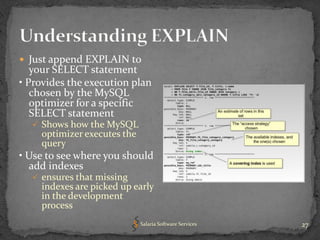
 Just append EXPLAIN to
   your SELECT statement
• Provides the execution plan
   chosen by the MySQL
   optimizer for a specific
   SELECT statement
   Shows how the MySQL
    optimizer executes the
    query
• Use to see where you should
  add indexes
   ensures that missing
    indexes are picked up early
    in the development
    process
                             Salaria Software Services   27
 A character set is a set of symbols and encodings.
 A collation is a set of rules for comparing characters in a
  character set.
 MySQL can do these things for you:
   Store strings using a variety of character sets
   Compare strings using a variety of collations
   Mix strings with different character sets or collations in the
    same server, the same database, or even the same table
   Allow specification of character set and collation at any level
      - Mysql > SET NAMES 'utf8';
      - Mysql > SHOW CHARACTER SET


                             Salaria Software Services                28
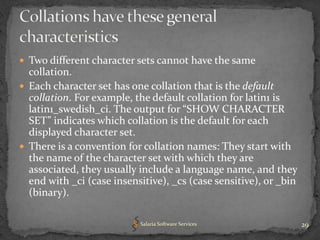
 Two different character sets cannot have the same
  collation.
 Each character set has one collation that is the default
  collation. For example, the default collation for latin1 is
  latin1_swedish_ci. The output for “SHOW CHARACTER
  SET” indicates which collation is the default for each
  displayed character set.
 There is a convention for collation names: They start with
  the name of the character set with which they are
  associated, they usually include a language name, and they
  end with _ci (case insensitive), _cs (case sensitive), or _bin
  (binary).

                           Salaria Software Services               29
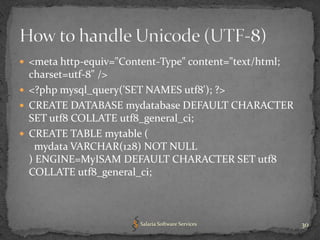
 <meta http-equiv="Content-Type" content="text/html;
  charset=utf-8" />
 <?php mysql_query('SET NAMES utf8'); ?>
 CREATE DATABASE mydatabase DEFAULT CHARACTER
  SET utf8 COLLATE utf8_general_ci;
 CREATE TABLE mytable (
    mydata VARCHAR(128) NOT NULL
  ) ENGINE=MyISAM DEFAULT CHARACTER SET utf8
  COLLATE utf8_general_ci;


                        Salaria Software Services       30
 MySQL Forge and the Forge Wiki
http://forge.mysql.com/
 Planet MySQL
 http://planetmysql.org/
 MySQL DevZone
http://dev.mysql.com/
 High Performance MySQL book


                      Salaria Software Services   31
?

Salaria Software Services   32
Mahesh Salaria
  mahesh@salaria.net
Salaria Software Services
 http://salariasoft.com
      Salaria Software Services   33

MySQL: Know more about open Source Database

  • 1.
    know more aboutMySQL open source database Salaria Software Services 1
  • 2.
     Storage engines Schema  Normalization  Data types  Indexes  Know more about your SQL queries - Using EXPLAIN  Character set and Collation  Resources Salaria Software Services 2
  • 3.
     Generics areinefficient • If you have chosen MySQL, take advantage of its strengths • Having an understanding of the database helps you develop better-performing applications  better to design a well-performing database-driven application from the start  than try to fix a slow one after the fact! Salaria Software Services 3
  • 4.
     MySQL supportsseveral storage engines that act as handlers for different table types  No other database vendor offers this capability Salaria Software Services 4
  • 5.
     Dynamically addand remove storage engines.  Change the storage engine on a table with “ALTER TABLE <table> ENGINE=InnoDB;” Salaria Software Services 5
  • 6.
     Concurrency: somehave more granular locks than others  right locking can improve performance. • Storage: how the data is stored on disk  page size for tables, indexes, format used • Indexes: b-trees, hash • Memory usage  caching strategy • Transactions:  not every application table needs transactions Salaria Software Services 6
  • 7.
    “As a developer,what do I need to know about storage engines, without being a MySQL expert?” • Keep in mind the following questions:  What type of data will you be storing?  Is the data constantly changing?  Is the data mostly logs (INSERTs)?  requirements for reports?  need for transaction control? Salaria Software Services 7
  • 8.
     Default MySQLengine • high-speed Query and Insert capability  insert uses shared read lock  updates, deletes use table-level locking, slower • full-text indexing  Good for text search • Non-transactional, No foreign key support • good choice for :  read-only or read-mostly application tables that don't require transactions  Web, data warehousing, logging, auditing Salaria Software Services 8
  • 9.
     Transaction-safe andACID (atomicity, consistency, isolation, durability) compliant  crash recovery, foreign key constraints • good query performance, depending on indexes • row-level locking, Multi Version Concurrency Control (MVCC)  allows fewer row locks by keeping data snapshots – Depending on the isolation level, no locking for SELECT – high concurrency possible • uses more disk space and memory than ISAM • Good for Online transaction processing (OLTP)  Lots of users: eBay, Google, Yahoo!, Facebook, etc. Salaria Software Services 9
  • 10.
     Entirely in-memoryengine  stores all data in RAM for extremely fast access  Updated Data is not persisted – table loaded on restart • Hash index used by default • Good for  Summary and transient data  "lookup" tables,  calculated table counts,  for caching, temporary tables Salaria Software Services 10
  • 11.
     Incredible insertspeeds • Great compression rates (zlib)?  Typically 6-8x smaller than MyISAM • No UPDATEs • Ideal for storing and retrieving large amounts of historical data  audit data, log files,Web traffic records  Data that can never be updated Salaria Software Services 11
  • 12.
     You canuse multiple storage engines in a single application  A storage engine for the same table on a slave can be different than that of the master • Choose storage engine that's best for your applications requirements  can greatly improve performance Salaria Software Services 12
  • 13.
     Creating atable with a specified engine  CREATE TABLE t1 (...) ENGINE=InnoDB; • Changing existing tables  ALTER TABLE t1 ENGINE=MyISAM; • Finding all your available engines  SHOW STORAGE ENGINES; Salaria Software Services 13
  • 14.
    Basic foundation ofperformance • Normalization • Data Types  Smaller, smaller, smaller - Smaller tables use less disk, less memory, can give better performance • Indexing  Speeds up retrieval Salaria Software Services 14
  • 15.
     Eliminate redundantdata:  Don't store the same data in more than one table  Only store related data in a table  reduces database size and errors Salaria Software Services 15
  • 16.
     updates areusually faster.  there's less data to change. • tables are usually smaller, use less memory, which can give better performance. • better performance for distinct or group by queries Salaria Software Services 16
  • 17.
     However Normalizeddatabase causes joins for queries • excessively normalized database:  queries take more time to complete, as data has to be retrieved from more tables. • Normalized better for writes OLTP • De-normalized better for reads , reporting • Real World Mixture:  normalized schema  Cache selected columns in memory table Salaria Software Services 17
  • 18.
    Smaller => lessdisk => less memory => better performance  Use the smallest data type possible • The smaller your data types, The more index (and data) can fit into a block of memory, the faster your queries will be.  Period.  Especially for indexed fields Salaria Software Services 18
  • 19.
     MySQL has9 numeric data types  Compared to Oracle's 1 • Integer:  TINYINT , SMALLINT, MEDIUMINT, INT, BIGINT  Require 8, 16, 24, 32, and 64 bits of space. • Use UNSIGNED when you don't need negative numbers – one more level of data integrity • BIGINT is not needed for AUTO_INCREMENT  INT UNSIGNED stores 4.3 billion values!  Summation of values... yes, use BIGINT  Floating Point: FLOAT, DOUBLE  Approximate calculations • Fixed Point: DECIMAL  Always use DECIMAL for monetary/currency fields, never use FLOAT or DOUBLE! • Other: BIT  Store 0,1 values Salaria Software Services 19
  • 20.
     VARCHAR(n) variablelength  uses only space it needs – Can save disk space = better performance  Use : – Max column length > avg – when updates rare (updates fragment) • CHAR(n) fixed length  Use: – short strings, Mostly same length, or changed frequently Salaria Software Services 20
  • 21.
     Always definecolumns as NOT NULL – unless there is a good reason not to  Can save a byte per column  nullable columns make indexes, index statistics, and value comparisons more complicated. • Use the same data types for columns that will be compared in JOINs  Otherwise converted for comparison • Use BLOBs very sparingly  Use the filesystem for what it was intended Salaria Software Services 21
  • 22.
    “The more recordsyou can fit into a single page of memory/disk, the faster your seeks and scans will be.” • Use appropriate data types • Keep primary keys small • Use TEXT sparingly  Consider separate tables • Use BLOBs very sparingly  Use the filesystem for what it was intended Salaria Software Services 22
  • 23.
     Indexes Speedup Queries,  SELECT...WHERE name = 'carol'  only if there is good selectivity: – % of distinct values in a column • But... each index will slow down INSERT, UPDATE, and DELETE operations Salaria Software Services 23
  • 24.
     Always havean index on join conditions • Look to add indexes on columns used in WHERE and GROUP BY expressions • PRIMARY KEY, UNIQUE , and Foreign key Constraint columns are automatically indexed.  other columns can be indexed (CREATE INDEX..) Salaria Software Services 24
  • 25.
     use theMySQL slow query log and use Explain • Append EXPLAIN to your SELECT statement  shows how the MySQL optimizer has chosen to execute the query • You Want to make your queries access less data:  are queries accessing too many rows or columns? – select only the columns that you need • Use to see where you should add indexes  Consider adding an index for slow queries or cause a lot of load. – ensures that missing indexes are picked up early in the development process Salaria Software Services 25
  • 26.
     Find andfix problem SQL: • how long a query took • how the optimizer handled it  Drill downs, results of EXPLAIN statements • Historical and real-time analysis  query execution counts, run time “Its not just slow running queries that are a problem, Sometimes its SQL that executes a lot that kills your system” Salaria Software Services 26
  • 27.
     Just appendEXPLAIN to your SELECT statement • Provides the execution plan chosen by the MySQL optimizer for a specific SELECT statement  Shows how the MySQL optimizer executes the query • Use to see where you should add indexes  ensures that missing indexes are picked up early in the development process Salaria Software Services 27
  • 28.
     A characterset is a set of symbols and encodings.  A collation is a set of rules for comparing characters in a character set.  MySQL can do these things for you:  Store strings using a variety of character sets  Compare strings using a variety of collations  Mix strings with different character sets or collations in the same server, the same database, or even the same table  Allow specification of character set and collation at any level - Mysql > SET NAMES 'utf8'; - Mysql > SHOW CHARACTER SET Salaria Software Services 28
  • 29.
     Two differentcharacter sets cannot have the same collation.  Each character set has one collation that is the default collation. For example, the default collation for latin1 is latin1_swedish_ci. The output for “SHOW CHARACTER SET” indicates which collation is the default for each displayed character set.  There is a convention for collation names: They start with the name of the character set with which they are associated, they usually include a language name, and they end with _ci (case insensitive), _cs (case sensitive), or _bin (binary). Salaria Software Services 29
  • 30.
     <meta http-equiv="Content-Type"content="text/html; charset=utf-8" />  <?php mysql_query('SET NAMES utf8'); ?>  CREATE DATABASE mydatabase DEFAULT CHARACTER SET utf8 COLLATE utf8_general_ci;  CREATE TABLE mytable ( mydata VARCHAR(128) NOT NULL ) ENGINE=MyISAM DEFAULT CHARACTER SET utf8 COLLATE utf8_general_ci; Salaria Software Services 30
  • 31.
     MySQL Forgeand the Forge Wiki http://forge.mysql.com/  Planet MySQL http://planetmysql.org/  MySQL DevZone http://dev.mysql.com/  High Performance MySQL book Salaria Software Services 31
  • 32.
  • 33.
    Mahesh Salaria mahesh@salaria.net Salaria Software Services http://salariasoft.com Salaria Software Services 33