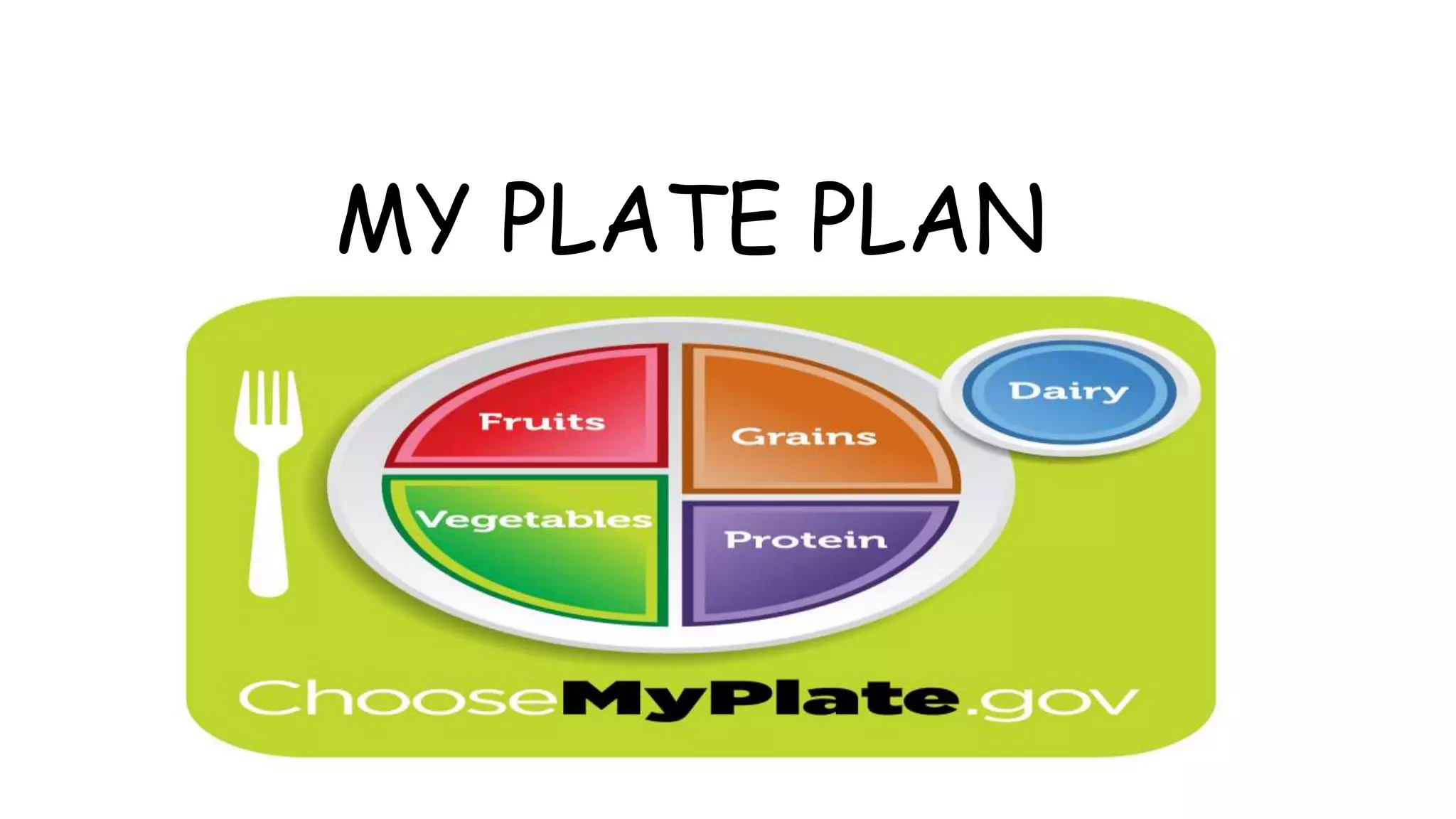
MY PLATE PLAN
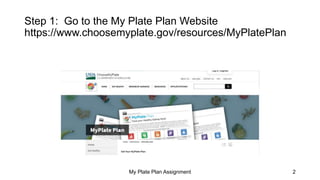
Step 1: Go to the My Plate Plan Website
https://www.choosemyplate.gov/resources/MyPlatePlan
My Plate Plan Assignment 2
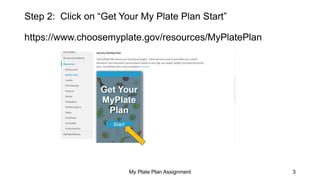
Step 2: Click on “Get Your My Plate Plan Start”
https://www.choosemyplate.gov/resources/MyPlatePlan
My Plate Plan Assignment 3
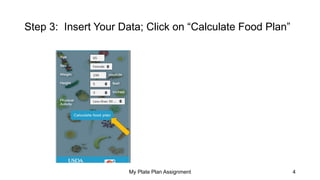
Step 3: Insert Your Data; Click on “Calculate Food Plan”
My Plate Plan Assignment 4
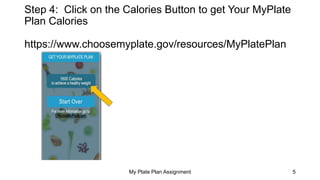
Step 4: Click on the Calories Button to get Your MyPlate
Plan Calories
https://www.choosemyplate.gov/resources/MyPlatePlan
My Plate Plan Assignment 5
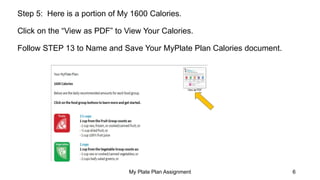
Step 5: Here is a portion of My 1600 Calories.
Click on the “View as PDF” to View Your Calories.
Follow STEP 13 to Name and Save Your MyPlate Plan Calories document.
My Plate Plan Assignment 6
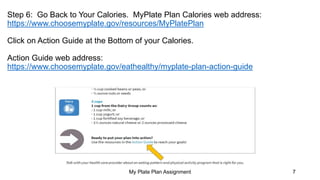
Step 6: Go Back to Your Calories. MyPlate Plan Calories web address:
https://www.choosemyplate.gov/resources/MyPlatePlan
Click on Action Guide at the Bottom of your Calories.
Action Guide web address:
https://www.choosemyplate.gov/eathealthy/myplate-plan-action-guide
My Plate Plan Assignment 7
Step 7: Under Your Action Guide, You will see 4
Categories.
My Plate Plan Assignment 8
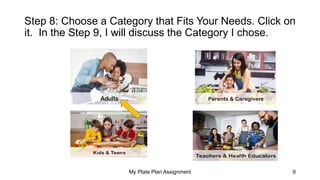
Step 8: Choose a Category that Fits Your Needs. Click on
it. In the Step 9, I will discuss the Category I chose.
My Plate Plan Assignment 9
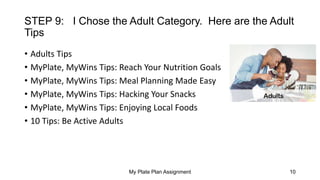
STEP 9: I Chose the Adult Category. Here are the Adult
Tips
• Adults Tips
• MyPlate, MyWins Tips: Reach Your Nutrition Goals
• MyPlate, MyWins Tips: Meal Planning Made Easy
• MyPlate, MyWins Tips: Hacking Your Snacks
• MyPlate, MyWins Tips: Enjoying Local Foods
• 10 Tips: Be Active Adults
My Plate Plan Assignment 10
STEP 10: Under the Category “Adults”, I chose the Tip “My Plate, My
Wins Tips: Reach Your Nutrition Goals”.
Choose Your Category. Select Your Tip. Follow STEP 13 to Save and
Name it.
My Plate Plan Assignment 11
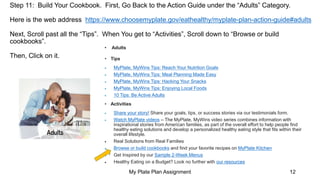
Step 11: Build Your Cookbook. First, Go Back to the Action Guide under the “Adults” Category.
Here is the web address https://www.choosemyplate.gov/eathealthy/myplate-plan-action-guide#adults
Next, Scroll past all the “Tips”. When You get to “Activities”, Scroll down to “Browse or build
cookbooks”.
Then, Click on it.
My Plate Plan Assignment 12
• Adults
• Tips
 MyPlate, MyWins Tips: Reach Your Nutrition Goals
 MyPlate, MyWins Tips: Meal Planning Made Easy
 MyPlate, MyWins Tips: Hacking Your Snacks
 MyPlate, MyWins Tips: Enjoying Local Foods
 10 Tips: Be Active Adults
• Activities
 Share your story! Share your goals, tips, or success stories via our testimonials form.
 Watch MyPlate videos – The MyPlate, MyWins video series combines information with
inspirational stories from American families, as part of the overall effort to help people find
healthy eating solutions and develop a personalized healthy eating style that fits within their
overall lifestyle.
 Real Solutions from Real Families
 Browse or build cookbooks and find your favorite recipes on MyPlate Kitchen
 Get Inspired by our Sample 2-Week Menus
 Healthy Eating on a Budget? Look no further with our resources
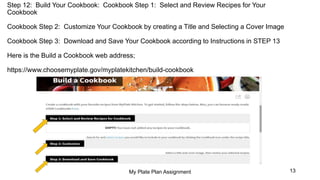
Step 12: Build Your Cookbook: Cookbook Step 1: Select and Review Recipes for Your
Cookbook
Cookbook Step 2: Customize Your Cookbook by creating a Title and Selecting a Cover Image
Cookbook Step 3: Download and Save Your Cookbook according to Instructions in STEP 13
Here is the Build a Cookbook web address;
https://www.choosemyplate.gov/myplatekitchen/build-cookbook
My Plate Plan Assignment 13
STEP 13: Follow the instructions Below to Save and Submit
these 3 Documents with Your First Initial and Last Name
(If your last name is too long, abbreviate it before You save it).
Your MyPlate Plan Calories– A; Example: emcnairA
Your MyPlate Tip Sheet-- B; Example: emcnairB
Your MyPlate Plan Cookbook--C; Example: emcnairC
My Plate Plan Assignment 14
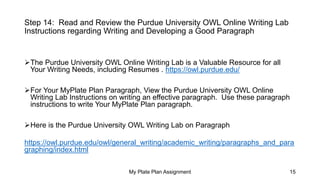
Step 14: Read and Review the Purdue University OWL Online Writing Lab
Instructions regarding Writing and Developing a Good Paragraph
The Purdue University OWL Online Writing Lab is a Valuable Resource for all
Your Writing Needs, including Resumes . https://owl.purdue.edu/
For Your MyPlate Plan Paragraph, View the Purdue University OWL Online
Writing Lab Instructions on writing an effective paragraph. Use these paragraph
instructions to write Your MyPlate Plan paragraph.
Here is the Purdue University OWL Writing Lab on Paragraph
https://owl.purdue.edu/owl/general_writing/academic_writing/paragraphs_and_para
graphing/index.html
My Plate Plan Assignment 15
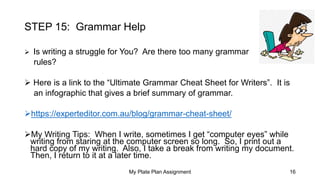
STEP 15: Grammar Help
 Is writing a struggle for You? Are there too many grammar
rules?
 Here is a link to the “Ultimate Grammar Cheat Sheet for Writers”. It is
an infographic that gives a brief summary of grammar.
https://experteditor.com.au/blog/grammar-cheat-sheet/
My Writing Tips: When I write, sometimes I get “computer eyes” while
writing from staring at the computer screen so long. So, I print out a
hard copy of my writing. Also, I take a break from writing my document.
Then, I return to it at a later time.
My Plate Plan Assignment 16
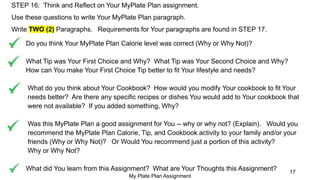
STEP 16: Think and Reflect on Your MyPlate Plan assignment.
Use these questions to write Your MyPlate Plan paragraph.
Write TWO (2) Paragraphs. Requirements for Your paragraphs are found in STEP 17.
Do you think Your MyPlate Plan Calorie level was correct (Why or Why Not)?
What Tip was Your First Choice and Why? What Tip was Your Second Choice and Why?
How can You make Your First Choice Tip better to fit Your lifestyle and needs?
What do you think about Your Cookbook? How would you modify Your cookbook to fit Your
needs better? Are there any specific recipes or dishes You would add to Your cookbook that
were not available? If you added something, Why?
Was this MyPlate Plan a good assignment for You -- why or why not? (Explain). Would you
recommend the MyPlate Plan Calorie, Tip, and Cookbook activity to your family and/or your
friends (Why or Why Not)? Or Would You recommend just a portion of this activity?
Why or Why Not?
What did You learn from this Assignment? What are Your Thoughts this Assignment?
My Plate Plan Assignment
17
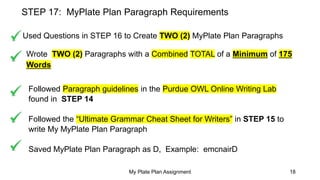
STEP 17: MyPlate Plan Paragraph Requirements
Used Questions in STEP 16 to Create TWO (2) MyPlate Plan Paragraphs
Wrote TWO (2) Paragraphs with a Combined TOTAL of a Minimum of 175
Words
Followed Paragraph guidelines in the Purdue OWL Online Writing Lab
found in STEP 14
Followed the “Ultimate Grammar Cheat Sheet for Writers” in STEP 15 to
write My MyPlate Plan Paragraph
Saved MyPlate Plan Paragraph as D, Example: emcnairD
My Plate Plan Assignment 18

MyPlate Plan PowerPoint Presentation

  • 1.
  • 2.
    Step 1: Goto the My Plate Plan Website https://www.choosemyplate.gov/resources/MyPlatePlan My Plate Plan Assignment 2
  • 3.
    Step 2: Clickon “Get Your My Plate Plan Start” https://www.choosemyplate.gov/resources/MyPlatePlan My Plate Plan Assignment 3
  • 4.
    Step 3: InsertYour Data; Click on “Calculate Food Plan” My Plate Plan Assignment 4
  • 5.
    Step 4: Clickon the Calories Button to get Your MyPlate Plan Calories https://www.choosemyplate.gov/resources/MyPlatePlan My Plate Plan Assignment 5
  • 6.
    Step 5: Hereis a portion of My 1600 Calories. Click on the “View as PDF” to View Your Calories. Follow STEP 13 to Name and Save Your MyPlate Plan Calories document. My Plate Plan Assignment 6
  • 7.
    Step 6: GoBack to Your Calories. MyPlate Plan Calories web address: https://www.choosemyplate.gov/resources/MyPlatePlan Click on Action Guide at the Bottom of your Calories. Action Guide web address: https://www.choosemyplate.gov/eathealthy/myplate-plan-action-guide My Plate Plan Assignment 7
  • 8.
    Step 7: UnderYour Action Guide, You will see 4 Categories. My Plate Plan Assignment 8
  • 9.
    Step 8: Choosea Category that Fits Your Needs. Click on it. In the Step 9, I will discuss the Category I chose. My Plate Plan Assignment 9
  • 10.
    STEP 9: IChose the Adult Category. Here are the Adult Tips • Adults Tips • MyPlate, MyWins Tips: Reach Your Nutrition Goals • MyPlate, MyWins Tips: Meal Planning Made Easy • MyPlate, MyWins Tips: Hacking Your Snacks • MyPlate, MyWins Tips: Enjoying Local Foods • 10 Tips: Be Active Adults My Plate Plan Assignment 10
  • 11.
    STEP 10: Underthe Category “Adults”, I chose the Tip “My Plate, My Wins Tips: Reach Your Nutrition Goals”. Choose Your Category. Select Your Tip. Follow STEP 13 to Save and Name it. My Plate Plan Assignment 11
  • 12.
    Step 11: BuildYour Cookbook. First, Go Back to the Action Guide under the “Adults” Category. Here is the web address https://www.choosemyplate.gov/eathealthy/myplate-plan-action-guide#adults Next, Scroll past all the “Tips”. When You get to “Activities”, Scroll down to “Browse or build cookbooks”. Then, Click on it. My Plate Plan Assignment 12 • Adults • Tips  MyPlate, MyWins Tips: Reach Your Nutrition Goals  MyPlate, MyWins Tips: Meal Planning Made Easy  MyPlate, MyWins Tips: Hacking Your Snacks  MyPlate, MyWins Tips: Enjoying Local Foods  10 Tips: Be Active Adults • Activities  Share your story! Share your goals, tips, or success stories via our testimonials form.  Watch MyPlate videos – The MyPlate, MyWins video series combines information with inspirational stories from American families, as part of the overall effort to help people find healthy eating solutions and develop a personalized healthy eating style that fits within their overall lifestyle.  Real Solutions from Real Families  Browse or build cookbooks and find your favorite recipes on MyPlate Kitchen  Get Inspired by our Sample 2-Week Menus  Healthy Eating on a Budget? Look no further with our resources
  • 13.
    Step 12: BuildYour Cookbook: Cookbook Step 1: Select and Review Recipes for Your Cookbook Cookbook Step 2: Customize Your Cookbook by creating a Title and Selecting a Cover Image Cookbook Step 3: Download and Save Your Cookbook according to Instructions in STEP 13 Here is the Build a Cookbook web address; https://www.choosemyplate.gov/myplatekitchen/build-cookbook My Plate Plan Assignment 13
  • 14.
    STEP 13: Followthe instructions Below to Save and Submit these 3 Documents with Your First Initial and Last Name (If your last name is too long, abbreviate it before You save it). Your MyPlate Plan Calories– A; Example: emcnairA Your MyPlate Tip Sheet-- B; Example: emcnairB Your MyPlate Plan Cookbook--C; Example: emcnairC My Plate Plan Assignment 14
  • 15.
    Step 14: Readand Review the Purdue University OWL Online Writing Lab Instructions regarding Writing and Developing a Good Paragraph The Purdue University OWL Online Writing Lab is a Valuable Resource for all Your Writing Needs, including Resumes . https://owl.purdue.edu/ For Your MyPlate Plan Paragraph, View the Purdue University OWL Online Writing Lab Instructions on writing an effective paragraph. Use these paragraph instructions to write Your MyPlate Plan paragraph. Here is the Purdue University OWL Writing Lab on Paragraph https://owl.purdue.edu/owl/general_writing/academic_writing/paragraphs_and_para graphing/index.html My Plate Plan Assignment 15
  • 16.
    STEP 15: GrammarHelp  Is writing a struggle for You? Are there too many grammar rules?  Here is a link to the “Ultimate Grammar Cheat Sheet for Writers”. It is an infographic that gives a brief summary of grammar. https://experteditor.com.au/blog/grammar-cheat-sheet/ My Writing Tips: When I write, sometimes I get “computer eyes” while writing from staring at the computer screen so long. So, I print out a hard copy of my writing. Also, I take a break from writing my document. Then, I return to it at a later time. My Plate Plan Assignment 16
  • 17.
    STEP 16: Thinkand Reflect on Your MyPlate Plan assignment. Use these questions to write Your MyPlate Plan paragraph. Write TWO (2) Paragraphs. Requirements for Your paragraphs are found in STEP 17. Do you think Your MyPlate Plan Calorie level was correct (Why or Why Not)? What Tip was Your First Choice and Why? What Tip was Your Second Choice and Why? How can You make Your First Choice Tip better to fit Your lifestyle and needs? What do you think about Your Cookbook? How would you modify Your cookbook to fit Your needs better? Are there any specific recipes or dishes You would add to Your cookbook that were not available? If you added something, Why? Was this MyPlate Plan a good assignment for You -- why or why not? (Explain). Would you recommend the MyPlate Plan Calorie, Tip, and Cookbook activity to your family and/or your friends (Why or Why Not)? Or Would You recommend just a portion of this activity? Why or Why Not? What did You learn from this Assignment? What are Your Thoughts this Assignment? My Plate Plan Assignment 17
  • 18.
    STEP 17: MyPlatePlan Paragraph Requirements Used Questions in STEP 16 to Create TWO (2) MyPlate Plan Paragraphs Wrote TWO (2) Paragraphs with a Combined TOTAL of a Minimum of 175 Words Followed Paragraph guidelines in the Purdue OWL Online Writing Lab found in STEP 14 Followed the “Ultimate Grammar Cheat Sheet for Writers” in STEP 15 to write My MyPlate Plan Paragraph Saved MyPlate Plan Paragraph as D, Example: emcnairD My Plate Plan Assignment 18