Database and Database
Management System
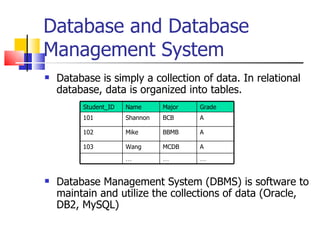
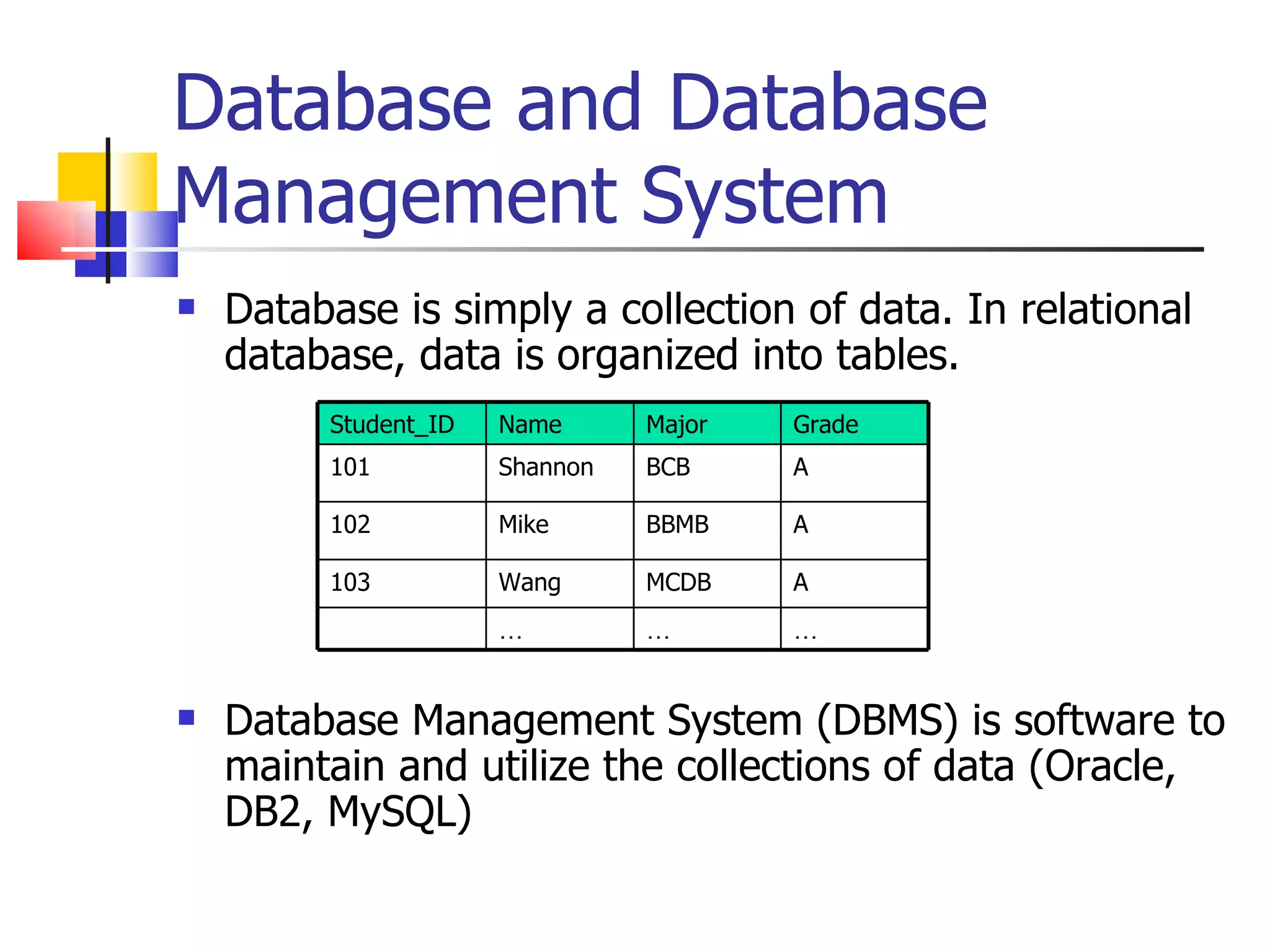
   Database is simply a collection of data. In relational
    database, data is organized into tables.
         Student_ID   Name      Major   Grade
         101          Shannon   BCB     A

         102          Mike      BBMB    A

         103          Wang      MCDB    A
                      …         …       …


   Database Management System (DBMS) is software to
    maintain and utilize the collections of data (Oracle,
    DB2, MySQL)
MySQL Introduction
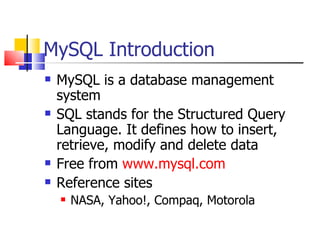
   MySQL is a database management
    system
   SQL stands for the Structured Query
    Language. It defines how to insert,
    retrieve, modify and delete data
   Free from www.mysql.com
   Reference sites
       NASA, Yahoo!, Compaq, Motorola
Basic MySQL Operations
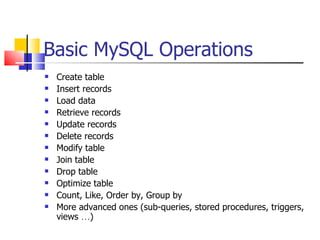
   Create table
   Insert records
   Load data
   Retrieve records
   Update records
   Delete records
   Modify table
   Join table
   Drop table
   Optimize table
   Count, Like, Order by, Group by
   More advanced ones (sub-queries, stored procedures, triggers,
    views …)
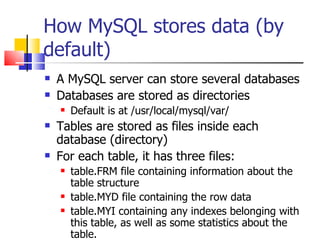
How MySQL stores data (by
default)
   A MySQL server can store several databases
   Databases are stored as directories
       Default is at /usr/local/mysql/var/
   Tables are stored as files inside each
    database (directory)
   For each table, it has three files:
       table.FRM file containing information about the
        table structure
       table.MYD file containing the row data
       table.MYI containing any indexes belonging with
        this table, as well as some statistics about the
        table.
Login
   mysql –h hostname –u username –p
    [password]
   Example
       % mysql -u usrname -p
       Enter password: passowrd
       Welcome to the MySQL monitor. Commands end with ;
         or g. Your MySQL connection id is 23 to server version:
         3.23.41.

       Type 'help;' or 'h' for help. Type 'c' to clear the buffer.

       mysql>
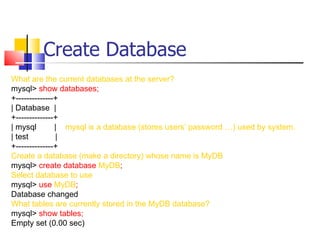
Create Database
What are the current databases at the server?
mysql> show databases;
+--------------+
| Database |
+--------------+
| mysql        | mysql is a database (stores users’ password …) used by system.
| test         |
+--------------+
Create a database (make a directory) whose name is MyDB
mysql> create database MyDB;
Select database to use
mysql> use MyDB;
Database changed
What tables are currently stored in the MyDB database?
mysql> show tables;
Empty set (0.00 sec)
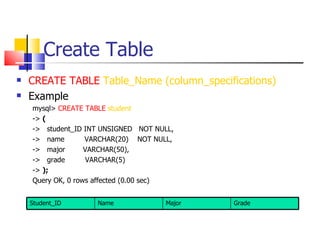
Create Table
   CREATE TABLE Table_Name (column_specifications)
   Example
    mysql> CREATE TABLE student
    -> (
    -> student_ID INT UNSIGNED NOT NULL,
    -> name        VARCHAR(20) NOT NULL,
    -> major       VARCHAR(50),
    -> grade       VARCHAR(5)
    -> );
    Query OK, 0 rows affected (0.00 sec)


    Student_ID      Name              Major   Grade
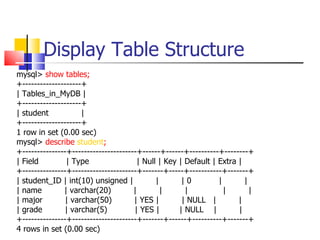
Display Table Structure
mysql> show tables;
+--------------------+
| Tables_in_MyDB |
+--------------------+
| student            |
+--------------------+
1 row in set (0.00 sec)
mysql> describe student;
+---------------+----------------------+------+------+----------+--------+
| Field         | Type                 | Null | Key | Default | Extra |
+---------------+----------------------+-------+-----+-----------+-------+
| student_ID | int(10) unsigned |            |       |0         |       |
| name         | varchar(20)          |        |      |           |       |
| major         | varchar(50)         | YES |        | NULL |         |
| grade        | varchar(5)           | YES |       | NULL |          |
+---------------+----------------------+-------+------+----------+-------+
4 rows in set (0.00 sec)
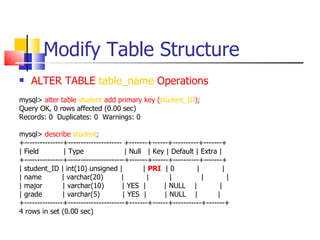
Modify Table Structure
   ALTER TABLE table_name Operations
mysql> alter table student add primary key (student_ID);
Query OK, 0 rows affected (0.00 sec)
Records: 0 Duplicates: 0 Warnings: 0

mysql> describe student;
+---------------+--------------------- +-------+------+----------+-------+
| Field          | Type                 | Null | Key | Default | Extra |
+---------------+----------------------+-------+------+----------+-------+
| student_ID | int(10) unsigned |             | PRI | 0         |         |
| name          | varchar(20)         |        |       |          |         |
| major         | varchar(10)         | YES |        | NULL |            |
| grade         | varchar(5)          | YES |        | NULL |           |
+---------------+----------------------+-------+------+-----------+-------+
4 rows in set (0.00 sec)
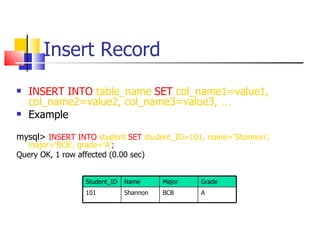
Insert Record
   INSERT INTO table_name SET col_name1=value1,
    col_name2=value2, col_name3=value3, …
   Example

mysql> INSERT INTO student SET student_ID=101, name='Shannon',
  major='BCB', grade='A';
Query OK, 1 row affected (0.00 sec)


                  Student_ID   Name      Major   Grade
                  101          Shannon   BCB     A
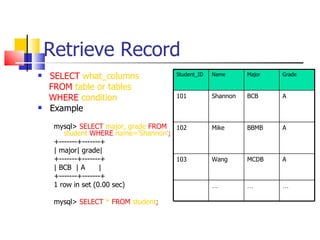
Retrieve Record
   SELECT what_columns               Student_ID   Name      Major   Grade

    FROM table or tables
    WHERE condition                   101          Shannon   BCB     A
   Example
     mysql> SELECT major, grade FROM 102           Mike      BBMB    A
        student WHERE name='Shannon';
     +-------+-------+
     | major| grade|
     +-------+-------+                103          Wang      MCDB    A
     | BCB | A      |
     +-------+-------+
     1 row in set (0.00 sec)                       …         …       …

     mysql> SELECT * FROM student;
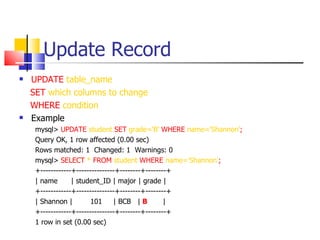
Update Record
   UPDATE table_name
    SET which columns to change
    WHERE condition
   Example
     mysql> UPDATE student SET grade='B' WHERE name='Shannon';
     Query OK, 1 row affected (0.00 sec)
     Rows matched: 1 Changed: 1 Warnings: 0
     mysql> SELECT * FROM student WHERE name=‘Shannon’;
     +------------+---------------+--------+--------+
     | name       | student_ID | major | grade |
     +------------+---------------+--------+--------+
     | Shannon |         101     | BCB | B         |
     +------------+---------------+--------+--------+
     1 row in set (0.00 sec)
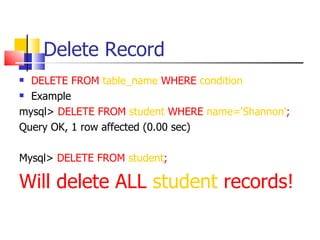
Delete Record
 DELETE FROM table_name WHERE condition
 Example

mysql> DELETE FROM student WHERE name='Shannon';
Query OK, 1 row affected (0.00 sec)

Mysql> DELETE FROM student;

Will delete ALL student records!
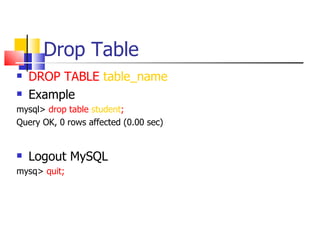
Drop Table
   DROP TABLE table_name
   Example
mysql> drop table student;
Query OK, 0 rows affected (0.00 sec)


   Logout MySQL
mysq> quit;
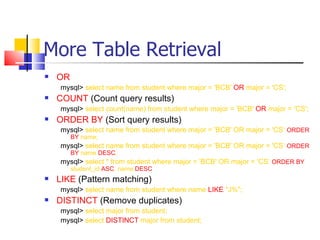
More Table Retrieval
   OR
    mysql> select name from student where major = 'BCB' OR major = 'CS';
   COUNT (Count query results)
    mysql> select count(name) from student where major = 'BCB' OR major = 'CS';
   ORDER BY (Sort query results)
    mysql> select name from student where major = 'BCB' OR major = 'CS‘ ORDER
         BY name;
    mysql> select name from student where major = 'BCB' OR major = 'CS‘ ORDER
         BY name DESC;
    mysql> select * from student where major = 'BCB' OR major = 'CS‘ ORDER BY
         student_id ASC, name DESC
   LIKE (Pattern matching)
    mysql> select name from student where name LIKE "J%";
   DISTINCT (Remove duplicates)
    mysql> select major from student;
    mysql> select DISTINCT major from student;
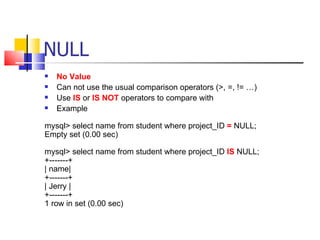
NULL
   No Value
   Can not use the usual comparison operators (>, =, != …)
   Use IS or IS NOT operators to compare with
   Example

mysql> select name from student where project_ID = NULL;
Empty set (0.00 sec)

mysql> select name from student where project_ID IS NULL;
+-------+
| name|
+-------+
| Jerry |
+-------+
1 row in set (0.00 sec)
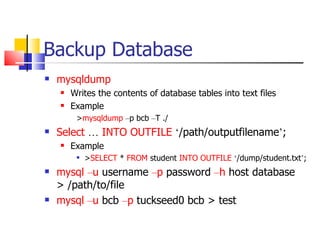
Backup Database
   mysqldump
       Writes the contents of database tables into text files
       Example
         >mysqldump –p bcb –T ./
   Select … INTO OUTFILE ‘/path/outputfilename’;
       Example
            >SELECT * FROM student INTO OUTFILE ‘/dump/student.txt’;
   mysql –u username –p password –h host database
    > /path/to/file
   mysql –u bcb –p tuckseed0 bcb > test

My SQL

  • 1.
    Database and Database ManagementSystem  Database is simply a collection of data. In relational database, data is organized into tables. Student_ID Name Major Grade 101 Shannon BCB A 102 Mike BBMB A 103 Wang MCDB A … … …  Database Management System (DBMS) is software to maintain and utilize the collections of data (Oracle, DB2, MySQL)
  • 2.
    MySQL Introduction  MySQL is a database management system  SQL stands for the Structured Query Language. It defines how to insert, retrieve, modify and delete data  Free from www.mysql.com  Reference sites  NASA, Yahoo!, Compaq, Motorola
  • 3.
    Basic MySQL Operations  Create table  Insert records  Load data  Retrieve records  Update records  Delete records  Modify table  Join table  Drop table  Optimize table  Count, Like, Order by, Group by  More advanced ones (sub-queries, stored procedures, triggers, views …)
  • 4.
    How MySQL storesdata (by default)  A MySQL server can store several databases  Databases are stored as directories  Default is at /usr/local/mysql/var/  Tables are stored as files inside each database (directory)  For each table, it has three files:  table.FRM file containing information about the table structure  table.MYD file containing the row data  table.MYI containing any indexes belonging with this table, as well as some statistics about the table.
  • 5.
    Login  mysql –h hostname –u username –p [password]  Example % mysql -u usrname -p Enter password: passowrd Welcome to the MySQL monitor. Commands end with ; or g. Your MySQL connection id is 23 to server version: 3.23.41. Type 'help;' or 'h' for help. Type 'c' to clear the buffer. mysql>
  • 6.
    Create Database What arethe current databases at the server? mysql> show databases; +--------------+ | Database | +--------------+ | mysql | mysql is a database (stores users’ password …) used by system. | test | +--------------+ Create a database (make a directory) whose name is MyDB mysql> create database MyDB; Select database to use mysql> use MyDB; Database changed What tables are currently stored in the MyDB database? mysql> show tables; Empty set (0.00 sec)
  • 7.
    Create Table  CREATE TABLE Table_Name (column_specifications)  Example mysql> CREATE TABLE student -> ( -> student_ID INT UNSIGNED NOT NULL, -> name VARCHAR(20) NOT NULL, -> major VARCHAR(50), -> grade VARCHAR(5) -> ); Query OK, 0 rows affected (0.00 sec) Student_ID Name Major Grade
  • 8.
    Display Table Structure mysql>show tables; +--------------------+ | Tables_in_MyDB | +--------------------+ | student | +--------------------+ 1 row in set (0.00 sec) mysql> describe student; +---------------+----------------------+------+------+----------+--------+ | Field | Type | Null | Key | Default | Extra | +---------------+----------------------+-------+-----+-----------+-------+ | student_ID | int(10) unsigned | | |0 | | | name | varchar(20) | | | | | | major | varchar(50) | YES | | NULL | | | grade | varchar(5) | YES | | NULL | | +---------------+----------------------+-------+------+----------+-------+ 4 rows in set (0.00 sec)
  • 9.
    Modify Table Structure  ALTER TABLE table_name Operations mysql> alter table student add primary key (student_ID); Query OK, 0 rows affected (0.00 sec) Records: 0 Duplicates: 0 Warnings: 0 mysql> describe student; +---------------+--------------------- +-------+------+----------+-------+ | Field | Type | Null | Key | Default | Extra | +---------------+----------------------+-------+------+----------+-------+ | student_ID | int(10) unsigned | | PRI | 0 | | | name | varchar(20) | | | | | | major | varchar(10) | YES | | NULL | | | grade | varchar(5) | YES | | NULL | | +---------------+----------------------+-------+------+-----------+-------+ 4 rows in set (0.00 sec)
  • 10.
    Insert Record  INSERT INTO table_name SET col_name1=value1, col_name2=value2, col_name3=value3, …  Example mysql> INSERT INTO student SET student_ID=101, name='Shannon', major='BCB', grade='A'; Query OK, 1 row affected (0.00 sec) Student_ID Name Major Grade 101 Shannon BCB A
  • 11.
    Retrieve Record  SELECT what_columns Student_ID Name Major Grade FROM table or tables WHERE condition 101 Shannon BCB A  Example mysql> SELECT major, grade FROM 102 Mike BBMB A student WHERE name='Shannon'; +-------+-------+ | major| grade| +-------+-------+ 103 Wang MCDB A | BCB | A | +-------+-------+ 1 row in set (0.00 sec) … … … mysql> SELECT * FROM student;
  • 12.
    Update Record  UPDATE table_name SET which columns to change WHERE condition  Example mysql> UPDATE student SET grade='B' WHERE name='Shannon'; Query OK, 1 row affected (0.00 sec) Rows matched: 1 Changed: 1 Warnings: 0 mysql> SELECT * FROM student WHERE name=‘Shannon’; +------------+---------------+--------+--------+ | name | student_ID | major | grade | +------------+---------------+--------+--------+ | Shannon | 101 | BCB | B | +------------+---------------+--------+--------+ 1 row in set (0.00 sec)
  • 13.
    Delete Record  DELETEFROM table_name WHERE condition  Example mysql> DELETE FROM student WHERE name='Shannon'; Query OK, 1 row affected (0.00 sec) Mysql> DELETE FROM student; Will delete ALL student records!
  • 14.
    Drop Table  DROP TABLE table_name  Example mysql> drop table student; Query OK, 0 rows affected (0.00 sec)  Logout MySQL mysq> quit;
  • 15.
    More Table Retrieval  OR mysql> select name from student where major = 'BCB' OR major = 'CS';  COUNT (Count query results) mysql> select count(name) from student where major = 'BCB' OR major = 'CS';  ORDER BY (Sort query results) mysql> select name from student where major = 'BCB' OR major = 'CS‘ ORDER BY name; mysql> select name from student where major = 'BCB' OR major = 'CS‘ ORDER BY name DESC; mysql> select * from student where major = 'BCB' OR major = 'CS‘ ORDER BY student_id ASC, name DESC  LIKE (Pattern matching) mysql> select name from student where name LIKE "J%";  DISTINCT (Remove duplicates) mysql> select major from student; mysql> select DISTINCT major from student;
  • 16.
    NULL  No Value  Can not use the usual comparison operators (>, =, != …)  Use IS or IS NOT operators to compare with  Example mysql> select name from student where project_ID = NULL; Empty set (0.00 sec) mysql> select name from student where project_ID IS NULL; +-------+ | name| +-------+ | Jerry | +-------+ 1 row in set (0.00 sec)
  • 17.
    Backup Database  mysqldump  Writes the contents of database tables into text files  Example >mysqldump –p bcb –T ./  Select … INTO OUTFILE ‘/path/outputfilename’;  Example  >SELECT * FROM student INTO OUTFILE ‘/dump/student.txt’;  mysql –u username –p password –h host database > /path/to/file  mysql –u bcb –p tuckseed0 bcb > test