My Final Trailer
By Gaby Skingle
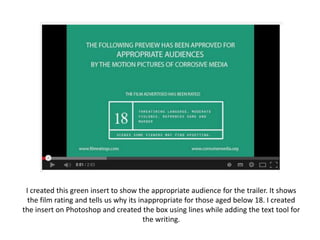
I created this green insert to show the appropriate audience for the trailer. It shows
the film rating and tells us why its inappropriate for those aged below 18. I created
the insert on Photoshop and created the box using lines while adding the text tool for
the writing.
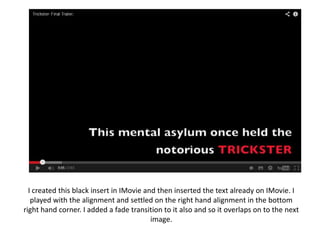
I created this black insert in IMovie and then inserted the text already on IMovie. I
played with the alignment and settled on the right hand alignment in the bottom
right hand corner. I added a fade transition to it also and so it overlaps on to the next
image.
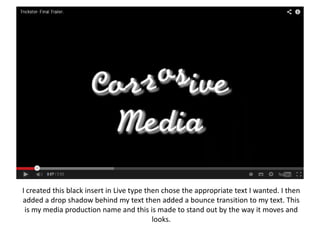
I created this black insert in Live type then chose the appropriate text I wanted. I then
added a drop shadow behind my text then added a bounce transition to my text. This
is my media production name and this is made to stand out by the way it moves and
looks.
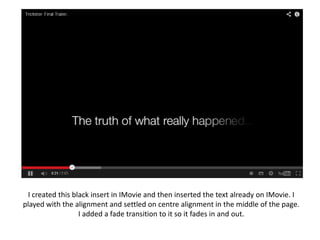
I created this black insert in IMovie and then inserted the text already on IMovie. I
played with the alignment and settled on centre alignment in the middle of the page.
I added a fade transition to it so it fades in and out.
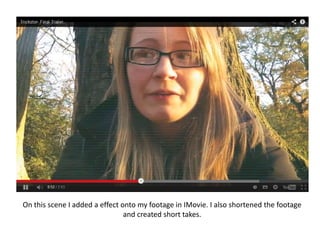
On this scene I added a effect onto my footage in IMovie. I also shortened the footage
and created short takes.
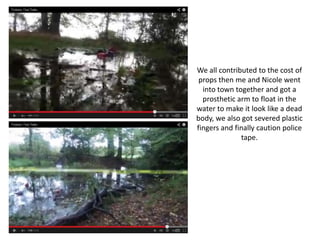
We all contributed to the cost of
props then me and Nicole went
into town together and got a
prosthetic arm to float in the
water to make it look like a dead
body, we also got severed plastic
fingers and finally caution police
tape.
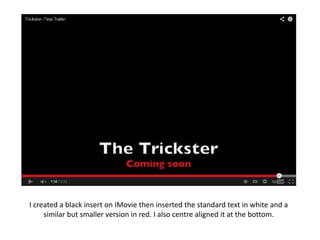
I created a black insert on IMovie then inserted the standard text in white and a
similar but smaller version in red. I also centre aligned it at the bottom.

My final trailer

  • 1.
    My Final Trailer ByGaby Skingle
  • 2.
    I created thisgreen insert to show the appropriate audience for the trailer. It shows the film rating and tells us why its inappropriate for those aged below 18. I created the insert on Photoshop and created the box using lines while adding the text tool for the writing.
  • 3.
    I created thisblack insert in IMovie and then inserted the text already on IMovie. I played with the alignment and settled on the right hand alignment in the bottom right hand corner. I added a fade transition to it also and so it overlaps on to the next image.
  • 4.
    I created thisblack insert in Live type then chose the appropriate text I wanted. I then added a drop shadow behind my text then added a bounce transition to my text. This is my media production name and this is made to stand out by the way it moves and looks.
  • 5.
    I created thisblack insert in IMovie and then inserted the text already on IMovie. I played with the alignment and settled on centre alignment in the middle of the page. I added a fade transition to it so it fades in and out.
  • 6.
    On this sceneI added a effect onto my footage in IMovie. I also shortened the footage and created short takes.
  • 7.
    We all contributedto the cost of props then me and Nicole went into town together and got a prosthetic arm to float in the water to make it look like a dead body, we also got severed plastic fingers and finally caution police tape.
  • 8.
    I created ablack insert on IMovie then inserted the standard text in white and a similar but smaller version in red. I also centre aligned it at the bottom.