MUST SEE LESSON
Record from Radio
PLEASE, PLEASE
PAY ATTENTION
This is your thing, TODAY!!
SEE THESE MATERIALS
for this part of the lecture
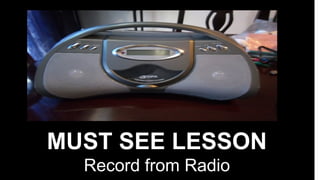
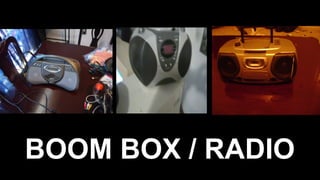
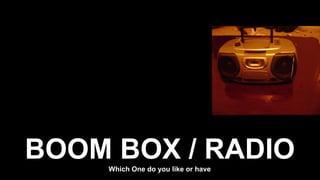
BOOM BOX / RADIO
BOOM BOX / RADIOWhich One do you like or have
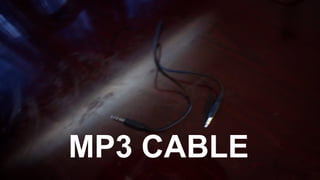
MP3 CABLE
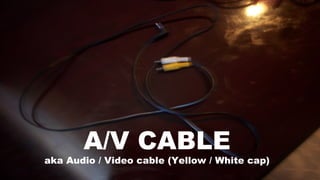
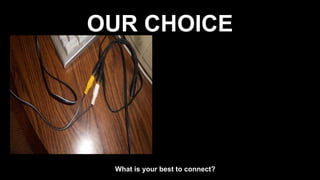
A/V CABLE
aka Audio / Video cable (Yellow / White cap)
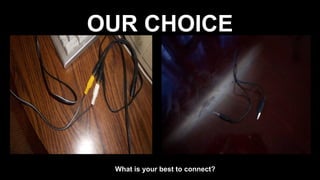
OUR CHOICE
What is your best to connect?
OUR CHOICE
What is your best to connect?
OUR CHOICE
What is your best to connect?
SOUND RECORDER 1st
• Users, if you have sound recorder on Windows
XP or older. This program is limits to 1 minute for
recording.
SOUND RECORDER 1st
• Users, if you have sound recorder on Windows
XP or older. This program is limits to 1 minute for
recording.
• Users, if you have sound recorder on Windows
Vista or Newer, I am sure that this program is
unlimited to any minutes or hours to record.
SOUND RECORDER 1st
• Users, if you have sound recorder on Windows
XP or older. This program is limits to 1 minute for
recording.
• Users, if you have sound recorder on Windows
Vista or Newer, I am sure that this program is
unlimited to any minutes or hours to record.
• I Recommend you test it out after gives you
instructions.
Sound Recorder Limited
• The reason why Sound recorder on windows xp
and older version are limited because you know it
has not been developed in advance.
Sound Recorder Limited
• The reason why Sound recorder on windows xp
and older version are limited because you know it
has not been developed in advance.
• For now, you have to download any audio
recorder/ Mp3 recorded via internet.
Sound Recorder Limited
• The reason why Sound recorder on windows xp
and older version are limited because you know it
has not been developed in advance.
• For now, you have to download any audio
recorder/ Mp3 recorded via internet.
• Find any of the audio recording software
Sound Recorder Limited
• The reason why Sound recorder on windows xp
and older version are limited because you know it
has not been developed in advance.
• For now, you have to download any audio
recorder/ Mp3 recorded via internet.
• Find any of the audio recording software
• Watch out because some may be trial to 7 days
and make you paid the price like $29.99
Sound Recorder Limited
• I recommend you download Audacity or Jet
Audio recorded. But after download Audacity,
you have to download LAME Mp3 because it is
part of Audacity.
Sound Recorder Limited
• I recommend you download Audacity or Jet
Audio recorded. But after download Audacity,
you have to download LAME Mp3 because it is
part of Audacity.
• Other words, upgrade your older windows to
Windows Vista, 7, 8, 9, and newer if is enough
space.
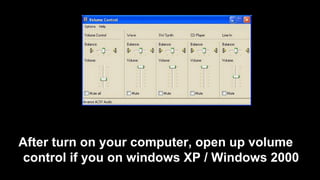
After turn on your computer, open up volume
control if you on windows XP / Windows 2000
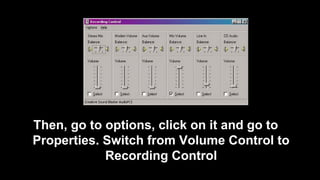
Then, go to options, click on it and go to
Properties. Switch from Volume Control to
Recording Control
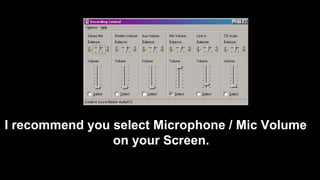
I recommend you select Microphone / Mic Volume
on your Screen.
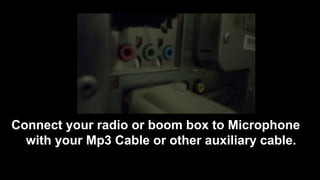
Connect your radio or boom box to Microphone
with your Mp3 Cable or other auxiliary cable.
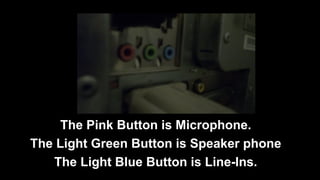
The Pink Button is Microphone.
The Light Green Button is Speaker phone
The Light Blue Button is Line-Ins.
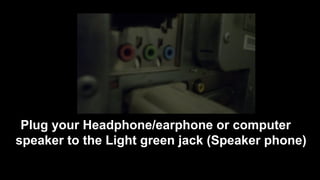
Plug your Headphone/earphone or computer
speaker to the Light green jack (Speaker phone)
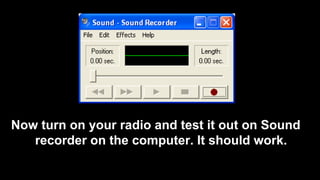
Now turn on your radio and test it out on Sound
recorder on the computer. It should work.
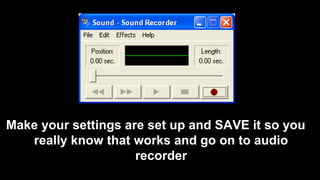
Make your settings are set up and SAVE it so you
really know that works and go on to audio
recorder
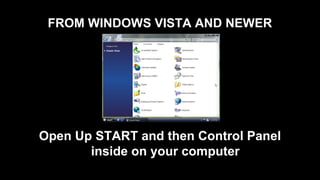
FROM WINDOWS VISTA AND NEWER
Open Up START and then Control Panel
inside on your computer
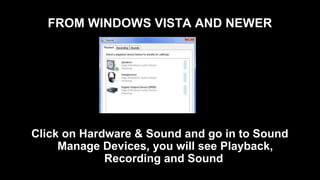
FROM WINDOWS VISTA AND NEWER
Click on Hardware & Sound and go in to Sound
Manage Devices, you will see Playback,
Recording and Sound
FROM WINDOWS VISTA AND NEWER
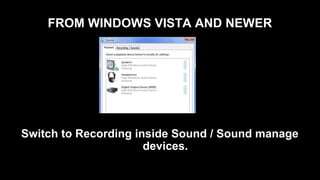
Switch to Recording inside Sound / Sound manage
devices.
FROM WINDOWS VISTA AND NEWER
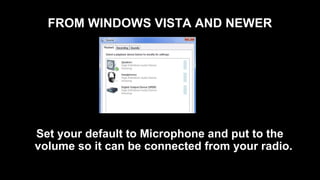
Set your default to Microphone and put to the
volume so it can be connected from your radio.
FROM WINDOWS VISTA AND NEWER
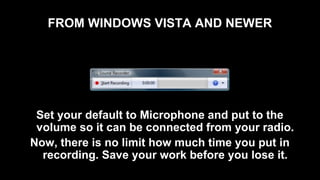
Set your default to Microphone and put to the
volume so it can be connected from your radio.
Now, there is no limit how much time you put in
recording. Save your work before you lose it.
PROBLEM TO SOLVE
• After saving your work, then it may be not if play
on media player or sonique media player.
PROBLEM TO SOLVE
• After saving your work, then it may be not if play
on media player or sonique media player.
• It make it work, download the converter audio,
is mostly free to convert for *.WAV or *.WMA to
*.Mp3.
PROBLEM TO SOLVE
• After saving your work, then it may be not if play
on media player or sonique media player.
• It make it work, download the converter audio,
is mostly free to convert for *.WAV or *.WMA to
*.Mp3.
• Now you are ready to play and enjoy yourself
and share with others.
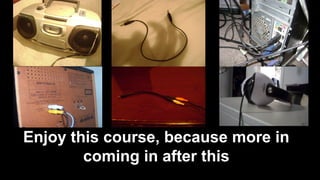
Enjoy this course, because more in
coming in after this
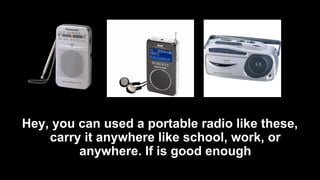
Hey, you can used a portable radio like these,
carry it anywhere like school, work, or
anywhere. If is good enough
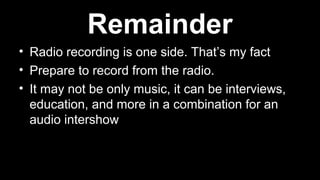
• Radio recording is one side. That’s my fact
Remainder
• Radio recording is one side. That’s my fact
• Prepare to record from the radio.
Remainder
• Radio recording is one side. That’s my fact
• Prepare to record from the radio.
• It may not be only music, it can be interviews,
education, and more in a combination for an
audio intershow
Remainder

Must see lesson

  • 1.
  • 2.
    PLEASE, PLEASE PAY ATTENTION Thisis your thing, TODAY!!
  • 3.
    SEE THESE MATERIALS forthis part of the lecture
  • 4.
  • 5.
    BOOM BOX /RADIOWhich One do you like or have
  • 6.
    BOOM BOX /RADIOWhich One do you like or have
  • 7.
    BOOM BOX /RADIOWhich One do you like or have
  • 8.
  • 9.
    A/V CABLE aka Audio/ Video cable (Yellow / White cap)
  • 10.
    OUR CHOICE What isyour best to connect?
  • 11.
    OUR CHOICE What isyour best to connect?
  • 12.
    OUR CHOICE What isyour best to connect?
  • 13.
    SOUND RECORDER 1st •Users, if you have sound recorder on Windows XP or older. This program is limits to 1 minute for recording.
  • 14.
    SOUND RECORDER 1st •Users, if you have sound recorder on Windows XP or older. This program is limits to 1 minute for recording. • Users, if you have sound recorder on Windows Vista or Newer, I am sure that this program is unlimited to any minutes or hours to record.
  • 15.
    SOUND RECORDER 1st •Users, if you have sound recorder on Windows XP or older. This program is limits to 1 minute for recording. • Users, if you have sound recorder on Windows Vista or Newer, I am sure that this program is unlimited to any minutes or hours to record. • I Recommend you test it out after gives you instructions.
  • 16.
    Sound Recorder Limited •The reason why Sound recorder on windows xp and older version are limited because you know it has not been developed in advance.
  • 17.
    Sound Recorder Limited •The reason why Sound recorder on windows xp and older version are limited because you know it has not been developed in advance. • For now, you have to download any audio recorder/ Mp3 recorded via internet.
  • 18.
    Sound Recorder Limited •The reason why Sound recorder on windows xp and older version are limited because you know it has not been developed in advance. • For now, you have to download any audio recorder/ Mp3 recorded via internet. • Find any of the audio recording software
  • 19.
    Sound Recorder Limited •The reason why Sound recorder on windows xp and older version are limited because you know it has not been developed in advance. • For now, you have to download any audio recorder/ Mp3 recorded via internet. • Find any of the audio recording software • Watch out because some may be trial to 7 days and make you paid the price like $29.99
  • 20.
    Sound Recorder Limited •I recommend you download Audacity or Jet Audio recorded. But after download Audacity, you have to download LAME Mp3 because it is part of Audacity.
  • 21.
    Sound Recorder Limited •I recommend you download Audacity or Jet Audio recorded. But after download Audacity, you have to download LAME Mp3 because it is part of Audacity. • Other words, upgrade your older windows to Windows Vista, 7, 8, 9, and newer if is enough space.
  • 22.
    After turn onyour computer, open up volume control if you on windows XP / Windows 2000
  • 23.
    Then, go tooptions, click on it and go to Properties. Switch from Volume Control to Recording Control
  • 24.
    I recommend youselect Microphone / Mic Volume on your Screen.
  • 25.
    Connect your radioor boom box to Microphone with your Mp3 Cable or other auxiliary cable.
  • 26.
    The Pink Buttonis Microphone. The Light Green Button is Speaker phone The Light Blue Button is Line-Ins.
  • 27.
    Plug your Headphone/earphoneor computer speaker to the Light green jack (Speaker phone)
  • 28.
    Now turn onyour radio and test it out on Sound recorder on the computer. It should work.
  • 29.
    Make your settingsare set up and SAVE it so you really know that works and go on to audio recorder
  • 30.
    FROM WINDOWS VISTAAND NEWER Open Up START and then Control Panel inside on your computer
  • 31.
    FROM WINDOWS VISTAAND NEWER Click on Hardware & Sound and go in to Sound Manage Devices, you will see Playback, Recording and Sound
  • 32.
    FROM WINDOWS VISTAAND NEWER Switch to Recording inside Sound / Sound manage devices.
  • 33.
    FROM WINDOWS VISTAAND NEWER Set your default to Microphone and put to the volume so it can be connected from your radio.
  • 34.
    FROM WINDOWS VISTAAND NEWER Set your default to Microphone and put to the volume so it can be connected from your radio. Now, there is no limit how much time you put in recording. Save your work before you lose it.
  • 35.
    PROBLEM TO SOLVE •After saving your work, then it may be not if play on media player or sonique media player.
  • 36.
    PROBLEM TO SOLVE •After saving your work, then it may be not if play on media player or sonique media player. • It make it work, download the converter audio, is mostly free to convert for *.WAV or *.WMA to *.Mp3.
  • 37.
    PROBLEM TO SOLVE •After saving your work, then it may be not if play on media player or sonique media player. • It make it work, download the converter audio, is mostly free to convert for *.WAV or *.WMA to *.Mp3. • Now you are ready to play and enjoy yourself and share with others.
  • 38.
    Enjoy this course,because more in coming in after this
  • 39.
    Hey, you canused a portable radio like these, carry it anywhere like school, work, or anywhere. If is good enough
  • 40.
    • Radio recordingis one side. That’s my fact Remainder
  • 41.
    • Radio recordingis one side. That’s my fact • Prepare to record from the radio. Remainder
  • 42.
    • Radio recordingis one side. That’s my fact • Prepare to record from the radio. • It may not be only music, it can be interviews, education, and more in a combination for an audio intershow Remainder