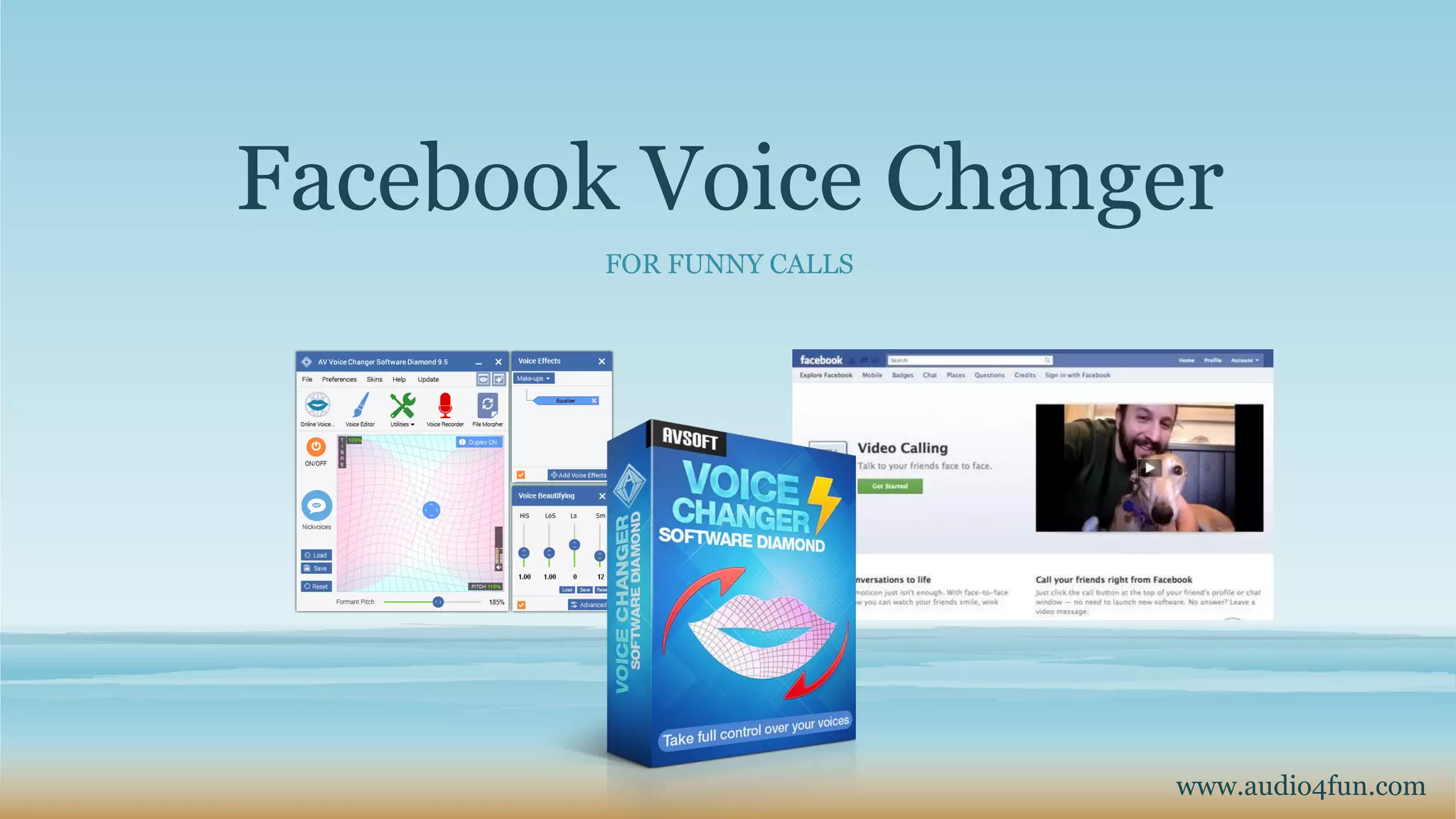
Facebook Voice Changer
FOR FUNNY CALLS
www.audio4fun.com
Content
- Introduction
- Step-by-step tutorial
- Other products and Freeware available at Audio4fun
- About AV Voice Changer Software Diamond
- Special coupon 30% OFF for all products
- Contact
Introduction
In this tutorial, you will know
• Change your voice to any voice you want.
• Connect AV Voice Changer Software Diamond to Facebook
• Have fun with your voice, prank calls and many more.
More information can be found at:
https://www.audio4fun.com/voice-changer.htm
Step-by-step tutorial
Turn on Virtual Driver Mode
Change Windows audio settings
Start your fun Facebook chat
1
3
2
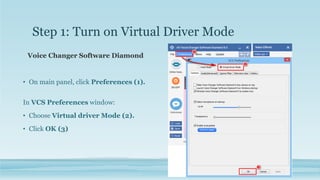
Step 1: Turn on Virtual Driver Mode
Voice Changer Software Diamond
• On main panel, click Preferences (1).
In VCS Preferences window:
• Choose Virtual driver Mode (2).
• Click OK (3)
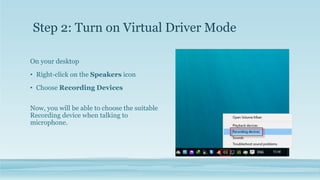
On your desktop
• Right-click on the Speakers icon
• Choose Recording Devices
Now, you will be able to choose the suitable
Recording device when talking to
microphone.
Step 2: Turn on Virtual Driver Mode
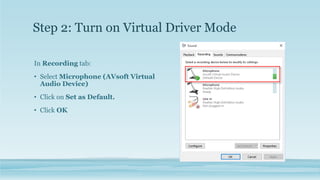
In Recording tab:
• Select Microphone (AVsoft Virtual
Audio Device)
• Click on Set as Default.
• Click OK
Step 2: Turn on Virtual Driver Mode
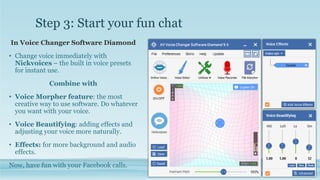
Step 3: Start your fun chat
In Voice Changer Software Diamond
• Change voice immediately with
Nickvoices – the built in voice presets
for instant use.
Combine with
• Voice Morpher feature: the most
creative way to use software. Do whatever
you want with your voice.
• Voice Beautifying: adding effects and
adjusting your voice more naturally.
• Effects: for more background and audio
effects.
Now, have fun with your Facebook calls.
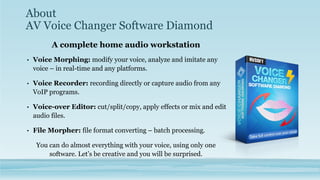
About
AV Voice Changer Software Diamond
A complete home audio workstation
• Voice Morphing: modify your voice, analyze and imitate any
voice – in real-time and any platforms.
• Voice Recorder: recording directly or capture audio from any
VoIP programs.
• Voice-over Editor: cut/split/copy, apply effects or mix and edit
audio files.
• File Morpher: file format converting – batch processing.
You can do almost everything with your voice, using only one
software. Let’s be creative and you will be surprised.
AV Voice Changer Software
DIAMOND
AV Voice Changer Software GOLD
AV Voice Changer Software BASIC AV Voizgame
Other
products
available
at Audio4fun
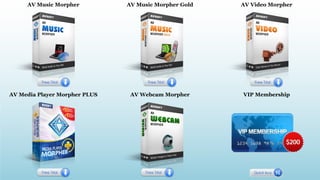
AV Music Morpher AV Music Morpher Gold AV Video Morpher
AV Media Player Morpher PLUS AV Webcam Morpher VIP Membership
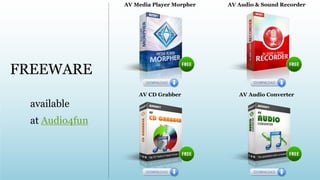
AV Media Player Morpher AV Audio & Sound Recorder
AV CD Grabber AV Audio Converter
available
at Audio4fun
FREEWARE
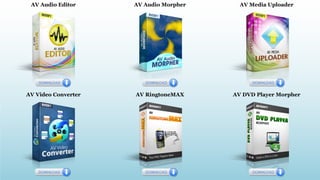
AV Audio Editor AV Audio Morpher AV Media Uploader
AV Video Converter AV RingtoneMAX AV DVD Player Morpher
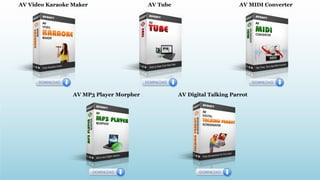
AV Video Karaoke Maker AV Tube AV MIDI Converter
AV MP3 Player Morpher AV Digital Talking Parrot
About Audio4fun.com
 Audio4fun.com is the main website of AVSoft Corp. – providing high-quality multimedia
software for unleashing creativity and improving communication.
 Four main products: Voice Changer Software series, Music Morpher, Video Morpher, and Webcam
Morpher, and several freeware.
 Users can also visit Add-on store for tons of free presets and effects.
 Support Center is always there for you, updating in-depth tutorials regularly.
 Remember to visit Audio4fun Community, Forum and Facebook to interact, discuss,
comment and communicate with other members.
 Lastly, Support Form will help you solve your problems if you do not know where to ask.
Special coupon 30% OFF for all products
Step 1: Coupon Code
Audio4fun is offering a special discount 30% OFF for all of our
professional products.
Coupon code:
The offer is limited to only the earliest orders.
Take your chance and buy now.
Special coupon 30% OFF for all products
Step 2: How to use the coupon code?
- Visit our website at www.audio4fun.com and choose your desired product.
- You will see two buttons: Download and Buy full. Click Buy full button.
- Enter the coupon above, click Buy with Coupon and finish your ordering
process.
- For detailed instruction, check out our tutorial Use the coupon code to buy a
product for less.
Contact
- Contact Form
- Support Center
- FB: Audio4fun.community
- G+: Audio4fun
- Twitter: Audio4fun
- Pinterest: Audio4fun

Facebook Voice Changer for Funny Calls

  • 1.
    Facebook Voice Changer FORFUNNY CALLS www.audio4fun.com
  • 2.
    Content - Introduction - Step-by-steptutorial - Other products and Freeware available at Audio4fun - About AV Voice Changer Software Diamond - Special coupon 30% OFF for all products - Contact
  • 3.
    Introduction In this tutorial,you will know • Change your voice to any voice you want. • Connect AV Voice Changer Software Diamond to Facebook • Have fun with your voice, prank calls and many more. More information can be found at: https://www.audio4fun.com/voice-changer.htm
  • 4.
    Step-by-step tutorial Turn onVirtual Driver Mode Change Windows audio settings Start your fun Facebook chat 1 3 2
  • 5.
    Step 1: Turnon Virtual Driver Mode Voice Changer Software Diamond • On main panel, click Preferences (1). In VCS Preferences window: • Choose Virtual driver Mode (2). • Click OK (3)
  • 6.
    On your desktop •Right-click on the Speakers icon • Choose Recording Devices Now, you will be able to choose the suitable Recording device when talking to microphone. Step 2: Turn on Virtual Driver Mode
  • 7.
    In Recording tab: •Select Microphone (AVsoft Virtual Audio Device) • Click on Set as Default. • Click OK Step 2: Turn on Virtual Driver Mode
  • 8.
    Step 3: Startyour fun chat In Voice Changer Software Diamond • Change voice immediately with Nickvoices – the built in voice presets for instant use. Combine with • Voice Morpher feature: the most creative way to use software. Do whatever you want with your voice. • Voice Beautifying: adding effects and adjusting your voice more naturally. • Effects: for more background and audio effects. Now, have fun with your Facebook calls.
  • 9.
    About AV Voice ChangerSoftware Diamond A complete home audio workstation • Voice Morphing: modify your voice, analyze and imitate any voice – in real-time and any platforms. • Voice Recorder: recording directly or capture audio from any VoIP programs. • Voice-over Editor: cut/split/copy, apply effects or mix and edit audio files. • File Morpher: file format converting – batch processing. You can do almost everything with your voice, using only one software. Let’s be creative and you will be surprised.
  • 10.
    AV Voice ChangerSoftware DIAMOND AV Voice Changer Software GOLD AV Voice Changer Software BASIC AV Voizgame Other products available at Audio4fun
  • 11.
    AV Music MorpherAV Music Morpher Gold AV Video Morpher AV Media Player Morpher PLUS AV Webcam Morpher VIP Membership
  • 12.
    AV Media PlayerMorpher AV Audio & Sound Recorder AV CD Grabber AV Audio Converter available at Audio4fun FREEWARE
  • 13.
    AV Audio EditorAV Audio Morpher AV Media Uploader AV Video Converter AV RingtoneMAX AV DVD Player Morpher
  • 14.
    AV Video KaraokeMaker AV Tube AV MIDI Converter AV MP3 Player Morpher AV Digital Talking Parrot
  • 15.
    About Audio4fun.com  Audio4fun.comis the main website of AVSoft Corp. – providing high-quality multimedia software for unleashing creativity and improving communication.  Four main products: Voice Changer Software series, Music Morpher, Video Morpher, and Webcam Morpher, and several freeware.  Users can also visit Add-on store for tons of free presets and effects.  Support Center is always there for you, updating in-depth tutorials regularly.  Remember to visit Audio4fun Community, Forum and Facebook to interact, discuss, comment and communicate with other members.  Lastly, Support Form will help you solve your problems if you do not know where to ask.
  • 16.
    Special coupon 30%OFF for all products Step 1: Coupon Code Audio4fun is offering a special discount 30% OFF for all of our professional products. Coupon code: The offer is limited to only the earliest orders. Take your chance and buy now.
  • 17.
    Special coupon 30%OFF for all products Step 2: How to use the coupon code? - Visit our website at www.audio4fun.com and choose your desired product. - You will see two buttons: Download and Buy full. Click Buy full button. - Enter the coupon above, click Buy with Coupon and finish your ordering process. - For detailed instruction, check out our tutorial Use the coupon code to buy a product for less.
  • 18.
    Contact - Contact Form -Support Center - FB: Audio4fun.community - G+: Audio4fun - Twitter: Audio4fun - Pinterest: Audio4fun