CLASS 1
Multimedia English
Course Outline
In this course you will study:
 Pop Culture - it’s a big world out there, and you should enjoy it.
 Messaging from different types of media.
 How to use the internet to find useful information
 How to use online software to create different types of media
 How to appropriately use social networks and protect your privacy
After taking this course, you should be able to:
 Analyze different types of messaging from mass media
 Find information quickly and effectively
 Use online software to collect information and create content
 Use different kinds of social networks appropriately
Some of what we’ll cover:
Information literacy
Advertising techniques
Memes
Social Media
Music Genres
Charts, Polls and Graphs
Slang and Popular Culture
Whatever you come up with!
Grading
Your grades will be determined as follows:
Quizzes – 20%
Exams – 20%
Presentations – 20%
Assignments – 25%
Attendance and participation – 15%
For attendance - do NOT miss more than 3 classes.
Come on time.
Turn off your cell phones. I’M SERIOUS!
Have fun - Pop culture is mean to be enjoyed!
Our class website
media.jadekite.com
You’ll need to register for the website.
Go to the website.
Register.
Don’t forget to open your email for the link
Log in.
Post your student number and English name on the
post.
Let’s get started!
Chat acronyms
What do these mean?
LOL
CUL8R
AFAIK
b4
AFK
BCNU
BRB
BTW
Let’s get started!
Chat acronyms
What do these mean?
LOL - Laugh Out Loud
CUL8R - See You Later
AFAIK - As Far As I Know
b4 - Before
AFK - Away From the Keyboard
BCNU - Be seeing you
BRB - Be Right Back
BTW - By The Way
Pop Culture? Pop Music!
www.youtube.com/watch?v=09R8_2nJtjg
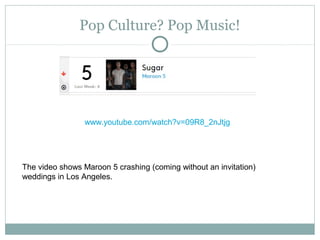
The video shows Maroon 5 crashing (coming without an invitation)
weddings in Los Angeles.
Pop Culture? Pop Music!
www.youtube.com/watch?v=kt0g4dWxEBo
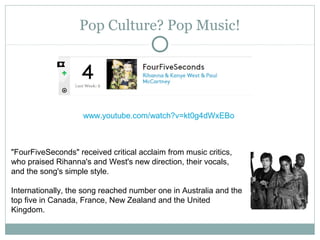
"FourFiveSeconds" received critical acclaim from music critics,
who praised Rihanna's and West's new direction, their vocals,
and the song's simple style.
Internationally, the song reached number one in Australia and the
top five in Canada, France, New Zealand and the United
Kingdom.
Pop Culture? Pop Music!
www.youtube.com/watch?v=MYSVMgRr6pw
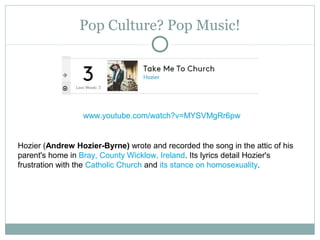
Hozier (Andrew Hozier-Byrne) wrote and recorded the song in the attic of his
parent's home in Bray, County Wicklow, Ireland. Its lyrics detail Hozier's
frustration with the Catholic Church and its stance on homosexuality.
Pop Culture? Pop Music!
www.youtube.com/watch?v=lp-EO5I60KA
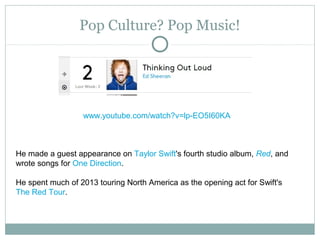
He made a guest appearance on Taylor Swift's fourth studio album, Red, and
wrote songs for One Direction.
He spent much of 2013 touring North America as the opening act for Swift's
The Red Tour.
Pop Culture? Pop Music!
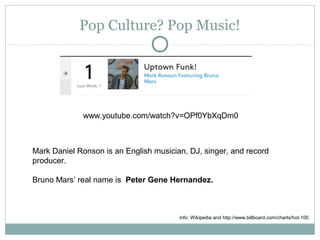
www.youtube.com/watch?v=OPf0YbXqDm0
Mark Daniel Ronson is an English musician, DJ, singer, and record
producer.
Bruno Mars’ real name is Peter Gene Hernandez.
info: Wikipedia and http://www.billboard.com/charts/hot-100
THREATS AND ISSUES WHEN YOU USE THE INTERNET
Being careful online
Internet
Security
The internet is such a
big part of your lives
that we can forget that
it even though it is
convenient, it can also
be dangerous.
You need to be careful.
Today I will introduce
some of the most
common threats ( 威
脅 ).
Sources:
http://www.slideshare.net/TechSo
upGlobal/security-basics-webinar
http://en.wikipedia.org/
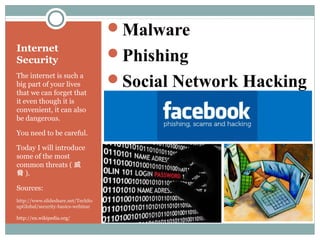
Malware
Phishing
Social Network Hacking
Malware
Most of you have heard of a
computer “virus” before…
Viruses are actually a kind
of Malware ( 惡意軟體 )
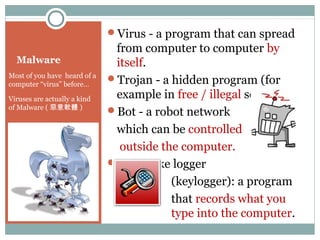
Virus - a program that can spread
from computer to computer by
itself.
Trojan - a hidden program (for
example in free / illegal software)
Bot - a robot network
which can be controlled
outside the computer.
Keystroke logger
(keylogger): a program
that records what you
type into the computer.
Virus
Some viruses can be
harmless, but others
can slow down or even
ruin a computer. Many
people don’t even know
that their computer has
a virus at all.
A computer virus is a computer
program that can spread from one
computer to another.
A virus can spread from one
computer to another using code,
for instance because a user sent it
over the Internet, or carried it on
a memory device such as
a CD, DVD, or USB drive.
Viruses that spread them-
selves online or across a
network are called worms.
Trojans
The term “Trojan” comes
from the Greek story about
the Trojan Horse from a
very old story (The Iliad).
In the story, Greeks left a
big wooden horse to the
Trojans, people they were at
war against. After the
Trojans brought the horse
into the city, the Greeks who
were hidden inside snuck
out and opened the city
gates to let the Greek army
come in and destroy the city
of Troy.
A Trojan horse, or Trojan, is
software that hides inside
software and then steals
information or hurts the user’s
computer.
Some things trojans can do to
your computer:
 Make your computer a “zombie”
 Download or upload files
 Steal your information
 Watch your screen
 Crash your computer
 Record your keystrokes
Bots, botnets
and zombies!
Bots, or internet robots,
didn’t start out as bad - and
not all of them are. For
example, Google uses bots
to get for their search
results.
What we are talking about
here are botnets, which take
over computers and become
an army of computers doing
what they are told, or
zombies, by an outside
program.
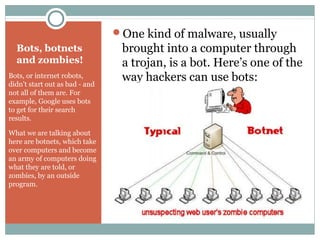
One kind of malware, usually
brought into a computer through
a trojan, is a bot. Here’s one of the
way hackers can use bots:
Bots, botnets
and zombies!
Bots, or internet robots,
didn’t start out as bad - and
not all of them are. For
example, Google uses bots
to get for their search
results.
What we are talking about
here are botnets, which take
over computers and become
an army of computers doing
what they are told, or
zombies, by an outside
program.
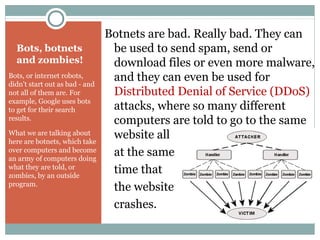
Botnets are bad. Really bad. They can
be used to send spam, send or
download files or even more malware,
and they can even be used for
Distributed Denial of Service (DDoS)
attacks, where so many different
computers are told to go to the same
website all
at the same
time that
the website
crashes.
Keyloggers
Keyloggers are actually
quite easy to write. Usually
keyloggers are put together
with other types of
malware.
Keyloggers simply record whatever the
user is typing on their keyboard.
Some keyloggers also record what is
on the screen at the same time. Here’s
an example of a keylogger file that
also shows what form the user was
typing in (form grabbing):
Keyloggers
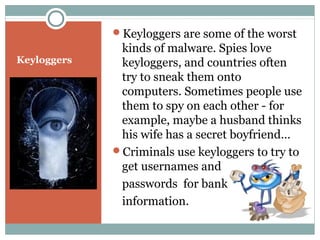
Keyloggers are some of the worst
kinds of malware. Spies love
keyloggers, and countries often
try to sneak them onto
computers. Sometimes people use
them to spy on each other - for
example, maybe a husband thinks
his wife has a secret boyfriend…
Criminals use keyloggers to try to
get usernames and
passwords for bank
information.
Phishing
While phishing isn’t a
from of malware (it’s
more like tricking you
and stealing), it’s
becoming more and
more common, and
more dangerous.
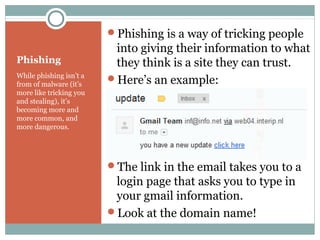
Phishing is a way of tricking people
into giving their information to what
they think is a site they can trust.
Here’s an example:
The link in the email takes you to a
login page that asks you to type in
your gmail information.
Look at the domain name!
More Phishing
Phishing has become a
real problem in recent
years, and social media
sites are one of their
favorite targets.
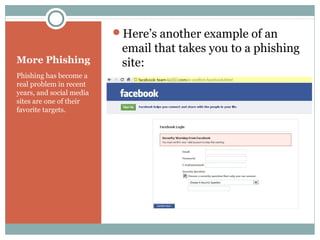
Here’s another example of an
email that takes you to a phishing
site:
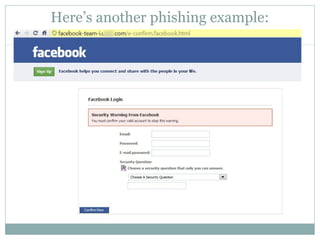
Here’s another phishing example:
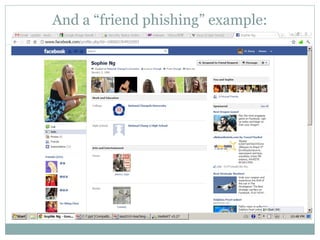
And a “friend phishing” example:
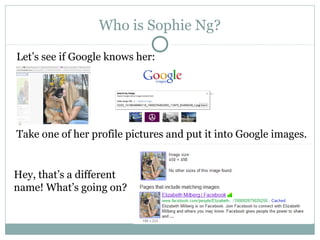
Who is Sophie Ng?
Let’s see if Google knows her:
Take one of her profile pictures and put it into Google images.
Hey, that’s a different
name! What’s going on?
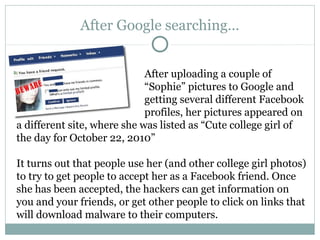
After Google searching…
After uploading a couple of
“Sophie” pictures to Google and
getting several different Facebook
profiles, her pictures appeared on
a different site, where she was listed as “Cute college girl of
the day for October 22, 2010”
It turns out that people use her (and other college girl photos)
to try to get people to accept her as a Facebook friend. Once
she has been accepted, the hackers can get information on
you and your friends, or get other people to click on links that
will download malware to their computers.
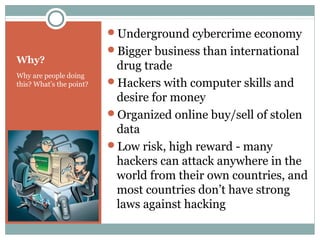
Why?
Why are people doing
this? What’s the point?
Underground cybercrime economy
Bigger business than international
drug trade
Hackers with computer skills and
desire for money
Organized online buy/sell of stolen
data
Low risk, high reward - many
hackers can attack anywhere in the
world from their own countries, and
most countries don’t have strong
laws against hacking
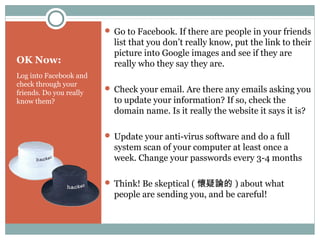
OK Now:
Log into Facebook and
check through your
friends. Do you really
know them?
 Go to Facebook. If there are people in your friends
list that you don’t really know, put the link to their
picture into Google images and see if they are
really who they say they are.
 Check your email. Are there any emails asking you
to update your information? If so, check the
domain name. Is it really the website it says it is?
 Update your anti-virus software and do a full
system scan of your computer at least once a
week. Change your passwords every 3-4 months
 Think! Be skeptical ( 懷疑論的 ) about what
people are sending you, and be careful!
So what can
you do?
How can you protect
yourself from these
kinds of online threats?
Don’t expect something for
nothing.
Don’t download pirated software, or
“keygens” - software that will give you
a license number for software.
Don’t friend people on Facebook that
you don’t know - even if you think
they’re attractive!
Carefully check where your email is
coming from - always check the
domain name of the sender.
THE MEMORABLE CHARACTER
Advertising Technique A
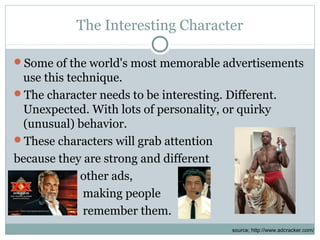
The Interesting Character
Some of the world's most memorable advertisements
use this technique.
The character needs to be interesting. Different.
Unexpected. With lots of personality, or quirky
(unusual) behavior.
These characters will grab attention
because they are strong and different
from other ads,
making people
remember them.
source; http://www.adcracker.com/
Some examples
PX mart
The Most Interesting Man in the World
Panda Cheese
Old Spice
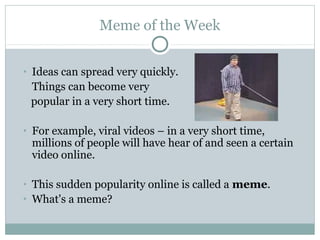
Meme of the Week
• Ideas can spread very quickly.
Things can become very
popular in a very short time.
• For example, viral videos – in a very short time,
millions of people will have hear of and seen a certain
video online.
• This sudden popularity online is called a meme.
• What's a meme?
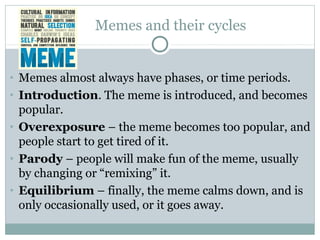
Memes and their cycles
• Memes almost always have phases, or time periods.
• Introduction. The meme is introduced, and becomes
popular.
• Overexposure – the meme becomes too popular, and
people start to get tired of it.
• Parody – people will make fun of the meme, usually
by changing or “remixing” it.
• Equilibrium – finally, the meme calms down, and is
only occasionally used, or it goes away.
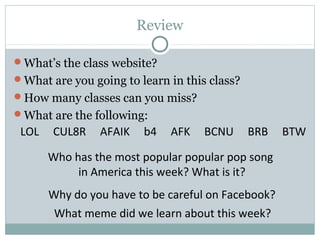
Review
What’s the class website?
What are you going to learn in this class?
How many classes can you miss?
What are the following:
Why do you have to be careful on Facebook?
LOL CUL8R AFAIK b4 AFK BCNU BRB BTW
What meme did we learn about this week?
Who has the most popular popular pop song
in America this week? What is it?

Multimedia01

  • 1.
  • 2.
    Course Outline In thiscourse you will study:  Pop Culture - it’s a big world out there, and you should enjoy it.  Messaging from different types of media.  How to use the internet to find useful information  How to use online software to create different types of media  How to appropriately use social networks and protect your privacy After taking this course, you should be able to:  Analyze different types of messaging from mass media  Find information quickly and effectively  Use online software to collect information and create content  Use different kinds of social networks appropriately
  • 3.
    Some of whatwe’ll cover: Information literacy Advertising techniques Memes Social Media Music Genres Charts, Polls and Graphs Slang and Popular Culture Whatever you come up with!
  • 4.
    Grading Your grades willbe determined as follows: Quizzes – 20% Exams – 20% Presentations – 20% Assignments – 25% Attendance and participation – 15% For attendance - do NOT miss more than 3 classes. Come on time. Turn off your cell phones. I’M SERIOUS! Have fun - Pop culture is mean to be enjoyed!
  • 5.
    Our class website media.jadekite.com You’llneed to register for the website. Go to the website. Register. Don’t forget to open your email for the link Log in. Post your student number and English name on the post.
  • 6.
    Let’s get started! Chatacronyms What do these mean? LOL CUL8R AFAIK b4 AFK BCNU BRB BTW
  • 7.
    Let’s get started! Chatacronyms What do these mean? LOL - Laugh Out Loud CUL8R - See You Later AFAIK - As Far As I Know b4 - Before AFK - Away From the Keyboard BCNU - Be seeing you BRB - Be Right Back BTW - By The Way
  • 8.
    Pop Culture? PopMusic! www.youtube.com/watch?v=09R8_2nJtjg The video shows Maroon 5 crashing (coming without an invitation) weddings in Los Angeles.
  • 9.
    Pop Culture? PopMusic! www.youtube.com/watch?v=kt0g4dWxEBo "FourFiveSeconds" received critical acclaim from music critics, who praised Rihanna's and West's new direction, their vocals, and the song's simple style. Internationally, the song reached number one in Australia and the top five in Canada, France, New Zealand and the United Kingdom.
  • 10.
    Pop Culture? PopMusic! www.youtube.com/watch?v=MYSVMgRr6pw Hozier (Andrew Hozier-Byrne) wrote and recorded the song in the attic of his parent's home in Bray, County Wicklow, Ireland. Its lyrics detail Hozier's frustration with the Catholic Church and its stance on homosexuality.
  • 11.
    Pop Culture? PopMusic! www.youtube.com/watch?v=lp-EO5I60KA He made a guest appearance on Taylor Swift's fourth studio album, Red, and wrote songs for One Direction. He spent much of 2013 touring North America as the opening act for Swift's The Red Tour.
  • 12.
    Pop Culture? PopMusic! www.youtube.com/watch?v=OPf0YbXqDm0 Mark Daniel Ronson is an English musician, DJ, singer, and record producer. Bruno Mars’ real name is Peter Gene Hernandez. info: Wikipedia and http://www.billboard.com/charts/hot-100
  • 13.
    THREATS AND ISSUESWHEN YOU USE THE INTERNET Being careful online
  • 14.
    Internet Security The internet issuch a big part of your lives that we can forget that it even though it is convenient, it can also be dangerous. You need to be careful. Today I will introduce some of the most common threats ( 威 脅 ). Sources: http://www.slideshare.net/TechSo upGlobal/security-basics-webinar http://en.wikipedia.org/ Malware Phishing Social Network Hacking
  • 15.
    Malware Most of youhave heard of a computer “virus” before… Viruses are actually a kind of Malware ( 惡意軟體 ) Virus - a program that can spread from computer to computer by itself. Trojan - a hidden program (for example in free / illegal software) Bot - a robot network which can be controlled outside the computer. Keystroke logger (keylogger): a program that records what you type into the computer.
  • 16.
    Virus Some viruses canbe harmless, but others can slow down or even ruin a computer. Many people don’t even know that their computer has a virus at all. A computer virus is a computer program that can spread from one computer to another. A virus can spread from one computer to another using code, for instance because a user sent it over the Internet, or carried it on a memory device such as a CD, DVD, or USB drive. Viruses that spread them- selves online or across a network are called worms.
  • 17.
    Trojans The term “Trojan”comes from the Greek story about the Trojan Horse from a very old story (The Iliad). In the story, Greeks left a big wooden horse to the Trojans, people they were at war against. After the Trojans brought the horse into the city, the Greeks who were hidden inside snuck out and opened the city gates to let the Greek army come in and destroy the city of Troy. A Trojan horse, or Trojan, is software that hides inside software and then steals information or hurts the user’s computer. Some things trojans can do to your computer:  Make your computer a “zombie”  Download or upload files  Steal your information  Watch your screen  Crash your computer  Record your keystrokes
  • 18.
    Bots, botnets and zombies! Bots,or internet robots, didn’t start out as bad - and not all of them are. For example, Google uses bots to get for their search results. What we are talking about here are botnets, which take over computers and become an army of computers doing what they are told, or zombies, by an outside program. One kind of malware, usually brought into a computer through a trojan, is a bot. Here’s one of the way hackers can use bots:
  • 19.
    Bots, botnets and zombies! Bots,or internet robots, didn’t start out as bad - and not all of them are. For example, Google uses bots to get for their search results. What we are talking about here are botnets, which take over computers and become an army of computers doing what they are told, or zombies, by an outside program. Botnets are bad. Really bad. They can be used to send spam, send or download files or even more malware, and they can even be used for Distributed Denial of Service (DDoS) attacks, where so many different computers are told to go to the same website all at the same time that the website crashes.
  • 20.
    Keyloggers Keyloggers are actually quiteeasy to write. Usually keyloggers are put together with other types of malware. Keyloggers simply record whatever the user is typing on their keyboard. Some keyloggers also record what is on the screen at the same time. Here’s an example of a keylogger file that also shows what form the user was typing in (form grabbing):
  • 21.
    Keyloggers Keyloggers are someof the worst kinds of malware. Spies love keyloggers, and countries often try to sneak them onto computers. Sometimes people use them to spy on each other - for example, maybe a husband thinks his wife has a secret boyfriend… Criminals use keyloggers to try to get usernames and passwords for bank information.
  • 22.
    Phishing While phishing isn’ta from of malware (it’s more like tricking you and stealing), it’s becoming more and more common, and more dangerous. Phishing is a way of tricking people into giving their information to what they think is a site they can trust. Here’s an example: The link in the email takes you to a login page that asks you to type in your gmail information. Look at the domain name!
  • 23.
    More Phishing Phishing hasbecome a real problem in recent years, and social media sites are one of their favorite targets. Here’s another example of an email that takes you to a phishing site:
  • 24.
  • 25.
    And a “friendphishing” example:
  • 26.
    Who is SophieNg? Let’s see if Google knows her: Take one of her profile pictures and put it into Google images. Hey, that’s a different name! What’s going on?
  • 27.
    After Google searching… Afteruploading a couple of “Sophie” pictures to Google and getting several different Facebook profiles, her pictures appeared on a different site, where she was listed as “Cute college girl of the day for October 22, 2010” It turns out that people use her (and other college girl photos) to try to get people to accept her as a Facebook friend. Once she has been accepted, the hackers can get information on you and your friends, or get other people to click on links that will download malware to their computers.
  • 28.
    Why? Why are peopledoing this? What’s the point? Underground cybercrime economy Bigger business than international drug trade Hackers with computer skills and desire for money Organized online buy/sell of stolen data Low risk, high reward - many hackers can attack anywhere in the world from their own countries, and most countries don’t have strong laws against hacking
  • 29.
    OK Now: Log intoFacebook and check through your friends. Do you really know them?  Go to Facebook. If there are people in your friends list that you don’t really know, put the link to their picture into Google images and see if they are really who they say they are.  Check your email. Are there any emails asking you to update your information? If so, check the domain name. Is it really the website it says it is?  Update your anti-virus software and do a full system scan of your computer at least once a week. Change your passwords every 3-4 months  Think! Be skeptical ( 懷疑論的 ) about what people are sending you, and be careful!
  • 30.
    So what can youdo? How can you protect yourself from these kinds of online threats? Don’t expect something for nothing. Don’t download pirated software, or “keygens” - software that will give you a license number for software. Don’t friend people on Facebook that you don’t know - even if you think they’re attractive! Carefully check where your email is coming from - always check the domain name of the sender.
  • 31.
  • 32.
    The Interesting Character Someof the world's most memorable advertisements use this technique. The character needs to be interesting. Different. Unexpected. With lots of personality, or quirky (unusual) behavior. These characters will grab attention because they are strong and different from other ads, making people remember them. source; http://www.adcracker.com/
  • 33.
    Some examples PX mart TheMost Interesting Man in the World Panda Cheese Old Spice
  • 34.
    Meme of theWeek • Ideas can spread very quickly. Things can become very popular in a very short time. • For example, viral videos – in a very short time, millions of people will have hear of and seen a certain video online. • This sudden popularity online is called a meme. • What's a meme?
  • 35.
    Memes and theircycles • Memes almost always have phases, or time periods. • Introduction. The meme is introduced, and becomes popular. • Overexposure – the meme becomes too popular, and people start to get tired of it. • Parody – people will make fun of the meme, usually by changing or “remixing” it. • Equilibrium – finally, the meme calms down, and is only occasionally used, or it goes away.
  • 36.
    Review What’s the classwebsite? What are you going to learn in this class? How many classes can you miss? What are the following: Why do you have to be careful on Facebook? LOL CUL8R AFAIK b4 AFK BCNU BRB BTW What meme did we learn about this week? Who has the most popular popular pop song in America this week? What is it?