MULTIMEDIA
NETWORKING
ADVANCED COMPUTER NETWORKS
PST 41229
EP 1793
13/AS/125
2
OUTLINE
▸ Introduction
▸ What is multimedia netwoking
▸ Why multimedia netwoking
▸ Applications of multimedia netwoking
▸ Application tools for multimedia
▸ Technical challenges
▸ Performance issues
▸ Desirable features of a Multimedia System
▸ Online sites of multimedia networking
3
INTRODUCTION
Multimedia
Diverse classes of media employed to represent information.
4
Multimedia Networking
Transmission and distribution of multimedia information on the
network.
WHAT IS
MULTIMEDIA
NETWORKING
5
Networked multimedia is to build the multimedia on
network and distributed systems.
So different users on different machines can share image,
sound, video, voice and many other features.
And to communicate with each under multimedia
networking tools.
6
WHY
MULTIMEDIA
NETWORKING
7
Multimedia combines the interactivity of computer with a
natural user interface that includes images, sounds,
animation, full-motion video, and voice recognition.
People can share the multimedia resource and
communicate, work collaboratively.
So they may produce more effective results and save more
time and money.
8
APPLICATIONS
9
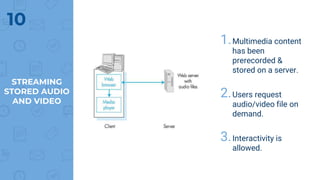
1.Multimedia content
has been
prerecorded &
stored on a server.
2.Users request
audio/video file on
demand.
3.Interactivity is
allowed.
10
STREAMING
STORED AUDIO
AND VIDEO
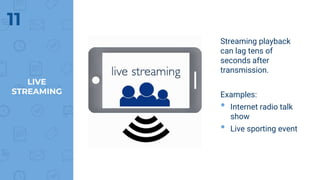
Streaming playback
can lag tens of
seconds after
transmission.
Examples:
• Internet radio talk
show
• Live sporting event
11
LIVE
STREAMING
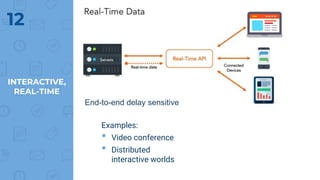
Examples:
• Video conference
• Distributed
interactive worlds
12
INTERACTIVE,
REAL-TIME
End-to-end delay sensitive
APPLICATION
TOOLS FOR
MULTIMEDIA
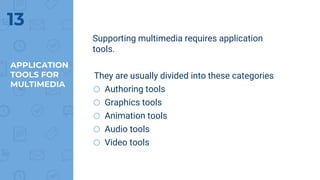
Supporting multimedia requires application
tools.
They are usually divided into these categories
o Authoring tools
o Graphics tools
o Animation tools
o Audio tools
o Video tools
13
TECHNICAL
CHALLENGES
14
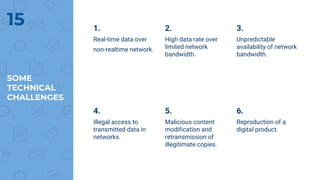
1.
Real-time data over
non-realtime network.
2.
High data rate over
limited network
bandwidth.
3.
Unpredictable
availability of network
bandwidth.
SOME
TECHNICAL
CHALLENGES
15
4.
Illegal access to
transmitted data in
networks.
5.
Malicious content
modification and
retransmission of
illegitimate copies.
6.
Reproduction of a
digital product.
HOW TO
PREVENT
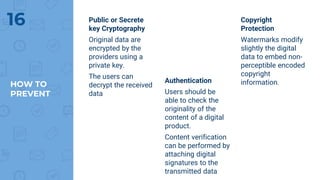
Public or Secrete
key Cryptography
Original data are
encrypted by the
providers using a
private key.
The users can
decrypt the received
data
Authentication
Users should be
able to check the
originality of the
content of a digital
product.
Content verification
can be performed by
attaching digital
signatures to the
transmitted data
Copyright
Protection
Watermarks modify
slightly the digital
data to embed non-
perceptible encoded
copyright
information.
16
PERFORMANCE
ISSUES
17
PERFORMANCE
ISSUES
18
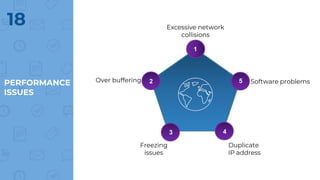
1
2
3 4
5
Excessive network
collisions
Software problems
Duplicate
IP address
Over buffering
Freezing
issues
DESIRABLE
FEATURES
OF A MULTIMEDIA NETWORKING SYSTEM
19
DESIRABLE
FEATURES
20 • Very High Processing Power
• Multimedia Capable File System
• Efficient and High I/O
• Special Operating System
• Storage and Memory
• Network Support
• Software Tools
ON-LINE
SITES OF
NETWORKED
MULTIMEDIA
21
22
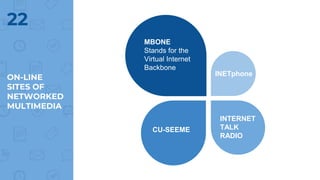
MBONE
Stands for the
Virtual Internet
Backbone
ON-LINE
SITES OF
NETWORKED
MULTIMEDIA
CU-SEEME
INETphone
INTERNET
TALK
RADIO
23
• https://users.cs.cf.ac.uk/Dave.Marshall/Multimedia/node1
5.html
• http://pages.cpsc.ucalgary.ca/~mahanti/teaching/W05/CP
SC601/#lectures
• https://www.slideshare.net/PratikPradhan1/chapter-7-
multimedia-networking-issues
• https://www.slideshare.net/KikimaJimmy/multimedia-
networking-28567873
REFFERENCES
24

Multimedia networking