Francesco Ganora
DataWeave
A functional
data transformation language
from MuleSoft
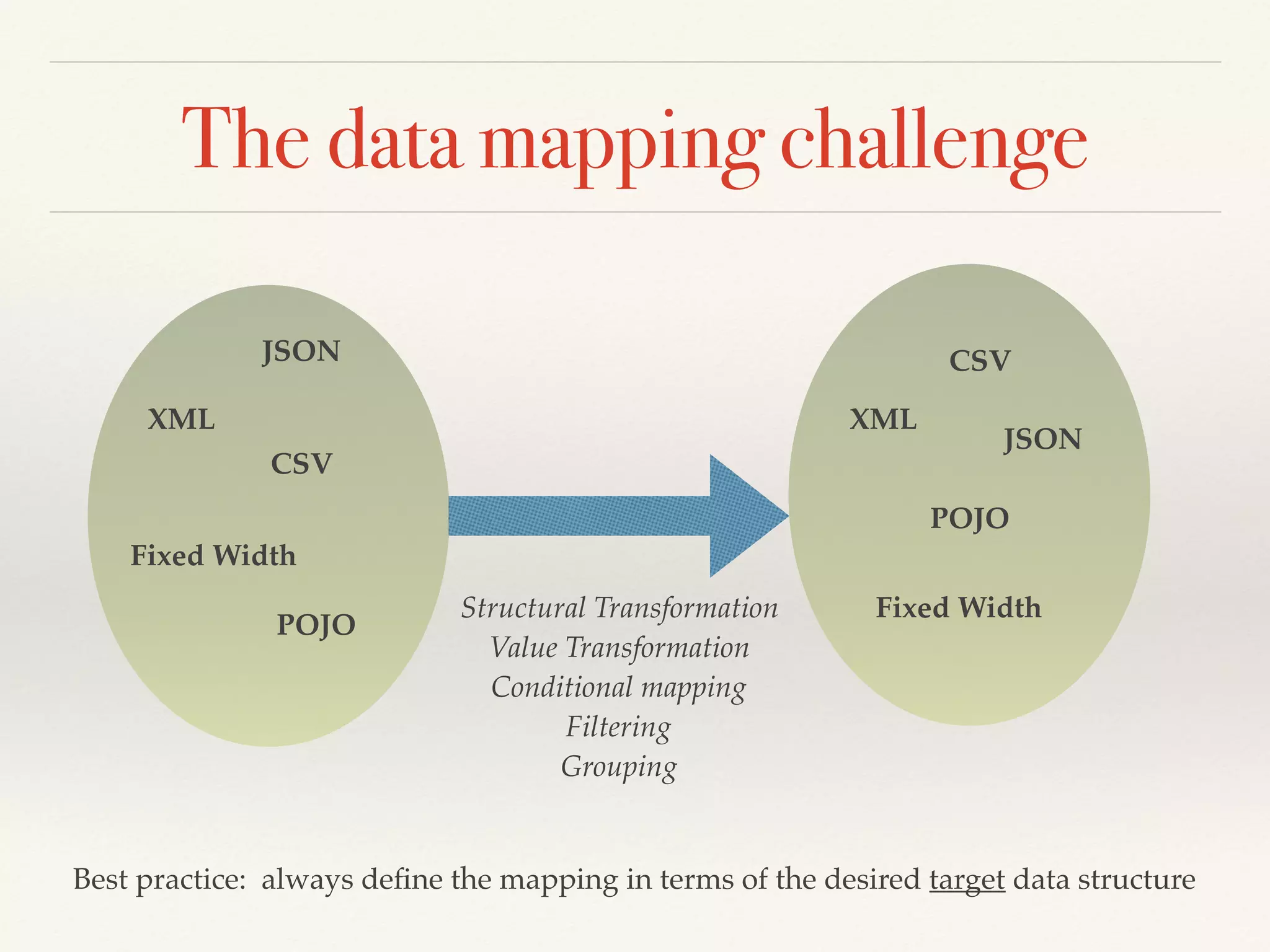
The data mapping challenge
JSON
XML
CSV
Fixed Width
POJO
JSON
XML
CSV
Fixed Width
POJO
Structural Transformation
Value Transformation
Conditional mapping
Filtering
Grouping
Best practice: always define the mapping in terms of the desired target data structure
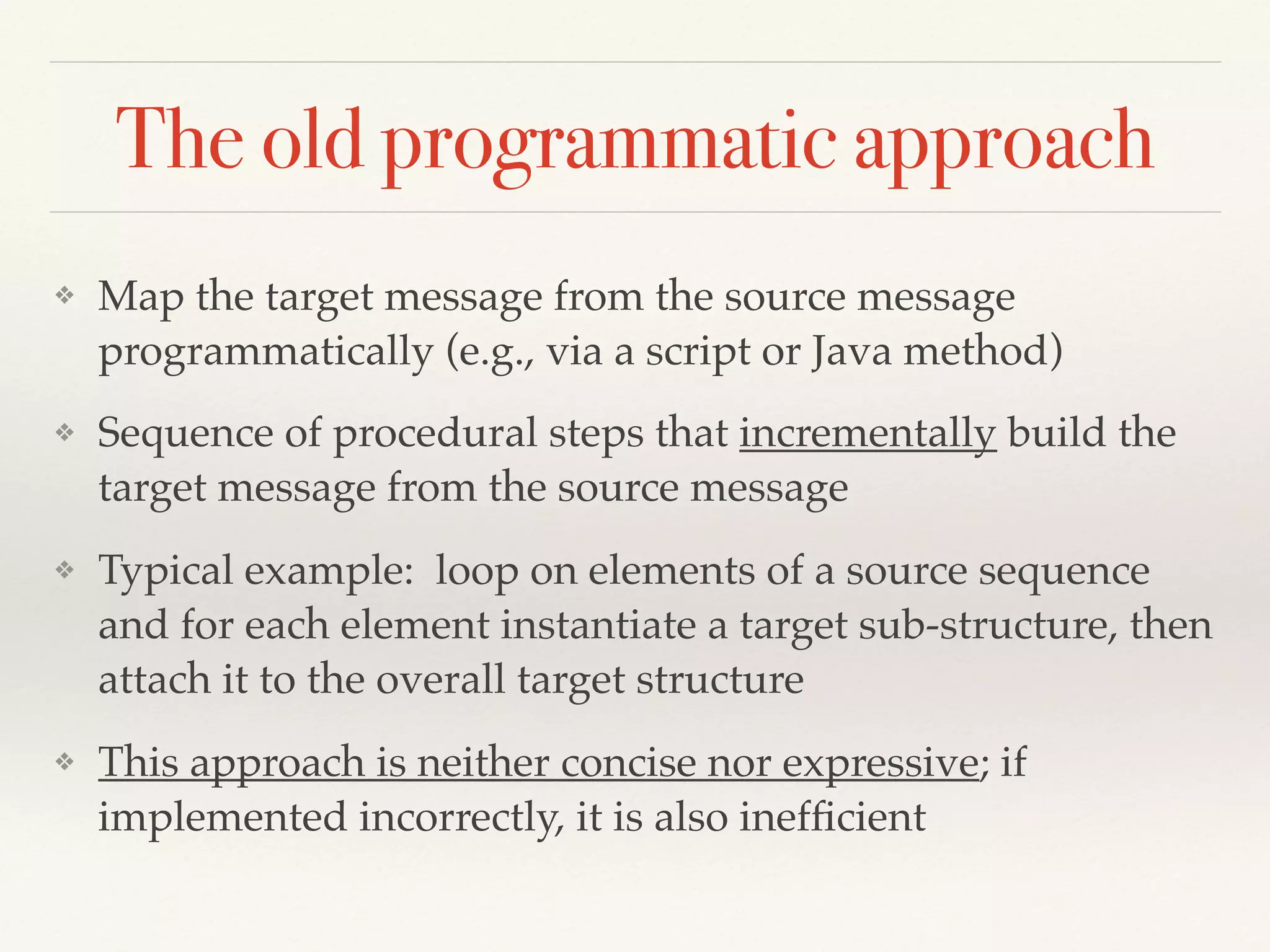
The old programmatic approach
❖ Map the target message from the source message
programmatically (e.g., via a script or Java method)
❖ Sequence of procedural steps that incrementally build the
target message from the source message
❖ Typical example: loop on elements of a source sequence
and for each element instantiate a target sub-structure, then
attach it to the overall target structure
❖ This approach is neither concise nor expressive; if
implemented incorrectly, it is also inefficient
The templating approach
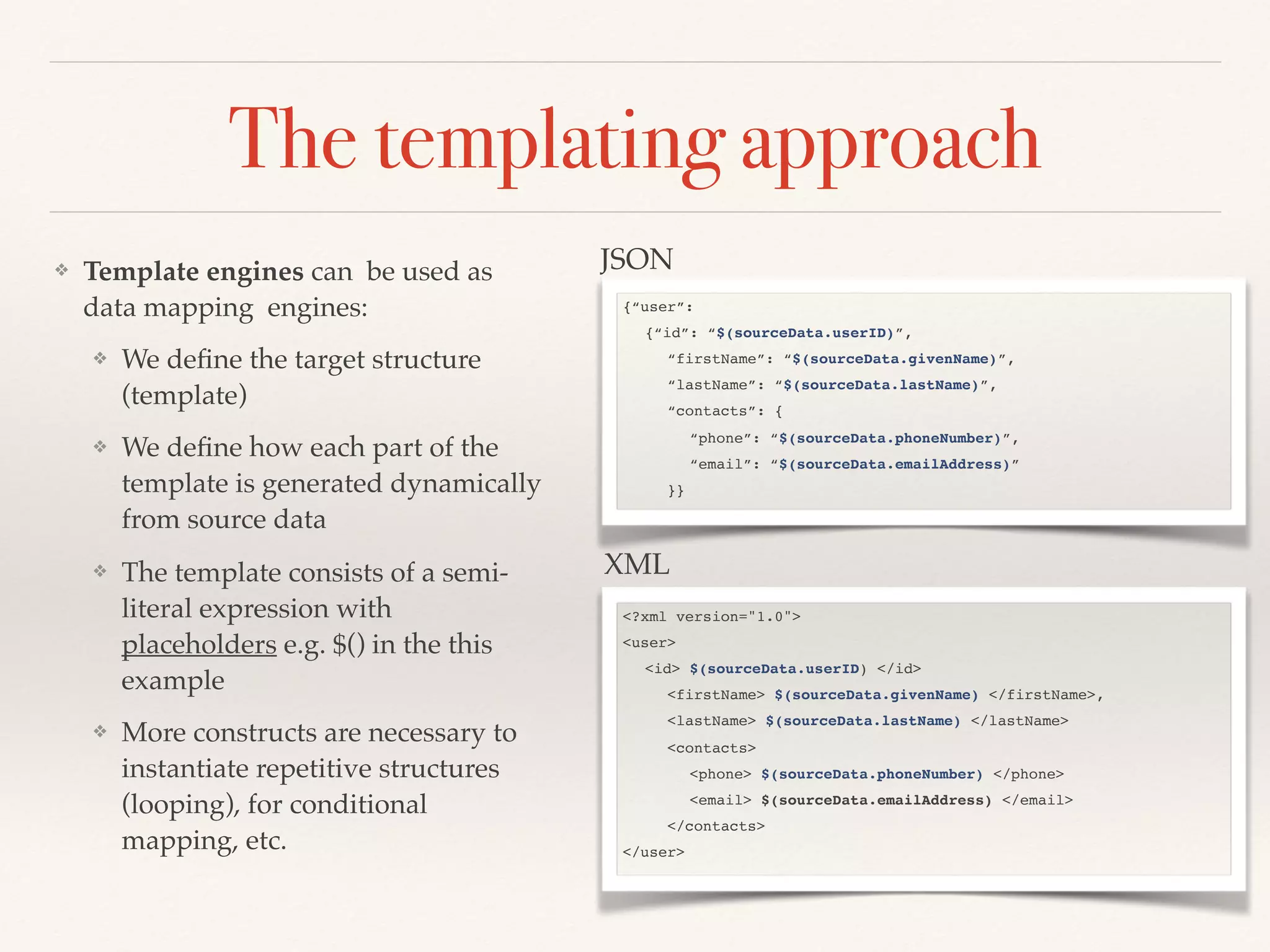
❖ Template engines can be used as
data mapping engines:
❖ We define the target structure
(template)
❖ We define how each part of the
template is generated dynamically
from source data
❖ The template consists of a semi-
literal expression with
placeholders e.g. $() in the this
example
❖ More constructs are necessary to
instantiate repetitive structures
(looping), for conditional
mapping, etc.
{“user”:
{“id”: “$(sourceData.userID)”,
“firstName”: “$(sourceData.givenName)”,
“lastName”: “$(sourceData.lastName)”,
“contacts”: {
“phone”: “$(sourceData.phoneNumber)”,
“email”: “$(sourceData.emailAddress)”
}}
<?xml version="1.0">
<user>
<id> $(sourceData.userID) </id>
<firstName> $(sourceData.givenName) </firstName>,
<lastName> $(sourceData.lastName) </lastName>
<contacts>
<phone> $(sourceData.phoneNumber) </phone>
<email> $(sourceData.emailAddress) </email>
</contacts>
</user>
JSON
XML
Issues with standard templating
❖ Template depends on the concrete syntax of the target message (separate
templates for XML, JSON etc.)
❖ Placeholder syntax depends on the type of source message (e.g., XPath for
XML, JSONPath for JSON, non-standard syntax for other media types)
❖ Placeholder syntax may clash with target message syntax (cannot use for
example <> as placeholder markers with XML)
❖ Looping constructs of traditional template engines mix engine syntax with
generated content (“PHP-like”)
❖ XSLT is a very powerful templating and transformation language, but it
does have drawbacks (verbose XML syntax, cannot operate on non-tree-
structured source message that cannot be rendered into XML, etc.)
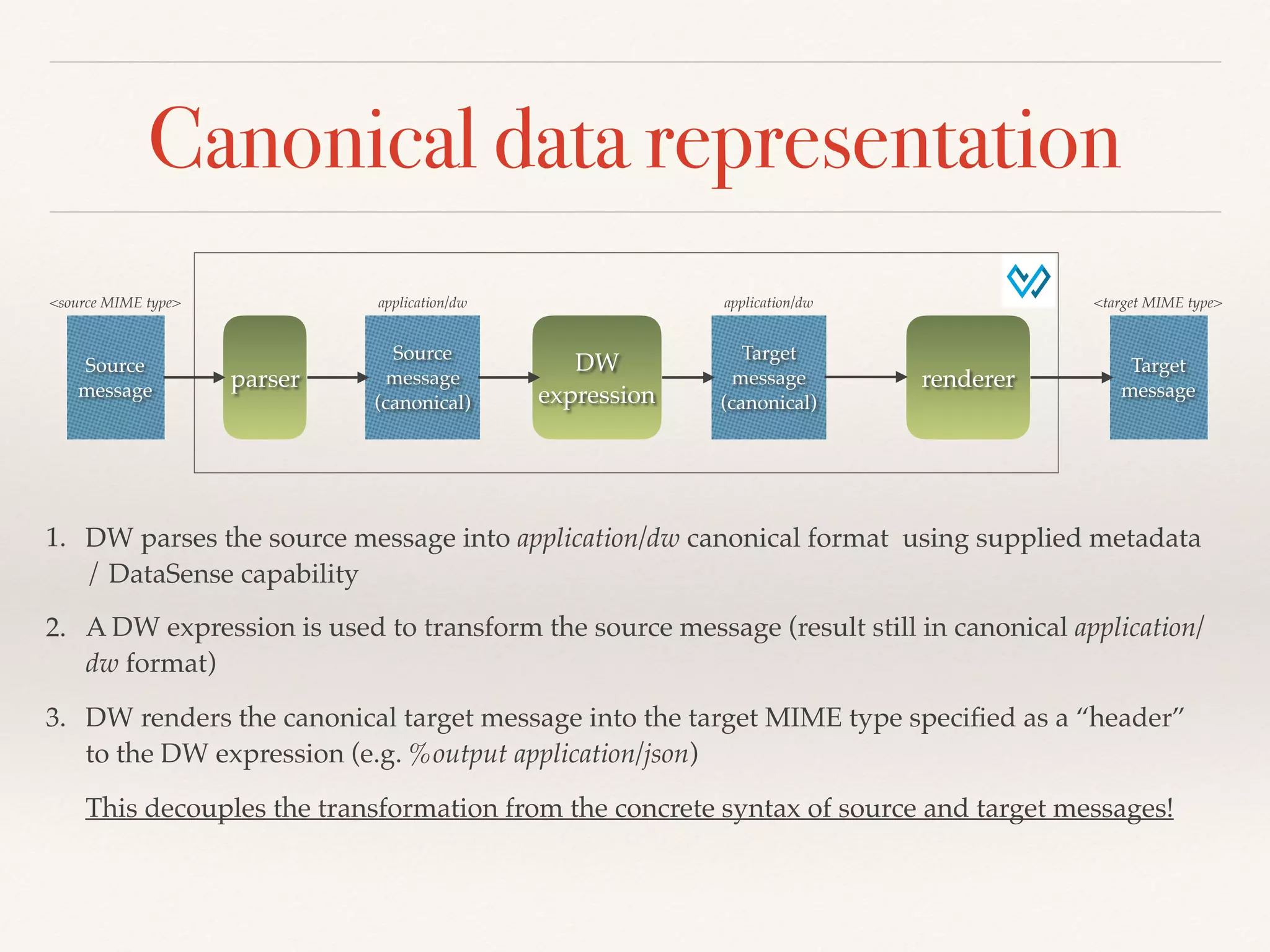
DataWeave (DW)
❖ Data mapping and
transformation tool from
MuleSoft
❖ Tightly integrated with
AnyPoint Studio IDE
❖ Non-procedural expression
language
❖ Applies functional
programming constructs
(lambdas)
❖ Uses internal, canonical data
format (application/dw)
Canonical data representation
1. DW parses the source message into application/dw canonical format using supplied metadata
/ DataSense capability
2. A DW expression is used to transform the source message (result still in canonical application/
dw format)
3. DW renders the canonical target message into the target MIME type specified as a “header”
to the DW expression (e.g. %output application/json)
This decouples the transformation from the concrete syntax of source and target messages!
Source
message
<source MIME type>
parser renderer
Source
message
(canonical)
Target
message
(canonical)
Target
message
DW
expression
<target MIME type>application/dw application/dw
The DW canonical format
❖ Only 3 kinds of data in SW:
• Simple (String, Number,
Boolean, Date types)
• Array
• Objects (key:value pairs)
❖ The canonical application/dw format
is shown in a JSON-like concrete
syntax in Anypoint Studio
❖ Parsing and rendering between
application/json and application/dw
is straightforward
[
{
"order_nr": "DO1234",
"order_date": "2016-03-12T13:30:23+8.00",
sku: "1233244",
"sku_description": "Product A",
qty: "20"
},
{
"order_nr": "DO1234",
"order_date": "2016-03-12T13:30:23+8.00",
sku: "1233255",
"sku_description": "Product B",
qty: "50"
}
]
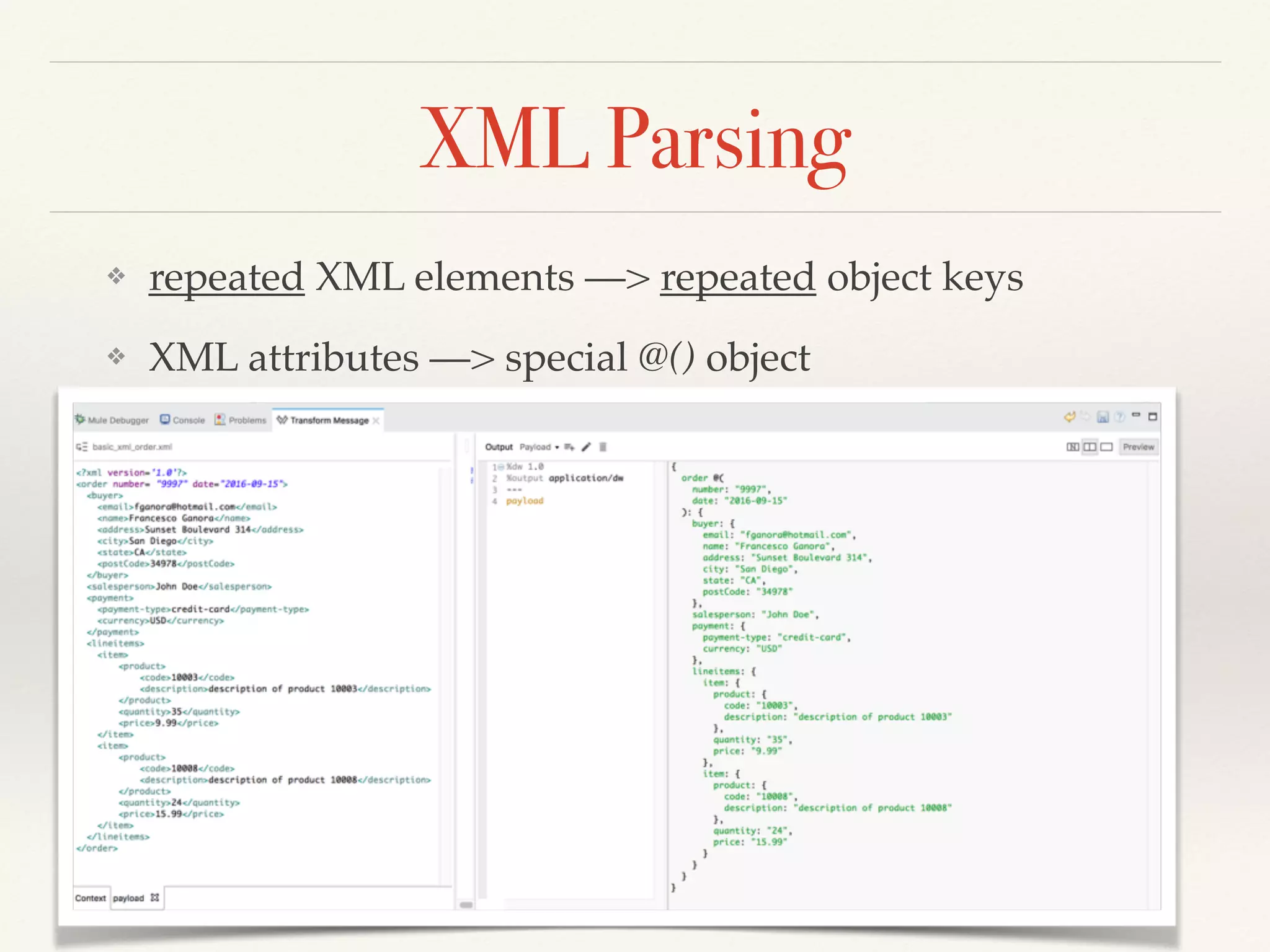
XML Parsing
❖ repeated XML elements —> repeated object keys
❖ XML attributes —> special @() object
CSV parsing
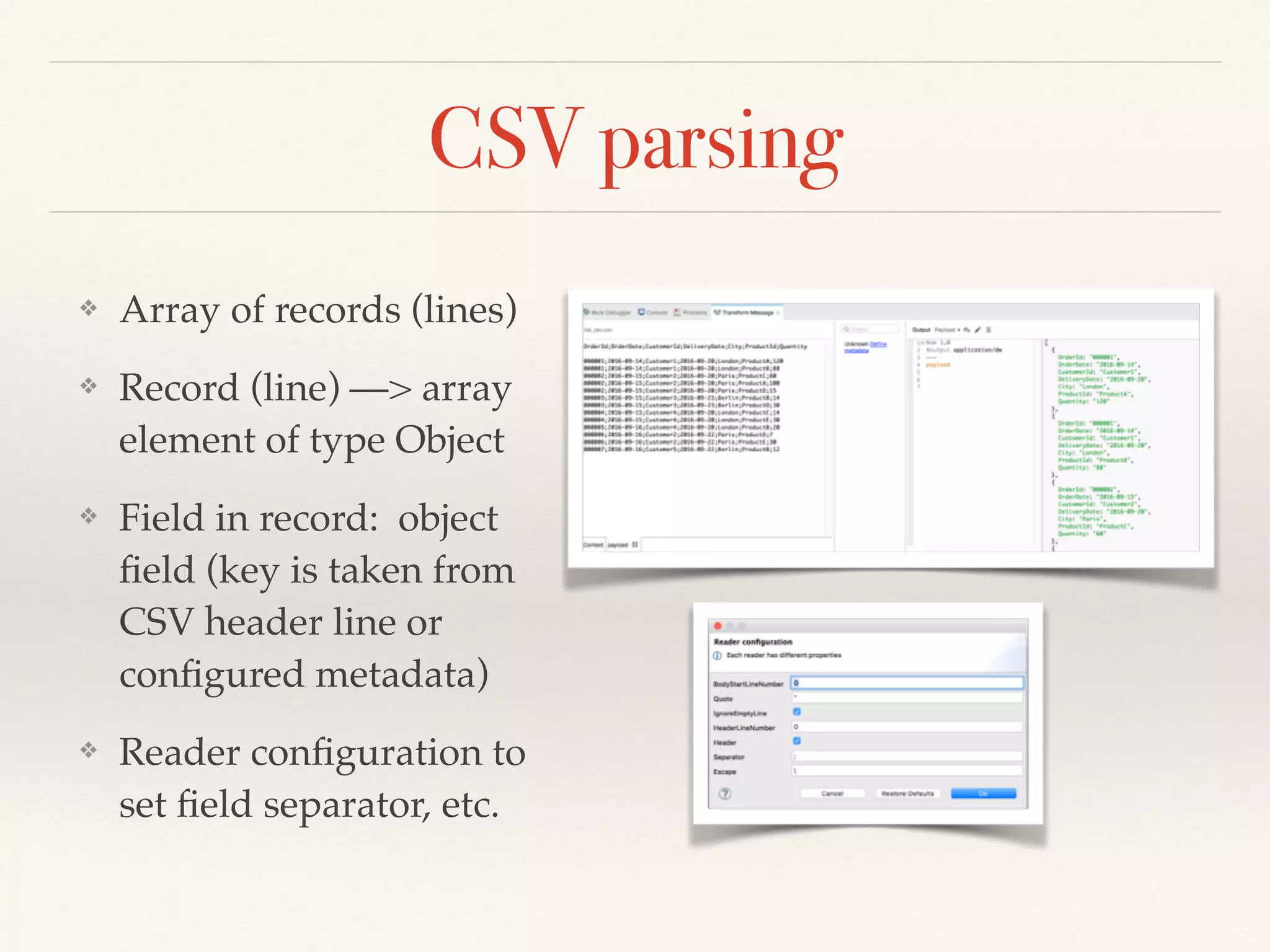
❖ Array of records (lines)
❖ Record (line) —> array
element of type Object
❖ Field in record: object
field (key is taken from
CSV header line or
configured metadata)
❖ Reader configuration to
set field separator, etc.
DW transform structure
%dw 1.0
%input payload application/csv
%output application/json
%type sapDate = :string { format: “YYYYMMDD” }
%var unitOfMeasure = 'EA'
%var doubleNumber = (nr) -> [nr * 2.0]
%namespace xsi http://www.w3.org/2001/XMLSchema-instance
%function fname(name) {firstName: upper name}
——-
order: {
ID: payload.orderID ++ " dated " ++ payload.orderDate,
nrLines: (sizeOf payload.orderItems) + 1,
totalOrderAmount: payload.*orderItems reduce
$$ + (($.orderQuantity as :number) * ($.unitPrice as :number))
}
}
Optional header contains:
• transformation directives
• reusable declarations
Body contains the DW
transformation expression
Case study: introduction
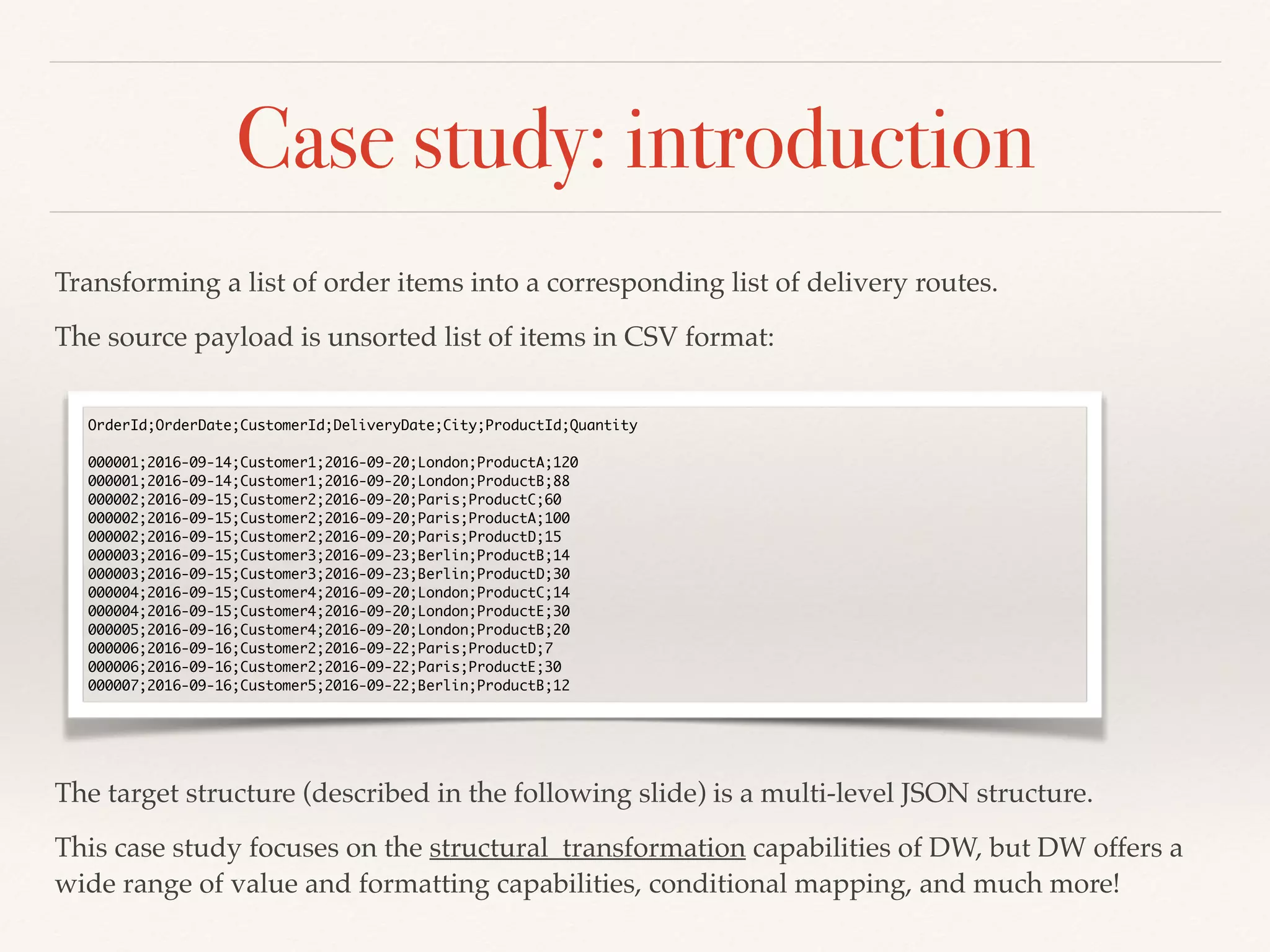
Transforming a list of order items into a corresponding list of delivery routes.
The source payload is unsorted list of items in CSV format:
OrderId;OrderDate;CustomerId;DeliveryDate;City;ProductId;Quantity
000001;2016-09-14;Customer1;2016-09-20;London;ProductA;120
000001;2016-09-14;Customer1;2016-09-20;London;ProductB;88
000002;2016-09-15;Customer2;2016-09-20;Paris;ProductC;60
000002;2016-09-15;Customer2;2016-09-20;Paris;ProductA;100
000002;2016-09-15;Customer2;2016-09-20;Paris;ProductD;15
000003;2016-09-15;Customer3;2016-09-23;Berlin;ProductB;14
000003;2016-09-15;Customer3;2016-09-23;Berlin;ProductD;30
000004;2016-09-15;Customer4;2016-09-20;London;ProductC;14
000004;2016-09-15;Customer4;2016-09-20;London;ProductE;30
000005;2016-09-16;Customer4;2016-09-20;London;ProductB;20
000006;2016-09-16;Customer2;2016-09-22;Paris;ProductD;7
000006;2016-09-16;Customer2;2016-09-22;Paris;ProductE;30
000007;2016-09-16;Customer5;2016-09-22;Berlin;ProductB;12
The target structure (described in the following slide) is a multi-level JSON structure.
This case study focuses on the structural transformation capabilities of DW, but DW offers a
wide range of value and formatting capabilities, conditional mapping, and much more!
Case study: target format
[
{
city: "<City>",
deliveryDate: "<DeliveryDate>",
stops: [
{
customer: "<CustomerId>",
orderitems: [
{
ordernr: "<OrderId>",
orderdate: "<OrderDate>",
product: "<ProductId>",
qty: "<Quantity>"
}
]
}
]
}
]
JSON document with
sequence of delivery
routes by delivery date
and city:
❖ Sort CSV order lines by
city and delivery date
❖ Within each delivery
date and city, group
order lines by customer
❖ Render the structure as
JSON
By city / delivery date
By customer
By order item
Case study: step 1
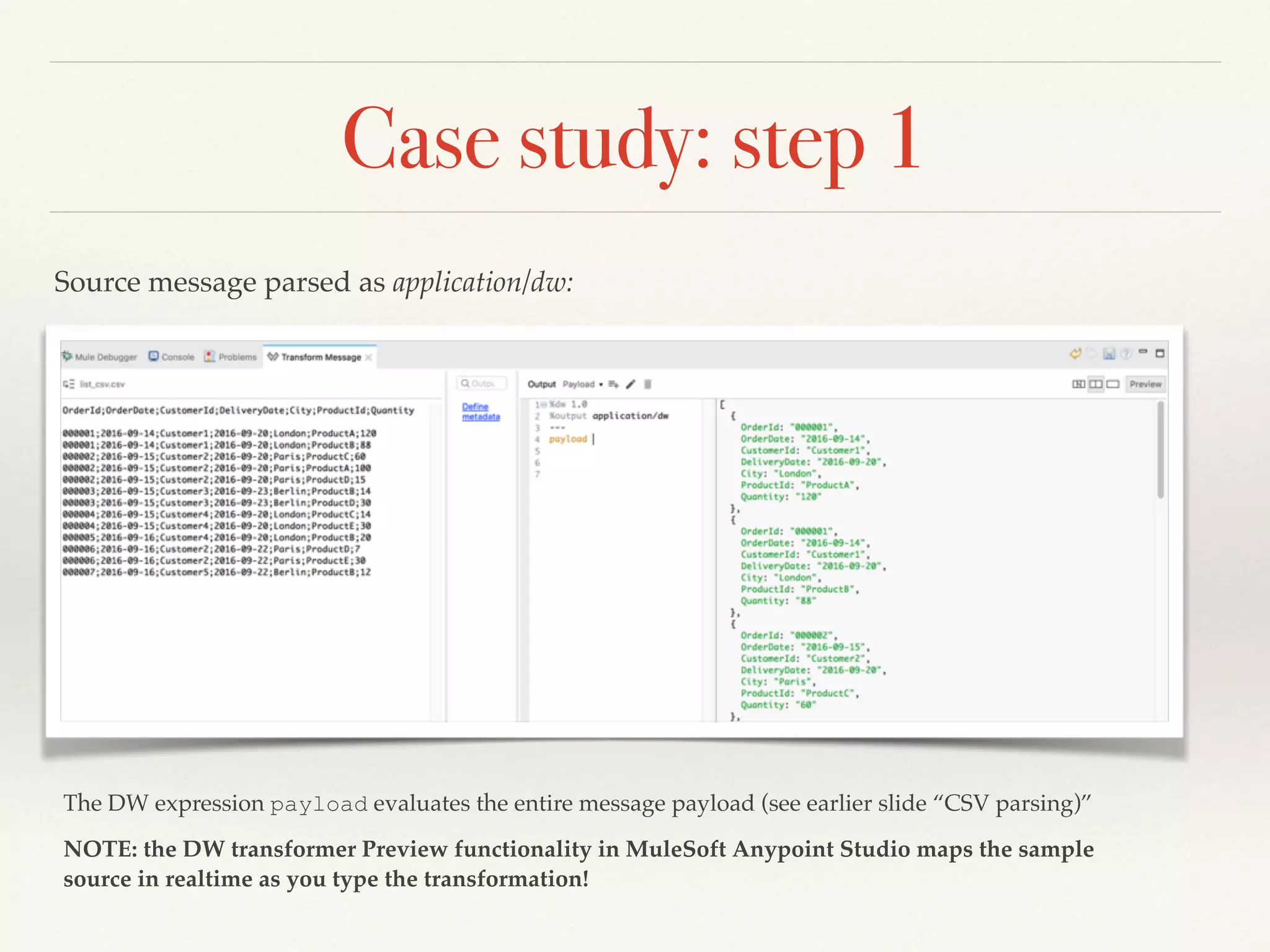
Source message parsed as application/dw:
The DW expression payload evaluates the entire message payload (see earlier slide “CSV parsing)”
NOTE: the DW transformer Preview functionality in MuleSoft Anypoint Studio maps the sample
source in realtime as you type the transformation!
Case study: step 2
Sorting and grouping by combination of city and delivery date:
A composite key is used for sorting and grouping via the string concatenation operator (++) .
The groupBy operator creates an object with the group values as keys.
Case study: step 3
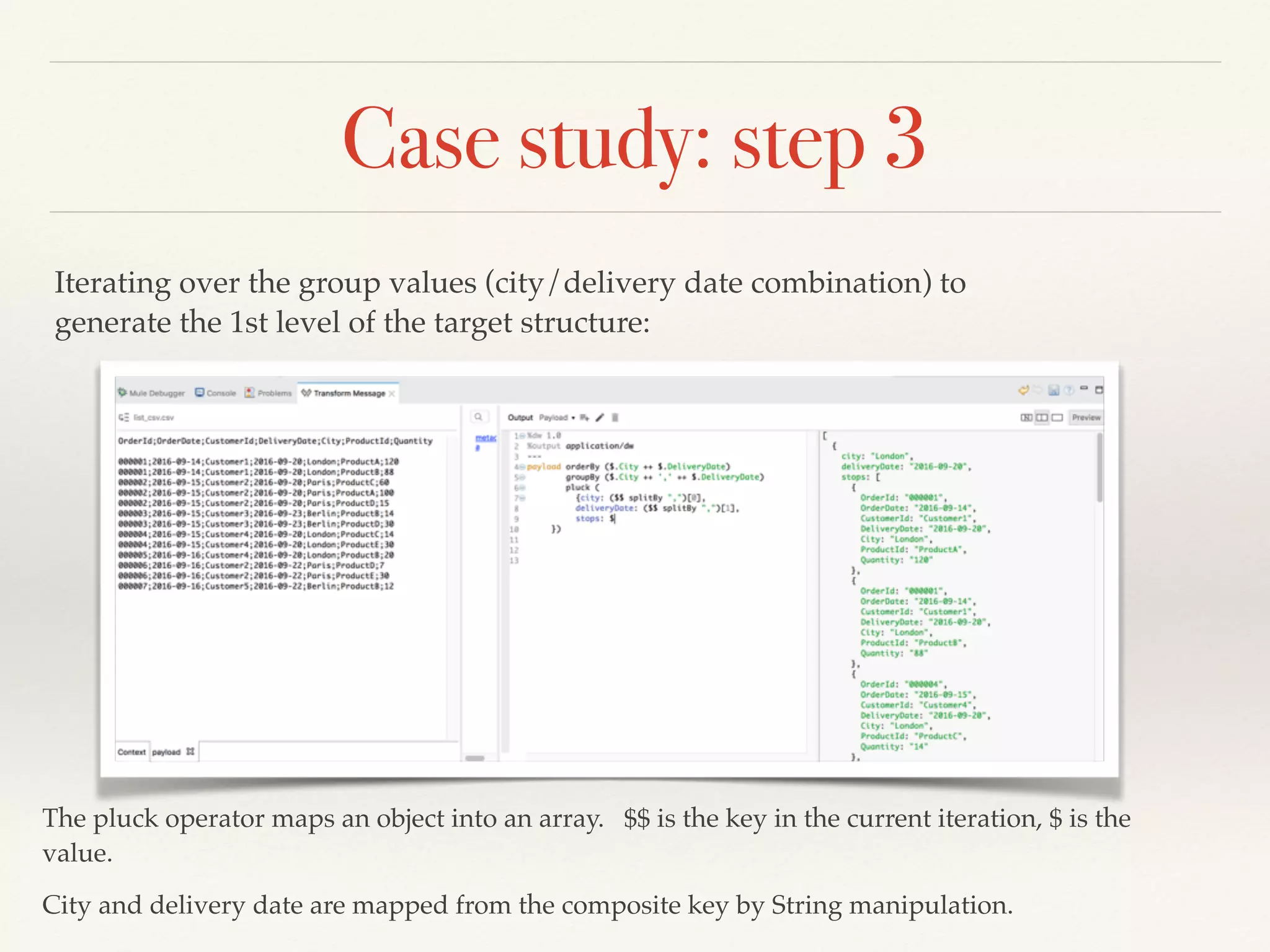
Iterating over the group values (city/delivery date combination) to
generate the 1st level of the target structure:
The pluck operator maps an object into an array. $$ is the key in the current iteration, $ is the
value.
City and delivery date are mapped from the composite key by String manipulation.
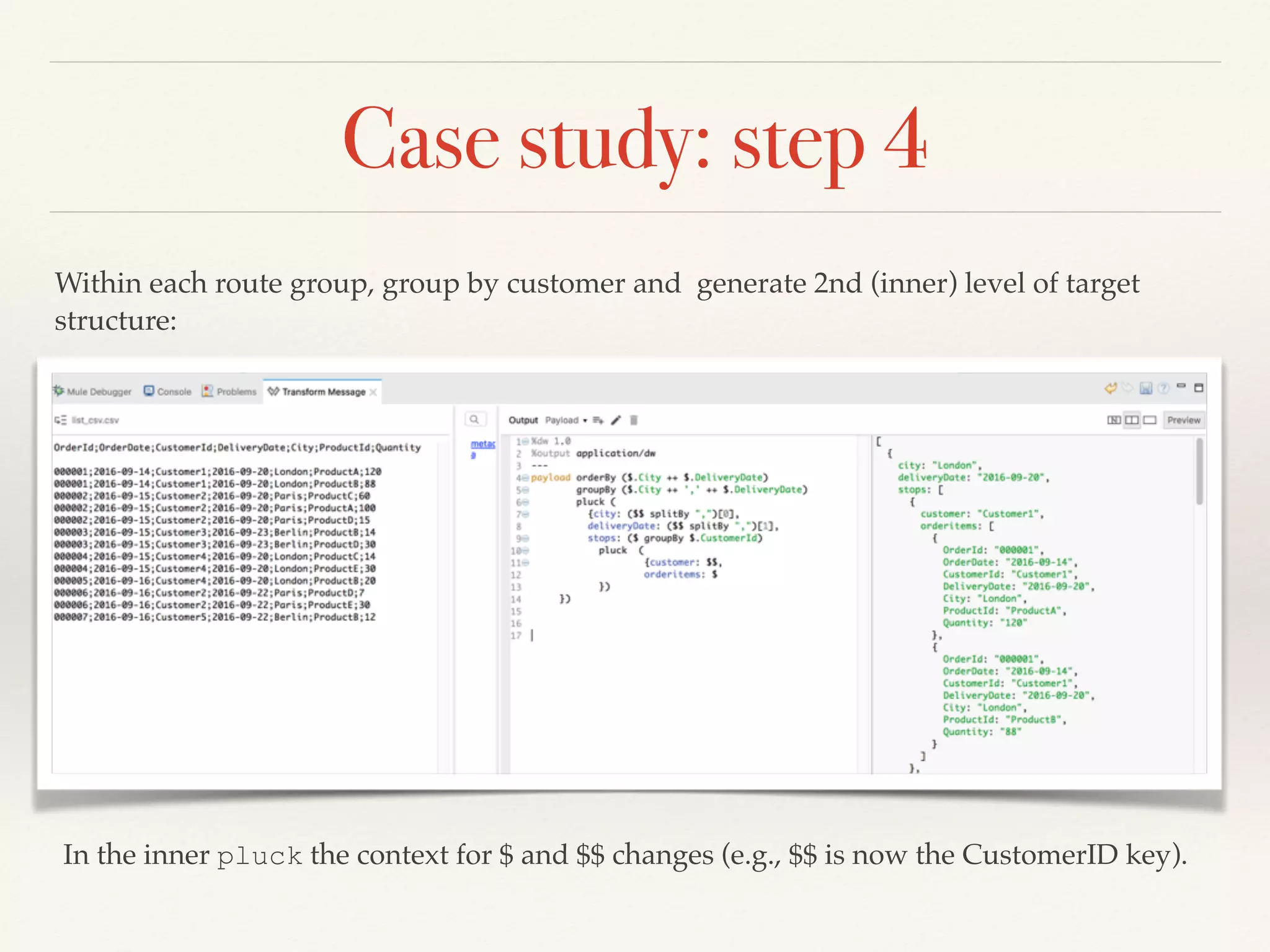
Case study: step 4
Within each route group, group by customer and generate 2nd (inner) level of target
structure:
In the inner pluck the context for $ and $$ changes (e.g., $$ is now the CustomerID key).
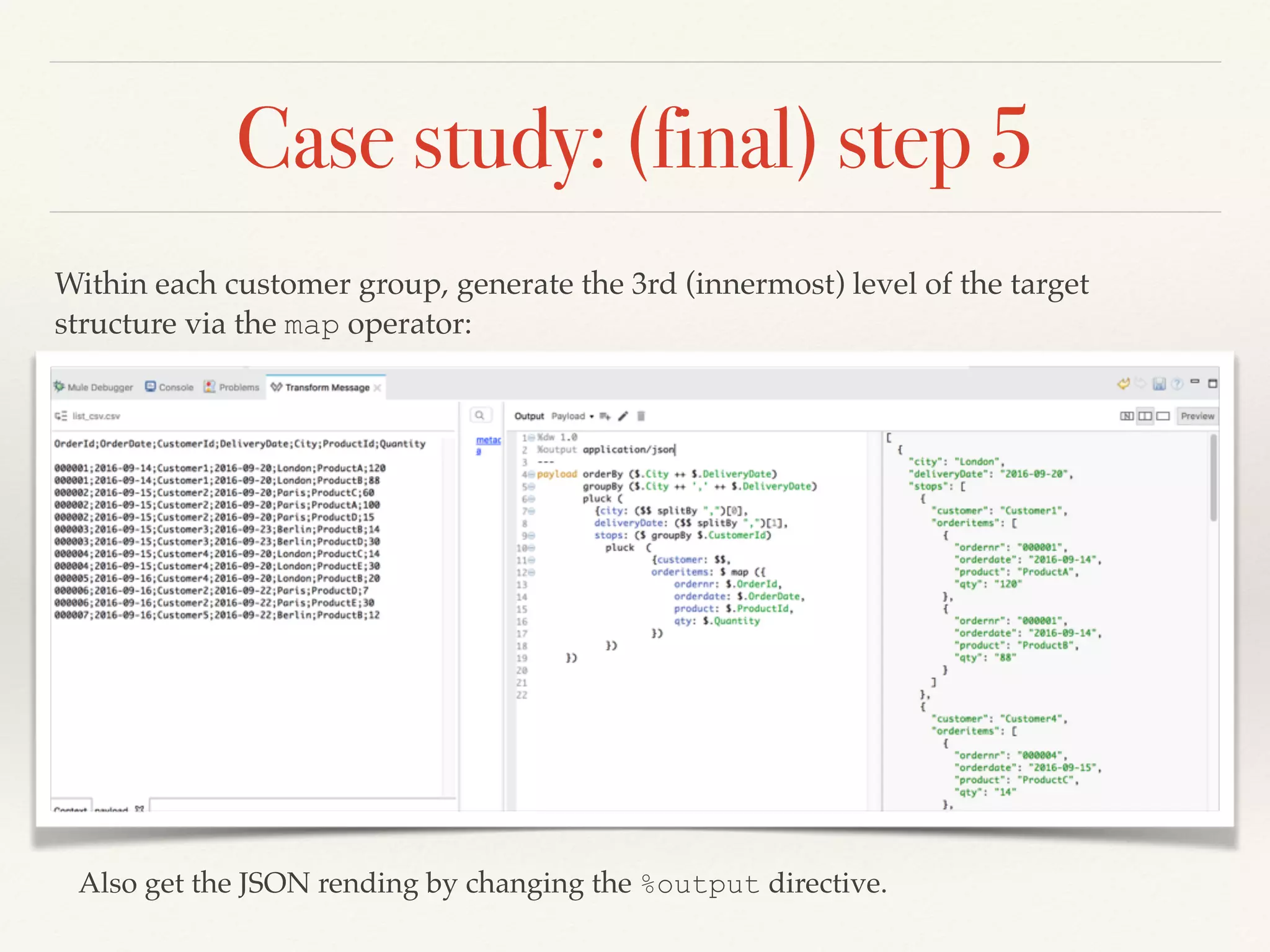
Case study: (final) step 5
Within each customer group, generate the 3rd (innermost) level of the target
structure via the map operator:
Also get the JSON rending by changing the %output directive.
Thanks!
This is just a “taste” of the innovative DataWeave
transformation language.
Find out more at:
https://docs.mulesoft.com/mule-user-guide/v/3.8/
dataweave

MuleSoft DataWeave data transformation language

  • 1.
    Francesco Ganora DataWeave A functional datatransformation language from MuleSoft
  • 2.
    The data mappingchallenge JSON XML CSV Fixed Width POJO JSON XML CSV Fixed Width POJO Structural Transformation Value Transformation Conditional mapping Filtering Grouping Best practice: always define the mapping in terms of the desired target data structure
  • 3.
    The old programmaticapproach ❖ Map the target message from the source message programmatically (e.g., via a script or Java method) ❖ Sequence of procedural steps that incrementally build the target message from the source message ❖ Typical example: loop on elements of a source sequence and for each element instantiate a target sub-structure, then attach it to the overall target structure ❖ This approach is neither concise nor expressive; if implemented incorrectly, it is also inefficient
  • 4.
    The templating approach ❖Template engines can be used as data mapping engines: ❖ We define the target structure (template) ❖ We define how each part of the template is generated dynamically from source data ❖ The template consists of a semi- literal expression with placeholders e.g. $() in the this example ❖ More constructs are necessary to instantiate repetitive structures (looping), for conditional mapping, etc. {“user”: {“id”: “$(sourceData.userID)”, “firstName”: “$(sourceData.givenName)”, “lastName”: “$(sourceData.lastName)”, “contacts”: { “phone”: “$(sourceData.phoneNumber)”, “email”: “$(sourceData.emailAddress)” }} <?xml version="1.0"> <user> <id> $(sourceData.userID) </id> <firstName> $(sourceData.givenName) </firstName>, <lastName> $(sourceData.lastName) </lastName> <contacts> <phone> $(sourceData.phoneNumber) </phone> <email> $(sourceData.emailAddress) </email> </contacts> </user> JSON XML
  • 5.
    Issues with standardtemplating ❖ Template depends on the concrete syntax of the target message (separate templates for XML, JSON etc.) ❖ Placeholder syntax depends on the type of source message (e.g., XPath for XML, JSONPath for JSON, non-standard syntax for other media types) ❖ Placeholder syntax may clash with target message syntax (cannot use for example <> as placeholder markers with XML) ❖ Looping constructs of traditional template engines mix engine syntax with generated content (“PHP-like”) ❖ XSLT is a very powerful templating and transformation language, but it does have drawbacks (verbose XML syntax, cannot operate on non-tree- structured source message that cannot be rendered into XML, etc.)
  • 6.
    DataWeave (DW) ❖ Datamapping and transformation tool from MuleSoft ❖ Tightly integrated with AnyPoint Studio IDE ❖ Non-procedural expression language ❖ Applies functional programming constructs (lambdas) ❖ Uses internal, canonical data format (application/dw)
  • 7.
    Canonical data representation 1.DW parses the source message into application/dw canonical format using supplied metadata / DataSense capability 2. A DW expression is used to transform the source message (result still in canonical application/ dw format) 3. DW renders the canonical target message into the target MIME type specified as a “header” to the DW expression (e.g. %output application/json) This decouples the transformation from the concrete syntax of source and target messages! Source message <source MIME type> parser renderer Source message (canonical) Target message (canonical) Target message DW expression <target MIME type>application/dw application/dw
  • 8.
    The DW canonicalformat ❖ Only 3 kinds of data in SW: • Simple (String, Number, Boolean, Date types) • Array • Objects (key:value pairs) ❖ The canonical application/dw format is shown in a JSON-like concrete syntax in Anypoint Studio ❖ Parsing and rendering between application/json and application/dw is straightforward [ { "order_nr": "DO1234", "order_date": "2016-03-12T13:30:23+8.00", sku: "1233244", "sku_description": "Product A", qty: "20" }, { "order_nr": "DO1234", "order_date": "2016-03-12T13:30:23+8.00", sku: "1233255", "sku_description": "Product B", qty: "50" } ]
  • 9.
    XML Parsing ❖ repeatedXML elements —> repeated object keys ❖ XML attributes —> special @() object
  • 10.
    CSV parsing ❖ Arrayof records (lines) ❖ Record (line) —> array element of type Object ❖ Field in record: object field (key is taken from CSV header line or configured metadata) ❖ Reader configuration to set field separator, etc.
  • 11.
    DW transform structure %dw1.0 %input payload application/csv %output application/json %type sapDate = :string { format: “YYYYMMDD” } %var unitOfMeasure = 'EA' %var doubleNumber = (nr) -> [nr * 2.0] %namespace xsi http://www.w3.org/2001/XMLSchema-instance %function fname(name) {firstName: upper name} ——- order: { ID: payload.orderID ++ " dated " ++ payload.orderDate, nrLines: (sizeOf payload.orderItems) + 1, totalOrderAmount: payload.*orderItems reduce $$ + (($.orderQuantity as :number) * ($.unitPrice as :number)) } } Optional header contains: • transformation directives • reusable declarations Body contains the DW transformation expression
  • 12.
    Case study: introduction Transforminga list of order items into a corresponding list of delivery routes. The source payload is unsorted list of items in CSV format: OrderId;OrderDate;CustomerId;DeliveryDate;City;ProductId;Quantity 000001;2016-09-14;Customer1;2016-09-20;London;ProductA;120 000001;2016-09-14;Customer1;2016-09-20;London;ProductB;88 000002;2016-09-15;Customer2;2016-09-20;Paris;ProductC;60 000002;2016-09-15;Customer2;2016-09-20;Paris;ProductA;100 000002;2016-09-15;Customer2;2016-09-20;Paris;ProductD;15 000003;2016-09-15;Customer3;2016-09-23;Berlin;ProductB;14 000003;2016-09-15;Customer3;2016-09-23;Berlin;ProductD;30 000004;2016-09-15;Customer4;2016-09-20;London;ProductC;14 000004;2016-09-15;Customer4;2016-09-20;London;ProductE;30 000005;2016-09-16;Customer4;2016-09-20;London;ProductB;20 000006;2016-09-16;Customer2;2016-09-22;Paris;ProductD;7 000006;2016-09-16;Customer2;2016-09-22;Paris;ProductE;30 000007;2016-09-16;Customer5;2016-09-22;Berlin;ProductB;12 The target structure (described in the following slide) is a multi-level JSON structure. This case study focuses on the structural transformation capabilities of DW, but DW offers a wide range of value and formatting capabilities, conditional mapping, and much more!
  • 13.
    Case study: targetformat [ { city: "<City>", deliveryDate: "<DeliveryDate>", stops: [ { customer: "<CustomerId>", orderitems: [ { ordernr: "<OrderId>", orderdate: "<OrderDate>", product: "<ProductId>", qty: "<Quantity>" } ] } ] } ] JSON document with sequence of delivery routes by delivery date and city: ❖ Sort CSV order lines by city and delivery date ❖ Within each delivery date and city, group order lines by customer ❖ Render the structure as JSON By city / delivery date By customer By order item
  • 14.
    Case study: step1 Source message parsed as application/dw: The DW expression payload evaluates the entire message payload (see earlier slide “CSV parsing)” NOTE: the DW transformer Preview functionality in MuleSoft Anypoint Studio maps the sample source in realtime as you type the transformation!
  • 15.
    Case study: step2 Sorting and grouping by combination of city and delivery date: A composite key is used for sorting and grouping via the string concatenation operator (++) . The groupBy operator creates an object with the group values as keys.
  • 16.
    Case study: step3 Iterating over the group values (city/delivery date combination) to generate the 1st level of the target structure: The pluck operator maps an object into an array. $$ is the key in the current iteration, $ is the value. City and delivery date are mapped from the composite key by String manipulation.
  • 17.
    Case study: step4 Within each route group, group by customer and generate 2nd (inner) level of target structure: In the inner pluck the context for $ and $$ changes (e.g., $$ is now the CustomerID key).
  • 18.
    Case study: (final)step 5 Within each customer group, generate the 3rd (innermost) level of the target structure via the map operator: Also get the JSON rending by changing the %output directive.
  • 19.
    Thanks! This is justa “taste” of the innovative DataWeave transformation language. Find out more at: https://docs.mulesoft.com/mule-user-guide/v/3.8/ dataweave