MULE –Connector Testing Framework - CTF
-RajeshKumar
1
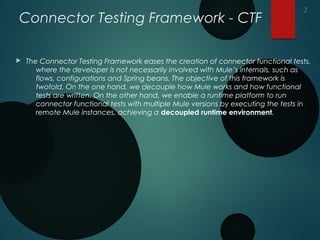
Connector Testing Framework - CTF
 The Connector Testing Framework eases the creation of connector functional tests,
where the developer is not necessarily involved with Mule’s internals, such as
flows, configurations and Spring beans. The objective of this framework is
twofold. On the one hand, we decouple how Mule works and how functional
tests are written. On the other hand, we enable a runtime platform to run
connector functional tests with multiple Mule versions by executing the tests in
remote Mule instances, achieving a decoupled runtime environment.
2
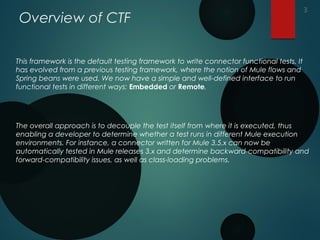
Overview of CTF
This framework is the default testing framework to write connector functional tests. It
has evolved from a previous testing framework, where the notion of Mule flows and
Spring beans were used. We now have a simple and well-defined interface to run
functional tests in different ways: Embedded or Remote.
The overall approach is to decouple the test itself from where it is executed, thus
enabling a developer to determine whether a test runs in different Mule execution
environments. For instance, a connector written for Mule 3.5.x can now be
automatically tested in Mule releases 3.x and determine backward-compatibility and
forward-compatibility issues, as well as class-loading problems.
3
CTF Interfaces
1. ConnectorTestContext<T>: Main class of the framework, providing an interface for
the other important class, the ConnectorDispatcher. It contains the following
methods:
a) initialize(Class<T> connectorClass): A class method to initialise the entire framework.
It requires the class of the connector under test.
b) shutDown(): A class method to shut down the entire framework.
c) getInstance(): A class method that returns the only instance of the connector
context prior to initialisation. Otherwise, it will throw and exception if the
framework has not been initialised.
d) getPlatformManager(): Returns the only instance of the platform manager in charge
of dealing with the framework life cycle.
e) getConnectorDispatcher(): Returns the only instance of the connector dispatcher,
which is in charge of executing the connector operations.
4
CTF Interfaces
2. ConnectorDispatcher<T>: An interface enabling the execution of connector
operations, including paginated, DataSense and WSDL operations. It contains the
following methods:
1. createMockup(): Returns an instance of the connector being tested, which is the
same class type as used as the only argument in the initialisation of the framework
through ConnectorTestContext.initialize(connectorClass). Tests operations are
executed through this instance, except for operations annotated with @Paged.
2. runPaginatedMethod(String methodName, Object[] args): Connector operations
annotated with @Paged are executed through this method, which requires the
operation name (camel-like) and the array of arguments for that specific
operation.
3. fetchMetaDataKeys(): Returns a Result (from org.mule.commons package) containing
a list of MetaDataKeys (from org.mule.common.metadata package) in order to test
MetaData.
4. fetchMetaData(MetaDataKey key): Returns a MetaData object
(from org.mule.common.metadata package) for a particular MetaDataKey
(from org.mule.common.metadata package).
5. invokeWSDLOperation(XMLStreamReader input, String WSDLID, String operationName):
Dispatcher operation to test WSDL operations.
5
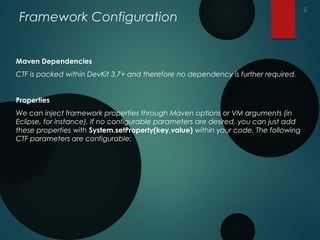
Framework Configuration
Maven Dependencies
CTF is packed within DevKit 3.7+ and therefore no dependency is further required.
Properties
We can inject framework properties through Maven options or VM arguments (in
Eclipse, for instance). If no configurable parameters are desired, you can just add
these properties with System.setProperty(key,value) within your code. The following
CTF parameters are configurable:
6
Framework Configuration
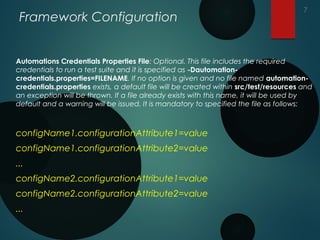
Automations Credentials Properties File: Optional. This file includes the required
credentials to run a test suite and it is specified as -Dautomation-
credentials.properties=FILENAME. If no option is given and no file named automation-
credentials.properties exists, a default file will be created within src/test/resources and
an exception will be thrown. If a file already exists with this name, it will be used by
default and a warning will be issued. It is mandatory to specified the file as follows:
configName1.configurationAttribute1=value
configName1.configurationAttribute2=value
...
configName2.configurationAttribute1=value
configName2.configurationAttribute2=value
...
7
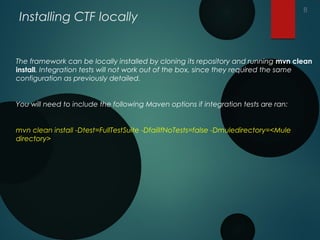
Installing CTF locally
The framework can be locally installed by cloning its repository and running mvn clean
install. Integration tests will not work out of the box, since they required the same
configuration as previously detailed.
You will need to include the following Maven options if integration tests are ran:
mvn clean install -Dtest=FullTestSuite -DfailIfNoTests=false -Dmuledirectory=<Mule
directory>
8
THANK YOU
9
THANK YOU
9

Mule ctf

  • 1.
    MULE –Connector TestingFramework - CTF -RajeshKumar 1
  • 2.
    Connector Testing Framework- CTF  The Connector Testing Framework eases the creation of connector functional tests, where the developer is not necessarily involved with Mule’s internals, such as flows, configurations and Spring beans. The objective of this framework is twofold. On the one hand, we decouple how Mule works and how functional tests are written. On the other hand, we enable a runtime platform to run connector functional tests with multiple Mule versions by executing the tests in remote Mule instances, achieving a decoupled runtime environment. 2
  • 3.
    Overview of CTF Thisframework is the default testing framework to write connector functional tests. It has evolved from a previous testing framework, where the notion of Mule flows and Spring beans were used. We now have a simple and well-defined interface to run functional tests in different ways: Embedded or Remote. The overall approach is to decouple the test itself from where it is executed, thus enabling a developer to determine whether a test runs in different Mule execution environments. For instance, a connector written for Mule 3.5.x can now be automatically tested in Mule releases 3.x and determine backward-compatibility and forward-compatibility issues, as well as class-loading problems. 3
  • 4.
    CTF Interfaces 1. ConnectorTestContext<T>:Main class of the framework, providing an interface for the other important class, the ConnectorDispatcher. It contains the following methods: a) initialize(Class<T> connectorClass): A class method to initialise the entire framework. It requires the class of the connector under test. b) shutDown(): A class method to shut down the entire framework. c) getInstance(): A class method that returns the only instance of the connector context prior to initialisation. Otherwise, it will throw and exception if the framework has not been initialised. d) getPlatformManager(): Returns the only instance of the platform manager in charge of dealing with the framework life cycle. e) getConnectorDispatcher(): Returns the only instance of the connector dispatcher, which is in charge of executing the connector operations. 4
  • 5.
    CTF Interfaces 2. ConnectorDispatcher<T>:An interface enabling the execution of connector operations, including paginated, DataSense and WSDL operations. It contains the following methods: 1. createMockup(): Returns an instance of the connector being tested, which is the same class type as used as the only argument in the initialisation of the framework through ConnectorTestContext.initialize(connectorClass). Tests operations are executed through this instance, except for operations annotated with @Paged. 2. runPaginatedMethod(String methodName, Object[] args): Connector operations annotated with @Paged are executed through this method, which requires the operation name (camel-like) and the array of arguments for that specific operation. 3. fetchMetaDataKeys(): Returns a Result (from org.mule.commons package) containing a list of MetaDataKeys (from org.mule.common.metadata package) in order to test MetaData. 4. fetchMetaData(MetaDataKey key): Returns a MetaData object (from org.mule.common.metadata package) for a particular MetaDataKey (from org.mule.common.metadata package). 5. invokeWSDLOperation(XMLStreamReader input, String WSDLID, String operationName): Dispatcher operation to test WSDL operations. 5
  • 6.
    Framework Configuration Maven Dependencies CTFis packed within DevKit 3.7+ and therefore no dependency is further required. Properties We can inject framework properties through Maven options or VM arguments (in Eclipse, for instance). If no configurable parameters are desired, you can just add these properties with System.setProperty(key,value) within your code. The following CTF parameters are configurable: 6
  • 7.
    Framework Configuration Automations CredentialsProperties File: Optional. This file includes the required credentials to run a test suite and it is specified as -Dautomation- credentials.properties=FILENAME. If no option is given and no file named automation- credentials.properties exists, a default file will be created within src/test/resources and an exception will be thrown. If a file already exists with this name, it will be used by default and a warning will be issued. It is mandatory to specified the file as follows: configName1.configurationAttribute1=value configName1.configurationAttribute2=value ... configName2.configurationAttribute1=value configName2.configurationAttribute2=value ... 7
  • 8.
    Installing CTF locally Theframework can be locally installed by cloning its repository and running mvn clean install. Integration tests will not work out of the box, since they required the same configuration as previously detailed. You will need to include the following Maven options if integration tests are ran: mvn clean install -Dtest=FullTestSuite -DfailIfNoTests=false -Dmuledirectory=<Mule directory> 8
  • 9.
  • 10.