Know your competition
Contrasting IBM and Microsoft
collaboration offerings
Presented by: Andy Higgins & Ben Menesi
Speakers
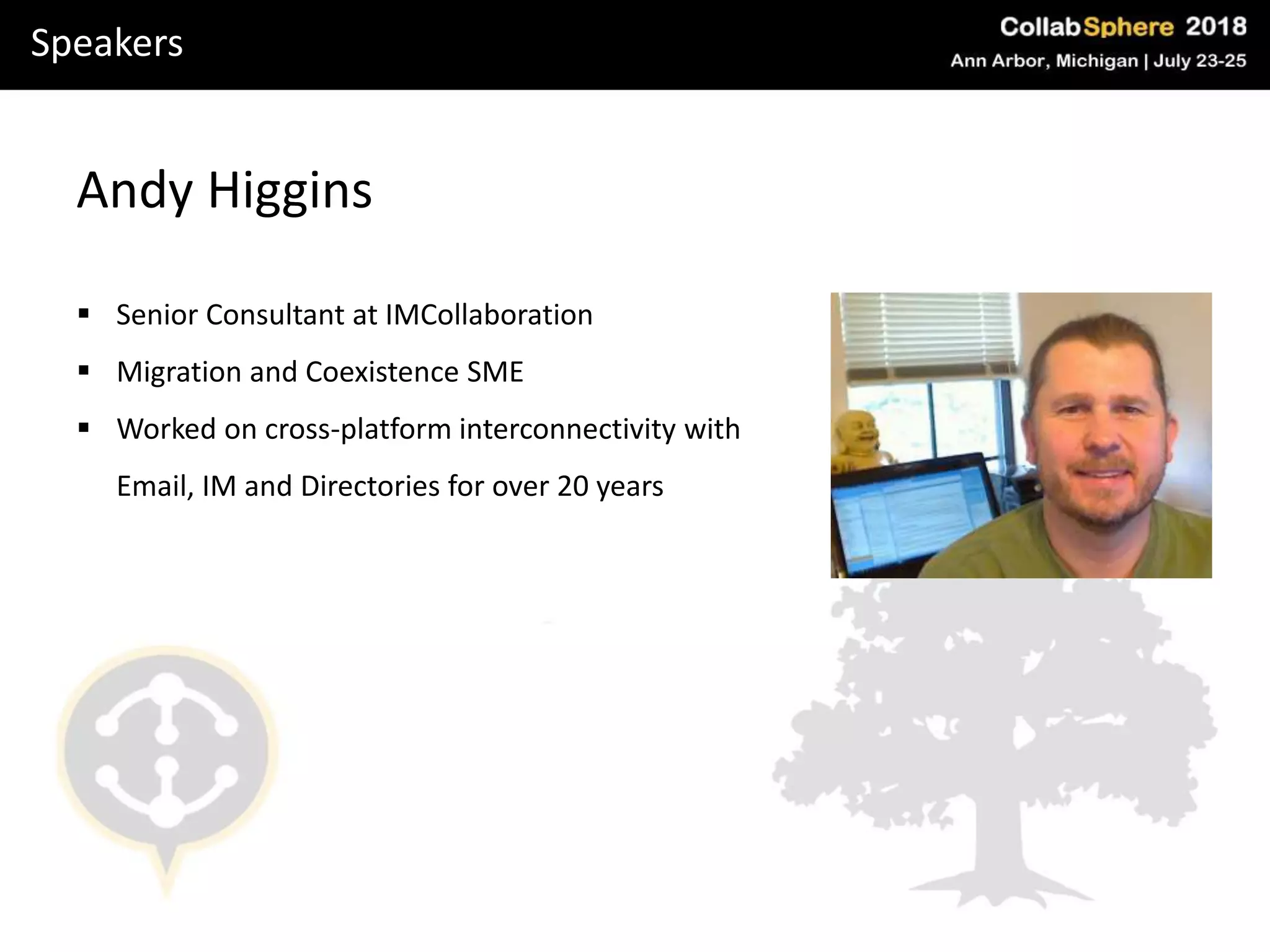
Andy Higgins
 Senior Consultant at IMCollaboration
 Migration and Coexistence SME
 Worked on cross-platform interconnectivity with
Email, IM and Directories for over 20 years
Speakers
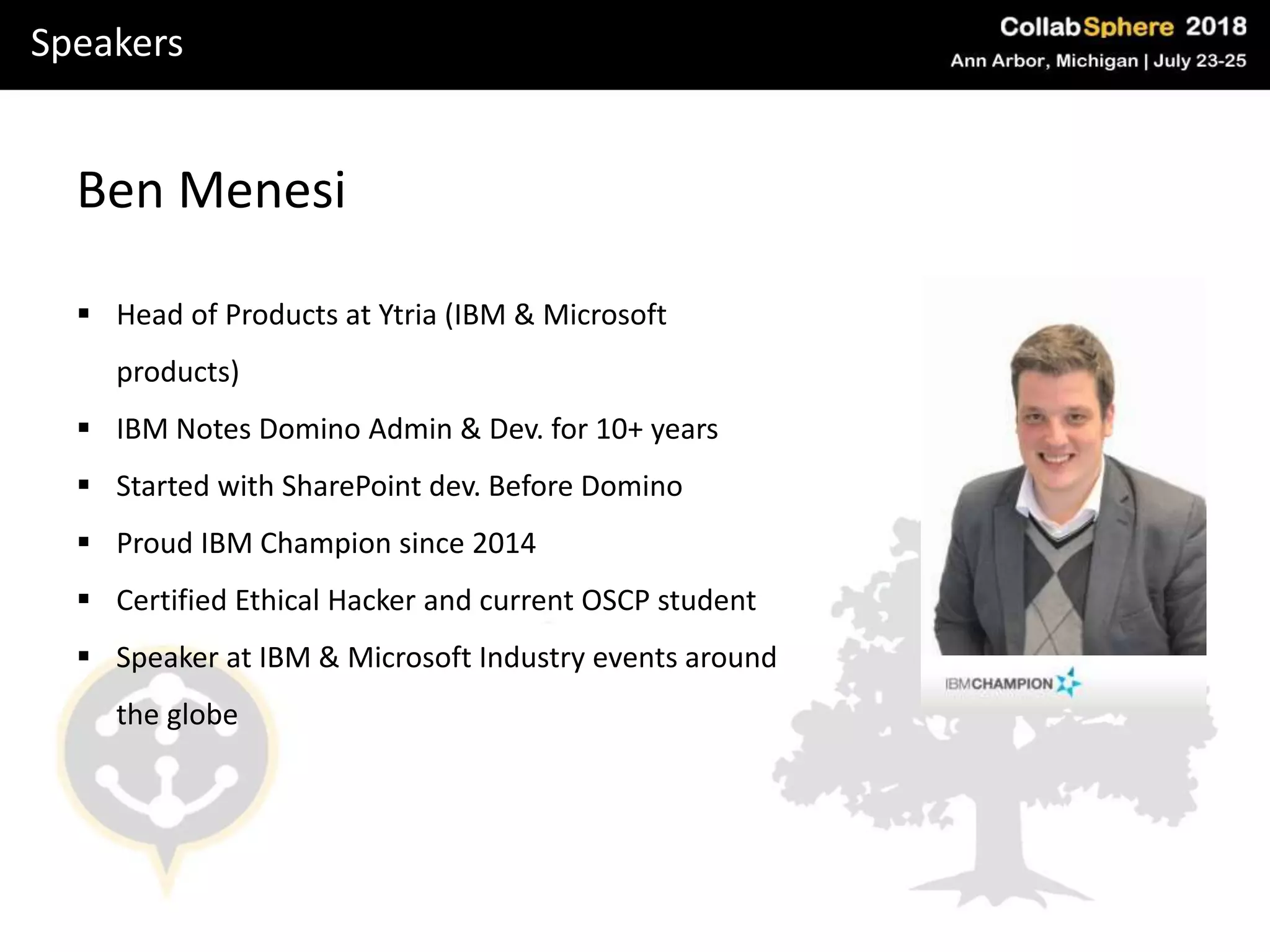
Ben Menesi
 Head of Products at Ytria (IBM & Microsoft
products)
 IBM Notes Domino Admin & Dev. for 10+ years
 Started with SharePoint dev. Before Domino
 Proud IBM Champion since 2014
 Certified Ethical Hacker and current OSCP student
 Speaker at IBM & Microsoft Industry events around
the globe
Agenda
What we’ll cover today
Domino Mail vs. Exchange vs. Exchange Online
SharePoint vs. Domino as a Data Container
IBM Sametime vs Skype for Business Online
Domino vs. Office365 security in a nutshell
Scenarios
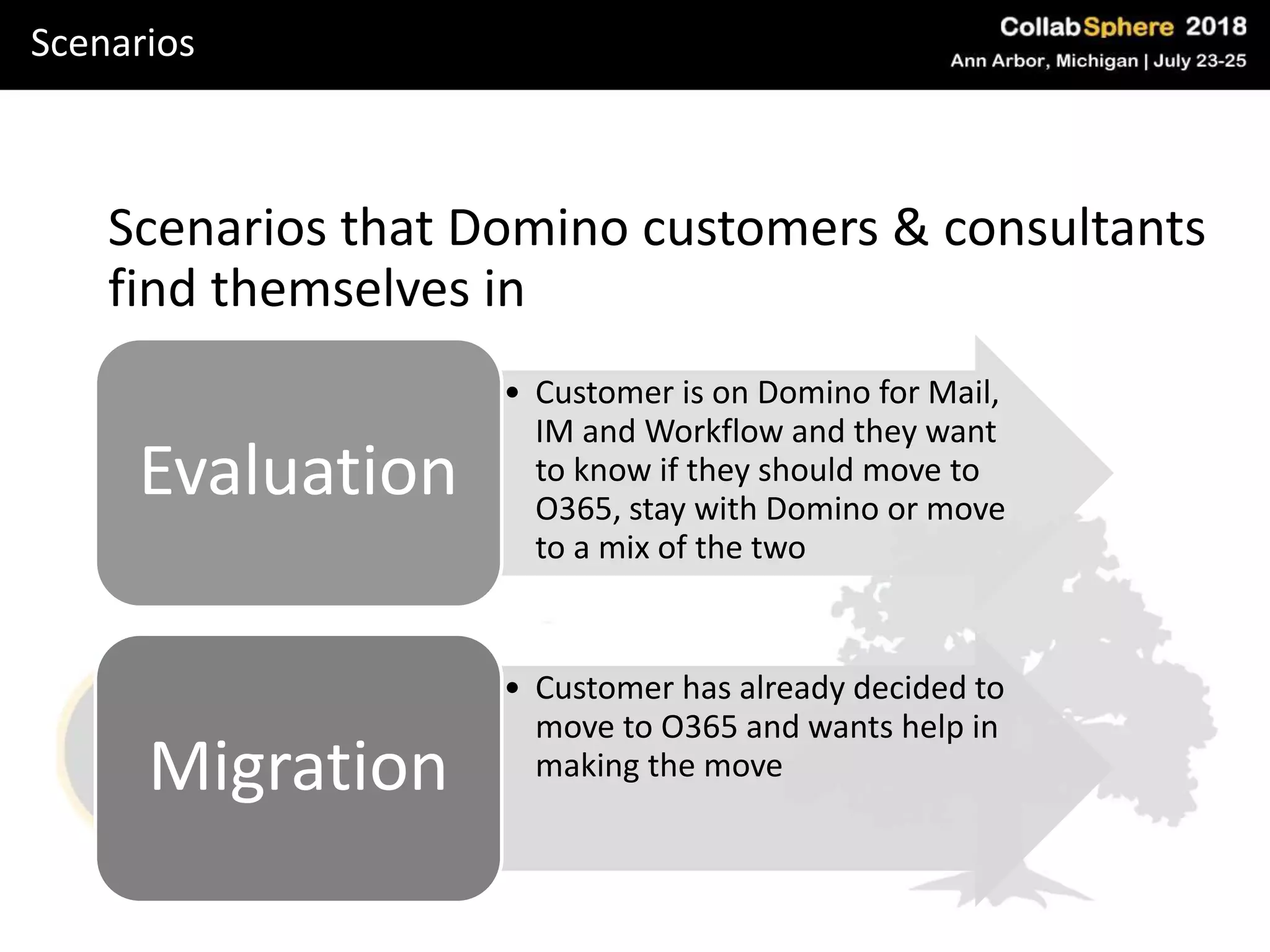
Scenarios that Domino customers & consultants
find themselves in
• Customer is on Domino for Mail,
IM and Workflow and they want
to know if they should move to
O365, stay with Domino or move
to a mix of the two
Evaluation
• Customer has already decided to
move to O365 and wants help in
making the moveMigration
Evaluation
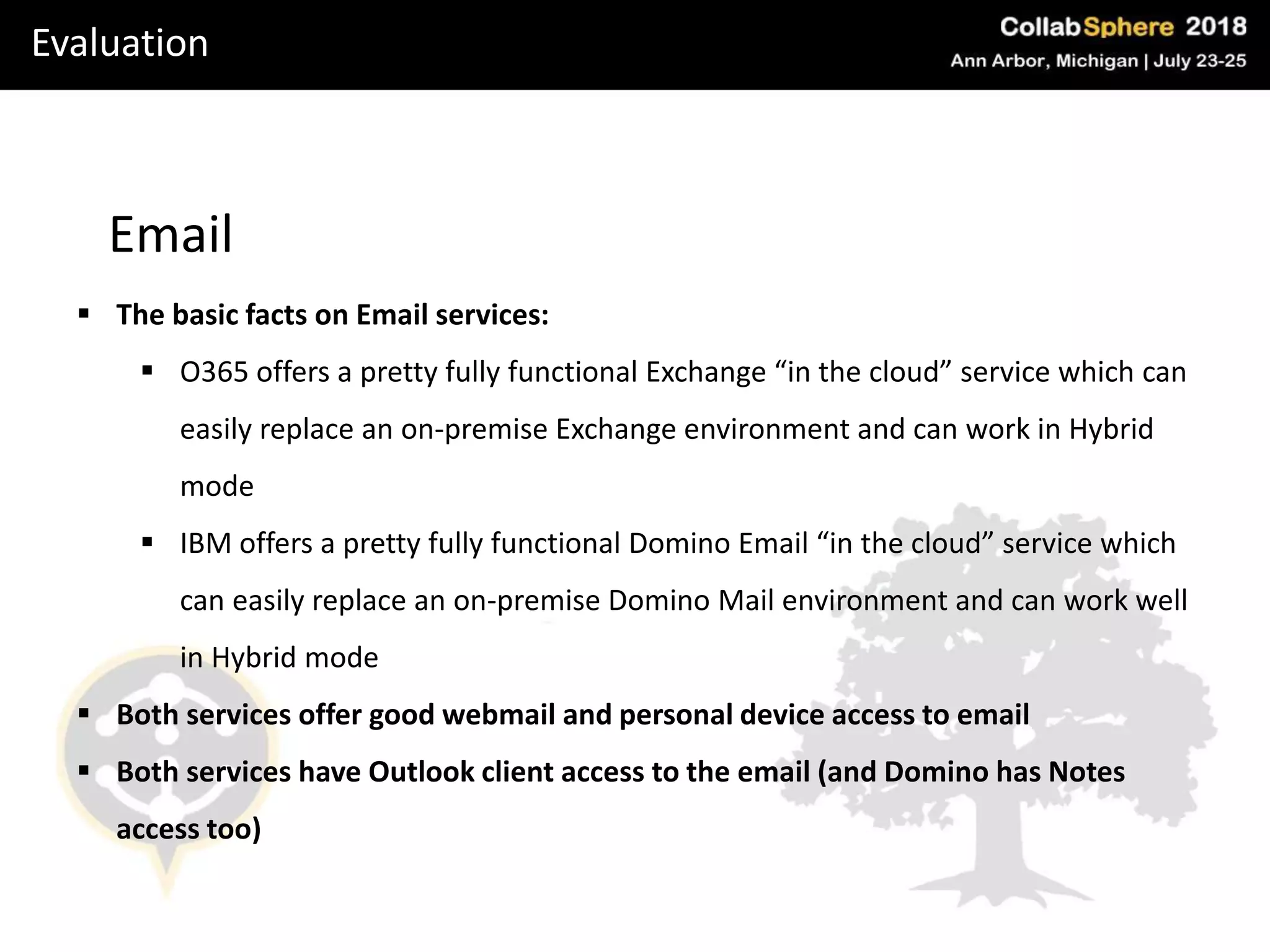
Email
 The basic facts on Email services:
 O365 offers a pretty fully functional Exchange “in the cloud” service which can
easily replace an on-premise Exchange environment and can work in Hybrid
mode
 IBM offers a pretty fully functional Domino Email “in the cloud” service which
can easily replace an on-premise Domino Mail environment and can work well
in Hybrid mode
 Both services offer good webmail and personal device access to email
 Both services have Outlook client access to the email (and Domino has Notes
access too)
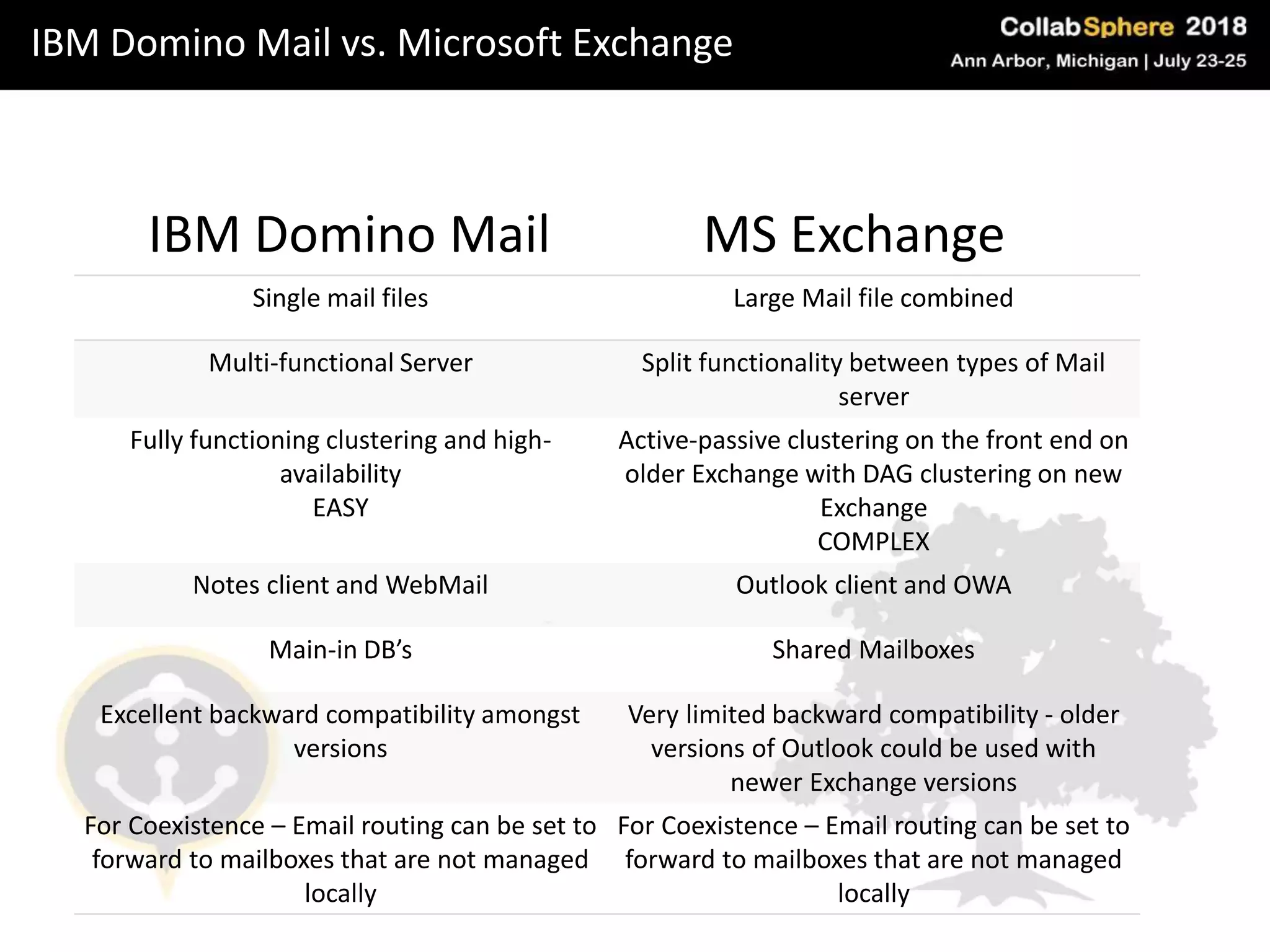
IBM Domino Mail vs. Microsoft Exchange
IBM Domino Mail
Single mail files Large Mail file combined
Multi-functional Server Split functionality between types of Mail
server
Fully functioning clustering and high-
availability
EASY
Active-passive clustering on the front end on
older Exchange with DAG clustering on new
Exchange
COMPLEX
Notes client and WebMail Outlook client and OWA
Main-in DB’s Shared Mailboxes
Excellent backward compatibility amongst
versions
Very limited backward compatibility - older
versions of Outlook could be used with
newer Exchange versions
For Coexistence – Email routing can be set to
forward to mailboxes that are not managed
locally
For Coexistence – Email routing can be set to
forward to mailboxes that are not managed
locally
MS Exchange
Evaluation
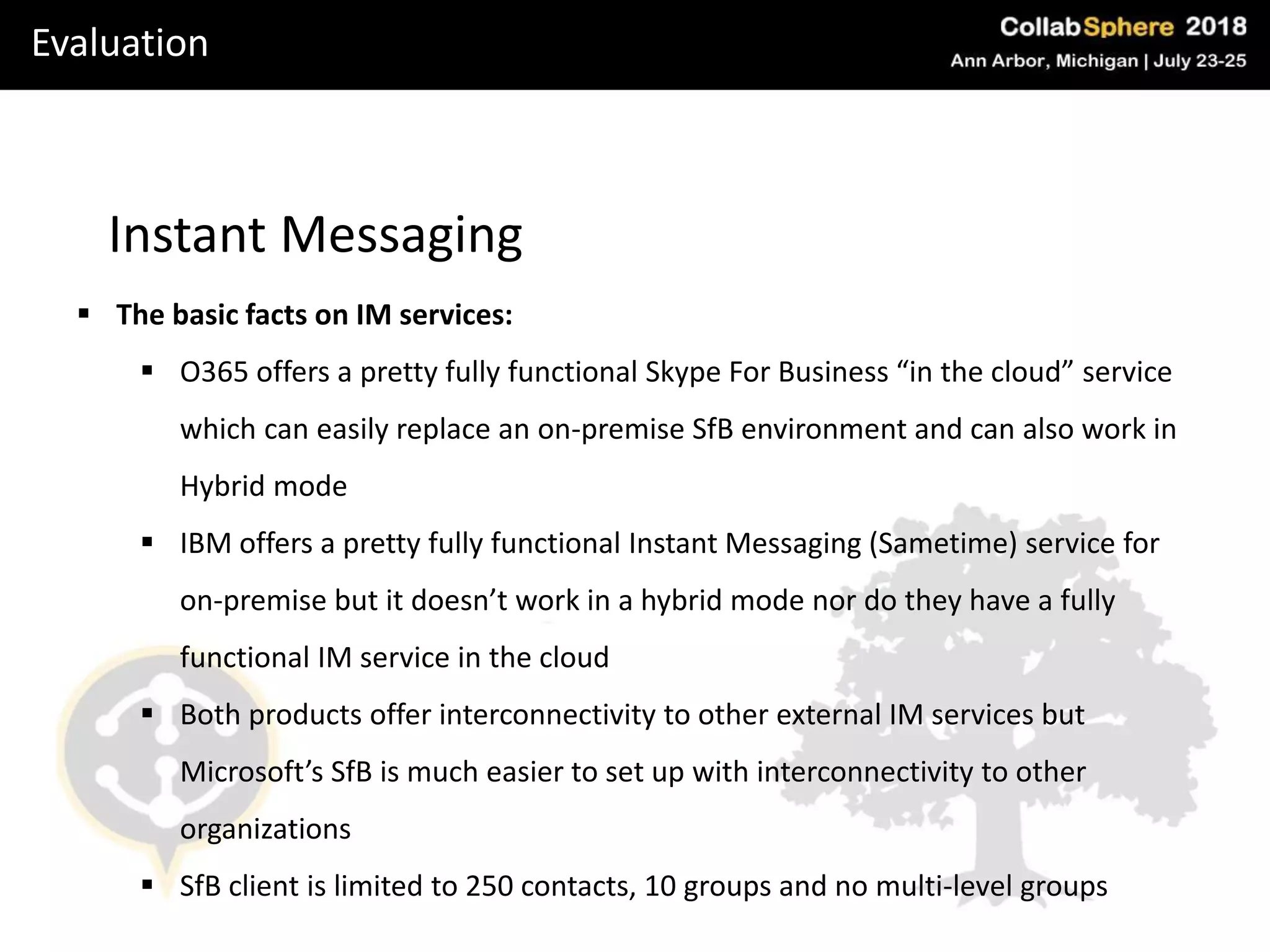
Instant Messaging
 The basic facts on IM services:
 O365 offers a pretty fully functional Skype For Business “in the cloud” service
which can easily replace an on-premise SfB environment and can also work in
Hybrid mode
 IBM offers a pretty fully functional Instant Messaging (Sametime) service for
on-premise but it doesn’t work in a hybrid mode nor do they have a fully
functional IM service in the cloud
 Both products offer interconnectivity to other external IM services but
Microsoft’s SfB is much easier to set up with interconnectivity to other
organizations
 SfB client is limited to 250 contacts, 10 groups and no multi-level groups
One Drive
• There is nothing on the Domino side to compare to OneDrive
• OneDrive is TWO things:
– Online personal storage for each user
– The actual sync process used to replicate data between user and cloud
• The closest thing is Box or Dropbox which gives cloud-based storage
for sharing to each and every user in the organization
• OneDrive is a personal SharePoint site effectively for each user with
storage
• Little known fact is that OneDrive comes from Groove… the
OneDrive process was called groove.exe on Windows 7.
Evaluation
Evaluation
The bottom line
 Cost: Microsoft have always compared seat costs for Notes/Domino to Exchange
and this is an inaccurate comparison
 Domino Applications: Customers are sold O365 based on it replacing Domino for
Mail, IM and basic collaboration. They typically do NOT consider the Domino
applications in the cost comparison
 Office seat cost: As O365 includes the Office 2016 suite, Microsoft rolls this cost
into the mix, thus further tempting customer
 Compare the TRUE costs over the complete Collaboration platform!!
The real costs are in the application migration – and this is most always
overlooked with Domino customers
Migration
Email
 Coexistence: A couple of excellent tools exist for email coexistence – Binary Tree
and Quest
 Typically they have issues with Calendar Coex unless it is architected correctly
 Email can be routed just fine between domains and either system can pass
emails onwards
Migration
Instant Messaging
 3 methods:
 Big bang at beginning – move all users to SfB – technically problematic due to
licensing – NOT RECOMMENDED.
 Big bang at end – probably the best move unless you want Coex – everyone
moves to SfB after everyone is migrated to O365
 Coexistence – possible to do but probably only worthwhile for large clients –
several caveats and important things to know – please contact me if interested
in knowing more
SharePoint vs. Domino as a Data Container
Introduction
 SharePoint is a web framework for Collaboration
 Heavy integration with Email, Calendar, Office Products, OneDrive and more
 SharePoint development:
 Focus on the citizen developer
 Out of the box functionality is sexier, faster to work with than Notes
 Once you go deeper things get very complex and expensive to customize
 Example: approval workflow: who’s the manager?
SharePoint vs. Domino as a Data Container
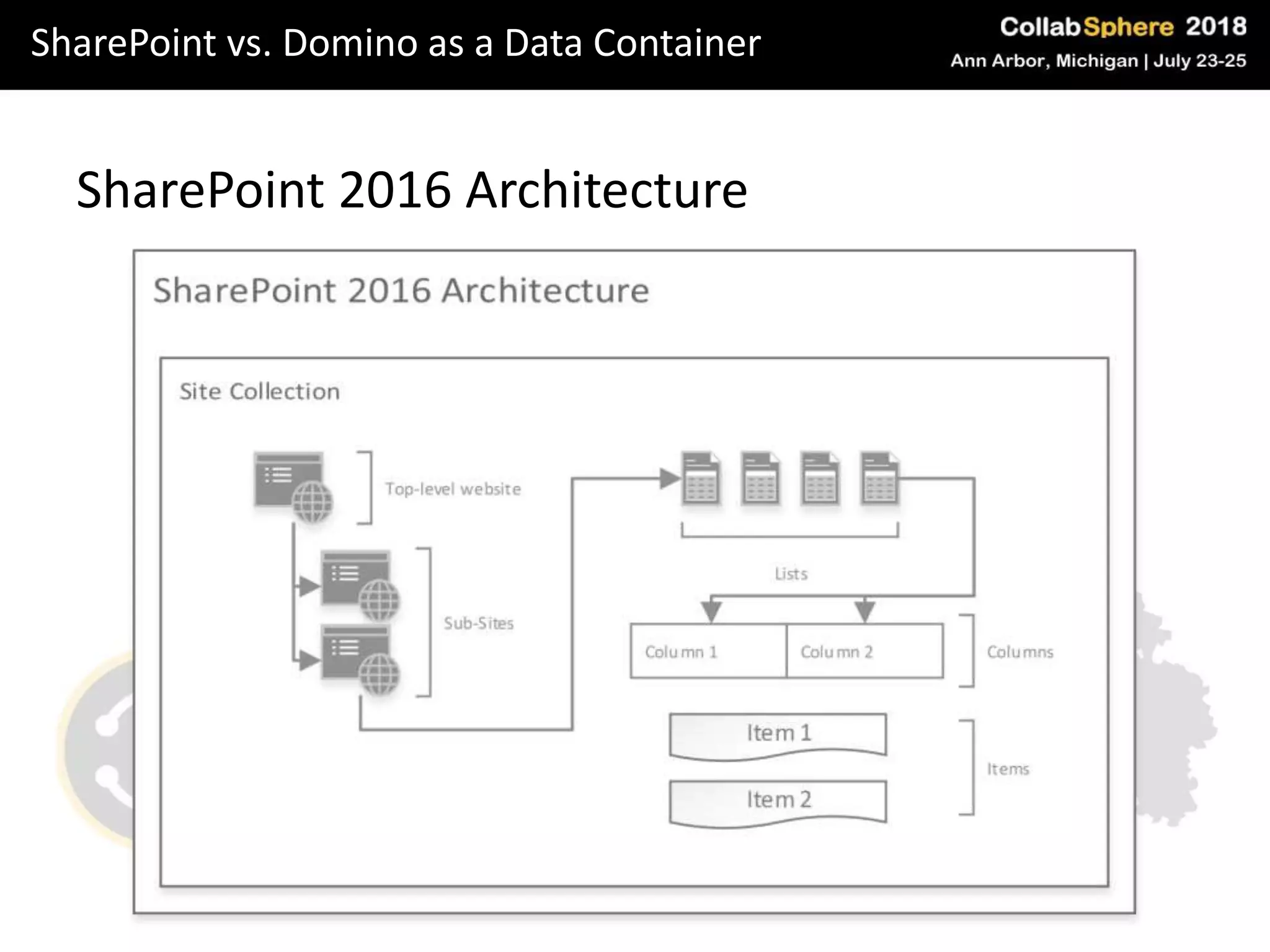
SharePoint 2016 Architecture
SharePoint vs. Domino as a Data Container
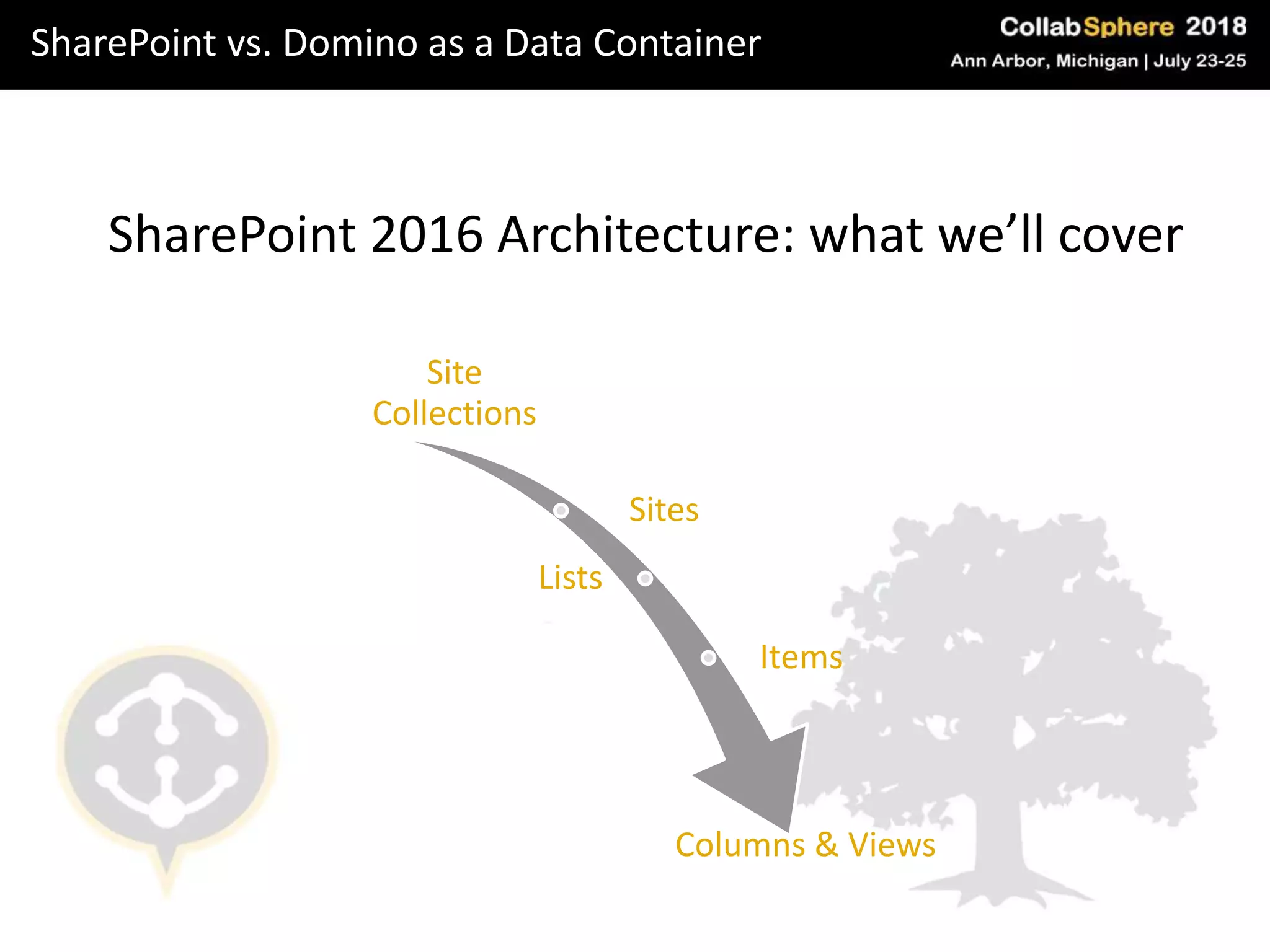
SharePoint 2016 Architecture: what we’ll cover
Site
Collections
Sites
Lists
Items
Columns & Views
SharePoint vs. Domino as a Data Container
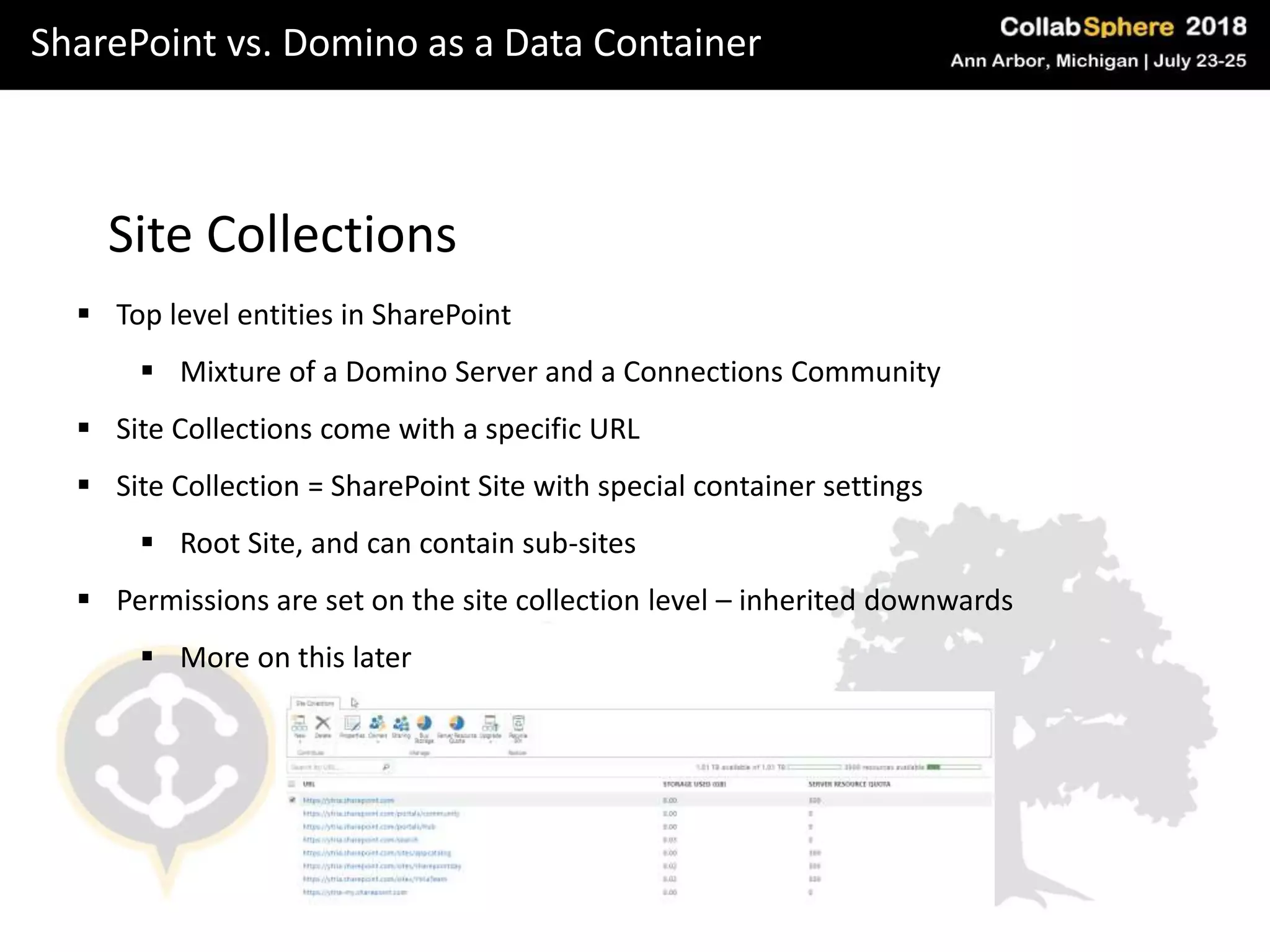
Site Collections
 Top level entities in SharePoint
 Mixture of a Domino Server and a Connections Community
 Site Collections come with a specific URL
 Site Collection = SharePoint Site with special container settings
 Root Site, and can contain sub-sites
 Permissions are set on the site collection level – inherited downwards
 More on this later
SharePoint vs. Domino as a Data Container
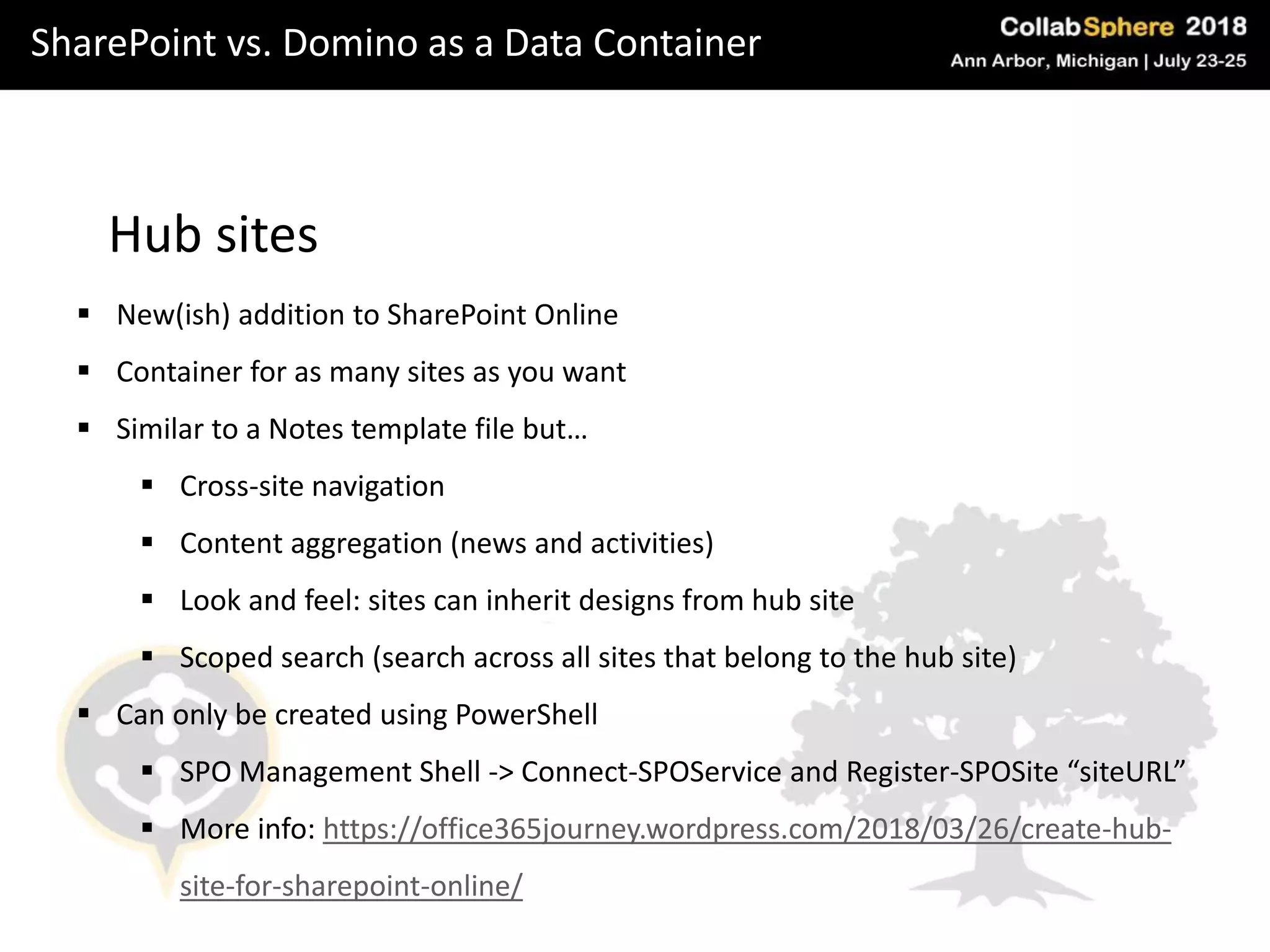
Hub sites
 New(ish) addition to SharePoint Online
 Container for as many sites as you want
 Similar to a Notes template file but…
 Cross-site navigation
 Content aggregation (news and activities)
 Look and feel: sites can inherit designs from hub site
 Scoped search (search across all sites that belong to the hub site)
 Can only be created using PowerShell
 SPO Management Shell -> Connect-SPOService and Register-SPOSite “siteURL”
 More info: https://office365journey.wordpress.com/2018/03/26/create-hub-
site-for-sharepoint-online/
SharePoint vs. Domino as a Data Container
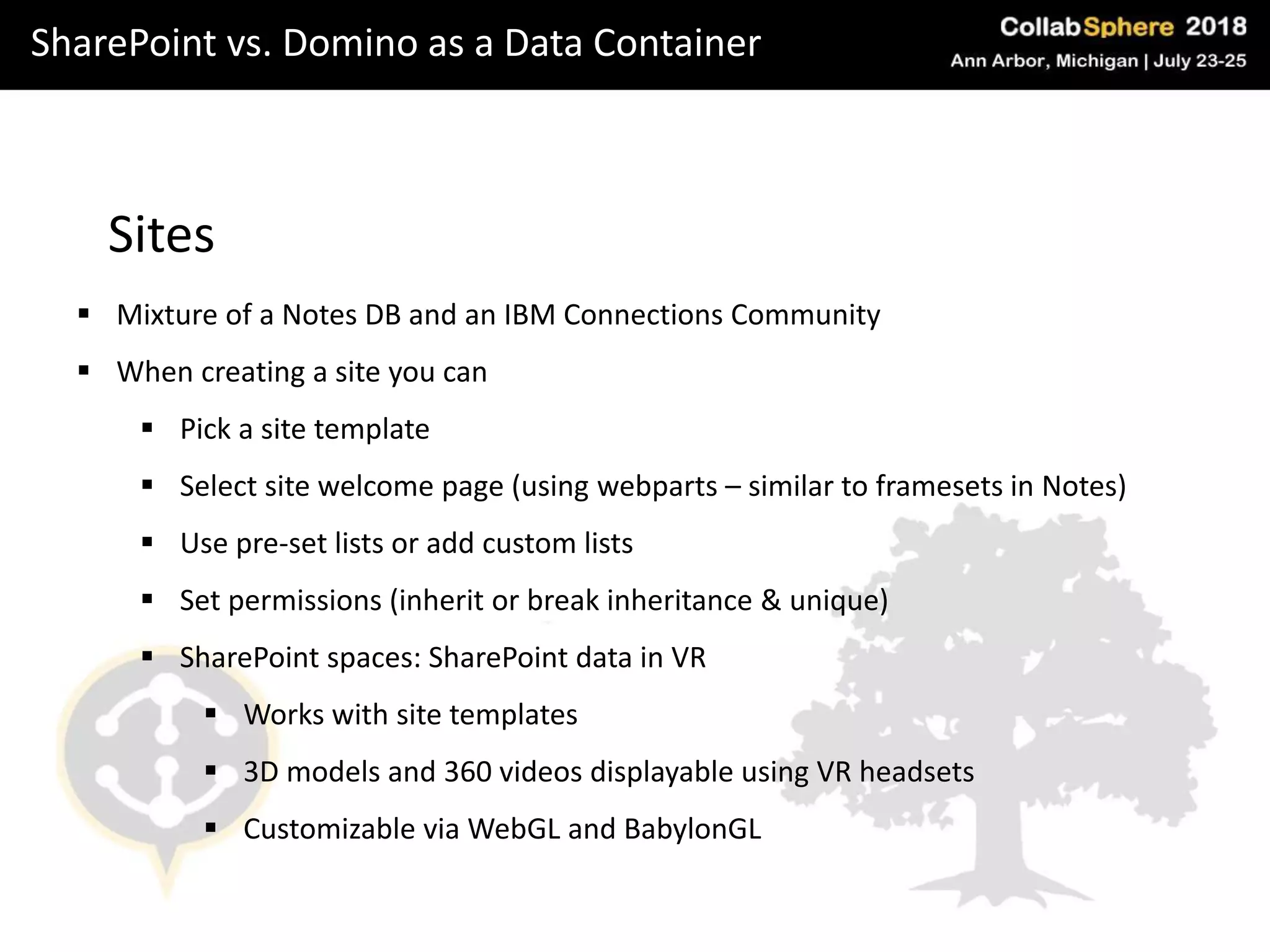
Sites
 Mixture of a Notes DB and an IBM Connections Community
 When creating a site you can
 Pick a site template
 Select site welcome page (using webparts – similar to framesets in Notes)
 Use pre-set lists or add custom lists
 Set permissions (inherit or break inheritance & unique)
 SharePoint spaces: SharePoint data in VR
 Works with site templates
 3D models and 360 videos displayable using VR headsets
 Customizable via WebGL and BabylonGL
SharePoint vs. Domino as a Data Container
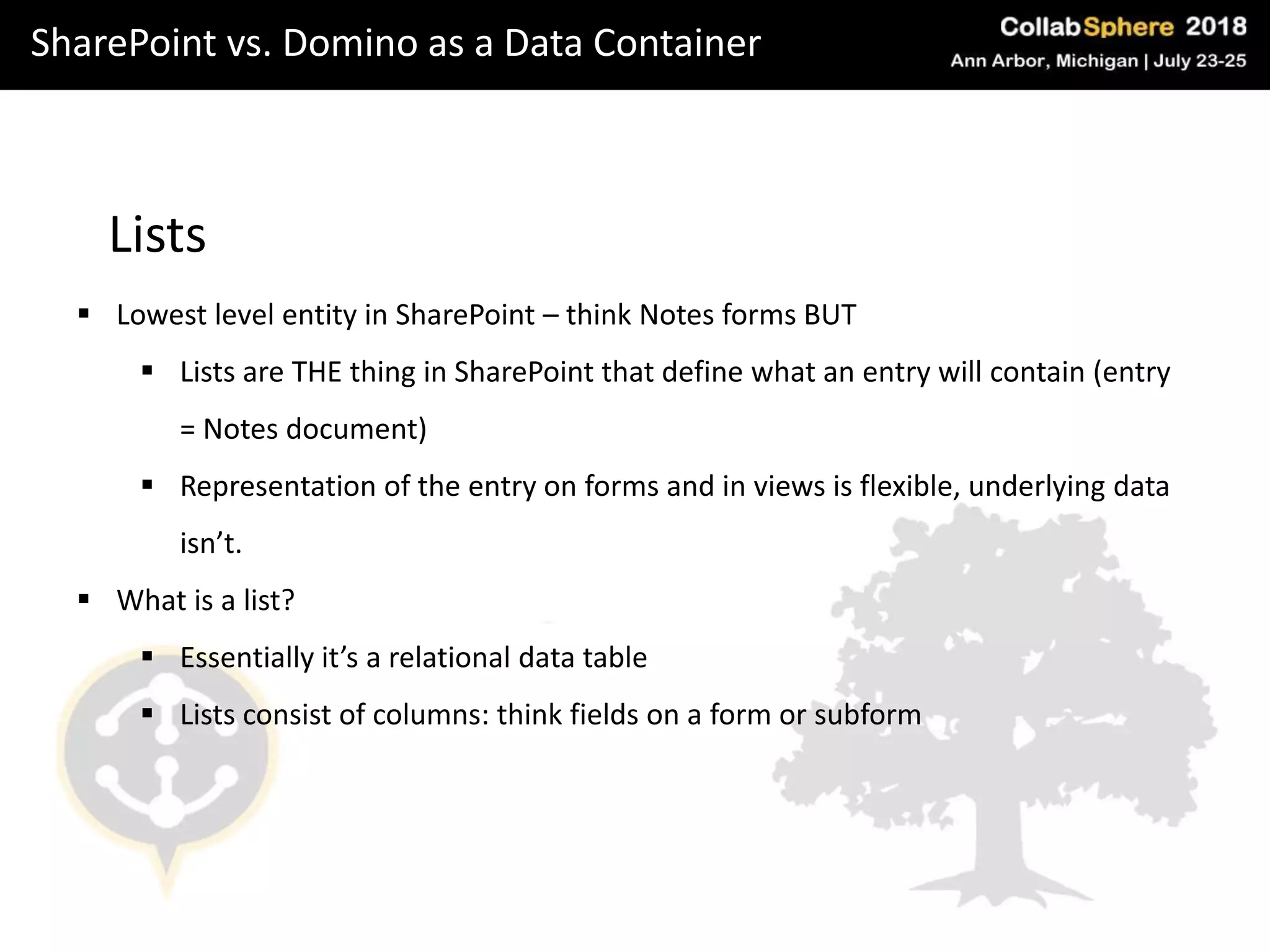
Lists
 Lowest level entity in SharePoint – think Notes forms BUT
 Lists are THE thing in SharePoint that define what an entry will contain (entry
= Notes document)
 Representation of the entry on forms and in views is flexible, underlying data
isn’t.
 What is a list?
 Essentially it’s a relational data table
 Lists consist of columns: think fields on a form or subform
SharePoint vs. Domino as a Data Container
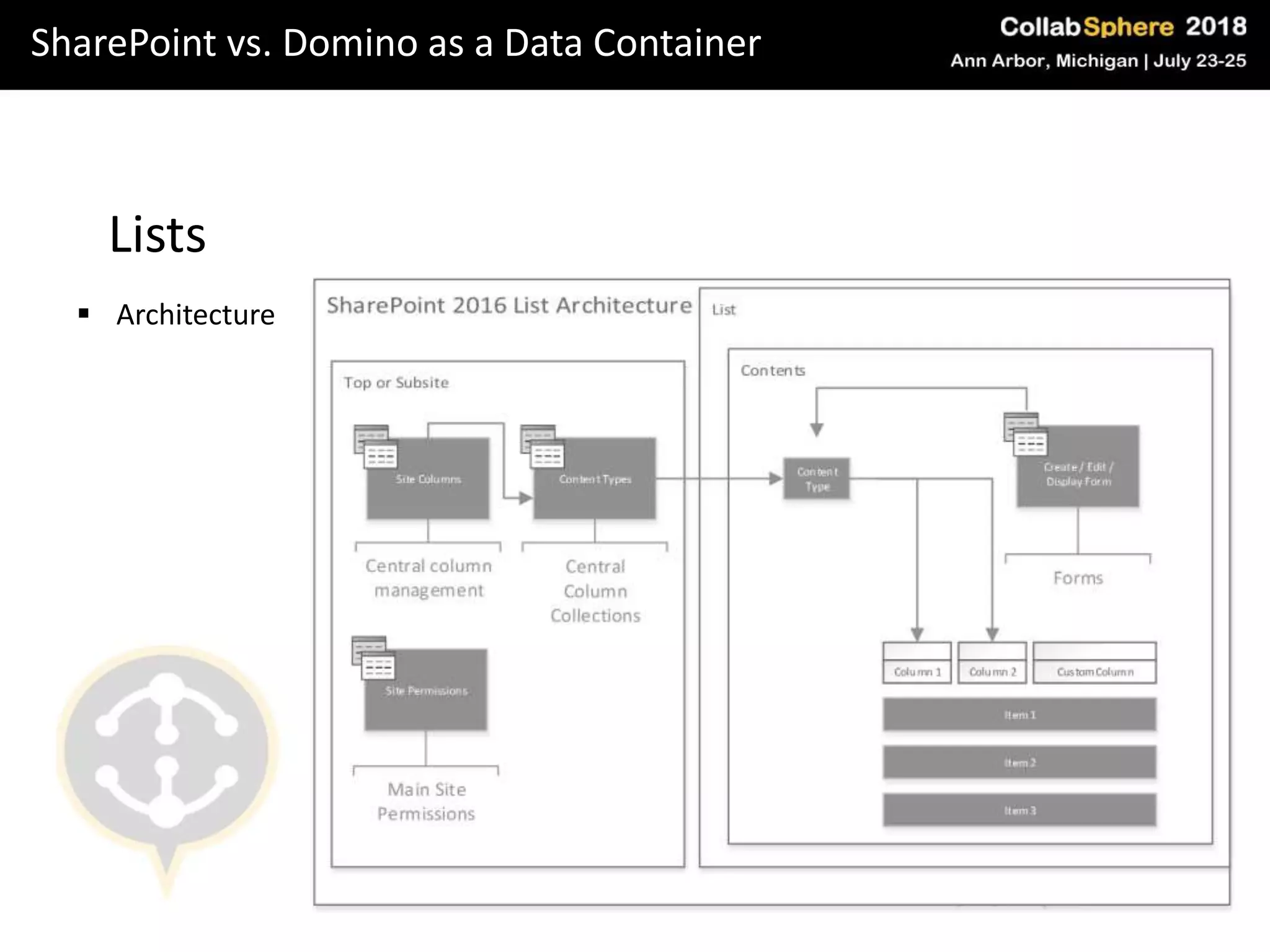
Lists
 Architecture
SharePoint vs. Domino as a Data Container
Key differences: lists vs. notes DBs
 Data types in SPO are inflexible: once you define them and add documents, can’t
change them (more precisely: it’s extremely tricky)
 Reader & Author protection: in SPO you can define records to be visible for a
certain audience – but can’t maintain a dynamic author or reader list
 Notes DBs are searchable per DB, SPO lists AND Sites are searchable altogether
Domino vs. O365 Security in a nutshell
Cloud vs. On premises: Domino (on prem)
More control: Configuration and threat mitigation is in your control
More expensive: you need regular penetration tests / internal security teams.
More customization capabilities = more room for error
Secure data: resiliency against government agencies, security through obscurity
Domino vs. O365 Security in a nutshell
Cloud vs. On premises: Office365 (cloud)
Broader scope of threat intelligence & larger, more specialized security muscle
Vulnerability mitigation and customization is out of your control
Multi-tenancy makes you part of a larger, more attractive attack surface
Fast and direct patch delivery
Domino vs. O365 Security in a nutshell
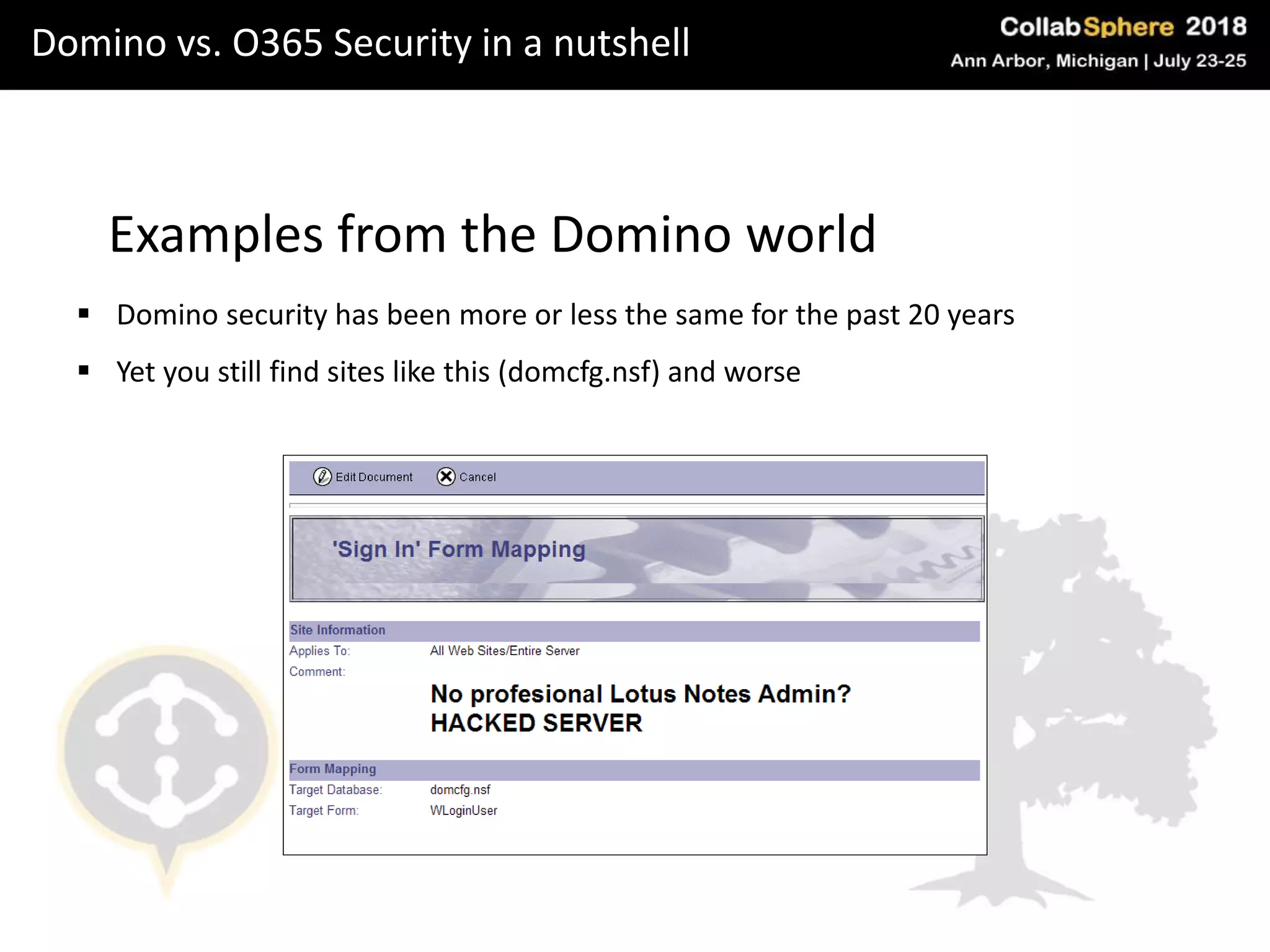
Examples from the Domino world
 Domino security has been more or less the same for the past 20 years
 Yet you still find sites like this (domcfg.nsf) and worse
Domino vs. O365 Security in a nutshell
Domino Security checklist
 Lock down your system databases
 Configure and enforce TLS
 Upgrade password hashes and use the Extended ACL feature in your NAB
 Configure Internet Password Lockout
 Disable HTTP Server header and SMTP server greetings
 Make sure to always patch your server as soon as a new FP / version is out
Domino vs. O365 Security in a nutshell
Examples from the Office365 world
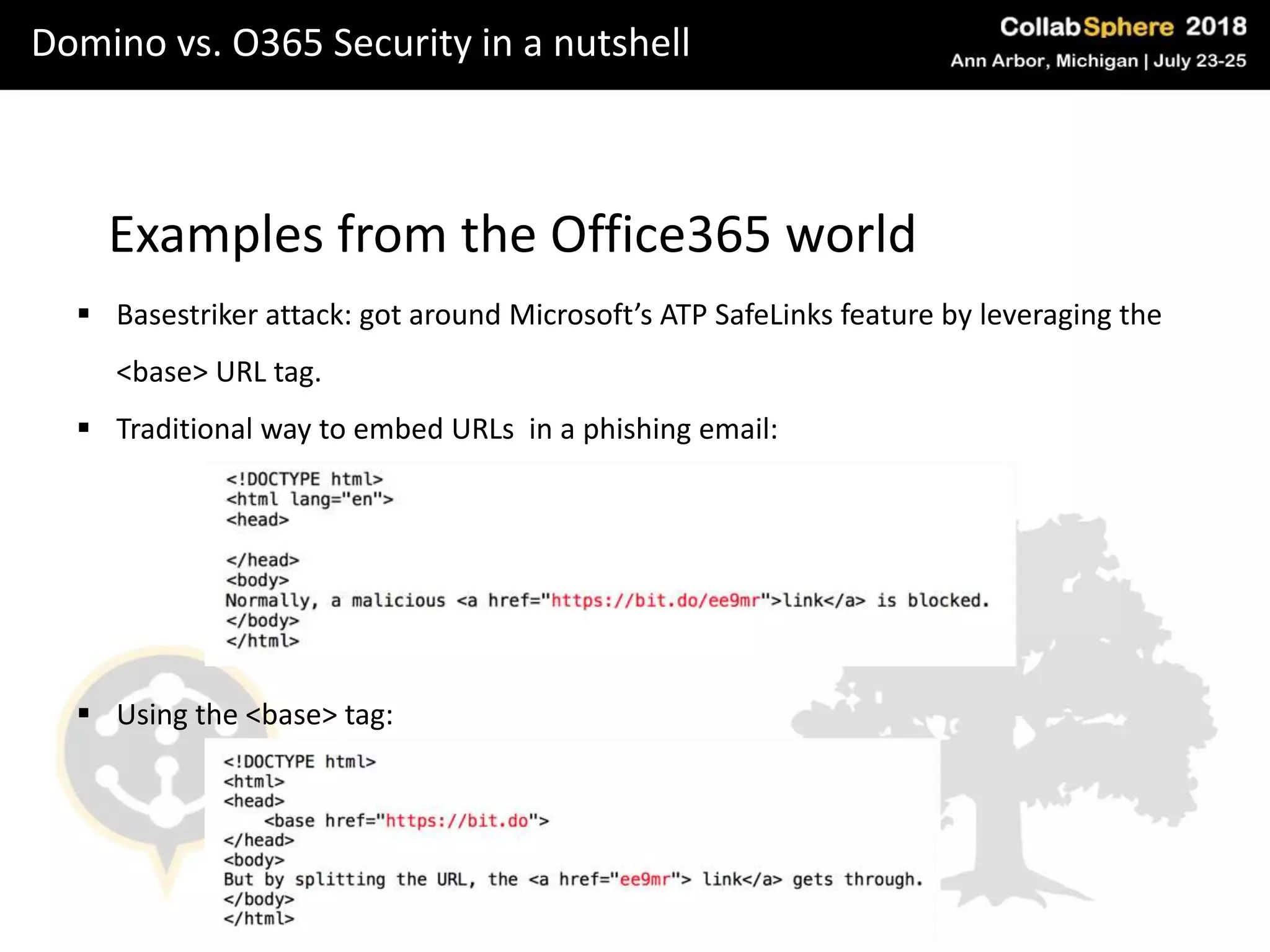
 Basestriker attack: got around Microsoft’s ATP SafeLinks feature by leveraging the
<base> URL tag.
 Traditional way to embed URLs in a phishing email:
 Using the <base> tag:
Domino vs. O365 Security in a nutshell
Advantages of Office365 security
 Ransomware protection for OneDrive
 Automatic Password lockout for Office365 (10 attempts)
 Threat intelligence and trends analysis
 Attack simulator for internal brute-force, spear-phishing and password-spray
attacks
 Customizable alert policies
Domino vs. O365 Security in a nutshell
Disadvantages of Office365 security
 Microsoft will comply with subpoenas pertaining your data in their cloud.
 Most of these security features are quite new (and sometimes buggy)
 No flexibility in configuring lockout. You get what you get
 Major issue with applications (think Cambridge Analytica) that is logically
unpatchable.
 Office365 is a very – very hot attack surface. If a vulnerability or zero-day is
discovered, you will be vulnerable, too.
Domino vs. O365 Security in a nutshell
Office365 security checklist
 Enable Multi Factor authentication
 Use the Attack simulator functionality to test your user awareness and security
 Restrict app. Registrations and access to the Azure AD Admin portal
 Enable advanced email protection options (encryption and do not forward)
 Set up alert policies and pay attention to Threat tracker
 Keep a tight leash on external (and anonymous) sharing
 Frequently audit your Azure AD applications and consent grants
 Educate users about security
Thank you!
Thank you for attending our session.
Questions?
Let’s keep in touch:
andy@imcollaboration.com
ben.menesi@ytria.com

Ms vs ibm_v1.3

  • 1.
    Know your competition ContrastingIBM and Microsoft collaboration offerings Presented by: Andy Higgins & Ben Menesi
  • 2.
    Speakers Andy Higgins  SeniorConsultant at IMCollaboration  Migration and Coexistence SME  Worked on cross-platform interconnectivity with Email, IM and Directories for over 20 years
  • 3.
    Speakers Ben Menesi  Headof Products at Ytria (IBM & Microsoft products)  IBM Notes Domino Admin & Dev. for 10+ years  Started with SharePoint dev. Before Domino  Proud IBM Champion since 2014  Certified Ethical Hacker and current OSCP student  Speaker at IBM & Microsoft Industry events around the globe
  • 4.
    Agenda What we’ll covertoday Domino Mail vs. Exchange vs. Exchange Online SharePoint vs. Domino as a Data Container IBM Sametime vs Skype for Business Online Domino vs. Office365 security in a nutshell
  • 5.
    Scenarios Scenarios that Dominocustomers & consultants find themselves in • Customer is on Domino for Mail, IM and Workflow and they want to know if they should move to O365, stay with Domino or move to a mix of the two Evaluation • Customer has already decided to move to O365 and wants help in making the moveMigration
  • 6.
    Evaluation Email  The basicfacts on Email services:  O365 offers a pretty fully functional Exchange “in the cloud” service which can easily replace an on-premise Exchange environment and can work in Hybrid mode  IBM offers a pretty fully functional Domino Email “in the cloud” service which can easily replace an on-premise Domino Mail environment and can work well in Hybrid mode  Both services offer good webmail and personal device access to email  Both services have Outlook client access to the email (and Domino has Notes access too)
  • 7.
    IBM Domino Mailvs. Microsoft Exchange IBM Domino Mail Single mail files Large Mail file combined Multi-functional Server Split functionality between types of Mail server Fully functioning clustering and high- availability EASY Active-passive clustering on the front end on older Exchange with DAG clustering on new Exchange COMPLEX Notes client and WebMail Outlook client and OWA Main-in DB’s Shared Mailboxes Excellent backward compatibility amongst versions Very limited backward compatibility - older versions of Outlook could be used with newer Exchange versions For Coexistence – Email routing can be set to forward to mailboxes that are not managed locally For Coexistence – Email routing can be set to forward to mailboxes that are not managed locally MS Exchange
  • 8.
    Evaluation Instant Messaging  Thebasic facts on IM services:  O365 offers a pretty fully functional Skype For Business “in the cloud” service which can easily replace an on-premise SfB environment and can also work in Hybrid mode  IBM offers a pretty fully functional Instant Messaging (Sametime) service for on-premise but it doesn’t work in a hybrid mode nor do they have a fully functional IM service in the cloud  Both products offer interconnectivity to other external IM services but Microsoft’s SfB is much easier to set up with interconnectivity to other organizations  SfB client is limited to 250 contacts, 10 groups and no multi-level groups
  • 9.
    One Drive • Thereis nothing on the Domino side to compare to OneDrive • OneDrive is TWO things: – Online personal storage for each user – The actual sync process used to replicate data between user and cloud • The closest thing is Box or Dropbox which gives cloud-based storage for sharing to each and every user in the organization • OneDrive is a personal SharePoint site effectively for each user with storage • Little known fact is that OneDrive comes from Groove… the OneDrive process was called groove.exe on Windows 7. Evaluation
  • 10.
    Evaluation The bottom line Cost: Microsoft have always compared seat costs for Notes/Domino to Exchange and this is an inaccurate comparison  Domino Applications: Customers are sold O365 based on it replacing Domino for Mail, IM and basic collaboration. They typically do NOT consider the Domino applications in the cost comparison  Office seat cost: As O365 includes the Office 2016 suite, Microsoft rolls this cost into the mix, thus further tempting customer  Compare the TRUE costs over the complete Collaboration platform!! The real costs are in the application migration – and this is most always overlooked with Domino customers
  • 11.
    Migration Email  Coexistence: Acouple of excellent tools exist for email coexistence – Binary Tree and Quest  Typically they have issues with Calendar Coex unless it is architected correctly  Email can be routed just fine between domains and either system can pass emails onwards
  • 12.
    Migration Instant Messaging  3methods:  Big bang at beginning – move all users to SfB – technically problematic due to licensing – NOT RECOMMENDED.  Big bang at end – probably the best move unless you want Coex – everyone moves to SfB after everyone is migrated to O365  Coexistence – possible to do but probably only worthwhile for large clients – several caveats and important things to know – please contact me if interested in knowing more
  • 13.
    SharePoint vs. Dominoas a Data Container Introduction  SharePoint is a web framework for Collaboration  Heavy integration with Email, Calendar, Office Products, OneDrive and more  SharePoint development:  Focus on the citizen developer  Out of the box functionality is sexier, faster to work with than Notes  Once you go deeper things get very complex and expensive to customize  Example: approval workflow: who’s the manager?
  • 14.
    SharePoint vs. Dominoas a Data Container SharePoint 2016 Architecture
  • 15.
    SharePoint vs. Dominoas a Data Container SharePoint 2016 Architecture: what we’ll cover Site Collections Sites Lists Items Columns & Views
  • 16.
    SharePoint vs. Dominoas a Data Container Site Collections  Top level entities in SharePoint  Mixture of a Domino Server and a Connections Community  Site Collections come with a specific URL  Site Collection = SharePoint Site with special container settings  Root Site, and can contain sub-sites  Permissions are set on the site collection level – inherited downwards  More on this later
  • 17.
    SharePoint vs. Dominoas a Data Container Hub sites  New(ish) addition to SharePoint Online  Container for as many sites as you want  Similar to a Notes template file but…  Cross-site navigation  Content aggregation (news and activities)  Look and feel: sites can inherit designs from hub site  Scoped search (search across all sites that belong to the hub site)  Can only be created using PowerShell  SPO Management Shell -> Connect-SPOService and Register-SPOSite “siteURL”  More info: https://office365journey.wordpress.com/2018/03/26/create-hub- site-for-sharepoint-online/
  • 18.
    SharePoint vs. Dominoas a Data Container Sites  Mixture of a Notes DB and an IBM Connections Community  When creating a site you can  Pick a site template  Select site welcome page (using webparts – similar to framesets in Notes)  Use pre-set lists or add custom lists  Set permissions (inherit or break inheritance & unique)  SharePoint spaces: SharePoint data in VR  Works with site templates  3D models and 360 videos displayable using VR headsets  Customizable via WebGL and BabylonGL
  • 19.
    SharePoint vs. Dominoas a Data Container Lists  Lowest level entity in SharePoint – think Notes forms BUT  Lists are THE thing in SharePoint that define what an entry will contain (entry = Notes document)  Representation of the entry on forms and in views is flexible, underlying data isn’t.  What is a list?  Essentially it’s a relational data table  Lists consist of columns: think fields on a form or subform
  • 20.
    SharePoint vs. Dominoas a Data Container Lists  Architecture
  • 21.
    SharePoint vs. Dominoas a Data Container Key differences: lists vs. notes DBs  Data types in SPO are inflexible: once you define them and add documents, can’t change them (more precisely: it’s extremely tricky)  Reader & Author protection: in SPO you can define records to be visible for a certain audience – but can’t maintain a dynamic author or reader list  Notes DBs are searchable per DB, SPO lists AND Sites are searchable altogether
  • 22.
    Domino vs. O365Security in a nutshell Cloud vs. On premises: Domino (on prem) More control: Configuration and threat mitigation is in your control More expensive: you need regular penetration tests / internal security teams. More customization capabilities = more room for error Secure data: resiliency against government agencies, security through obscurity
  • 23.
    Domino vs. O365Security in a nutshell Cloud vs. On premises: Office365 (cloud) Broader scope of threat intelligence & larger, more specialized security muscle Vulnerability mitigation and customization is out of your control Multi-tenancy makes you part of a larger, more attractive attack surface Fast and direct patch delivery
  • 24.
    Domino vs. O365Security in a nutshell Examples from the Domino world  Domino security has been more or less the same for the past 20 years  Yet you still find sites like this (domcfg.nsf) and worse
  • 25.
    Domino vs. O365Security in a nutshell Domino Security checklist  Lock down your system databases  Configure and enforce TLS  Upgrade password hashes and use the Extended ACL feature in your NAB  Configure Internet Password Lockout  Disable HTTP Server header and SMTP server greetings  Make sure to always patch your server as soon as a new FP / version is out
  • 26.
    Domino vs. O365Security in a nutshell Examples from the Office365 world  Basestriker attack: got around Microsoft’s ATP SafeLinks feature by leveraging the <base> URL tag.  Traditional way to embed URLs in a phishing email:  Using the <base> tag:
  • 27.
    Domino vs. O365Security in a nutshell Advantages of Office365 security  Ransomware protection for OneDrive  Automatic Password lockout for Office365 (10 attempts)  Threat intelligence and trends analysis  Attack simulator for internal brute-force, spear-phishing and password-spray attacks  Customizable alert policies
  • 28.
    Domino vs. O365Security in a nutshell Disadvantages of Office365 security  Microsoft will comply with subpoenas pertaining your data in their cloud.  Most of these security features are quite new (and sometimes buggy)  No flexibility in configuring lockout. You get what you get  Major issue with applications (think Cambridge Analytica) that is logically unpatchable.  Office365 is a very – very hot attack surface. If a vulnerability or zero-day is discovered, you will be vulnerable, too.
  • 29.
    Domino vs. O365Security in a nutshell Office365 security checklist  Enable Multi Factor authentication  Use the Attack simulator functionality to test your user awareness and security  Restrict app. Registrations and access to the Azure AD Admin portal  Enable advanced email protection options (encryption and do not forward)  Set up alert policies and pay attention to Threat tracker  Keep a tight leash on external (and anonymous) sharing  Frequently audit your Azure AD applications and consent grants  Educate users about security
  • 30.
    Thank you! Thank youfor attending our session. Questions? Let’s keep in touch: andy@imcollaboration.com ben.menesi@ytria.com

Editor's Notes

  • #3 For Andy to fill out
  • #6 Andy is going to talk about evaluation and migration. I will talk about SPO and security.
  • #7 Ben: we’ll finalize this when we get there. Usually my last piece of the puzzle before presenting.
  • #8 Ben: we’ll finalize this when we get there. Usually my last piece of the puzzle before presenting.
  • #10 Ben: we’ll finalize this when we get there. Usually my last piece of the puzzle before presenting.
  • #11 Ben: we’ll finalize this when we get there. Usually my last piece of the puzzle before presenting.
  • #12 Maybe leave it out?
  • #14 Ben: we’ll finalize this when we get there. Usually my last piece of the puzzle before presenting.
  • #15 Ben: we’ll finalize this when we get there. Usually my last piece of the puzzle before presenting.
  • #16 Ben: we’ll finalize this when we get there. Usually my last piece of the puzzle before presenting.
  • #17 Ben: we’ll finalize this when we get there. Usually my last piece of the puzzle before presenting.
  • #18 Ben: we’ll finalize this when we get there. Usually my last piece of the puzzle before presenting.
  • #19 Ben: we’ll finalize this when we get there. Usually my last piece of the puzzle before presenting.
  • #20 Ben: we’ll finalize this when we get there. Usually my last piece of the puzzle before presenting.
  • #21 Ben: we’ll finalize this when we get there. Usually my last piece of the puzzle before presenting.
  • #22 Ben: we’ll finalize this when we get there. Usually my last piece of the puzzle before presenting.
  • #23 Ben: we’ll finalize this when we get there. Usually my last piece of the puzzle before presenting.
  • #24 Ben: we’ll finalize this when we get there. Usually my last piece of the puzzle before presenting.
  • #25 Ben: we’ll finalize this when we get there. Usually my last piece of the puzzle before presenting.
  • #26 Ben: we’ll finalize this when we get there. Usually my last piece of the puzzle before presenting.
  • #27 Ben: we’ll finalize this when we get there. Usually my last piece of the puzzle before presenting.
  • #32 Avanan reports vulnerability to Microsoft on the 2nd May 2018 Microsoft only fixes vulnerability on the 16th May.