Best practises for deploying
Verse on Premise (VoP)
• Tim Clark
www.bcchub.com
contact@bcc.biz
Who am I?
Tim Clark
• Director Services &
Support
• Domino Admin (ish)
• Project Manager
Agenda
• Why deploy VOP?
• Plan / Set a goal
• Know your requirements
• Installing and configuring
• Integrating with Connections,
Docs, Sametime & Box
• Deploy & Test first
• Roll out in phases
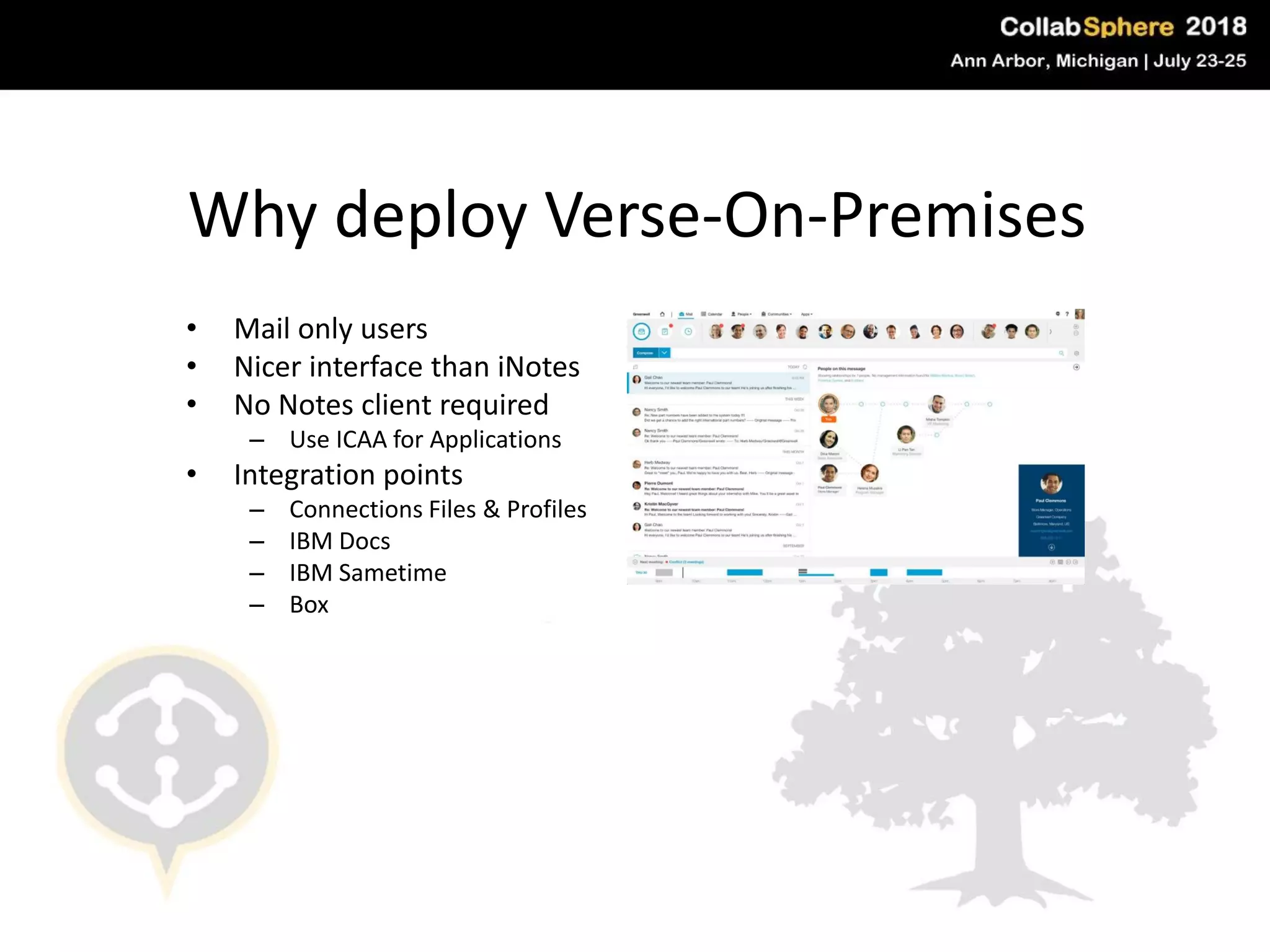
Why deploy Verse-On-Premises
• Mail only users
• Nicer interface than iNotes
• No Notes client required
– Use ICAA for Applications
• Integration points
– Connections Files & Profiles
– IBM Docs
– IBM Sametime
– Box
And now ….
Plan / Set a goal
• Set time aside for
downtime on
mail server
– Update to 9.0.1
– Install fixes
– Edit notes.ini
– Restart server
• Ensure back up
of all mail files
• Don’t rush!
#engageug
Know your
requirements
• Current version VOP 1.3
• System requirements -
http://bit.ly/vop103sysreq
• Remove older versions before
you install
• Ensure integration pre-reqs
are satisfied (& tested) –
check those system
requirements again!
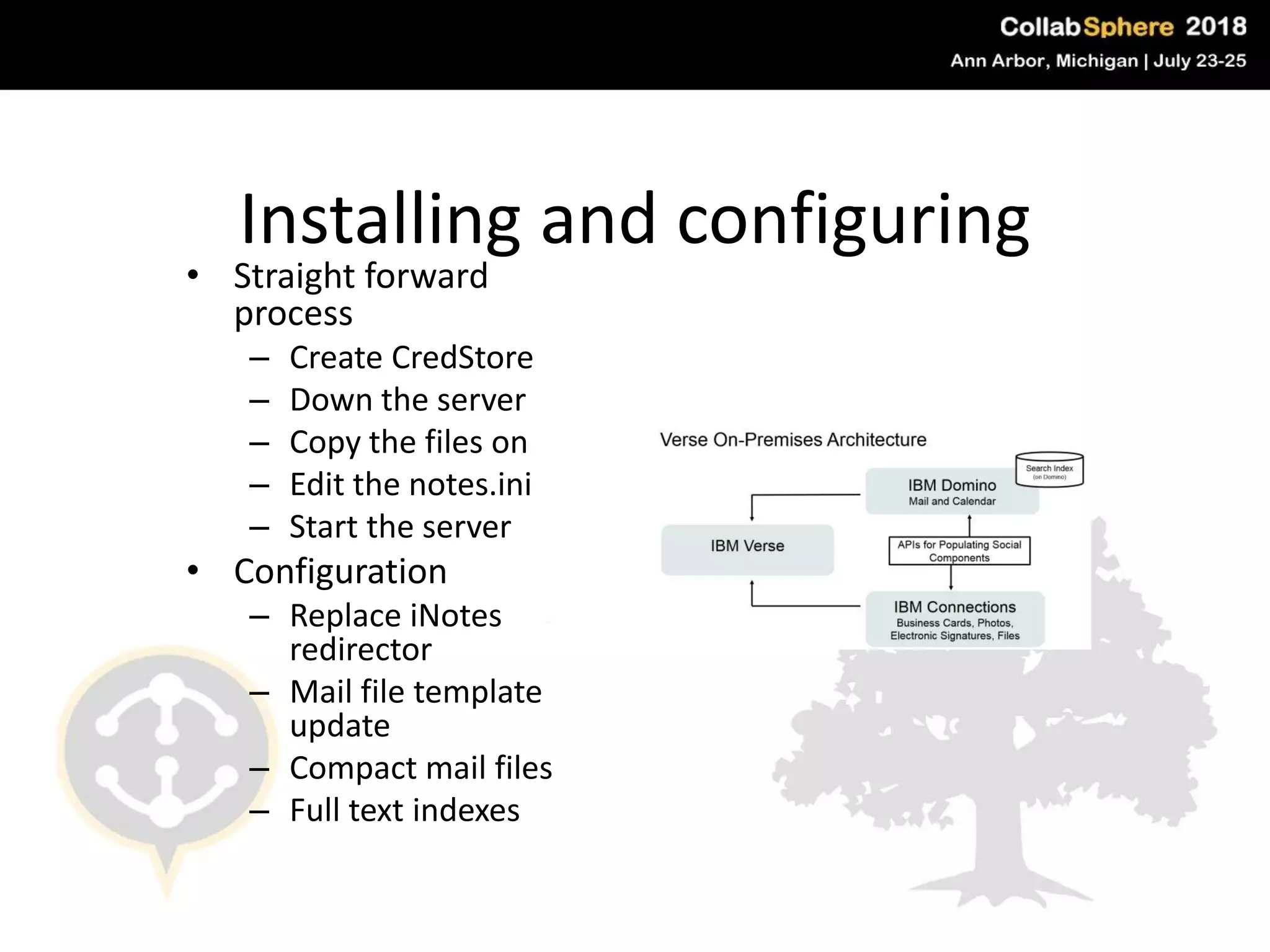
Installing and configuring
• Straight forward
process
– Create CredStore
– Down the server
– Copy the files on
– Edit the notes.ini
– Start the server
• Configuration
– Replace iNotes
redirector
– Mail file template
update
– Compact mail files
– Full text indexes
#engageug
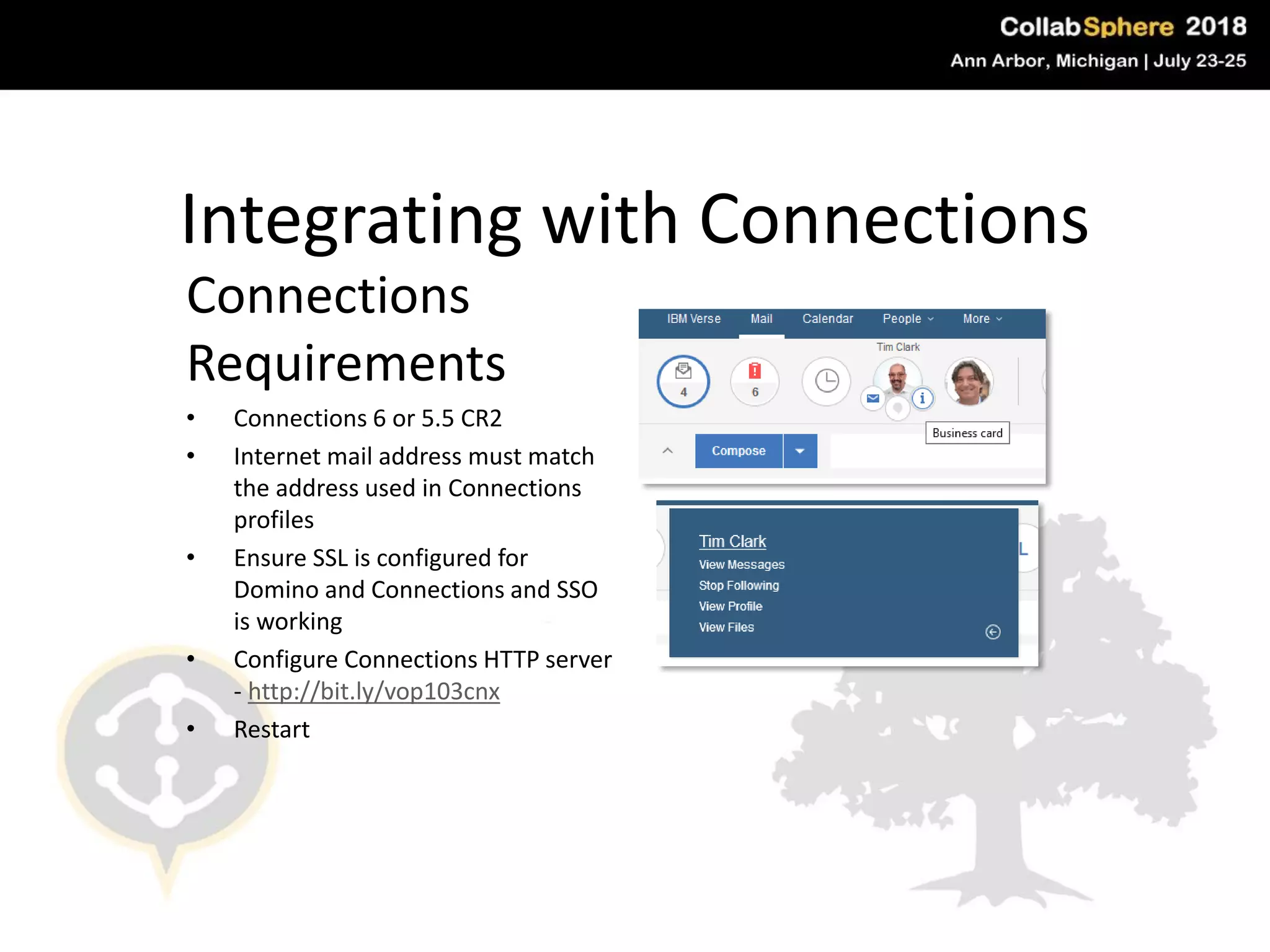
Integrating with Connections
Connections
Requirements
• Connections 6 or 5.5 CR2
• Internet mail address must match
the address used in Connections
profiles
• Ensure SSL is configured for
Domino and Connections and SSO
is working
• Configure Connections HTTP server
- http://bit.ly/vop103cnx
• Restart
#engageug
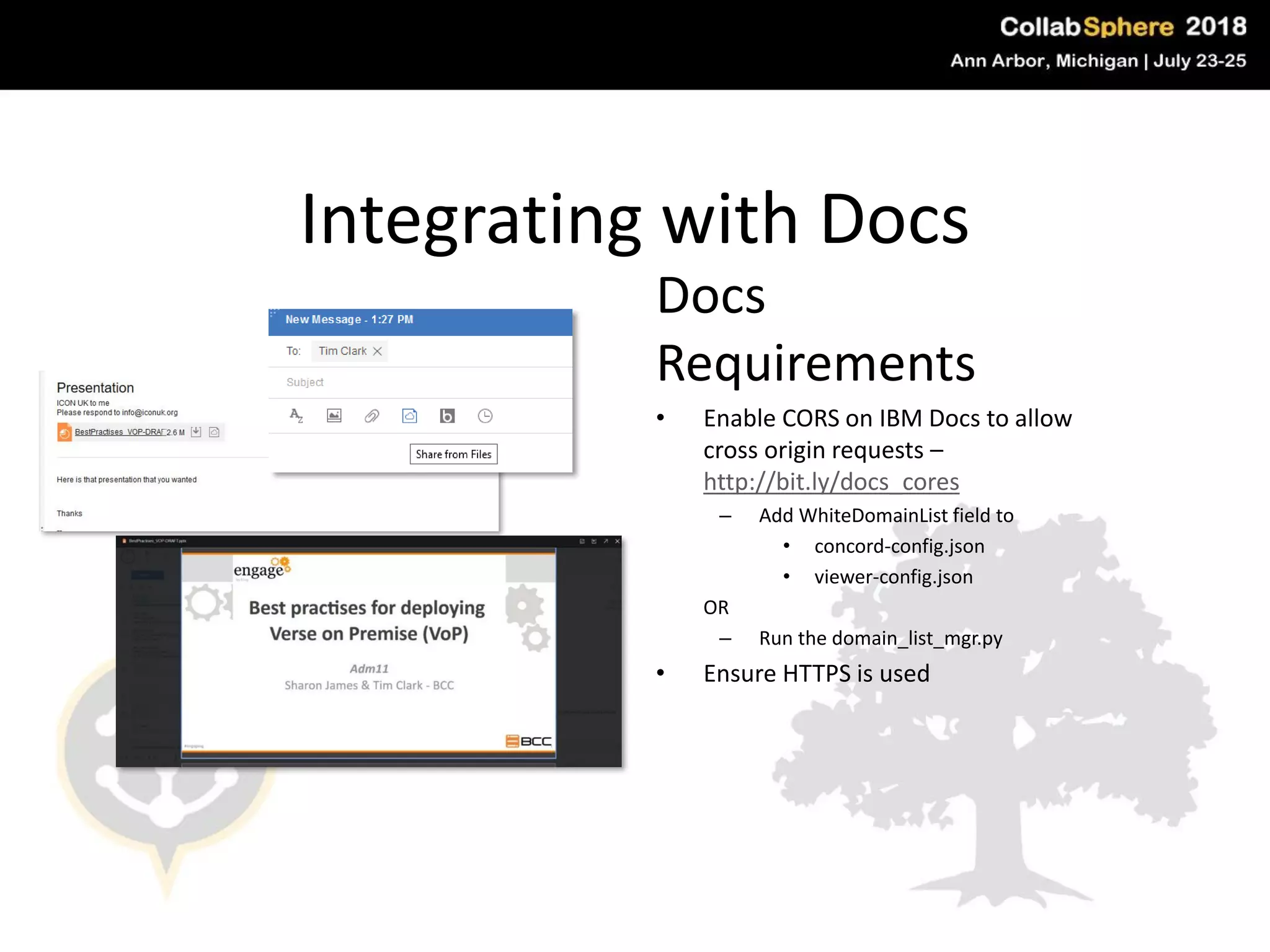
Integrating with Docs
Docs
Requirements
• Enable CORS on IBM Docs to allow
cross origin requests –
http://bit.ly/docs_cores
– Add WhiteDomainList field to
• concord-config.json
• viewer-config.json
OR
– Run the domain_list_mgr.py
• Ensure HTTPS is used
#engageug
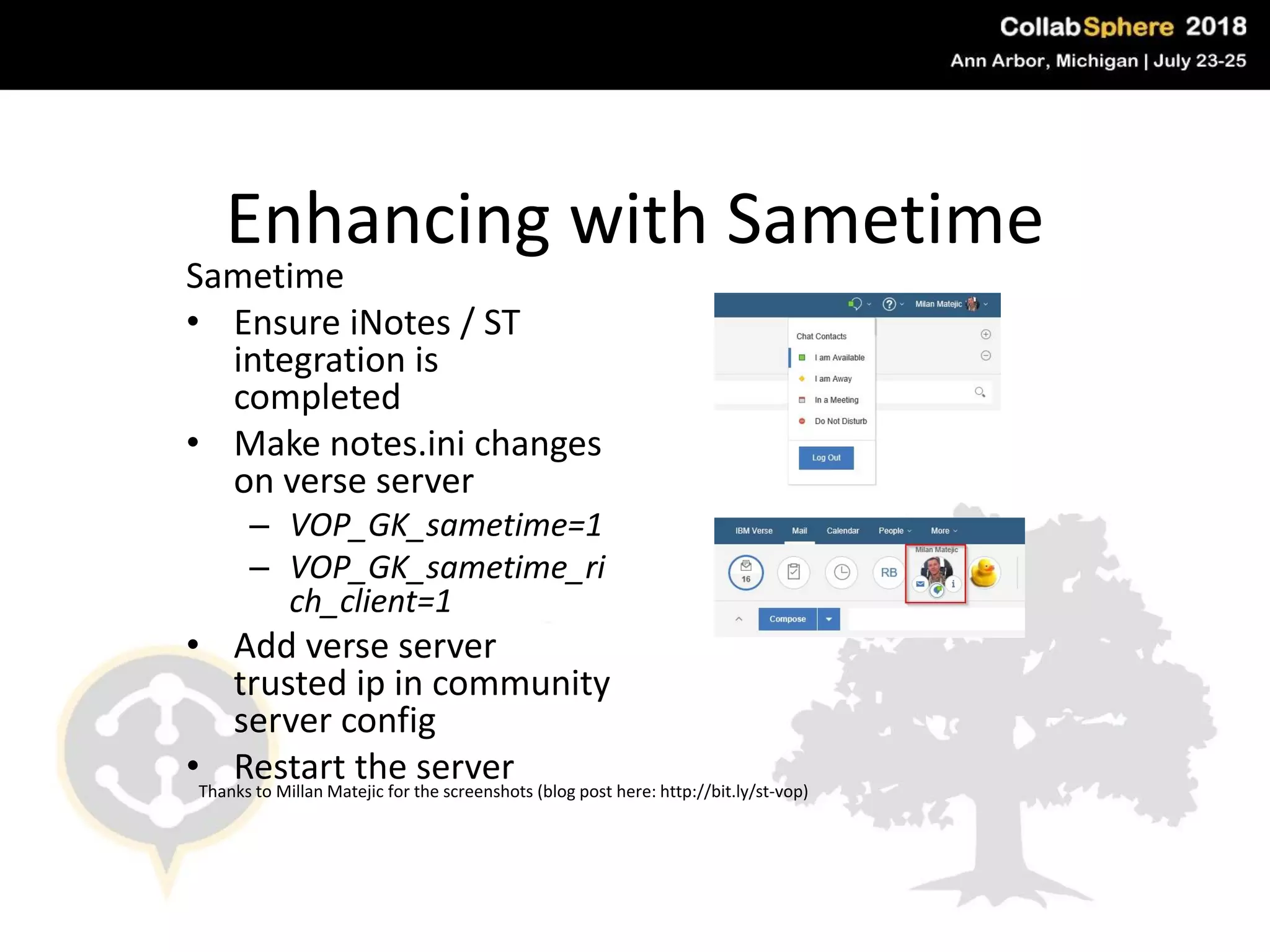
Enhancing with Sametime
Sametime
• Ensure iNotes / ST
integration is
completed
• Make notes.ini changes
on verse server
– VOP_GK_sametime=1
– VOP_GK_sametime_ri
ch_client=1
• Add verse server
trusted ip in community
server config
• Restart the server
#engageug
Thanks to Millan Matejic for the screenshots (blog post here: http://bit.ly/st-vop)
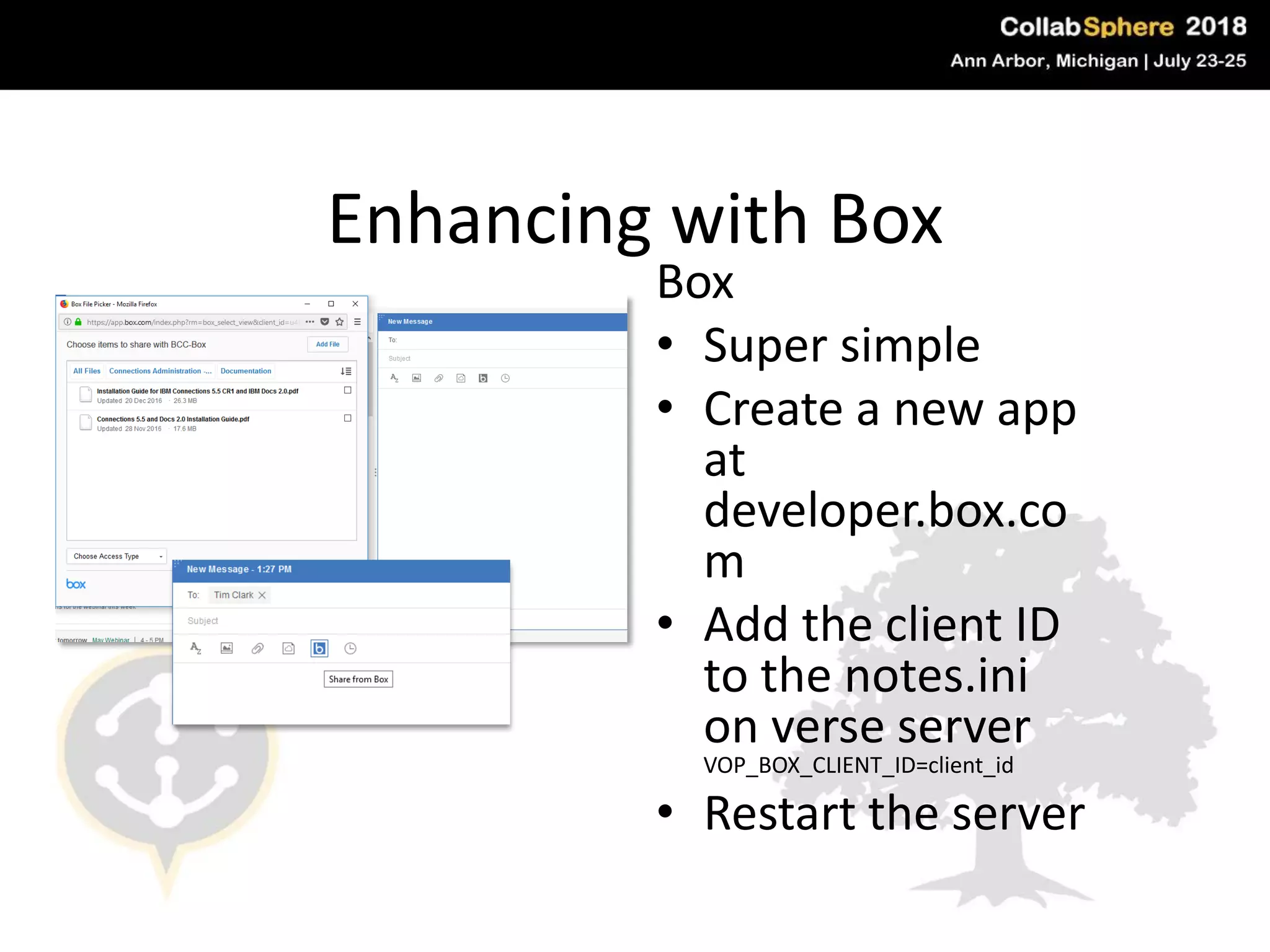
Enhancing with Box
Box
• Super simple
• Create a new app
at
developer.box.co
m
• Add the client ID
to the notes.ini
on verse server
VOP_BOX_CLIENT_ID=client_id
• Restart the server
#engageug
Deploy and
test first
• Deploy on a test box
• Run up a VM in your
domain
• Test deployment
• SSL must be enabled
• If you must do it on a live
machine create a new mail
file for testing
Roll out in phases
• Server first
• Modify mail files
• Template
• Full text index
• Running compact
• Once one mail file is
completed do in
batches
• DONE!!
V10 and beyond
• Pre version 10 – Aug
2018
• V10 – Q4 2018
• Continuous delivery
2019
• Long term support no
end date
• iNotes may be
deprecated in V11
Questions & Contact
#engageug
Tim
timsterc
@timsterc
www.bcchub.com
contact@bcc.biz

Best Practices for Installing IBM Verse on Premises

  • 1.
    Best practises fordeploying Verse on Premise (VoP) • Tim Clark www.bcchub.com contact@bcc.biz
  • 2.
    Who am I? TimClark • Director Services & Support • Domino Admin (ish) • Project Manager
  • 3.
    Agenda • Why deployVOP? • Plan / Set a goal • Know your requirements • Installing and configuring • Integrating with Connections, Docs, Sametime & Box • Deploy & Test first • Roll out in phases
  • 4.
    Why deploy Verse-On-Premises •Mail only users • Nicer interface than iNotes • No Notes client required – Use ICAA for Applications • Integration points – Connections Files & Profiles – IBM Docs – IBM Sametime – Box
  • 5.
  • 6.
    Plan / Seta goal • Set time aside for downtime on mail server – Update to 9.0.1 – Install fixes – Edit notes.ini – Restart server • Ensure back up of all mail files • Don’t rush! #engageug
  • 7.
    Know your requirements • Currentversion VOP 1.3 • System requirements - http://bit.ly/vop103sysreq • Remove older versions before you install • Ensure integration pre-reqs are satisfied (& tested) – check those system requirements again!
  • 8.
    Installing and configuring •Straight forward process – Create CredStore – Down the server – Copy the files on – Edit the notes.ini – Start the server • Configuration – Replace iNotes redirector – Mail file template update – Compact mail files – Full text indexes #engageug
  • 9.
    Integrating with Connections Connections Requirements •Connections 6 or 5.5 CR2 • Internet mail address must match the address used in Connections profiles • Ensure SSL is configured for Domino and Connections and SSO is working • Configure Connections HTTP server - http://bit.ly/vop103cnx • Restart #engageug
  • 10.
    Integrating with Docs Docs Requirements •Enable CORS on IBM Docs to allow cross origin requests – http://bit.ly/docs_cores – Add WhiteDomainList field to • concord-config.json • viewer-config.json OR – Run the domain_list_mgr.py • Ensure HTTPS is used #engageug
  • 11.
    Enhancing with Sametime Sametime •Ensure iNotes / ST integration is completed • Make notes.ini changes on verse server – VOP_GK_sametime=1 – VOP_GK_sametime_ri ch_client=1 • Add verse server trusted ip in community server config • Restart the server #engageug Thanks to Millan Matejic for the screenshots (blog post here: http://bit.ly/st-vop)
  • 12.
    Enhancing with Box Box •Super simple • Create a new app at developer.box.co m • Add the client ID to the notes.ini on verse server VOP_BOX_CLIENT_ID=client_id • Restart the server #engageug
  • 13.
    Deploy and test first •Deploy on a test box • Run up a VM in your domain • Test deployment • SSL must be enabled • If you must do it on a live machine create a new mail file for testing
  • 14.
    Roll out inphases • Server first • Modify mail files • Template • Full text index • Running compact • Once one mail file is completed do in batches • DONE!!
  • 15.
    V10 and beyond •Pre version 10 – Aug 2018 • V10 – Q4 2018 • Continuous delivery 2019 • Long term support no end date • iNotes may be deprecated in V11
  • 16.