








Become a Connections
Administrator
Gabriella Davis, The Turtle Partnership
!
Gab Davis - Technical Director
The Turtle Partnership
gabriella@turtlepartnership.com ▪Administrator, Problem Solver,
Stubborn Fixer of Things
▪Working with IBM technologies
and all the things surrounding and
integrating with those
▪Based in London, about half the
time
2
CONNECTIONS IN ALL ITS GUISES
4
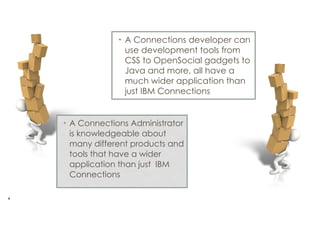
• A Connections Administrator
is knowledgeable about
many different products and
tools that have a wider
application than just IBM
Connections
• A Connections developer can
use development tools from
CSS to OpenSocial gadgets to
Java and more, all have a
much wider application than
just IBM Connections
WHAT WE HAVE LEARNT
ABOUT PLANNING
Fight For The Resources You Need
6
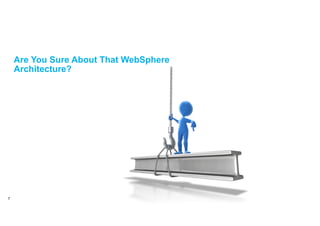
Are You Sure About That WebSphere
Architecture?
7
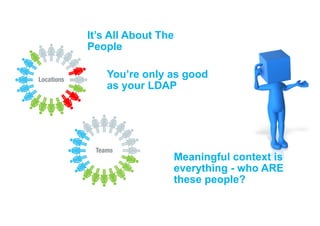
It’s All About The
People
Locations
Teams
You’re only as good
as your LDAP
Meaningful context is
everything - who ARE
these people?
I wish I had connections to plan installing connections….
Drag everyone into a room…..
INSTALLING
DOWNLOADS &
DOWNLOADS &
DOWNLOADS
11
Verify Everything Before
Starting
KNOWING WHERE ALL THE DATA IS
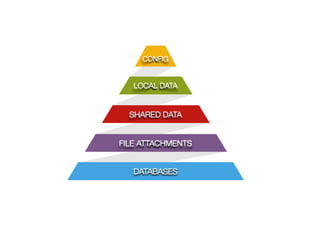
CONFIG
LOCAL DATA
SHARED DATA
FILE ATTACHMENTS
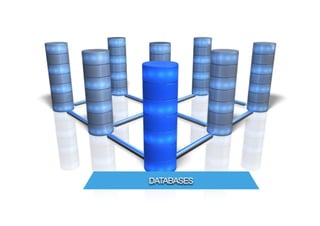
DATABASES
DATABASES
FILE ATTACHMENTS
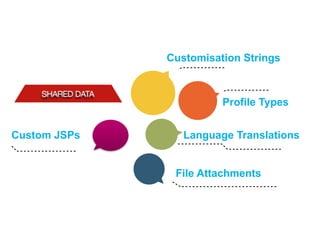
SHARED DATA
Customisation Strings
Profile Types
Language Translations
File Attachments
Custom JSPs
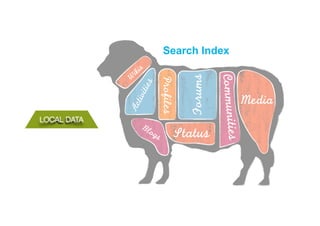
LOCAL DATA
Forums
Media
Communities
Status
Profiles
BlogsActivities
W
ikis
Search Index
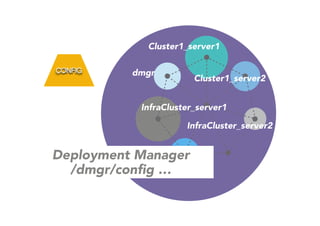
CONFIG
Deployment Manager
/dmgr/config …
Cluster1_server1
Cluster1_server2
InfraCluster_server1
InfraCluster_server2
dmgr
DANGER!
!
..deleting a Community is irreversible &
can be done by any Community Owner
LDAP
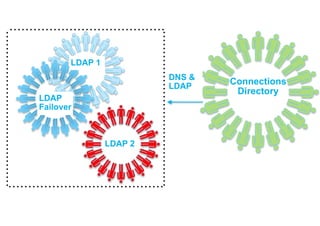
Connections
Directory
LDAP 1
LDAP
Failover
LDAP 2
DNS &
LDAP
2 4
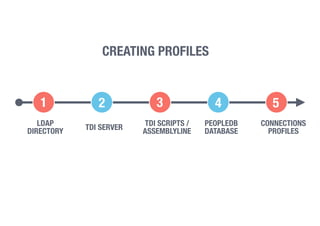
LDAP
DIRECTORY TDI SERVER
TDI SCRIPTS /
ASSEMBLYLINE
PEOPLEDB
DATABASE
CONNECTIONS
PROFILES
CREATING PROFILES
31 5
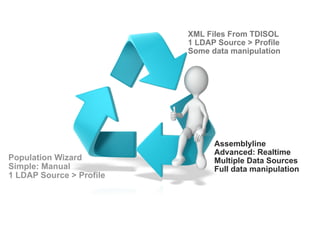
Population Wizard
Simple: Manual
1 LDAP Source > Profile
XML Files From TDISOL
1 LDAP Source > Profile
Some data manipulation
Assemblyline
Advanced: Realtime
Multiple Data Sources
Full data manipulation
IBM HTTP SERVER
IBM HTTP Server
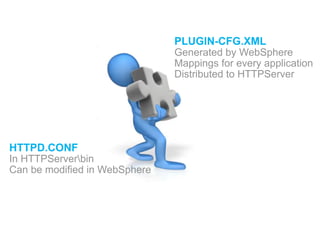
HTTPD.CONF
In HTTPServerbin
Can be modified in WebSphere
PLUGIN-CFG.XML
Generated by WebSphere
Mappings for every application
Distributed to HTTPServer
DANGER!
!
The httpd.conf file can be easily broken as
it’s not validated on save
!
A faulty httpd.conf will prevent IHS from starting
MORE STUFF…
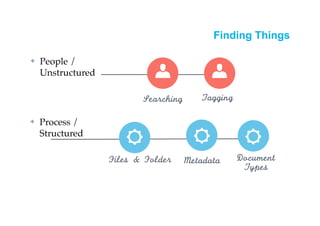
Searching
Files	 &	 Folder Metadata Document	 
Types
Tagging
✤ People /
Unstructured
✤ Process /
Structured
Finding Things
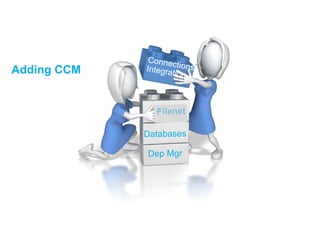
Databases
Dep Mgr
Filenet
ConnectionsIntegrationAdding CCM
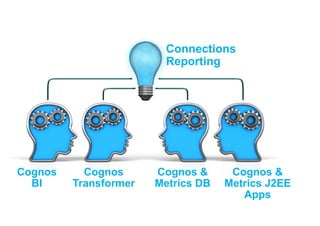
Cognos
BI
Cognos
Transformer
Cognos &
Metrics DB
Cognos &
Metrics J2EE
Apps
Connections
Reporting
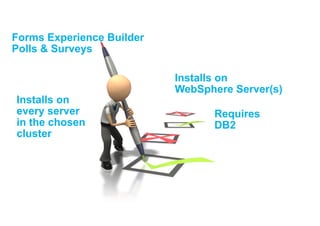
Forms Experience Builder
Polls & Surveys
Installs on
WebSphere Server(s)
Requires
DB2
Installs on
every server
in the chosen
cluster
ADMINISTRATION
Websphere Administration
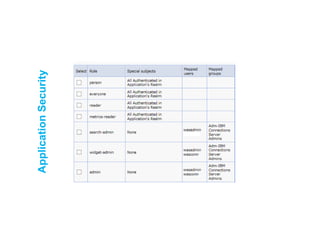
▪ Application security - the rights users have to applications
• Not granular “one size fits all”
• New roles that change behaviour aren’t something you can add
!
• Wsadmin
• command line administration tool
• also used to make changes to application configuration settings
ApplicationSecurity
WSAdmin – sending commands
▪ Start in the BIN directory of the deployment manager
– C:IBMWebSphereAppServerprofilesDmgr01bin
!
▪ Call wsadmin by typing


wsadmin(.sh) –lang jython –username [name] –password [password] 

▪ Choose which application you want to work with 


execfile(“profilesAdmin.py”)
▪ Any changes you make here will be pushed out to all the nodes
– Wsadmin commands are case sensitive regardless of your platform
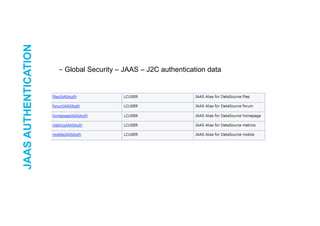
JAASAUTHENTICATION
!
– Global Security – JAAS – J2C authentication data
DatabaseReorg
Look for reorg.sql scripts in
the connections.sql
directory of the installer
backup & restore from
Dmgr profile “bin”
directory
backupconfig d:backupsdmgr040114.zip -nostop
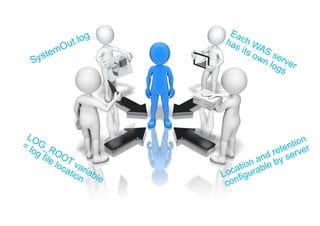
SystemOut.log
LOG_ROOT variable
= log file location
Each WAS server
has its own logs
Location and retention
configurable by server
Do’s & do nots
▪ Backup your configuration using backupconfig before making changes to the configuration
– Never manually edit an XML configuration file, always use wsadmin which verifies the
XML structure as it’s checked back in
– Schedule the database reorg maintenance scripts to run regularly,
– Set up specific credentials for developers to use to access the Connections data, don’t re-
use administration credentials
– Ensure you have a test / staging server to test customisations, enhancements and
developments on
– Never skip post installation steps , or any steps, follow the documentation
!
– Never let your developer have ISC access or wsadmin access to a production
environment!
HOWTO FIND ME
Twitter, blogs, Instagram, Facebook and more
gabriella@turtlepartnership.com
GabriellaDavis (skype)
http://turtleblog.info
gabturtle on twitter and elsewhere

Becoming A Connections Administrator