Using AT to Support
   Students in the LRE


      Building Blocks for Inclusive Practices…


Tech Talk #cpstt
January 2012
What is assistive technology?
 An assistive technology device is “any item, piece of
  equipment, or product that is used to
  increase, maintain, or improve the functional
  capabilities of a student.”
 Assistive technology services include any service
  that directly assists a student with disabilities in
  the selection, acquisition, or use of an assistive
  device, including:
    Assessment
    Purchasing devices
    Selecting, designing, fitting, customizing, adapting, a
     pplying, maintaining, repairing, replacing devices
    Training staff, student, parent to use device
IDEA and AT
 IDEA states that "assistive technology devices
  and services" must be provided by school
  districts to eligible children if necessary to
  ensure the provision of a free appropriate
  public education.
 IEP teams consider each student's need for
  assistive technology if its use will help the
  student perform a skill
  (read, write, communicate, etc.) more easily or
  efficiently, in the least restrictive environment
  or with less personal assistance.
AT is appropriate when it…
 Enables an individual to perform functions that
  can be achieved by no other means
 Enables an individual to approximate age-
  appropriate fluency, rate, or standards--a level of
  accomplishment which could not be achieved by
  any other means
 Provides access for participation in programs or
  activities which otherwise would be closed to the
  individual
 Increases endurance or ability to persevere and
  complete tasks that otherwise are too laborious
  to be attempted on a routine basis
                                      http://www.pluk.org/AT1.html#2
AT is appropriate when it…
 Enables an individual to concentrate on
  learning or employment tasks, rather than
  mechanical tasks
 Provides greater access to information
 Supports social interactions with peers
  and adults


                               http://www.pluk.org/AT1.html#2
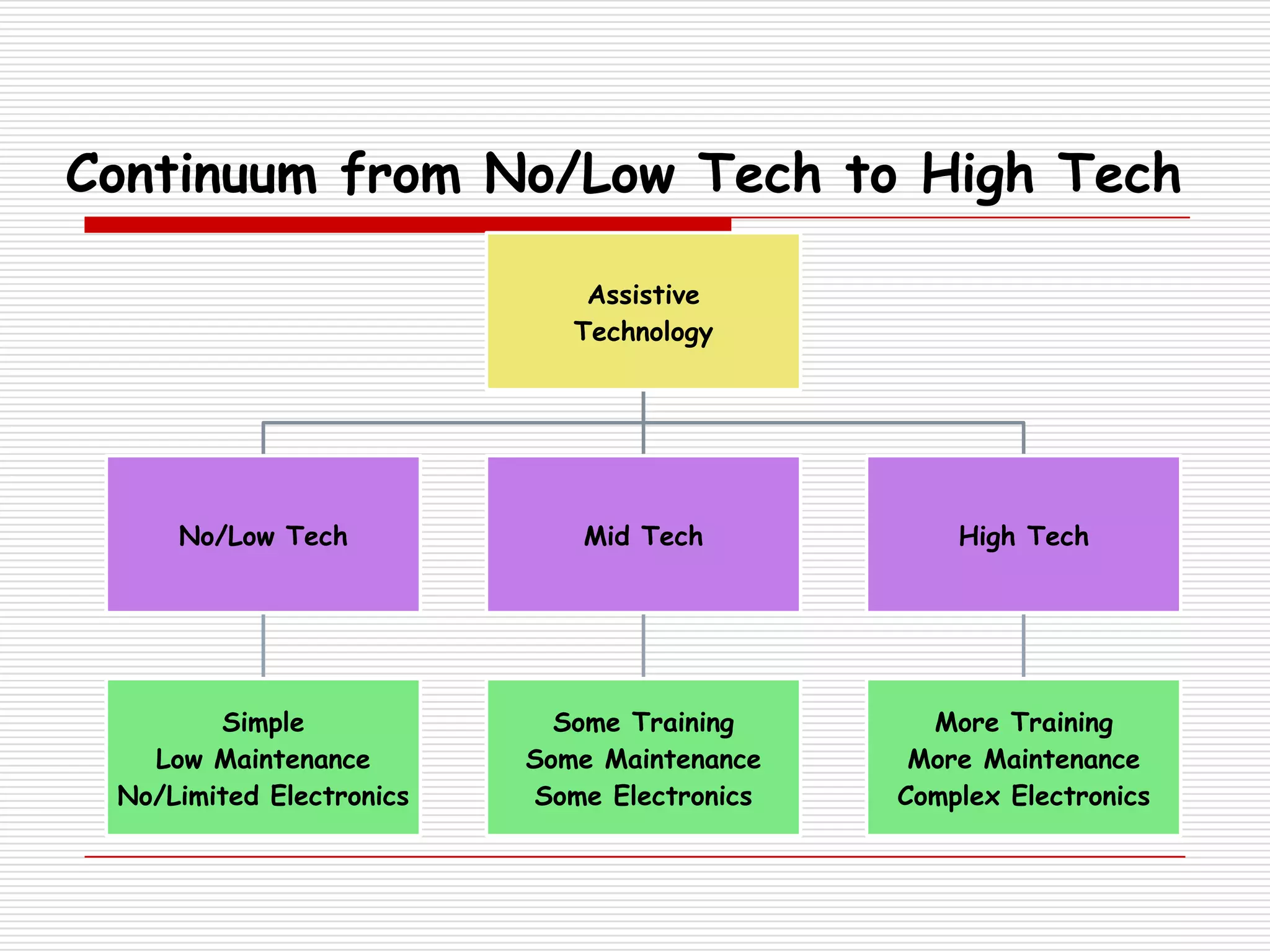
Continuum from No/Low Tech to High Tech

                              Assistive
                             Technology


     No/Low Tech             Mid Tech            High Tech


        Simple              Some Training      More Training
   Low Maintenance        Some Maintenance    More Maintenance
 No/Limited Electronics   Some Electronics   Complex Electronics
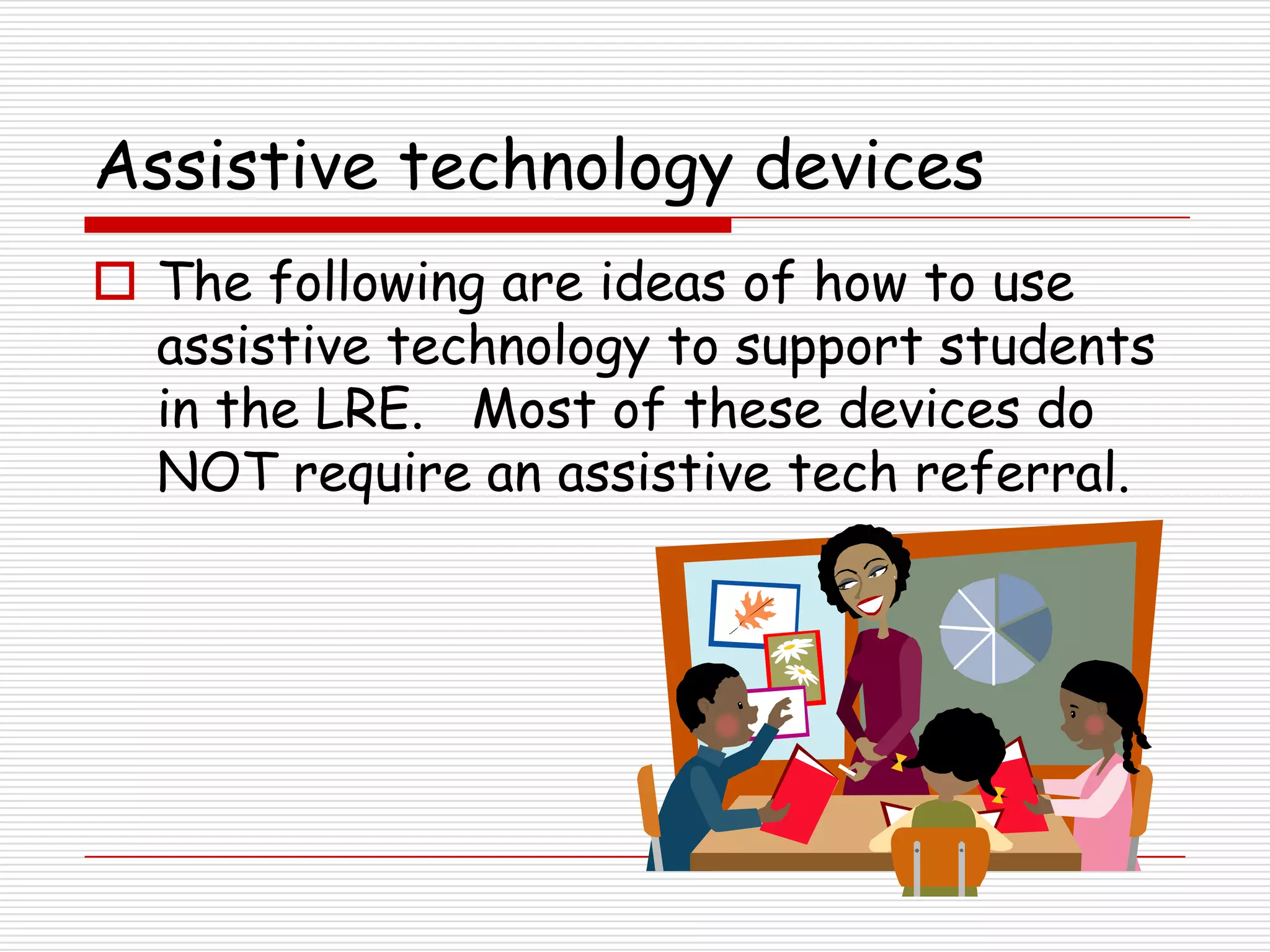
Assistive technology devices
 The following are ideas of how to use
  assistive technology to support students
  in the LRE. Most of these devices do
  NOT require an assistive tech referral.
Reading…
       For students displaying difficulty with…
Slow reading rate
Poor recall
Inconsistent visual tracking
Problems with decoding
Unable to turn the page
Vision issues
Reading…
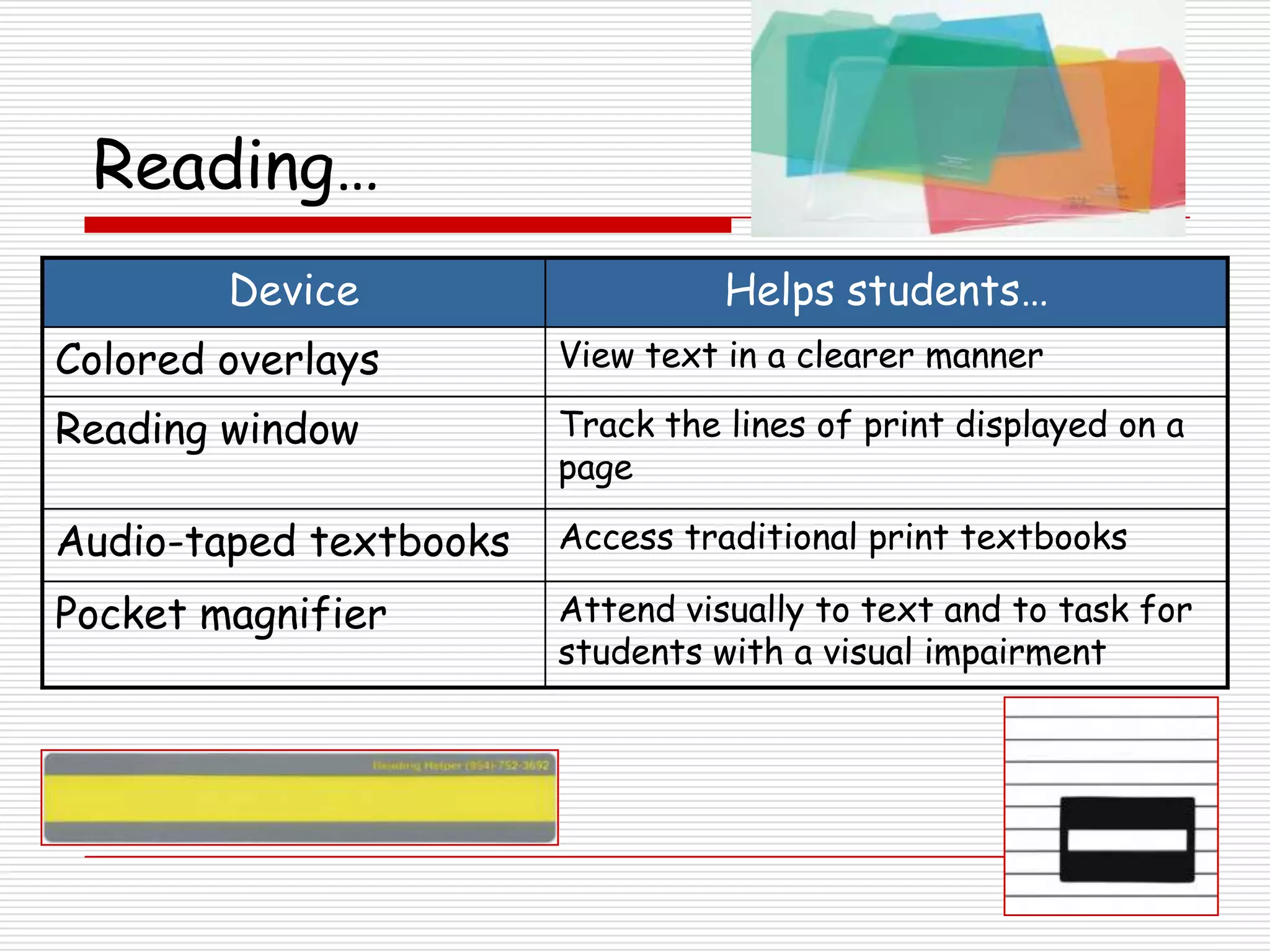
        Device                    Helps students…
Colored overlays        View text in a clearer manner

Reading window          Track the lines of print displayed on a
                        page

Audio-taped textbooks   Access traditional print textbooks

Pocket magnifier        Attend visually to text and to task for
                        students with a visual impairment
Reading…
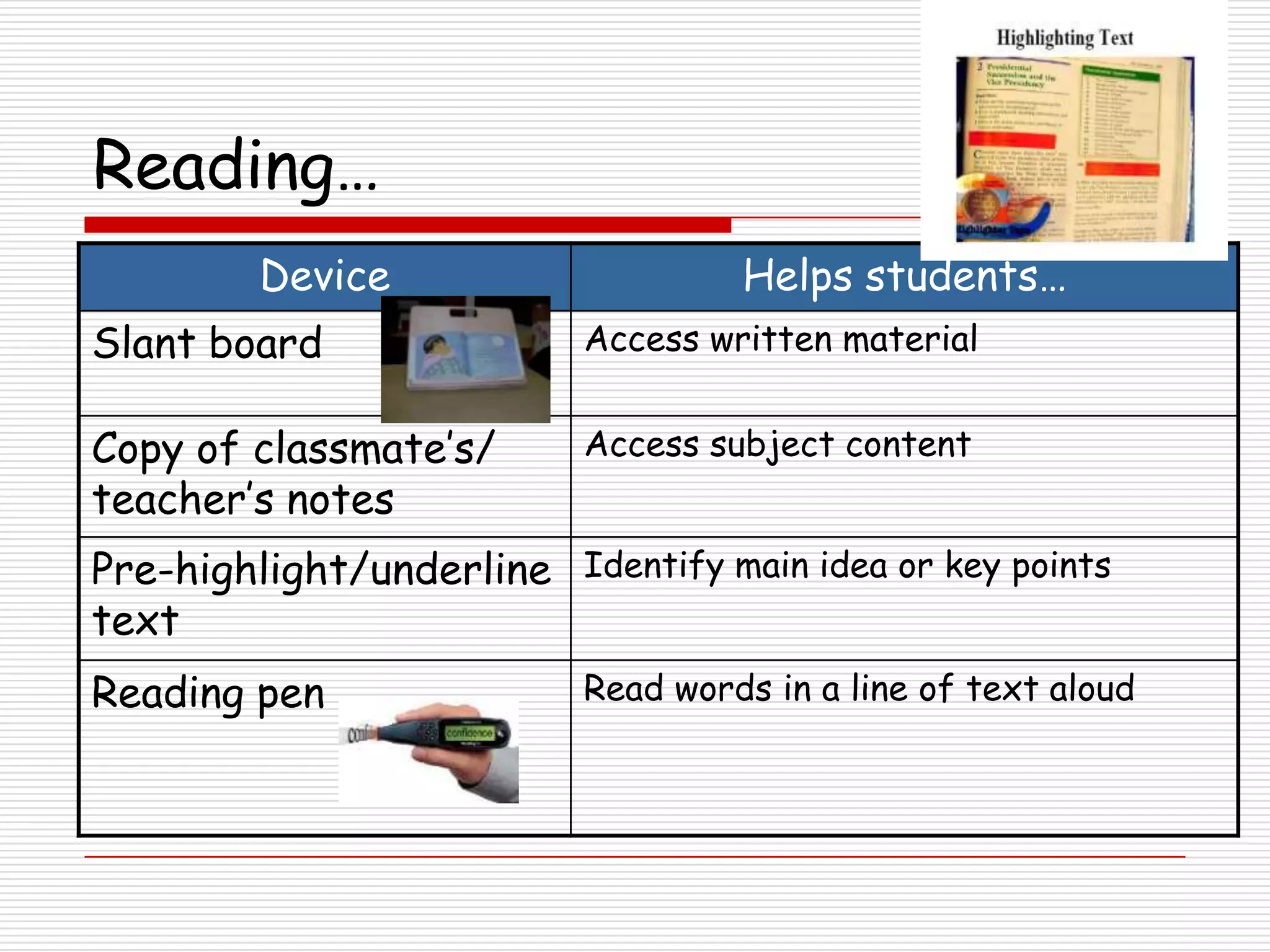
         Device                     Helps students…
Slant board                Access written material


Copy of classmate’s/       Access subject content
teacher’s notes
Pre-highlight/underline Identify main idea or key points
text
Reading pen                Read words in a line of text aloud
Reading…
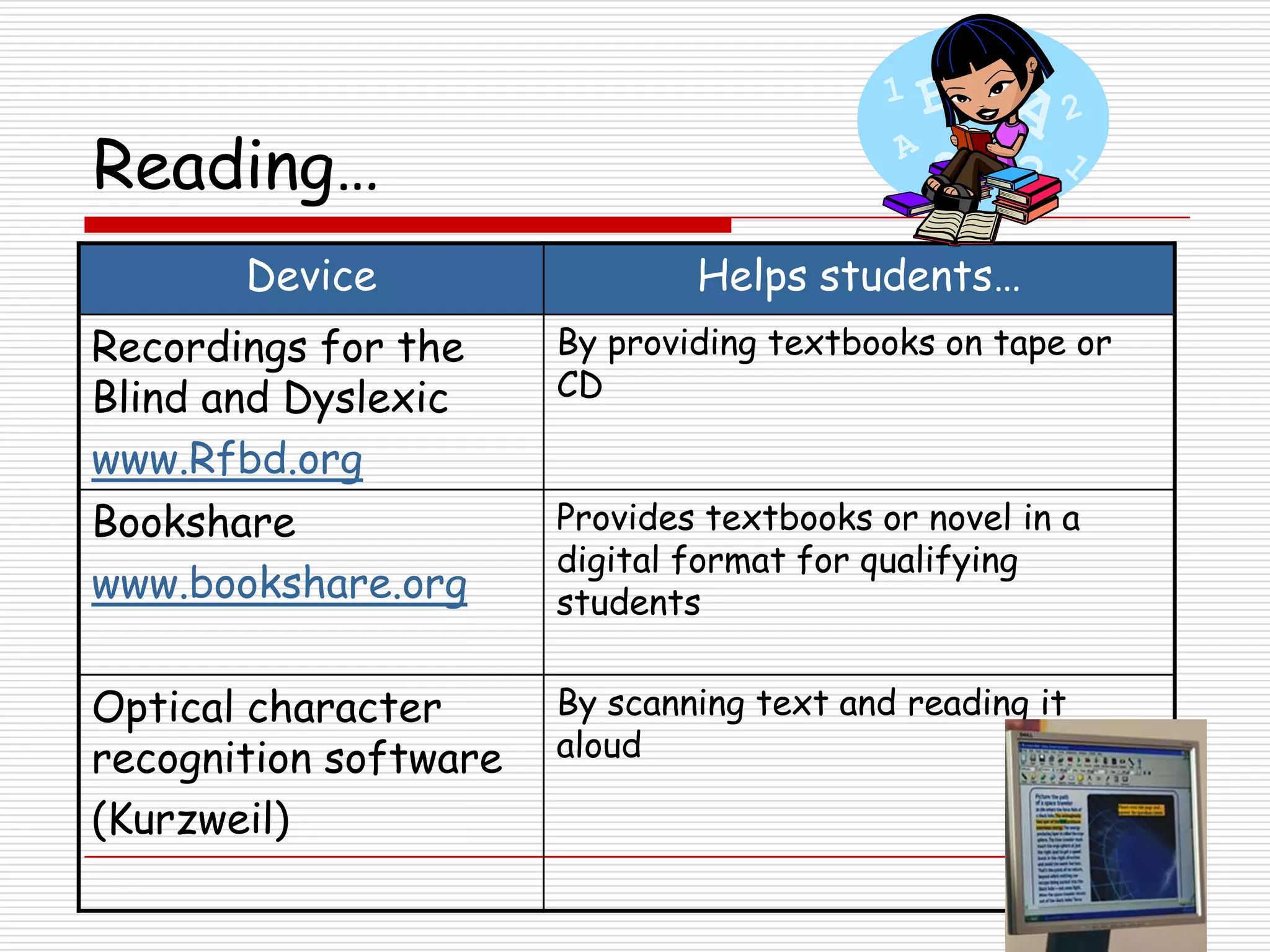
       Device                  Helps students…
Recordings for the     By providing textbooks on tape or
Blind and Dyslexic     CD

www.Rfbd.org
Bookshare              Provides textbooks or novel in a
                       digital format for qualifying
www.bookshare.org      students


Optical character      By scanning text and reading it
recognition software   aloud

(Kurzweil)
Spelling…

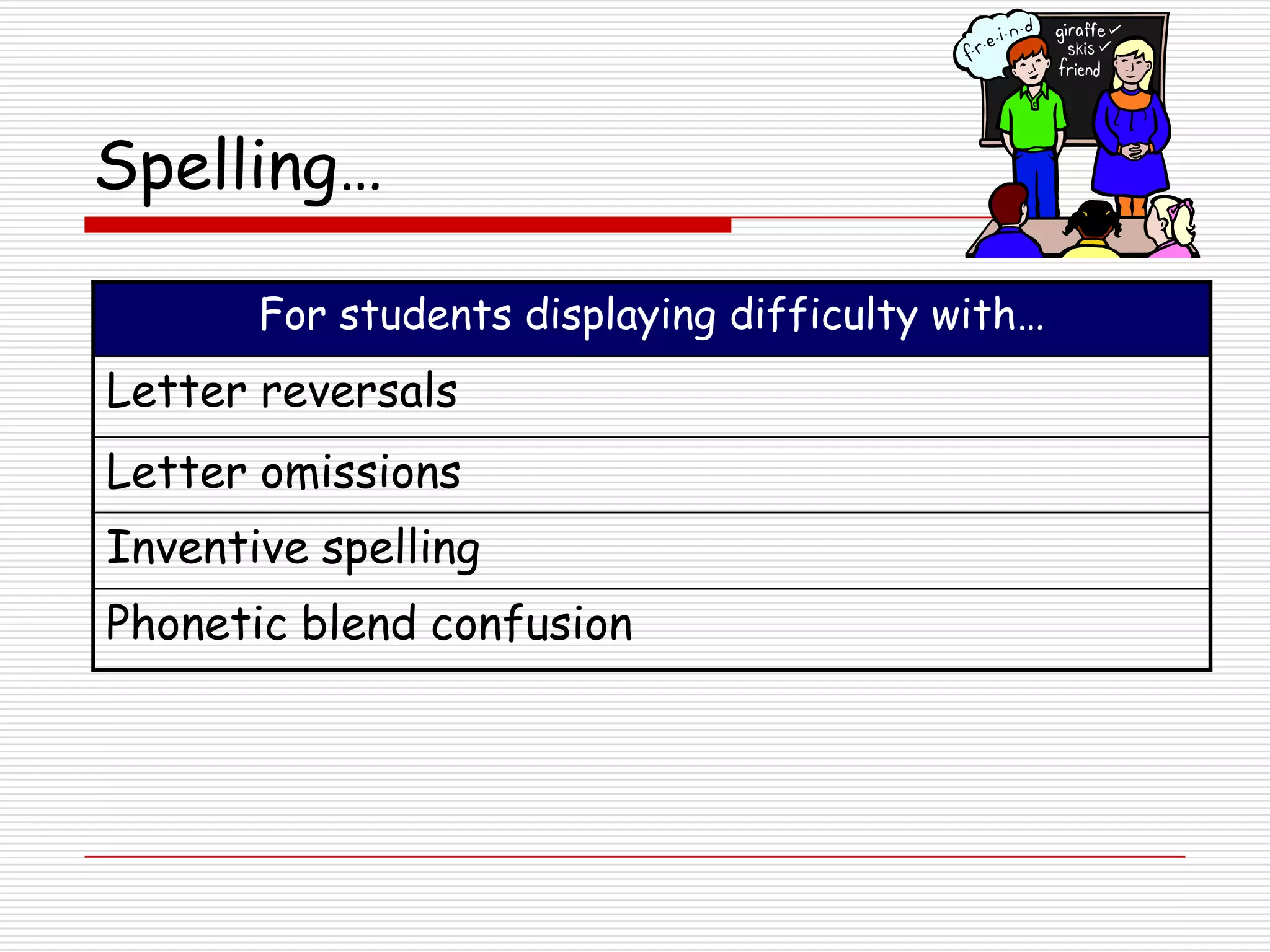
       For students displaying difficulty with…
Letter reversals
Letter omissions
Inventive spelling
Phonetic blend confusion
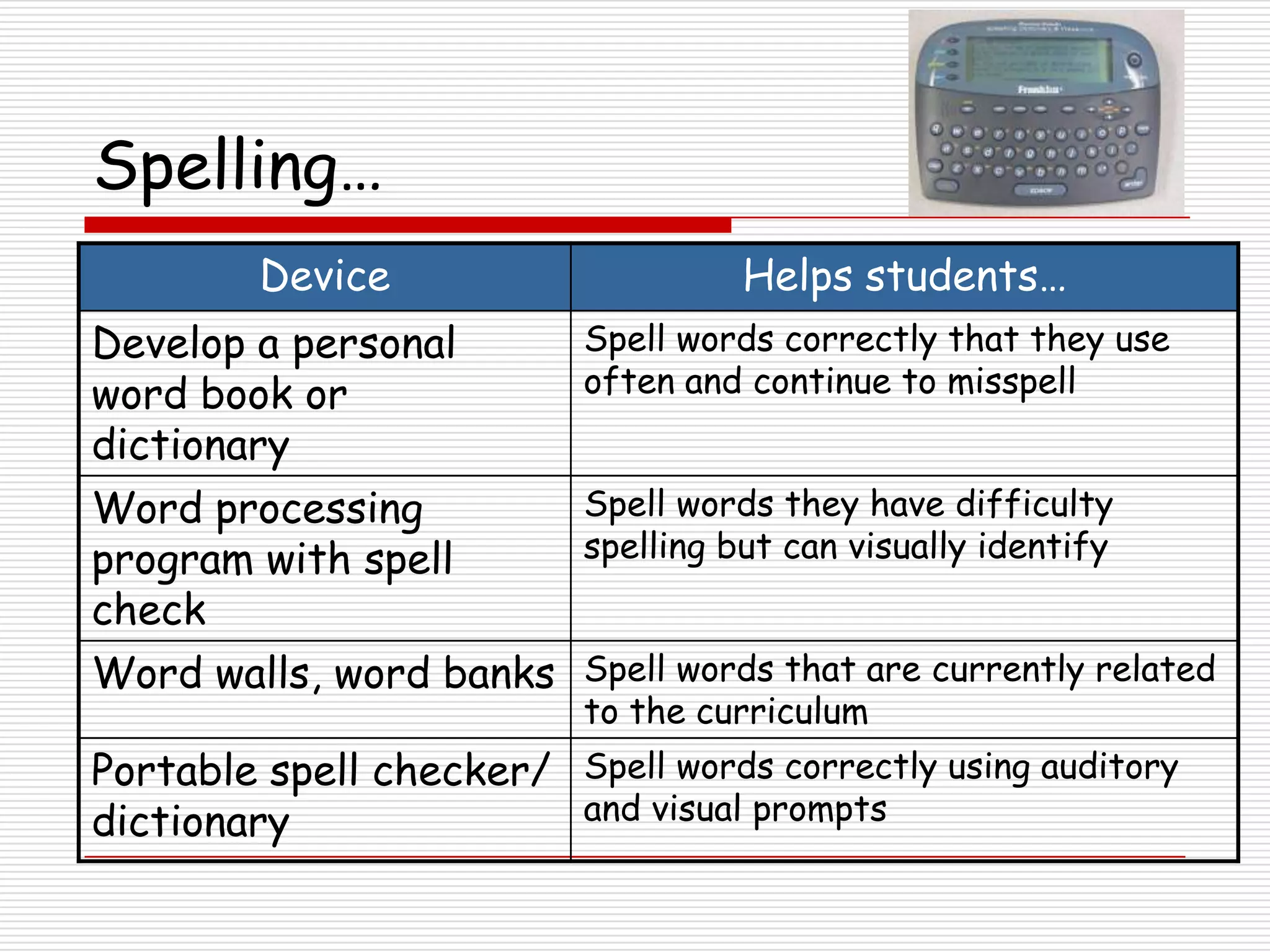
Spelling…
         Device                      Helps students…
Develop a personal         Spell words correctly that they use
word book or               often and continue to misspell
dictionary
Word processing            Spell words they have difficulty
program with spell         spelling but can visually identify
check
Word walls, word banks Spell words that are currently related
                           to the curriculum
Portable spell checker/ Spell words correctly using auditory
dictionary              and visual prompts
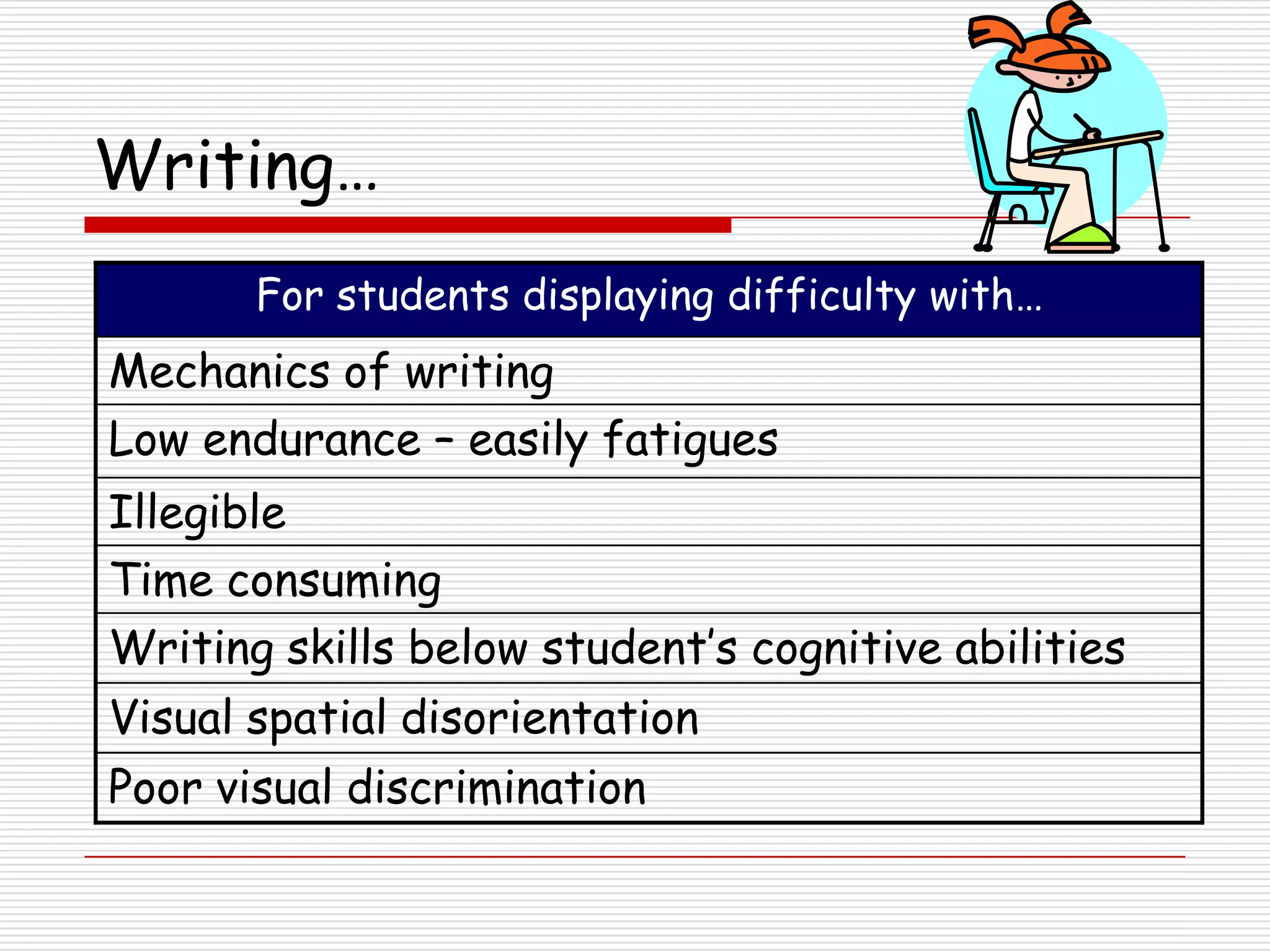
Writing…
       For students displaying difficulty with…
Mechanics of writing
Low endurance – easily fatigues
Illegible
Time consuming
Writing skills below student’s cognitive abilities
Visual spatial disorientation
Poor visual discrimination
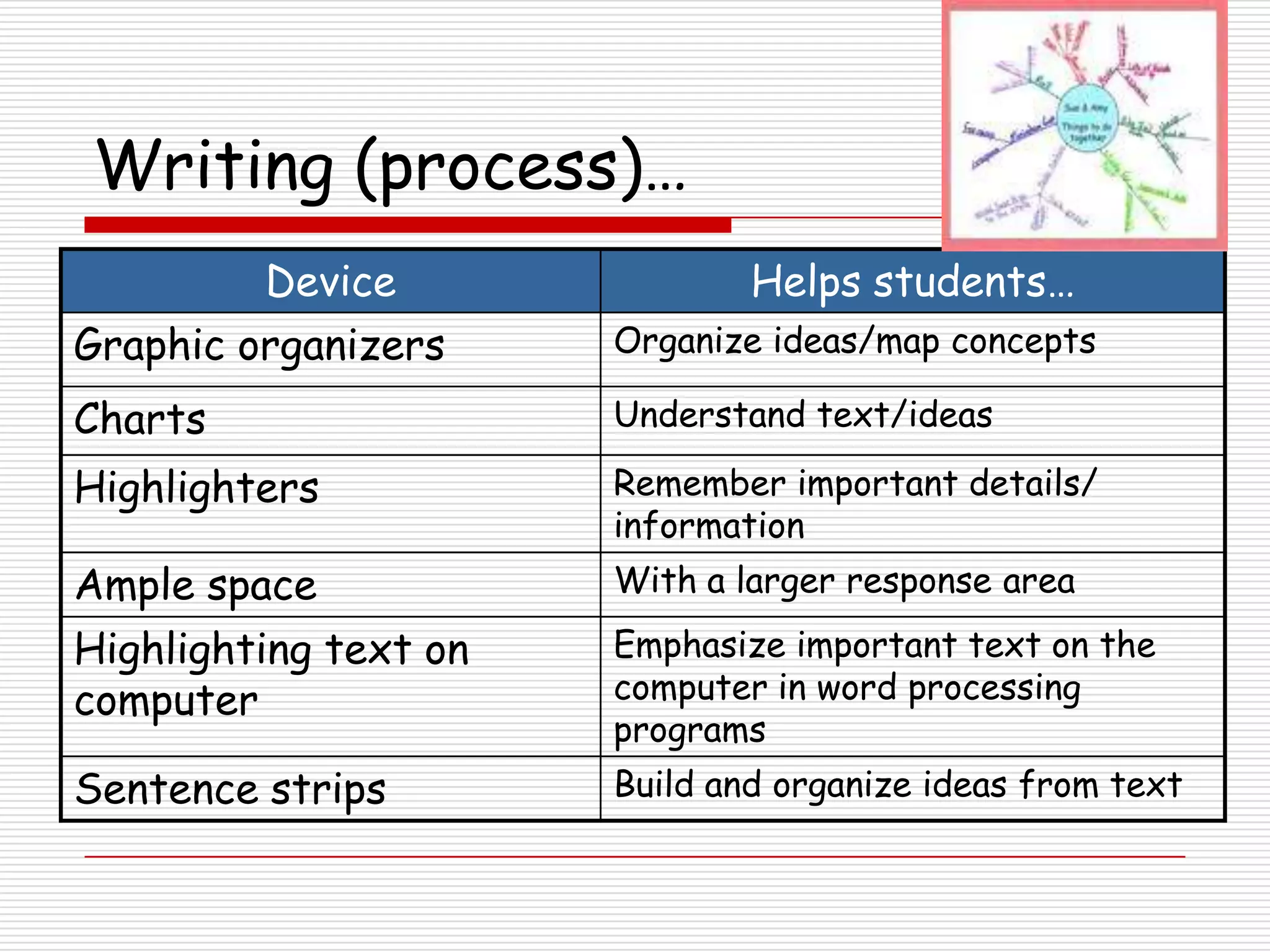
Writing (process)…
         Device                Helps students…
Graphic organizers     Organize ideas/map concepts

Charts                 Understand text/ideas

Highlighters           Remember important details/
                       information
Ample space            With a larger response area

Highlighting text on   Emphasize important text on the
computer               computer in word processing
                       programs
Sentence strips        Build and organize ideas from text
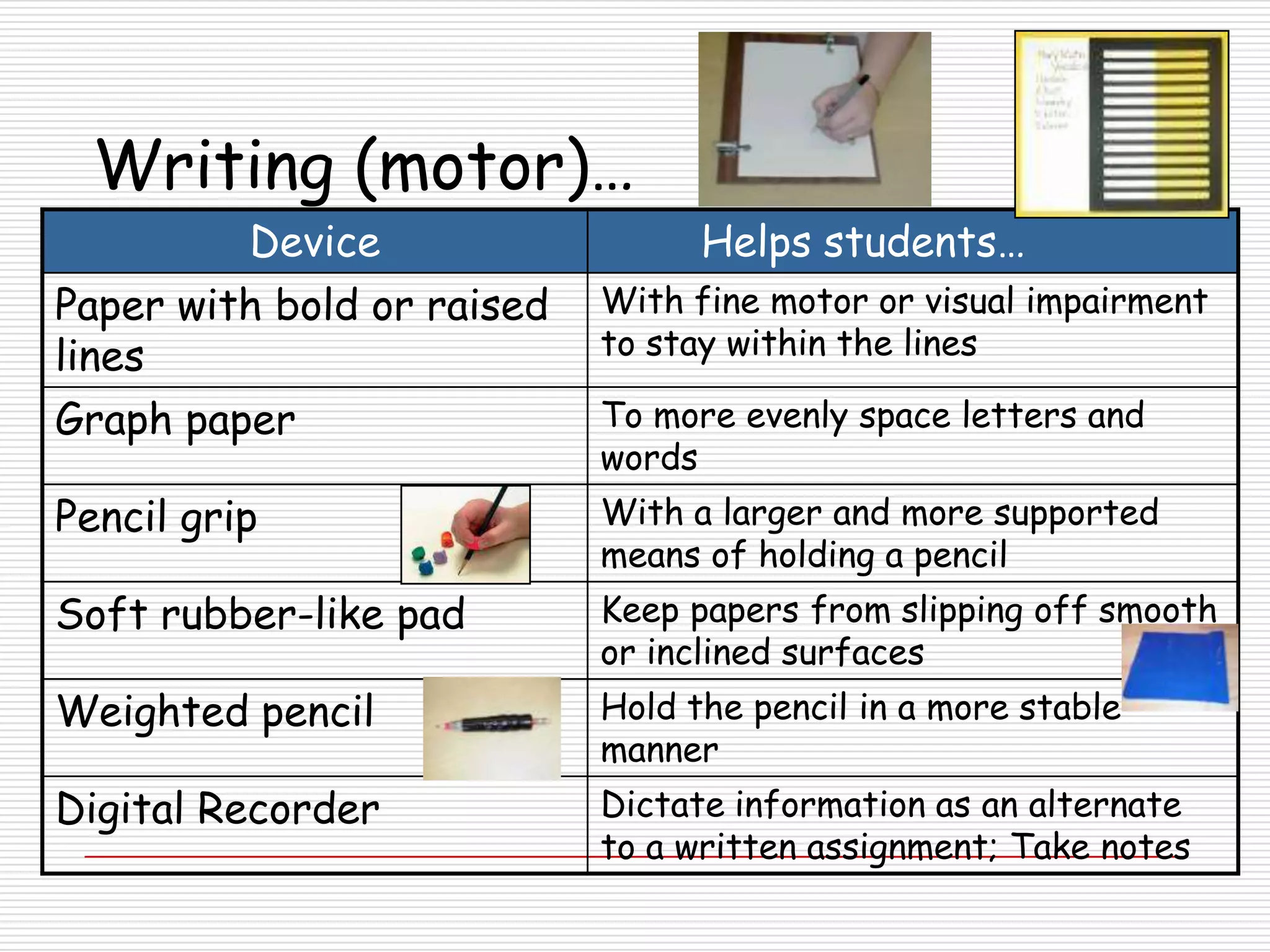
Writing (motor)…
         Device                   Helps students…
Paper with bold or raised   With fine motor or visual impairment
lines                       to stay within the lines

Graph paper                 To more evenly space letters and
                            words
Pencil grip                 With a larger and more supported
                            means of holding a pencil
Soft rubber-like pad        Keep papers from slipping off smooth
                            or inclined surfaces
Weighted pencil             Hold the pencil in a more stable
                            manner
Digital Recorder            Dictate information as an alternate
                            to a written assignment; Take notes
Writing (motor)…
          Device                 Helps students…
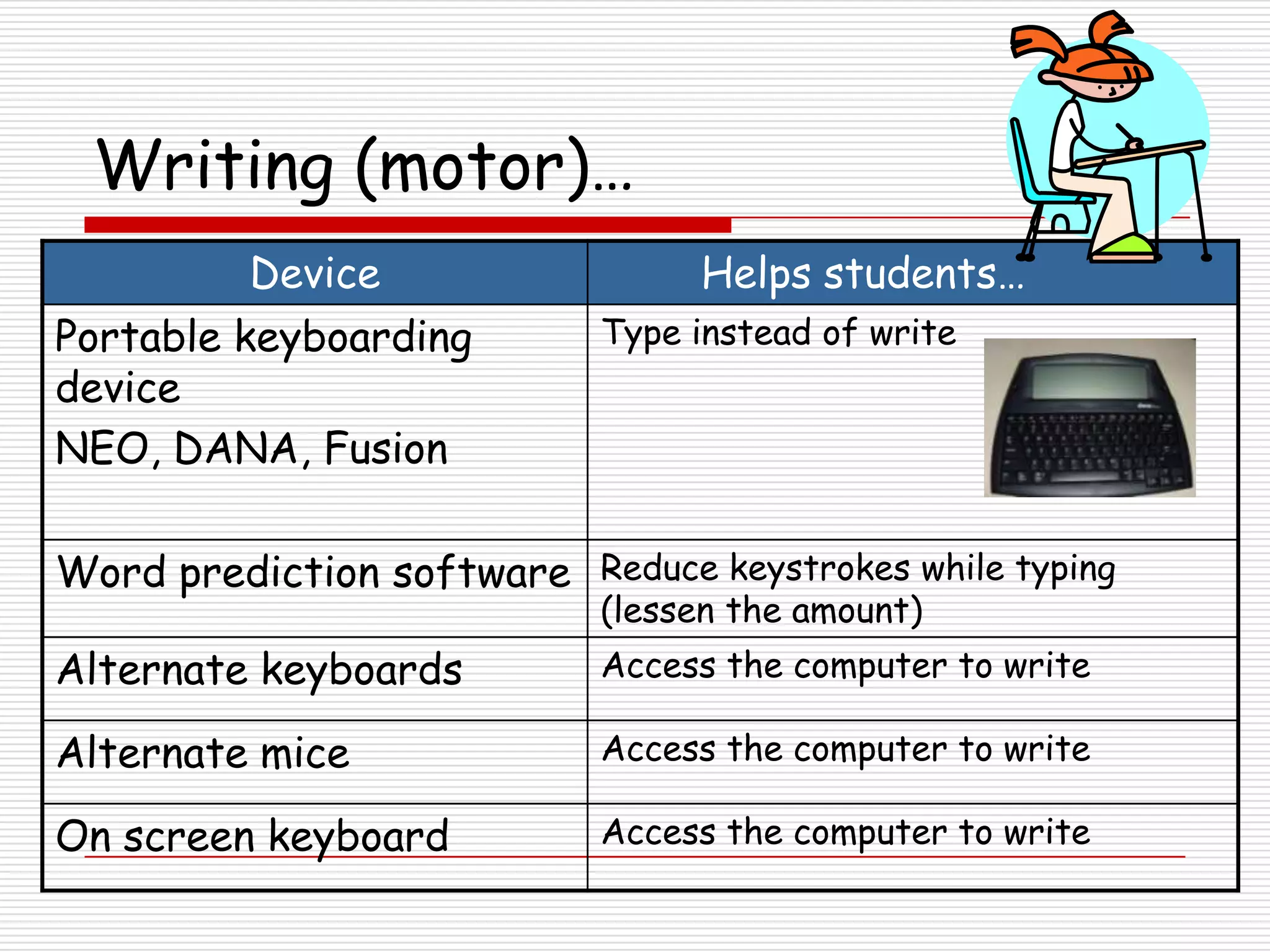
Portable keyboarding        Type instead of write
device
NEO, DANA, Fusion

Word prediction software Reduce keystrokes while typing
                            (lessen the amount)
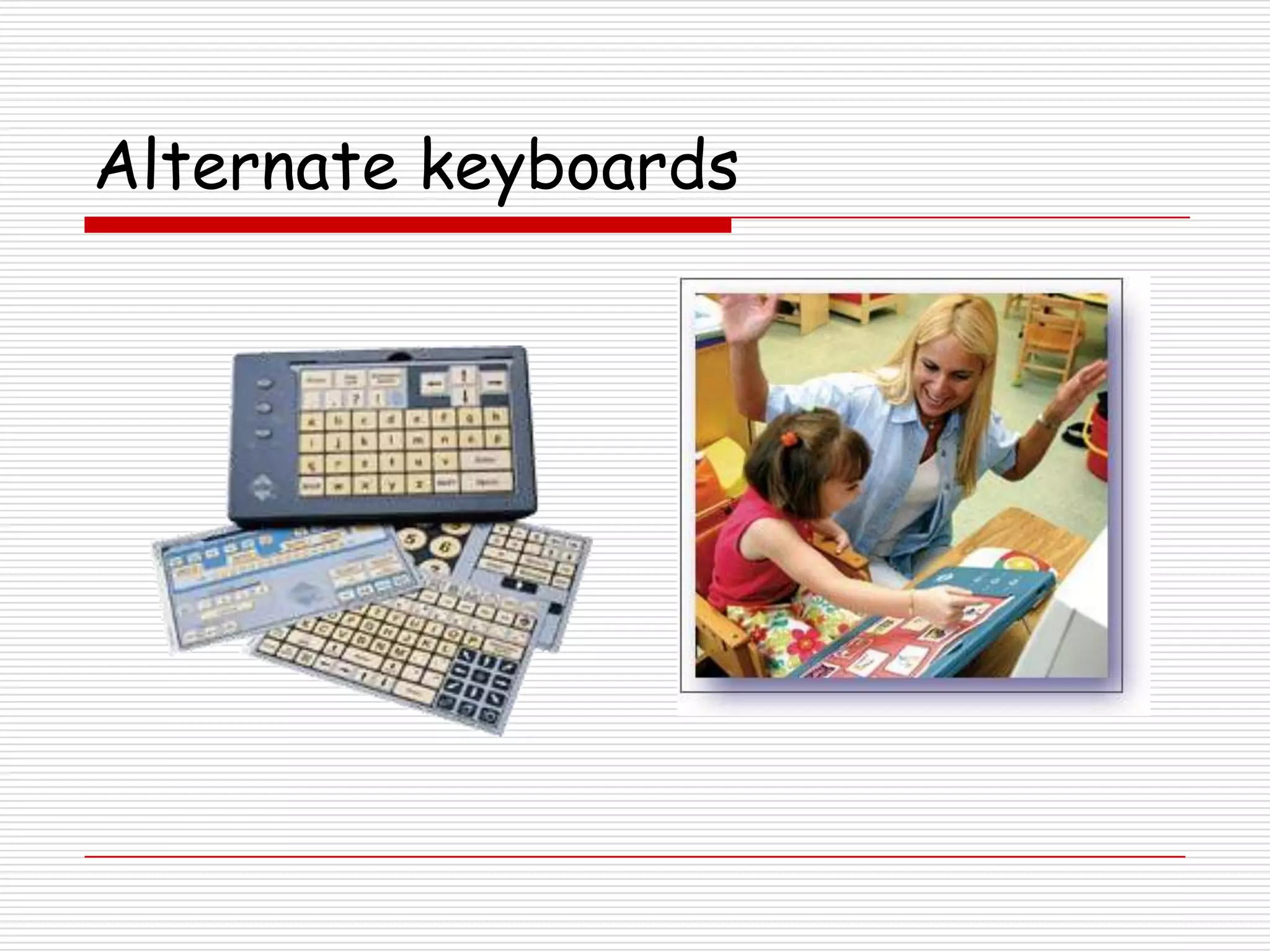
Alternate keyboards         Access the computer to write

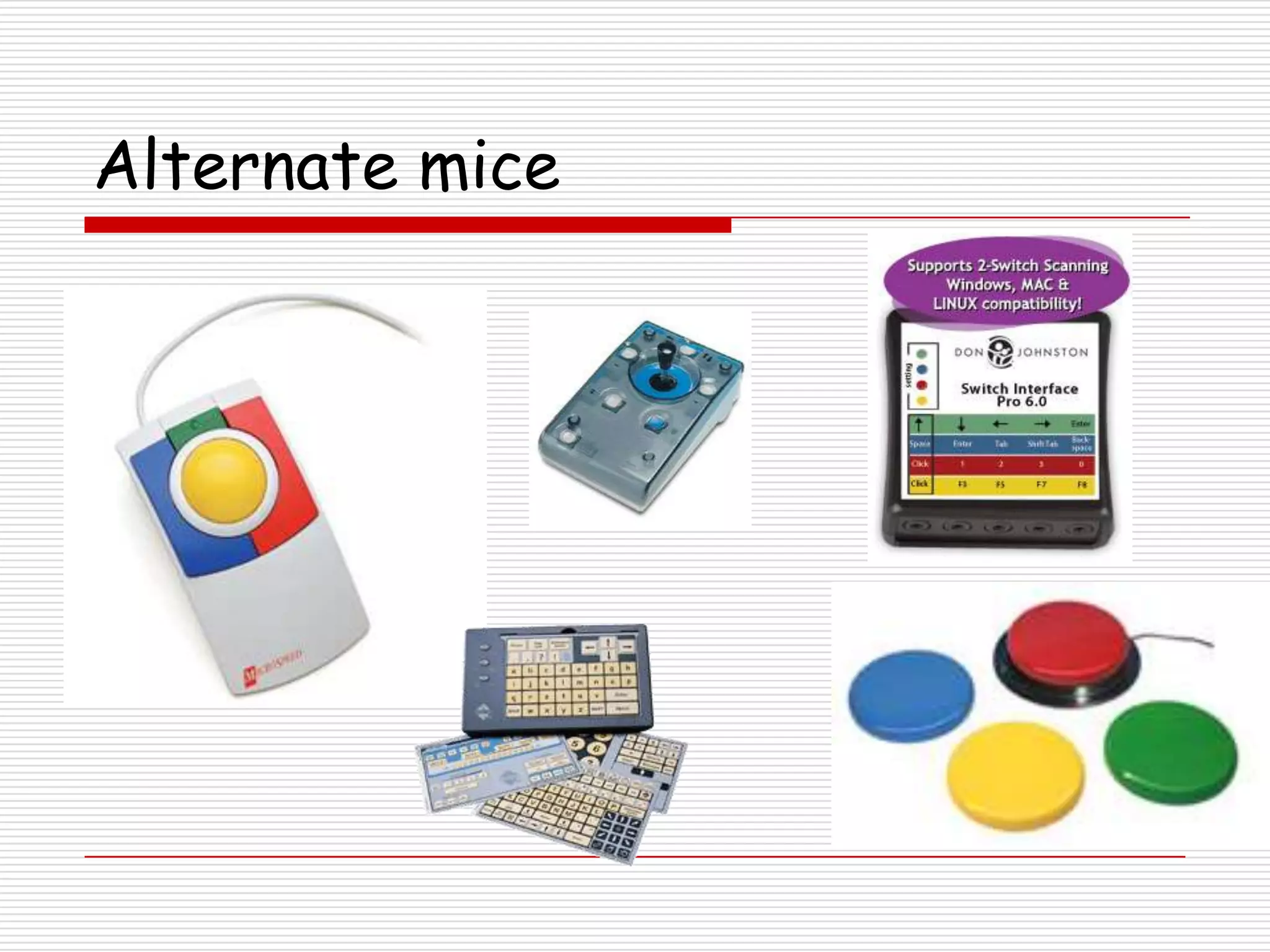
Alternate mice              Access the computer to write

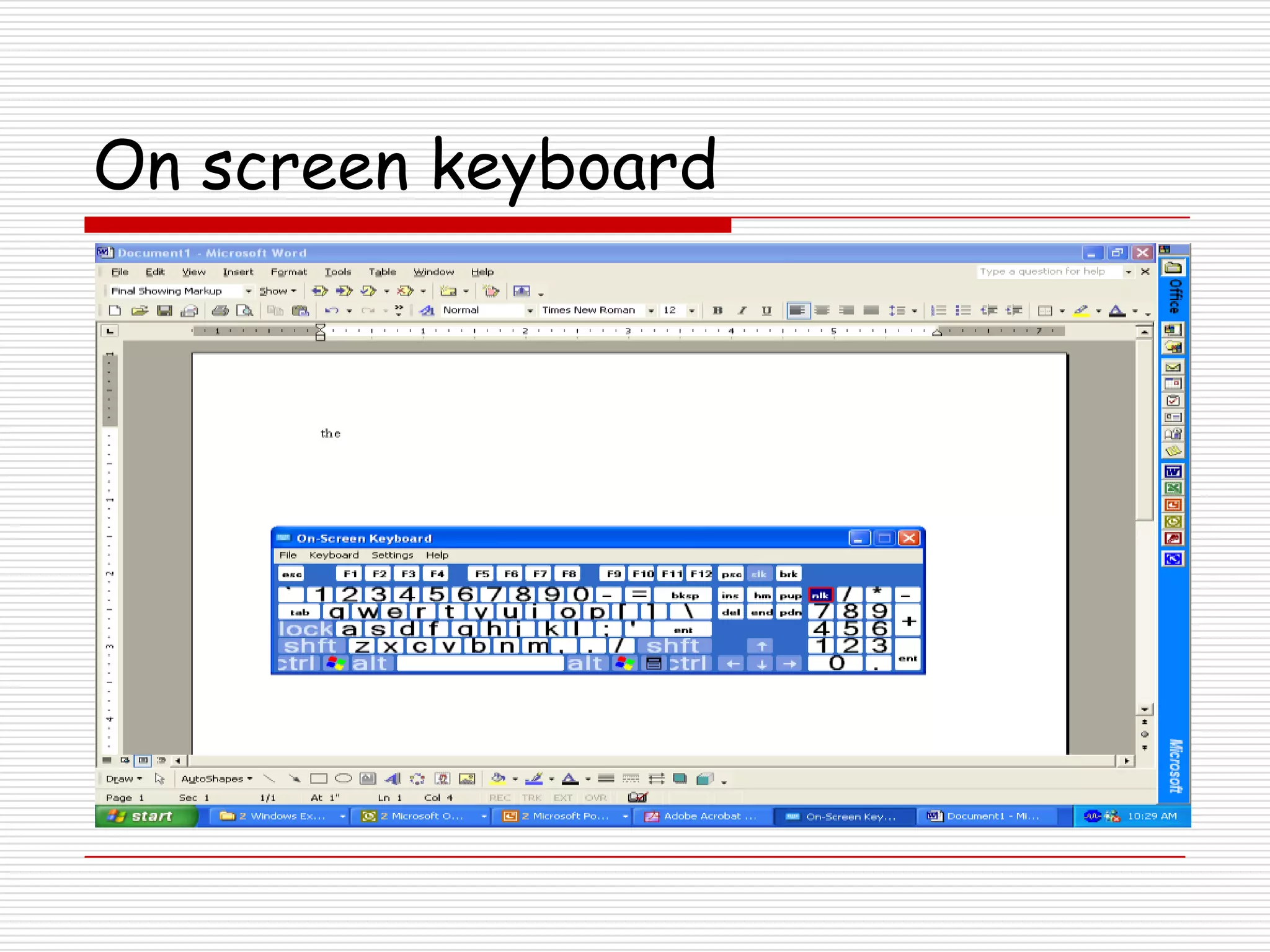
On screen keyboard          Access the computer to write
Word prediction software
Alternate keyboards
On screen keyboard
Alternate mice
Math…

      For students displaying difficulty with…
Computations
Concepts
Time consuming math problems
Laborious process
Math…
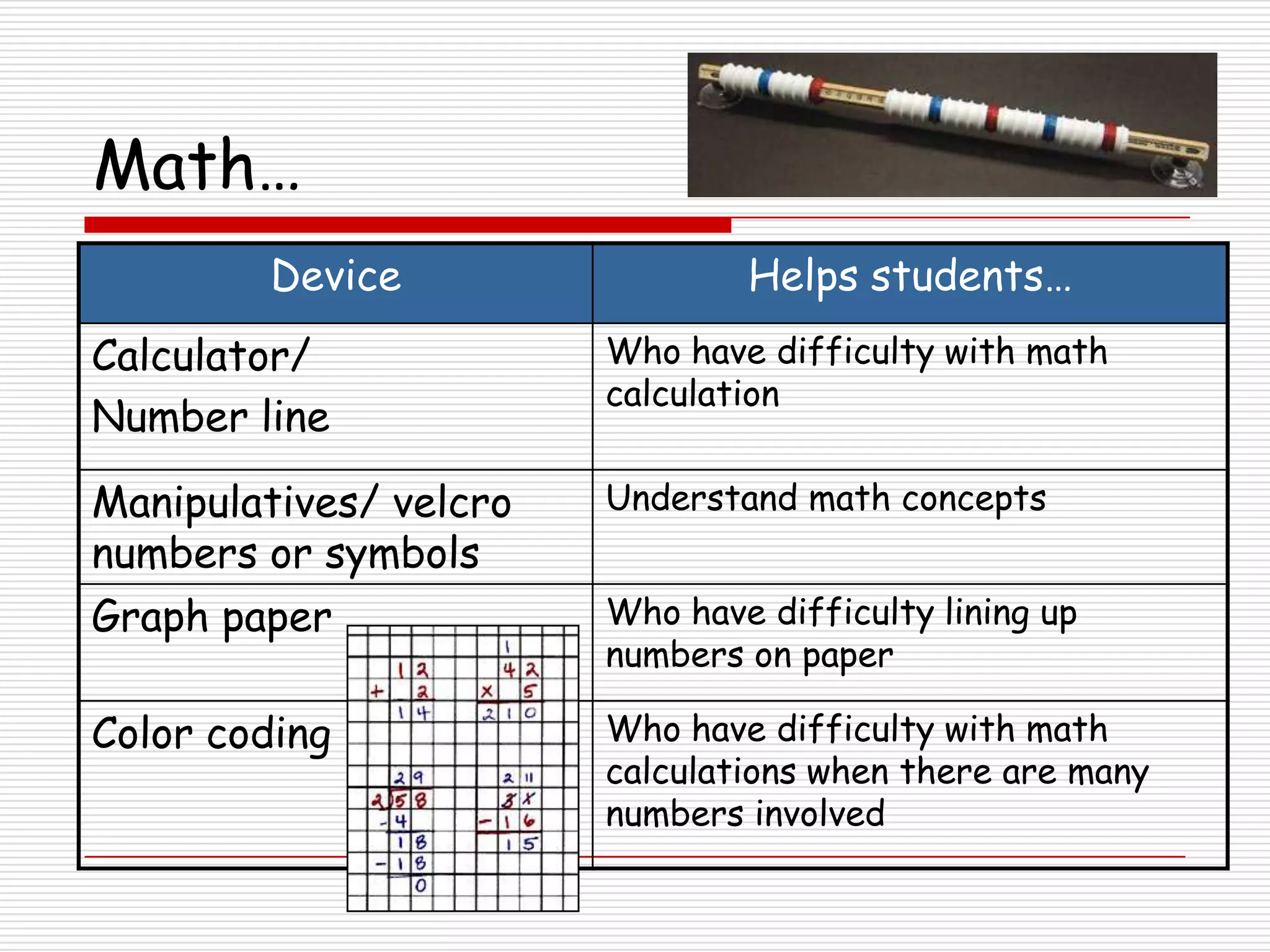
        Device                  Helps students…
Calculator/             Who have difficulty with math
                        calculation
Number line

Manipulatives/ velcro   Understand math concepts
numbers or symbols
Graph paper             Who have difficulty lining up
                        numbers on paper

Color coding            Who have difficulty with math
                        calculations when there are many
                        numbers involved
Math…

        Device                 Helps students…
Money calculator       Complete math problems involving
                       money


Math software          Reinforce concepts.
(i.e. TI-Nspire,       Answer problems that they cannot
                       access otherwise.
MathType)
Computation software   By aligning numbers and providing an
                       alternate way to complete the
                       problems
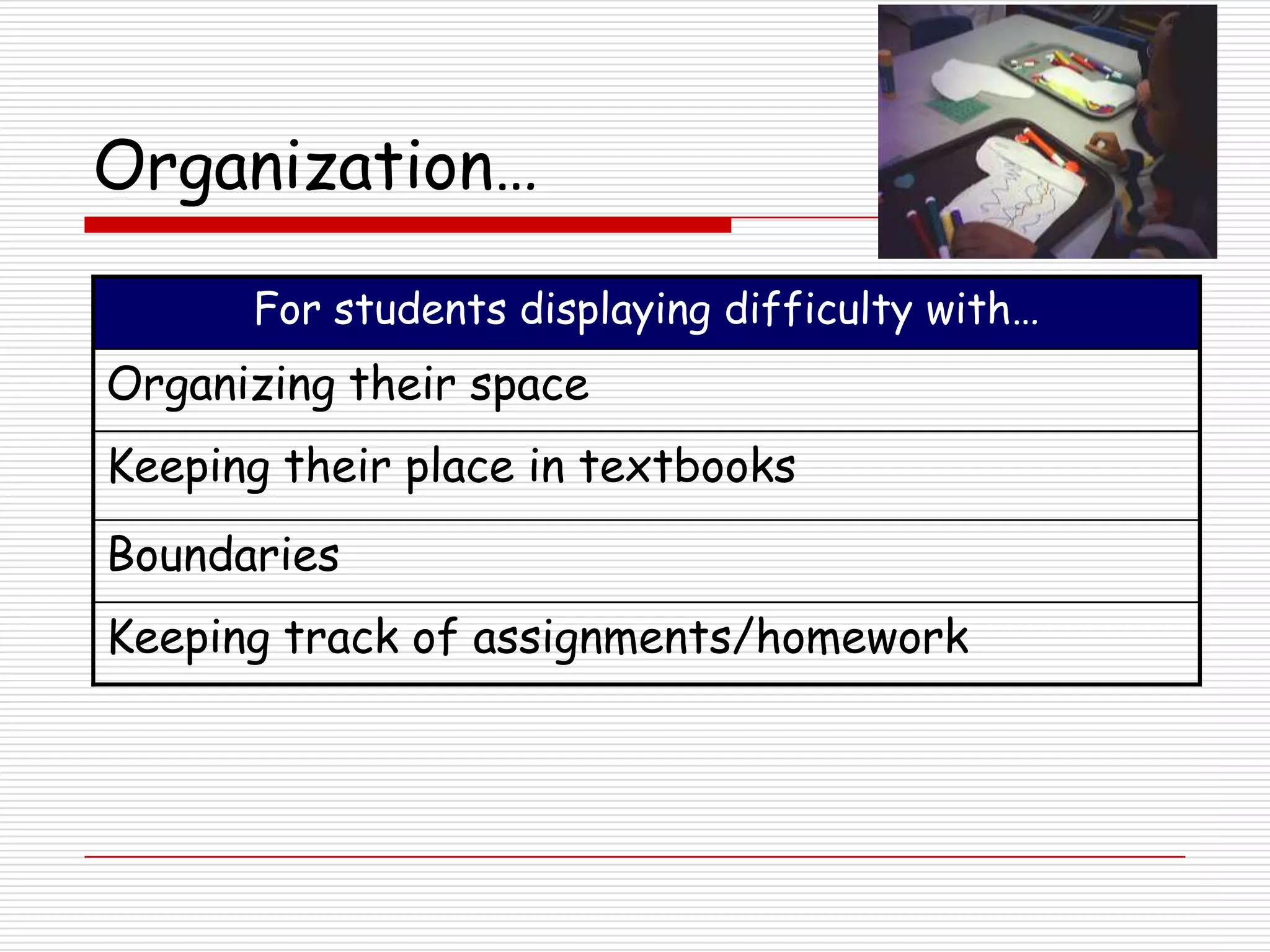
Organization…

      For students displaying difficulty with…
Organizing their space
Keeping their place in textbooks
Boundaries
Keeping track of assignments/homework
Organization…
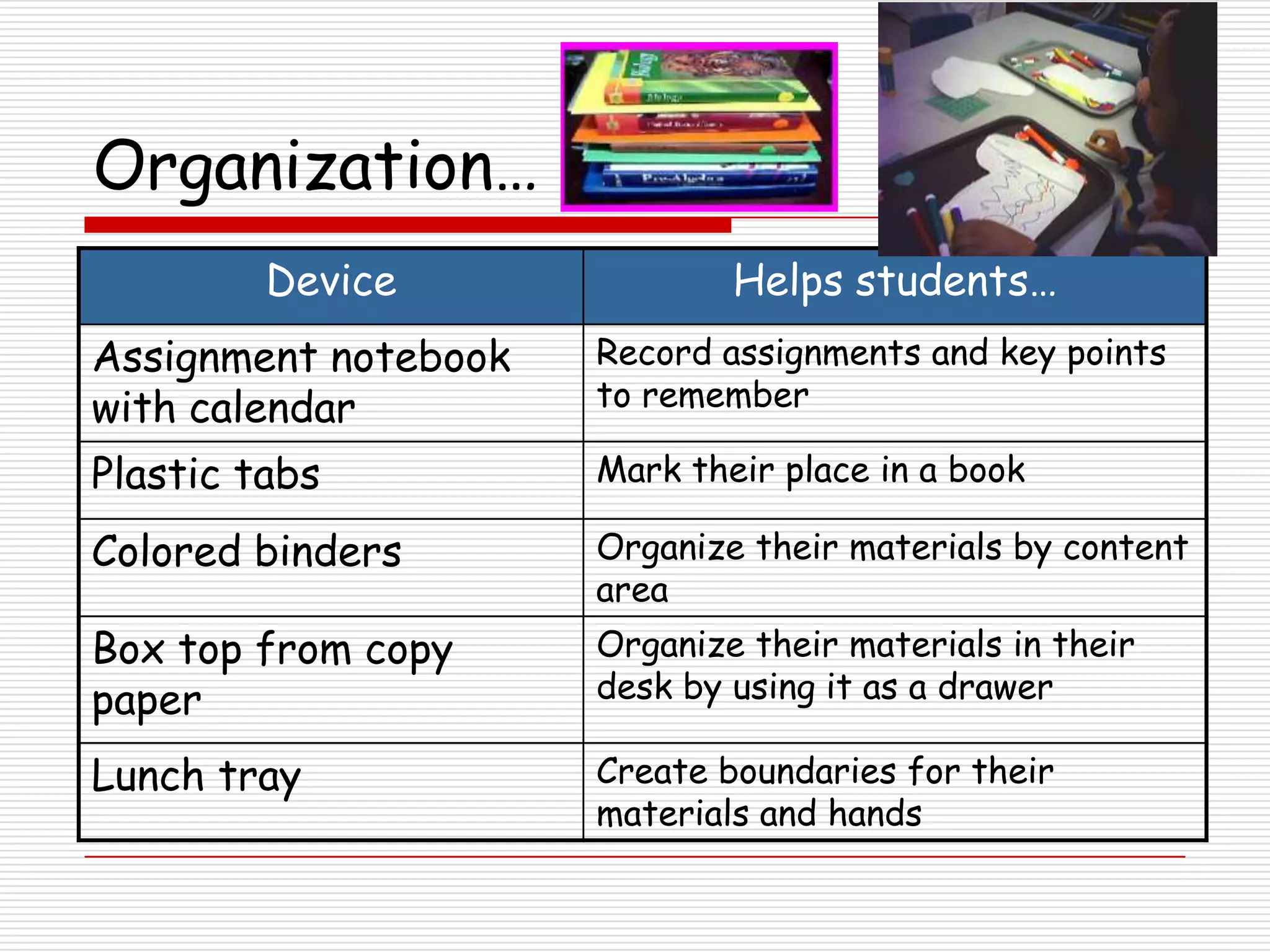
         Device               Helps students…
Assignment notebook   Record assignments and key points
with calendar         to remember

Plastic tabs          Mark their place in a book

Colored binders       Organize their materials by content
                      area
Box top from copy     Organize their materials in their
paper                 desk by using it as a drawer

Lunch tray            Create boundaries for their
                      materials and hands
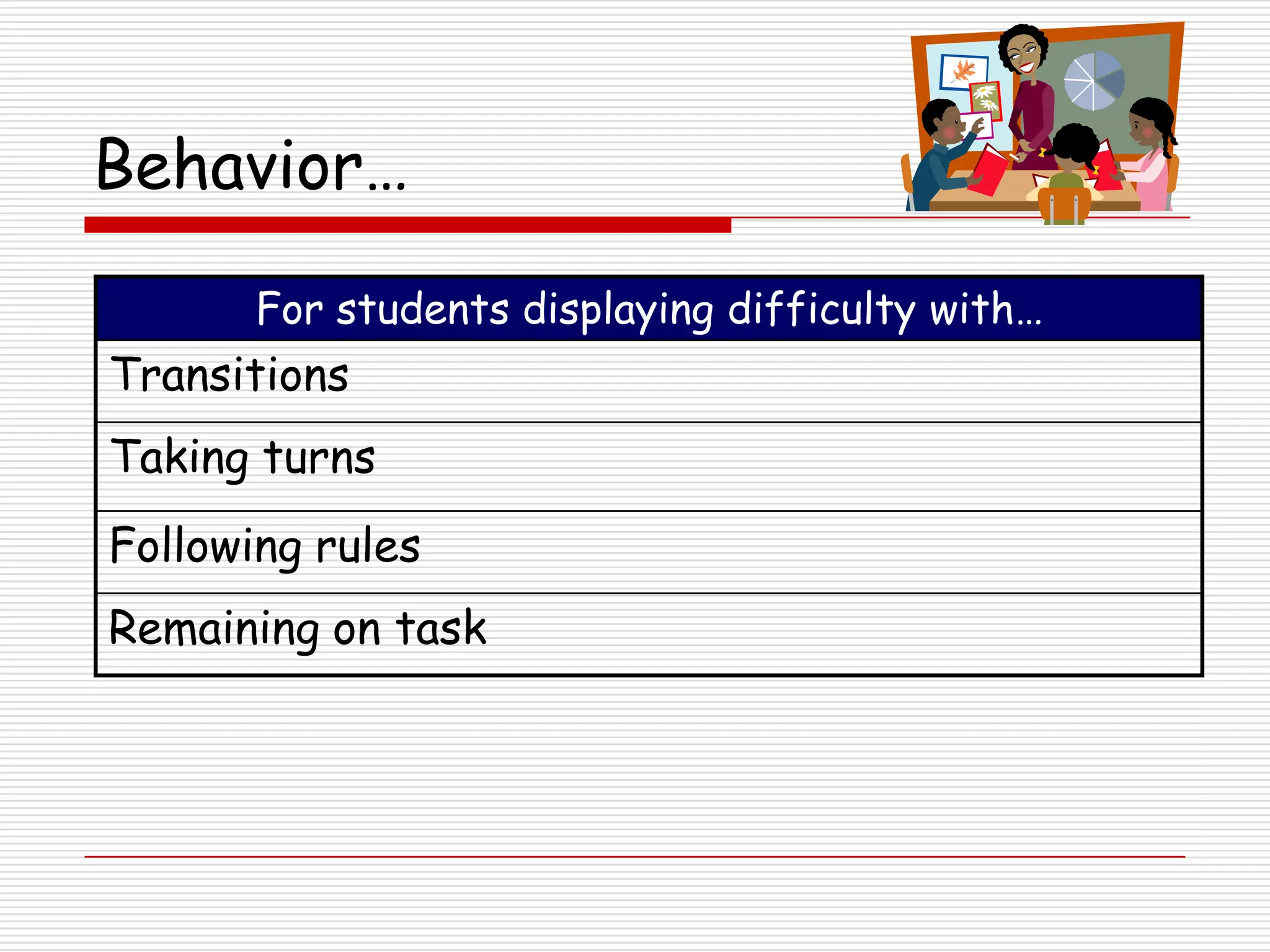
Behavior…

       For students displaying difficulty with…
Transitions
Taking turns
Following rules
Remaining on task
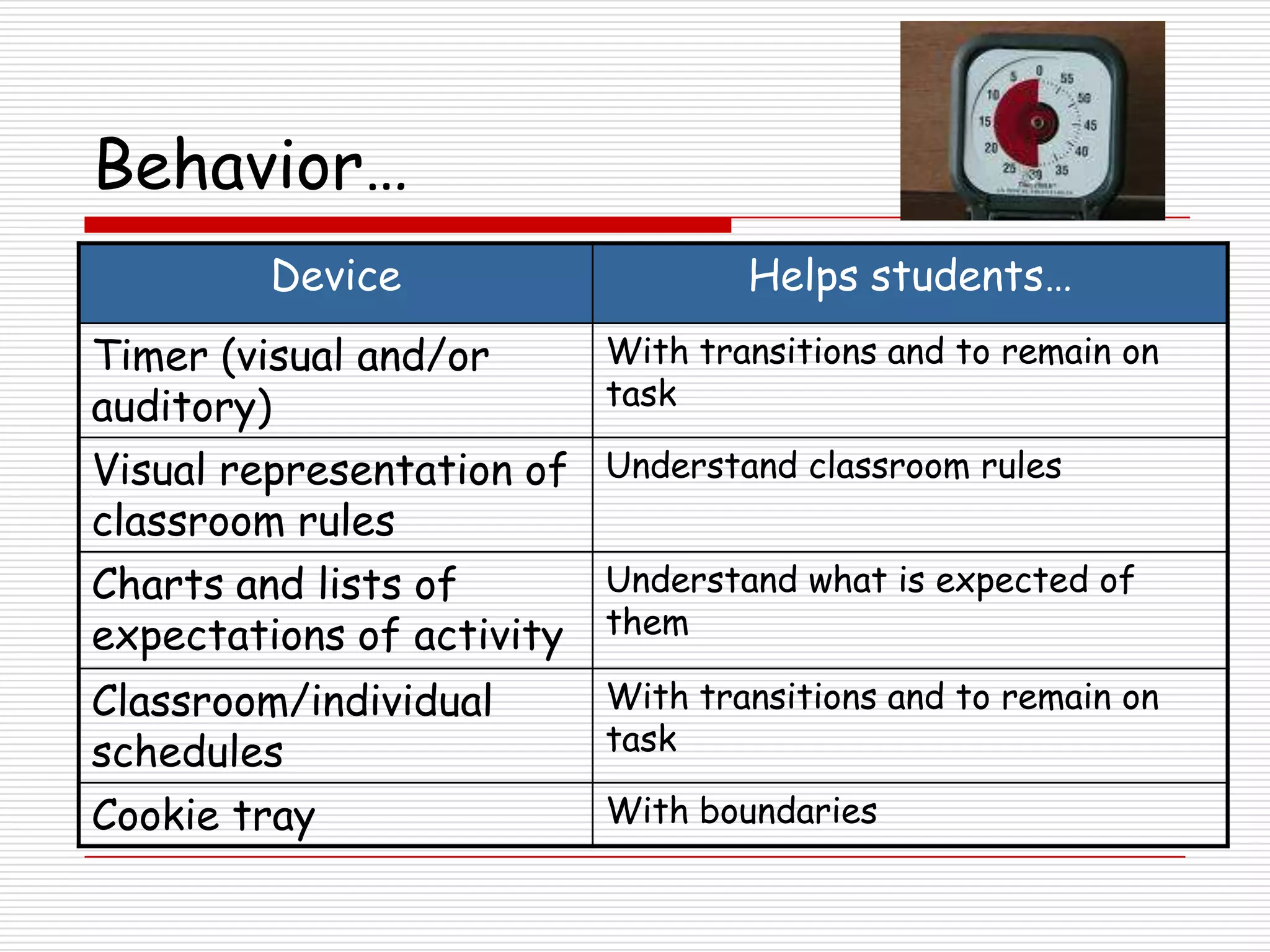
Behavior…
         Device                    Helps students…
Timer (visual and/or       With transitions and to remain on
auditory)                  task

Visual representation of Understand classroom rules
classroom rules
Charts and lists of      Understand what is expected of
expectations of activity them
Classroom/individual       With transitions and to remain on
schedules                  task

Cookie tray                With boundaries
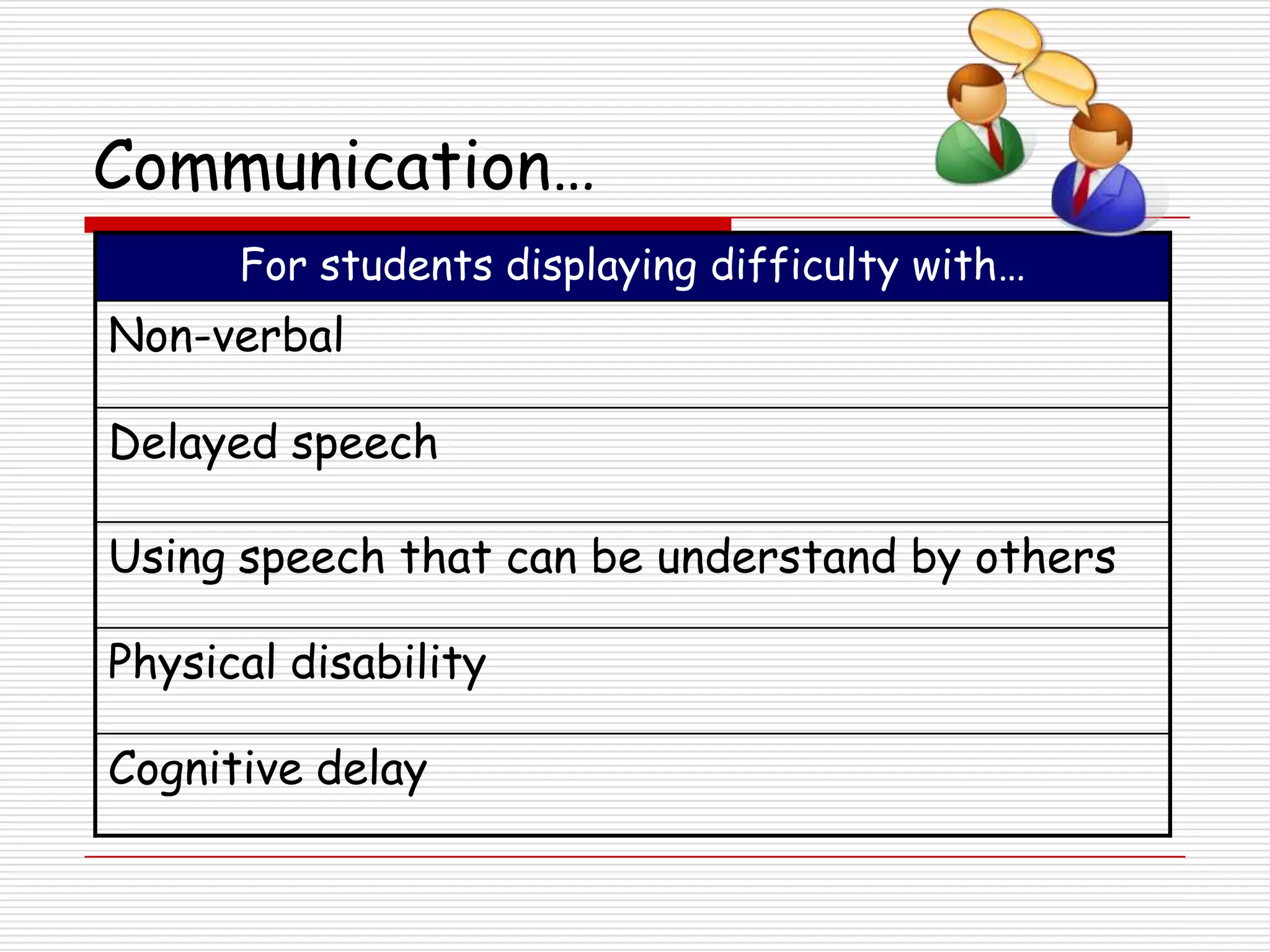
Communication…
      For students displaying difficulty with…
Non-verbal

Delayed speech

Using speech that can be understand by others

Physical disability

Cognitive delay
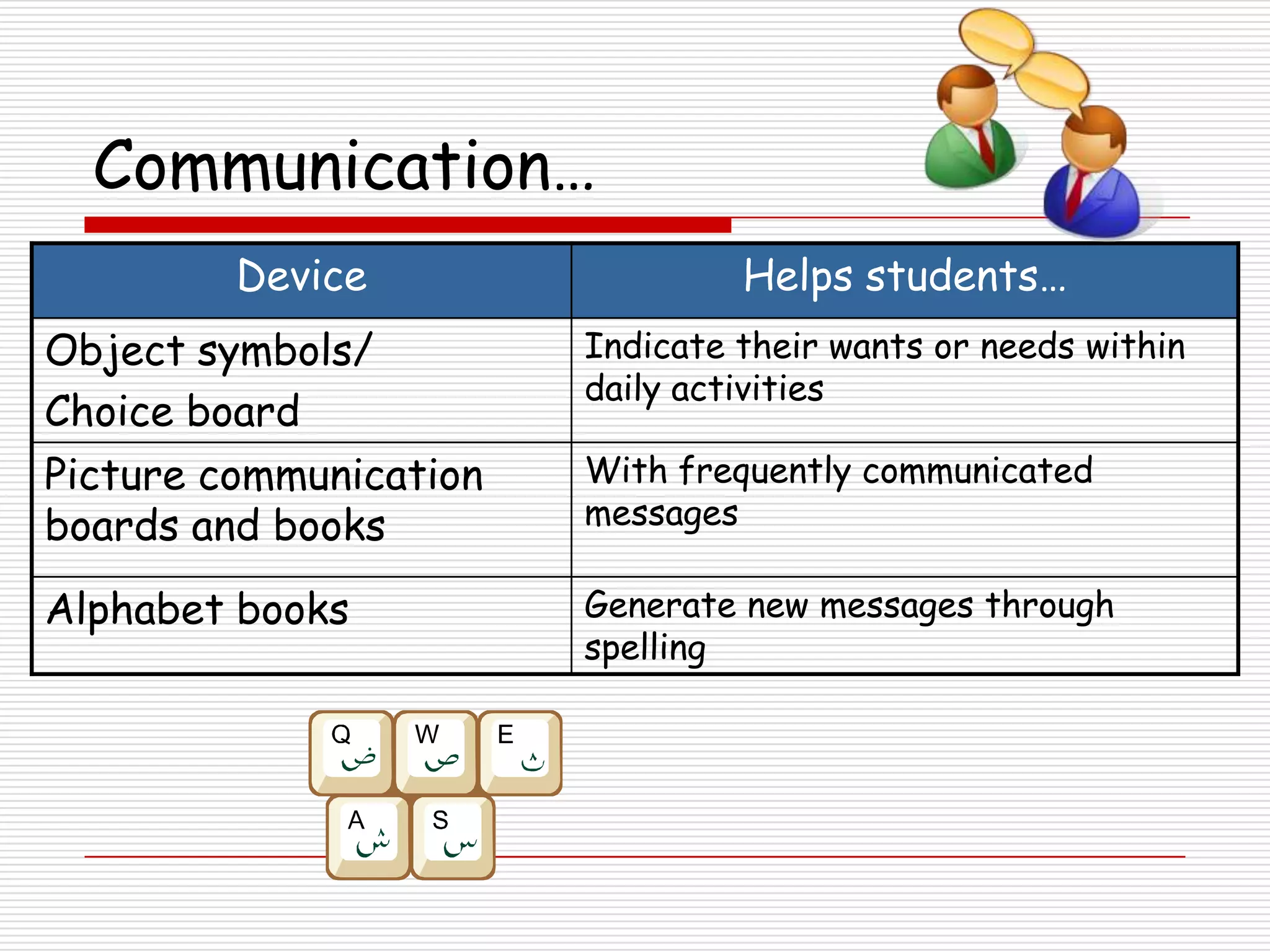
Communication…
         Device                  Helps students…
Object symbols/         Indicate their wants or needs within
                        daily activities
Choice board
Picture communication   With frequently communicated
boards and books        messages

Alphabet books          Generate new messages through
                        spelling
Communication…
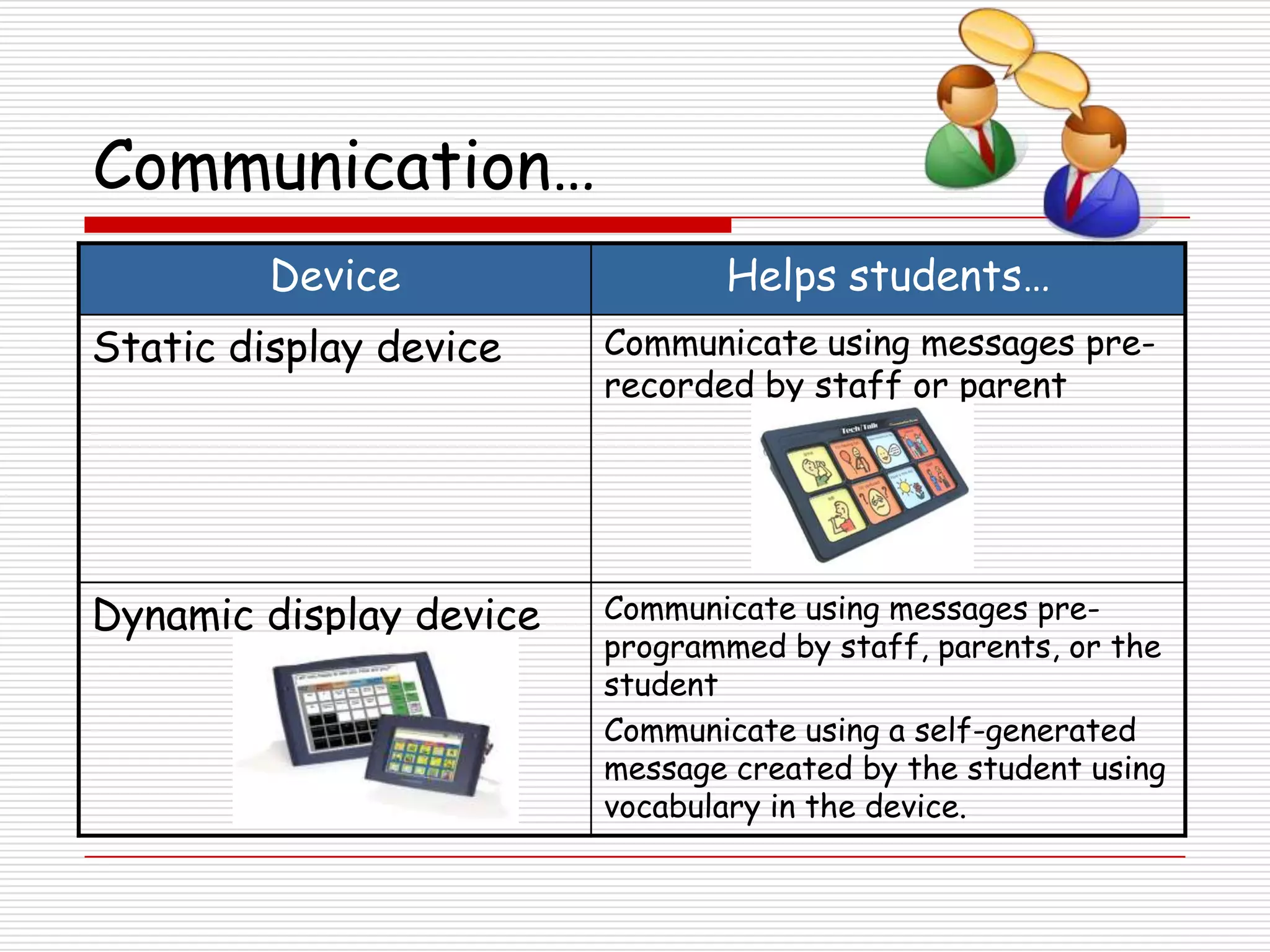
         Device                 Helps students…
Static display device    Communicate using messages pre-
                         recorded by staff or parent


Dynamic display device   Communicate using messages pre-
                         programmed by staff, parents, or the
                         student
                         Communicate using a self-generated
                         message created by the student using
                         vocabulary in the device.
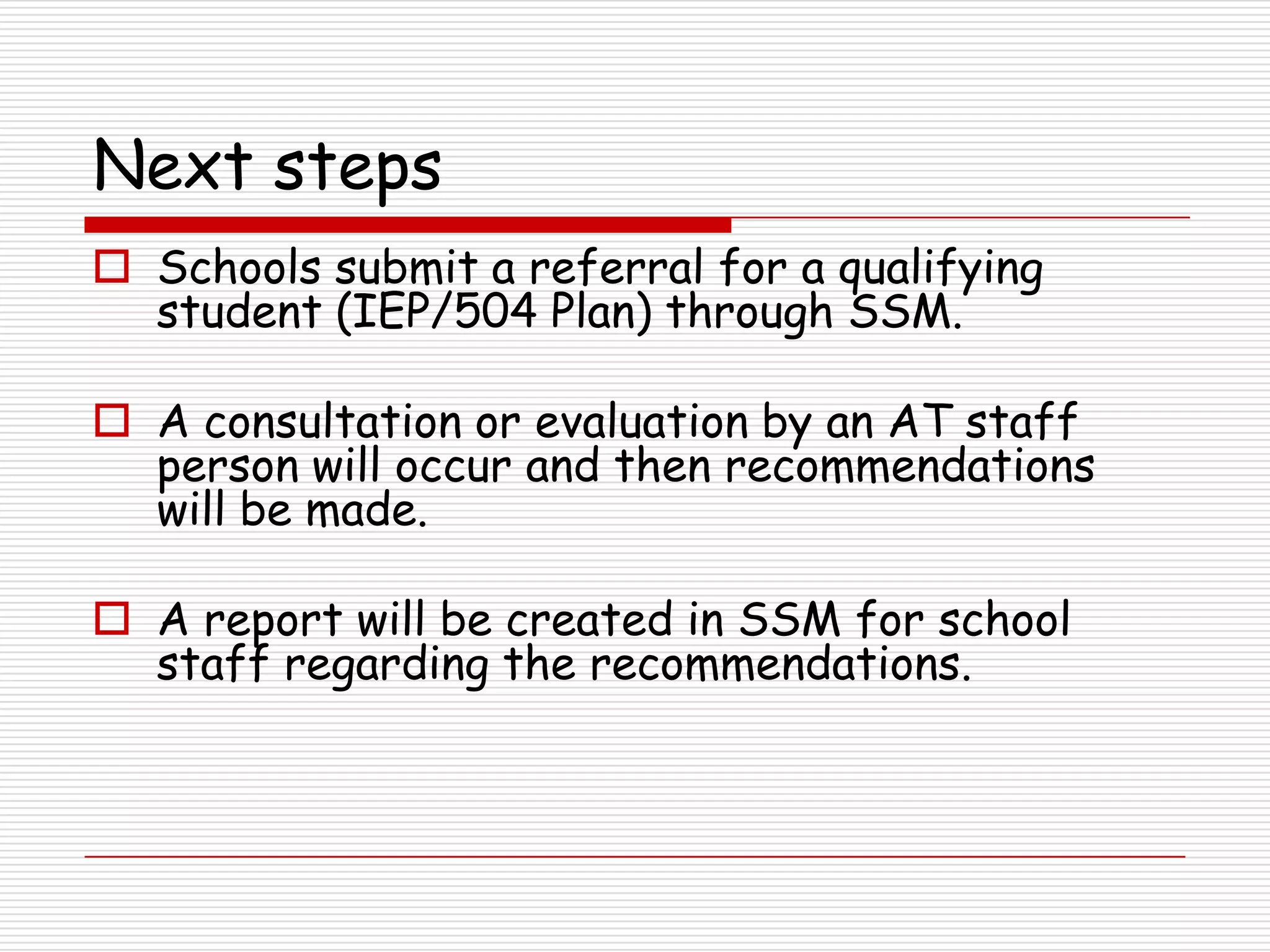
Next steps
 Schools submit a referral for a qualifying
  student (IEP/504 Plan) through SSM.

 A consultation or evaluation by an AT staff
  person will occur and then recommendations
  will be made.

 A report will be created in SSM for school
  staff regarding the recommendations.
Next steps
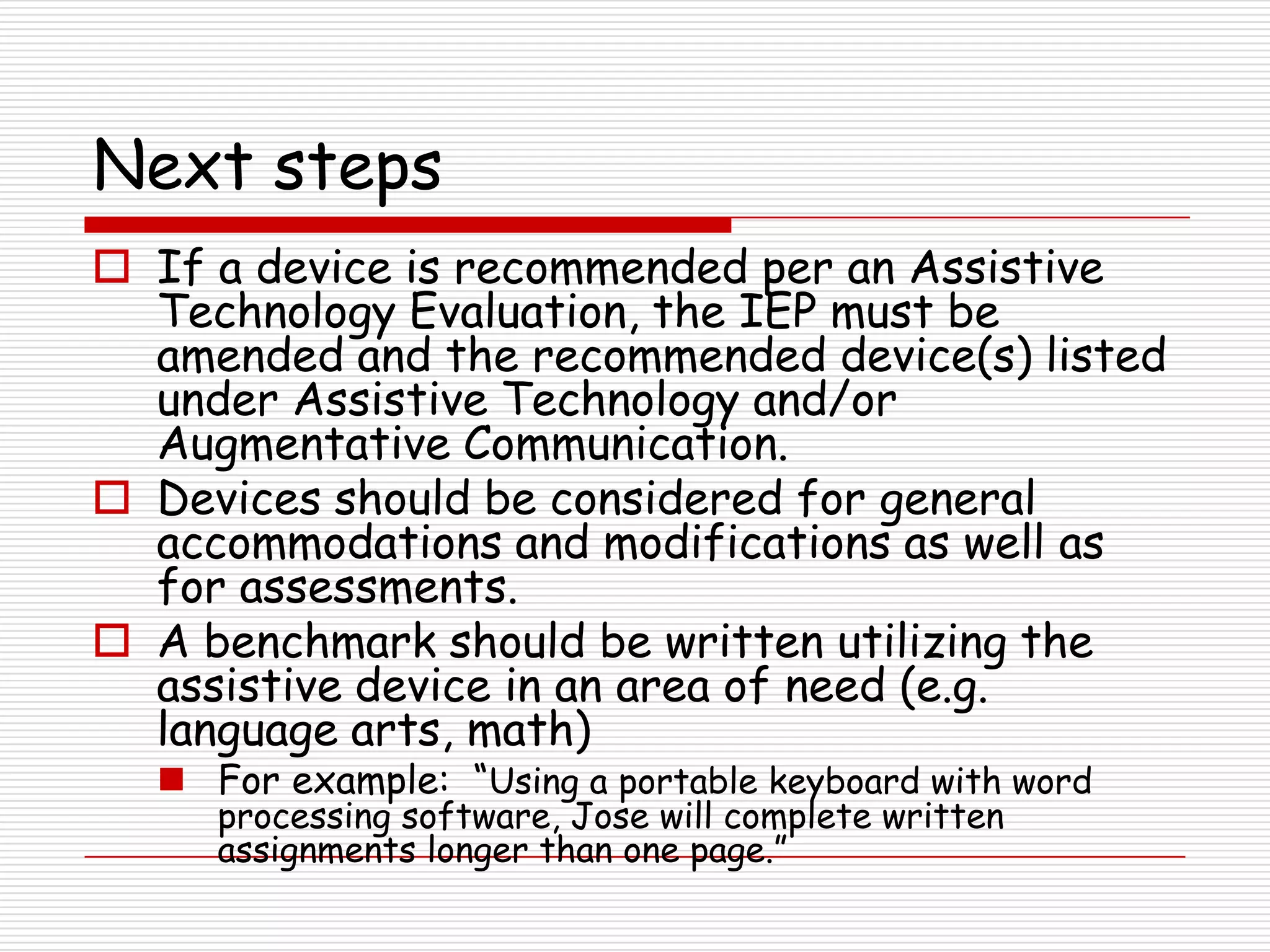
 If a device is recommended per an Assistive
  Technology Evaluation, the IEP must be
  amended and the recommended device(s) listed
  under Assistive Technology and/or
  Augmentative Communication.
 Devices should be considered for general
  accommodations and modifications as well as
  for assessments.
 A benchmark should be written utilizing the
  assistive device in an area of need (e.g.
  language arts, math)
   For example: “Using a portable keyboard with word
     processing software, Jose will complete written
     assignments longer than one page.”
Next steps
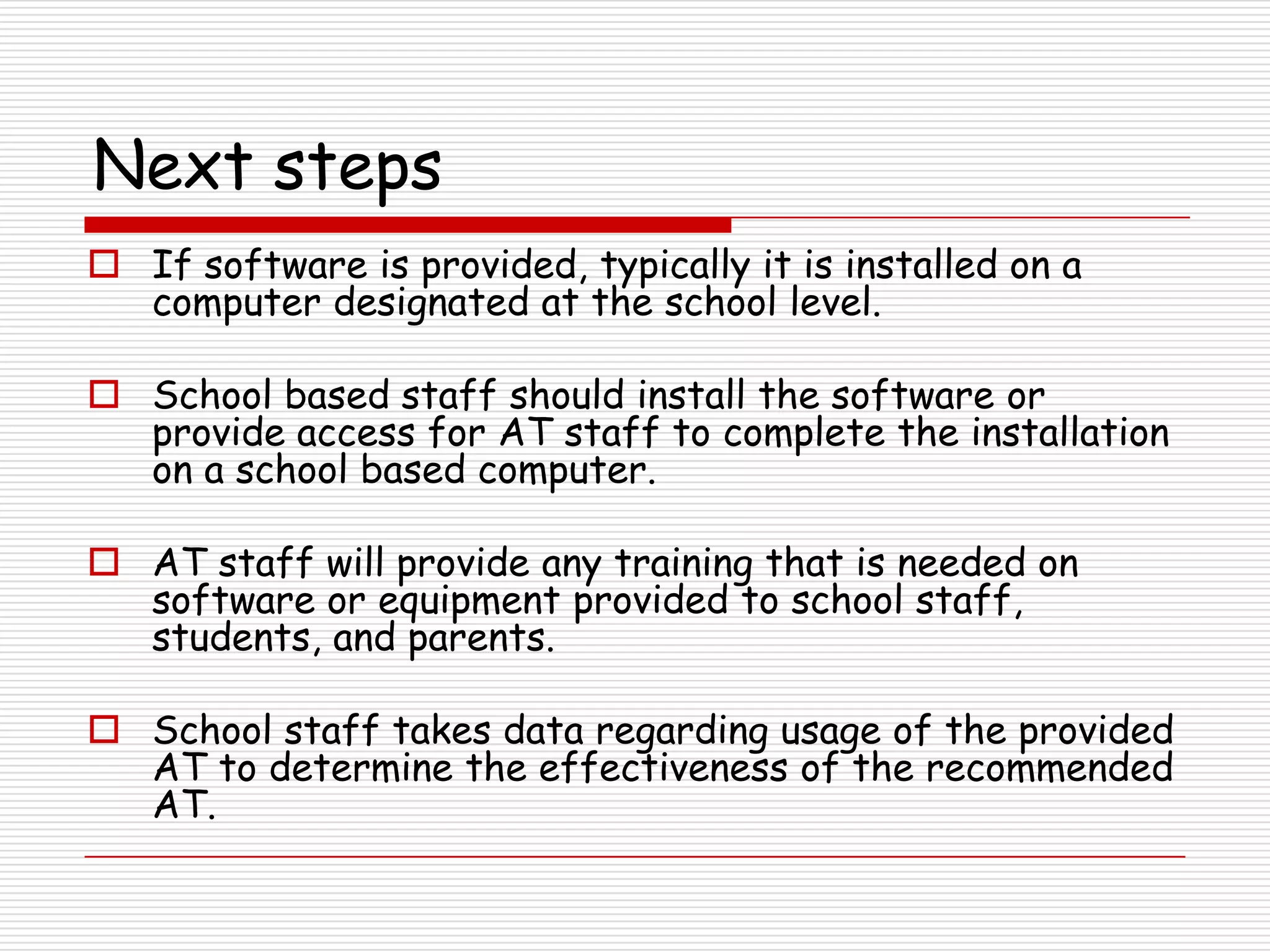
 If software is provided, typically it is installed on a
  computer designated at the school level.

 School based staff should install the software or
  provide access for AT staff to complete the installation
  on a school based computer.

 AT staff will provide any training that is needed on
  software or equipment provided to school staff,
  students, and parents.

 School staff takes data regarding usage of the provided
  AT to determine the effectiveness of the recommended
  AT.
Questions

Using AT to Support Students in the LRE Tech Talk 2012

  • 1.
    Using AT toSupport Students in the LRE Building Blocks for Inclusive Practices… Tech Talk #cpstt January 2012
  • 2.
    What is assistivetechnology?  An assistive technology device is “any item, piece of equipment, or product that is used to increase, maintain, or improve the functional capabilities of a student.”  Assistive technology services include any service that directly assists a student with disabilities in the selection, acquisition, or use of an assistive device, including:  Assessment  Purchasing devices  Selecting, designing, fitting, customizing, adapting, a pplying, maintaining, repairing, replacing devices  Training staff, student, parent to use device
  • 3.
    IDEA and AT IDEA states that "assistive technology devices and services" must be provided by school districts to eligible children if necessary to ensure the provision of a free appropriate public education.  IEP teams consider each student's need for assistive technology if its use will help the student perform a skill (read, write, communicate, etc.) more easily or efficiently, in the least restrictive environment or with less personal assistance.
  • 4.
    AT is appropriatewhen it…  Enables an individual to perform functions that can be achieved by no other means  Enables an individual to approximate age- appropriate fluency, rate, or standards--a level of accomplishment which could not be achieved by any other means  Provides access for participation in programs or activities which otherwise would be closed to the individual  Increases endurance or ability to persevere and complete tasks that otherwise are too laborious to be attempted on a routine basis http://www.pluk.org/AT1.html#2
  • 5.
    AT is appropriatewhen it…  Enables an individual to concentrate on learning or employment tasks, rather than mechanical tasks  Provides greater access to information  Supports social interactions with peers and adults http://www.pluk.org/AT1.html#2
  • 6.
    Continuum from No/LowTech to High Tech Assistive Technology No/Low Tech Mid Tech High Tech Simple Some Training More Training Low Maintenance Some Maintenance More Maintenance No/Limited Electronics Some Electronics Complex Electronics
  • 7.
    Assistive technology devices The following are ideas of how to use assistive technology to support students in the LRE. Most of these devices do NOT require an assistive tech referral.
  • 8.
    Reading… For students displaying difficulty with… Slow reading rate Poor recall Inconsistent visual tracking Problems with decoding Unable to turn the page Vision issues
  • 9.
    Reading… Device Helps students… Colored overlays View text in a clearer manner Reading window Track the lines of print displayed on a page Audio-taped textbooks Access traditional print textbooks Pocket magnifier Attend visually to text and to task for students with a visual impairment
  • 10.
    Reading… Device Helps students… Slant board Access written material Copy of classmate’s/ Access subject content teacher’s notes Pre-highlight/underline Identify main idea or key points text Reading pen Read words in a line of text aloud
  • 11.
    Reading… Device Helps students… Recordings for the By providing textbooks on tape or Blind and Dyslexic CD www.Rfbd.org Bookshare Provides textbooks or novel in a digital format for qualifying www.bookshare.org students Optical character By scanning text and reading it recognition software aloud (Kurzweil)
  • 12.
    Spelling… For students displaying difficulty with… Letter reversals Letter omissions Inventive spelling Phonetic blend confusion
  • 13.
    Spelling… Device Helps students… Develop a personal Spell words correctly that they use word book or often and continue to misspell dictionary Word processing Spell words they have difficulty program with spell spelling but can visually identify check Word walls, word banks Spell words that are currently related to the curriculum Portable spell checker/ Spell words correctly using auditory dictionary and visual prompts
  • 14.
    Writing… For students displaying difficulty with… Mechanics of writing Low endurance – easily fatigues Illegible Time consuming Writing skills below student’s cognitive abilities Visual spatial disorientation Poor visual discrimination
  • 15.
    Writing (process)… Device Helps students… Graphic organizers Organize ideas/map concepts Charts Understand text/ideas Highlighters Remember important details/ information Ample space With a larger response area Highlighting text on Emphasize important text on the computer computer in word processing programs Sentence strips Build and organize ideas from text
  • 16.
    Writing (motor)… Device Helps students… Paper with bold or raised With fine motor or visual impairment lines to stay within the lines Graph paper To more evenly space letters and words Pencil grip With a larger and more supported means of holding a pencil Soft rubber-like pad Keep papers from slipping off smooth or inclined surfaces Weighted pencil Hold the pencil in a more stable manner Digital Recorder Dictate information as an alternate to a written assignment; Take notes
  • 17.
    Writing (motor)… Device Helps students… Portable keyboarding Type instead of write device NEO, DANA, Fusion Word prediction software Reduce keystrokes while typing (lessen the amount) Alternate keyboards Access the computer to write Alternate mice Access the computer to write On screen keyboard Access the computer to write
  • 18.
  • 19.
  • 20.
  • 21.
  • 22.
    Math… For students displaying difficulty with… Computations Concepts Time consuming math problems Laborious process
  • 23.
    Math… Device Helps students… Calculator/ Who have difficulty with math calculation Number line Manipulatives/ velcro Understand math concepts numbers or symbols Graph paper Who have difficulty lining up numbers on paper Color coding Who have difficulty with math calculations when there are many numbers involved
  • 24.
    Math… Device Helps students… Money calculator Complete math problems involving money Math software Reinforce concepts. (i.e. TI-Nspire, Answer problems that they cannot access otherwise. MathType) Computation software By aligning numbers and providing an alternate way to complete the problems
  • 25.
    Organization… For students displaying difficulty with… Organizing their space Keeping their place in textbooks Boundaries Keeping track of assignments/homework
  • 26.
    Organization… Device Helps students… Assignment notebook Record assignments and key points with calendar to remember Plastic tabs Mark their place in a book Colored binders Organize their materials by content area Box top from copy Organize their materials in their paper desk by using it as a drawer Lunch tray Create boundaries for their materials and hands
  • 27.
    Behavior… For students displaying difficulty with… Transitions Taking turns Following rules Remaining on task
  • 28.
    Behavior… Device Helps students… Timer (visual and/or With transitions and to remain on auditory) task Visual representation of Understand classroom rules classroom rules Charts and lists of Understand what is expected of expectations of activity them Classroom/individual With transitions and to remain on schedules task Cookie tray With boundaries
  • 29.
    Communication… For students displaying difficulty with… Non-verbal Delayed speech Using speech that can be understand by others Physical disability Cognitive delay
  • 30.
    Communication… Device Helps students… Object symbols/ Indicate their wants or needs within daily activities Choice board Picture communication With frequently communicated boards and books messages Alphabet books Generate new messages through spelling
  • 31.
    Communication… Device Helps students… Static display device Communicate using messages pre- recorded by staff or parent Dynamic display device Communicate using messages pre- programmed by staff, parents, or the student Communicate using a self-generated message created by the student using vocabulary in the device.
  • 32.
    Next steps  Schoolssubmit a referral for a qualifying student (IEP/504 Plan) through SSM.  A consultation or evaluation by an AT staff person will occur and then recommendations will be made.  A report will be created in SSM for school staff regarding the recommendations.
  • 33.
    Next steps  Ifa device is recommended per an Assistive Technology Evaluation, the IEP must be amended and the recommended device(s) listed under Assistive Technology and/or Augmentative Communication.  Devices should be considered for general accommodations and modifications as well as for assessments.  A benchmark should be written utilizing the assistive device in an area of need (e.g. language arts, math)  For example: “Using a portable keyboard with word processing software, Jose will complete written assignments longer than one page.”
  • 34.
    Next steps  Ifsoftware is provided, typically it is installed on a computer designated at the school level.  School based staff should install the software or provide access for AT staff to complete the installation on a school based computer.  AT staff will provide any training that is needed on software or equipment provided to school staff, students, and parents.  School staff takes data regarding usage of the provided AT to determine the effectiveness of the recommended AT.
  • 35.