Apache CloudStack 4.21
First Look Webinar
CloudStack and the CloudStack logo are trademarks of the Apache Software Foundation
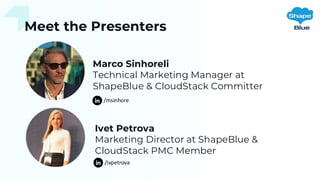
Meet the Presenters
Marco Sinhoreli
Technical Marketing Manager at
ShapeBlue & CloudStack Committer
Ivet Petrova
Marketing Director at ShapeBlue &
CloudStack PMC Member
/msinhore
/ivpetrova
Agenda
• About This Release
• Deep Dive and Demo: Feature-by-Feature
• CloudStack XaaS Extensions Framework
• GPU as a First-Class Resource in CloudStack (Technical Preview)
• Netris SDN Integration
• CloudStack Kubernetes Service (CKS) Enhancements
• Create Instance from Backup & Instance Lease (Automatic Stop/Deletion)
• Backup and Object Storage Limits
• Deploy Instance Form Improvements
• vTPM Support
• Q&A
About This Release
• Version: 4.21.0
• Release Date: August 2025
• Scope: 147+ improvements, 14 new
features
• Focus on: orchestration, GPU
workloads, SDN, backup/recovery,
Kubernetes, UI/UX
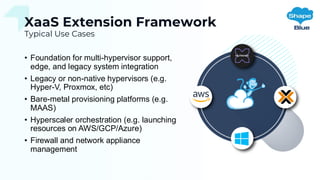
XaaS Extension Framework
Typical Use Cases
• Foundation for multi-hypervisor support,
edge, and legacy system integration
• Legacy or non-native hypervisors (e.g.
Hyper-V, Proxmox, etc)
• Bare-metal provisioning platforms (e.g.
MAAS)
• Hyperscaler orchestration (e.g. launching
resources on AWS/GCP/Azure)
• Firewall and network appliance
management
XaaS Extension Framework
Feature Overview
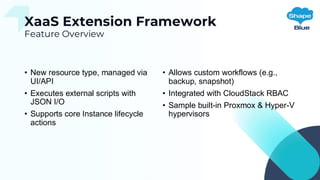
• New resource type, managed via
UI/API
• Executes external scripts with
JSON I/O
• Supports core Instance lifecycle
actions
• Allows custom workflows (e.g.,
backup, snapshot)
• Integrated with CloudStack RBAC
• Sample built-in Proxmox & Hyper-V
hypervisors
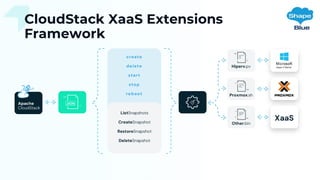
CloudStack XaaS Extensions
Framework
XaaS Extension
Framework
Demo
GPU as First-Class Resource
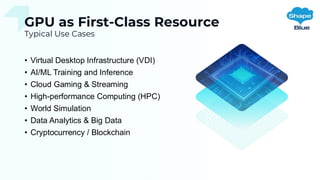
Typical Use Cases
• Virtual Desktop Infrastructure (VDI)
• AI/ML Training and Inference
• Cloud Gaming & Streaming
• High-performance Computing (HPC)
• World Simulation
• Data Analytics & Big Data
• Cryptocurrency / Blockchain
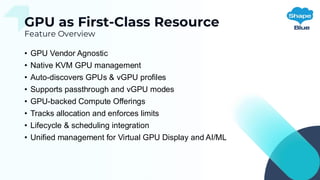
GPU as First-Class Resource
Feature Overview
• GPU Vendor Agnostic
• Native KVM GPU management
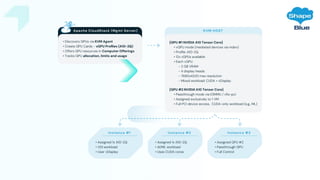
• Auto-discovers GPUs & vGPU profiles
• Supports passthrough and vGPU modes
• GPU-backed Compute Offerings
• Tracks allocation and enforces limits
• Lifecycle & scheduling integration
• Unified management for Virtual GPU Display and AI/ML
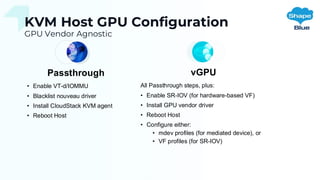
KVM Host GPU Configuration
GPU Vendor Agnostic
Passthrough
• Enable VT-d/IOMMU
• Blacklist nouveau driver
• Install CloudStack KVM agent
• Reboot Host
vGPU
All Passthrough steps, plus:
• Enable SR-IOV (for hardware-based VF)
• Install GPU vendor driver
• Reboot Host
• Configure either:
• mdev profiles (for mediated device), or
• VF profiles (for SR-IOV)
GPU as First-Class
Resource
Demo
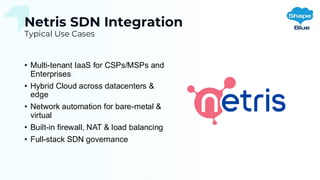
Netris SDN Integration
Typical Use Cases
• Multi-tenant IaaS for CSPs/MSPs and
Enterprises
• Hybrid Cloud across datacenters &
edge
• Network automation for bare-metal &
virtual
• Built-in firewall, NAT & load balancing
• Full-stack SDN governance
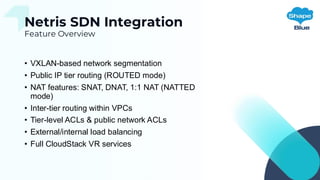
Netris SDN Integration
Feature Overview
• VXLAN-based network segmentation
• Public IP tier routing (ROUTED mode)
• NAT features: SNAT, DNAT, 1:1 NAT (NATTED
mode)
• Inter-tier routing within VPCs
• Tier-level ACLs & public network ACLs
• External/internal load balancing
• Full CloudStack VR services
Netris SDN
Integration
Demo
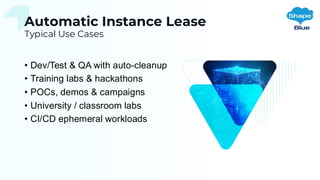
Automatic Instance Lease
Typical Use Cases
• Dev/Test & QA with auto-cleanup
• Training labs & hackathons
• POCs, demos & campaigns
• University / classroom labs
• CI/CD ephemeral workloads
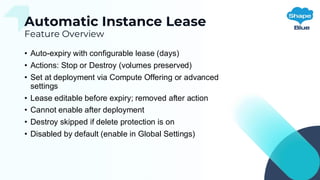
Automatic Instance Lease
Feature Overview
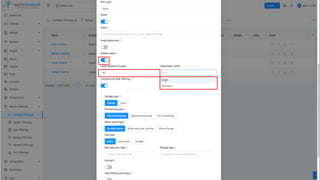
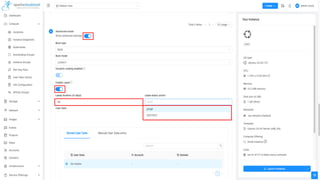
• Auto-expiry with configurable lease (days)
• Actions: Stop or Destroy (volumes preserved)
• Set at deployment via Compute Offering or advanced
settings
• Lease editable before expiry; removed after action
• Cannot enable after deployment
• Destroy skipped if delete protection is on
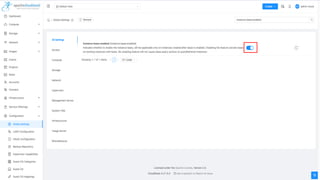
• Disabled by default (enable in Global Settings)
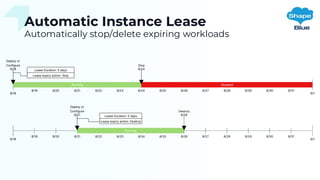
Automatic Instance Lease
Automatically stop/delete expiring workloads
Automatic Instance
Lease
Demo
CloudStack Kubernetes Service
Enhancements
Feature Overview
• Separate etcd node deployment
• Custom Templates & CNI plugin
choice
• Per-node Compute Offerings
(worker/control/etcd)
• Add external worker nodes
• Manual-only upgrade flag
• Deploy on dedicated hosts/clusters
CloudStack Kubernetes
Service Enhancements
Demo
Create Instance from Backup
Feature Overview
• Supports NAS & Veeam providers
• Restores full metadata (template,
offering, network, IP/MAC,
settings)
• Auto-filled deploy form with
editable fields
• Older backups require manual
detail entry
Create Instance from
Backup
Demo
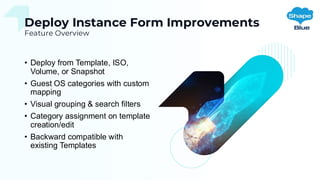
Deploy Instance Form Improvements
Feature Overview
• Deploy from Template, ISO,
Volume, or Snapshot
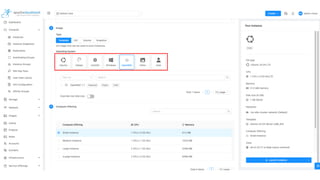
• Guest OS categories with custom
mapping
• Visual grouping & search filters
• Category assignment on template
creation/edit
• Backward compatible with
existing Templates
Deploy Instance Form
Improvements
Demo
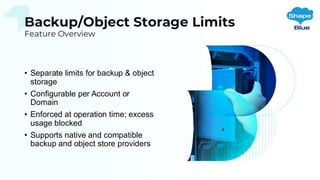
Backup/Object Storage Limits
Feature Overview
• Separate limits for backup & object
storage
• Configurable per Account or
Domain
• Enforced at operation time; excess
usage blocked
• Supports native and compatible
backup and object store providers
Backup/Object
Storage Limits
Demo
vTPM Support
Secure boot, BitLocker & compliance
• KVM and VMware support
• Secure boot, disk encryption,
attestation
• Enable at deploy or via API update
• State preserved across
reboots/migrations
• Dedicated device per instance
vTPM Support
Demo
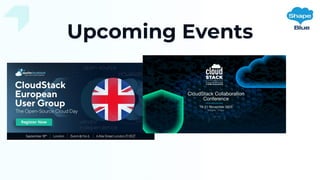
Upcoming Events
Q&A
First Look Webinar
CloudStack and the CloudStack logo are trademarks of the Apache Software Foundation
Resources
• Release Notes
• https://docs.cloudstack.apache.org/en/latest/releasenotes/
• Documentation
• https://docs.cloudstack.apache.org/en/latest/
• Mailing List
• https://cloudstack.apache.org/mailing-lists/
• Videos
• https://www.youtube.com/@ShapeBlue/videos

CloudStack 4.21: First Look Webinar slides

  • 1.
    Apache CloudStack 4.21 FirstLook Webinar CloudStack and the CloudStack logo are trademarks of the Apache Software Foundation
  • 2.
    Meet the Presenters MarcoSinhoreli Technical Marketing Manager at ShapeBlue & CloudStack Committer Ivet Petrova Marketing Director at ShapeBlue & CloudStack PMC Member /msinhore /ivpetrova
  • 3.
    Agenda • About ThisRelease • Deep Dive and Demo: Feature-by-Feature • CloudStack XaaS Extensions Framework • GPU as a First-Class Resource in CloudStack (Technical Preview) • Netris SDN Integration • CloudStack Kubernetes Service (CKS) Enhancements • Create Instance from Backup & Instance Lease (Automatic Stop/Deletion) • Backup and Object Storage Limits • Deploy Instance Form Improvements • vTPM Support • Q&A
  • 4.
    About This Release •Version: 4.21.0 • Release Date: August 2025 • Scope: 147+ improvements, 14 new features • Focus on: orchestration, GPU workloads, SDN, backup/recovery, Kubernetes, UI/UX
  • 5.
    XaaS Extension Framework TypicalUse Cases • Foundation for multi-hypervisor support, edge, and legacy system integration • Legacy or non-native hypervisors (e.g. Hyper-V, Proxmox, etc) • Bare-metal provisioning platforms (e.g. MAAS) • Hyperscaler orchestration (e.g. launching resources on AWS/GCP/Azure) • Firewall and network appliance management
  • 6.
    XaaS Extension Framework FeatureOverview • New resource type, managed via UI/API • Executes external scripts with JSON I/O • Supports core Instance lifecycle actions • Allows custom workflows (e.g., backup, snapshot) • Integrated with CloudStack RBAC • Sample built-in Proxmox & Hyper-V hypervisors
  • 7.
  • 8.
  • 9.
    GPU as First-ClassResource Typical Use Cases • Virtual Desktop Infrastructure (VDI) • AI/ML Training and Inference • Cloud Gaming & Streaming • High-performance Computing (HPC) • World Simulation • Data Analytics & Big Data • Cryptocurrency / Blockchain
  • 10.
    GPU as First-ClassResource Feature Overview • GPU Vendor Agnostic • Native KVM GPU management • Auto-discovers GPUs & vGPU profiles • Supports passthrough and vGPU modes • GPU-backed Compute Offerings • Tracks allocation and enforces limits • Lifecycle & scheduling integration • Unified management for Virtual GPU Display and AI/ML
  • 11.
    KVM Host GPUConfiguration GPU Vendor Agnostic Passthrough • Enable VT-d/IOMMU • Blacklist nouveau driver • Install CloudStack KVM agent • Reboot Host vGPU All Passthrough steps, plus: • Enable SR-IOV (for hardware-based VF) • Install GPU vendor driver • Reboot Host • Configure either: • mdev profiles (for mediated device), or • VF profiles (for SR-IOV)
  • 13.
  • 15.
    Netris SDN Integration TypicalUse Cases • Multi-tenant IaaS for CSPs/MSPs and Enterprises • Hybrid Cloud across datacenters & edge • Network automation for bare-metal & virtual • Built-in firewall, NAT & load balancing • Full-stack SDN governance
  • 16.
    Netris SDN Integration FeatureOverview • VXLAN-based network segmentation • Public IP tier routing (ROUTED mode) • NAT features: SNAT, DNAT, 1:1 NAT (NATTED mode) • Inter-tier routing within VPCs • Tier-level ACLs & public network ACLs • External/internal load balancing • Full CloudStack VR services
  • 17.
  • 19.
    Automatic Instance Lease TypicalUse Cases • Dev/Test & QA with auto-cleanup • Training labs & hackathons • POCs, demos & campaigns • University / classroom labs • CI/CD ephemeral workloads
  • 20.
    Automatic Instance Lease FeatureOverview • Auto-expiry with configurable lease (days) • Actions: Stop or Destroy (volumes preserved) • Set at deployment via Compute Offering or advanced settings • Lease editable before expiry; removed after action • Cannot enable after deployment • Destroy skipped if delete protection is on • Disabled by default (enable in Global Settings)
  • 21.
    Automatic Instance Lease Automaticallystop/delete expiring workloads
  • 22.
  • 26.
    CloudStack Kubernetes Service Enhancements FeatureOverview • Separate etcd node deployment • Custom Templates & CNI plugin choice • Per-node Compute Offerings (worker/control/etcd) • Add external worker nodes • Manual-only upgrade flag • Deploy on dedicated hosts/clusters
  • 27.
  • 28.
    Create Instance fromBackup Feature Overview • Supports NAS & Veeam providers • Restores full metadata (template, offering, network, IP/MAC, settings) • Auto-filled deploy form with editable fields • Older backups require manual detail entry
  • 29.
  • 30.
    Deploy Instance FormImprovements Feature Overview • Deploy from Template, ISO, Volume, or Snapshot • Guest OS categories with custom mapping • Visual grouping & search filters • Category assignment on template creation/edit • Backward compatible with existing Templates
  • 32.
  • 33.
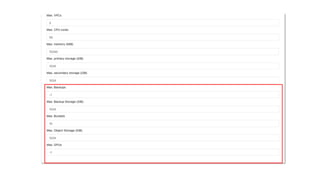
    Backup/Object Storage Limits FeatureOverview • Separate limits for backup & object storage • Configurable per Account or Domain • Enforced at operation time; excess usage blocked • Supports native and compatible backup and object store providers
  • 34.
  • 36.
    vTPM Support Secure boot,BitLocker & compliance • KVM and VMware support • Secure boot, disk encryption, attestation • Enable at deploy or via API update • State preserved across reboots/migrations • Dedicated device per instance
  • 37.
  • 39.
  • 40.
    Q&A First Look Webinar CloudStackand the CloudStack logo are trademarks of the Apache Software Foundation

  • 41.
    Resources • Release Notes •https://docs.cloudstack.apache.org/en/latest/releasenotes/ • Documentation • https://docs.cloudstack.apache.org/en/latest/ • Mailing List • https://cloudstack.apache.org/mailing-lists/ • Videos • https://www.youtube.com/@ShapeBlue/videos