Download to read offline
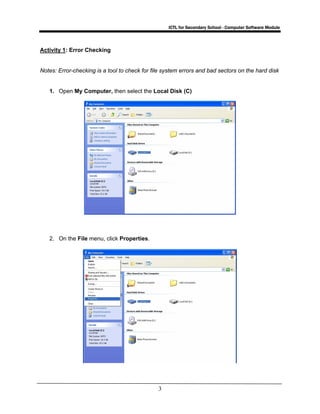
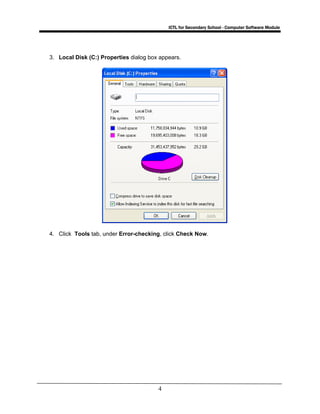
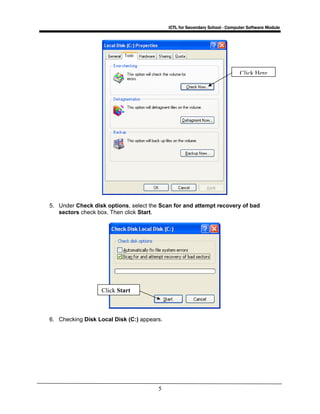
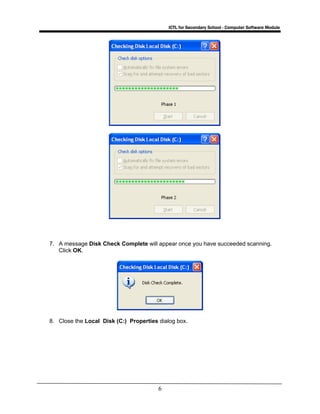
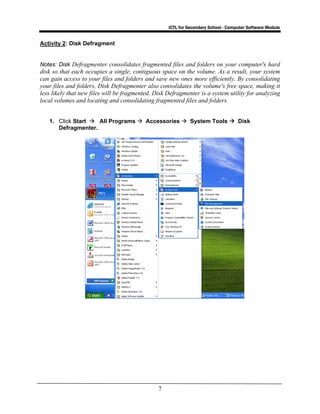
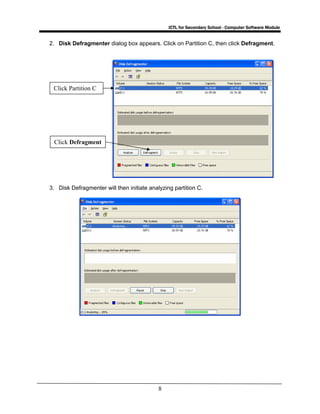
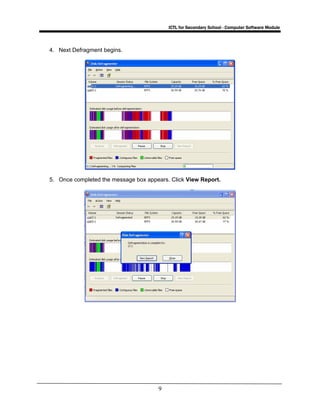
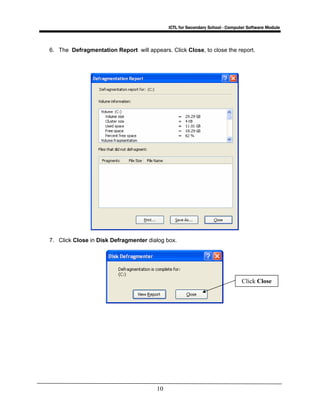
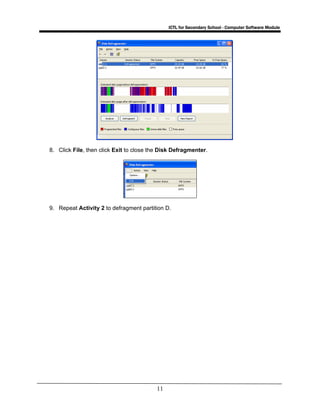

This document provides instructions for running error checking and disk defragmenting utilities in Windows. It contains two activities: Activity 1 describes how to run scan disk to check for file system errors and bad sectors, while Activity 2 explains how to use disk defragmenter to consolidate fragmented files and free up space on the hard disk. Following the steps in each activity allows students to learn how to use these OS-based utilities to optimize computer performance and disk space usage.


