Module 12:
Wireless
Overview
Networking Without Wires
Connecting to a Wireless Network
Working with Offline Files
Lesson 1: Networking Without Wires
What Is a Wireless Network?
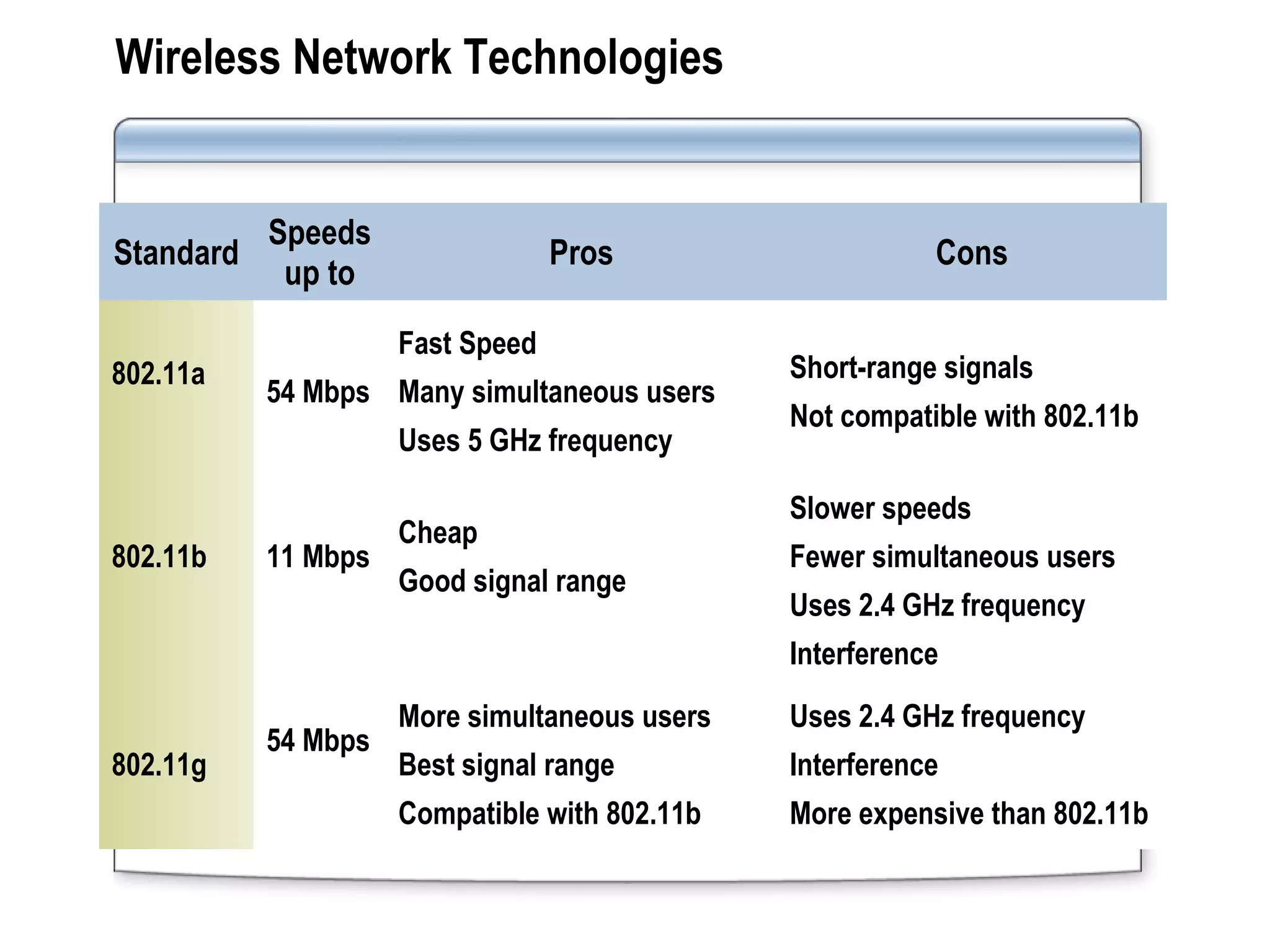
Wireless Network Technologies
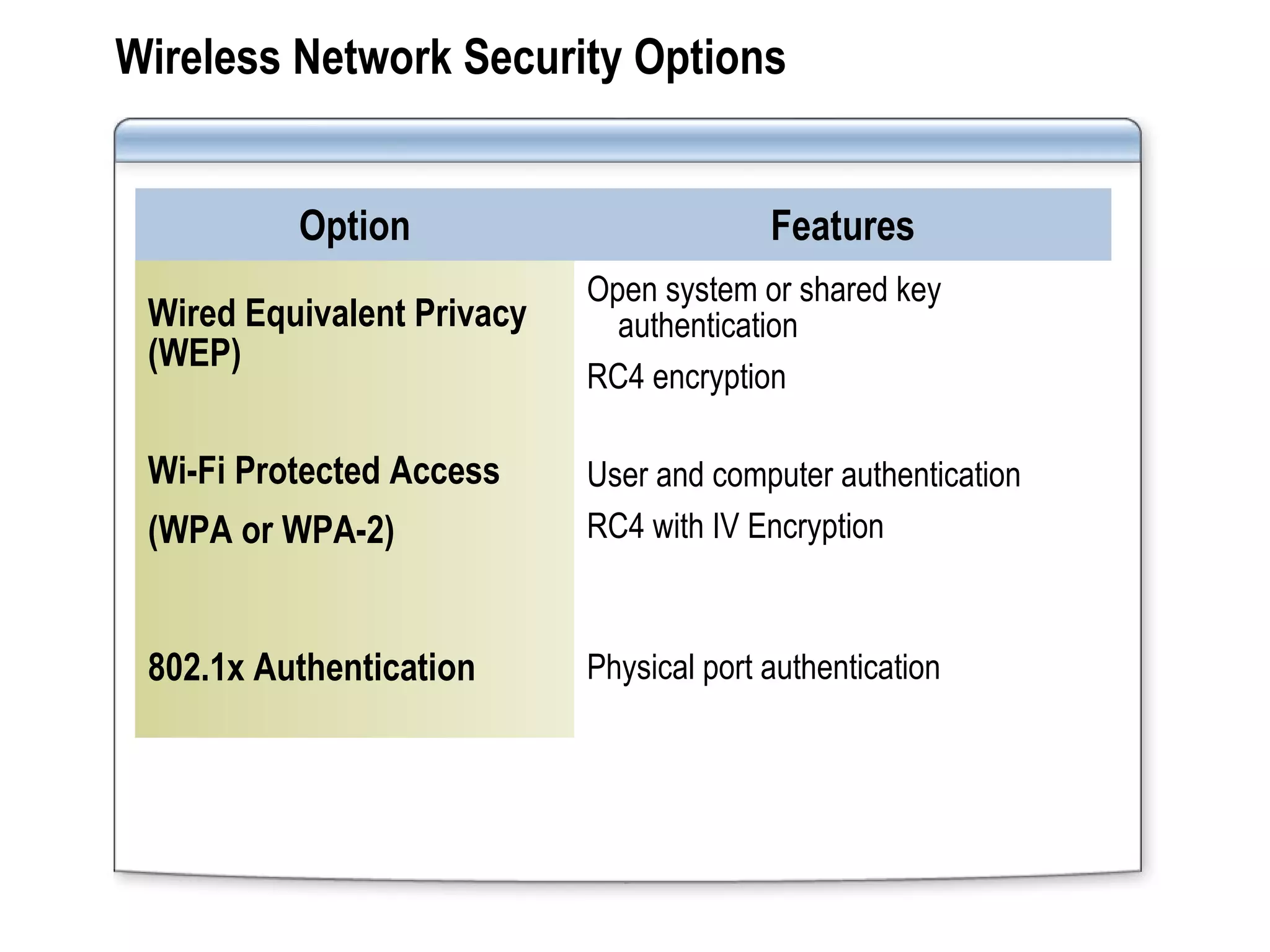
Wireless Network Security Options
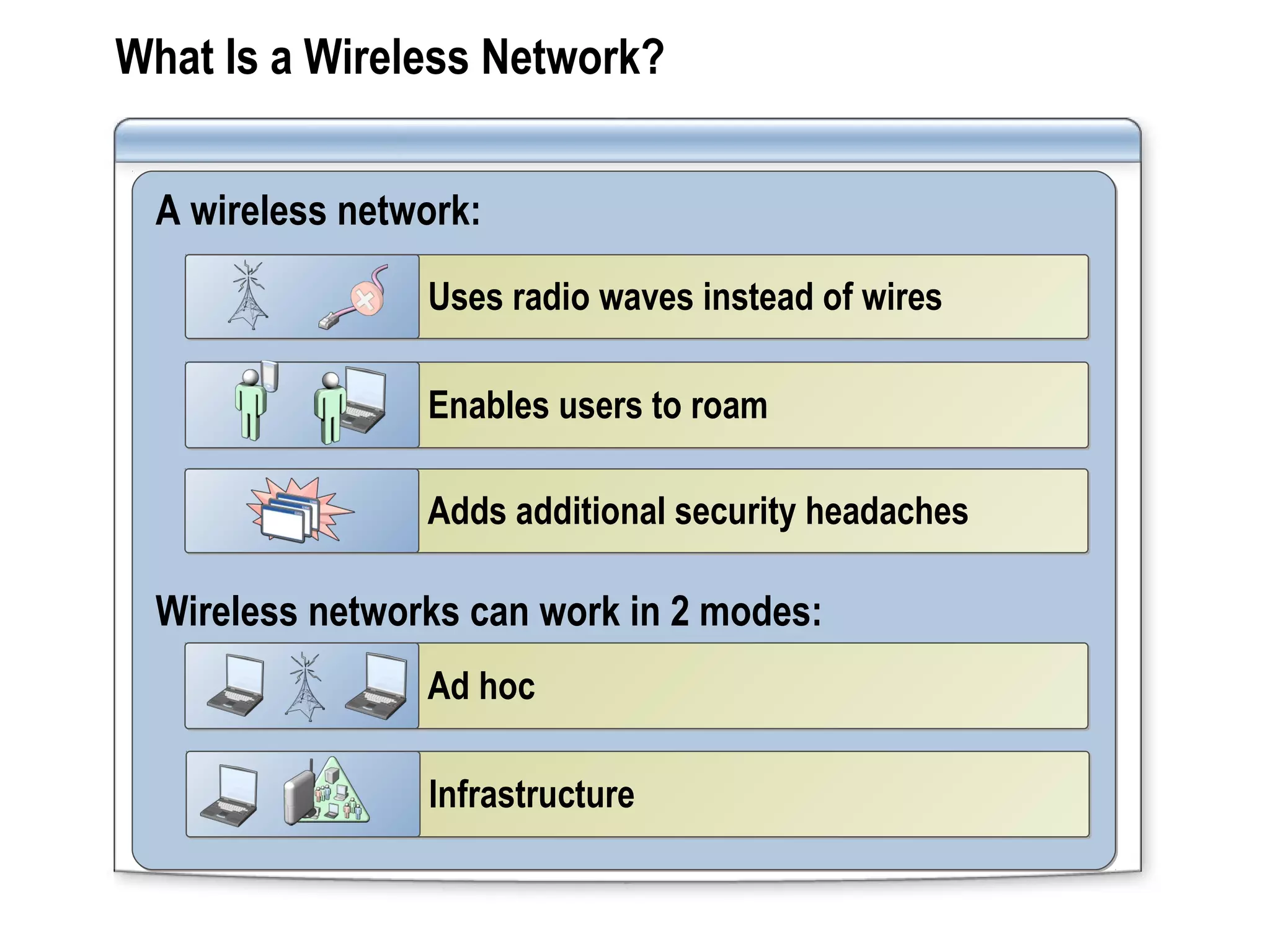
What Is a Wireless Network?
A wireless network:
Wireless networks can work in 2 modes:
Uses radio waves instead of wiresUses radio waves instead of wires
Enables users to roamEnables users to roam
Adds additional security headachesAdds additional security headaches
Ad hocAd hoc
InfrastructureInfrastructure
Wireless Network Technologies
Standard
Speeds
up to
Pros Cons
802.11a
54 Mbps
Fast Speed
Many simultaneous users
Uses 5 GHz frequency
Short-range signals
Not compatible with 802.11b
802.11b 11 Mbps
Cheap
Good signal range
Slower speeds
Fewer simultaneous users
Uses 2.4 GHz frequency
Interference
802.11g
54 Mbps
More simultaneous users
Best signal range
Compatible with 802.11b
Uses 2.4 GHz frequency
Interference
More expensive than 802.11b
Wireless Network Security Options
Option Features
Wired Equivalent Privacy
(WEP)
Open system or shared key
authentication
RC4 encryption
Wi-Fi Protected Access
(WPA or WPA-2)
User and computer authentication
RC4 with IV Encryption
802.1x Authentication Physical port authentication
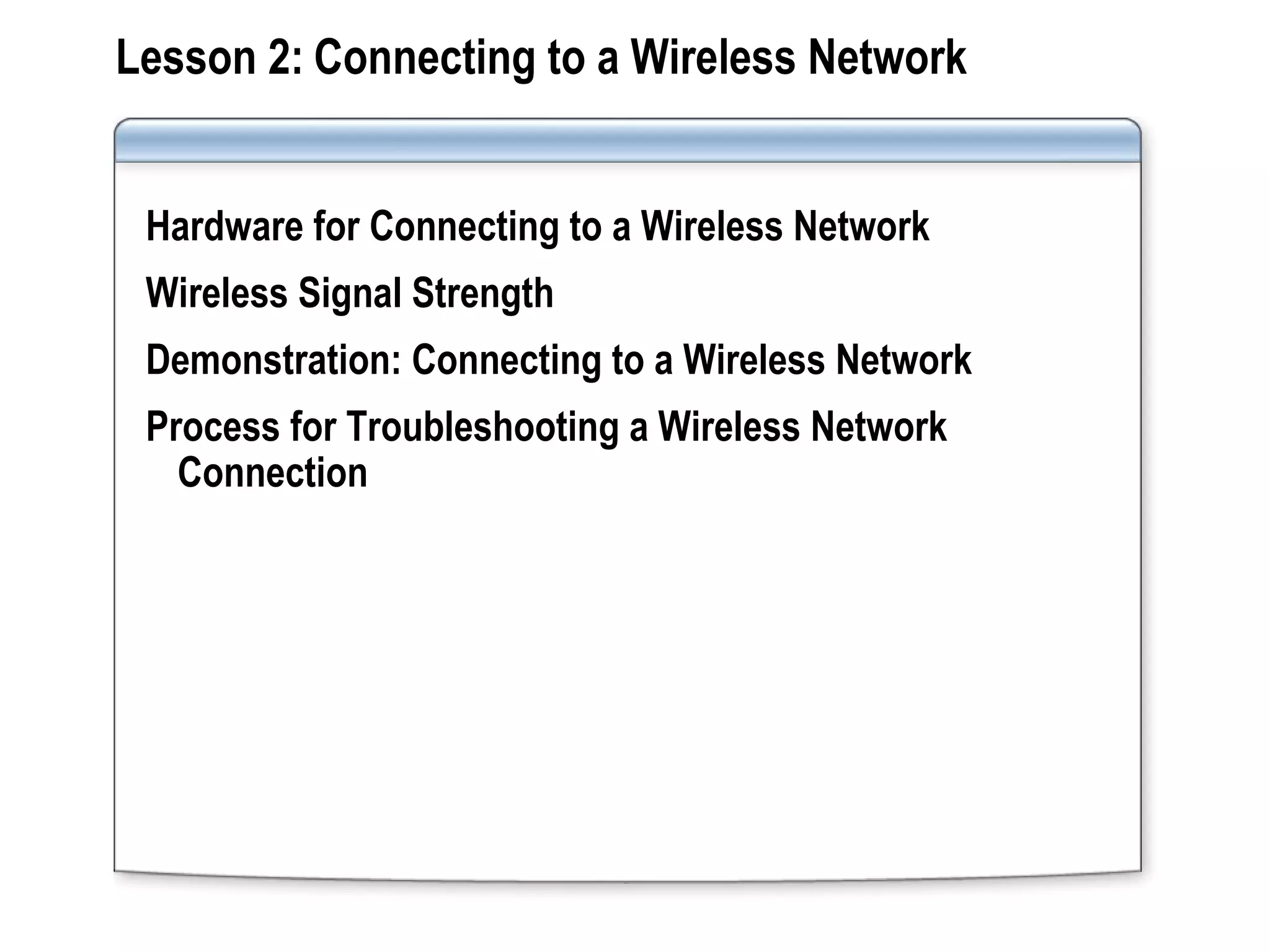
Lesson 2: Connecting to a Wireless Network
Hardware for Connecting to a Wireless Network
Wireless Signal Strength
Demonstration: Connecting to a Wireless Network
Process for Troubleshooting a Wireless Network
Connection
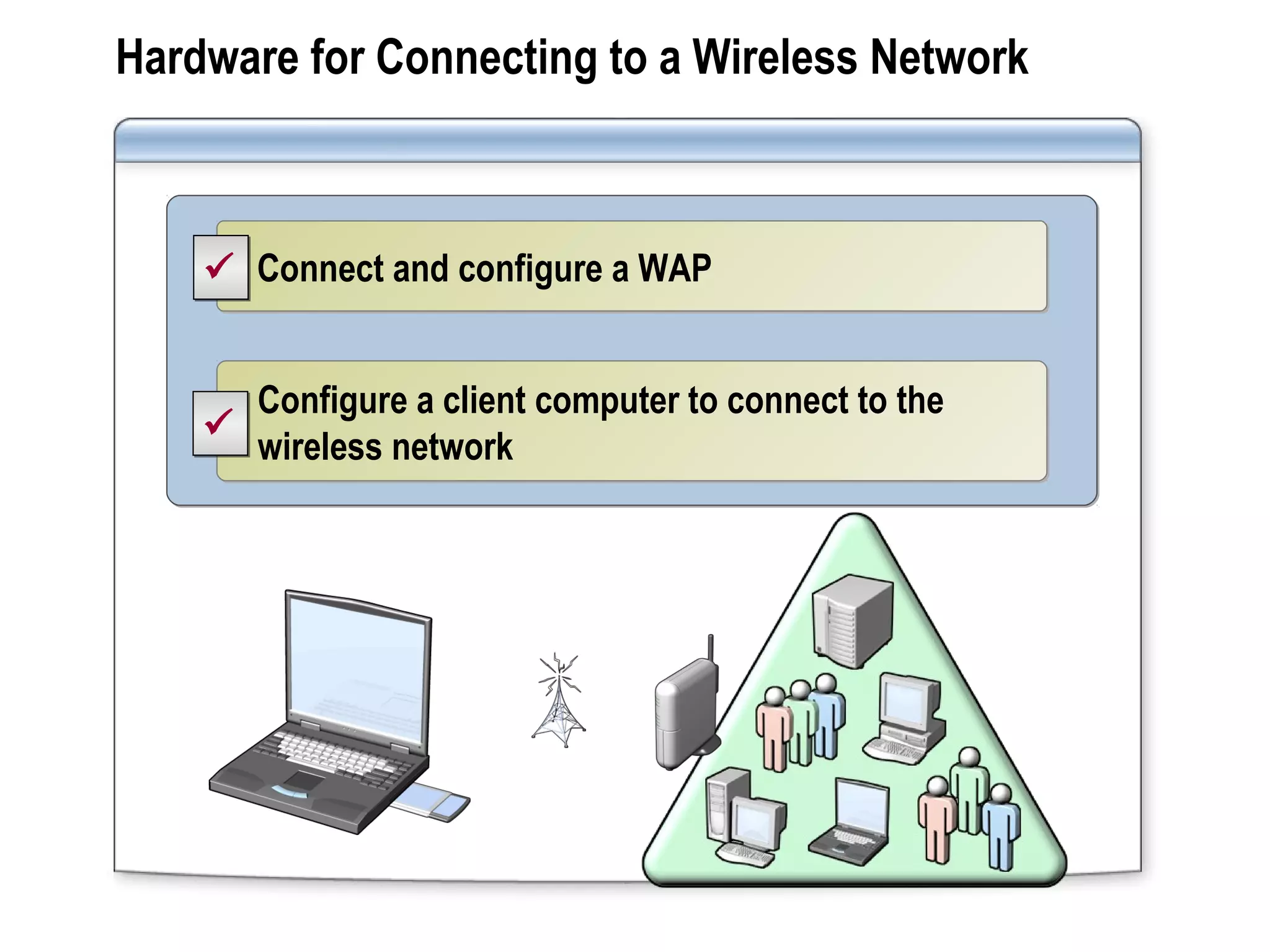
Hardware for Connecting to a Wireless Network
Connect and configure a WAPConnect and configure a WAP
Configure a client computer to connect to the
wireless network
Configure a client computer to connect to the
wireless network


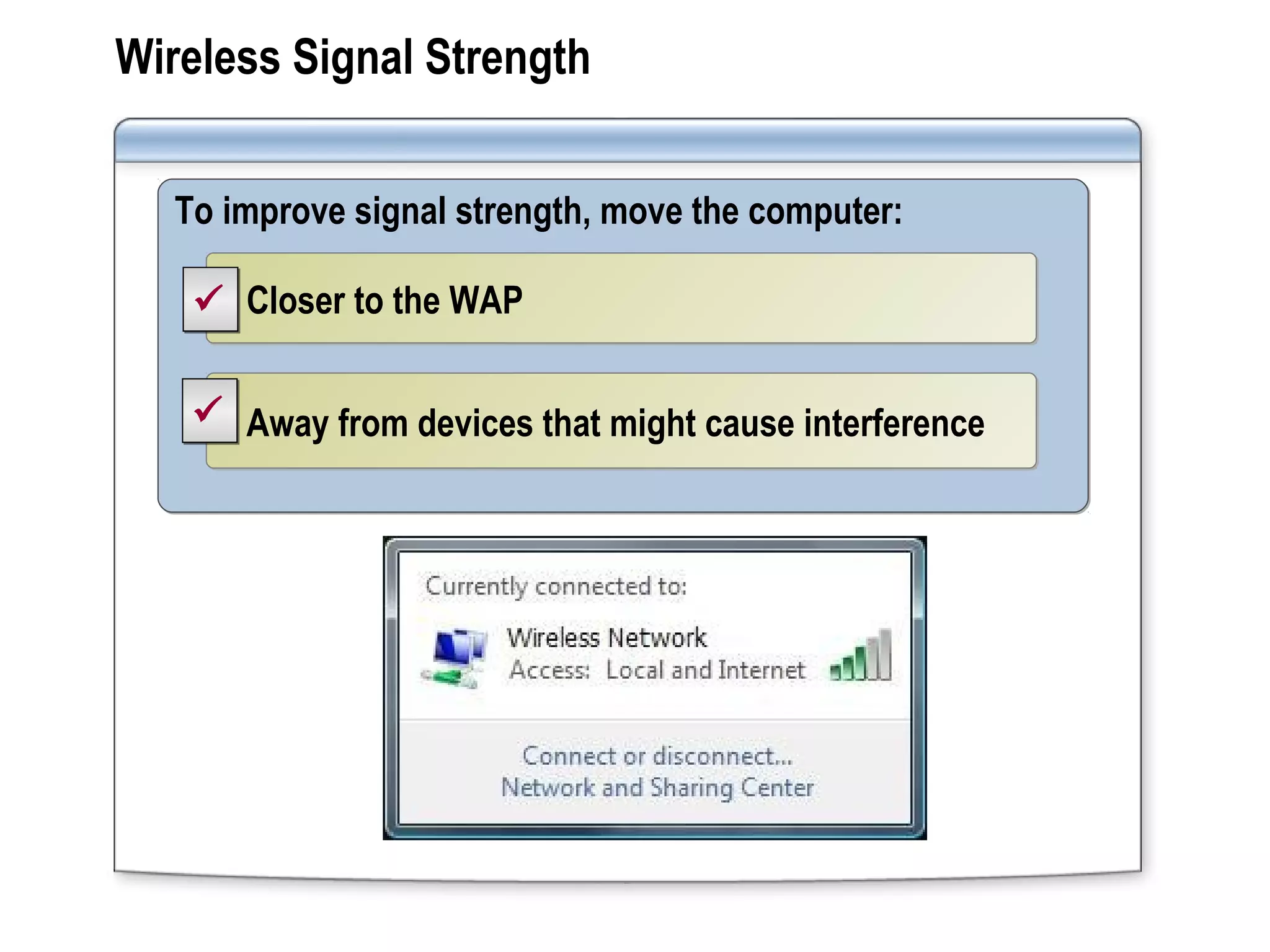
Wireless Signal Strength
To improve signal strength, move the computer:To improve signal strength, move the computer:
Closer to the WAPCloser to the WAP
Away from devices that might cause interferenceAway from devices that might cause interference


Demonstration: Connecting to a Wireless Network
Your instructor will demonstrate how to:
Connect to a Wireless Network
Connect to an Unlisted Wireless Network
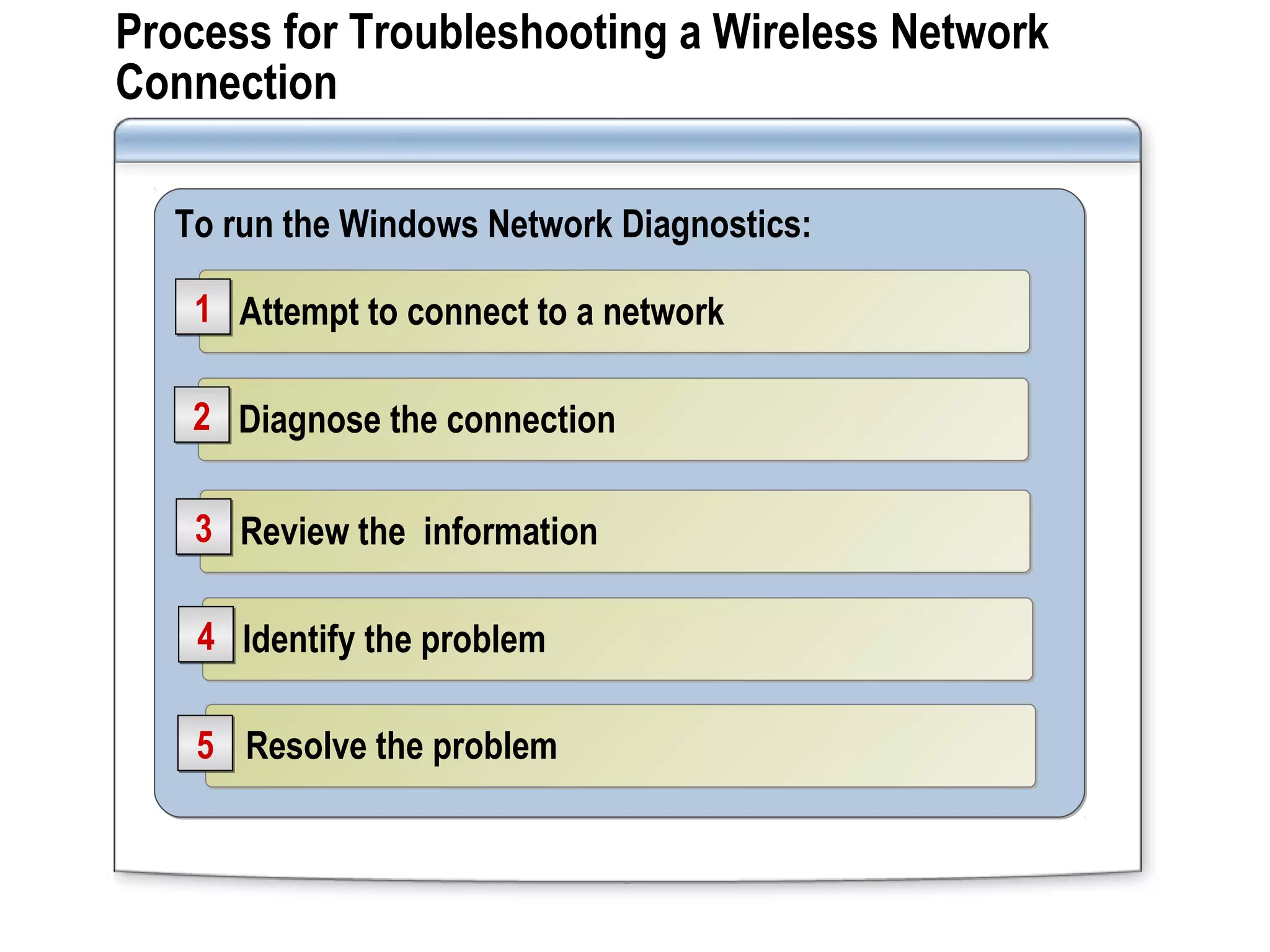
Process for Troubleshooting a Wireless Network
Connection
To run the Windows Network Diagnostics:To run the Windows Network Diagnostics:
Resolve the problemResolve the problem55
Identify the problemIdentify the problem44
Review the informationReview the information33
Diagnose the connectionDiagnose the connection22
Attempt to connect to a networkAttempt to connect to a network11
Lesson 3: Working with Offline Files
What Are Offline Files?
Options for Configuring Offline Files
Options for Making a Network File Available Offline
Demonstration: Accessing Offline Files by Using
Windows 7
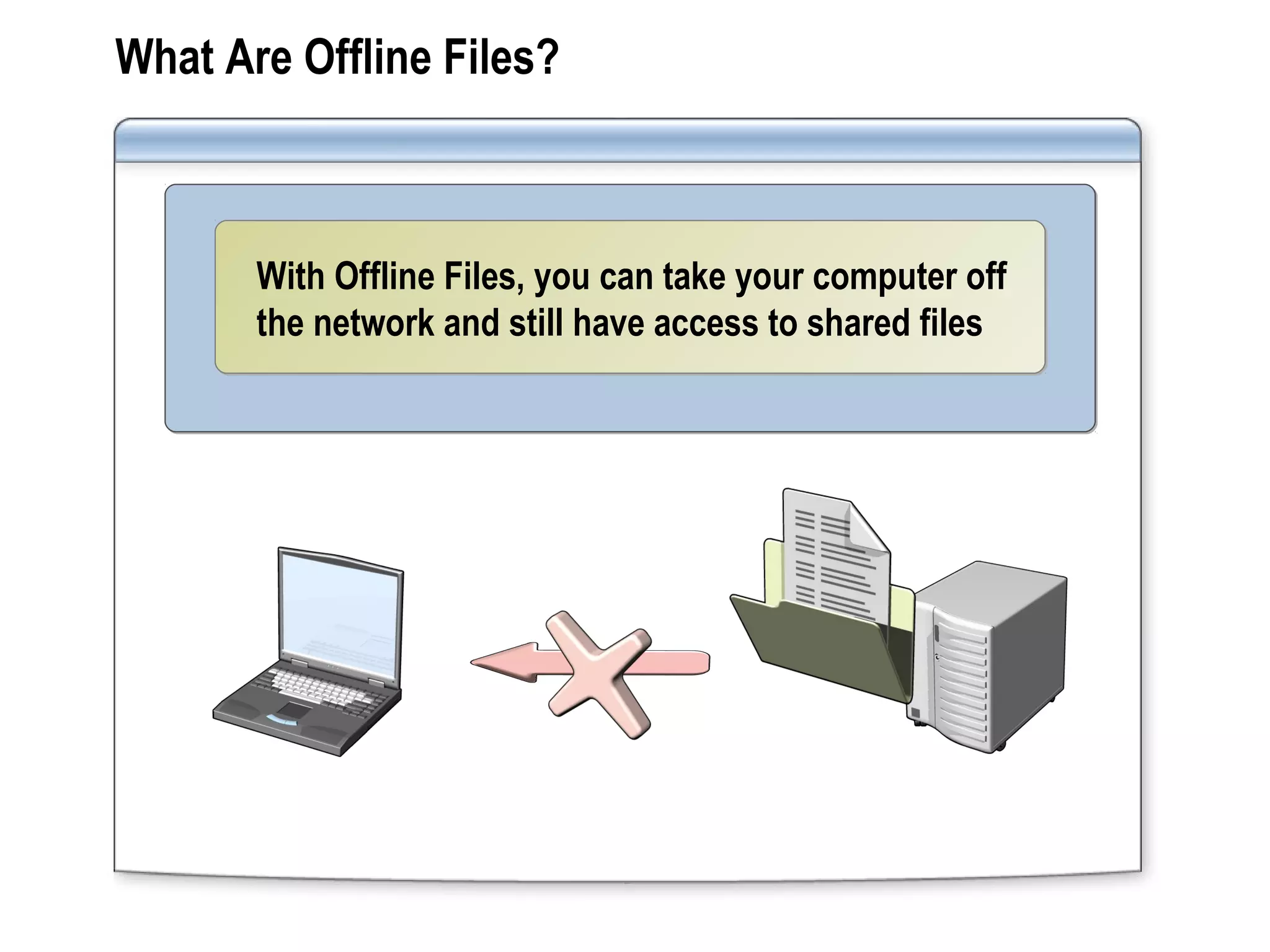
What Are Offline Files?
With Offline Files, you can take your computer off
the network and still have access to shared files
With Offline Files, you can take your computer off
the network and still have access to shared files
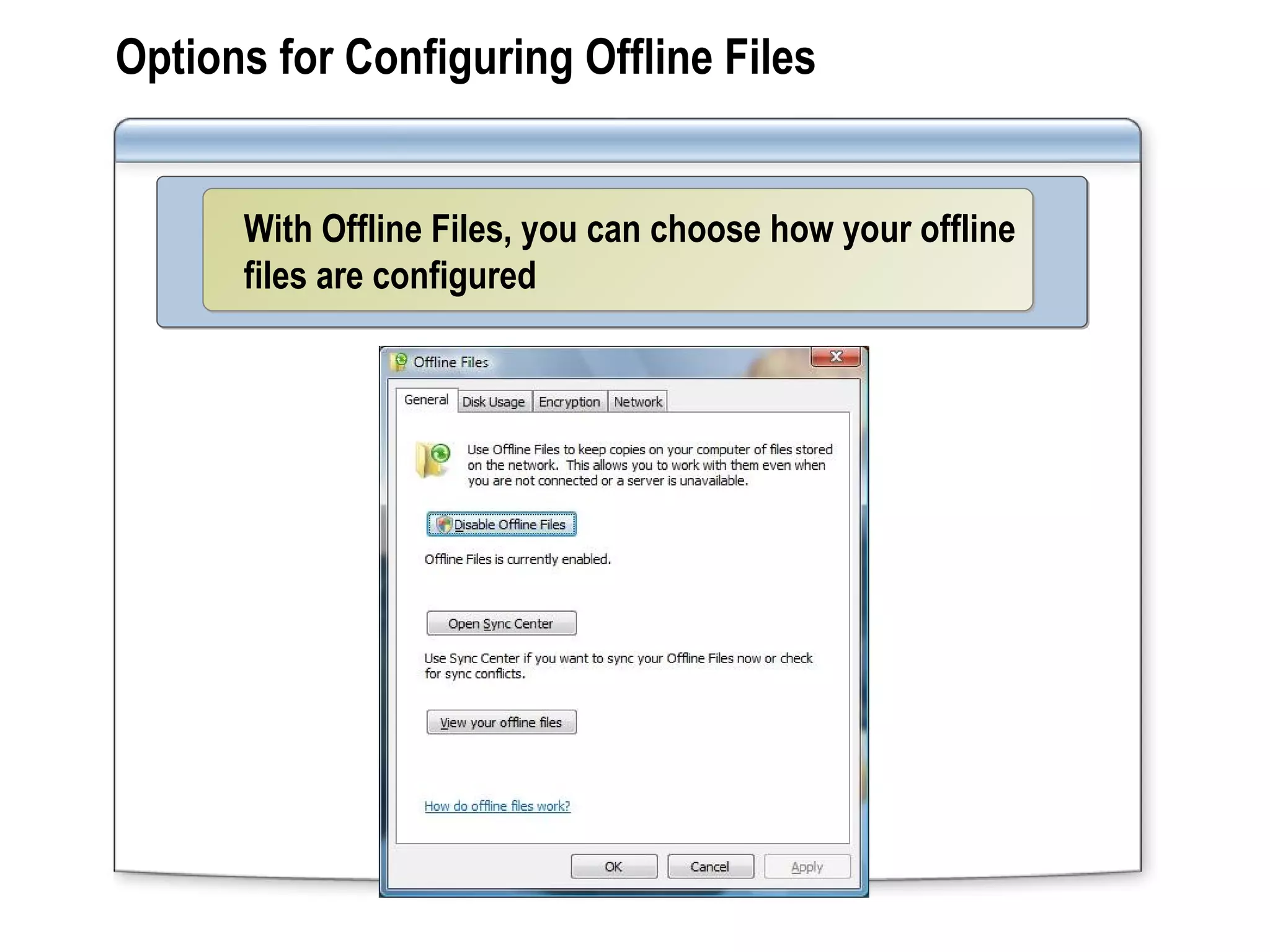
Options for Configuring Offline Files
With Offline Files, you can choose how your offline
files are configured
With Offline Files, you can choose how your offline
files are configured
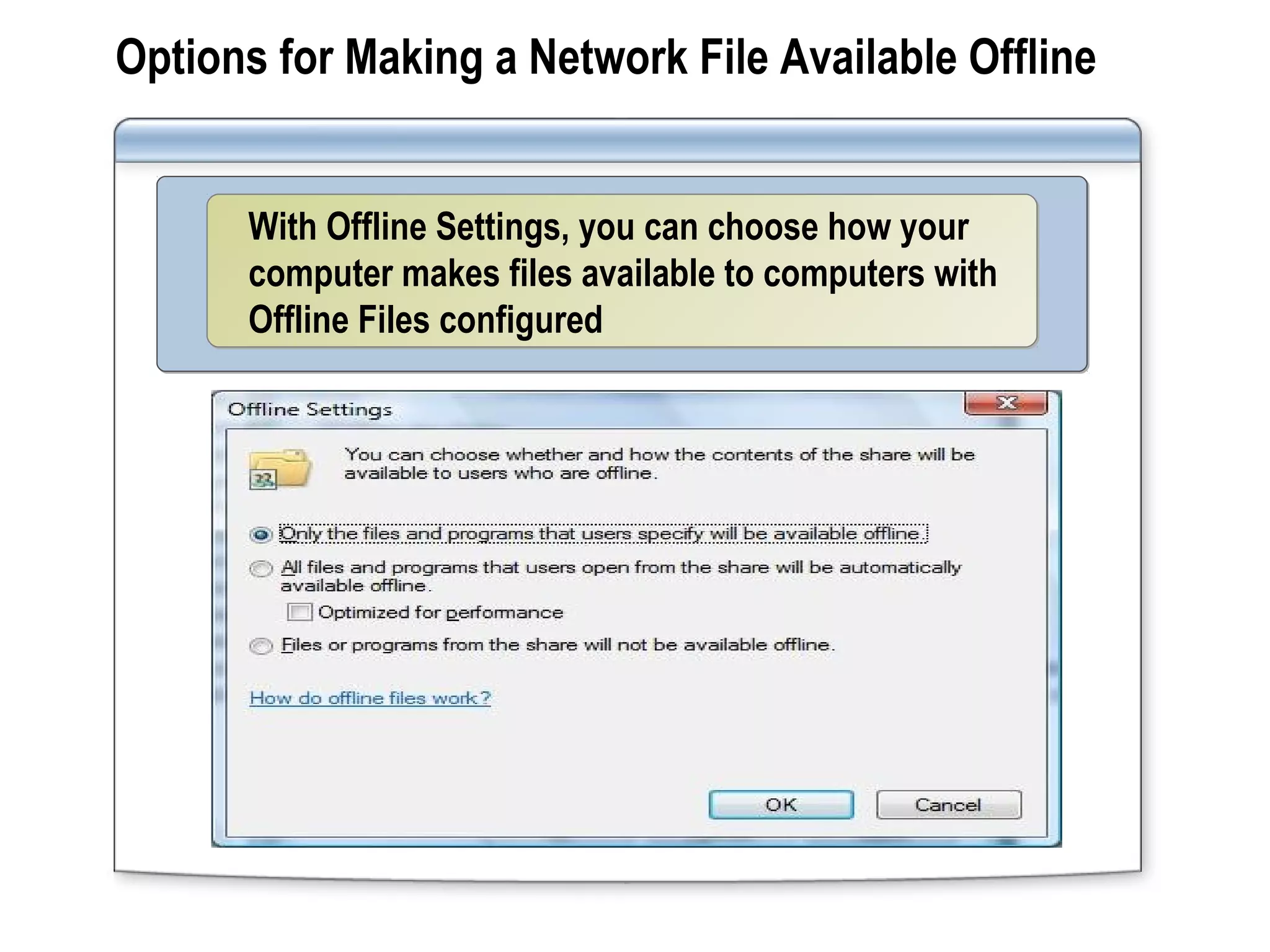
Options for Making a Network File Available Offline
With Offline Settings, you can choose how your
computer makes files available to computers with
Offline Files configured
With Offline Settings, you can choose how your
computer makes files available to computers with
Offline Files configured
Demonstration: Accessing Offline Files by Using
Windows 7
Your instructor will demonstrate how to:
Setup an offline share
Access offline files
Edit offline files
Sync offline files
Lab: Networking Mobile Computers
Exercise 1: Configuring a Wireless
Network
Exercise 2: Troubleshooting a Wireless
Network
Exercise 3: Using Offline Files
Course Evaluation

Module 12 wireless

  • 1.
  • 2.
    Overview Networking Without Wires Connectingto a Wireless Network Working with Offline Files
  • 3.
    Lesson 1: NetworkingWithout Wires What Is a Wireless Network? Wireless Network Technologies Wireless Network Security Options
  • 4.
    What Is aWireless Network? A wireless network: Wireless networks can work in 2 modes: Uses radio waves instead of wiresUses radio waves instead of wires Enables users to roamEnables users to roam Adds additional security headachesAdds additional security headaches Ad hocAd hoc InfrastructureInfrastructure
  • 5.
    Wireless Network Technologies Standard Speeds upto Pros Cons 802.11a 54 Mbps Fast Speed Many simultaneous users Uses 5 GHz frequency Short-range signals Not compatible with 802.11b 802.11b 11 Mbps Cheap Good signal range Slower speeds Fewer simultaneous users Uses 2.4 GHz frequency Interference 802.11g 54 Mbps More simultaneous users Best signal range Compatible with 802.11b Uses 2.4 GHz frequency Interference More expensive than 802.11b
  • 6.
    Wireless Network SecurityOptions Option Features Wired Equivalent Privacy (WEP) Open system or shared key authentication RC4 encryption Wi-Fi Protected Access (WPA or WPA-2) User and computer authentication RC4 with IV Encryption 802.1x Authentication Physical port authentication
  • 7.
    Lesson 2: Connectingto a Wireless Network Hardware for Connecting to a Wireless Network Wireless Signal Strength Demonstration: Connecting to a Wireless Network Process for Troubleshooting a Wireless Network Connection
  • 8.
    Hardware for Connectingto a Wireless Network Connect and configure a WAPConnect and configure a WAP Configure a client computer to connect to the wireless network Configure a client computer to connect to the wireless network  
  • 9.
    Wireless Signal Strength Toimprove signal strength, move the computer:To improve signal strength, move the computer: Closer to the WAPCloser to the WAP Away from devices that might cause interferenceAway from devices that might cause interference  
  • 10.
    Demonstration: Connecting toa Wireless Network Your instructor will demonstrate how to: Connect to a Wireless Network Connect to an Unlisted Wireless Network
  • 11.
    Process for Troubleshootinga Wireless Network Connection To run the Windows Network Diagnostics:To run the Windows Network Diagnostics: Resolve the problemResolve the problem55 Identify the problemIdentify the problem44 Review the informationReview the information33 Diagnose the connectionDiagnose the connection22 Attempt to connect to a networkAttempt to connect to a network11
  • 12.
    Lesson 3: Workingwith Offline Files What Are Offline Files? Options for Configuring Offline Files Options for Making a Network File Available Offline Demonstration: Accessing Offline Files by Using Windows 7
  • 13.
    What Are OfflineFiles? With Offline Files, you can take your computer off the network and still have access to shared files With Offline Files, you can take your computer off the network and still have access to shared files
  • 14.
    Options for ConfiguringOffline Files With Offline Files, you can choose how your offline files are configured With Offline Files, you can choose how your offline files are configured
  • 15.
    Options for Makinga Network File Available Offline With Offline Settings, you can choose how your computer makes files available to computers with Offline Files configured With Offline Settings, you can choose how your computer makes files available to computers with Offline Files configured
  • 16.
    Demonstration: Accessing OfflineFiles by Using Windows 7 Your instructor will demonstrate how to: Setup an offline share Access offline files Edit offline files Sync offline files
  • 17.
    Lab: Networking MobileComputers Exercise 1: Configuring a Wireless Network Exercise 2: Troubleshooting a Wireless Network Exercise 3: Using Offline Files
  • 18.