
Mobile UX 4 Accessibility?


                 Henny Swan

            …accessibility?
Henny Swan I @iheniIwww.iheni.comIhenny@iheni.com
The mobile   We’re all disabled on mobile both
context      physically and mentally
                Small screens
                Light / glare
                Noise
                Small keyboards / Touch

             Build in accessibility and you will solve
             usability issues

             If you can’t make something accessible go
             back to the design
/Mobile accessibility originates with
design and is implemented in
development
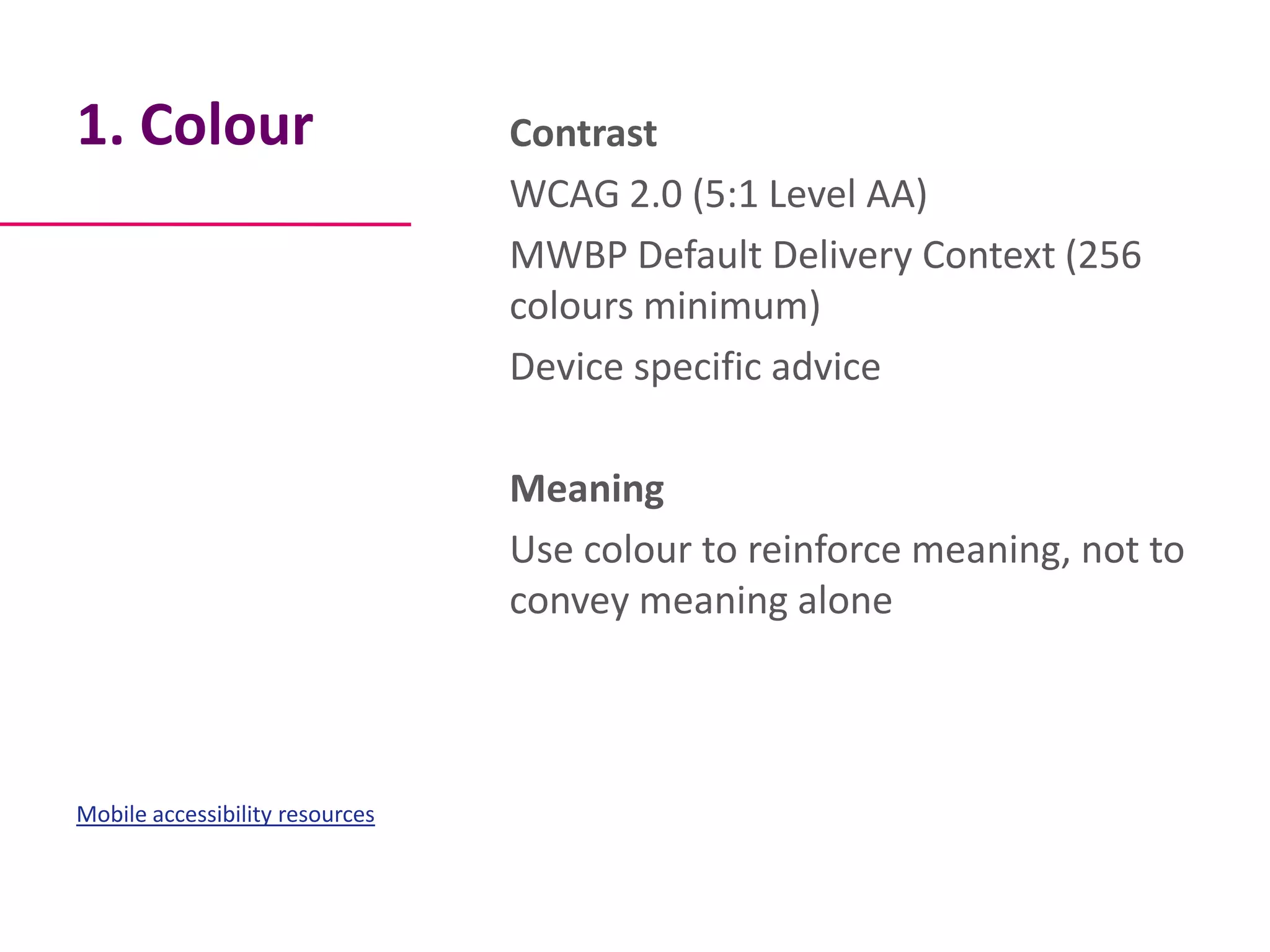
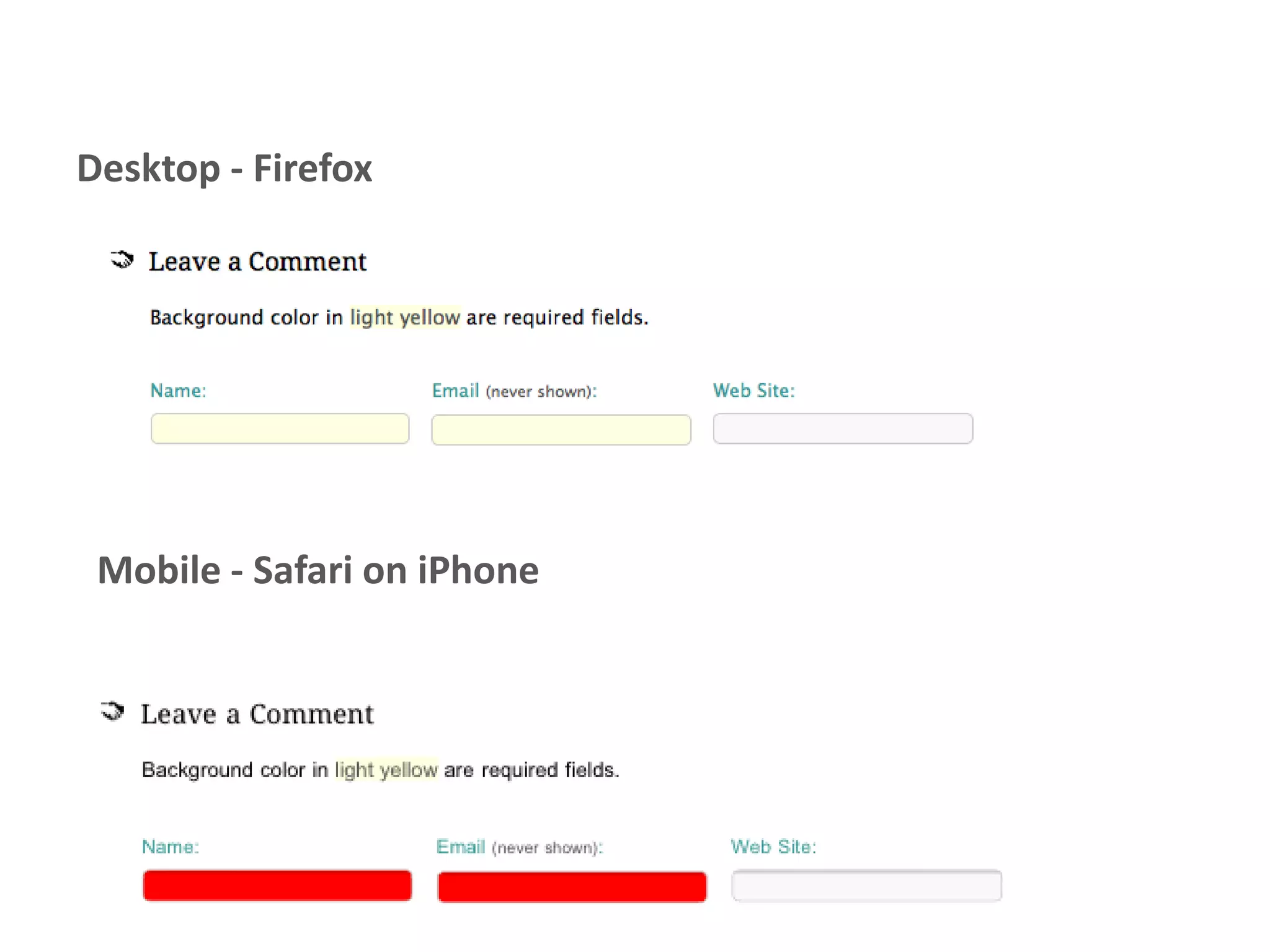
1. Colour                        Contrast
                                 WCAG 2.0 (5:1 Level AA)
                                 MWBP Default Delivery Context (256
                                 colours minimum)
                                 Device specific advice

                                 Meaning
                                 Use colour to reinforce meaning, not to
                                 convey meaning alone


Mobile accessibility resources
Desktop - Firefox


 Mobile - Safari on iPhone
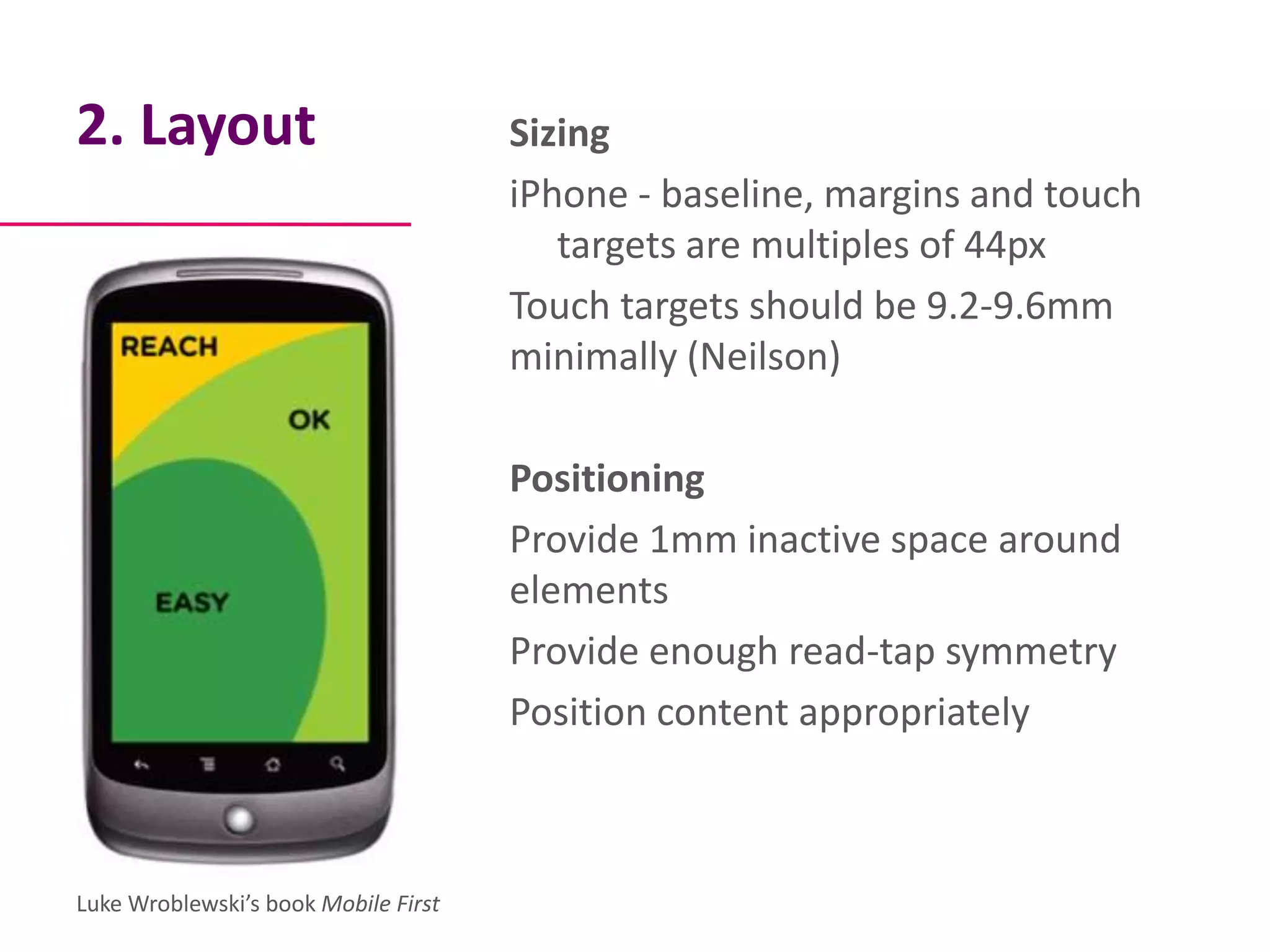
2. Layout                             Sizing
                                      iPhone - baseline, margins and touch
                                         targets are multiples of 44px
                                      Touch targets should be 9.2-9.6mm
                                      minimally (Neilson)

                                      Positioning
                                      Provide 1mm inactive space around
                                      elements
                                      Provide enough read-tap symmetry
                                      Position content appropriately


Luke Wroblewski’s book Mobile First
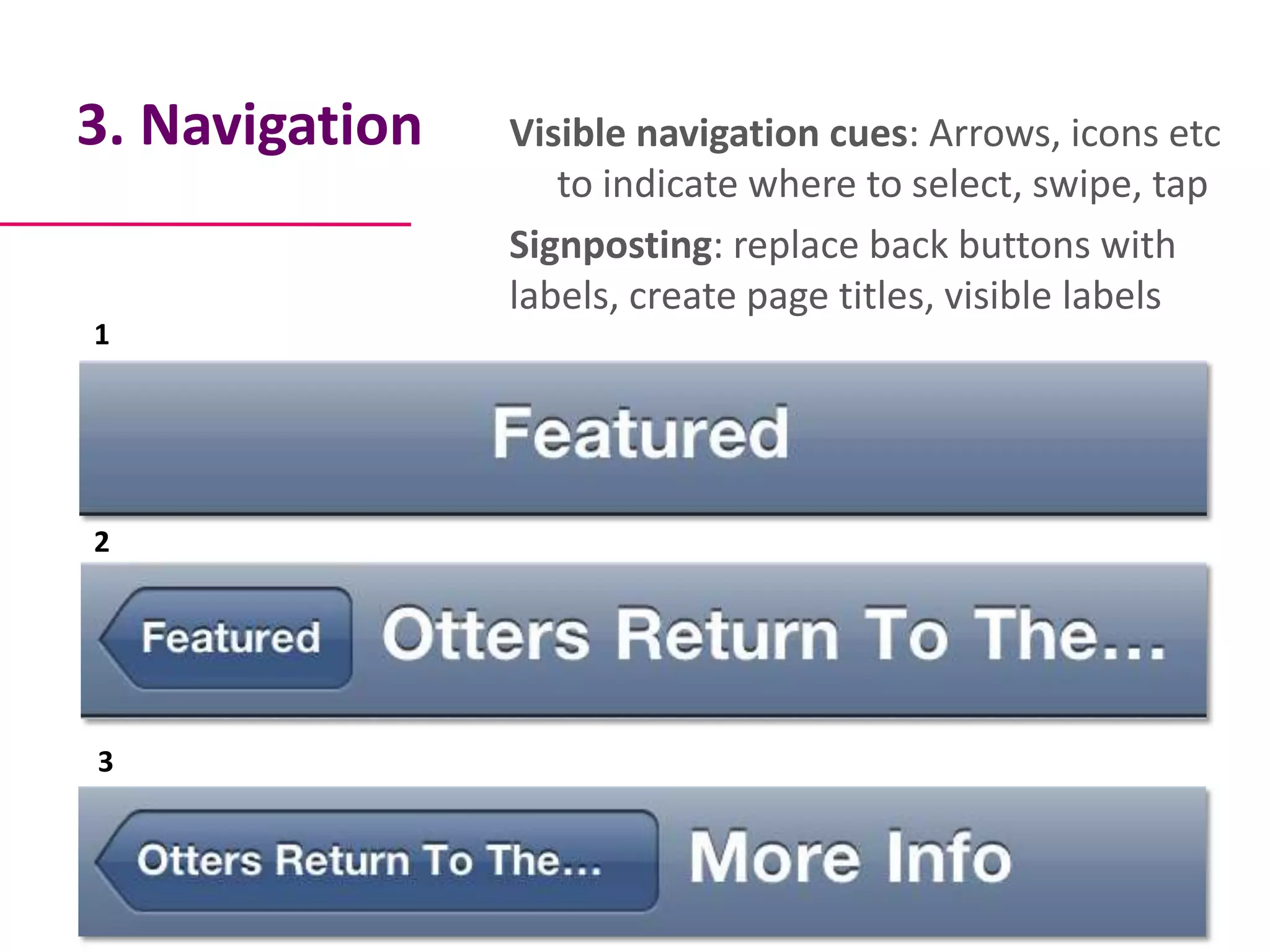
3. Navigation   Visible navigation cues: Arrows, icons etc
                   to indicate where to select, swipe, tap
                Signposting: replace back buttons with
                labels, create page titles, visible labels
1


2


3
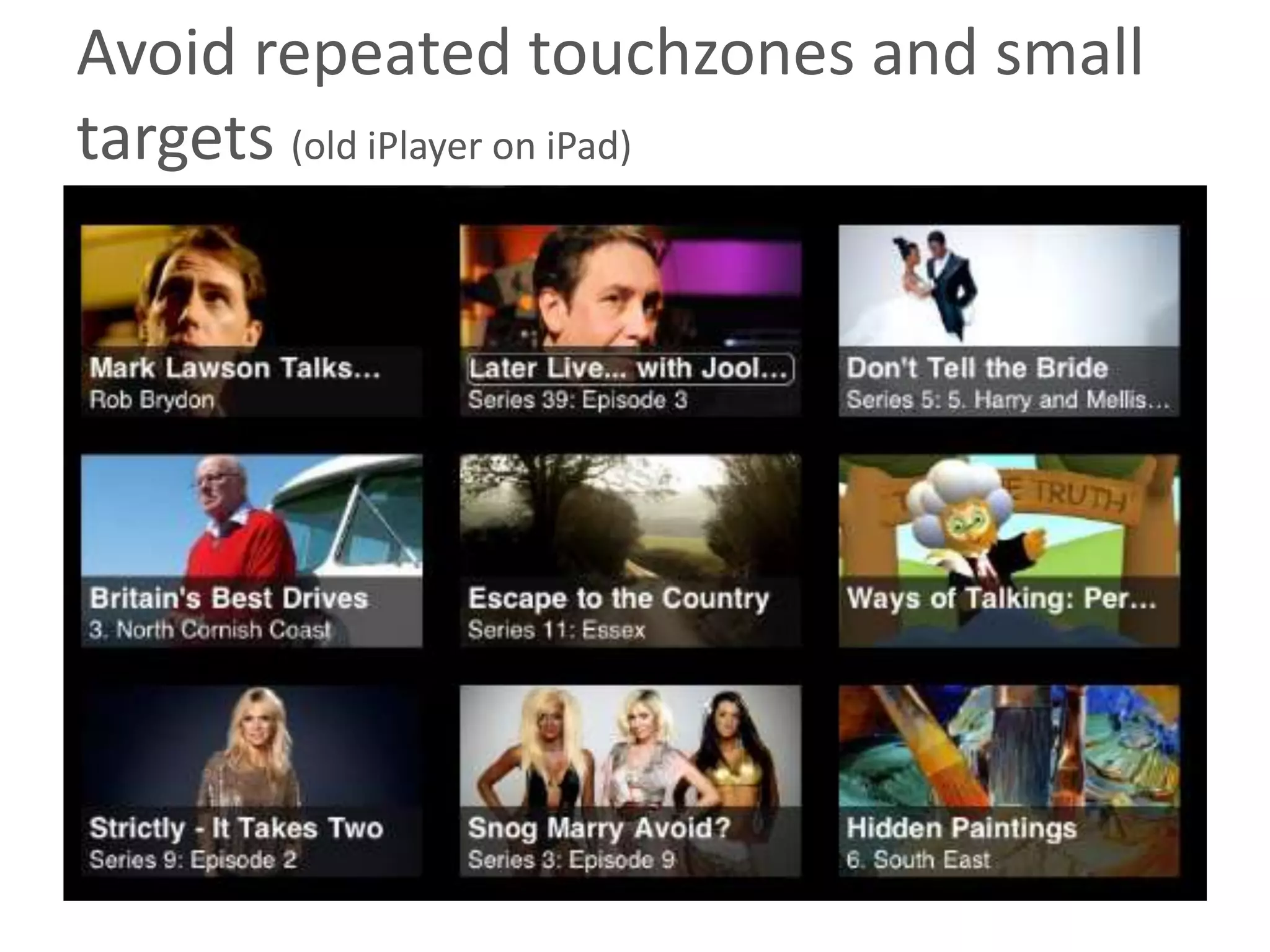
Avoid repeated touchzones and small
targets (old iPlayer on iPad)
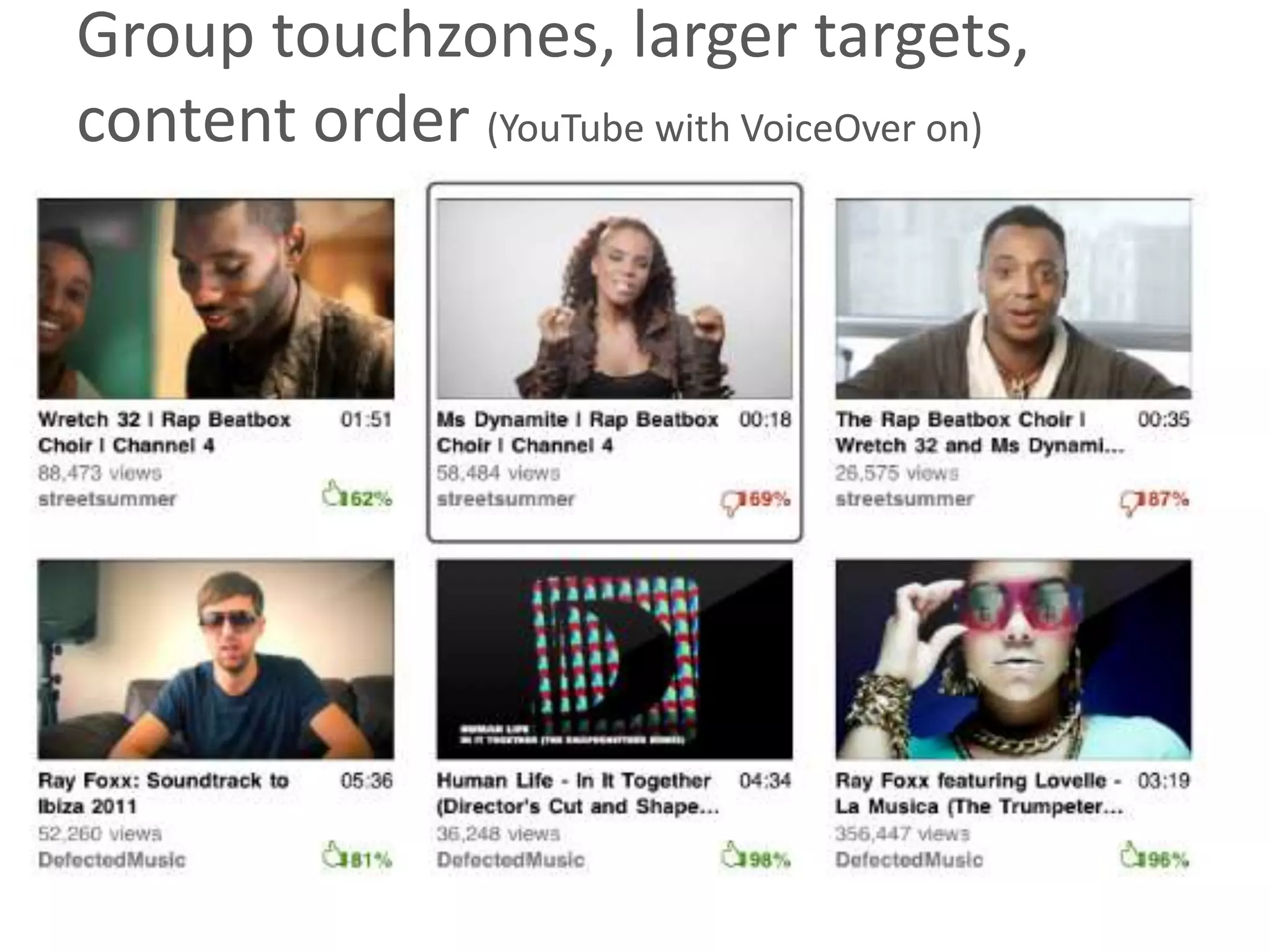
Group touchzones, larger targets,
content order (YouTube with VoiceOver on)
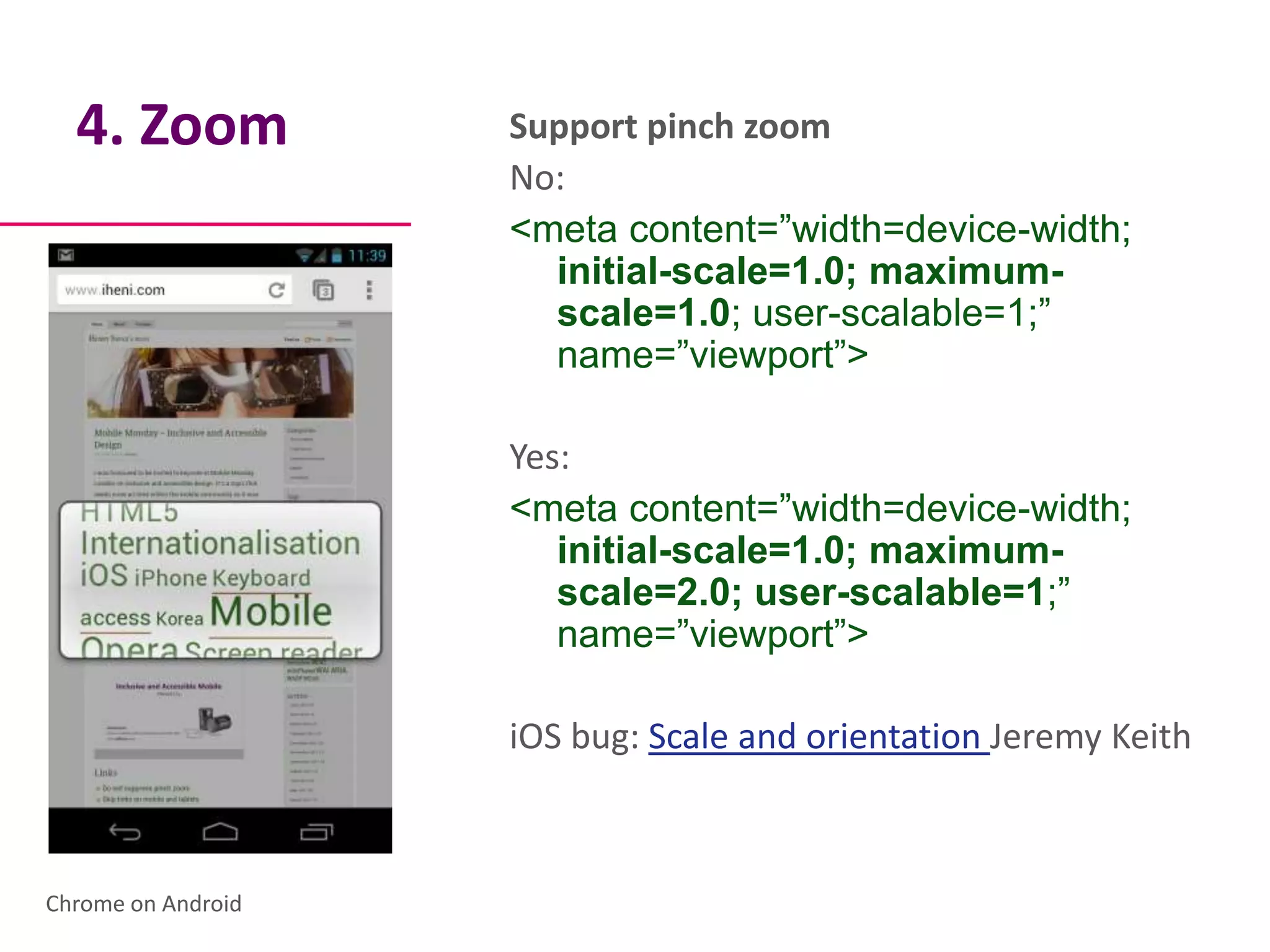
4. Zoom           Support pinch zoom
                    No:
                    <meta content=”width=device-width;
                      initial-scale=1.0; maximum-
                      scale=1.0; user-scalable=1;”
                      name=”viewport”>

                    Yes:
                    <meta content=”width=device-width;
                       initial-scale=1.0; maximum-
                       scale=2.0; user-scalable=1;”
                       name=”viewport”>

                    iOS bug: Scale and orientation Jeremy Keith


Chrome on Android
5. Input                           Limit to only what is necessary
                                   Name, email, password

                                   Limit free input of forms
                                   Use menus instead
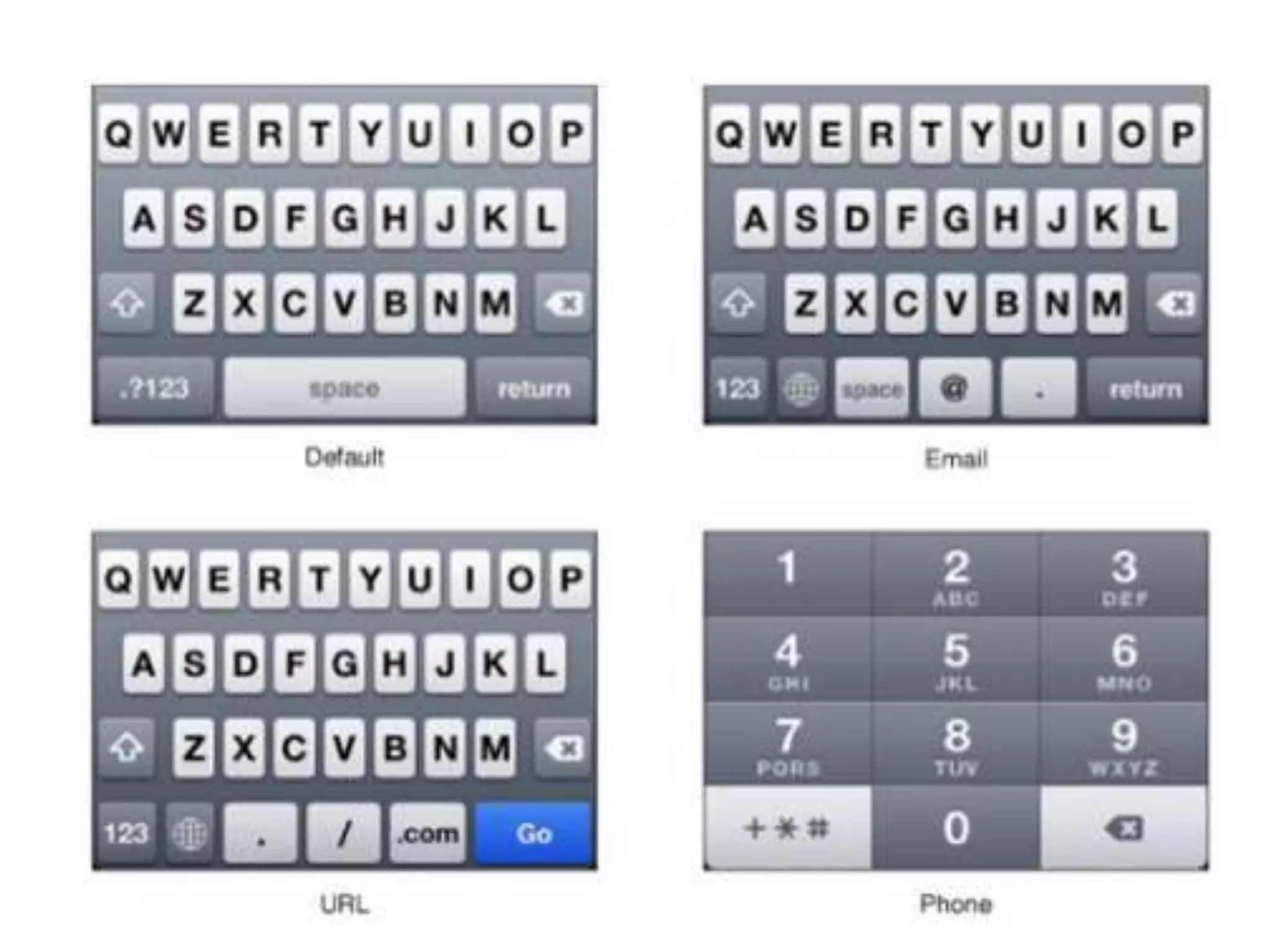
                                   Use the appropriate keyboard
                                     - HTML5 forms (iOSand Android)
                                     - Map to standard UI keyboards


Mobile input types – Jack Holmes
6. Structure                     Annotate wireframes
                                 Content order
                                 Heading / Lists
                                 Containers / Landmarks
                                 Labels


Content order on touch screens
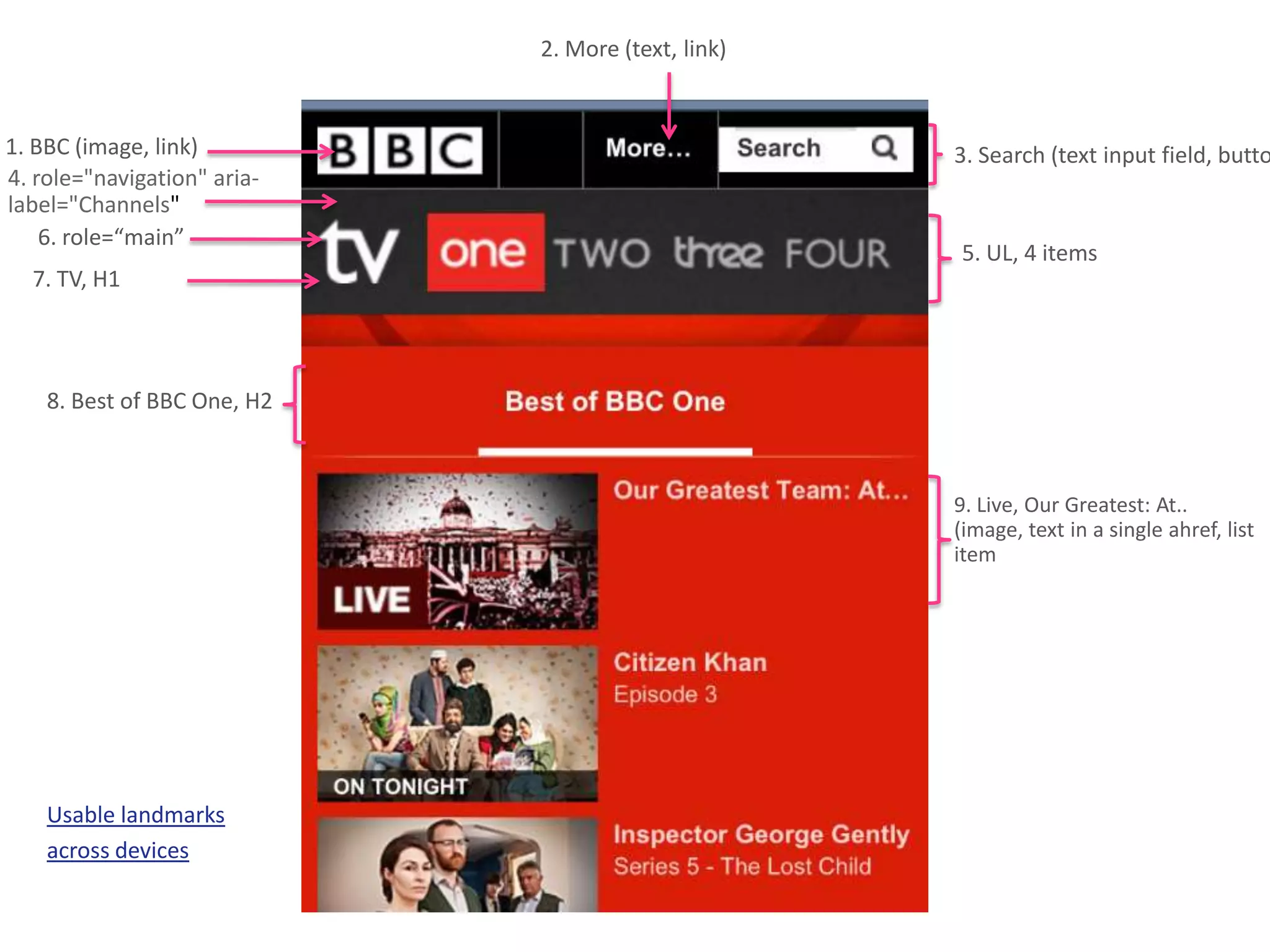
2. More (text, link)


1. BBC (image, link)                                3. Search (text input field, butto
4. role="navigation" aria-
label="Channels"
    6. role=“main”
                                                    5. UL, 4 items
  7. TV, H1


    8. Best of BBC One, H2


                                                    9. Live, Our Greatest: At..
                                                    (image, text in a single ahref, list
                                                    item


    Usable landmarks
    across devices
Testing                                 Android 4
                                        Native browser, Chrome and Firefox
                                        Nightly
                                        Talkback and Spielvoice output
                                        Eyes-Free-Keyboard

                                        iPhone 3+ / iPad
                                        Mobile Safari, Chrome
                                        Voiceover
                                        Inverse colours

Talk is cheap – screen reader testing
on mobile                               Nokia
                                        Native browser
                                        Talks
/Mobile accessibility doesn't hijack
design, it solves the problems you never
knew you had
/ This is just a snapshot
To be continued…
Mobile and Tablet Accessibility
  Guidelines & techniques
           Coming soon
Thank you


                 Henny Swan

             …accessibility?
Henny Swan I @iheniIwww.iheni.comIhenny@iheni.com

Mobile ux upa

  • 1.
    Mobile UX 4Accessibility? Henny Swan …accessibility? Henny Swan I @iheniIwww.iheni.comIhenny@iheni.com
  • 2.
    The mobile We’re all disabled on mobile both context physically and mentally Small screens Light / glare Noise Small keyboards / Touch Build in accessibility and you will solve usability issues If you can’t make something accessible go back to the design
  • 3.
    /Mobile accessibility originateswith design and is implemented in development
  • 4.
    1. Colour Contrast WCAG 2.0 (5:1 Level AA) MWBP Default Delivery Context (256 colours minimum) Device specific advice Meaning Use colour to reinforce meaning, not to convey meaning alone Mobile accessibility resources
  • 5.
    Desktop - Firefox Mobile - Safari on iPhone
  • 6.
    2. Layout Sizing iPhone - baseline, margins and touch targets are multiples of 44px Touch targets should be 9.2-9.6mm minimally (Neilson) Positioning Provide 1mm inactive space around elements Provide enough read-tap symmetry Position content appropriately Luke Wroblewski’s book Mobile First
  • 7.
    3. Navigation Visible navigation cues: Arrows, icons etc to indicate where to select, swipe, tap Signposting: replace back buttons with labels, create page titles, visible labels 1 2 3
  • 8.
    Avoid repeated touchzonesand small targets (old iPlayer on iPad)
  • 9.
    Group touchzones, largertargets, content order (YouTube with VoiceOver on)
  • 10.
    4. Zoom Support pinch zoom No: <meta content=”width=device-width; initial-scale=1.0; maximum- scale=1.0; user-scalable=1;” name=”viewport”> Yes: <meta content=”width=device-width; initial-scale=1.0; maximum- scale=2.0; user-scalable=1;” name=”viewport”> iOS bug: Scale and orientation Jeremy Keith Chrome on Android
  • 11.
    5. Input Limit to only what is necessary Name, email, password Limit free input of forms Use menus instead Use the appropriate keyboard - HTML5 forms (iOSand Android) - Map to standard UI keyboards Mobile input types – Jack Holmes
  • 13.
    6. Structure Annotate wireframes Content order Heading / Lists Containers / Landmarks Labels Content order on touch screens
  • 14.
    2. More (text,link) 1. BBC (image, link) 3. Search (text input field, butto 4. role="navigation" aria- label="Channels" 6. role=“main” 5. UL, 4 items 7. TV, H1 8. Best of BBC One, H2 9. Live, Our Greatest: At.. (image, text in a single ahref, list item Usable landmarks across devices
  • 15.
    Testing Android 4 Native browser, Chrome and Firefox Nightly Talkback and Spielvoice output Eyes-Free-Keyboard iPhone 3+ / iPad Mobile Safari, Chrome Voiceover Inverse colours Talk is cheap – screen reader testing on mobile Nokia Native browser Talks
  • 16.
    /Mobile accessibility doesn'thijack design, it solves the problems you never knew you had
  • 17.
    / This isjust a snapshot To be continued…
  • 18.
    Mobile and TabletAccessibility Guidelines & techniques Coming soon
  • 19.
    Thank you Henny Swan …accessibility? Henny Swan I @iheniIwww.iheni.comIhenny@iheni.com