Mobile Development Shootout with
jQuery Mobile, Sencha Touch, and
Appcelerator Titanium
Steve Drucker
Founder / President
Fig Leaf Software
About Me
 B.S. Computer Science, The University of Maryland College Park
 Certified Technical Trainer (CTT+)
 Certified Sencha Instructor
 Certified Titanium Developer
 Authored first book about ColdFusion
 Author of "Teach Yourself Sencha in a Day"
 Authored 20+ instructor-led training courses for Adobe, Sencha,
Paperthin, JackBe, and Fig Leaf Software
 Singlehandedly developed generation 2 of voanews.com – 44 sites
in 44 languages with 500K content items
 Consulting architect for www.nps.gov
 Developed mobile apps for ENTNet, Archdiocese of Baltimore, and
Quest Diagnostics
 20+ year career in I.T.
About Me
 Current Projects
 "Teach Yourself Sencha Touch and Ext JS 4 in a Day"
http://training.figleaf.com/tutorials/senchacomplete/
 "Fast Track to Sencha Touch 2.2"
 iPad-based patient chart for Quest Diagnostics
 iPad-based crime reporting tool for D.H.S.
 A few published apps (also available on iTunes & Play)
 www.archbalt.org/mobile
 www.entnet.org/mobile
 training.figleaf.com/mobile
Introduce Yourselves!
 Why are you here?
 What is your technical background?
 What do you hope to learn?
 What kinds of projects are you working on?
Topics
 jQuery Mobile
 Sencha Touch
 Appcelerator Titanium
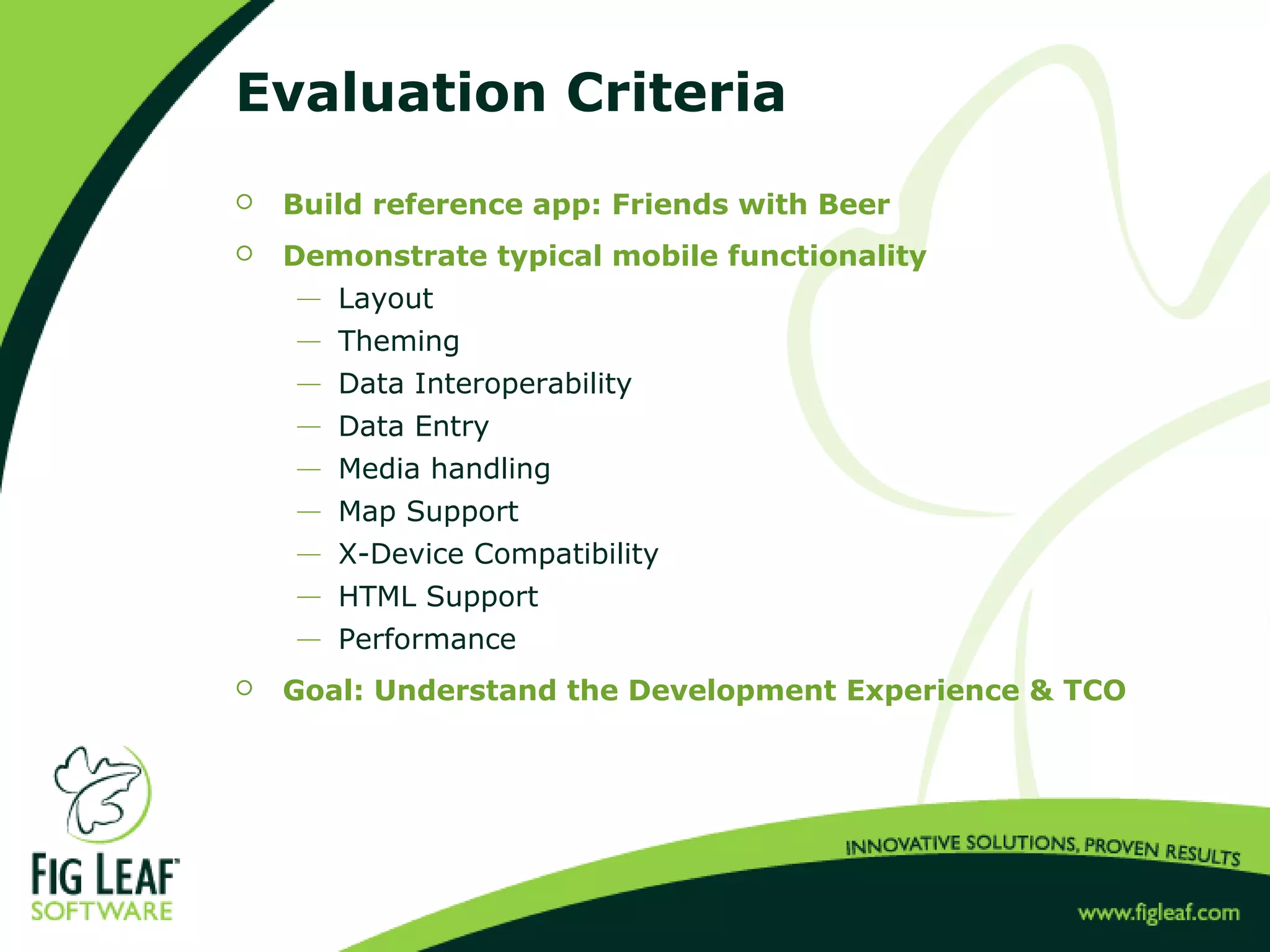
Evaluation Criteria
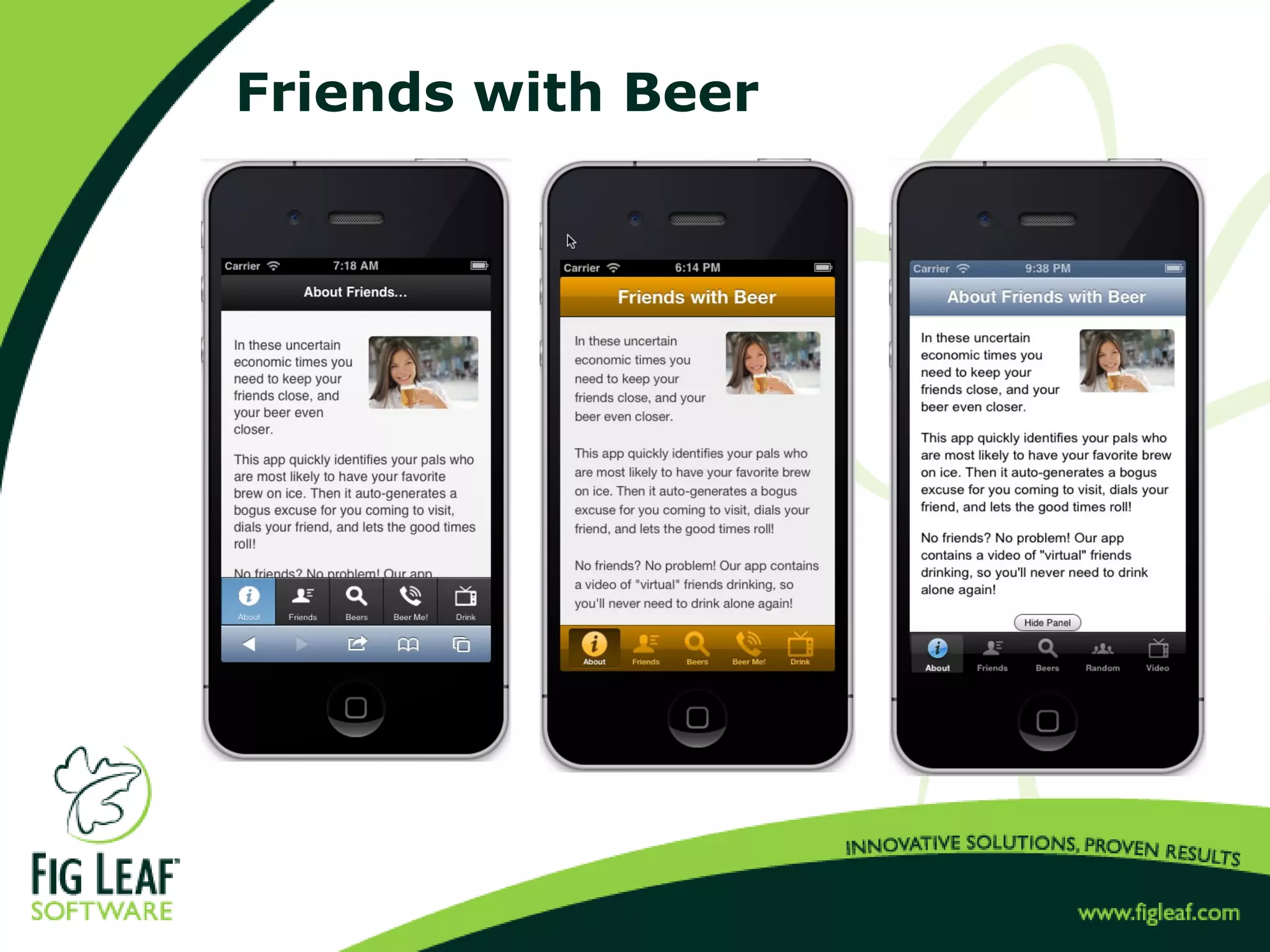
 Build reference app: Friends with Beer
 Demonstrate typical mobile functionality
 Layout
 Theming
 Data Interoperability
 Data Entry
 Media handling
 Map Support
 X-Device Compatibility
 HTML Support
 Performance
 Goal: Understand the Development Experience & TCO
Friends with Beer
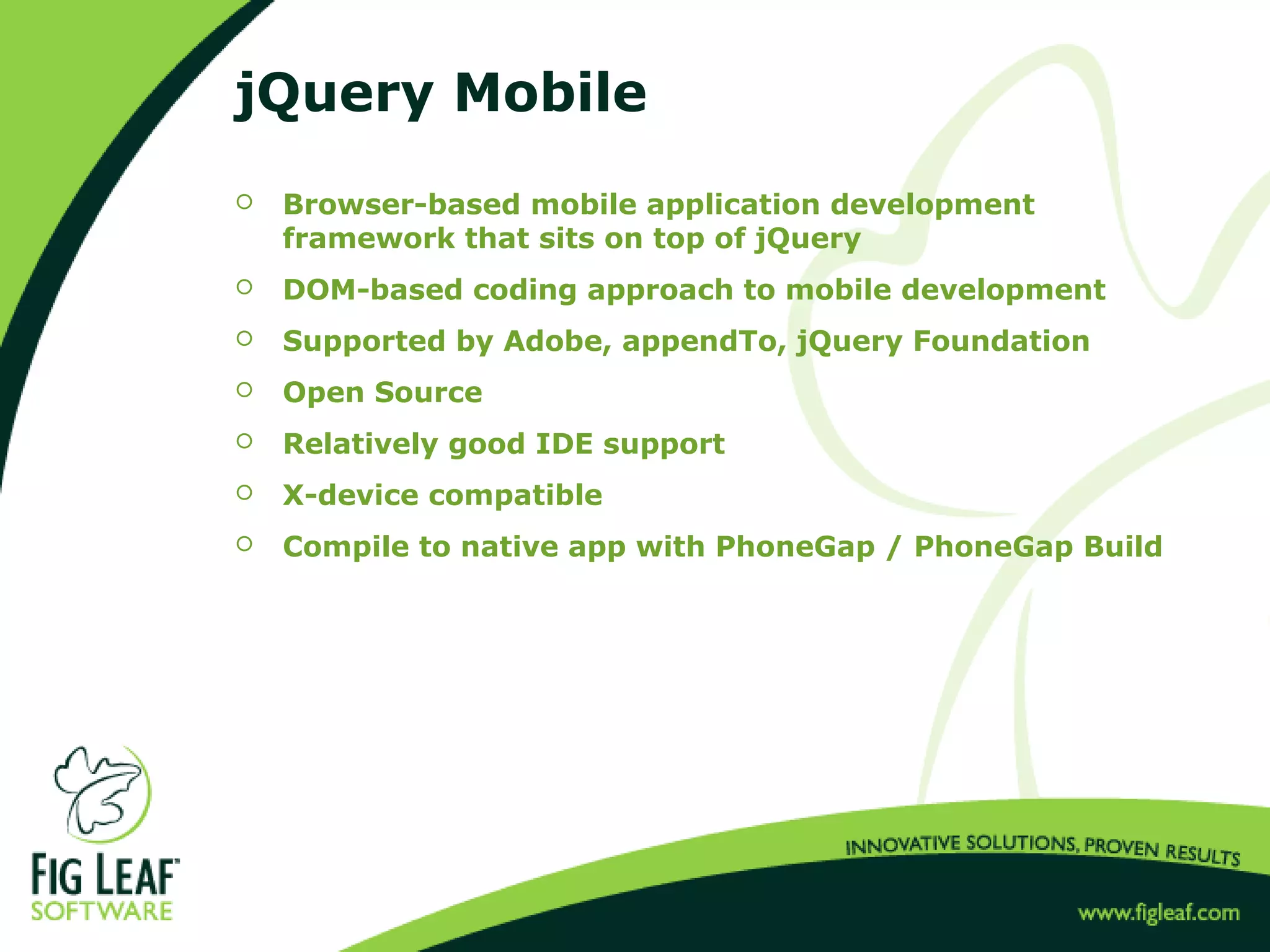
jQuery Mobile
 Browser-based mobile application development
framework that sits on top of jQuery
 DOM-based coding approach to mobile development
 Supported by Adobe, appendTo, jQuery Foundation
 Open Source
 Relatively good IDE support
 X-device compatible
 Compile to native app with PhoneGap / PhoneGap Build
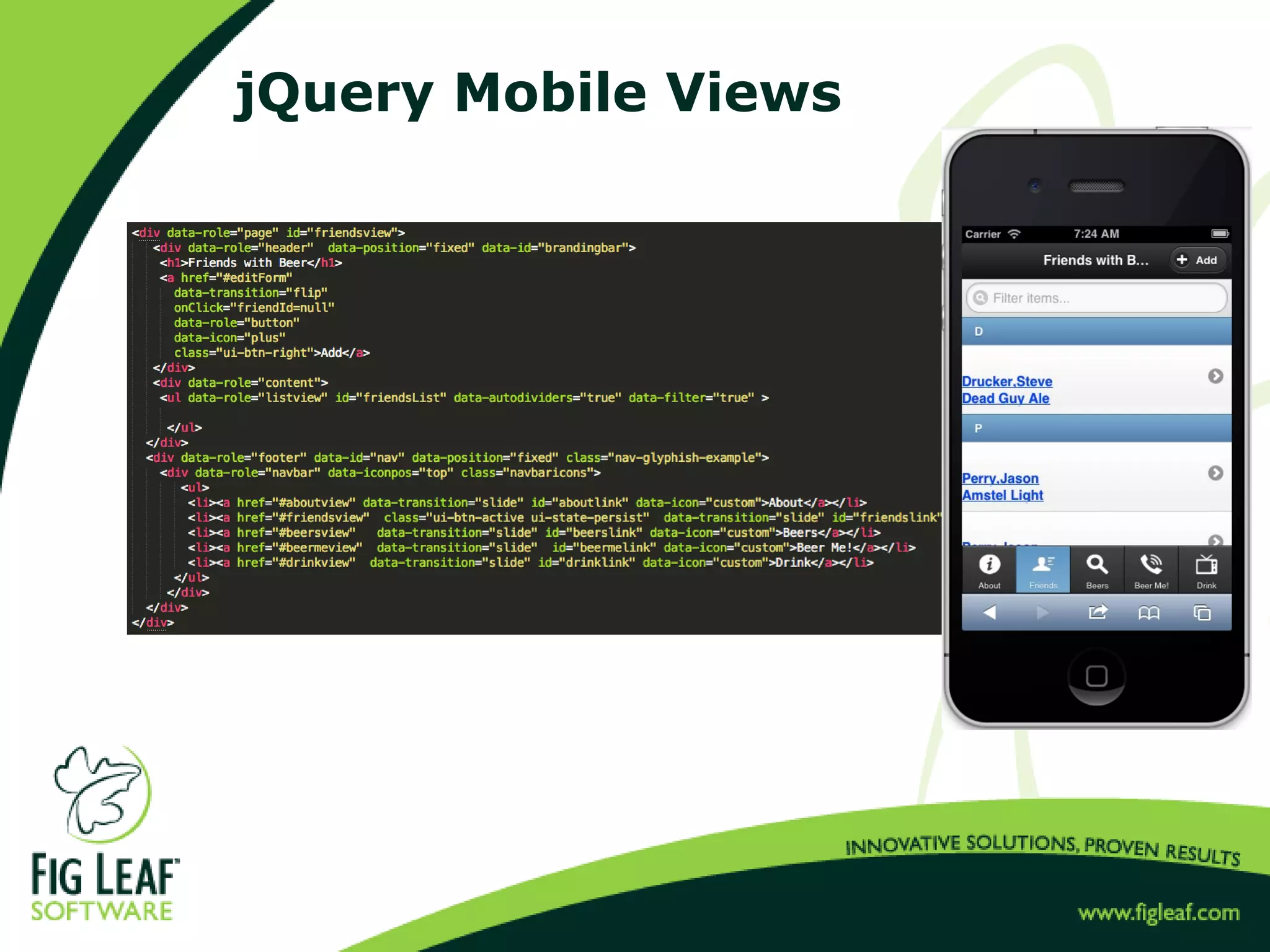
jQuery Mobile Views
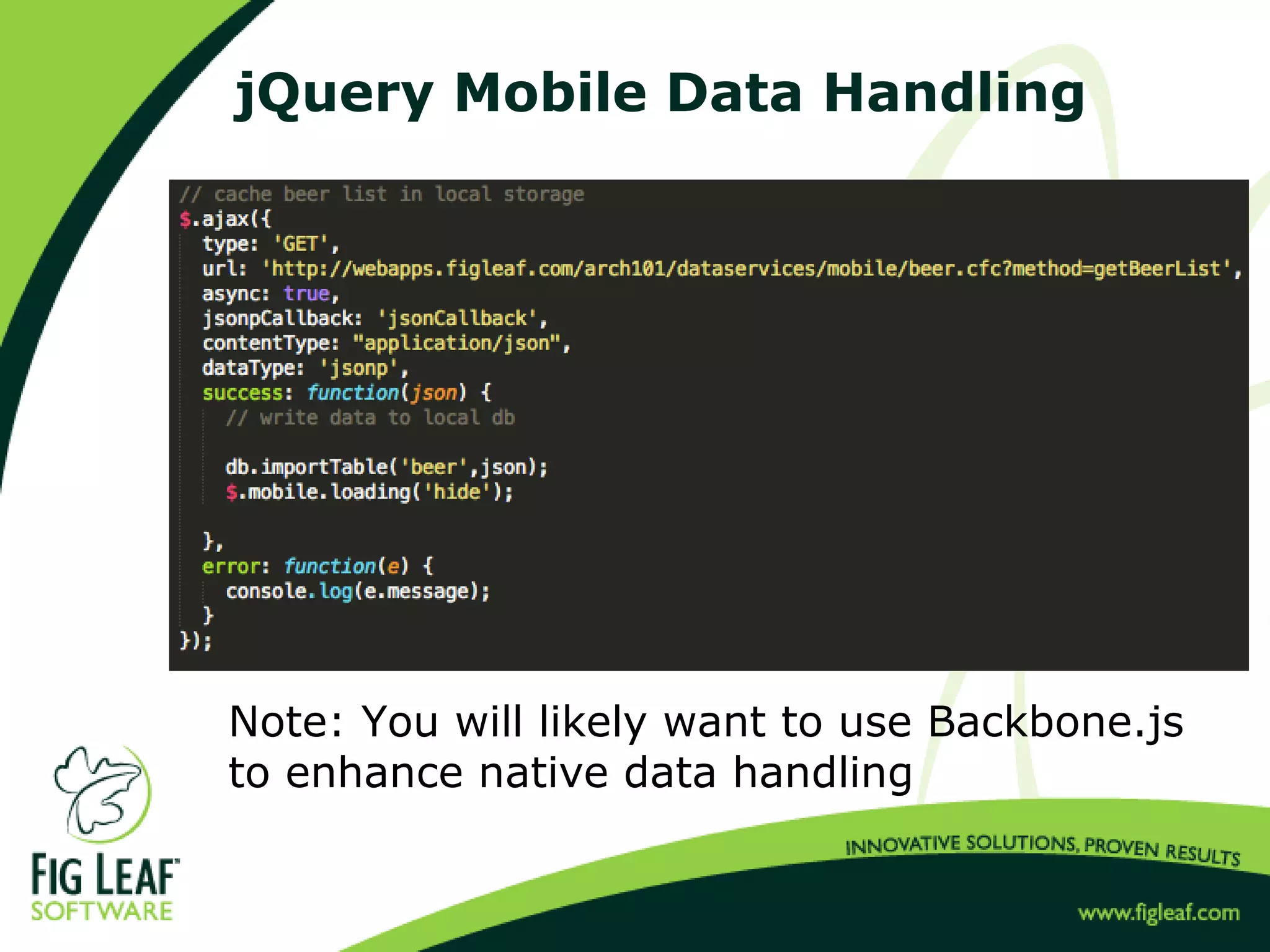
jQuery Mobile Data Handling
Note: You will likely want to use Backbone.js
to enhance native data handling
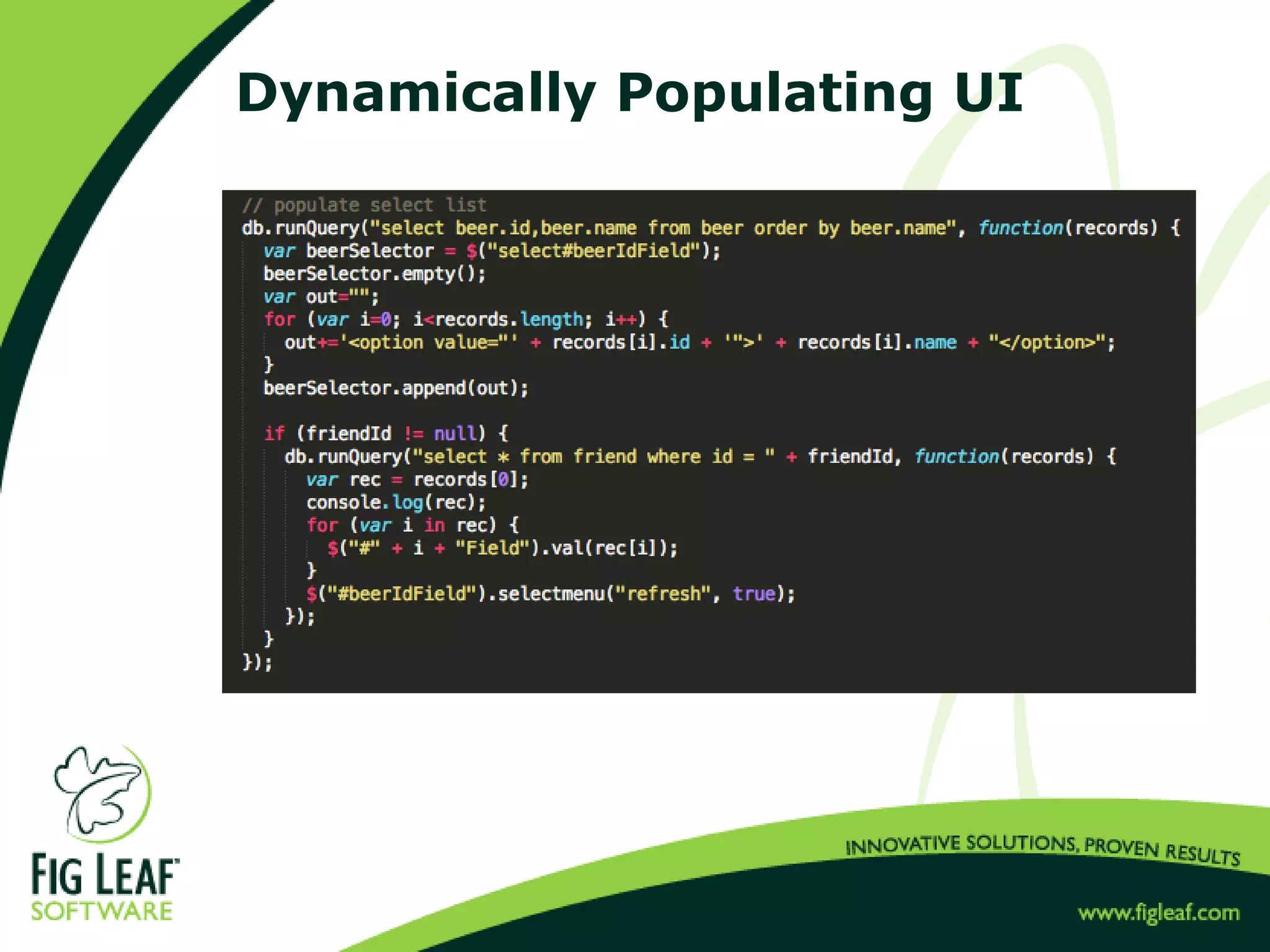
Dynamically Populating UI
Development Tools
 Dreamweaver CS 6
 Aptana Studio
 Codiqa
 ThemeRoller
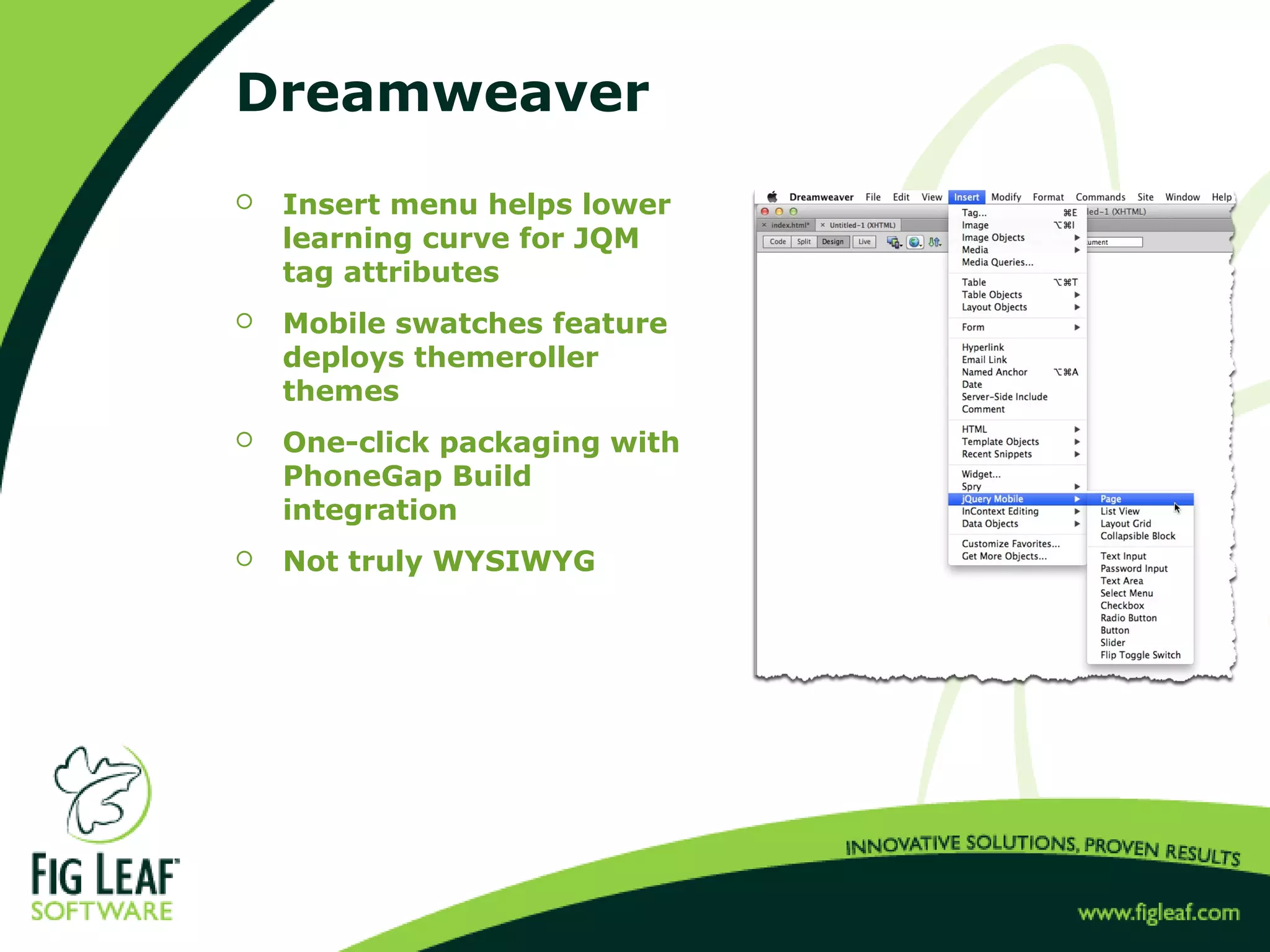
Dreamweaver
 Insert menu helps lower
learning curve for JQM
tag attributes
 Mobile swatches feature
deploys themeroller
themes
 One-click packaging with
PhoneGap Build
integration
 Not truly WYSIWYG
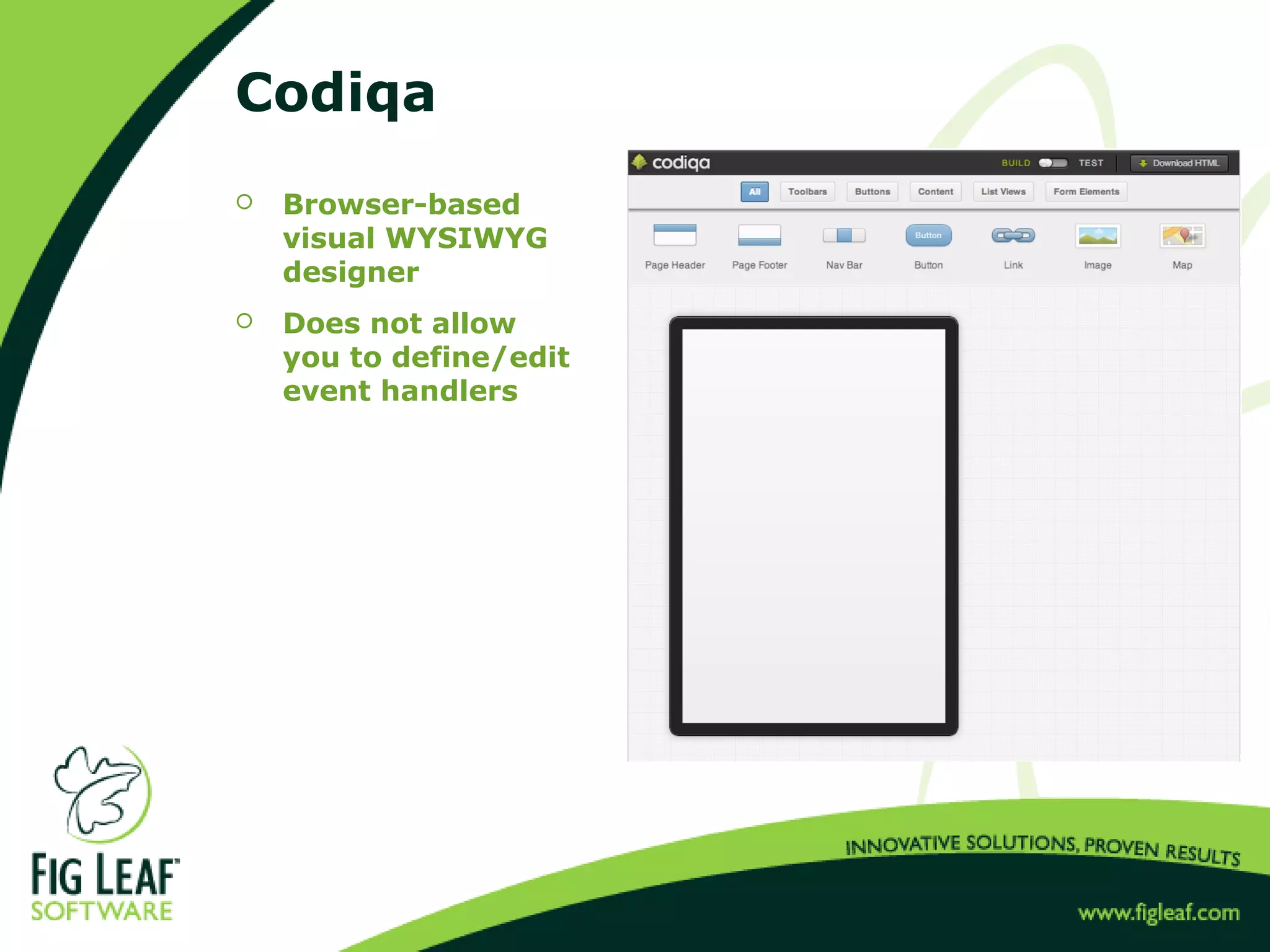
Codiqa
 Browser-based
visual WYSIWYG
designer
 Does not allow
you to define/edit
event handlers
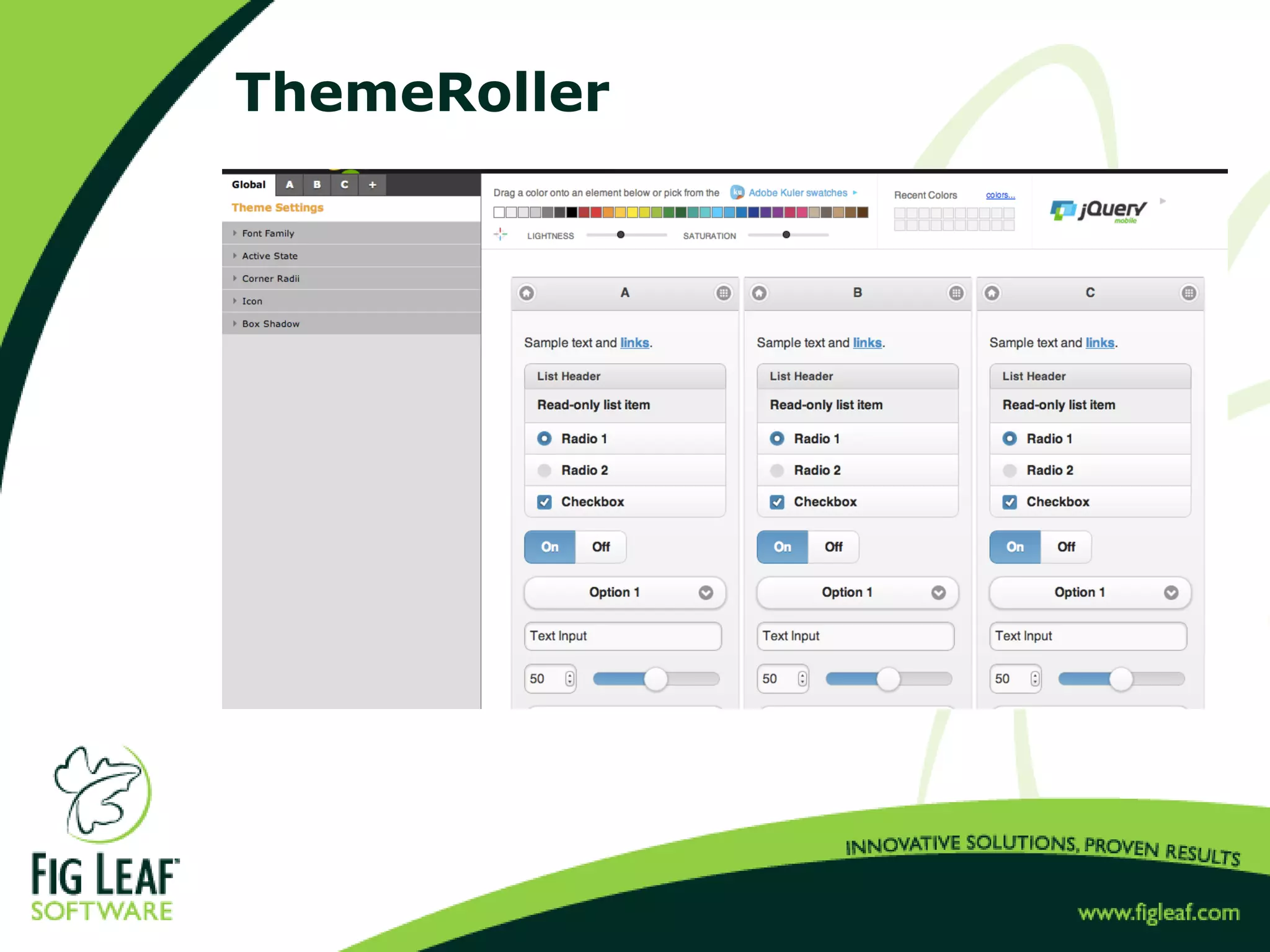
ThemeRoller
JQM Code Walkthrough
 Friends with Beer, JQM Edition
JQM Summary
 Strengths
 Easy DOM-based syntax to master
 X-device support
 Large numbers of developers already fluent in jQuery
 Weaknesses
 No built-in development framework (MVC)
 DOM syntax can be repetitive
 Performance
 Likely to need 3rd
party plugins
 http://www.tutorialfeed.org/2012/02/10-awesome-jquery-mobile-
plugins-for.html
 http://backbonejs.org
 http://code.google.com/p/jquery-ui-map
 Our Conclusion
 Best suited for very small projects or "multi-page apps" where an
app server is dynamically generating the views as an alternative
to responsive web design.
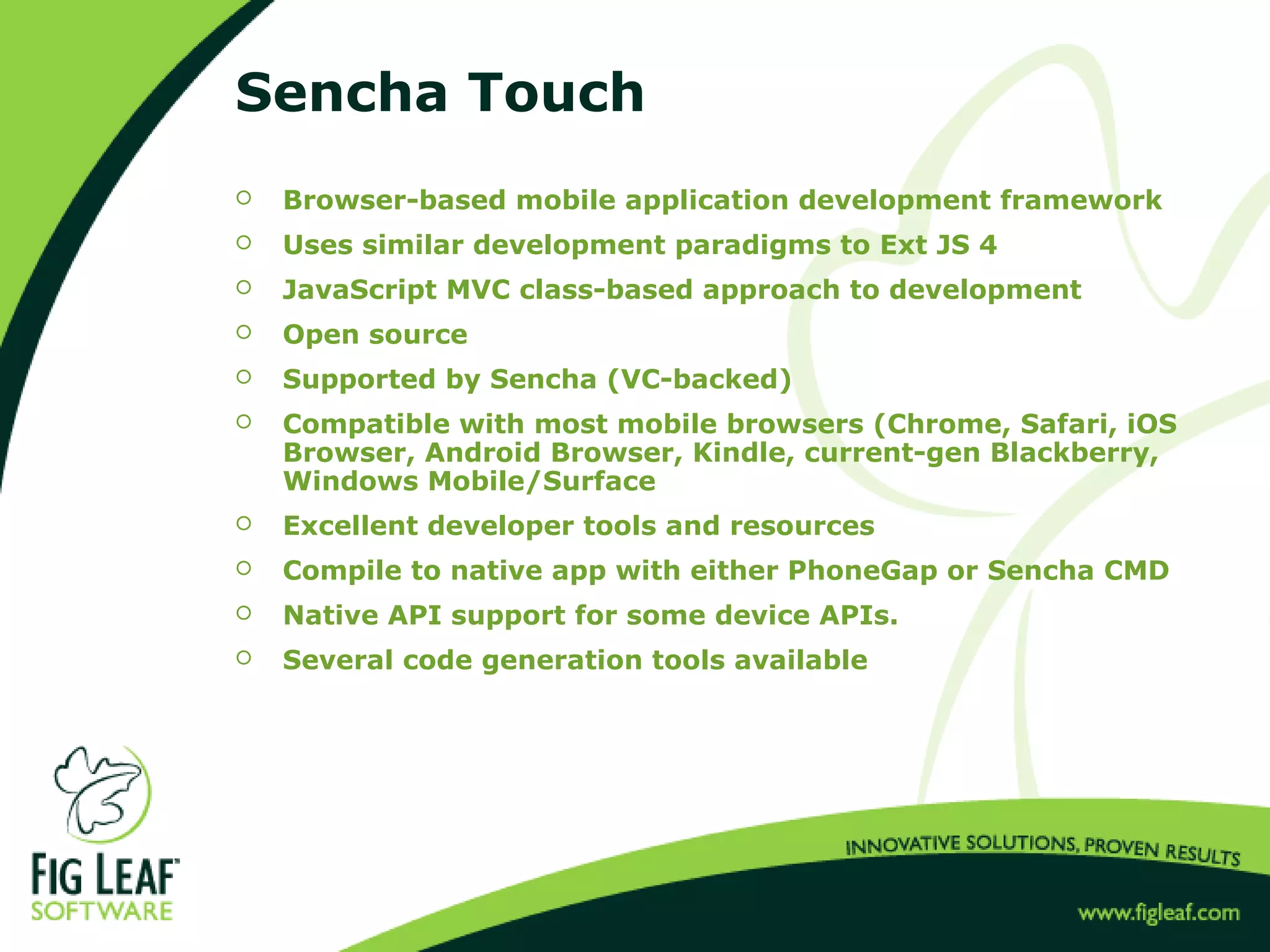
Sencha Touch
 Browser-based mobile application development framework
 Uses similar development paradigms to Ext JS 4
 JavaScript MVC class-based approach to development
 Open source
 Supported by Sencha (VC-backed)
 Compatible with most mobile browsers (Chrome, Safari, iOS
Browser, Android Browser, Kindle, current-gen Blackberry,
Windows Mobile/Surface
 Excellent developer tools and resources
 Compile to native app with either PhoneGap or Sencha CMD
 Native API support for some device APIs.
 Several code generation tools available
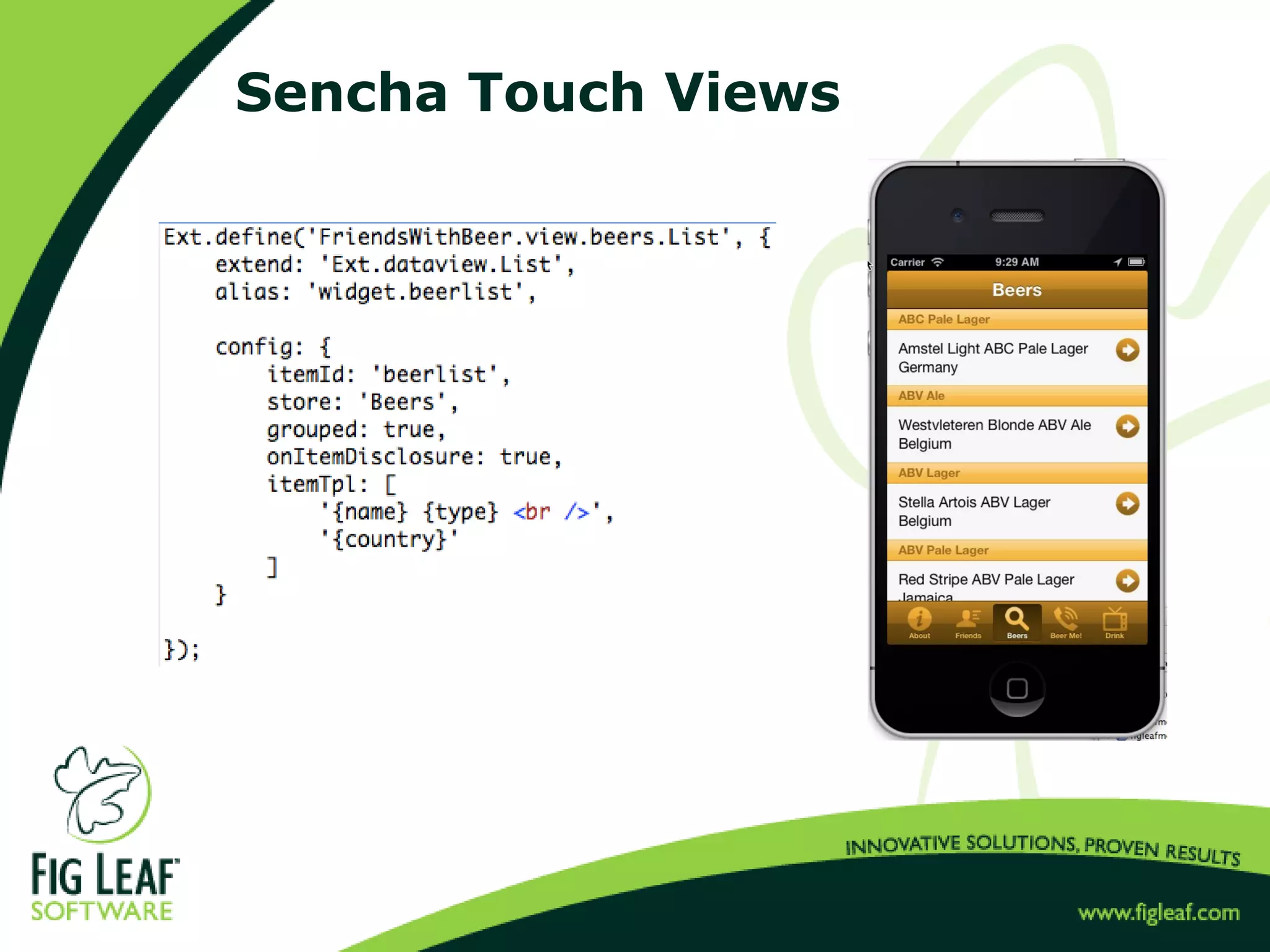
Sencha Touch Views
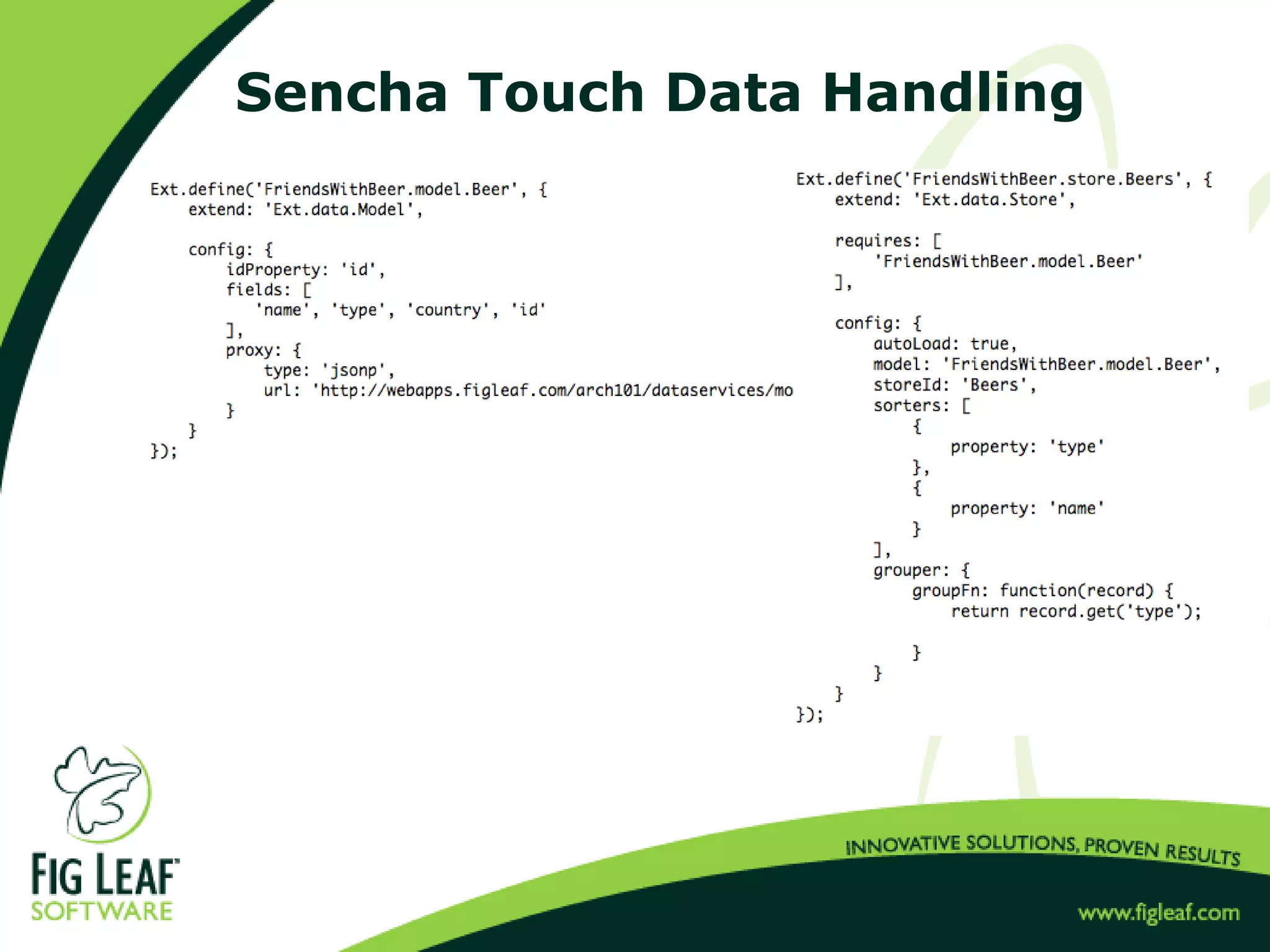
Sencha Touch Data Handling
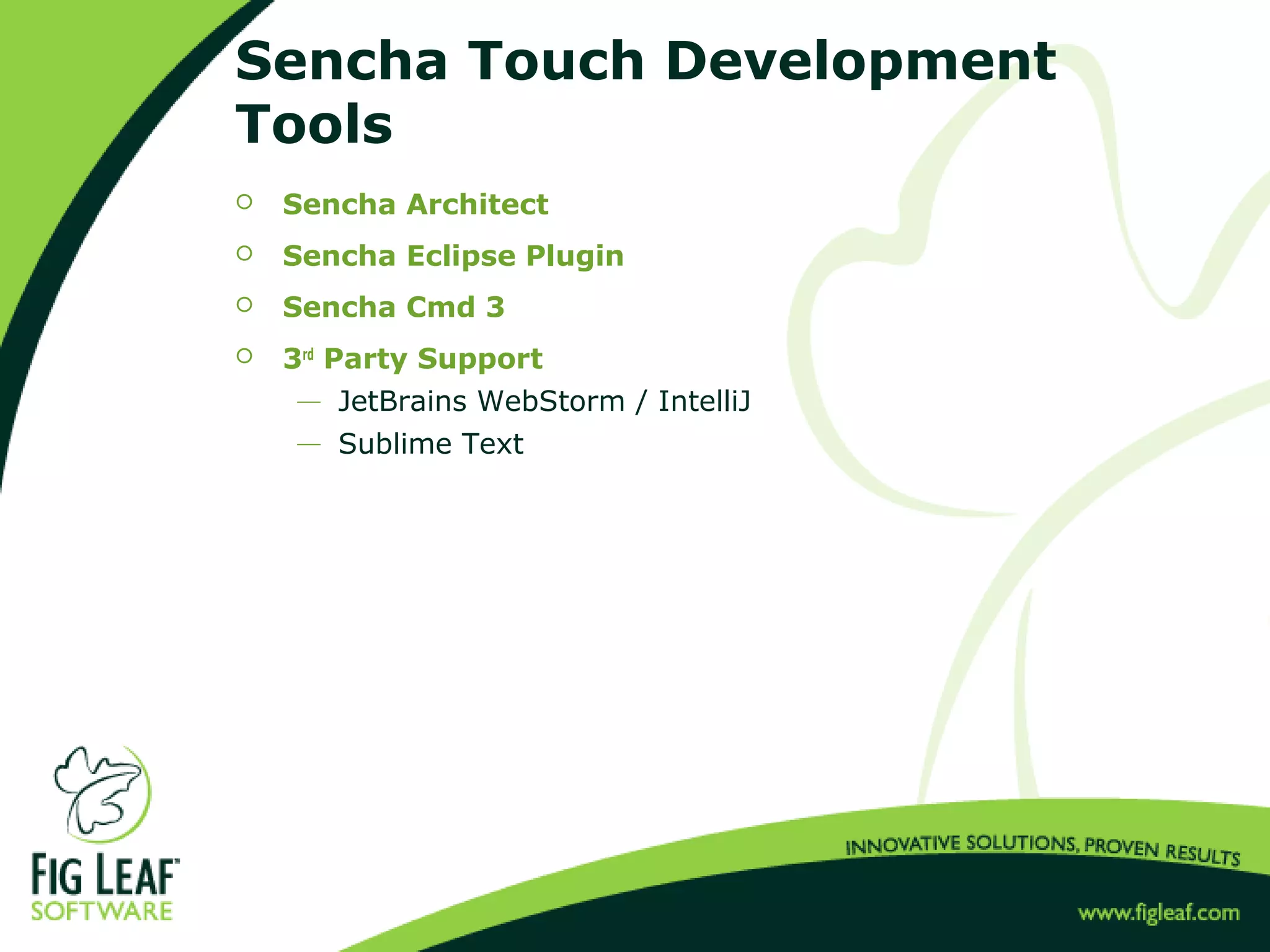
Sencha Touch Development
Tools
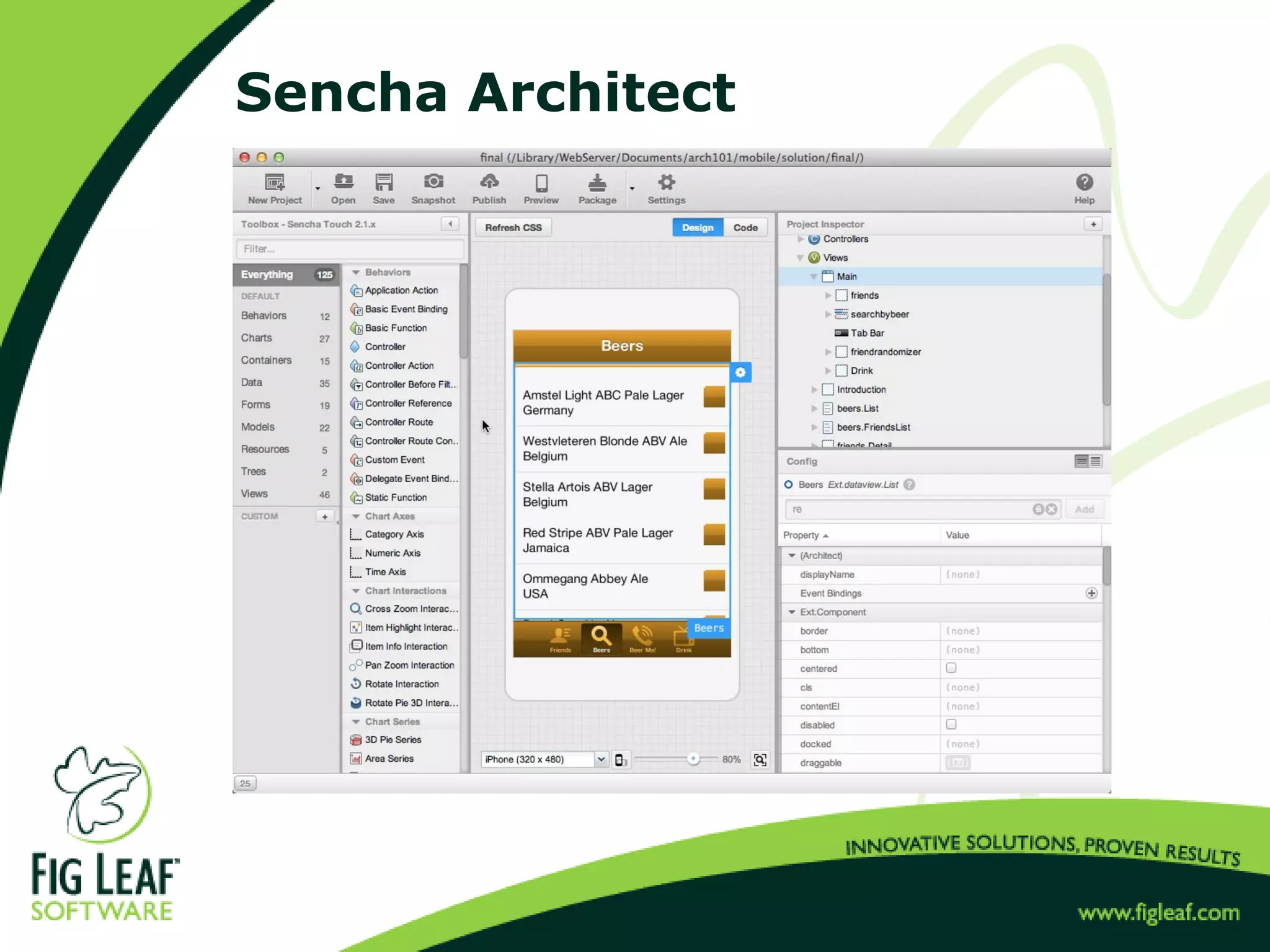
 Sencha Architect
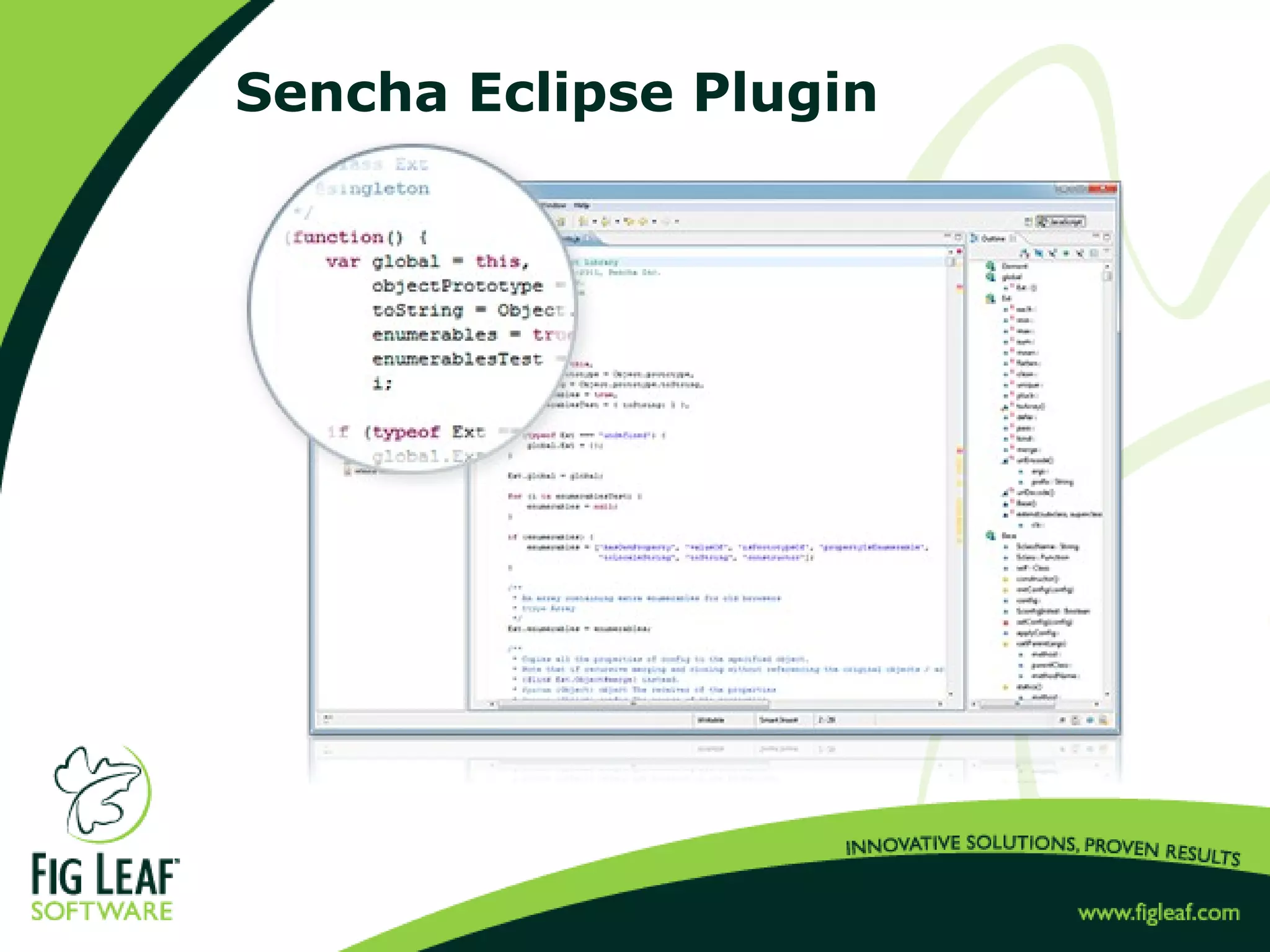
 Sencha Eclipse Plugin
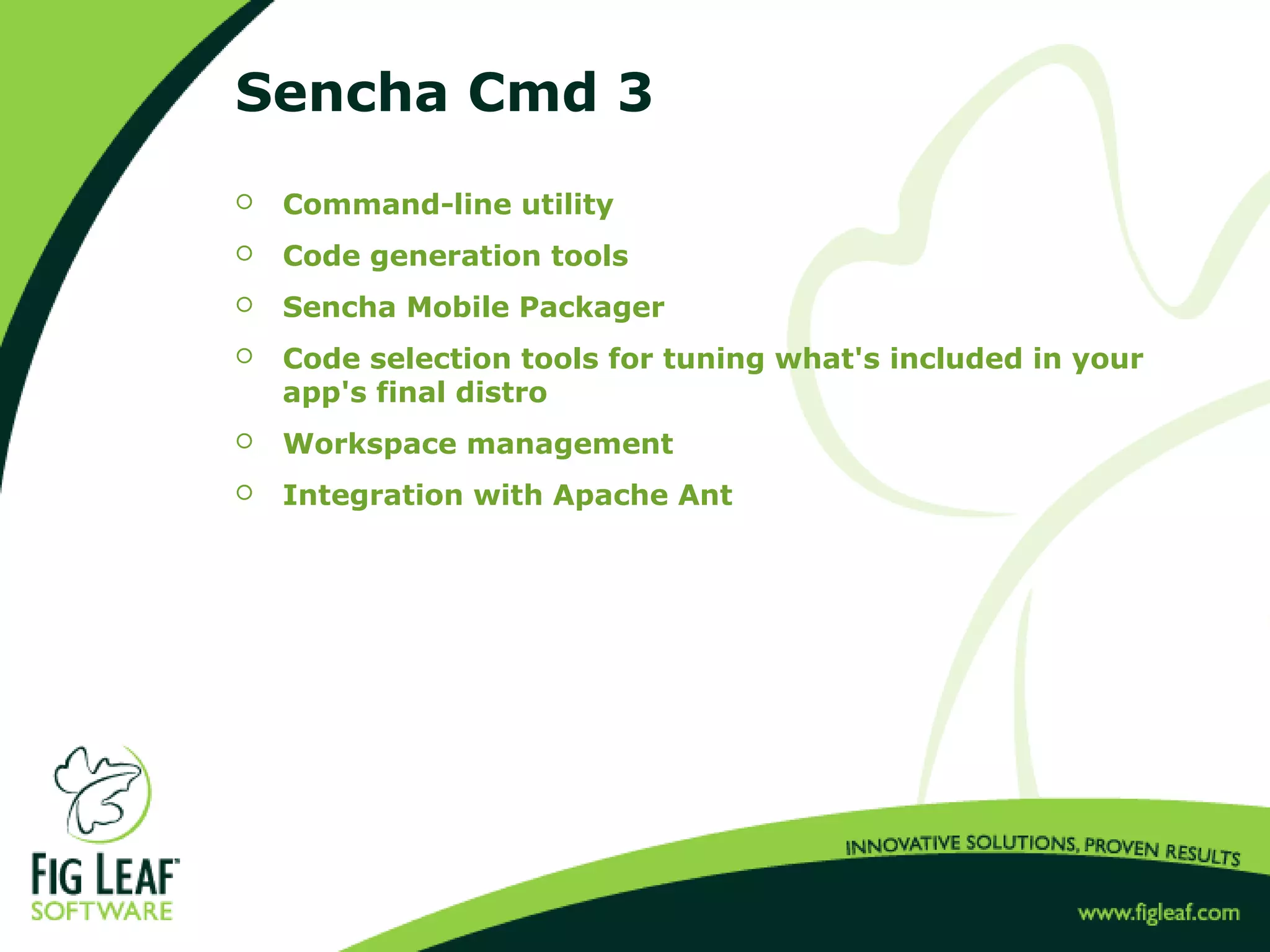
 Sencha Cmd 3
 3rd
Party Support
 JetBrains WebStorm / IntelliJ
 Sublime Text
Sencha Architect
Sencha Eclipse Plugin
Sencha Cmd 3
 Command-line utility
 Code generation tools
 Sencha Mobile Packager
 Code selection tools for tuning what's included in your
app's final distro
 Workspace management
 Integration with Apache Ant
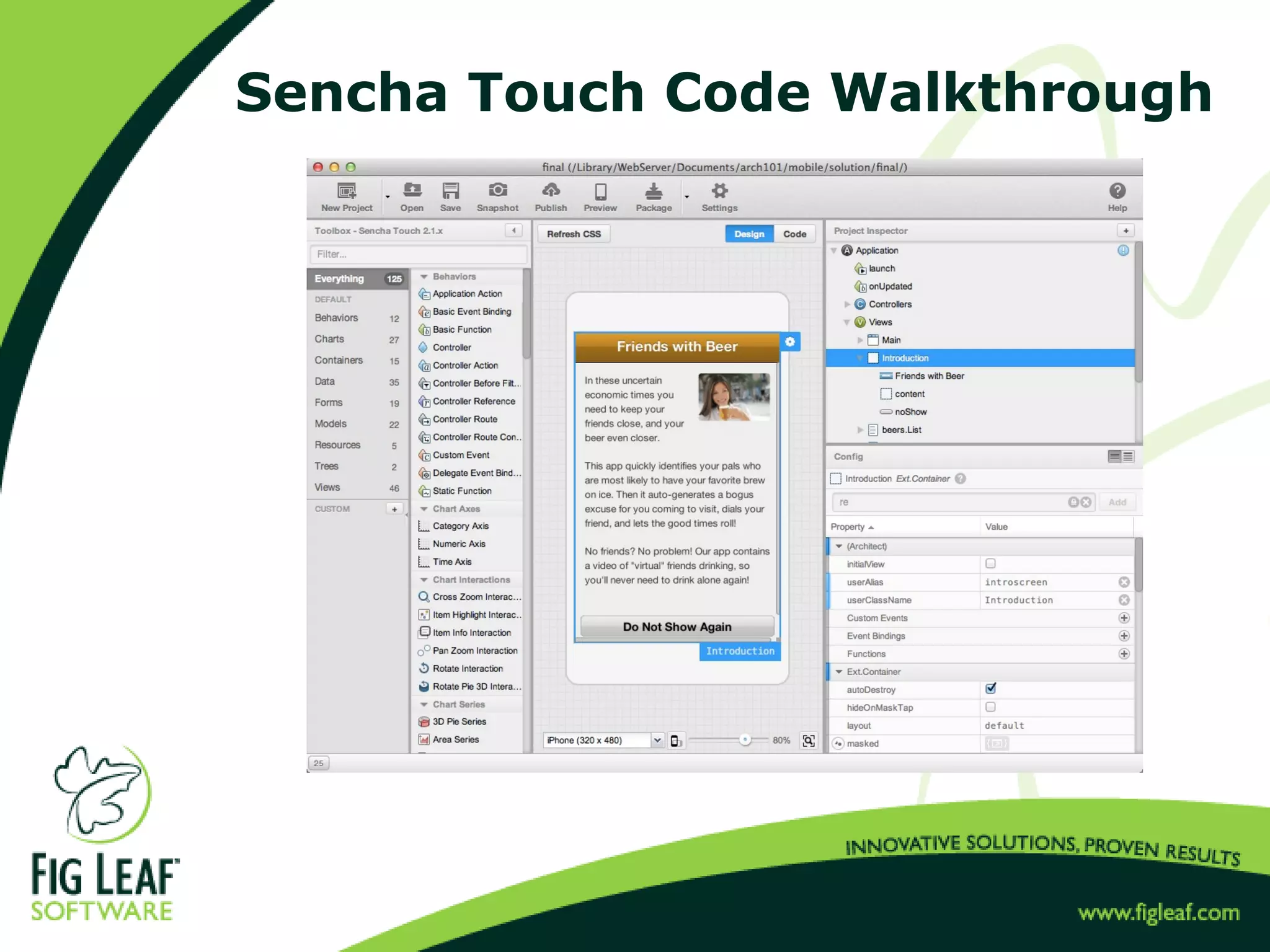
Sencha Touch Code Walkthrough
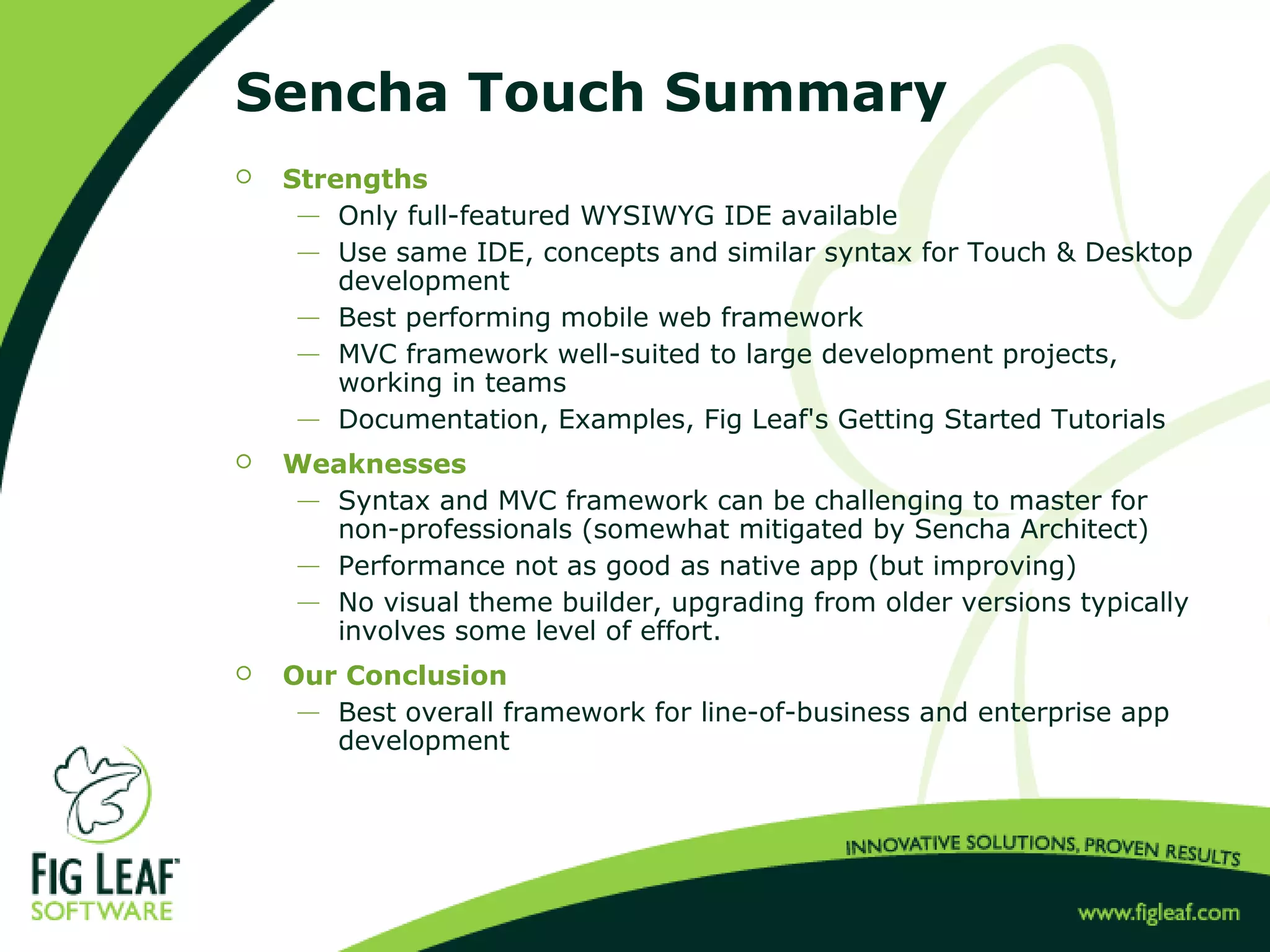
Sencha Touch Summary
 Strengths
 Only full-featured WYSIWYG IDE available
 Use same IDE, concepts and similar syntax for Touch & Desktop
development
 Best performing mobile web framework
 MVC framework well-suited to large development projects,
working in teams
 Documentation, Examples, Fig Leaf's Getting Started Tutorials
 Weaknesses
 Syntax and MVC framework can be challenging to master for
non-professionals (somewhat mitigated by Sencha Architect)
 Performance not as good as native app (but improving)
 No visual theme builder, upgrading from older versions typically
involves some level of effort.
 Our Conclusion
 Best overall framework for line-of-business and enterprise app
development
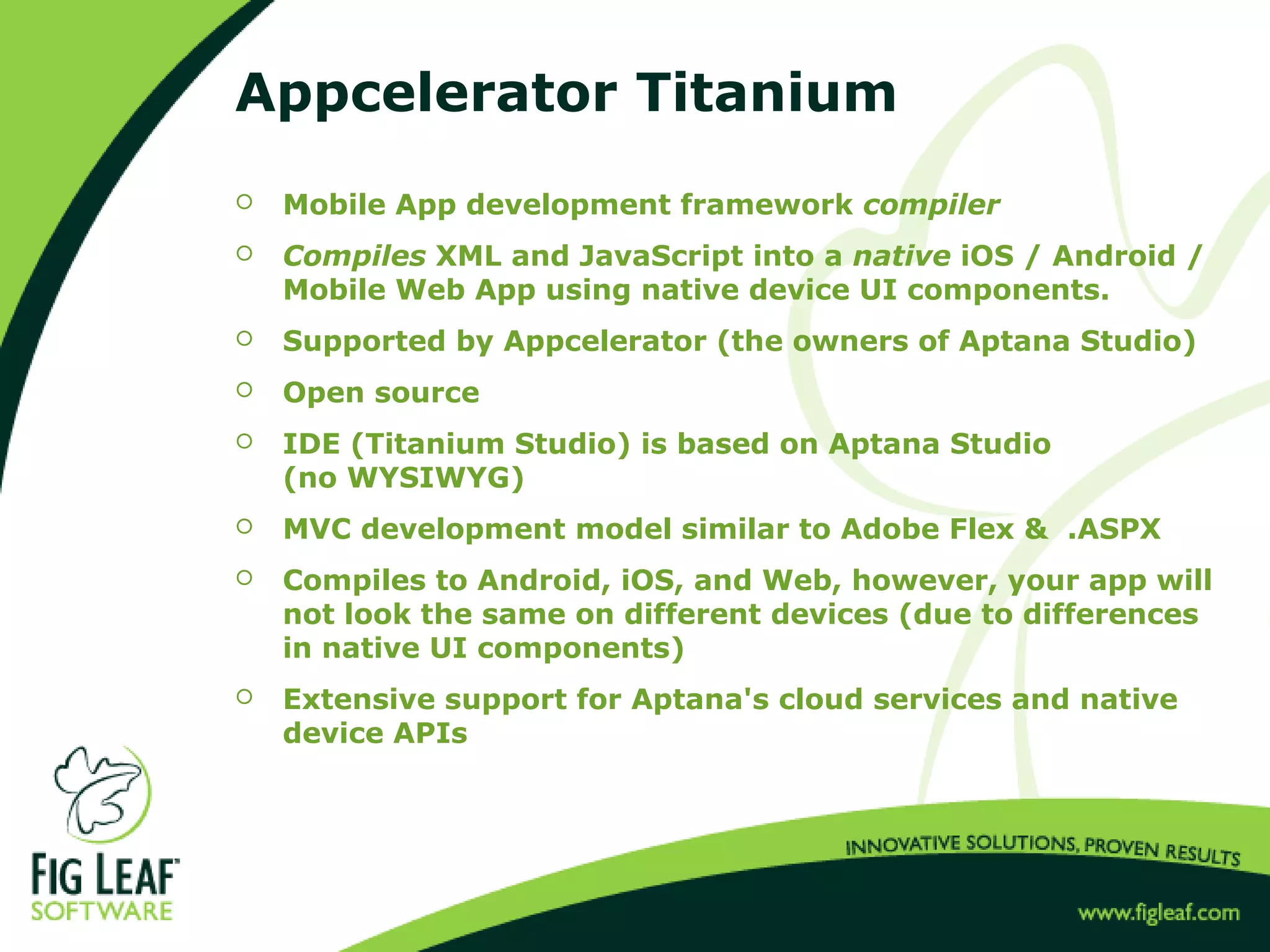
Appcelerator Titanium
 Mobile App development framework compiler
 Compiles XML and JavaScript into a native iOS / Android /
Mobile Web App using native device UI components.
 Supported by Appcelerator (the owners of Aptana Studio)
 Open source
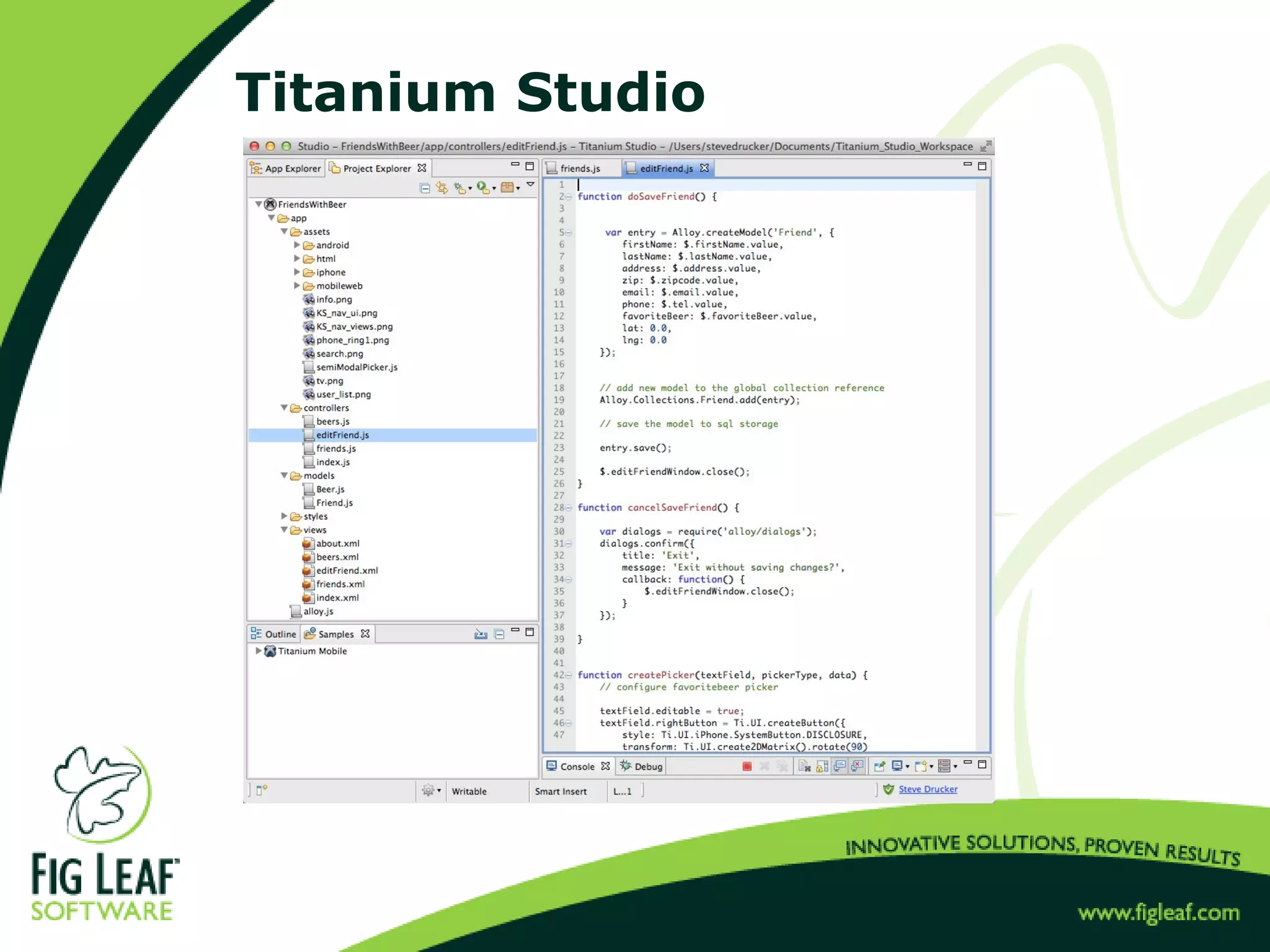
 IDE (Titanium Studio) is based on Aptana Studio
(no WYSIWYG)
 MVC development model similar to Adobe Flex & .ASPX
 Compiles to Android, iOS, and Web, however, your app will
not look the same on different devices (due to differences
in native UI components)
 Extensive support for Aptana's cloud services and native
device APIs
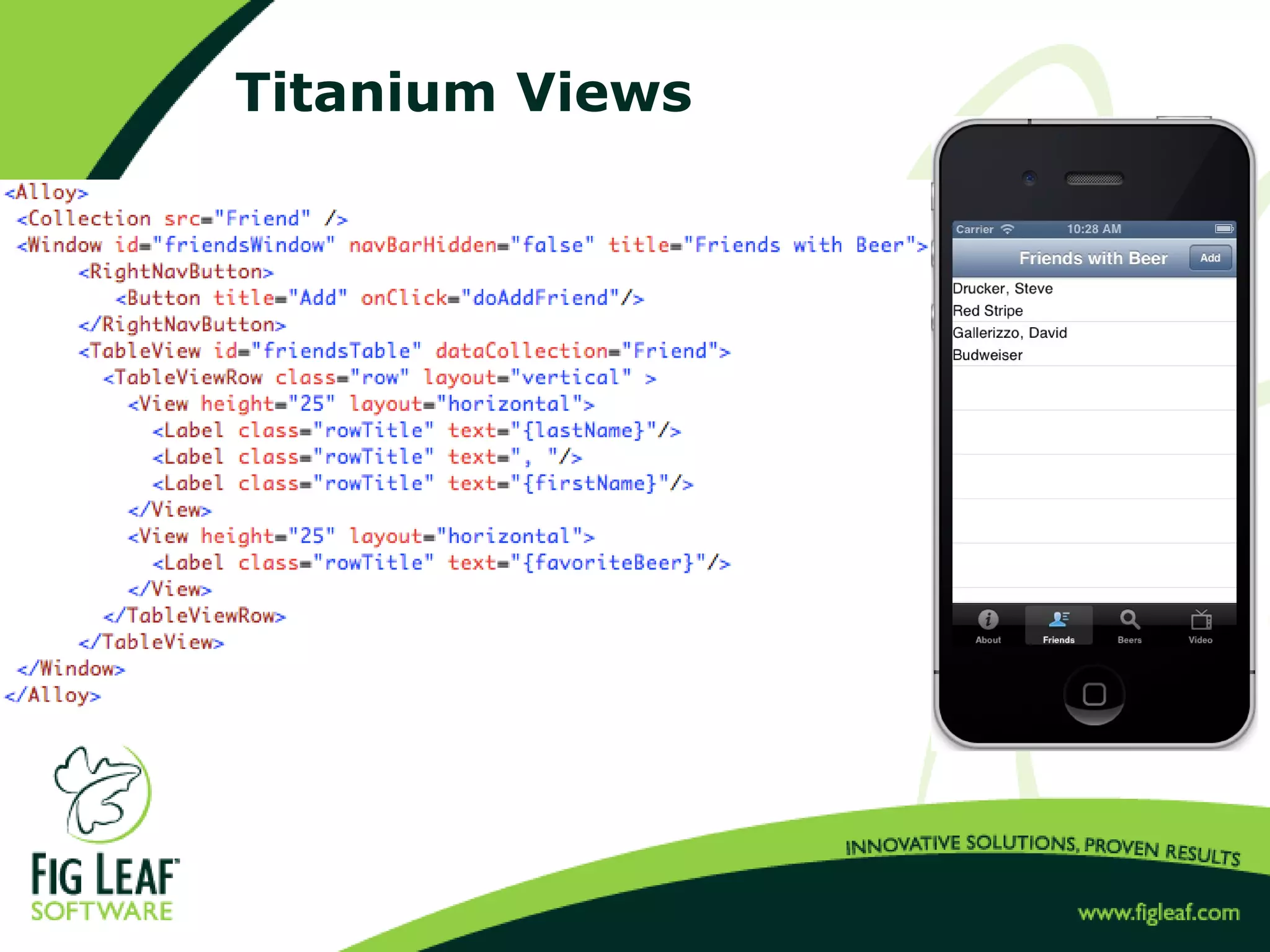
Titanium Views
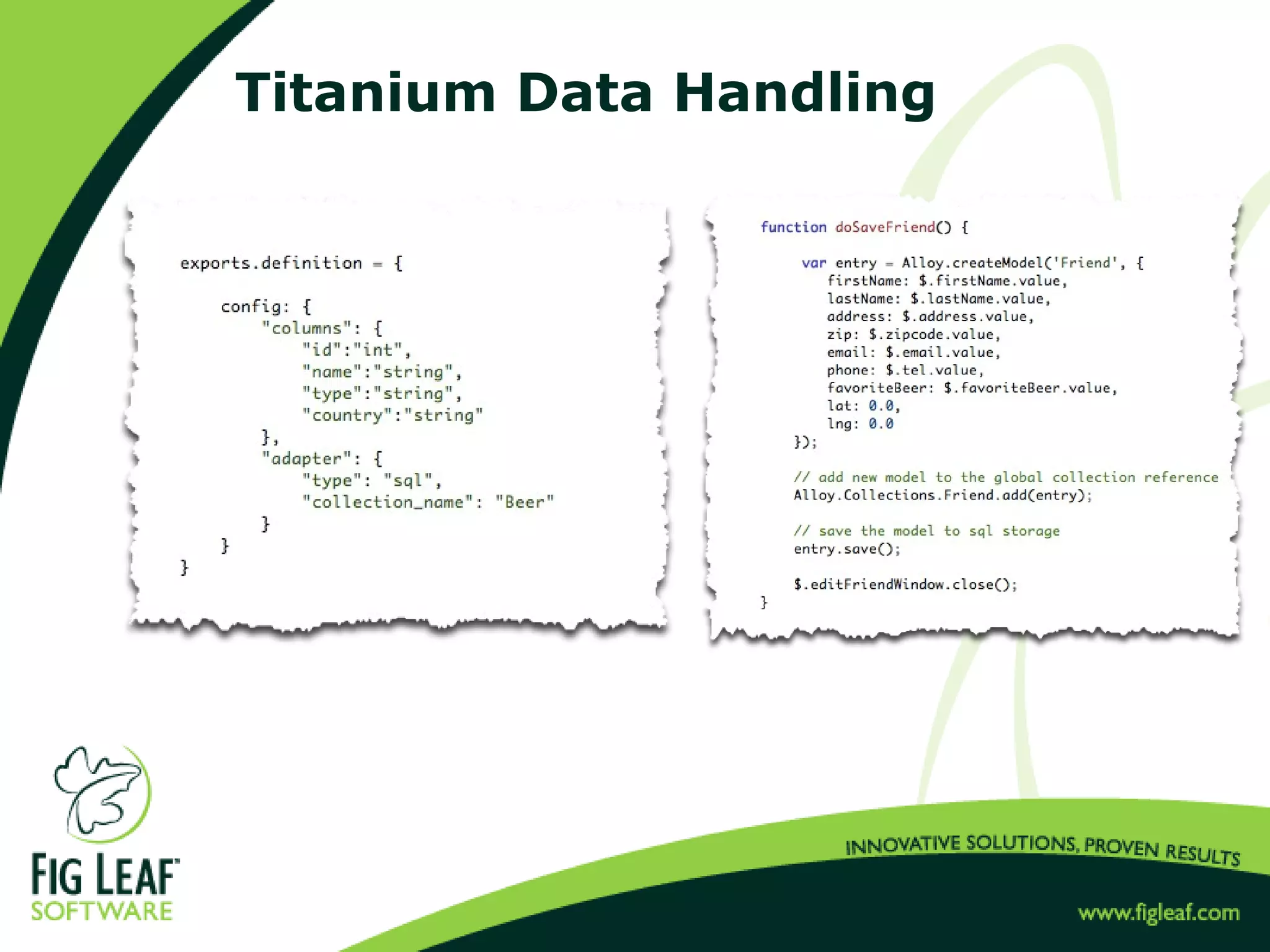
Titanium Data Handling
Titanium Studio
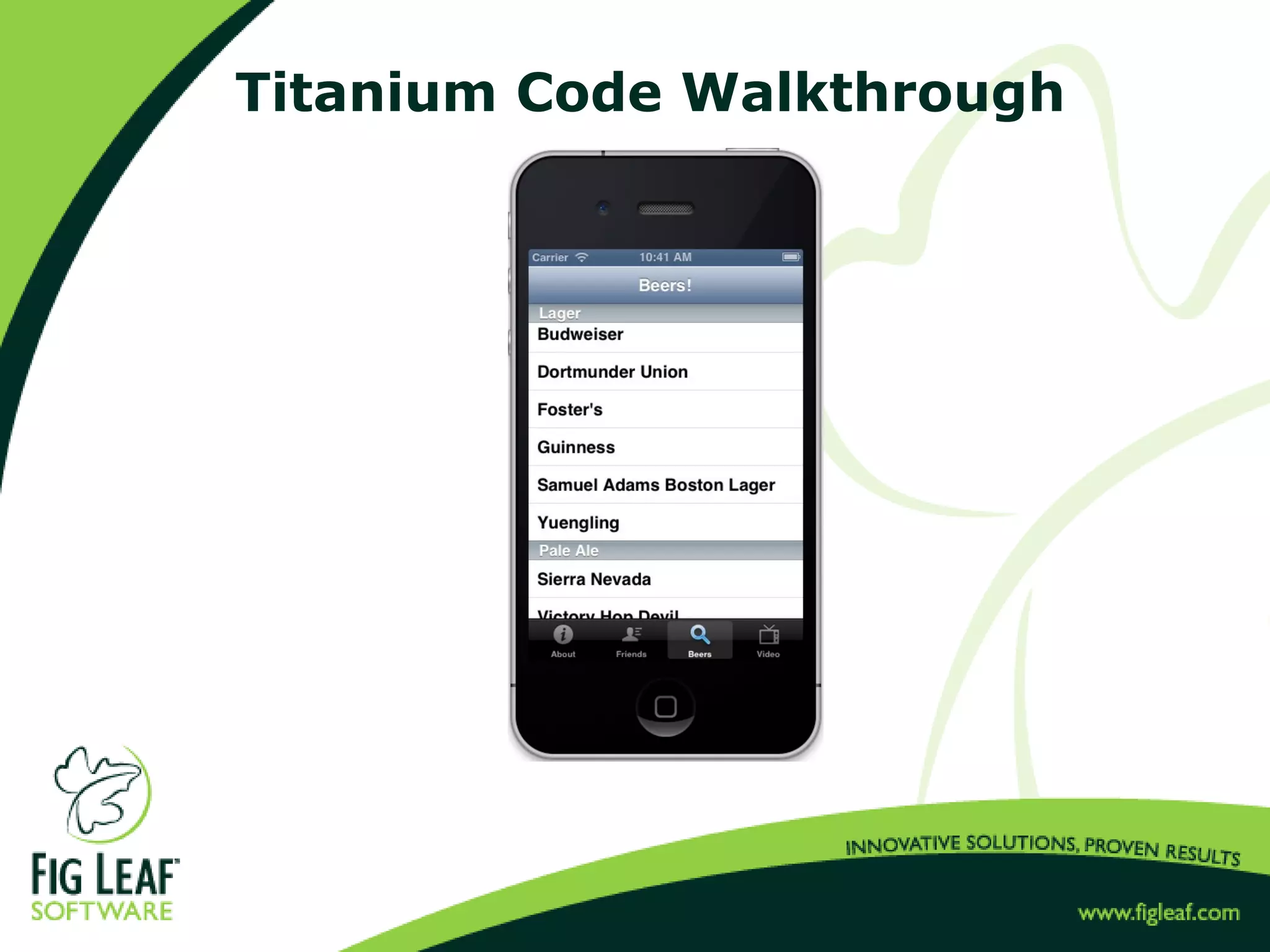
Titanium Code Walkthrough
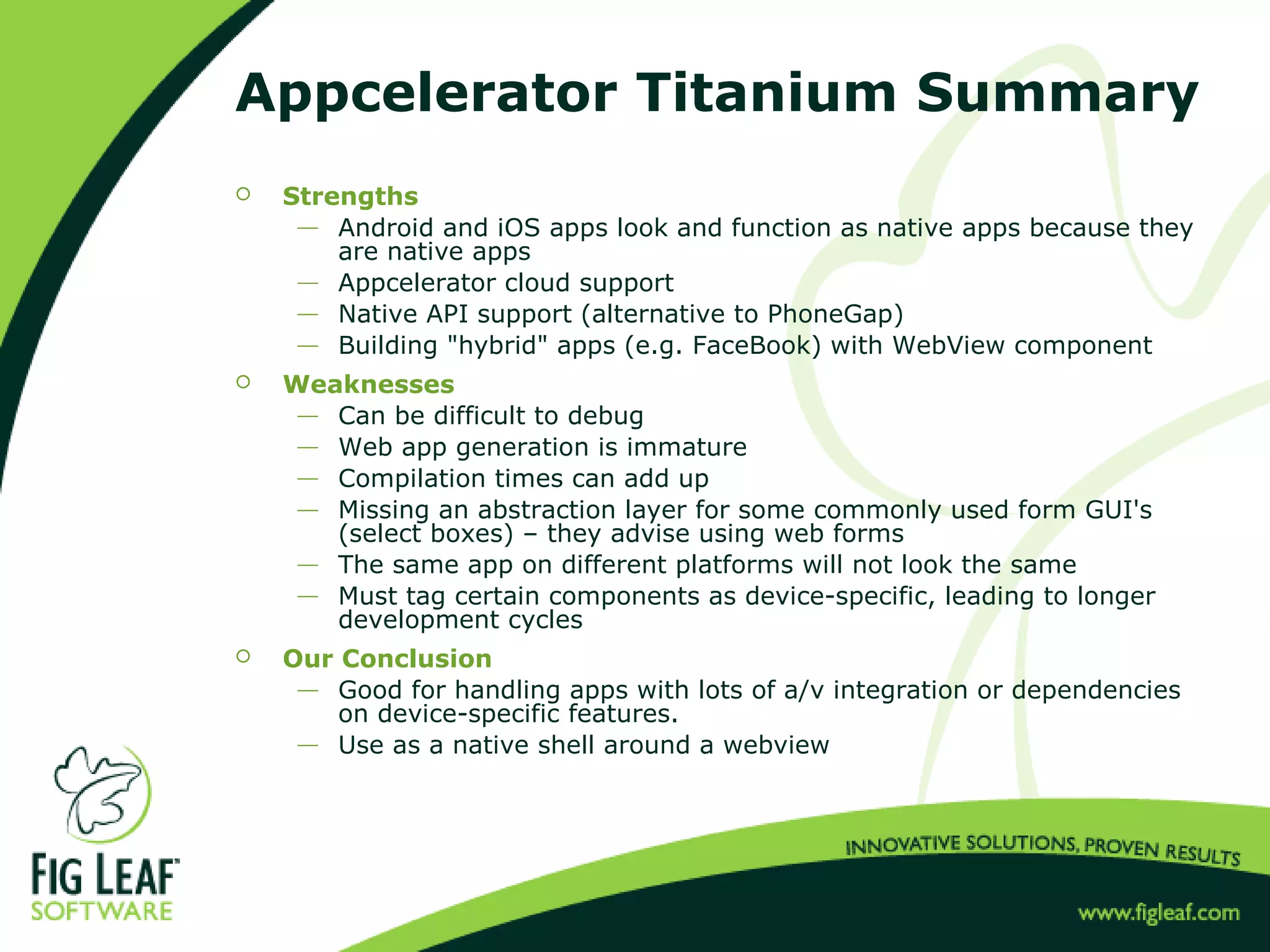
Appcelerator Titanium Summary
 Strengths
 Android and iOS apps look and function as native apps because they
are native apps
 Appcelerator cloud support
 Native API support (alternative to PhoneGap)
 Building "hybrid" apps (e.g. FaceBook) with WebView component
 Weaknesses
 Can be difficult to debug
 Web app generation is immature
 Compilation times can add up
 Missing an abstraction layer for some commonly used form GUI's
(select boxes) – they advise using web forms
 The same app on different platforms will not look the same
 Must tag certain components as device-specific, leading to longer
development cycles
 Our Conclusion
 Good for handling apps with lots of a/v integration or dependencies
on device-specific features.
 Use as a native shell around a webview
Q & A
Contact Us
 sdrucker@figleaf.com
 http://www.linkedin.com/in/uberfig
 http://www.facebook.com/steve.drucker
 http://druckit.wordpress.com
 http://www.figleaf.com
 http://training.figleaf.com
 Free tutorials:
http://training.figleaf.com/tutorials
 Ask me about our Consulting, Training, and Software
Sales!
Watch the Video!
 Check out the full 2.5 hour video of this presentation at
the following url:
http://bit.ly/Y04lDi
(requires Adobe Flash Player)

JQuery Mobile vs Appcelerator Titanium vs Sencha Touch

  • 1.
    Mobile Development Shootoutwith jQuery Mobile, Sencha Touch, and Appcelerator Titanium Steve Drucker Founder / President Fig Leaf Software
  • 2.
    About Me  B.S.Computer Science, The University of Maryland College Park  Certified Technical Trainer (CTT+)  Certified Sencha Instructor  Certified Titanium Developer  Authored first book about ColdFusion  Author of "Teach Yourself Sencha in a Day"  Authored 20+ instructor-led training courses for Adobe, Sencha, Paperthin, JackBe, and Fig Leaf Software  Singlehandedly developed generation 2 of voanews.com – 44 sites in 44 languages with 500K content items  Consulting architect for www.nps.gov  Developed mobile apps for ENTNet, Archdiocese of Baltimore, and Quest Diagnostics  20+ year career in I.T.
  • 3.
    About Me  CurrentProjects  "Teach Yourself Sencha Touch and Ext JS 4 in a Day" http://training.figleaf.com/tutorials/senchacomplete/  "Fast Track to Sencha Touch 2.2"  iPad-based patient chart for Quest Diagnostics  iPad-based crime reporting tool for D.H.S.  A few published apps (also available on iTunes & Play)  www.archbalt.org/mobile  www.entnet.org/mobile  training.figleaf.com/mobile
  • 4.
    Introduce Yourselves!  Whyare you here?  What is your technical background?  What do you hope to learn?  What kinds of projects are you working on?
  • 5.
    Topics  jQuery Mobile Sencha Touch  Appcelerator Titanium
  • 6.
    Evaluation Criteria  Buildreference app: Friends with Beer  Demonstrate typical mobile functionality  Layout  Theming  Data Interoperability  Data Entry  Media handling  Map Support  X-Device Compatibility  HTML Support  Performance  Goal: Understand the Development Experience & TCO
  • 7.
  • 8.
    jQuery Mobile  Browser-basedmobile application development framework that sits on top of jQuery  DOM-based coding approach to mobile development  Supported by Adobe, appendTo, jQuery Foundation  Open Source  Relatively good IDE support  X-device compatible  Compile to native app with PhoneGap / PhoneGap Build
  • 9.
  • 10.
    jQuery Mobile DataHandling Note: You will likely want to use Backbone.js to enhance native data handling
  • 11.
  • 12.
    Development Tools  DreamweaverCS 6  Aptana Studio  Codiqa  ThemeRoller
  • 13.
    Dreamweaver  Insert menuhelps lower learning curve for JQM tag attributes  Mobile swatches feature deploys themeroller themes  One-click packaging with PhoneGap Build integration  Not truly WYSIWYG
  • 14.
    Codiqa  Browser-based visual WYSIWYG designer Does not allow you to define/edit event handlers
  • 15.
  • 16.
    JQM Code Walkthrough Friends with Beer, JQM Edition
  • 17.
    JQM Summary  Strengths Easy DOM-based syntax to master  X-device support  Large numbers of developers already fluent in jQuery  Weaknesses  No built-in development framework (MVC)  DOM syntax can be repetitive  Performance  Likely to need 3rd party plugins  http://www.tutorialfeed.org/2012/02/10-awesome-jquery-mobile- plugins-for.html  http://backbonejs.org  http://code.google.com/p/jquery-ui-map  Our Conclusion  Best suited for very small projects or "multi-page apps" where an app server is dynamically generating the views as an alternative to responsive web design.
  • 18.
    Sencha Touch  Browser-basedmobile application development framework  Uses similar development paradigms to Ext JS 4  JavaScript MVC class-based approach to development  Open source  Supported by Sencha (VC-backed)  Compatible with most mobile browsers (Chrome, Safari, iOS Browser, Android Browser, Kindle, current-gen Blackberry, Windows Mobile/Surface  Excellent developer tools and resources  Compile to native app with either PhoneGap or Sencha CMD  Native API support for some device APIs.  Several code generation tools available
  • 19.
  • 20.
  • 21.
    Sencha Touch Development Tools Sencha Architect  Sencha Eclipse Plugin  Sencha Cmd 3  3rd Party Support  JetBrains WebStorm / IntelliJ  Sublime Text
  • 22.
  • 23.
  • 24.
    Sencha Cmd 3 Command-line utility  Code generation tools  Sencha Mobile Packager  Code selection tools for tuning what's included in your app's final distro  Workspace management  Integration with Apache Ant
  • 25.
    Sencha Touch CodeWalkthrough
  • 26.
    Sencha Touch Summary Strengths  Only full-featured WYSIWYG IDE available  Use same IDE, concepts and similar syntax for Touch & Desktop development  Best performing mobile web framework  MVC framework well-suited to large development projects, working in teams  Documentation, Examples, Fig Leaf's Getting Started Tutorials  Weaknesses  Syntax and MVC framework can be challenging to master for non-professionals (somewhat mitigated by Sencha Architect)  Performance not as good as native app (but improving)  No visual theme builder, upgrading from older versions typically involves some level of effort.  Our Conclusion  Best overall framework for line-of-business and enterprise app development
  • 27.
    Appcelerator Titanium  MobileApp development framework compiler  Compiles XML and JavaScript into a native iOS / Android / Mobile Web App using native device UI components.  Supported by Appcelerator (the owners of Aptana Studio)  Open source  IDE (Titanium Studio) is based on Aptana Studio (no WYSIWYG)  MVC development model similar to Adobe Flex & .ASPX  Compiles to Android, iOS, and Web, however, your app will not look the same on different devices (due to differences in native UI components)  Extensive support for Aptana's cloud services and native device APIs
  • 28.
  • 29.
  • 30.
  • 31.
  • 32.
    Appcelerator Titanium Summary Strengths  Android and iOS apps look and function as native apps because they are native apps  Appcelerator cloud support  Native API support (alternative to PhoneGap)  Building "hybrid" apps (e.g. FaceBook) with WebView component  Weaknesses  Can be difficult to debug  Web app generation is immature  Compilation times can add up  Missing an abstraction layer for some commonly used form GUI's (select boxes) – they advise using web forms  The same app on different platforms will not look the same  Must tag certain components as device-specific, leading to longer development cycles  Our Conclusion  Good for handling apps with lots of a/v integration or dependencies on device-specific features.  Use as a native shell around a webview
  • 33.
  • 34.
    Contact Us  sdrucker@figleaf.com http://www.linkedin.com/in/uberfig  http://www.facebook.com/steve.drucker  http://druckit.wordpress.com  http://www.figleaf.com  http://training.figleaf.com  Free tutorials: http://training.figleaf.com/tutorials  Ask me about our Consulting, Training, and Software Sales!
  • 35.
    Watch the Video! Check out the full 2.5 hour video of this presentation at the following url: http://bit.ly/Y04lDi (requires Adobe Flash Player)