This guide will introduce the learning platform Opit, the learning process and the schools profile. Objectives Components in OPIT Learning process Schools theme Student Guide
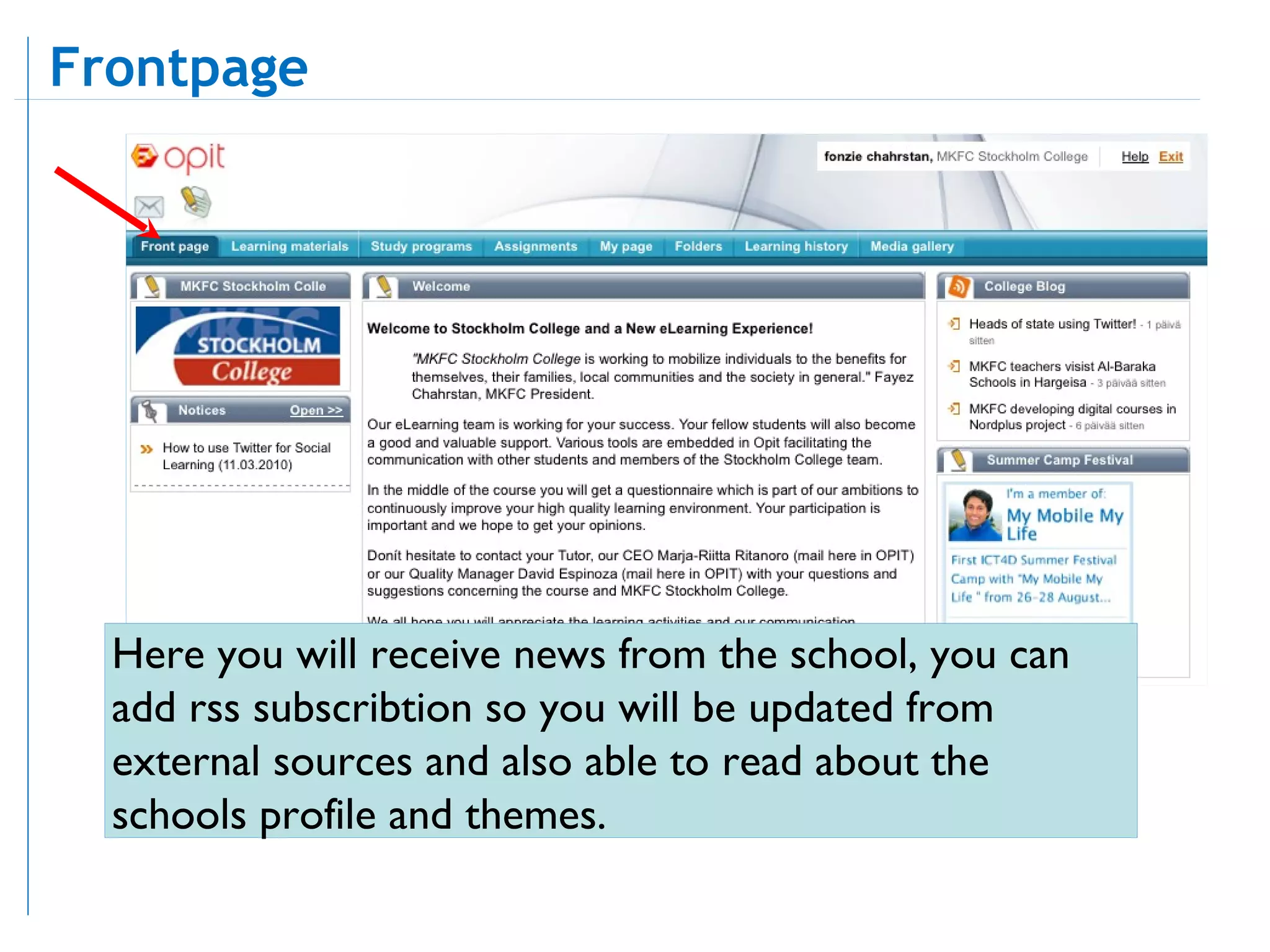
Here you will receive news from the school, you can add rss subscribtion so you will be updated from external sources and also able to read about the schools profile and themes. Frontpage
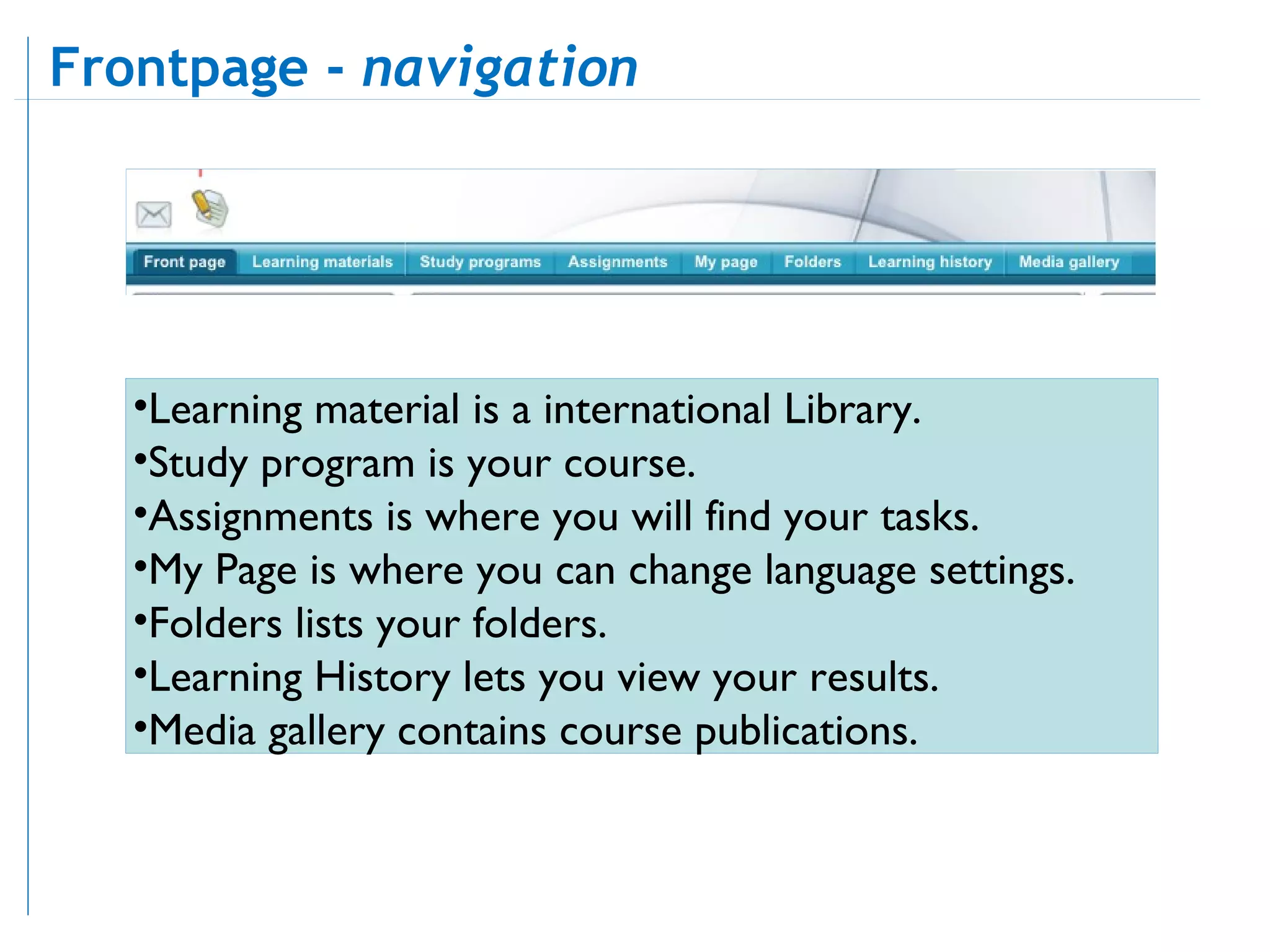
Learning material is a international Library.  Study program is your course.  Assignments is where you will find your tasks.  My Page is where you can change language settings.  Folders lists your folders.  Learning History lets you view your results.  Media gallery contains course publications.  Frontpage -  navigation
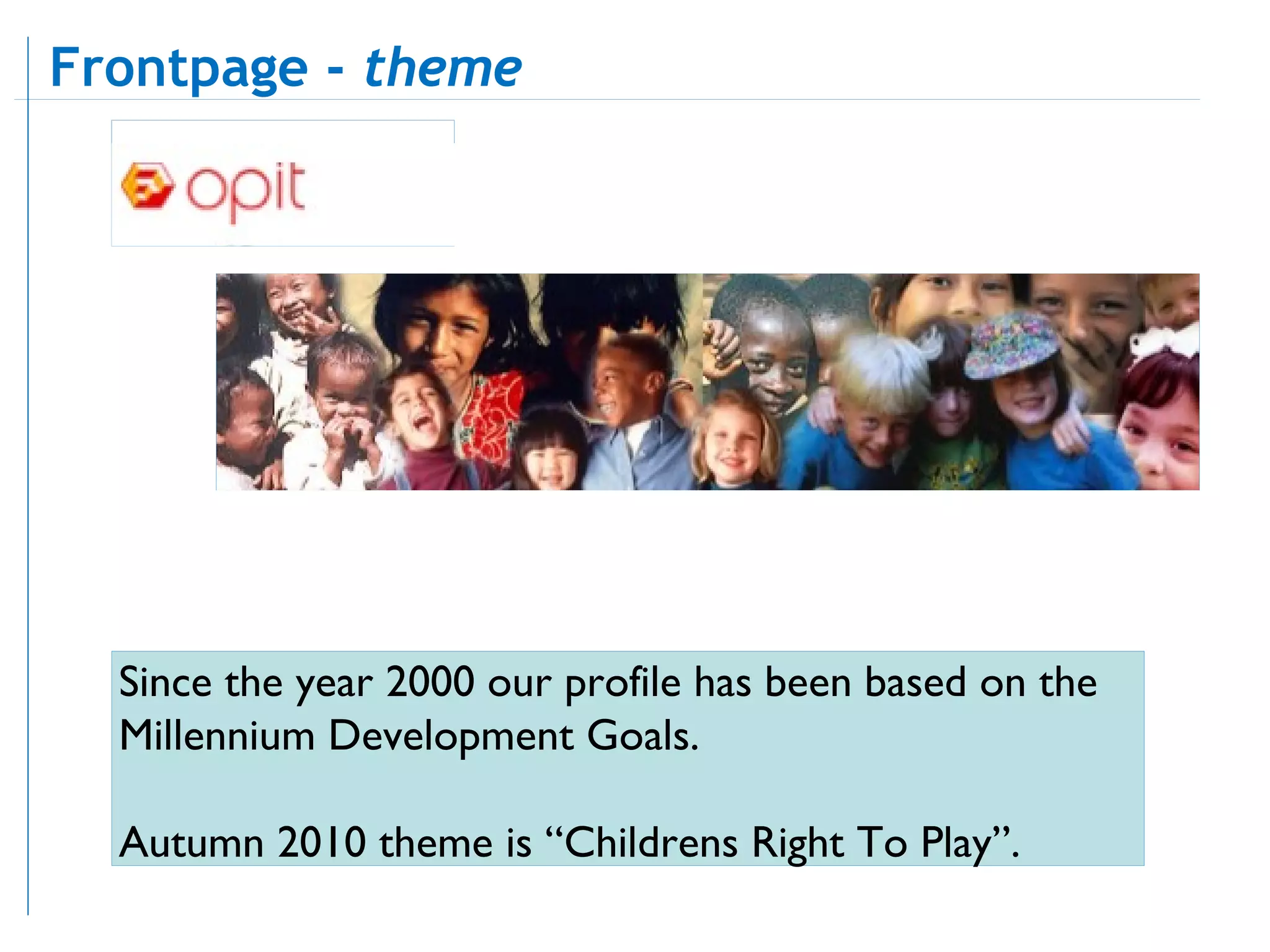
Since the year 2000 our profile has been based on the Millennium Development Goals.  Autumn 2010 theme is “Childrens Right To Play”. Frontpage -  theme
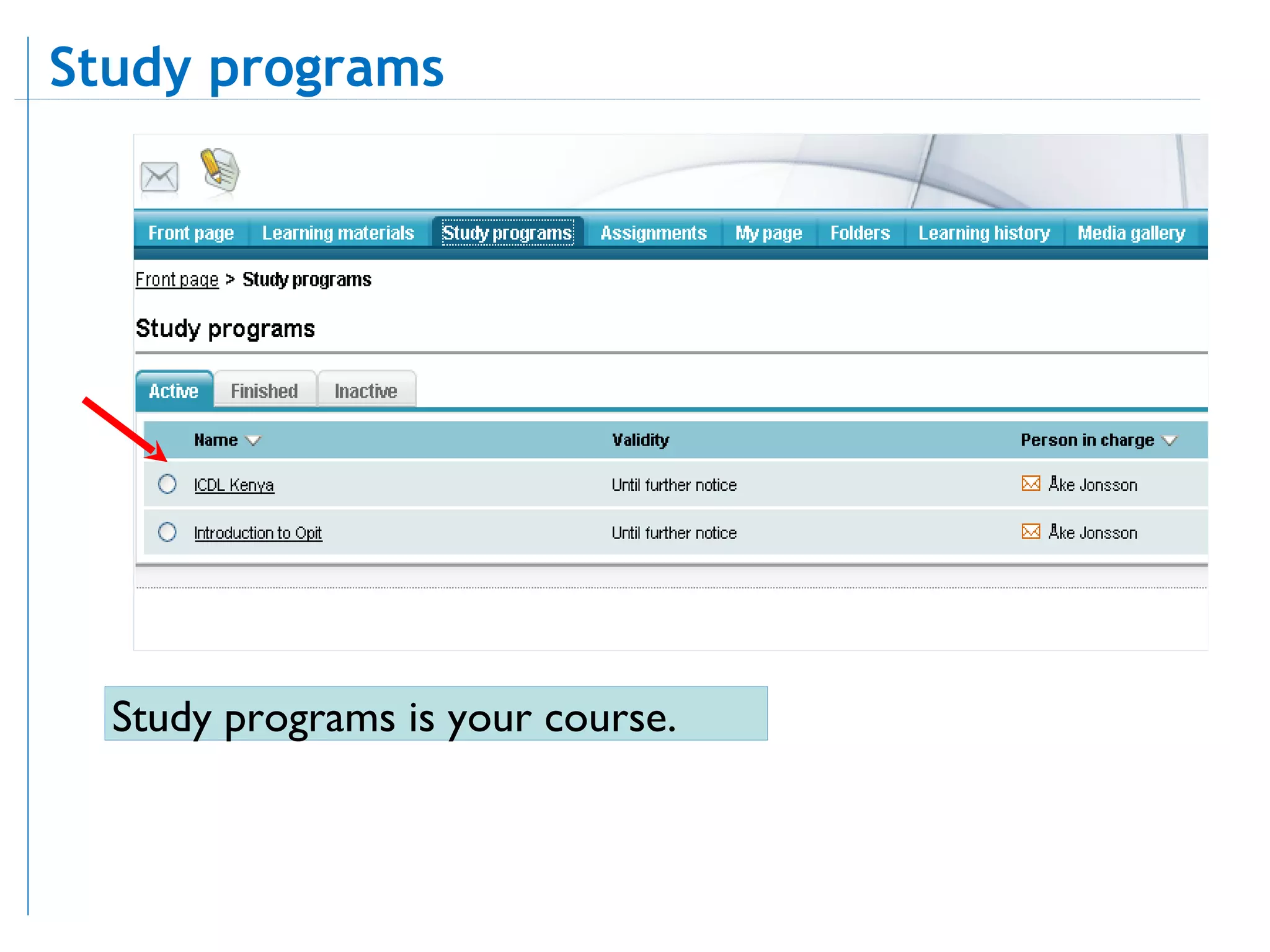
Study programs is your course. Study programs
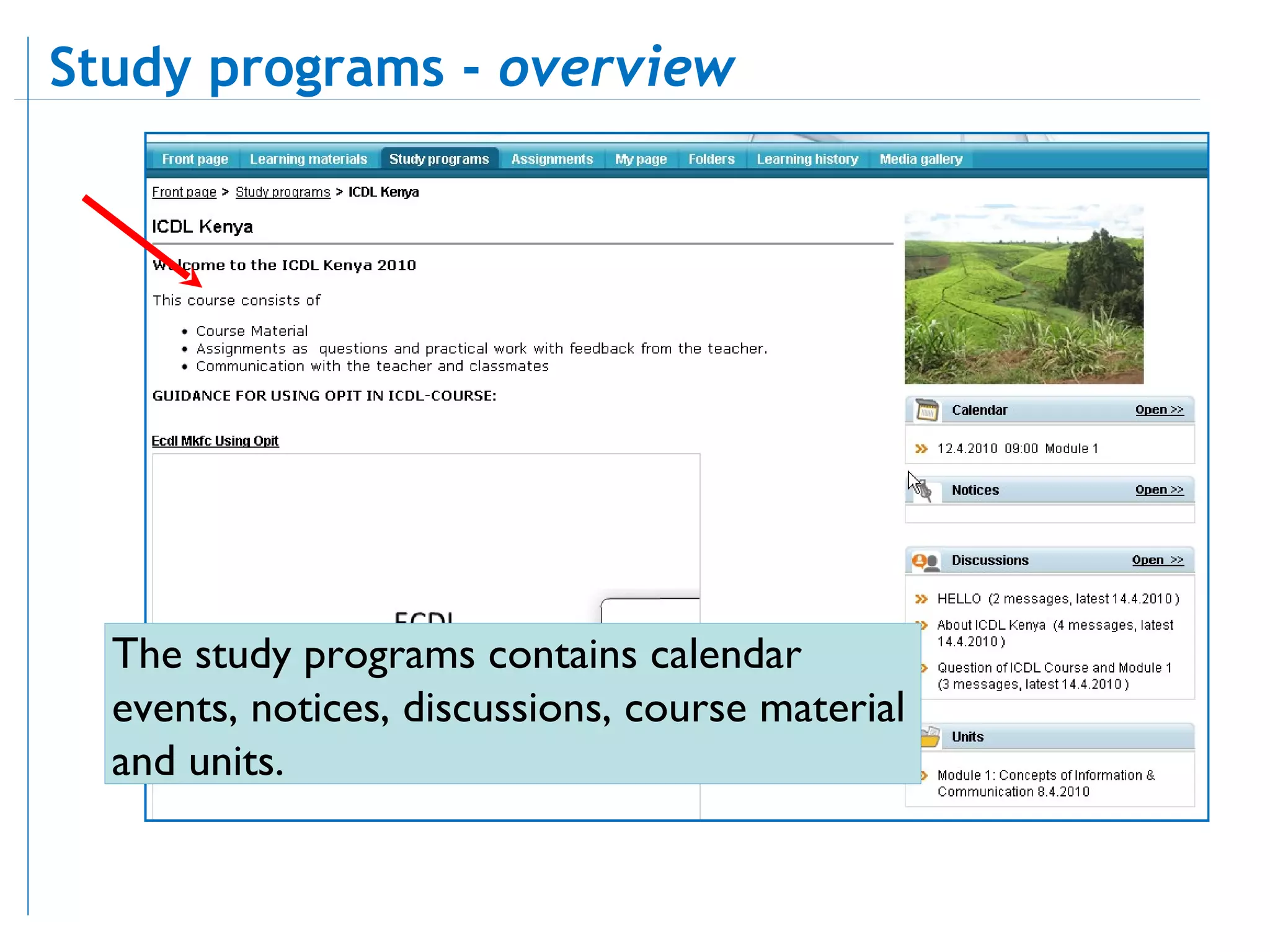
The study programs contains calendar events, notices, discussions, course material and units.  Study programs -  overview
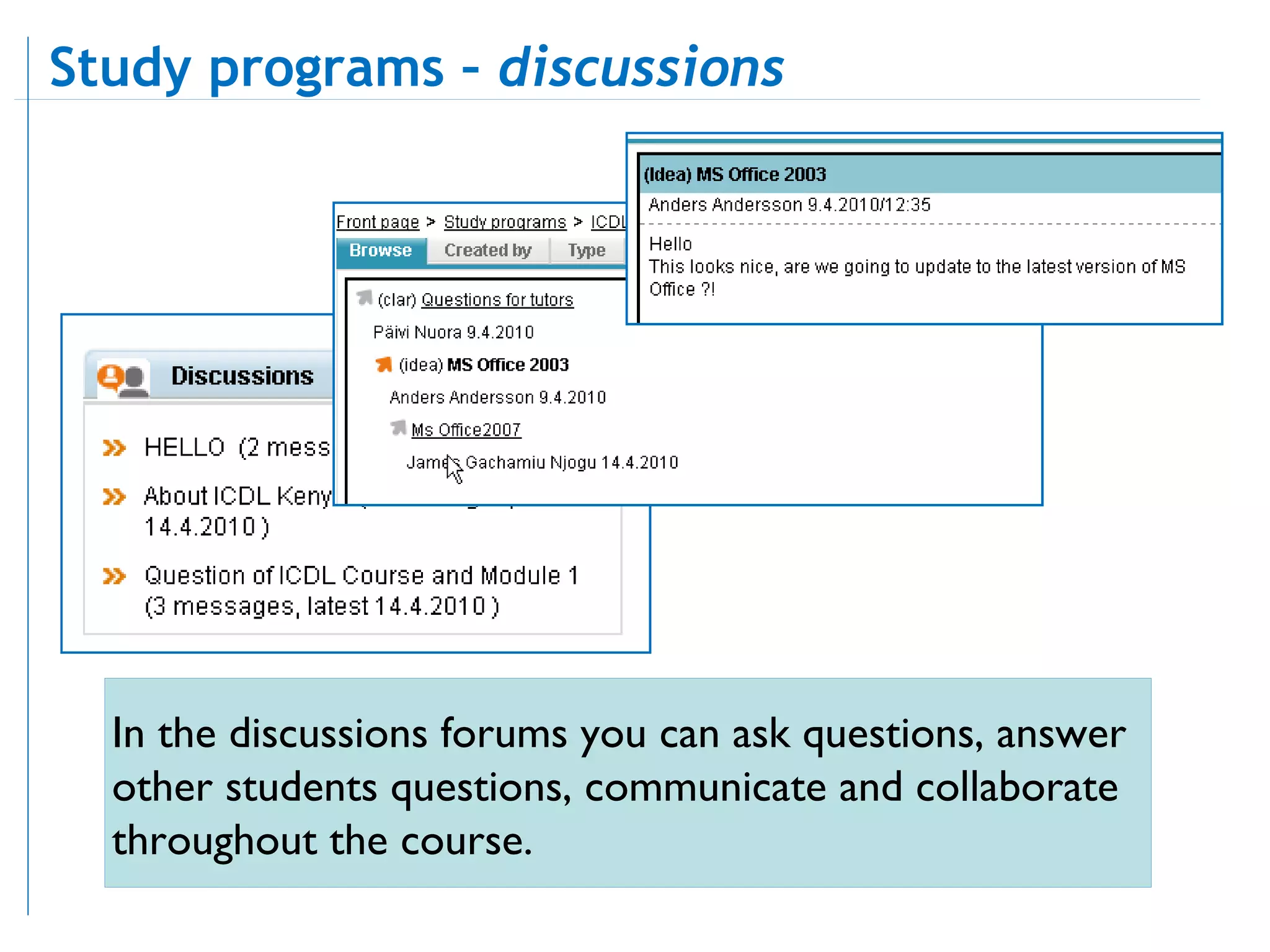
In the discussions forums you can ask questions, answer other students questions, communicate and collaborate throughout the course. Study programs –  discussions
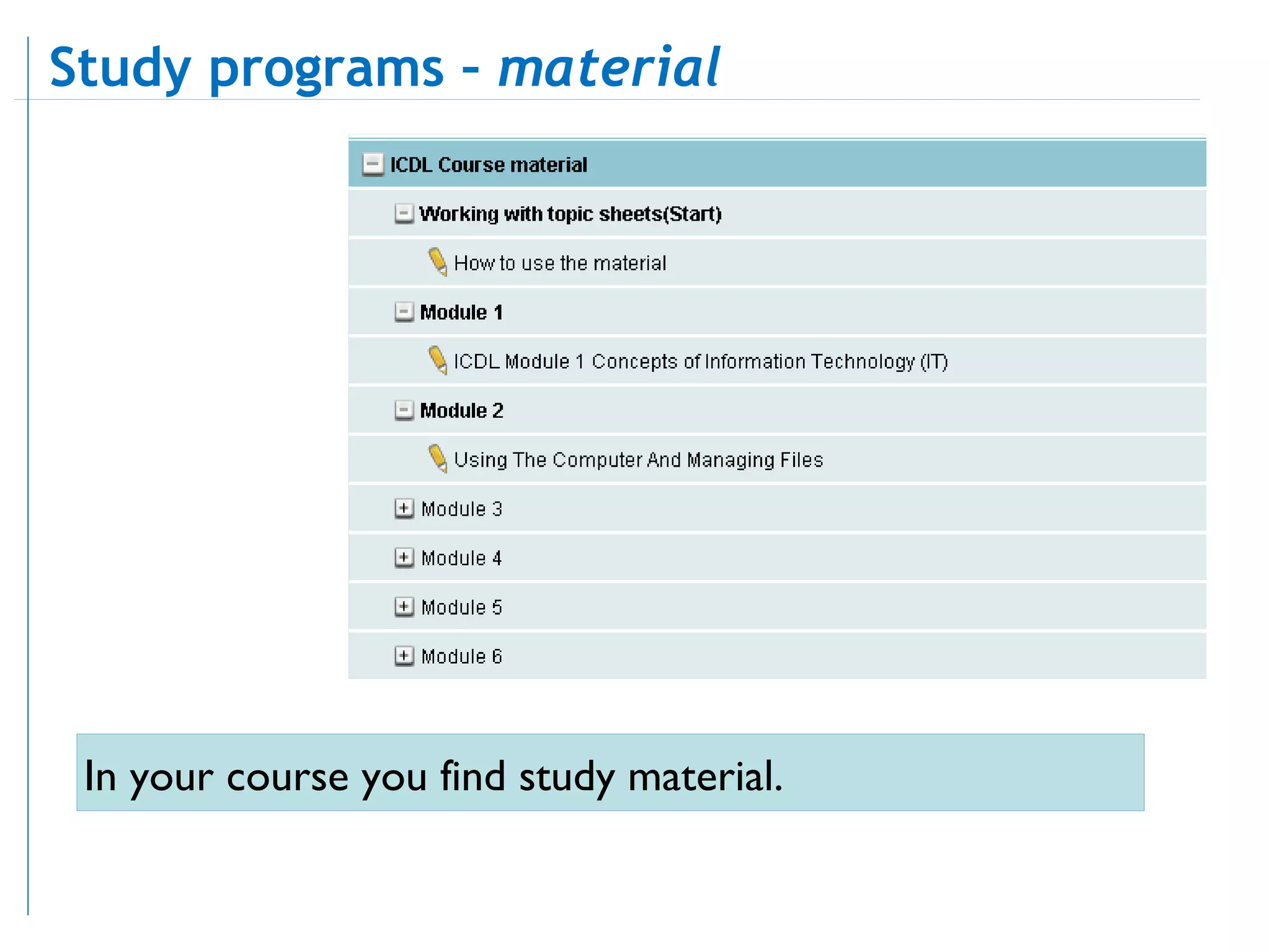
In your course you find study material.  Study programs –  material
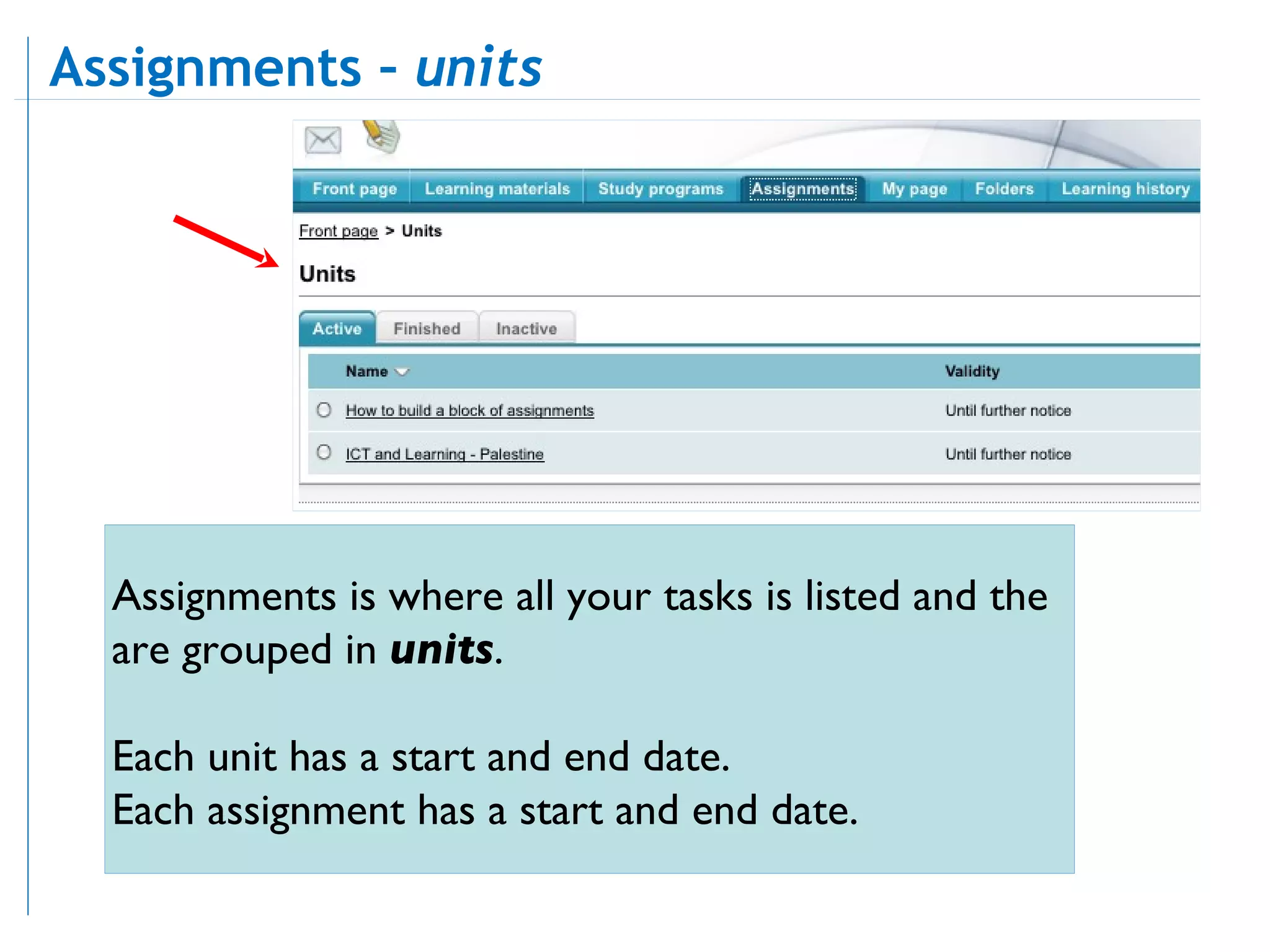
Assignments is where all your tasks is listed and the are grouped in  units . Each unit has a start and end date. Each assignment has a start and end date.  Assignments –  units
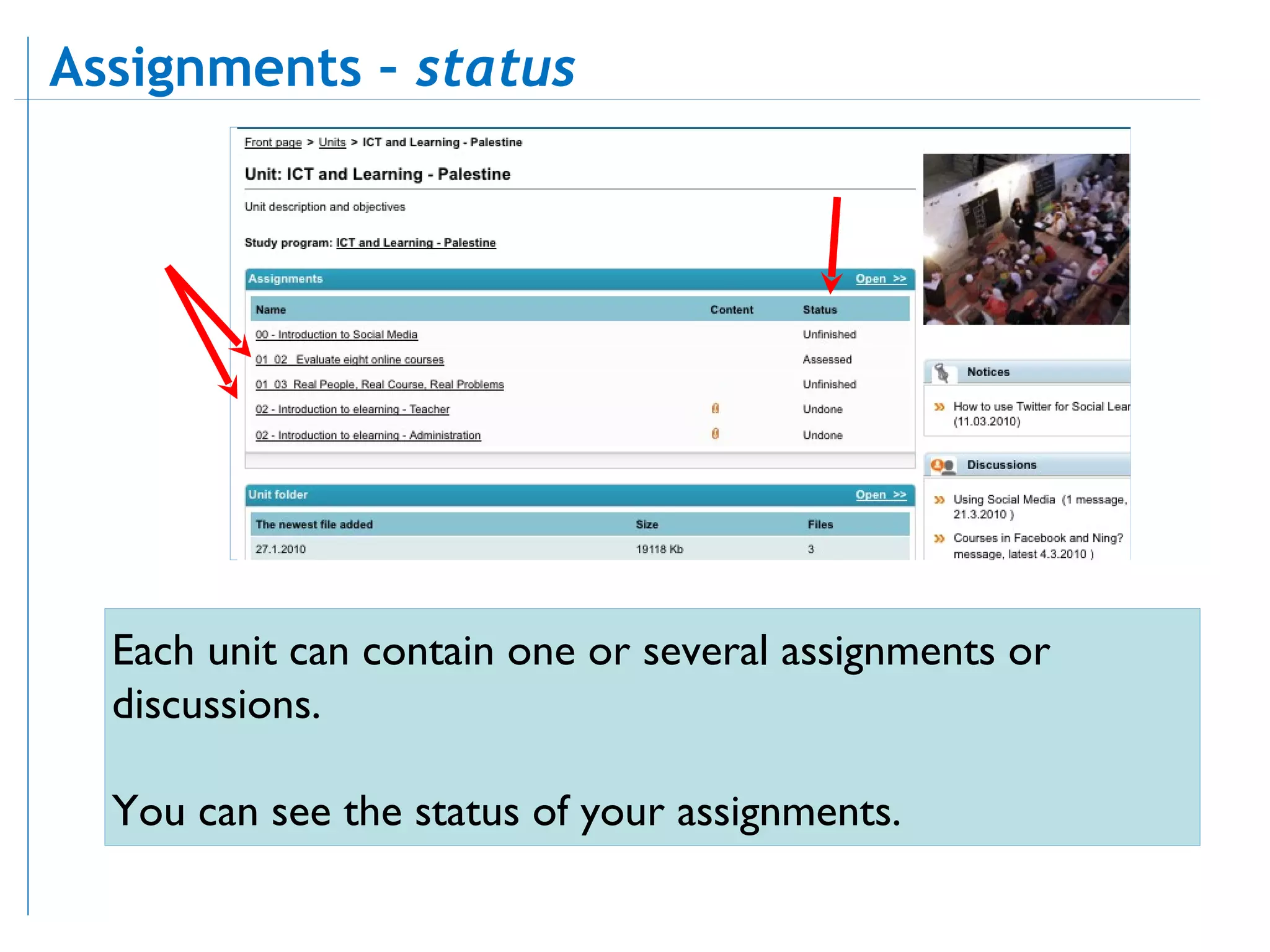
Each unit can contain one or several assignments or discussions.  You can see the status of your assignments.  Assignments –  status
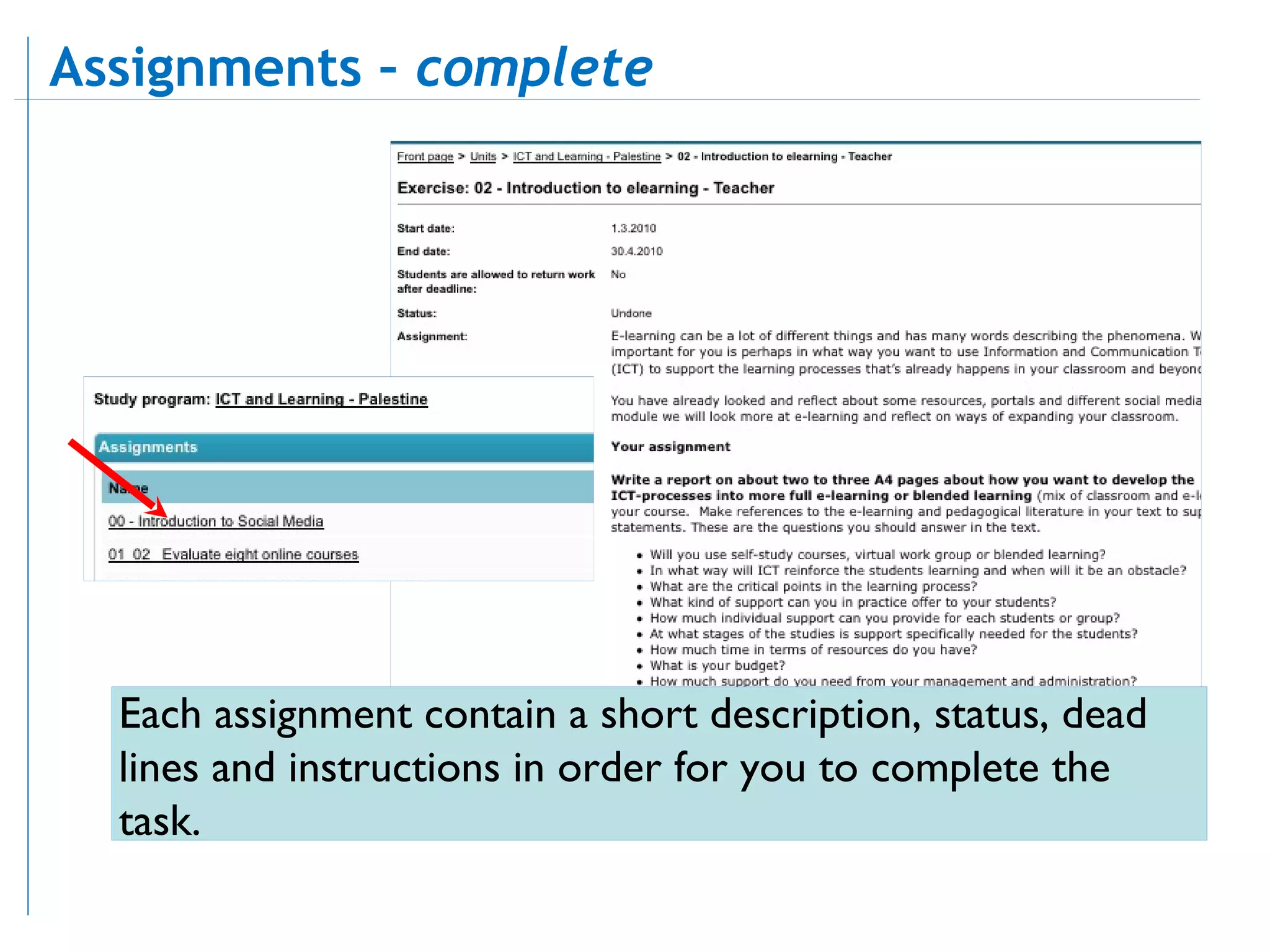
Each assignment contain a short description, status, dead lines and instructions in order for you to complete the task. Assignments –  complete
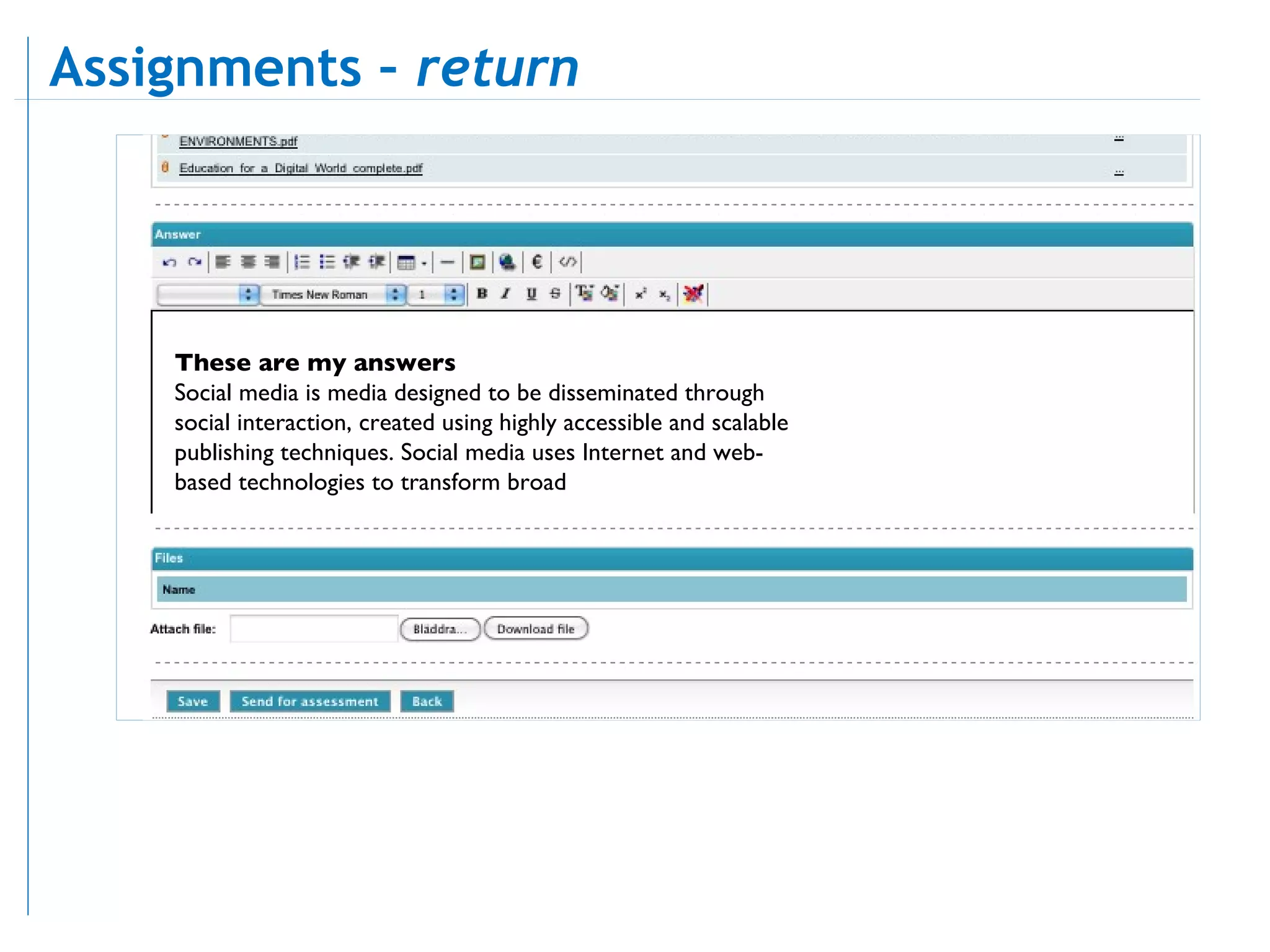
These are my answers Social media is media designed to be disseminated through social interaction, created using highly accessible and scalable publishing techniques. Social media uses Internet and web-based technologies to transform broad Assignments –  return
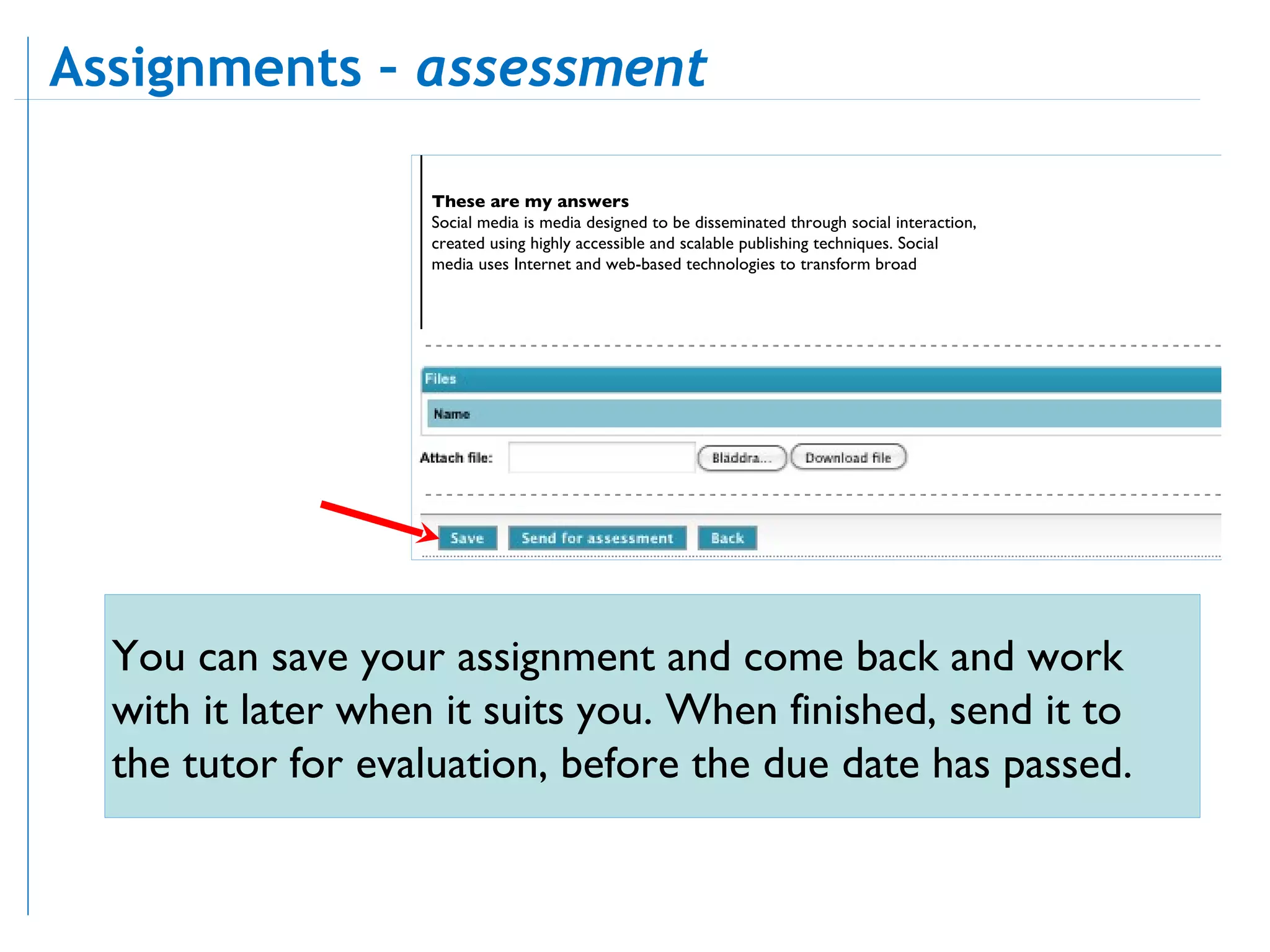
These are my answers Social media is media designed to be disseminated through social interaction, created using highly accessible and scalable publishing techniques. Social media uses Internet and web-based technologies to transform broad You can save your assignment and come back and work with it later when it suits you. When finished, send it to the tutor for evaluation, before the due date has passed. Assignments –  assessment
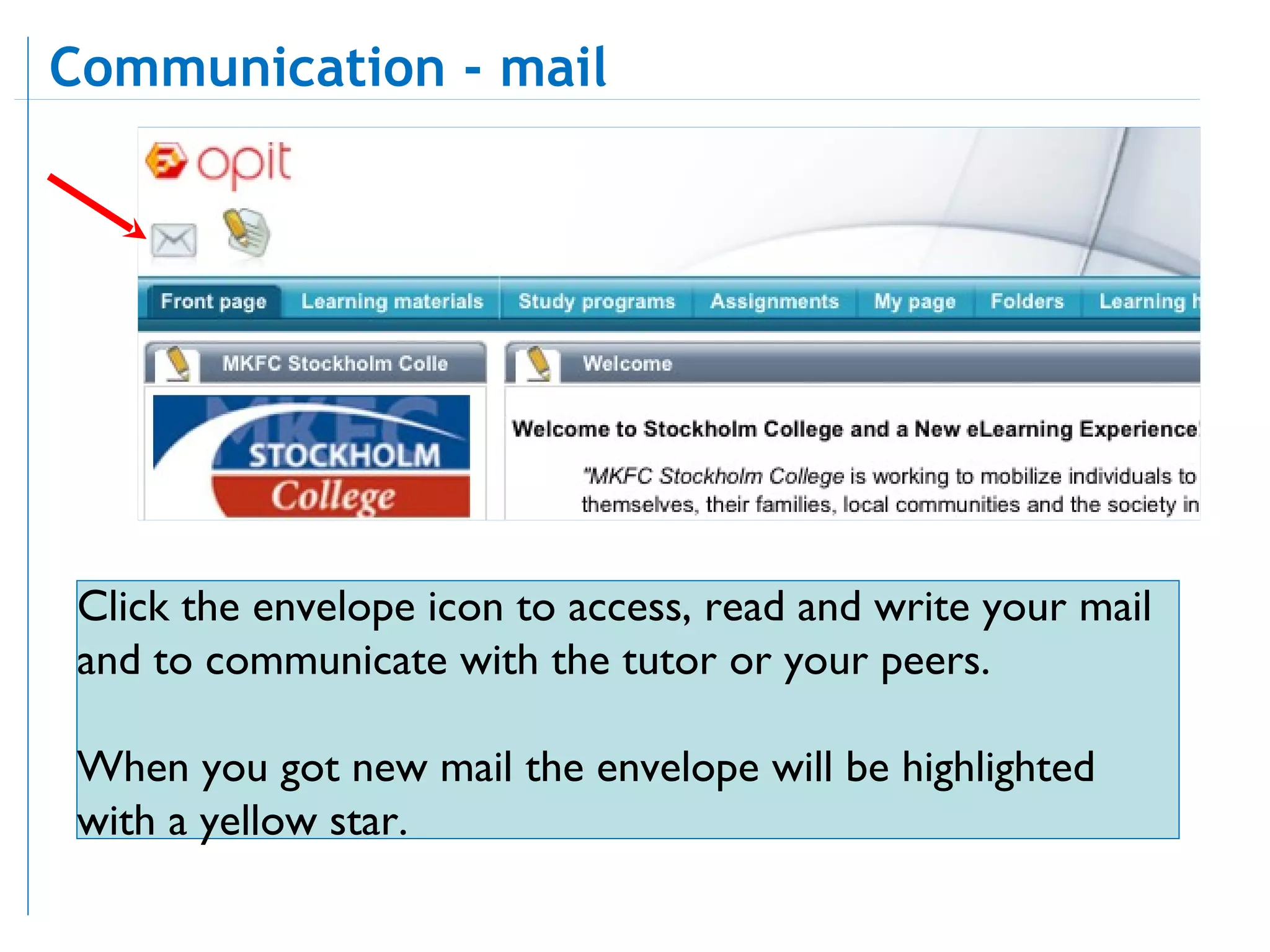
Click the envelope icon to access, read and write your mail and to communicate with the tutor or your peers. When you got new mail the envelope will be highlighted with a yellow star. Communication - mail
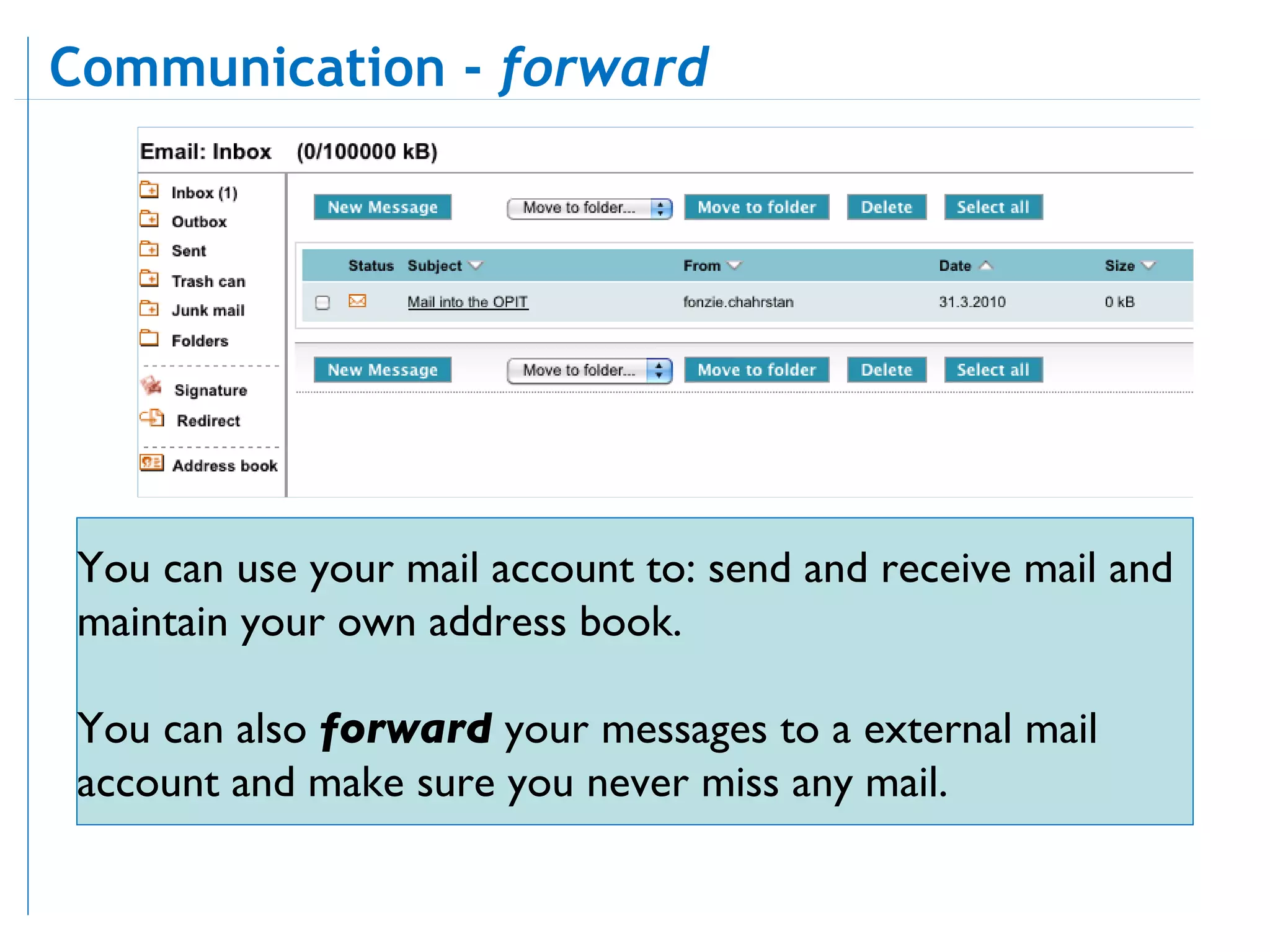
Communication -  forward You can use your mail account to: send and receive mail and maintain your own address book.  You can also  forward  your messages to a external mail account and make sure you never miss any mail.
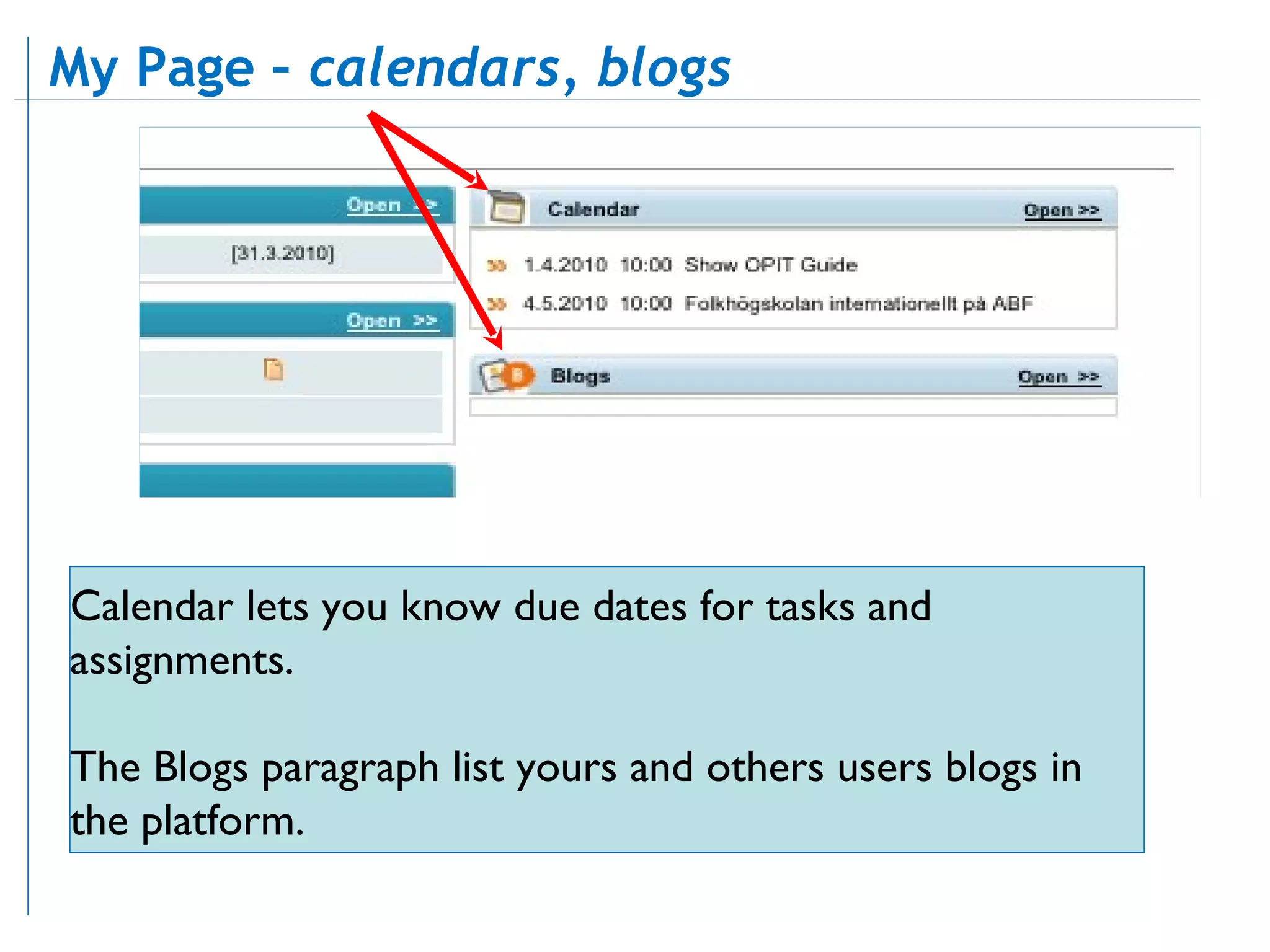
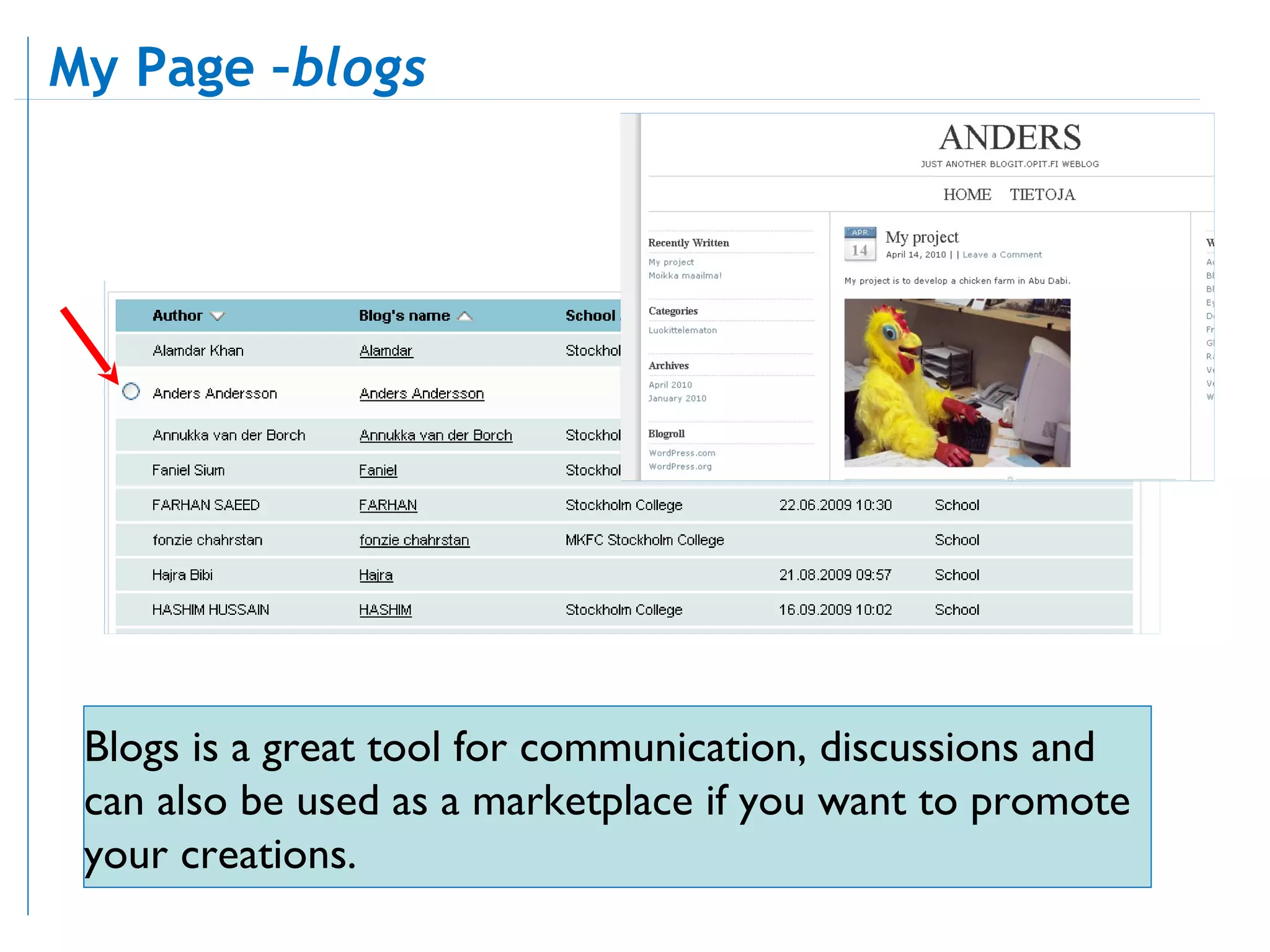
Calendar lets you know due dates for tasks and assignments.  The Blogs paragraph list yours and others users blogs in the platform.  My Page –  calendars, blogs
Blogs is a great tool for communication, discussions and can also be used as a marketplace if you want to promote your creations.  My Page – blogs
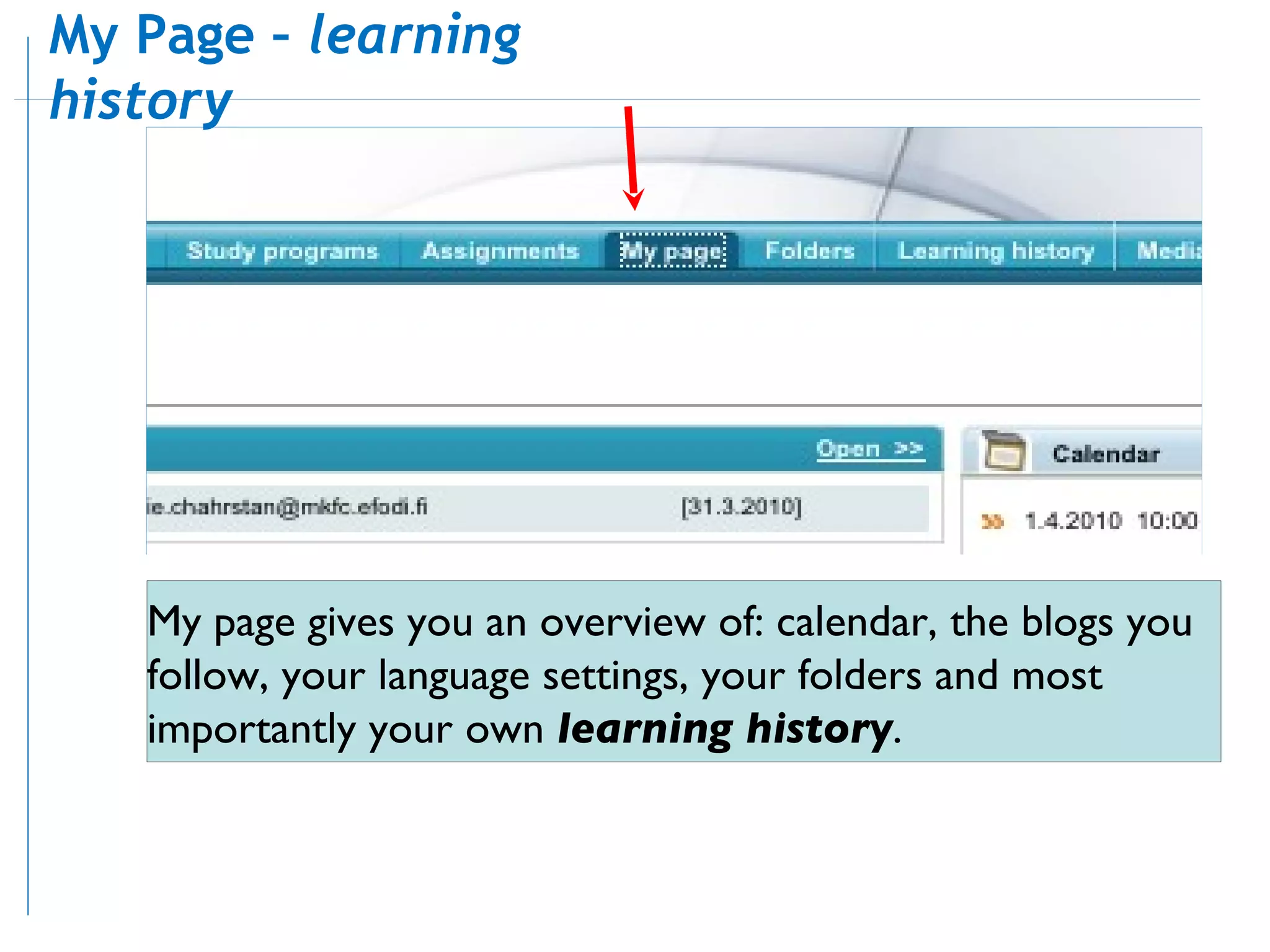
My page gives  you  an overview of: calendar, the blogs you follow, your language settings, your folders and most importantly your own  learning history . My Page –  learning history
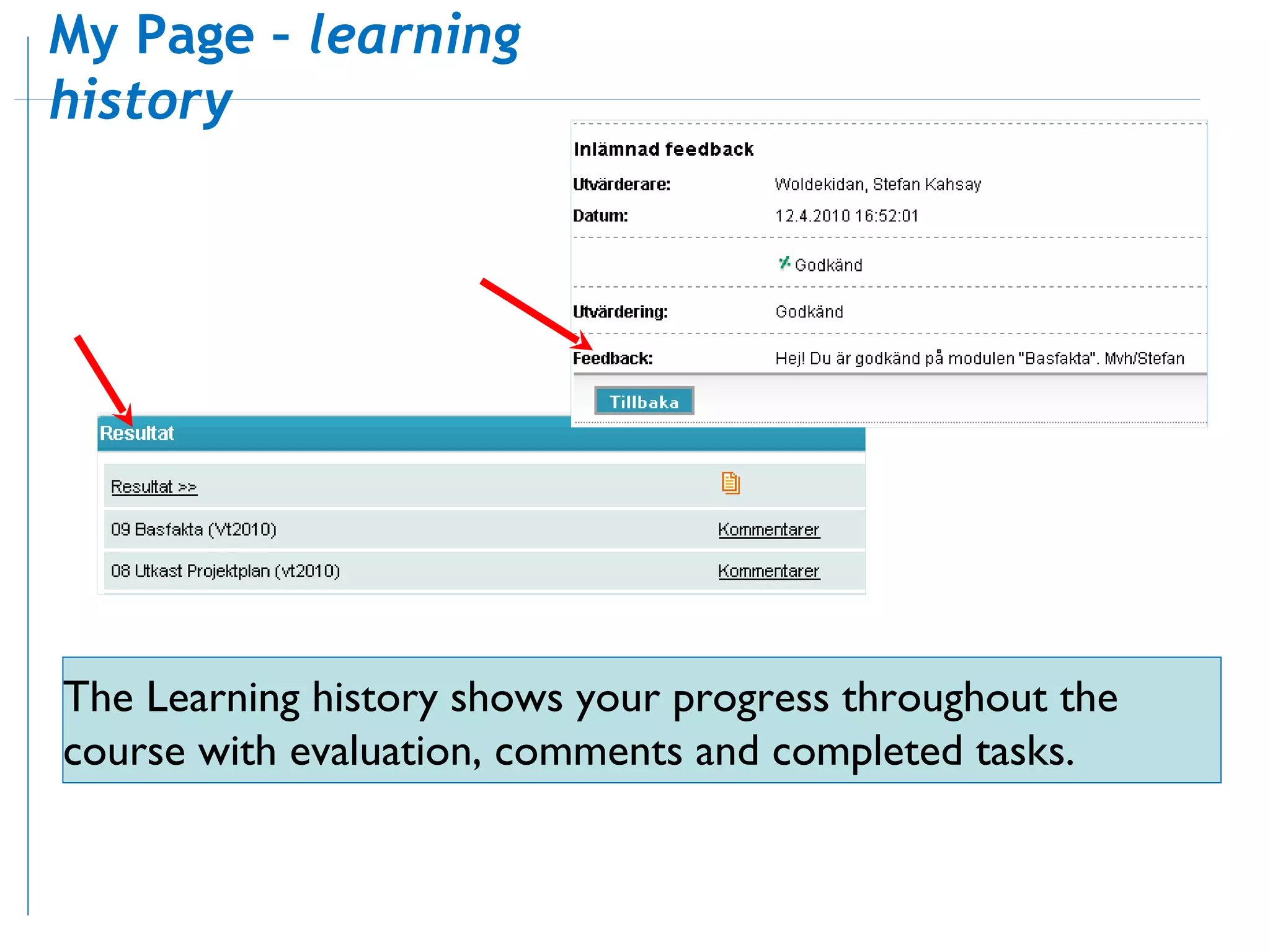
The Learning history shows your progress throughout the course with evaluation, comments and completed tasks. My Page –  learning history
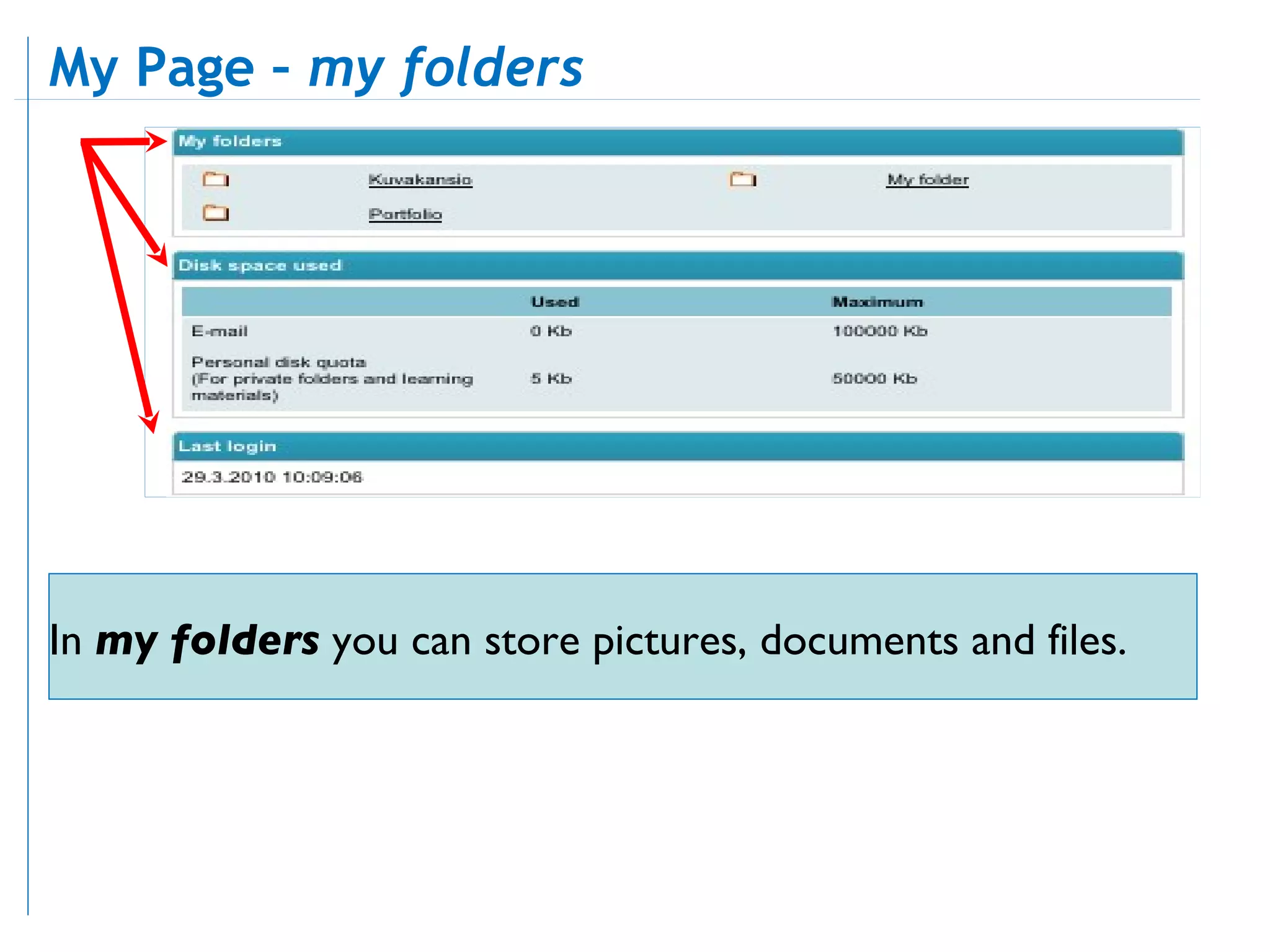
In  my folders  you can store pictures, documents and files. My Page –  my folders

Mkfc student-guide New

  • 1.
    This guide willintroduce the learning platform Opit, the learning process and the schools profile. Objectives Components in OPIT Learning process Schools theme Student Guide
  • 2.
    Here you willreceive news from the school, you can add rss subscribtion so you will be updated from external sources and also able to read about the schools profile and themes. Frontpage
  • 3.
    Learning material isa international Library. Study program is your course. Assignments is where you will find your tasks. My Page is where you can change language settings. Folders lists your folders. Learning History lets you view your results. Media gallery contains course publications. Frontpage - navigation
  • 4.
    Since the year2000 our profile has been based on the Millennium Development Goals. Autumn 2010 theme is “Childrens Right To Play”. Frontpage - theme
  • 5.
    Study programs isyour course. Study programs
  • 6.
    The study programscontains calendar events, notices, discussions, course material and units. Study programs - overview
  • 7.
    In the discussionsforums you can ask questions, answer other students questions, communicate and collaborate throughout the course. Study programs – discussions
  • 8.
    In your courseyou find study material. Study programs – material
  • 9.
    Assignments is whereall your tasks is listed and the are grouped in units . Each unit has a start and end date. Each assignment has a start and end date. Assignments – units
  • 10.
    Each unit cancontain one or several assignments or discussions. You can see the status of your assignments. Assignments – status
  • 11.
    Each assignment containa short description, status, dead lines and instructions in order for you to complete the task. Assignments – complete
  • 12.
    These are myanswers Social media is media designed to be disseminated through social interaction, created using highly accessible and scalable publishing techniques. Social media uses Internet and web-based technologies to transform broad Assignments – return
  • 13.
    These are myanswers Social media is media designed to be disseminated through social interaction, created using highly accessible and scalable publishing techniques. Social media uses Internet and web-based technologies to transform broad You can save your assignment and come back and work with it later when it suits you. When finished, send it to the tutor for evaluation, before the due date has passed. Assignments – assessment
  • 14.
    Click the envelopeicon to access, read and write your mail and to communicate with the tutor or your peers. When you got new mail the envelope will be highlighted with a yellow star. Communication - mail
  • 15.
    Communication - forward You can use your mail account to: send and receive mail and maintain your own address book. You can also forward your messages to a external mail account and make sure you never miss any mail.
  • 16.
    Calendar lets youknow due dates for tasks and assignments. The Blogs paragraph list yours and others users blogs in the platform. My Page – calendars, blogs
  • 17.
    Blogs is agreat tool for communication, discussions and can also be used as a marketplace if you want to promote your creations. My Page – blogs
  • 18.
    My page gives you an overview of: calendar, the blogs you follow, your language settings, your folders and most importantly your own learning history . My Page – learning history
  • 19.
    The Learning historyshows your progress throughout the course with evaluation, comments and completed tasks. My Page – learning history
  • 20.
    In myfolders you can store pictures, documents and files. My Page – my folders