Migraine Maintaining Live Production Sites Mukesh Agarwal iLoveBolly.com
AGENDA Discuss the development methodology Development – Staging - Production Synchronize our live websites with the current development Migraine  – Synchronize Databases SVN  – Synchronize file system
What we need? Add new features to the production site without affecting the content and of course with minimum downtime. How does  FACEBOOK  or  ORKUT  or any other social networking site do it?? Do we ever notice these sites down for development?? NO!! Yet, there are so many new features so very often!!! That’s what we need to implement in Drupal!!!
Possibilities in Drupal Unfortunately, there are not too many ways to proceed with migrating your development to the production. Why is it difficult in Drupal??  Drupal stores a lot of its configuration in database , and there is no module or tool to draw a line between your configuration and content. Disappointment for all those who thought it’s a 1-click feature
What then?? Don’t worry!! We are not in a no man’s land.  Big Shots might be using some rocket science, but then here comes  MIGRAINE  to aid of Drupal developers and make their life easy working with it.
Set the environment Lets understand the generic 4-tiers here. Development Working Environment for individuals or small teams Radical changes can be tried without adversely affecting the rest of development Optional Integration Common Environment for developers to commit code changes – combine and validate work of entire team Subset of data to test boundary conditions Refresh/Update the subset frequently
Cont… Staging To test your new features with the existing content Simulate as much of production environment as possible [including software configurations] Independent copy of production database to provide a true basis for QA testing Production The hosted website
SVN Subversion (SVN) is a version control system, thus we can use commits and rollbacks. Create a SVN repository at the development site The development team takes a checkout of this repository Staging can be at the same host as production [Pro: Identical server configuration for simulation] Staging is also a a checkout of the repository.
Points to note Developers only commit  only  the  changes  that are tested on their local box. Developers should  work on different files . If they work on same file, then one commits, the other updates and then commit. At no point is change made in staging or production environments.
Synchronize files Drupal is very much extensible. We can customize our website completely without changing anything in the core. Make all your modules and themes available in  sites/all  dir Now, we need to commit/update this and this directory only.  Developers commit from their local boxes when the change works fine for them.
Cont… Integration site updates all these changes made by the developers and commits them if they work fine along with other changes made by the developers. The staging site now looks for an update, checks the changes that are coming in, conforms with those made at the integration and then updates accordingly.
What with database? Files are synchronized. Yes!! Not the database. We need to bring the configuration of integration environment to the staging and test it with the production content. Let us now understand MIGRAINE
MIGRAINE It is a  python script  that allows you to migrate content/configuration [acc to needs] Drupal doesn’t have a strong concept of  separation between configuration and content . The script attempts to provide one. Freely available under the  GNU General Public License
Requirements Python 2.4  or higher – to run the python script Shell Access  – to integrate with your database Most important,  understanding of your drupal database  – Its you who have to categorize your tables. Don’t worry you don’t need to categorize everything. [Tables for additional modules and custom content types need to be classified]
Migraine unveiled So what’s the mystery behind the script? There are just 2 files that need to be manipulated migraine.py  – The python script that does all the work migraine.ini  – The configuration file given as an input to the python script
Test-Prod Analogy Test site is the one which has the configuration required to migrate to production Prod site is the one which has the content Dev to staging  – dev becomes test and staging prod Staging to prod  – staging becomes test and prod is prod
Settings file Specifies the  hosts ip/domain-name  and the  database name  for test and prod servers Also specifies the directories where the temporary database backups are stored Optionally specifies the  database prefixes  – useful in case of multisite migration.
The python script Defines six categories Config  – the configuration tables, e.g. variable Content  – the content tables, e.g. node, users Temp  – temporary tables, e.g. watchdog, sessions Cache  – cache tables, e.g. cache, cache_content Sequence  – the sequence table Ignore  – tables that you don’t want to include How to identify which tables go in which category?? Will look at it in the demonstration!!
Workflow Takes a  backup  of test and prod databases before proceeding so that the databases can be restored if things do not work. The backup contains  7 sql files , one for each category except content which has 2 sql files, one for the content schema and the other for content data. Compares the  content schema  of both databases using a diff command. Tricky!! Does not make any change if the schemas do not match and show the errors.
Cont… Clears cache , dumps schema of temp tables. If schemas match, replaces the configuration/content according to our need. Also,  updates the sequences table . [This is cool, as it updates rows according to the command we give]
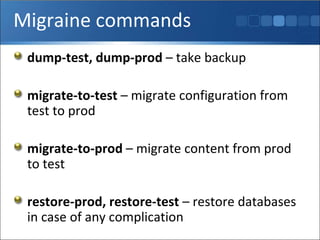
Migraine commands dump-test, dump-prod  – take backup migrate-to-test  – migrate configuration from test to prod migrate-to-prod  – migrate content from prod to test restore-prod, restore-test  – restore databases in case of any complication
Demonstration Lets go through the series of steps involved via a demonstration. Few things – the demonstration assumes all the three dev-staging-production are on the same host, i.e. my localhost    However, this works well with all of them being on different sites.
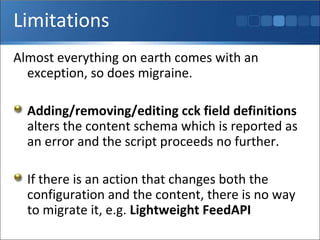
Limitations Almost everything on earth comes with an exception, so does migraine.  Adding/removing/editing cck field definitions  alters the content schema which is reported as an error and the script proceeds no further. If there is an action that changes both the configuration and the content, there is no way to migrate it, e.g.  Lightweight FeedAPI
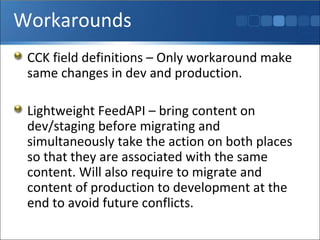
Workarounds CCK field definitions – Only workaround make same changes in dev and production. Lightweight FeedAPI – bring content on dev/staging before migrating and simultaneously take the action on both places so that they are associated with the same content. Will also require to migrate and content of production to development at the end to avoid future conflicts.
Conclusion Downtime is pretty low , optionally you can serve your site through another instance while migration is in the process. Looking for a social networking site?? You will need to update features on regular basis to stay at par with your competitors!! Migraine provides answers to your ‘How … ??’ questions.
Thank You For the  Patience Happy Drupaling !! Do have a look at  iLoveBolly.com  

Migraine Drupal - syncing your staging and live sites

  • 1.
    Migraine Maintaining LiveProduction Sites Mukesh Agarwal iLoveBolly.com
  • 2.
    AGENDA Discuss thedevelopment methodology Development – Staging - Production Synchronize our live websites with the current development Migraine – Synchronize Databases SVN – Synchronize file system
  • 3.
    What we need?Add new features to the production site without affecting the content and of course with minimum downtime. How does FACEBOOK or ORKUT or any other social networking site do it?? Do we ever notice these sites down for development?? NO!! Yet, there are so many new features so very often!!! That’s what we need to implement in Drupal!!!
  • 4.
    Possibilities in DrupalUnfortunately, there are not too many ways to proceed with migrating your development to the production. Why is it difficult in Drupal?? Drupal stores a lot of its configuration in database , and there is no module or tool to draw a line between your configuration and content. Disappointment for all those who thought it’s a 1-click feature
  • 5.
    What then?? Don’tworry!! We are not in a no man’s land. Big Shots might be using some rocket science, but then here comes MIGRAINE to aid of Drupal developers and make their life easy working with it.
  • 6.
    Set the environmentLets understand the generic 4-tiers here. Development Working Environment for individuals or small teams Radical changes can be tried without adversely affecting the rest of development Optional Integration Common Environment for developers to commit code changes – combine and validate work of entire team Subset of data to test boundary conditions Refresh/Update the subset frequently
  • 7.
    Cont… Staging Totest your new features with the existing content Simulate as much of production environment as possible [including software configurations] Independent copy of production database to provide a true basis for QA testing Production The hosted website
  • 8.
    SVN Subversion (SVN)is a version control system, thus we can use commits and rollbacks. Create a SVN repository at the development site The development team takes a checkout of this repository Staging can be at the same host as production [Pro: Identical server configuration for simulation] Staging is also a a checkout of the repository.
  • 9.
    Points to noteDevelopers only commit only the changes that are tested on their local box. Developers should work on different files . If they work on same file, then one commits, the other updates and then commit. At no point is change made in staging or production environments.
  • 10.
    Synchronize files Drupalis very much extensible. We can customize our website completely without changing anything in the core. Make all your modules and themes available in sites/all dir Now, we need to commit/update this and this directory only. Developers commit from their local boxes when the change works fine for them.
  • 11.
    Cont… Integration siteupdates all these changes made by the developers and commits them if they work fine along with other changes made by the developers. The staging site now looks for an update, checks the changes that are coming in, conforms with those made at the integration and then updates accordingly.
  • 12.
    What with database?Files are synchronized. Yes!! Not the database. We need to bring the configuration of integration environment to the staging and test it with the production content. Let us now understand MIGRAINE
  • 13.
    MIGRAINE It isa python script that allows you to migrate content/configuration [acc to needs] Drupal doesn’t have a strong concept of separation between configuration and content . The script attempts to provide one. Freely available under the GNU General Public License
  • 14.
    Requirements Python 2.4 or higher – to run the python script Shell Access – to integrate with your database Most important, understanding of your drupal database – Its you who have to categorize your tables. Don’t worry you don’t need to categorize everything. [Tables for additional modules and custom content types need to be classified]
  • 15.
    Migraine unveiled Sowhat’s the mystery behind the script? There are just 2 files that need to be manipulated migraine.py – The python script that does all the work migraine.ini – The configuration file given as an input to the python script
  • 16.
    Test-Prod Analogy Testsite is the one which has the configuration required to migrate to production Prod site is the one which has the content Dev to staging – dev becomes test and staging prod Staging to prod – staging becomes test and prod is prod
  • 17.
    Settings file Specifiesthe hosts ip/domain-name and the database name for test and prod servers Also specifies the directories where the temporary database backups are stored Optionally specifies the database prefixes – useful in case of multisite migration.
  • 18.
    The python scriptDefines six categories Config – the configuration tables, e.g. variable Content – the content tables, e.g. node, users Temp – temporary tables, e.g. watchdog, sessions Cache – cache tables, e.g. cache, cache_content Sequence – the sequence table Ignore – tables that you don’t want to include How to identify which tables go in which category?? Will look at it in the demonstration!!
  • 19.
    Workflow Takes a backup of test and prod databases before proceeding so that the databases can be restored if things do not work. The backup contains 7 sql files , one for each category except content which has 2 sql files, one for the content schema and the other for content data. Compares the content schema of both databases using a diff command. Tricky!! Does not make any change if the schemas do not match and show the errors.
  • 20.
    Cont… Clears cache, dumps schema of temp tables. If schemas match, replaces the configuration/content according to our need. Also, updates the sequences table . [This is cool, as it updates rows according to the command we give]
  • 21.
    Migraine commands dump-test,dump-prod – take backup migrate-to-test – migrate configuration from test to prod migrate-to-prod – migrate content from prod to test restore-prod, restore-test – restore databases in case of any complication
  • 22.
    Demonstration Lets gothrough the series of steps involved via a demonstration. Few things – the demonstration assumes all the three dev-staging-production are on the same host, i.e. my localhost  However, this works well with all of them being on different sites.
  • 23.
    Limitations Almost everythingon earth comes with an exception, so does migraine. Adding/removing/editing cck field definitions alters the content schema which is reported as an error and the script proceeds no further. If there is an action that changes both the configuration and the content, there is no way to migrate it, e.g. Lightweight FeedAPI
  • 24.
    Workarounds CCK fielddefinitions – Only workaround make same changes in dev and production. Lightweight FeedAPI – bring content on dev/staging before migrating and simultaneously take the action on both places so that they are associated with the same content. Will also require to migrate and content of production to development at the end to avoid future conflicts.
  • 25.
    Conclusion Downtime ispretty low , optionally you can serve your site through another instance while migration is in the process. Looking for a social networking site?? You will need to update features on regular basis to stay at par with your competitors!! Migraine provides answers to your ‘How … ??’ questions.
  • 26.
    Thank You Forthe Patience Happy Drupaling !! Do have a look at iLoveBolly.com 

Editor's Notes

  • #2 06/07/09 12:50 © 2007 Microsoft Corporation. All rights reserved. Microsoft, Windows, Windows Vista and other product names are or may be registered trademarks and/or trademarks in the U.S. and/or other countries. The information herein is for informational purposes only and represents the current view of Microsoft Corporation as of the date of this presentation. Because Microsoft must respond to changing market conditions, it should not be interpreted to be a commitment on the part of Microsoft, and Microsoft cannot guarantee the accuracy of any information provided after the date of this presentation. MICROSOFT MAKES NO WARRANTIES, EXPRESS, IMPLIED OR STATUTORY, AS TO THE INFORMATION IN THIS PRESENTATION.