KEEPING LOCAL, STAGING &
PRODUCTION SITES IN SYNC
Or, Stop Being A Cowboy Coder!
HI! I’M DAVID
Malaysia
blogjunkie
ClickWP
≃10 yearsƁ
STOP BEING A
COWBOY CODER
FRAMING THE
DISCUSSION
Work on a staging copy 

of the site instead
Editing code on live sites 

is dangerous
production site
pro·duc·tion | prə-ˈdək-shən
The live version of your site,
available to public audiences
staging site
sta·ging | stey-jing
A test copy of the site, for
testing and QA of new code,
design or features
Make changes to a local copy,
then sync to staging / production
It's inefficient to make direct
changes to sites on the web
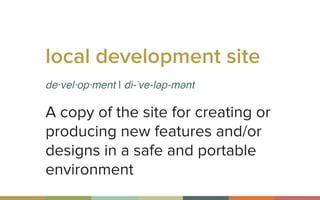
local development site
de·vel·op·ment | di-ˈve-ləp-mənt
A copy of the site for creating or
producing new features and/or
designs in a safe and portable
environment
Use DesktopServer or MAMP
It's difficult to run local copies of sites
I’ve got some recommendations
to make it easier
Syncing updates is difficult
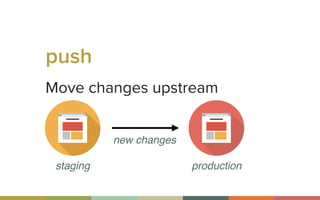
Move changes upstream
push
staging production
new changes
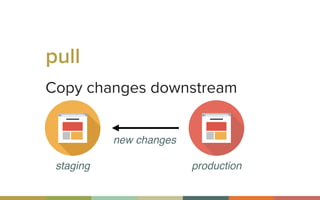
Copy changes downstream
pull
staging production
new changes
STOP BEING A COWBOY
HOW TO CREATE
STAGING SITES
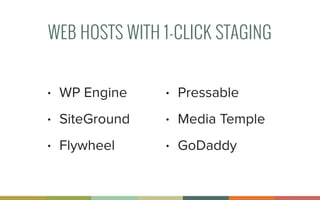
WEB HOSTS WITH 1-CLICK STAGING
• WP Engine
• SiteGround
• Flywheel

• Pressable
• Media Temple
• GoDaddy
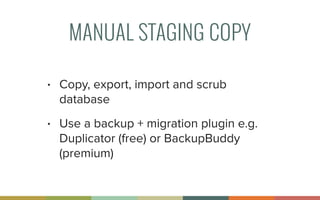
MANUAL STAGING COPY
• Copy, export, import and scrub
database
• Use a backup + migration plugin e.g.
Duplicator (free) or BackupBuddy
(premium)
HOW TO CREATE
LOCAL DEV SITES
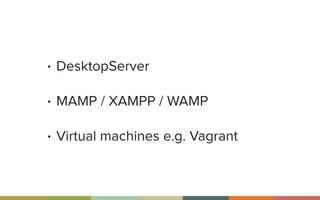
• DesktopServer
• MAMP / XAMPP / WAMP
• Virtual machines e.g. Vagrant
SYNCING CHANGES
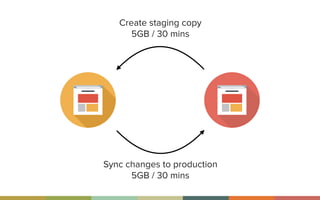
Create staging copy
5GB / 30 mins
Sync changes to production
5GB / 30 mins
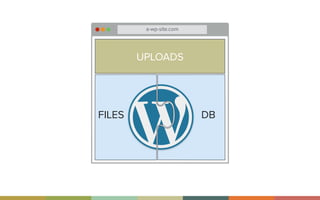
a-wp-site.com
UPLOADS
DBFILES
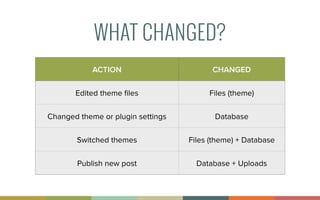
WHAT CHANGED?
ACTION CHANGED
Edited theme files Files (theme)
Changed theme or plugin settings Database
Switched themes Files (theme) + Database
Publish new post Database + Uploads
SYNC CHANGES ONLY
Even for staging sites; no need to create
new staging site each time
Uploads don’t need to be synced as much
Take care not to overwrite user generated
content e.g. comments
HOW TO SYNC
GUIDELINES TO LIVE BY
Always. Backup. Production.
Database replacements should only go
production → staging / dev
Deploy from dev to production if possible
(avoid staging)
EASY WAYS TO SYNC
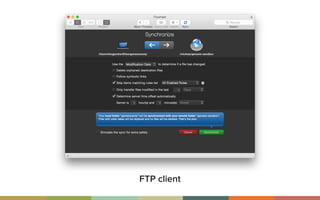
FTP client
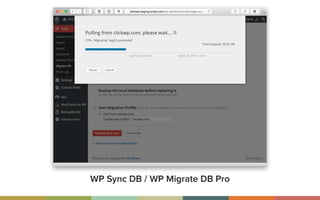
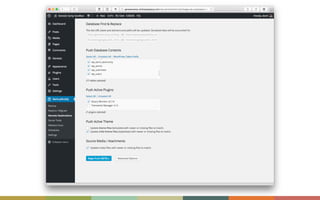
WP MIGRATE DB PRO
• Push and pull databases
• Media add-on will even sync files
• Starts at $90/yr - deliciousbrains.com
• Alternate, free fork = WP Sync DB

github.com/wp-­‐sync-­‐db/wp-­‐sync-­‐db
WP Sync DB / WP Migrate DB Pro
DUPLICATOR PLUGIN
• Cannot sync changes only
• Geared at technical audience
• Great free alternative
• https://wordpress.org/plugins/
duplicator/
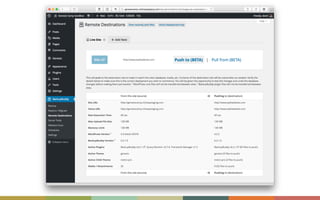
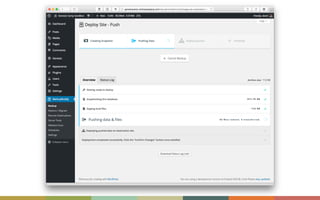
BACKUPBUDDY DEPLOYMENT
• Sync changes from / to development,
staging and production
• Push and pull selected themes, plugins
and database tables
• A little iffy, not 100% reliable
• https://ithemes.com/wordpress-­‐
backup-­‐plugin-­‐for-­‐developers/
ADVANCED 

WAYS TO SYNC
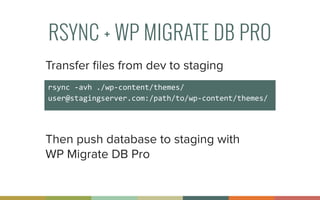
RSYNC + WP MIGRATE DB PRO
rsync	
  -­‐avh	
  ./wp-­‐content/themes/	
  
user@stagingserver.com:/path/to/wp-­‐content/themes/
Transfer files from dev to staging
Then push database to staging with 

WP Migrate DB Pro
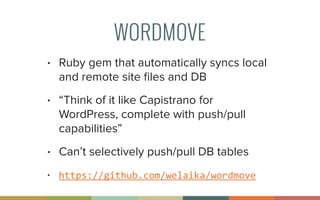
WORDMOVE
• Ruby gem that automatically syncs local
and remote site files and DB
• “Think of it like Capistrano for
WordPress, complete with push/pull
capabilities”
• Can’t selectively push/pull DB tables
• https://github.com/welaika/wordmove
PRO TIPS
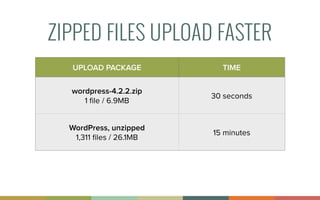
ZIPPED FILES UPLOAD FASTER
UPLOAD PACKAGE TIME
wordpress-4.2.2.zip
1 file / 6.9MB
30 seconds
WordPress, unzipped
1,311 files / 26.1MB
15 minutes
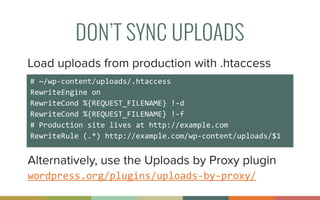
DON’T SYNC UPLOADS
#	
  ~/wp-­‐content/uploads/.htaccess	
  
RewriteEngine	
  on	
  	
  
RewriteCond	
  %{REQUEST_FILENAME}	
  !-­‐d	
  	
  
RewriteCond	
  %{REQUEST_FILENAME}	
  !-­‐f	
  	
  
#	
  Production	
  site	
  lives	
  at	
  http://example.com	
  	
  
RewriteRule	
  (.*)	
  http://example.com/wp-­‐content/uploads/$1	
  
Load uploads from production with .htaccess
Alternatively, use the Uploads by Proxy plugin
wordpress.org/plugins/uploads-­‐by-­‐proxy/
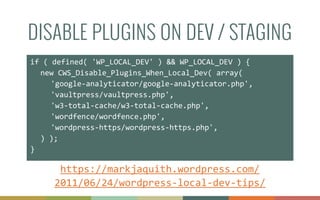
DISABLE PLUGINS ON DEV / STAGING
if	
  (	
  defined(	
  'WP_LOCAL_DEV'	
  )	
  &&	
  WP_LOCAL_DEV	
  )	
  {	
  
	
   new	
  CWS_Disable_Plugins_When_Local_Dev(	
  array(	


   'google-­‐analyticator/google-­‐analyticator.php',	


   'vaultpress/vaultpress.php',	


   'w3-­‐total-­‐cache/w3-­‐total-­‐cache.php',	


   'wordfence/wordfence.php',	


   'wordpress-­‐https/wordpress-­‐https.php',	
  
	
   )	
  );	
  
}
https://markjaquith.wordpress.com/
2011/06/24/wordpress-­‐local-­‐dev-­‐tips/
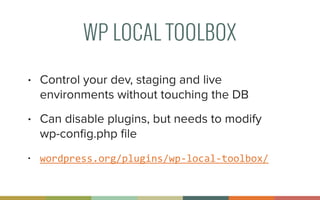
WP LOCAL TOOLBOX
• Control your dev, staging and live
environments without touching the DB
• Can disable plugins, but needs to modify 

wp-config.php file
• wordpress.org/plugins/wp-­‐local-­‐toolbox/
MY WORKFLOW
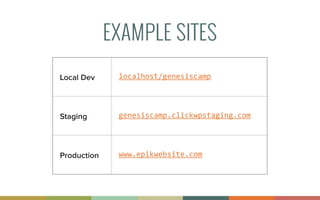
EXAMPLE SITES
Local Dev localhost/genesiscamp
Staging genesiscamp.clickwpstaging.com
Production www.epikwebsite.com
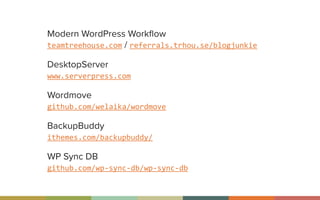
Modern WordPress Workflow

teamtreehouse.com / referrals.trhou.se/blogjunkie
DesktopServer

www.serverpress.com
Wordmove

github.com/welaika/wordmove
BackupBuddy

ithemes.com/backupbuddy/
WP Sync DB

github.com/wp-­‐sync-­‐db/wp-­‐sync-­‐db
THANK YOU SERVERPRESS!
Use coupon code
genesiscamp	
  
to save 20% on DesktopServer
www.serverpress.com
THANK YOU!
@blogjunkie / clickwp.com

Keeping Local, Staging & Production Sites In Sync

  • 1.
    KEEPING LOCAL, STAGING& PRODUCTION SITES IN SYNC Or, Stop Being A Cowboy Coder!
  • 2.
  • 3.
  • 4.
  • 5.
    Work on astaging copy 
 of the site instead Editing code on live sites 
 is dangerous
  • 6.
    production site pro·duc·tion |prə-ˈdək-shən The live version of your site, available to public audiences
  • 7.
    staging site sta·ging |stey-jing A test copy of the site, for testing and QA of new code, design or features
  • 8.
    Make changes toa local copy, then sync to staging / production It's inefficient to make direct changes to sites on the web
  • 9.
    local development site de·vel·op·ment| di-ˈve-ləp-mənt A copy of the site for creating or producing new features and/or designs in a safe and portable environment
  • 10.
    Use DesktopServer orMAMP It's difficult to run local copies of sites
  • 11.
    I’ve got somerecommendations to make it easier Syncing updates is difficult
  • 12.
    Move changes upstream push stagingproduction new changes
  • 13.
  • 14.
  • 15.
  • 16.
    WEB HOSTS WITH1-CLICK STAGING • WP Engine • SiteGround • Flywheel
 • Pressable • Media Temple • GoDaddy
  • 17.
    MANUAL STAGING COPY •Copy, export, import and scrub database • Use a backup + migration plugin e.g. Duplicator (free) or BackupBuddy (premium)
  • 18.
  • 19.
    • DesktopServer • MAMP/ XAMPP / WAMP • Virtual machines e.g. Vagrant
  • 20.
  • 21.
    Create staging copy 5GB/ 30 mins Sync changes to production 5GB / 30 mins
  • 22.
  • 23.
    WHAT CHANGED? ACTION CHANGED Editedtheme files Files (theme) Changed theme or plugin settings Database Switched themes Files (theme) + Database Publish new post Database + Uploads
  • 24.
    SYNC CHANGES ONLY Evenfor staging sites; no need to create new staging site each time Uploads don’t need to be synced as much Take care not to overwrite user generated content e.g. comments
  • 25.
  • 26.
    GUIDELINES TO LIVEBY Always. Backup. Production. Database replacements should only go production → staging / dev Deploy from dev to production if possible (avoid staging)
  • 27.
  • 28.
  • 29.
    WP MIGRATE DBPRO • Push and pull databases • Media add-on will even sync files • Starts at $90/yr - deliciousbrains.com • Alternate, free fork = WP Sync DB
 github.com/wp-­‐sync-­‐db/wp-­‐sync-­‐db
  • 30.
    WP Sync DB/ WP Migrate DB Pro
  • 31.
    DUPLICATOR PLUGIN • Cannotsync changes only • Geared at technical audience • Great free alternative • https://wordpress.org/plugins/ duplicator/
  • 32.
    BACKUPBUDDY DEPLOYMENT • Syncchanges from / to development, staging and production • Push and pull selected themes, plugins and database tables • A little iffy, not 100% reliable • https://ithemes.com/wordpress-­‐ backup-­‐plugin-­‐for-­‐developers/
  • 36.
  • 37.
    RSYNC + WPMIGRATE DB PRO rsync  -­‐avh  ./wp-­‐content/themes/   user@stagingserver.com:/path/to/wp-­‐content/themes/ Transfer files from dev to staging Then push database to staging with 
 WP Migrate DB Pro
  • 38.
    WORDMOVE • Ruby gemthat automatically syncs local and remote site files and DB • “Think of it like Capistrano for WordPress, complete with push/pull capabilities” • Can’t selectively push/pull DB tables • https://github.com/welaika/wordmove
  • 39.
  • 40.
    ZIPPED FILES UPLOADFASTER UPLOAD PACKAGE TIME wordpress-4.2.2.zip 1 file / 6.9MB 30 seconds WordPress, unzipped 1,311 files / 26.1MB 15 minutes
  • 41.
    DON’T SYNC UPLOADS #  ~/wp-­‐content/uploads/.htaccess   RewriteEngine  on     RewriteCond  %{REQUEST_FILENAME}  !-­‐d     RewriteCond  %{REQUEST_FILENAME}  !-­‐f     #  Production  site  lives  at  http://example.com     RewriteRule  (.*)  http://example.com/wp-­‐content/uploads/$1   Load uploads from production with .htaccess Alternatively, use the Uploads by Proxy plugin wordpress.org/plugins/uploads-­‐by-­‐proxy/
  • 42.
    DISABLE PLUGINS ONDEV / STAGING if  (  defined(  'WP_LOCAL_DEV'  )  &&  WP_LOCAL_DEV  )  {     new  CWS_Disable_Plugins_When_Local_Dev(  array(         'google-­‐analyticator/google-­‐analyticator.php',       'vaultpress/vaultpress.php',       'w3-­‐total-­‐cache/w3-­‐total-­‐cache.php',       'wordfence/wordfence.php',       'wordpress-­‐https/wordpress-­‐https.php',     )  );   } https://markjaquith.wordpress.com/ 2011/06/24/wordpress-­‐local-­‐dev-­‐tips/
  • 43.
    WP LOCAL TOOLBOX •Control your dev, staging and live environments without touching the DB • Can disable plugins, but needs to modify 
 wp-config.php file • wordpress.org/plugins/wp-­‐local-­‐toolbox/
  • 44.
  • 45.
    EXAMPLE SITES Local Devlocalhost/genesiscamp Staging genesiscamp.clickwpstaging.com Production www.epikwebsite.com
  • 46.
    Modern WordPress Workflow
 teamtreehouse.com/ referrals.trhou.se/blogjunkie DesktopServer
 www.serverpress.com Wordmove
 github.com/welaika/wordmove BackupBuddy
 ithemes.com/backupbuddy/ WP Sync DB
 github.com/wp-­‐sync-­‐db/wp-­‐sync-­‐db
  • 47.
    THANK YOU SERVERPRESS! Usecoupon code genesiscamp   to save 20% on DesktopServer www.serverpress.com
  • 48.