
Drupal Portugal
 “Deploy to production on Drupal”
       18.06.2011 - Lisbon - Portugal


                     1
                                        Paulo Gomes - www.pauloamgomes.net
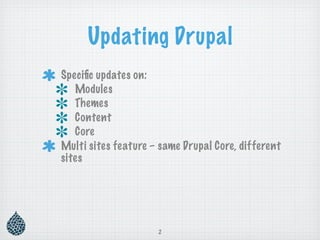
Updating Drupal
Specific updates on:
   Modules
   Themes
   Content
   Core
Multi sites feature – same Drupal Core, different
sites


                     2
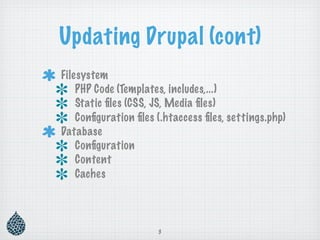
Updating Drupal (cont)
Filesystem
    PHP Code (Templates, includes,...)
    Static files (CSS, JS, Media files)
    Configuration files (.htaccess files, settings.php)
Database
    Configuration
    Content
    Caches


                      3
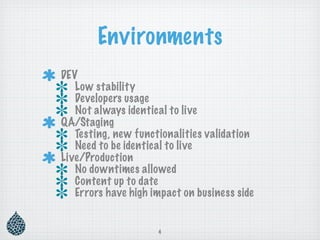
Environments
DEV
   Low stability
   Developers usage
   Not always identical to live
QA/Staging
   Testing, new functionalities validation
   Need to be identical to live
Live/Production
   No downtimes allowed
   Content up to date
   Errors have high impact on business side


                     4
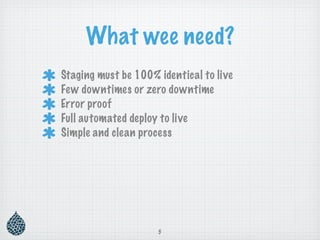
What wee need?
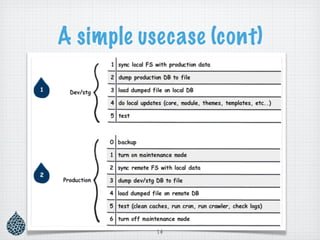
Staging must be 100% identical to live
Few downtimes or zero downtime
Error proof
Full automated deploy to live
Simple and clean process


                     5
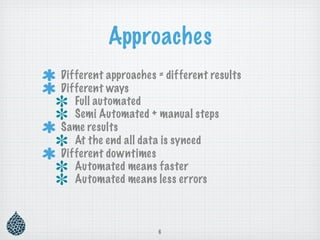
Approaches
Different approaches = different results
Different ways
   Full automated
   Semi Automated + manual steps
Same results
   At the end all data is synced
Different downtimes
   Automated means faster
   Automated means less errors


                     6
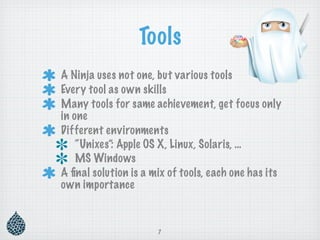
Tools
A Ninja uses not one, but various tools
Every tool as own skills
Many tools for same achievement, get focus only
in one
Different environments
    “Unixes”: Apple OS X, Linux, Solaris, …
    MS Windows
A final solution is a mix of tools, each one has its
own importance


                      7
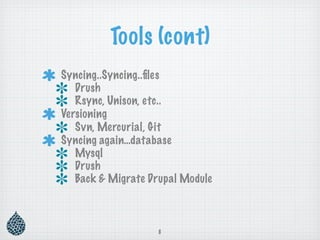
Tools (cont)
Syncing..Syncing..files
   Drush
   Rsync, Unison, etc..
Versioning
   Svn, Mercurial, Git
Syncing again…database
   Mysql
   Drush
   Back & Migrate Drupal Module


                   8
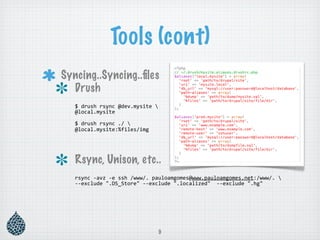
Tools (cont)
Syncing..Syncing..files
  Drush
   $
drush
rsync
@dev.mysite

   @local.mysite

   $
drush
rsync
./

   @local.mysite:%files/img


   Rsync, Unison, etc..
   rsync
‐avz
‐e
ssh
/www/.
pauloamgomes@www.pauloamgomes.net:/www/.

   ‐‐exclude
".DS_Store"
‐‐exclude
".localized"

‐‐exclude
".hg"


                                 9
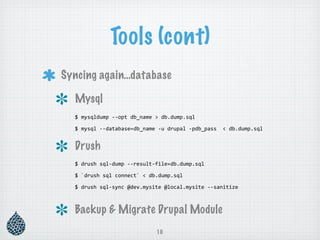
Tools (cont)
Syncing again…database

  Mysql
  $
mysqldump
‐‐opt
db_name
>
db.dump.sql

  $
mysql
‐‐database=db_name
‐u
drupal
‐pdb_pass

<
db.dump.sql


  Drush
  $
drush
sql‐dump
‐‐result‐file=db.dump.sql

  $
`drush
sql
connect`
<
db.dump.sql

  $
drush
sql‐sync
@dev.mysite
@local.mysite
‐‐sanitize


  Backup & Migrate Drupal Module
                            10
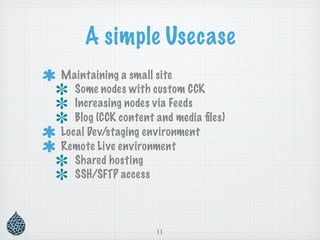
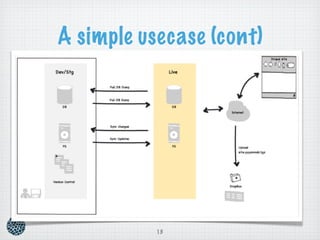
A simple Usecase
Maintaining a small site
   Some nodes with custom CCK
   Increasing nodes via Feeds
   Blog (CCK content and media files)
Local Dev/staging environment
Remote Live environment
   Shared hosting
   SSH/SFTP access


                     11
A simple usecase (cont)
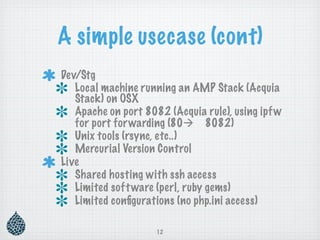
Dev/Stg
   Local machine running an AMP Stack (Acquia
   Stack) on OSX
   Apache on port 8082 (Acquia rule), using ipf w
   for port for warding (80 8082)
   Unix tools (rsync, etc..)
   Mercurial Version Control
Live
   Shared hosting with ssh access
   Limited soft ware (perl, ruby gems)
   Limited configurations (no php.ini access)

                     12
A simple usecase (cont)


           13
A simple usecase (cont)


           14
More complex sites
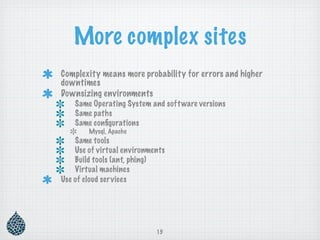
Complexity means more probability for errors and higher
downtimes
Downsizing environments
    Same Operating System and soft ware versions
    Same paths
    Same configurations
        Mysql, Apache
    Same tools
    Use of virtual environments
    Build tools (ant, phing)
    Virtual machines
Use of cloud services


                            15
More complex sites (cont)
 Continuous integration
    Full automation, with high granularity
    Test..test..test..and test again
    Fix errors and test again
    Deploy to live (and test again)


                     16
Nice to have…
Updates without maintenance mode
    Cache all for visitors/users (varnish help?!)
    No cache mode for sanity checks (admin mode)
    Rollback without impacts (visitors only see
    cached pages)
Delta updates on database schema
Validation on dependencies
All operations in same command (drush)
Better update tool (update.php)


                     17
Share your ideas!


        18
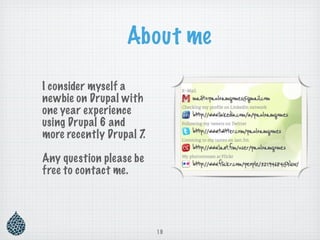
About me

I consider myself a
newbie on Drupal with
one year experience
using Drupal 6 and
more recently Drupal 7.

Any question please be
free to contact me.


                          19
References

http://www.leveltendesign.com/blog/dustin-currie/synchronize-one-drupal-site-to-another

http://civicactions.com/blog/2011/may/31/drupal_quality_assurance_with_dev_qa_live

http://groups.drupal.org/node/56228

http://greenbeedigital.com.au/content/drupal-deployments-workflows-version-control-drushmake-
and-aegir

http://nathan.rambeck.org/blog/7-using-drush-load-database-file


                                       20

Drupal Meetup Lisbon

  • 1.
    Drupal Portugal “Deployto production on Drupal” 18.06.2011 - Lisbon - Portugal 1 Paulo Gomes - www.pauloamgomes.net
  • 2.
    Updating Drupal Specific updateson: Modules Themes Content Core Multi sites feature – same Drupal Core, different sites 2
  • 3.
    Updating Drupal (cont) Filesystem PHP Code (Templates, includes,...) Static files (CSS, JS, Media files) Configuration files (.htaccess files, settings.php) Database Configuration Content Caches 3
  • 4.
    Environments DEV Low stability Developers usage Not always identical to live QA/Staging Testing, new functionalities validation Need to be identical to live Live/Production No downtimes allowed Content up to date Errors have high impact on business side 4
  • 5.
    What wee need? Stagingmust be 100% identical to live Few downtimes or zero downtime Error proof Full automated deploy to live Simple and clean process 5
  • 6.
    Approaches Different approaches =different results Different ways Full automated Semi Automated + manual steps Same results At the end all data is synced Different downtimes Automated means faster Automated means less errors 6
  • 7.
    Tools A Ninja usesnot one, but various tools Every tool as own skills Many tools for same achievement, get focus only in one Different environments “Unixes”: Apple OS X, Linux, Solaris, … MS Windows A final solution is a mix of tools, each one has its own importance 7
  • 8.
    Tools (cont) Syncing..Syncing..files Drush Rsync, Unison, etc.. Versioning Svn, Mercurial, Git Syncing again…database Mysql Drush Back & Migrate Drupal Module 8
  • 9.
    Tools (cont) Syncing..Syncing..files Drush $
drush
rsync
@dev.mysite
 @local.mysite $
drush
rsync
./
 @local.mysite:%files/img


 Rsync, Unison, etc.. rsync
‐avz
‐e
ssh
/www/.
pauloamgomes@www.pauloamgomes.net:/www/.
 ‐‐exclude
".DS_Store"
‐‐exclude
".localized"

‐‐exclude
".hg" 9
  • 10.
    Tools (cont) Syncing again…database Mysql $
mysqldump
‐‐opt
db_name
>
db.dump.sql $
mysql
‐‐database=db_name
‐u
drupal
‐pdb_pass

<
db.dump.sql Drush $
drush
sql‐dump
‐‐result‐file=db.dump.sql $
`drush
sql
connect`
<
db.dump.sql $
drush
sql‐sync
@dev.mysite
@local.mysite
‐‐sanitize
 Backup & Migrate Drupal Module 10
  • 11.
    A simple Usecase Maintaininga small site Some nodes with custom CCK Increasing nodes via Feeds Blog (CCK content and media files) Local Dev/staging environment Remote Live environment Shared hosting SSH/SFTP access 11
  • 12.
    A simple usecase(cont) Dev/Stg Local machine running an AMP Stack (Acquia Stack) on OSX Apache on port 8082 (Acquia rule), using ipf w for port for warding (80 8082) Unix tools (rsync, etc..) Mercurial Version Control Live Shared hosting with ssh access Limited soft ware (perl, ruby gems) Limited configurations (no php.ini access) 12
  • 13.
  • 14.
  • 15.
    More complex sites Complexitymeans more probability for errors and higher downtimes Downsizing environments Same Operating System and soft ware versions Same paths Same configurations Mysql, Apache Same tools Use of virtual environments Build tools (ant, phing) Virtual machines Use of cloud services 15
  • 16.
    More complex sites(cont) Continuous integration Full automation, with high granularity Test..test..test..and test again Fix errors and test again Deploy to live (and test again) 16
  • 17.
    Nice to have… Updateswithout maintenance mode Cache all for visitors/users (varnish help?!) No cache mode for sanity checks (admin mode) Rollback without impacts (visitors only see cached pages) Delta updates on database schema Validation on dependencies All operations in same command (drush) Better update tool (update.php) 17
  • 18.
  • 19.
    About me I considermyself a newbie on Drupal with one year experience using Drupal 6 and more recently Drupal 7. Any question please be free to contact me. 19
  • 20.