1
MICROSOFT POWER BI vs TIBCO SPOTFIRE
• Anirudh K, Data Programmer/Analyst
2
Power BI
• Power BI is a suite of business analytics
tools that analyzes data and shares
insights. It enables users to monitor their
business from every device and at any
time.
Introduction
Spotfire
• TIBCO Spotfire products offer a visual
and interactive experience that helps
professionals quickly discover new and
actionable insights in information.
3
Power BI
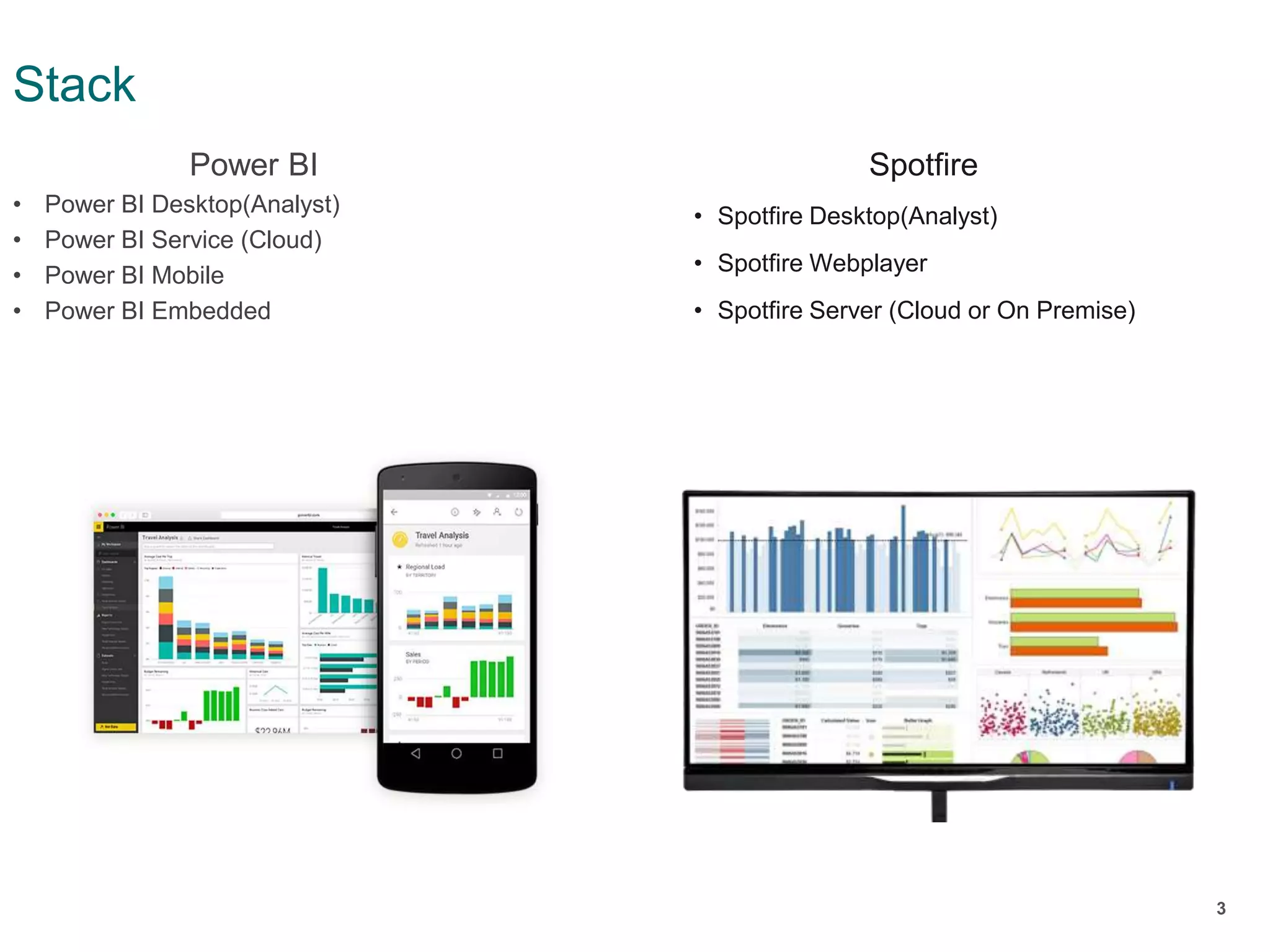
• Power BI Desktop(Analyst)
• Power BI Service (Cloud)
• Power BI Mobile
• Power BI Embedded
Stack
Spotfire
• Spotfire Desktop(Analyst)
• Spotfire Webplayer
• Spotfire Server (Cloud or On Premise)
4
Power BI
• Connect to Excel spreadsheets, on-
premise data sources, big data,
streaming data, and cloud services: it
doesn't matter what type of data you
want or where it lives, connect to
hundreds of data sources with Power BI.
Connectivity
Spotfire
• Spofire provides a wide range of data
connectors which allows to either
import data and analyze it with the
Spotfire data engine or to keep the data
in the external system (in-database)
5
Power BI
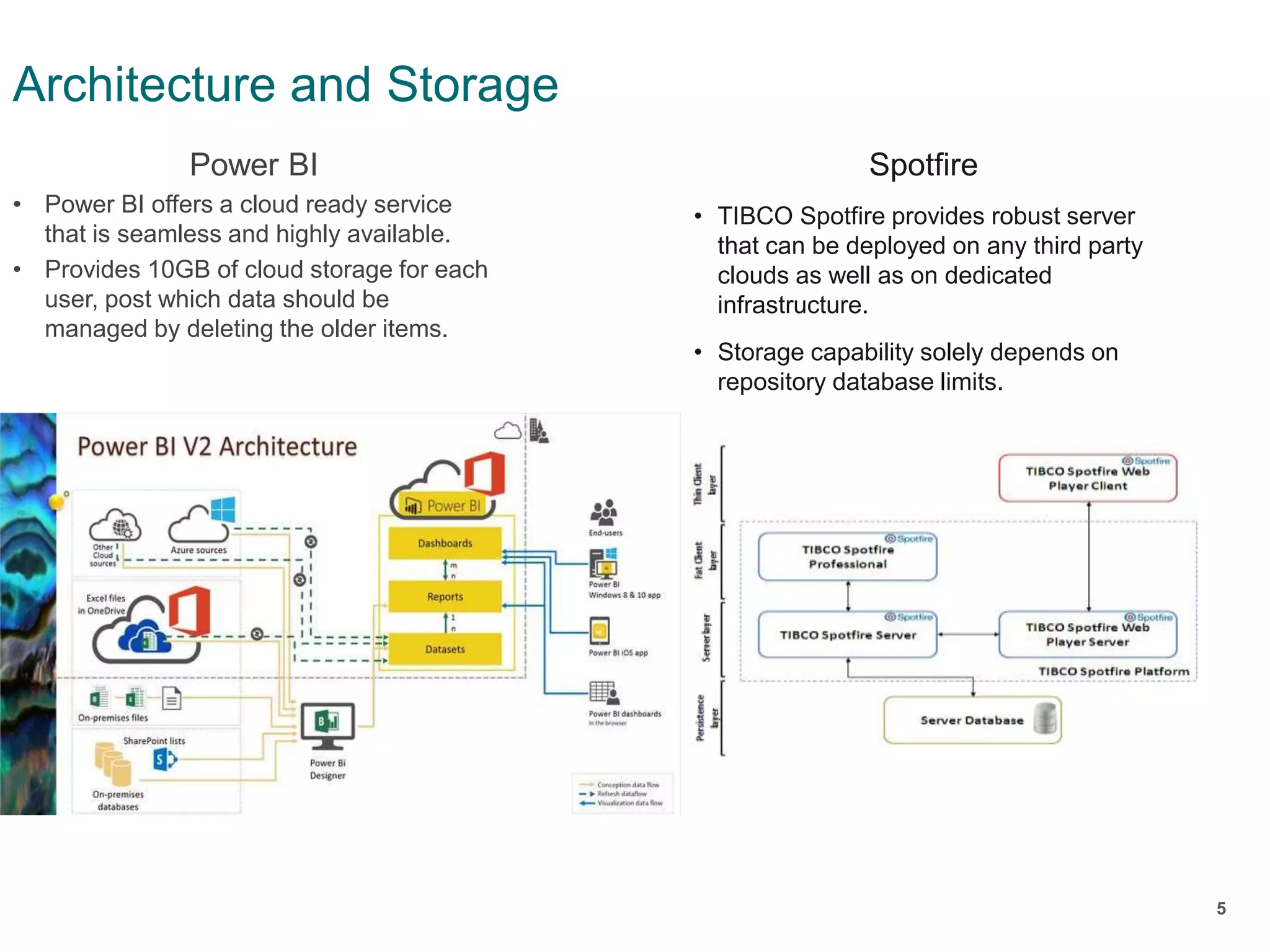
• Power BI offers a cloud ready service
that is seamless and highly available.
• Provides 10GB of cloud storage for each
user, post which data should be
managed by deleting the older items.
Architecture and Storage
Spotfire
• TIBCO Spotfire provides robust server
that can be deployed on any third party
clouds as well as on dedicated
infrastructure.
• Storage capability solely depends on
repository database limits.
6
Power BI
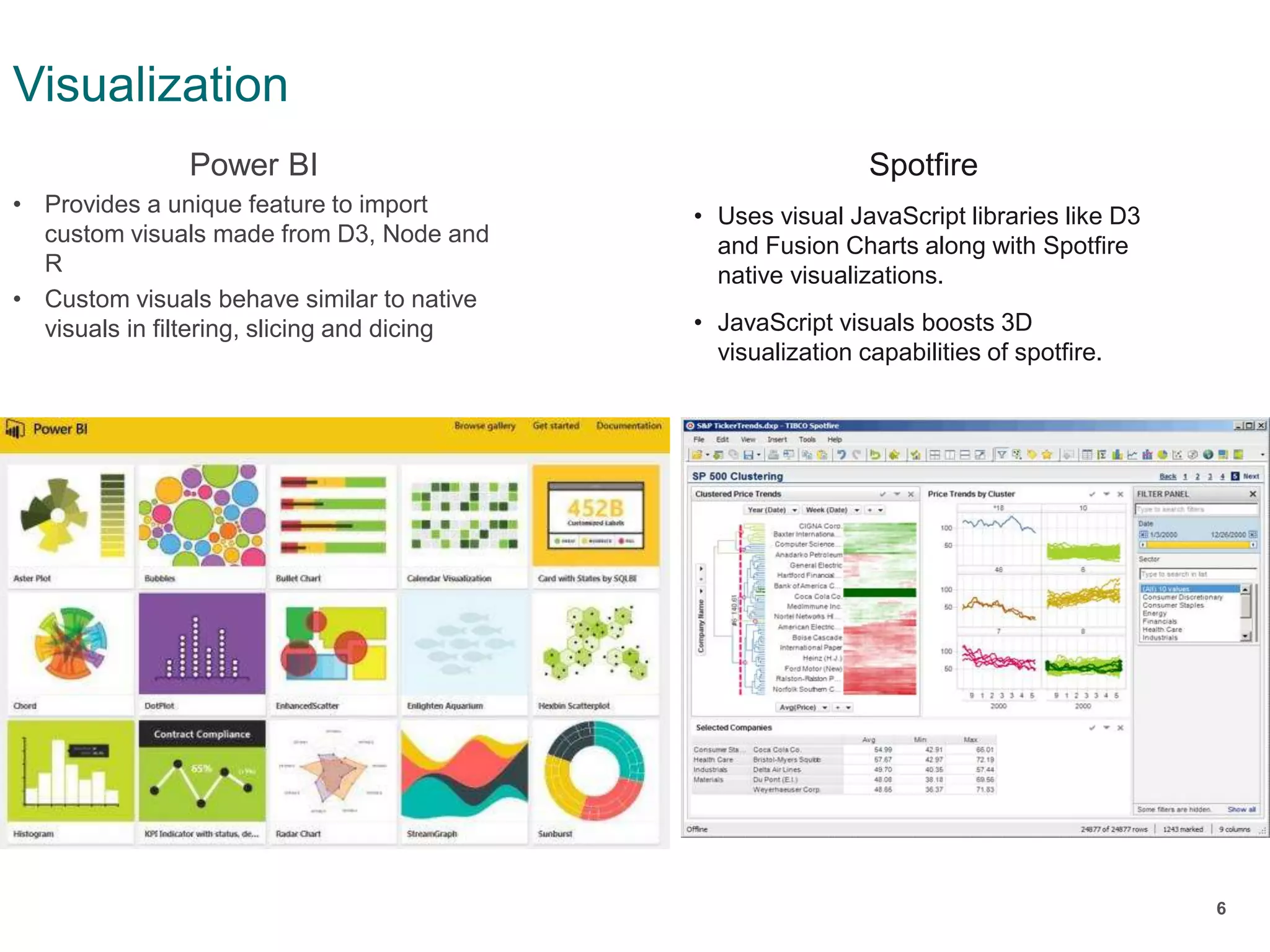
• Provides a unique feature to import
custom visuals made from D3, Node and
R
• Custom visuals behave similar to native
visuals in filtering, slicing and dicing
Visualization
Spotfire
• Uses visual JavaScript libraries like D3
and Fusion Charts along with Spotfire
native visualizations.
• JavaScript visuals boosts 3D
visualization capabilities of spotfire.
7
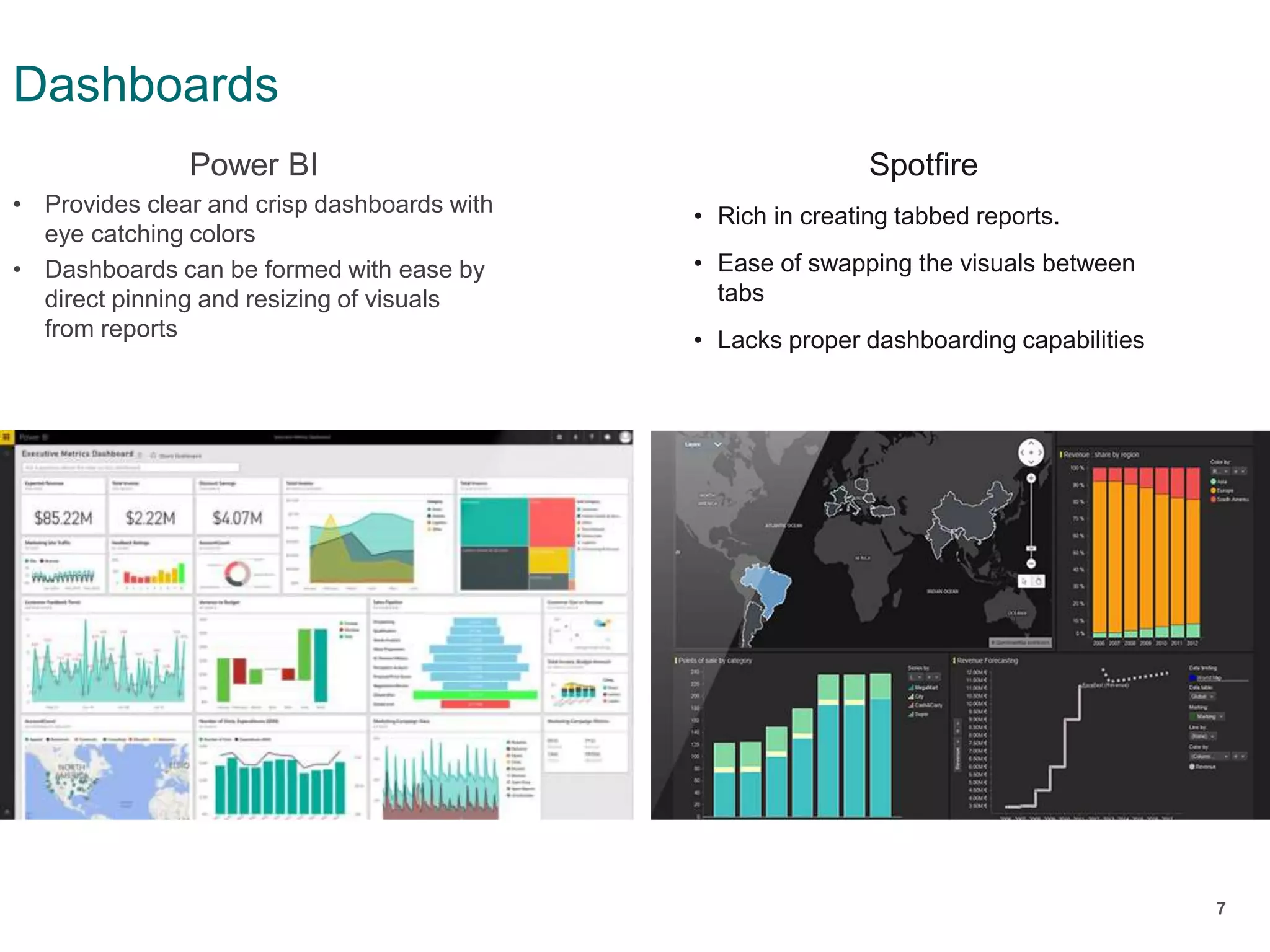
Power BI
• Provides clear and crisp dashboards with
eye catching colors
• Dashboards can be formed with ease by
direct pinning and resizing of visuals
from reports
Dashboards
Spotfire
• Rich in creating tabbed reports.
• Ease of swapping the visuals between
tabs
• Lacks proper dashboarding capabilities
8
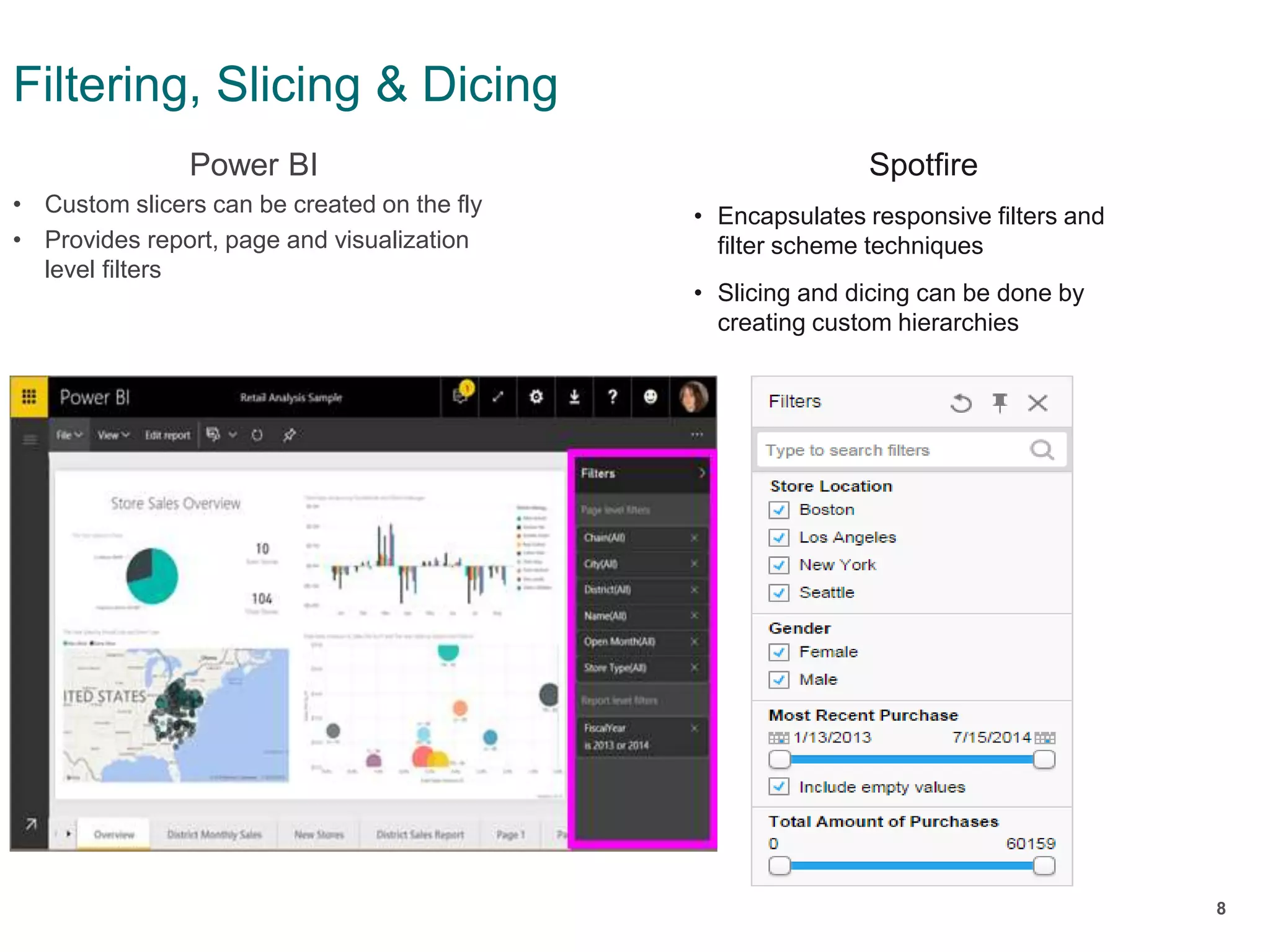
Power BI
• Custom slicers can be created on the fly
• Provides report, page and visualization
level filters
Filtering, Slicing & Dicing
Spotfire
• Encapsulates responsive filters and
filter scheme techniques
• Slicing and dicing can be done by
creating custom hierarchies
9
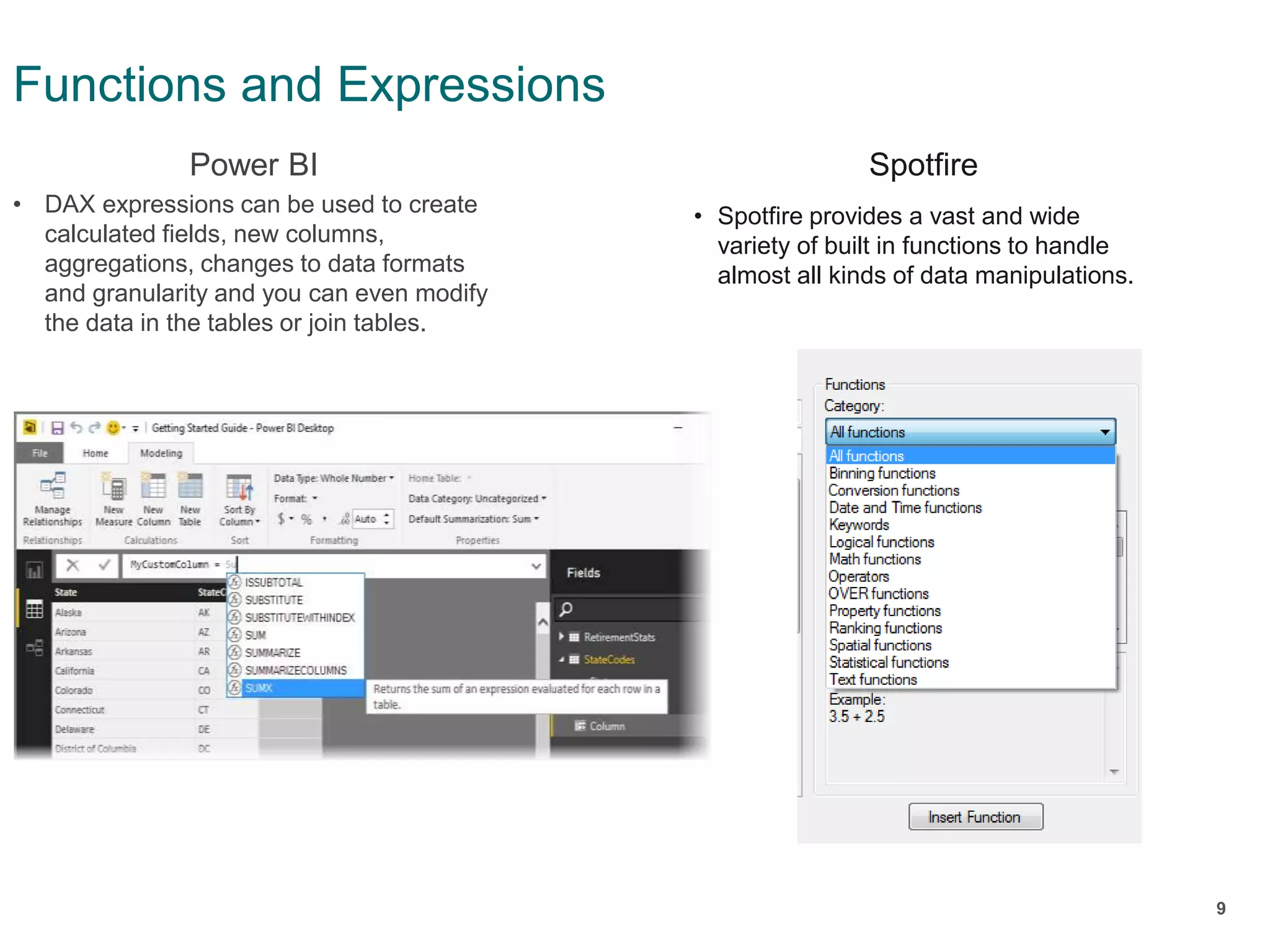
Power BI
• DAX expressions can be used to create
calculated fields, new columns,
aggregations, changes to data formats
and granularity and you can even modify
the data in the tables or join tables.
Functions and Expressions
Spotfire
• Spotfire provides a vast and wide
variety of built in functions to handle
almost all kinds of data manipulations.
10
Power BI
• The Data Modelling options that are
served after loading the dataset can
create complex relationships between
tables, add columns and rows, import
from one table to the other, join, filter and
much more. This feature, in some cases,
requires advanced knowledge, but the
options that are available are infinite
ETL Capabilities
Spotfire
• All sorts of basic Data Transformations
can be performed using built in data
transformations.
• Can utilize capabilities of R in
transforming data through data
functions
11
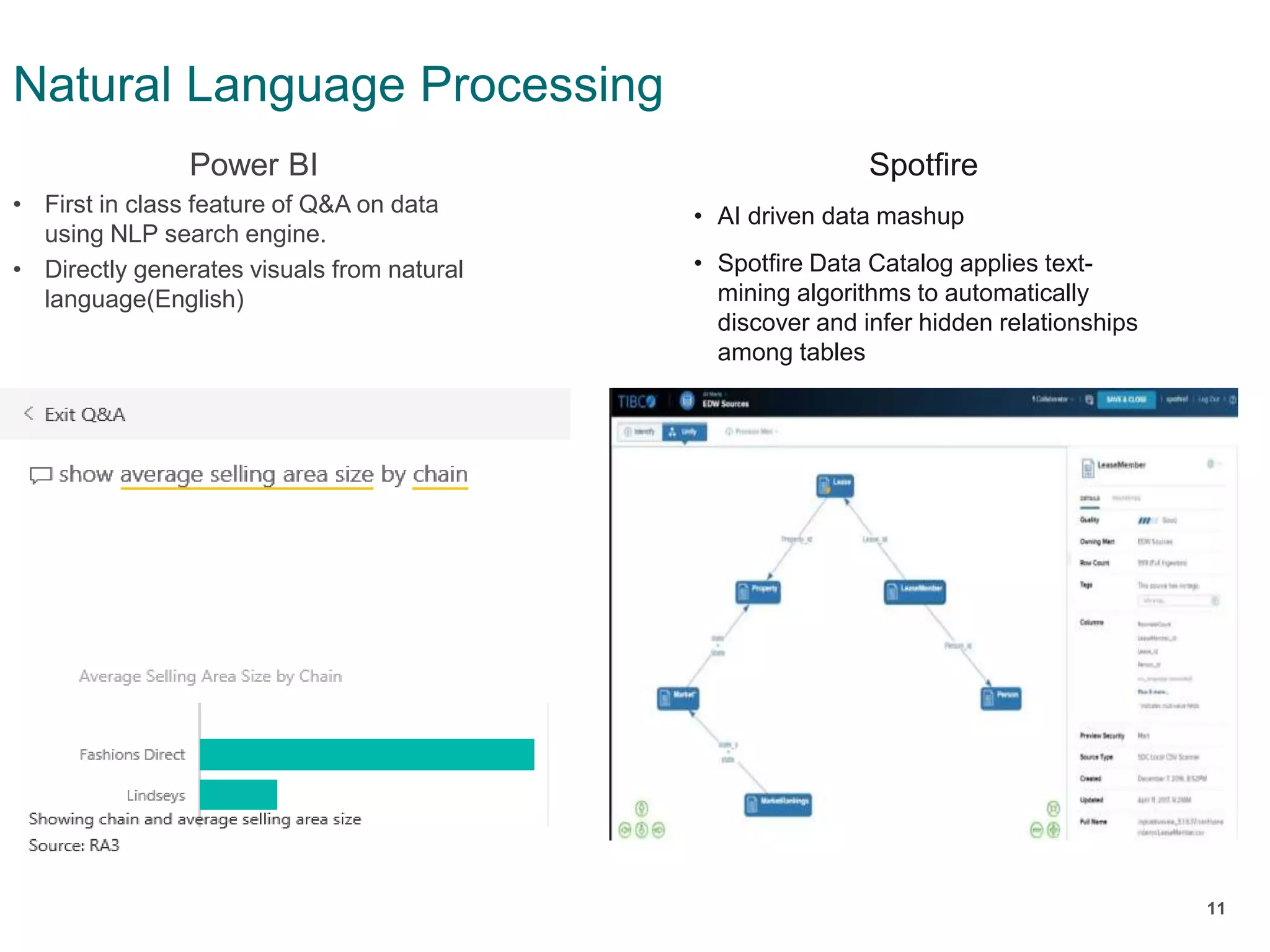
Power BI
• First in class feature of Q&A on data
using NLP search engine.
• Directly generates visuals from natural
language(English)
Natural Language Processing
Spotfire
• AI driven data mashup
• Spotfire Data Catalog applies text-
mining algorithms to automatically
discover and infer hidden relationships
among tables
12
Power BI
• Incorporates R language based
visualizations, clustering and regression
methods
• Relationship modification and schema
design
• Custom Visuals with built in machine
learning algorithms
Advanced analytics
Spotfire
• Inbuilt TERR engine to support R and
provides all sorts of predictive
methodologies.
• In house clustering and regression
methods
• API interaction through Iron Python
13
Power BI
• Possibility of selectively displaying or
hiding information.
• Row level security through user group
restrictions
• Microsoft Power BI integrates with
Microsoft Dynamics, Salesforce, Google
Analytics, Microsoft Excel.
• Power BI is integrated into the Microsoft
Office 365 Suite, which means that it is
highly compatible with all Microsoft
(Office) applications such as Excel and
others like SharePoint
• Reports can be seamlessly swapped
between Excel and Power BI Desktop
Integration and Sharing
Spotfire
• Reports can be integrated into third
party applications.
• Limited Integration as compared to
other tools.
• Sharing is possible only with in the
spotfire user group
• Row level security obtained through
personalized information links
• LDAP Integration for systems deployed
on dedicated physical machines.
14
Power BI
• Wins hands down on all other available
tools in market
• Each professional license costs 10$ per
month
• Premium service with dedicated cloud
node is available at 4995$ per month
Pricing
Spotfire
• Expensive as compared to others
• Each analyst license costs 200$ per
month
• On premise installation and licensing is
quotation based
15
Power BI
• Easy Maintenance due to cloud hosted
services
• Dedicated clouds are provided with
Power BI Premium
• Power BI selects new features to include
in its updates based on requests made
by end users through the Power BI
Community portal.
• Provides Weekly updates
• Premium comes with 1 TB of storage
and data sets are not constrained in size
• Service is effectively infinitely scalable
• Excellent customer support and problem
solving
Maintenance, Updates and Scaling
Spotfire
• Little maintenance is required for hybrid
architectures.
• Cloud hosted servers are highly
available and fault tolerant
• Provides monthly or yearly updates
• Scalable with both cloud and dedicated
servers
• Community and customer support are
hassle free
• Automatic upgradation of clients
through server services.
• Documentation is available online
16
Power BI
• Power BI posses stronger user
community due to extensive usage and
gets a thumping response from user
groups
• Solutions to many unknown problems
can be found from user groups
• Learning DAX expressions need little
attention but many online resources are
available
Learning and User Community
Spotfire
• Has a good user community.
• All sorts of doubts can be posted on
community and are resolved through
Dr. Spotfire sessions.
• Learning spotfire is easy but resources
present online are limited.
17
What is your choice now

Microsoft power bi vs tibco spotfire

  • 1.
    1 MICROSOFT POWER BIvs TIBCO SPOTFIRE • Anirudh K, Data Programmer/Analyst
  • 2.
    2 Power BI • PowerBI is a suite of business analytics tools that analyzes data and shares insights. It enables users to monitor their business from every device and at any time. Introduction Spotfire • TIBCO Spotfire products offer a visual and interactive experience that helps professionals quickly discover new and actionable insights in information.
  • 3.
    3 Power BI • PowerBI Desktop(Analyst) • Power BI Service (Cloud) • Power BI Mobile • Power BI Embedded Stack Spotfire • Spotfire Desktop(Analyst) • Spotfire Webplayer • Spotfire Server (Cloud or On Premise)
  • 4.
    4 Power BI • Connectto Excel spreadsheets, on- premise data sources, big data, streaming data, and cloud services: it doesn't matter what type of data you want or where it lives, connect to hundreds of data sources with Power BI. Connectivity Spotfire • Spofire provides a wide range of data connectors which allows to either import data and analyze it with the Spotfire data engine or to keep the data in the external system (in-database)
  • 5.
    5 Power BI • PowerBI offers a cloud ready service that is seamless and highly available. • Provides 10GB of cloud storage for each user, post which data should be managed by deleting the older items. Architecture and Storage Spotfire • TIBCO Spotfire provides robust server that can be deployed on any third party clouds as well as on dedicated infrastructure. • Storage capability solely depends on repository database limits.
  • 6.
    6 Power BI • Providesa unique feature to import custom visuals made from D3, Node and R • Custom visuals behave similar to native visuals in filtering, slicing and dicing Visualization Spotfire • Uses visual JavaScript libraries like D3 and Fusion Charts along with Spotfire native visualizations. • JavaScript visuals boosts 3D visualization capabilities of spotfire.
  • 7.
    7 Power BI • Providesclear and crisp dashboards with eye catching colors • Dashboards can be formed with ease by direct pinning and resizing of visuals from reports Dashboards Spotfire • Rich in creating tabbed reports. • Ease of swapping the visuals between tabs • Lacks proper dashboarding capabilities
  • 8.
    8 Power BI • Customslicers can be created on the fly • Provides report, page and visualization level filters Filtering, Slicing & Dicing Spotfire • Encapsulates responsive filters and filter scheme techniques • Slicing and dicing can be done by creating custom hierarchies
  • 9.
    9 Power BI • DAXexpressions can be used to create calculated fields, new columns, aggregations, changes to data formats and granularity and you can even modify the data in the tables or join tables. Functions and Expressions Spotfire • Spotfire provides a vast and wide variety of built in functions to handle almost all kinds of data manipulations.
  • 10.
    10 Power BI • TheData Modelling options that are served after loading the dataset can create complex relationships between tables, add columns and rows, import from one table to the other, join, filter and much more. This feature, in some cases, requires advanced knowledge, but the options that are available are infinite ETL Capabilities Spotfire • All sorts of basic Data Transformations can be performed using built in data transformations. • Can utilize capabilities of R in transforming data through data functions
  • 11.
    11 Power BI • Firstin class feature of Q&A on data using NLP search engine. • Directly generates visuals from natural language(English) Natural Language Processing Spotfire • AI driven data mashup • Spotfire Data Catalog applies text- mining algorithms to automatically discover and infer hidden relationships among tables
  • 12.
    12 Power BI • IncorporatesR language based visualizations, clustering and regression methods • Relationship modification and schema design • Custom Visuals with built in machine learning algorithms Advanced analytics Spotfire • Inbuilt TERR engine to support R and provides all sorts of predictive methodologies. • In house clustering and regression methods • API interaction through Iron Python
  • 13.
    13 Power BI • Possibilityof selectively displaying or hiding information. • Row level security through user group restrictions • Microsoft Power BI integrates with Microsoft Dynamics, Salesforce, Google Analytics, Microsoft Excel. • Power BI is integrated into the Microsoft Office 365 Suite, which means that it is highly compatible with all Microsoft (Office) applications such as Excel and others like SharePoint • Reports can be seamlessly swapped between Excel and Power BI Desktop Integration and Sharing Spotfire • Reports can be integrated into third party applications. • Limited Integration as compared to other tools. • Sharing is possible only with in the spotfire user group • Row level security obtained through personalized information links • LDAP Integration for systems deployed on dedicated physical machines.
  • 14.
    14 Power BI • Winshands down on all other available tools in market • Each professional license costs 10$ per month • Premium service with dedicated cloud node is available at 4995$ per month Pricing Spotfire • Expensive as compared to others • Each analyst license costs 200$ per month • On premise installation and licensing is quotation based
  • 15.
    15 Power BI • EasyMaintenance due to cloud hosted services • Dedicated clouds are provided with Power BI Premium • Power BI selects new features to include in its updates based on requests made by end users through the Power BI Community portal. • Provides Weekly updates • Premium comes with 1 TB of storage and data sets are not constrained in size • Service is effectively infinitely scalable • Excellent customer support and problem solving Maintenance, Updates and Scaling Spotfire • Little maintenance is required for hybrid architectures. • Cloud hosted servers are highly available and fault tolerant • Provides monthly or yearly updates • Scalable with both cloud and dedicated servers • Community and customer support are hassle free • Automatic upgradation of clients through server services. • Documentation is available online
  • 16.
    16 Power BI • PowerBI posses stronger user community due to extensive usage and gets a thumping response from user groups • Solutions to many unknown problems can be found from user groups • Learning DAX expressions need little attention but many online resources are available Learning and User Community Spotfire • Has a good user community. • All sorts of doubts can be posted on community and are resolved through Dr. Spotfire sessions. • Learning spotfire is easy but resources present online are limited.
  • 17.
    17 What is yourchoice now

Editor's Notes

  • #2 To change this title, go to Notes Master