MICROPROCESSORS and MICROCONTROLLERS
CMPE 30184
MICROPROCESSORS
and
MICROCONTROLLERS
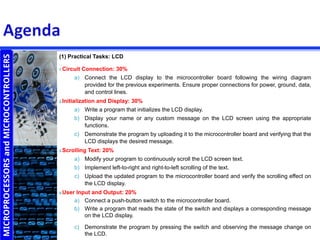
(1) Practical Tasks: LCD
1.Circuit Connection: 30%
a) Connect the LCD display to the microcontroller board following the wiring diagram
provided for the previous experiments. Ensure proper connections for power, ground, data,
and control lines.
2.Initialization and Display: 30%
a) Write a program that initializes the LCD display.
b) Display your name or any custom message on the LCD screen using the appropriate
functions.
c) Demonstrate the program by uploading it to the microcontroller board and verifying that the
LCD displays the desired message.
3.Scrolling Text: 20%
a) Modify your program to continuously scroll the LCD screen text.
b) Implement left-to-right and right-to-left scrolling of the text.
c) Upload the updated program to the microcontroller board and verify the scrolling effect on
the LCD display.
4.User Input and Output: 20%
a) Connect a push-button switch to the microcontroller board.
b) Write a program that reads the state of the switch and displays a corresponding message
on the LCD display.
c) Demonstrate the program by pressing the switch and observing the message change on
the LCD.
MICROPROCESSORS
and
MICROCONTROLLERS
(2) Practical Tasks: 7-SEGMENT DISPLAY
1.Circuit Connection: 30%
a) Connect the common cathode 7-segment display to the Arduino board
following the wiring diagram provided for the previous experiments. Ensure
proper connections for power, ground, and segment control lines. Use
appropriate current-limiting resistors.
2.Displaying Digits: 20%
a) Write a program that displays the digits from 0 to 9 on the 7-segment
display, one digit at a time, with a delay of 1 second between each digit.
b) Demonstrate the program by uploading it to the Arduino board and verifying
that the digits are displayed correctly on the 7-segment display.
3.Counting Up: 20%
a) Modify your program to count up from 0 to 9 continuously, displaying each
digit for a short period (e.g., 500 milliseconds) before moving to the next
digit.
b) Upload the updated program to the Arduino board and observe the counting
sequence on the 7-segment display.
MICROPROCESSORS
and
MICROCONTROLLERS
(2) Practical Tasks: 7-SEGMENT DISPLAY
4.User Input: 15%
a) Connect two push-button switches to the Arduino board.
b) Write a program that increments and decrements a counter variable on
the 7-segment display based on the state of the push-button switches.
c) Demonstrate the program by pressing the appropriate switch to
increment or decrement the counter and observing the changes on the
7-segment display.
5.Displaying Custom Characters: 15%
a) Modify your program to display custom characters (such as letters or
symbols) on the 7-segment display.
b) Upload the updated program to the Arduino board and verify that the
custom characters are displayed correctly on the 7-segment display.
MICROPROCESSORS
and
MICROCONTROLLERS
(3) Practical Tasks: KEYPAD
1.Circuit Connection: 30%
a) Connect the keypad to the Arduino board following the wiring diagram provided
for the previous experiments. Ensure proper connections for power, ground, and
data lines. Use appropriate pull-up or pull-down resistors, if necessary.
2.Basic Keypad Input: 20%
a) Write a program that reads the key presses from the keypad and displays the
corresponding character on the serial monitor.
b) Demonstrate the program by uploading it to the Arduino board and verifying
that the key presses are correctly displayed on the serial monitor.
3.Password Input: 20%
a) Modify your program to create a password entry system using the keypad.
Define a password (e.g., a sequence of numbers or characters) in the program.
b) Implement logic to compare the entered password with the defined password.
c) Display an appropriate message (e.g., "Access Granted" or "Access Denied") on
the serial monitor based on the password comparison.
d) Demonstrate the program by entering the correct and incorrect passwords and
observing the corresponding messages on the serial monitor.
MICROPROCESSORS
and
MICROCONTROLLERS
(3) Practical Tasks: KEYPAD
4.User Input and Output: 15%
a) Connect an output device (such as an LED or a buzzer) to the
Arduino board.
b) Modify your program to provide visual or auditory feedback based
on the entered password. For example, blink an LED or sound a
buzzer when access is granted.
c) Upload the updated program to the Arduino board and
demonstrate the feedback mechanism based on the password
input.
5.Advanced Functionality: 15%
a) Extend your program to perform additional tasks based on the
keypad input. For example, create a menu system where users can
navigate through options and select actions using the keypad.
b) Implement the desired functionality and demonstrate its operation
on the Arduino board.

Microprocessors Practical Examination.ppt

  • 1.
  • 2.
    MICROPROCESSORS and MICROCONTROLLERS (1) Practical Tasks:LCD 1.Circuit Connection: 30% a) Connect the LCD display to the microcontroller board following the wiring diagram provided for the previous experiments. Ensure proper connections for power, ground, data, and control lines. 2.Initialization and Display: 30% a) Write a program that initializes the LCD display. b) Display your name or any custom message on the LCD screen using the appropriate functions. c) Demonstrate the program by uploading it to the microcontroller board and verifying that the LCD displays the desired message. 3.Scrolling Text: 20% a) Modify your program to continuously scroll the LCD screen text. b) Implement left-to-right and right-to-left scrolling of the text. c) Upload the updated program to the microcontroller board and verify the scrolling effect on the LCD display. 4.User Input and Output: 20% a) Connect a push-button switch to the microcontroller board. b) Write a program that reads the state of the switch and displays a corresponding message on the LCD display. c) Demonstrate the program by pressing the switch and observing the message change on the LCD.
  • 3.
    MICROPROCESSORS and MICROCONTROLLERS (2) Practical Tasks:7-SEGMENT DISPLAY 1.Circuit Connection: 30% a) Connect the common cathode 7-segment display to the Arduino board following the wiring diagram provided for the previous experiments. Ensure proper connections for power, ground, and segment control lines. Use appropriate current-limiting resistors. 2.Displaying Digits: 20% a) Write a program that displays the digits from 0 to 9 on the 7-segment display, one digit at a time, with a delay of 1 second between each digit. b) Demonstrate the program by uploading it to the Arduino board and verifying that the digits are displayed correctly on the 7-segment display. 3.Counting Up: 20% a) Modify your program to count up from 0 to 9 continuously, displaying each digit for a short period (e.g., 500 milliseconds) before moving to the next digit. b) Upload the updated program to the Arduino board and observe the counting sequence on the 7-segment display.
  • 4.
    MICROPROCESSORS and MICROCONTROLLERS (2) Practical Tasks:7-SEGMENT DISPLAY 4.User Input: 15% a) Connect two push-button switches to the Arduino board. b) Write a program that increments and decrements a counter variable on the 7-segment display based on the state of the push-button switches. c) Demonstrate the program by pressing the appropriate switch to increment or decrement the counter and observing the changes on the 7-segment display. 5.Displaying Custom Characters: 15% a) Modify your program to display custom characters (such as letters or symbols) on the 7-segment display. b) Upload the updated program to the Arduino board and verify that the custom characters are displayed correctly on the 7-segment display.
  • 5.
    MICROPROCESSORS and MICROCONTROLLERS (3) Practical Tasks:KEYPAD 1.Circuit Connection: 30% a) Connect the keypad to the Arduino board following the wiring diagram provided for the previous experiments. Ensure proper connections for power, ground, and data lines. Use appropriate pull-up or pull-down resistors, if necessary. 2.Basic Keypad Input: 20% a) Write a program that reads the key presses from the keypad and displays the corresponding character on the serial monitor. b) Demonstrate the program by uploading it to the Arduino board and verifying that the key presses are correctly displayed on the serial monitor. 3.Password Input: 20% a) Modify your program to create a password entry system using the keypad. Define a password (e.g., a sequence of numbers or characters) in the program. b) Implement logic to compare the entered password with the defined password. c) Display an appropriate message (e.g., "Access Granted" or "Access Denied") on the serial monitor based on the password comparison. d) Demonstrate the program by entering the correct and incorrect passwords and observing the corresponding messages on the serial monitor.
  • 6.
    MICROPROCESSORS and MICROCONTROLLERS (3) Practical Tasks:KEYPAD 4.User Input and Output: 15% a) Connect an output device (such as an LED or a buzzer) to the Arduino board. b) Modify your program to provide visual or auditory feedback based on the entered password. For example, blink an LED or sound a buzzer when access is granted. c) Upload the updated program to the Arduino board and demonstrate the feedback mechanism based on the password input. 5.Advanced Functionality: 15% a) Extend your program to perform additional tasks based on the keypad input. For example, create a menu system where users can navigate through options and select actions using the keypad. b) Implement the desired functionality and demonstrate its operation on the Arduino board.