How did you use media
technologies in the
construction and research,
planning and evaluation
stages?
RESEARCH AND PLANNING
•

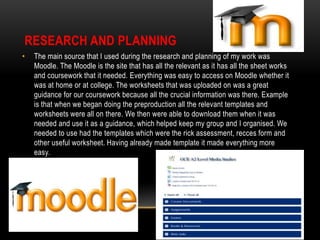
The main source that I used during the research and planning of my work was
Moodle. The Moodle is the site that has all the relevant as it has all the sheet works
and coursework that it needed. Everything was easy to access on Moodle whether it
was at home or at college. The worksheets that was uploaded on was a great
guidance for our coursework because all the crucial information was there. Example
is that when we began doing the preproduction all the relevant templates and
worksheets were all on there. We then were able to download them when it was
needed and use it as a guidance, which helped keep my group and I organised. We
needed to use had the templates which were the rick assessment, recces form and
other useful worksheet. Having already made template it made everything more
easy.
•

PowerPoint was another software that I used more than once. PowerPoint was used
many times for the presentations we had to do. I used PowerPoint for our initial
treatment and also when presenting our print products to the target audience for their
feedback. PowerPoint is effective because it allows us to present our ideas in a neat
and tidy way, it helps me be organised and also it is read for the audience to view as
well.
•

Google was used through-out the whole process. Google is a great way for us to access
the wider world and find exactly what we are looking for. Google was used on numerous
occasions for us. We used Google when we were initially looking for ideas to be
inspiration by. Also when looking at the case studies I looked at google images for the
relevant posters I wanted to study. Google then led me onto another helpful source which
is YouTube. YouTube helped my group to find the inspiration videos we wanted. We were
able to find numerous videos on their which helped us. YouTube was the place where we
found the songs we want to play and also we taught ourselves camera techniques that we
can use on the day of filming. Prezi is another software which helped me with the
presentation of my work. I used Prezi to design the presentation of my case studies I
looked like such as ‘Grown-ups’, ‘Anuvahood’ etc. Prezi added a unique look to my
presentation and makes me work more organised.
•

Hotmail was another software we used as a way of communication and to send important
documents and crucial work that we have done. Hotmail allowed us to effectively and
quickly to send each other what we have done or what we need. Whatsapp is the main
iPhone app that allowed us to communicate outside of class. We made a group chat for
the group members and the actors, so we all stay in contact and know what is going on.
The group chat allowed us to set shooting days, to do quick meetings and discuss new
ideas. This was again effective because it allowed us to communicate quickly because we
are always using our phones.
CONSTRUCTION

•

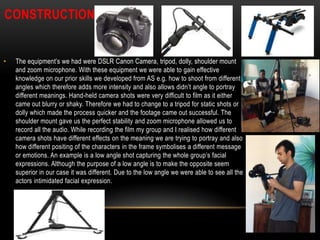
The equipment’s we had were DSLR Canon Camera, tripod, dolly, shoulder mount
and zoom microphone. With these equipment we were able to gain effective
knowledge on our prior skills we developed from AS e.g. how to shoot from different
angles which therefore adds more intensity and also allows didn’t angle to portray
different meanings. Hand-held camera shots were very difficult to film as it either
came out blurry or shaky. Therefore we had to change to a tripod for static shots or
dolly which made the process quicker and the footage came out successful. The
shoulder mount gave us the perfect stability and zoom microphone allowed us to
record all the audio. While recording the film my group and I realised how different
camera shots have different effects on the meaning we are trying to portray and also
how different positing of the characters in the frame symbolises a different message
or emotions. An example is a low angle shot capturing the whole group’s facial
expressions. Although the purpose of a low angle is to make the opposite seem
superior in our case it was different. Due to the low angle we were able to see all the
actors intimidated facial expression.
•

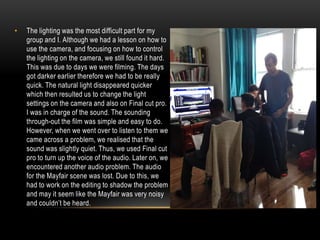
The lighting was the most difficult part for my
group and I. Although we had a lesson on how to
use the camera, and focusing on how to control
the lighting on the camera, we still found it hard.
This was due to days we were filming. The days
got darker earlier therefore we had to be really
quick. The natural light disappeared quicker
which then resulted us to change the light
settings on the camera and also on Final cut pro.
I was in charge of the sound. The sounding
through-out the film was simple and easy to do.
However, when we went over to listen to them we
came across a problem, we realised that the
sound was slightly quiet. Thus, we used Final cut
pro to turn up the voice of the audio. Later on, we
encountered another audio problem. The audio
for the Mayfair scene was lost. Due to this, we
had to work on the editing to shadow the problem
and may it seem like the Mayfair was very noisy
and couldn’t be heard.
EDITING
•

The initial production of creating the poster was difficult for us. Using Photoshop was easy to
use because you are able to manipulate, change colour or add colour scheme and layer. We
initially want to make it seem like they were all standing on the monopoly board. However this
was extremely hard to create due to layering and finding the perfect pictures. We changed our
idea that they all the characters were separated into their own designated box. So we cropped
the images into the right positions and layered them onto the page, using rulers as guides were
useful for us. We liked this more than the initial idea because all the characters characteristics
came through. We were still able to achieve the original idea to put all the characters on the
poster. Our poster was effective because it had a light hearted mood that the audience can feel
from all the characters. Monopoly’s classic colours are red and blue. We decided to base our
poster around the colour red and white. Using the colour chart we were able to find the perfect
colours that suited the whole poster along with the text of the fonts. These changes all helped
us to learn the skills to use Photoshop such as the colour schemes and finding the right
colours. The tools used such as rulers to position the images, the blurring tool to soften the
images. In AS, I was still struggling with using the Photoshop tools and knowing how to use
them correctly e.g. using the magic wand, cropping images and layering. However being in a
group I was much more confident using them and knowing my group was there to help me if I
was in need.
•

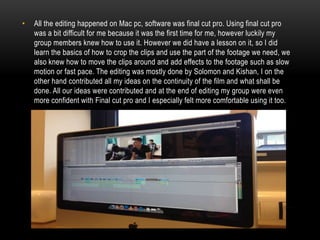
All the editing happened on Mac pc, software was final cut pro. Using final cut pro
was a bit difficult for me because it was the first time for me, however luckily my
group members knew how to use it. However we did have a lesson on it, so I did
learn the basics of how to crop the clips and use the part of the footage we need, we
also knew how to move the clips around and add effects to the footage such as slow
motion or fast pace. The editing was mostly done by Solomon and Kishan, I on the
other hand contributed all my ideas on the continuity of the film and what shall be
done. All our ideas were contributed and at the end of editing my group were even
more confident with Final cut pro and I especially felt more comfortable using it too.
• Having used indesign during AS I knew how to use the software. However I
never fully understood how things worked. We had done our magazine
review on indesign because preparing the layout on indesign is very simple
and easy to understand. After we done the layouts, we then added the text
that I’ve done and the pictures we simple. Overall indesign was easy to use
and always effective for reviews. I know feel even more comfortable as over
the two years I have used it on number of occasions.
• Another software we used for illustrator. However I or my group had never
used it before, afters a simple tutorial on it. We began to design our own
monopoly font. We realised that we can play about with the font shape, size,
colour and design. This allowed us to explore what we can do. Illustrator was
an effective software for font because it allows you to explore with it. Blogger
is the place that we uploaded any work that we had done and it kept us
organized because it was like a diary of everything we did that lesson and we
everyone was able to access everyone else’s work e.g. our teacher would
comment on what was good and what can be improved on our blogger.
WHAT TECHNICAL SKILLS DID YOU DEVELOP AS
A GROUP AND INDIVIDUALLY
•

This year my technical skills have improved much more. Last year I was uncomfortable
using Photoshop because I never fully understood the tools and I would use them in the
wrong way. This year however it was the complete opposite. My group was supportive and
we were all able to teach each other things we knew and realising that at the end we put
all our knowledge and skills together to create a successful poster. I can confidently use
Photoshop without any problem because during the makings of the poster there were
numerous trial and errors. This therefore allows you to correct your mistakes and allows
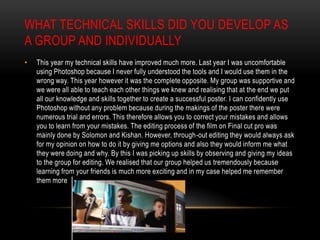
you to learn from your mistakes. The editing process of the film on Final cut pro was
mainly done by Solomon and Kishan. However, through-out editing they would always ask
for my opinion on how to do it by giving me options and also they would inform me what
they were doing and why. By this I was picking up skills by observing and giving my ideas
to the group for editing. We realised that our group helped us tremendously because
learning from your friends is much more exciting and in my case helped me remember
them more
•

The camera is another prop that I am much more confident with. Last year I used the
canon camera in the studio for my photo-shoot. However this year, I was able to use
the DSLR canon camera in more than one occasion allowing me to always practice.
Filming our film was mainly done by Kishan as he owned the camera and was much
more comfortable with it, but I contributed with the angles and how we wanted the
footage to look. Kishan also showed me how each buttons work and what they do
e.g. how to control the lighting, how to zoom in and focus. As I previously mentioned
I enjoyed learning more from my group members. On a later occasion we were able
to use the canon camera for the photo-shoot for our poster. From what I was by
Kishan during the filming, I applied to the photo-shoot. I was much more confident
and so by my group members. Using the studio and lighting was much more exciting
this year because I knew exactly how to use them. These skills helped myself and
also my group to have a successful photo-shoot.
•

My group and I have strengths with contributed to the success of the film and the print
products. The strength that we had were that we had regular meeting and we discussed
everything we were doing and evaluated why we were going to do that. The second
strength was that Kishan was brilliant at using the canon camera and produced amazing
footage for the film. Solomon on the other hand was very comfortable with using Final cut
pro and had excellent ideas and combining with our ideas we had done a well job on
editing the film. My strength was the being a drama student allowed me to use my
creative mind to imagine and create the story board; I was able to think of angles and
positions of all characters. All our skills, knowledge’s and ideas combined created a
positive and lively group but also helped us create great work, film and print products.
However this does not mean we don’t have any weakness. My group and I struggled with
managing time that was given to us as the filming of the film took two days. If I was able
to do this again, I will use a timetable productively because we will have better time
management and move on to the next task quicker.
FREE APPLICATIONS
•

The free applications I used were prezi for presenting. I was also to add texts, images, videos
on to the software which allows be to give an effective presentation and kept me organised
whilst doing so.

•

Slideshare was also simple software to use for presenting any work. Similarly it allows to also
adding images and videos. Having slideshare is great because it gives an alternative to prezi
and allows me more choice and my interesting for the audience to see something different
every time.

•

Spiderscribe is another software I used. This one is very creative just like an actual
Spiderscribe. It is an effective way to show ideas and development. A positive element of the
software was that it automatically saved my work.

•

Blogger was the main software I have used. Blogger allowed me to save all my work just like a
diary. Blogger just like the rest allowed me to add pictures, text videos and additionally links,
documents which was a great range. This year I was much more creative with my blogger and
the things I blogged because I knew exactly how to do things such as embed links, add videos.
Therefore I enjoyed using blogger because I was confident with it.

Media evaluation question 4

  • 1.
    How did youuse media technologies in the construction and research, planning and evaluation stages?
  • 2.
    RESEARCH AND PLANNING • Themain source that I used during the research and planning of my work was Moodle. The Moodle is the site that has all the relevant as it has all the sheet works and coursework that it needed. Everything was easy to access on Moodle whether it was at home or at college. The worksheets that was uploaded on was a great guidance for our coursework because all the crucial information was there. Example is that when we began doing the preproduction all the relevant templates and worksheets were all on there. We then were able to download them when it was needed and use it as a guidance, which helped keep my group and I organised. We needed to use had the templates which were the rick assessment, recces form and other useful worksheet. Having already made template it made everything more easy.
  • 3.
    • PowerPoint was anothersoftware that I used more than once. PowerPoint was used many times for the presentations we had to do. I used PowerPoint for our initial treatment and also when presenting our print products to the target audience for their feedback. PowerPoint is effective because it allows us to present our ideas in a neat and tidy way, it helps me be organised and also it is read for the audience to view as well.
  • 4.
    • Google was usedthrough-out the whole process. Google is a great way for us to access the wider world and find exactly what we are looking for. Google was used on numerous occasions for us. We used Google when we were initially looking for ideas to be inspiration by. Also when looking at the case studies I looked at google images for the relevant posters I wanted to study. Google then led me onto another helpful source which is YouTube. YouTube helped my group to find the inspiration videos we wanted. We were able to find numerous videos on their which helped us. YouTube was the place where we found the songs we want to play and also we taught ourselves camera techniques that we can use on the day of filming. Prezi is another software which helped me with the presentation of my work. I used Prezi to design the presentation of my case studies I looked like such as ‘Grown-ups’, ‘Anuvahood’ etc. Prezi added a unique look to my presentation and makes me work more organised.
  • 5.
    • Hotmail was anothersoftware we used as a way of communication and to send important documents and crucial work that we have done. Hotmail allowed us to effectively and quickly to send each other what we have done or what we need. Whatsapp is the main iPhone app that allowed us to communicate outside of class. We made a group chat for the group members and the actors, so we all stay in contact and know what is going on. The group chat allowed us to set shooting days, to do quick meetings and discuss new ideas. This was again effective because it allowed us to communicate quickly because we are always using our phones.
  • 6.
    CONSTRUCTION • The equipment’s wehad were DSLR Canon Camera, tripod, dolly, shoulder mount and zoom microphone. With these equipment we were able to gain effective knowledge on our prior skills we developed from AS e.g. how to shoot from different angles which therefore adds more intensity and also allows didn’t angle to portray different meanings. Hand-held camera shots were very difficult to film as it either came out blurry or shaky. Therefore we had to change to a tripod for static shots or dolly which made the process quicker and the footage came out successful. The shoulder mount gave us the perfect stability and zoom microphone allowed us to record all the audio. While recording the film my group and I realised how different camera shots have different effects on the meaning we are trying to portray and also how different positing of the characters in the frame symbolises a different message or emotions. An example is a low angle shot capturing the whole group’s facial expressions. Although the purpose of a low angle is to make the opposite seem superior in our case it was different. Due to the low angle we were able to see all the actors intimidated facial expression.
  • 7.
    • The lighting wasthe most difficult part for my group and I. Although we had a lesson on how to use the camera, and focusing on how to control the lighting on the camera, we still found it hard. This was due to days we were filming. The days got darker earlier therefore we had to be really quick. The natural light disappeared quicker which then resulted us to change the light settings on the camera and also on Final cut pro. I was in charge of the sound. The sounding through-out the film was simple and easy to do. However, when we went over to listen to them we came across a problem, we realised that the sound was slightly quiet. Thus, we used Final cut pro to turn up the voice of the audio. Later on, we encountered another audio problem. The audio for the Mayfair scene was lost. Due to this, we had to work on the editing to shadow the problem and may it seem like the Mayfair was very noisy and couldn’t be heard.
  • 8.
    EDITING • The initial productionof creating the poster was difficult for us. Using Photoshop was easy to use because you are able to manipulate, change colour or add colour scheme and layer. We initially want to make it seem like they were all standing on the monopoly board. However this was extremely hard to create due to layering and finding the perfect pictures. We changed our idea that they all the characters were separated into their own designated box. So we cropped the images into the right positions and layered them onto the page, using rulers as guides were useful for us. We liked this more than the initial idea because all the characters characteristics came through. We were still able to achieve the original idea to put all the characters on the poster. Our poster was effective because it had a light hearted mood that the audience can feel from all the characters. Monopoly’s classic colours are red and blue. We decided to base our poster around the colour red and white. Using the colour chart we were able to find the perfect colours that suited the whole poster along with the text of the fonts. These changes all helped us to learn the skills to use Photoshop such as the colour schemes and finding the right colours. The tools used such as rulers to position the images, the blurring tool to soften the images. In AS, I was still struggling with using the Photoshop tools and knowing how to use them correctly e.g. using the magic wand, cropping images and layering. However being in a group I was much more confident using them and knowing my group was there to help me if I was in need.
  • 9.
    • All the editinghappened on Mac pc, software was final cut pro. Using final cut pro was a bit difficult for me because it was the first time for me, however luckily my group members knew how to use it. However we did have a lesson on it, so I did learn the basics of how to crop the clips and use the part of the footage we need, we also knew how to move the clips around and add effects to the footage such as slow motion or fast pace. The editing was mostly done by Solomon and Kishan, I on the other hand contributed all my ideas on the continuity of the film and what shall be done. All our ideas were contributed and at the end of editing my group were even more confident with Final cut pro and I especially felt more comfortable using it too.
  • 10.
    • Having usedindesign during AS I knew how to use the software. However I never fully understood how things worked. We had done our magazine review on indesign because preparing the layout on indesign is very simple and easy to understand. After we done the layouts, we then added the text that I’ve done and the pictures we simple. Overall indesign was easy to use and always effective for reviews. I know feel even more comfortable as over the two years I have used it on number of occasions.
  • 11.
    • Another softwarewe used for illustrator. However I or my group had never used it before, afters a simple tutorial on it. We began to design our own monopoly font. We realised that we can play about with the font shape, size, colour and design. This allowed us to explore what we can do. Illustrator was an effective software for font because it allows you to explore with it. Blogger is the place that we uploaded any work that we had done and it kept us organized because it was like a diary of everything we did that lesson and we everyone was able to access everyone else’s work e.g. our teacher would comment on what was good and what can be improved on our blogger.
  • 12.
    WHAT TECHNICAL SKILLSDID YOU DEVELOP AS A GROUP AND INDIVIDUALLY • This year my technical skills have improved much more. Last year I was uncomfortable using Photoshop because I never fully understood the tools and I would use them in the wrong way. This year however it was the complete opposite. My group was supportive and we were all able to teach each other things we knew and realising that at the end we put all our knowledge and skills together to create a successful poster. I can confidently use Photoshop without any problem because during the makings of the poster there were numerous trial and errors. This therefore allows you to correct your mistakes and allows you to learn from your mistakes. The editing process of the film on Final cut pro was mainly done by Solomon and Kishan. However, through-out editing they would always ask for my opinion on how to do it by giving me options and also they would inform me what they were doing and why. By this I was picking up skills by observing and giving my ideas to the group for editing. We realised that our group helped us tremendously because learning from your friends is much more exciting and in my case helped me remember them more
  • 13.
    • The camera isanother prop that I am much more confident with. Last year I used the canon camera in the studio for my photo-shoot. However this year, I was able to use the DSLR canon camera in more than one occasion allowing me to always practice. Filming our film was mainly done by Kishan as he owned the camera and was much more comfortable with it, but I contributed with the angles and how we wanted the footage to look. Kishan also showed me how each buttons work and what they do e.g. how to control the lighting, how to zoom in and focus. As I previously mentioned I enjoyed learning more from my group members. On a later occasion we were able to use the canon camera for the photo-shoot for our poster. From what I was by Kishan during the filming, I applied to the photo-shoot. I was much more confident and so by my group members. Using the studio and lighting was much more exciting this year because I knew exactly how to use them. These skills helped myself and also my group to have a successful photo-shoot.
  • 14.
    • My group andI have strengths with contributed to the success of the film and the print products. The strength that we had were that we had regular meeting and we discussed everything we were doing and evaluated why we were going to do that. The second strength was that Kishan was brilliant at using the canon camera and produced amazing footage for the film. Solomon on the other hand was very comfortable with using Final cut pro and had excellent ideas and combining with our ideas we had done a well job on editing the film. My strength was the being a drama student allowed me to use my creative mind to imagine and create the story board; I was able to think of angles and positions of all characters. All our skills, knowledge’s and ideas combined created a positive and lively group but also helped us create great work, film and print products. However this does not mean we don’t have any weakness. My group and I struggled with managing time that was given to us as the filming of the film took two days. If I was able to do this again, I will use a timetable productively because we will have better time management and move on to the next task quicker.
  • 15.
    FREE APPLICATIONS • The freeapplications I used were prezi for presenting. I was also to add texts, images, videos on to the software which allows be to give an effective presentation and kept me organised whilst doing so. • Slideshare was also simple software to use for presenting any work. Similarly it allows to also adding images and videos. Having slideshare is great because it gives an alternative to prezi and allows me more choice and my interesting for the audience to see something different every time. • Spiderscribe is another software I used. This one is very creative just like an actual Spiderscribe. It is an effective way to show ideas and development. A positive element of the software was that it automatically saved my work. • Blogger was the main software I have used. Blogger allowed me to save all my work just like a diary. Blogger just like the rest allowed me to add pictures, text videos and additionally links, documents which was a great range. This year I was much more creative with my blogger and the things I blogged because I knew exactly how to do things such as embed links, add videos. Therefore I enjoyed using blogger because I was confident with it.