MEDIA ENCODING
Why and how audio and video are encoded
Media encoding overview
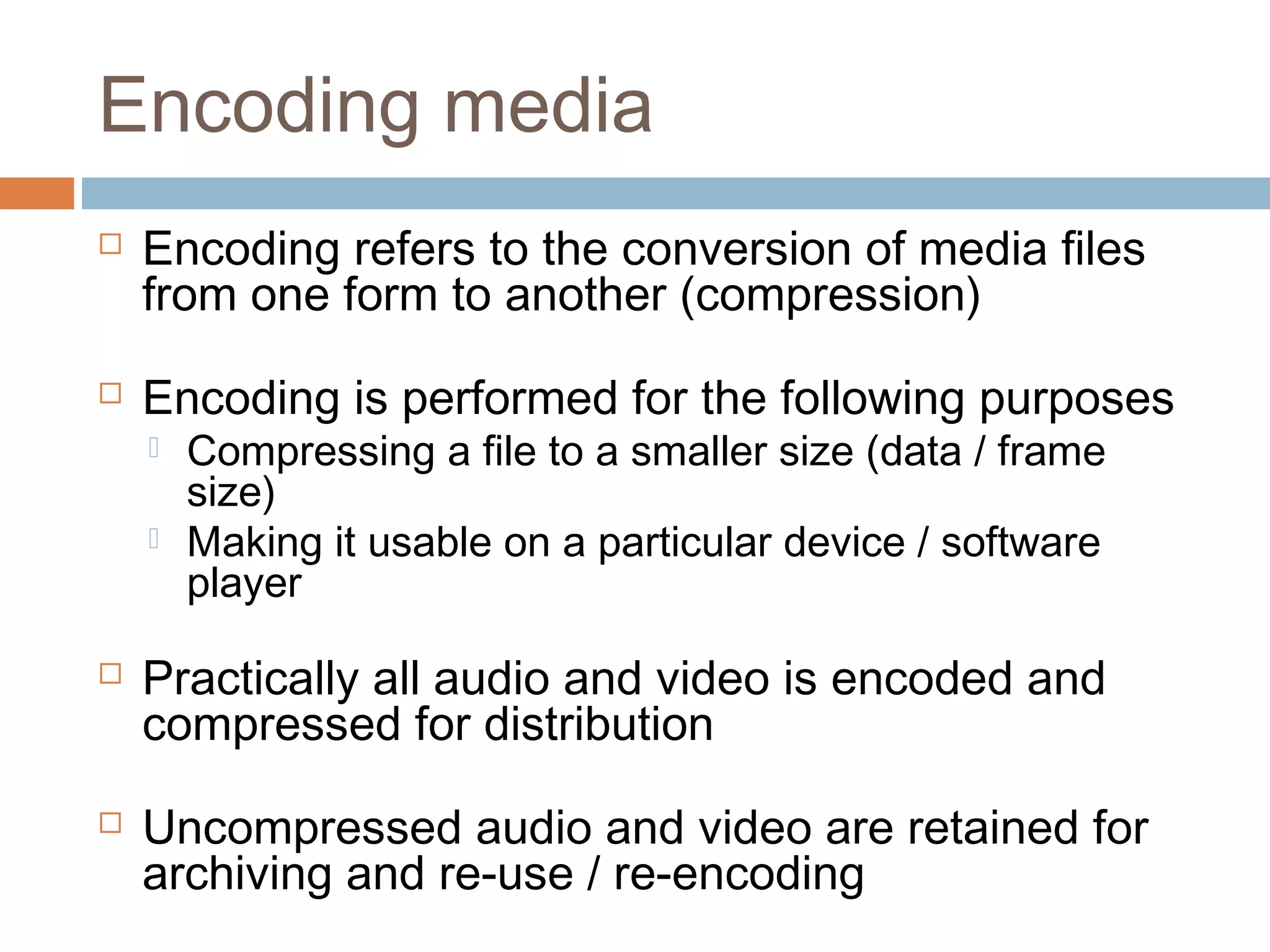
Encoding media
 Encoding refers to the conversion of media files
from one form to another (compression)
 Encoding is performed for the following purposes
 Compressing a file to a smaller size (data / frame
size)
 Making it usable on a particular device / software
player
 Practically all audio and video is encoded and
compressed for distribution
 Uncompressed audio and video are retained for
archiving and re-use / re-encoding
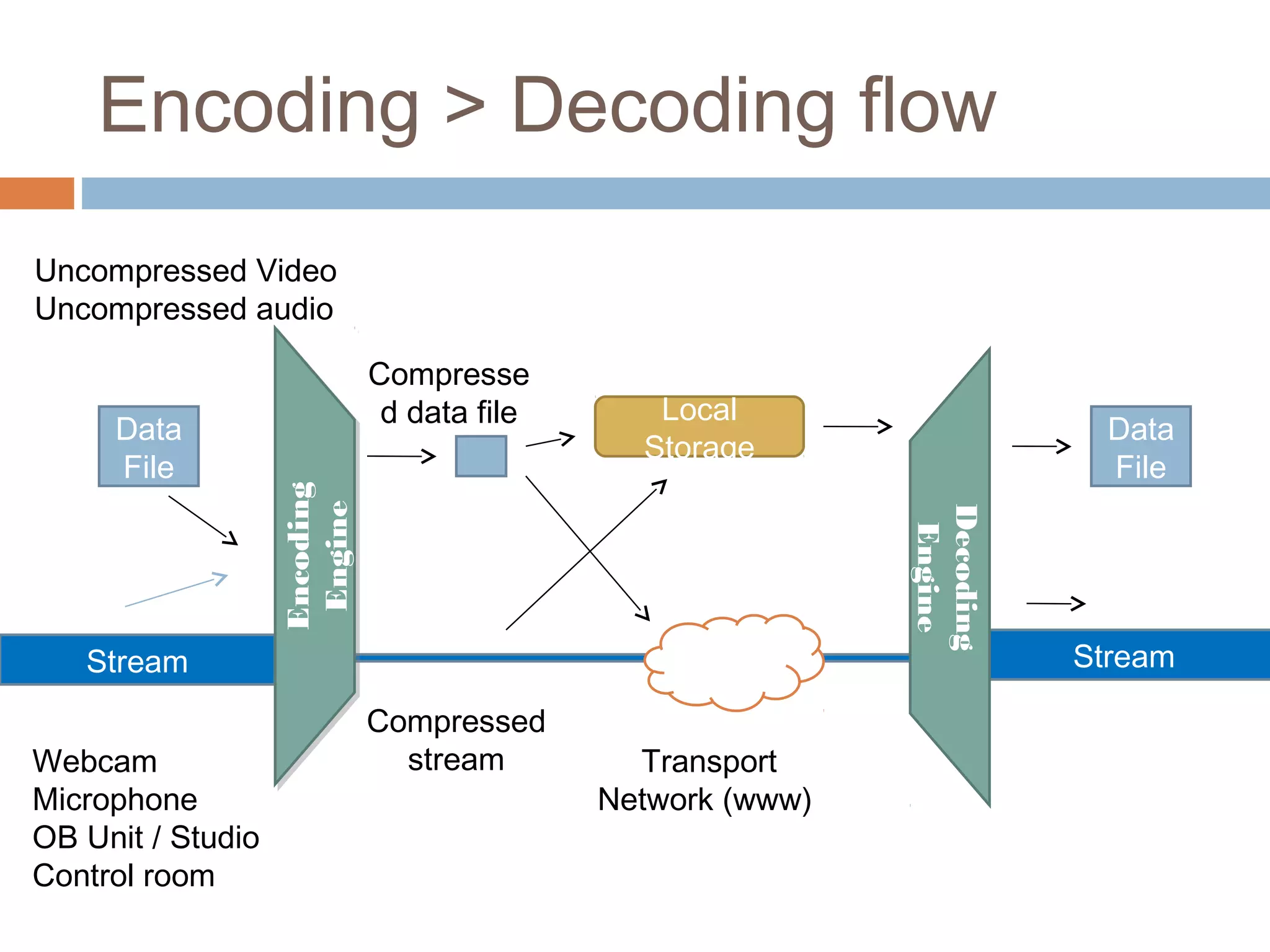
Encoding > Decoding flow
Data
File
Stream Stream
Webcam
Microphone
OB Unit / Studio
Control room
Uncompressed Video
Uncompressed audio
Compresse
d data file
Compressed
stream
Local
Storage
Transport
Network (www)
Data
File
Encoding
Engine
Encoding
Engine
Decoding
Engine
Transcoding
 The techniques used for transcoding are the same as for
encoding
 The goal of transcoding is not to get a file down to a
small size (compression)
 Transcoding can be seen as ‘translating’ from one form
to another maintaining maximum quality
 Example: some editing systems may not be capable of
processing a particular type of video – footage is
transcoded to a form that can be used
Digital Media Files
 Containers (Wrappers)
 Encoded media is stored within container formats
 Containers ‘store’ encoded audio and / or audio ‘streams’
 Containers also contain metadata needed for the player to
make ‘sense’ of the enclosed media formats
 Container formats include Quicktime (MOV), RealMedia
(RM), MPEG and OGG (open source format)
 IMPORTANT: Container formats do not describe the manner
in which a file has been encoded
 A QT file might not play in QuickTime on a particular machine
 The software requires the appropriate Codec to be installed >>>
Digital Media Files - CoDecs

Whether or not a file will play depends on its codec
 Codec refers to the particular encoding method (algorithm) used
to compress and decompress a piece of media
(COmpress – DECompress)
 Codecs specifically describe the type of video or audio
compression used
 Certain codecs play almost universally (MPEG4)
 Some codecs may require plugins to be installed for playback
(Vorbis (OGG), VP3 (Theora))
Encoding applications
Encoding is done at the following points
 AV production applications (from the timeline)
 Final Cut Pro (native & via compressor)
 Protools
 Within bespoke compression applications
 Adobe medi Encoder (PC / MAC)
 Compressor (Apple)
 MediaCoder (open source)
 As import / export options on media players
 iTunes (import)
 QuickTime Pro (export options)
 On websites such as YouTube (FFMPEG server side
encoder)
Some encoding applications offer more control than
others
Lossless and lossy
compression
Lossless
 Refers to any file type that is a true (verbatim) copy of
the original
 No quality has been lost in saving a file in the following
formats
 Lossless Audio – Flac, WavPac, Monkey’s Audio, ALAC
 Lossless Video – Animation Codec, Huffyuv, Uncompressed
 Lossless Graphics – Gif, PNG, Tiff
 A basic example of lossless compression methods
include RLE (Run Length Encoding)
 Using the following as an abstraction of the data used to
store a segment of audio –
[AAAAABBCCCCCDEEEEEEE]= 20bytes
 RLE would look at the ‘run lengths’ or repeated adjacent
runs of data and summarise them as A5B2C5D1E7 =
10bytes
Lossless and lossy
compression
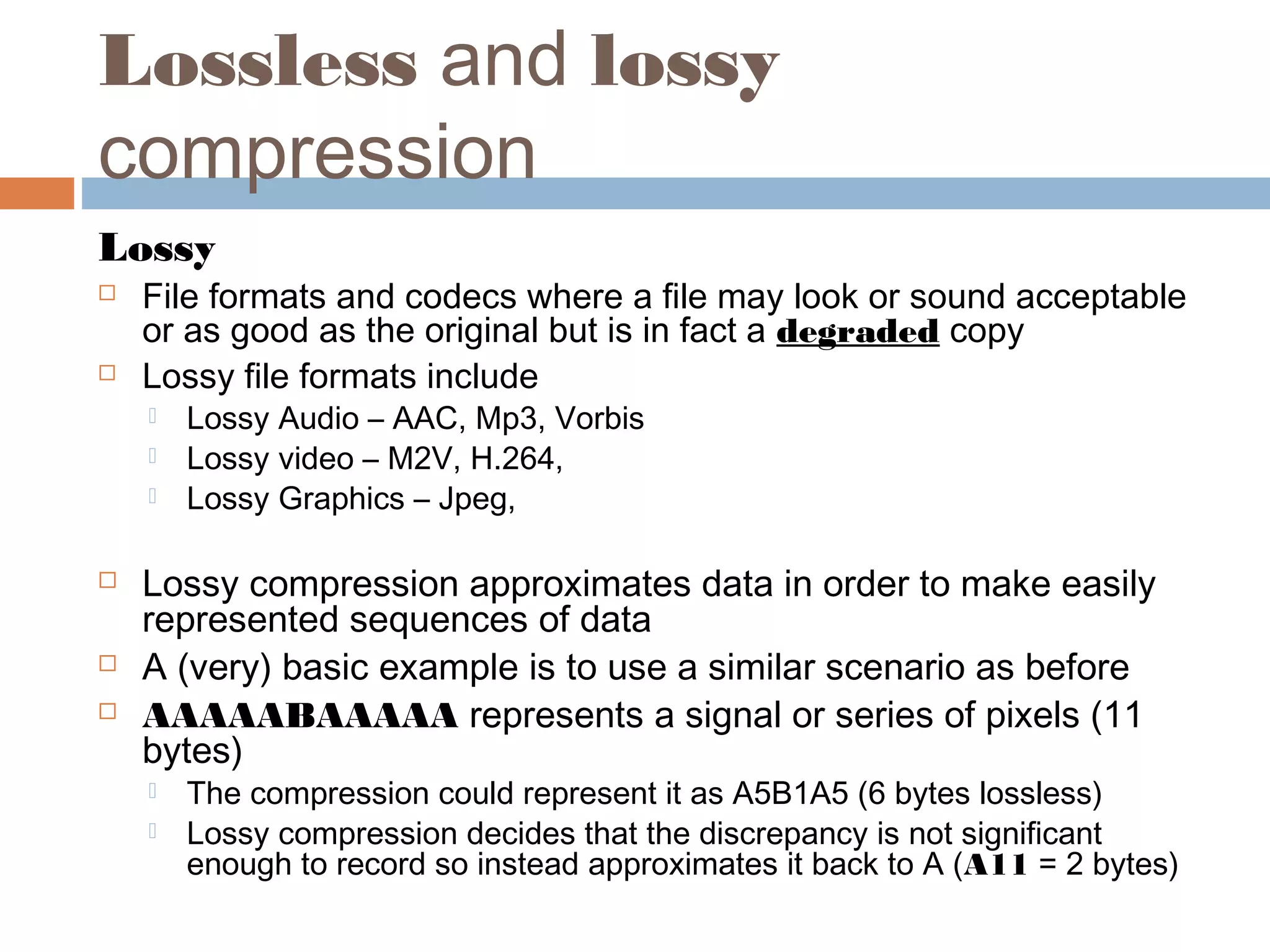
Lossy
 File formats and codecs where a file may look or sound acceptable
or as good as the original but is in fact a degraded copy
 Lossy file formats include
 Lossy Audio – AAC, Mp3, Vorbis
 Lossy video – M2V, H.264,
 Lossy Graphics – Jpeg,
 Lossy compression approximates data in order to make easily
represented sequences of data
 A (very) basic example is to use a similar scenario as before
 AAAAABAAAAA represents a signal or series of pixels (11
bytes)
 The compression could represent it as A5B1A5 (6 bytes lossless)
 Lossy compression decides that the discrepancy is not significant
enough to record so instead approximates it back to A (A11 = 2 bytes)
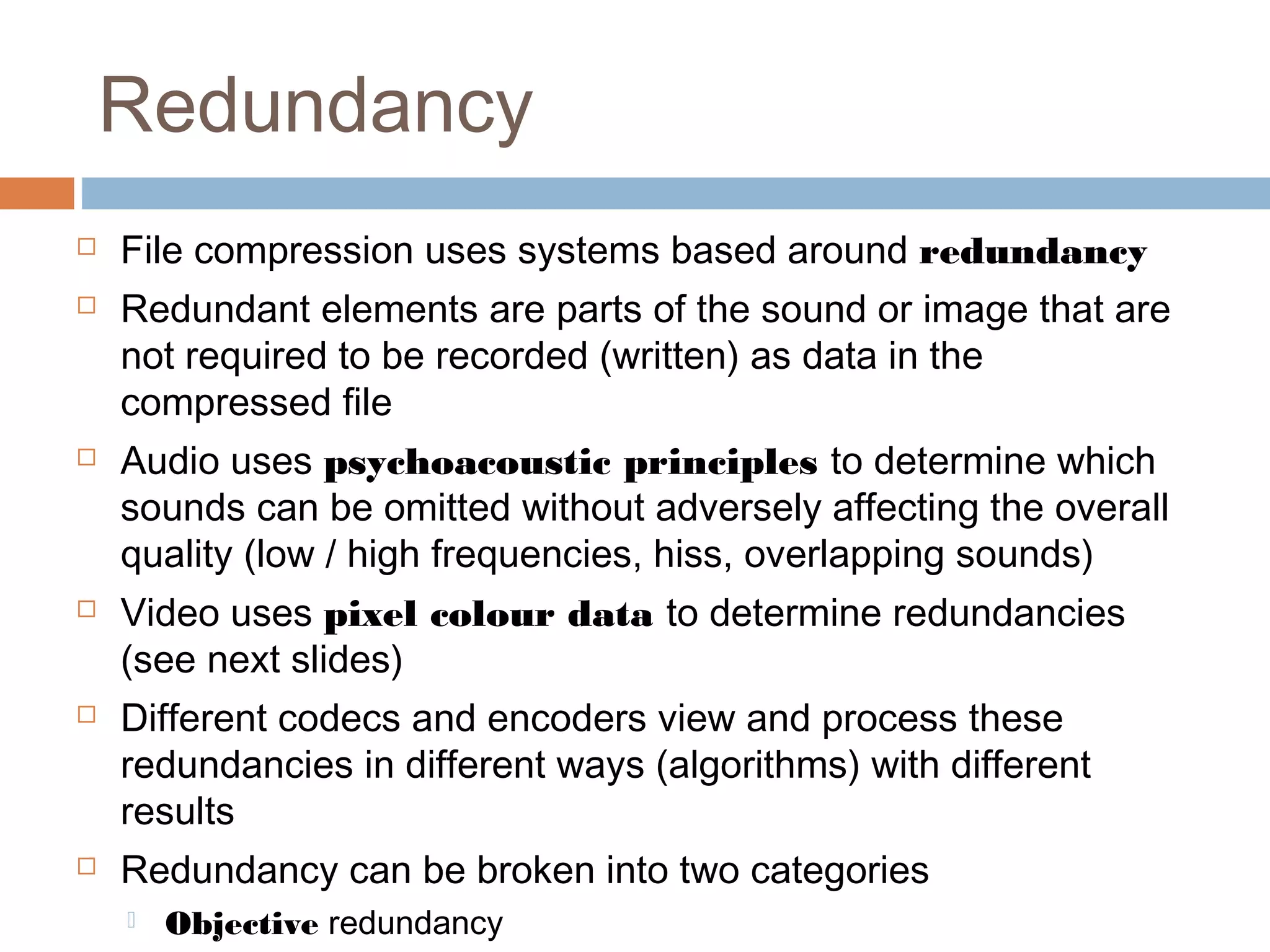
Redundancy
 File compression uses systems based around redundancy
 Redundant elements are parts of the sound or image that are
not required to be recorded (written) as data in the
compressed file
 Audio uses psychoacoustic principles to determine which
sounds can be omitted without adversely affecting the overall
quality (low / high frequencies, hiss, overlapping sounds)
 Video uses pixel colour data to determine redundancies
(see next slides)
 Different codecs and encoders view and process these
redundancies in different ways (algorithms) with different
results
 Redundancy can be broken into two categories
 Objective redundancy
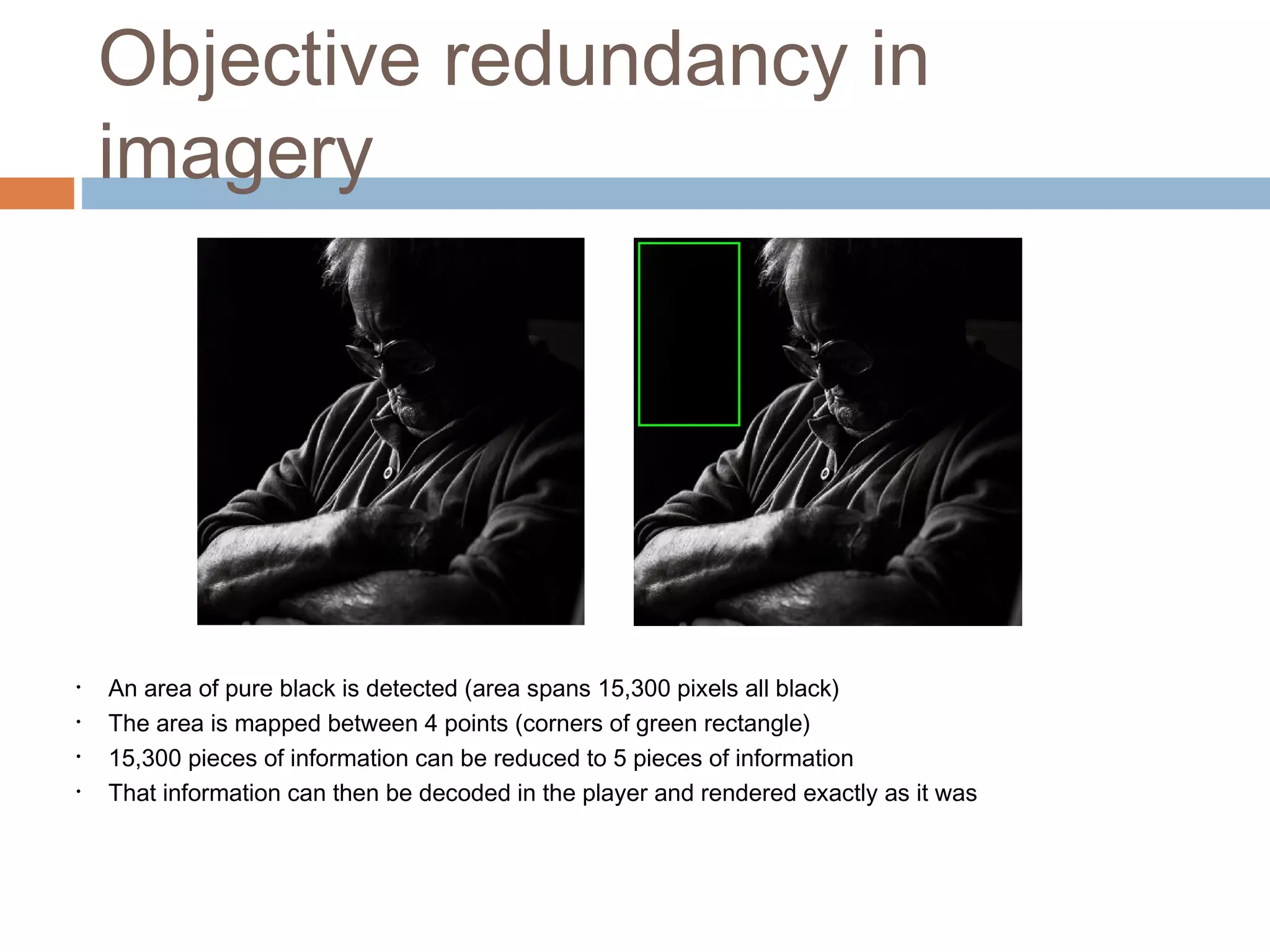
Objective redundancy in
imagery
• An area of pure black is detected (area spans 15,300 pixels all black)
• The area is mapped between 4 points (corners of green rectangle)
• 15,300 pieces of information can be reduced to 5 pieces of information
• That information can then be decoded in the player and rendered exactly as it was
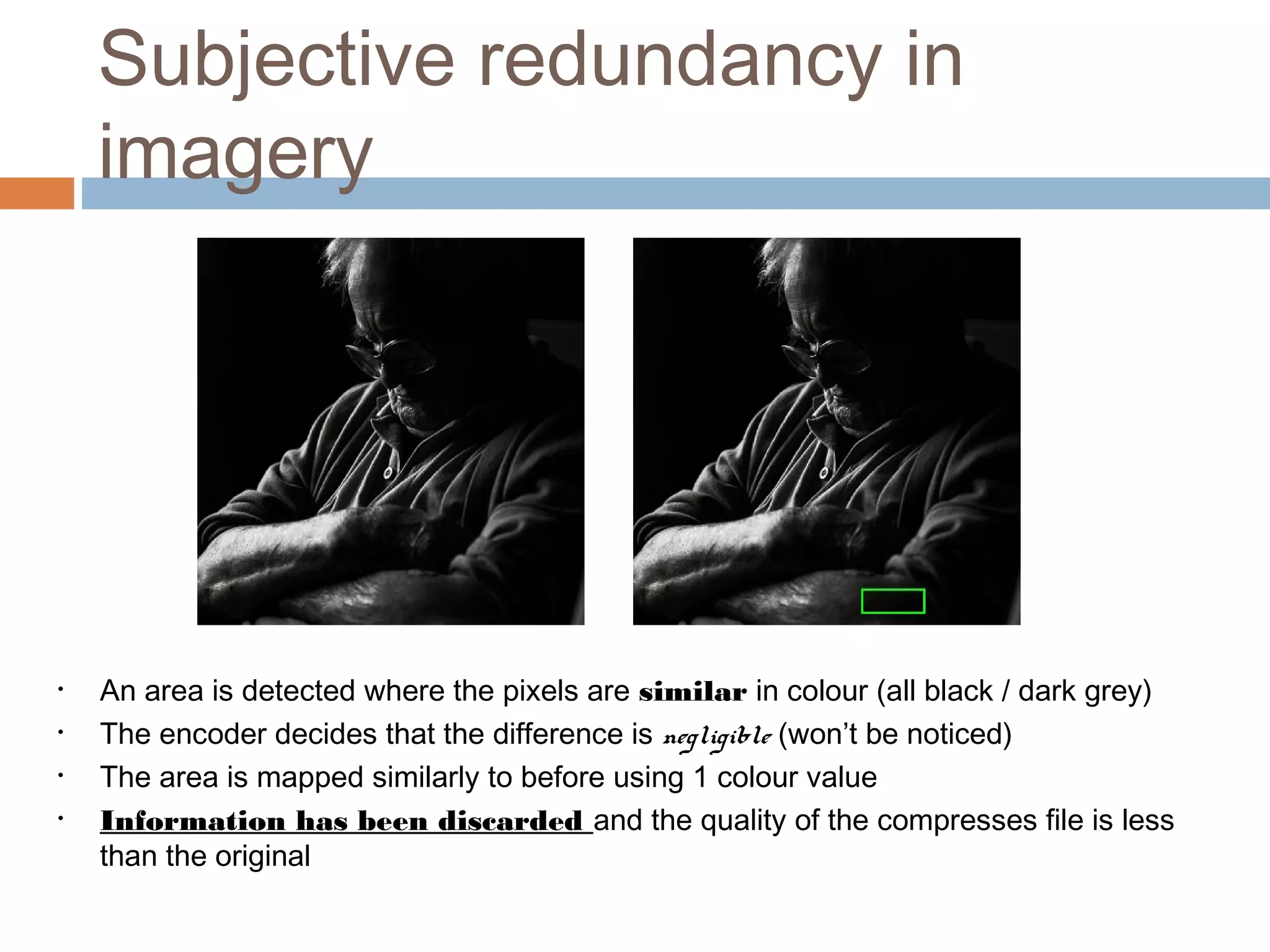
Subjective redundancy in
imagery
• An area is detected where the pixels are similar in colour (all black / dark grey)
• The encoder decides that the difference is negligible (won’t be noticed)
• The area is mapped similarly to before using 1 colour value
• Information has been discarded and the quality of the compresses file is less
than the original
Compressing
 The goal of compression is to get the smallest file size
while retaining maximum ‘meaningful’ information
(fidelity / clarity)
 Compression is always a trade-off between quality
and file size
 The same principle applies to audio / video as to
graphics
 Always work from a high quality source
 Never compress already compressed media (generation
loss)
 Always retain (archive) a high quality original for future
work

Media Encoding

  • 1.
  • 2.
    Why and howaudio and video are encoded Media encoding overview
  • 3.
    Encoding media  Encodingrefers to the conversion of media files from one form to another (compression)  Encoding is performed for the following purposes  Compressing a file to a smaller size (data / frame size)  Making it usable on a particular device / software player  Practically all audio and video is encoded and compressed for distribution  Uncompressed audio and video are retained for archiving and re-use / re-encoding
  • 4.
    Encoding > Decodingflow Data File Stream Stream Webcam Microphone OB Unit / Studio Control room Uncompressed Video Uncompressed audio Compresse d data file Compressed stream Local Storage Transport Network (www) Data File Encoding Engine Encoding Engine Decoding Engine
  • 5.
    Transcoding  The techniquesused for transcoding are the same as for encoding  The goal of transcoding is not to get a file down to a small size (compression)  Transcoding can be seen as ‘translating’ from one form to another maintaining maximum quality  Example: some editing systems may not be capable of processing a particular type of video – footage is transcoded to a form that can be used
  • 6.
    Digital Media Files Containers (Wrappers)  Encoded media is stored within container formats  Containers ‘store’ encoded audio and / or audio ‘streams’  Containers also contain metadata needed for the player to make ‘sense’ of the enclosed media formats  Container formats include Quicktime (MOV), RealMedia (RM), MPEG and OGG (open source format)  IMPORTANT: Container formats do not describe the manner in which a file has been encoded  A QT file might not play in QuickTime on a particular machine  The software requires the appropriate Codec to be installed >>>
  • 7.
    Digital Media Files- CoDecs  Whether or not a file will play depends on its codec  Codec refers to the particular encoding method (algorithm) used to compress and decompress a piece of media (COmpress – DECompress)  Codecs specifically describe the type of video or audio compression used  Certain codecs play almost universally (MPEG4)  Some codecs may require plugins to be installed for playback (Vorbis (OGG), VP3 (Theora))
  • 8.
    Encoding applications Encoding isdone at the following points  AV production applications (from the timeline)  Final Cut Pro (native & via compressor)  Protools  Within bespoke compression applications  Adobe medi Encoder (PC / MAC)  Compressor (Apple)  MediaCoder (open source)  As import / export options on media players  iTunes (import)  QuickTime Pro (export options)  On websites such as YouTube (FFMPEG server side encoder) Some encoding applications offer more control than others
  • 9.
    Lossless and lossy compression Lossless Refers to any file type that is a true (verbatim) copy of the original  No quality has been lost in saving a file in the following formats  Lossless Audio – Flac, WavPac, Monkey’s Audio, ALAC  Lossless Video – Animation Codec, Huffyuv, Uncompressed  Lossless Graphics – Gif, PNG, Tiff  A basic example of lossless compression methods include RLE (Run Length Encoding)  Using the following as an abstraction of the data used to store a segment of audio – [AAAAABBCCCCCDEEEEEEE]= 20bytes  RLE would look at the ‘run lengths’ or repeated adjacent runs of data and summarise them as A5B2C5D1E7 = 10bytes
  • 10.
    Lossless and lossy compression Lossy File formats and codecs where a file may look or sound acceptable or as good as the original but is in fact a degraded copy  Lossy file formats include  Lossy Audio – AAC, Mp3, Vorbis  Lossy video – M2V, H.264,  Lossy Graphics – Jpeg,  Lossy compression approximates data in order to make easily represented sequences of data  A (very) basic example is to use a similar scenario as before  AAAAABAAAAA represents a signal or series of pixels (11 bytes)  The compression could represent it as A5B1A5 (6 bytes lossless)  Lossy compression decides that the discrepancy is not significant enough to record so instead approximates it back to A (A11 = 2 bytes)
  • 11.
    Redundancy  File compressionuses systems based around redundancy  Redundant elements are parts of the sound or image that are not required to be recorded (written) as data in the compressed file  Audio uses psychoacoustic principles to determine which sounds can be omitted without adversely affecting the overall quality (low / high frequencies, hiss, overlapping sounds)  Video uses pixel colour data to determine redundancies (see next slides)  Different codecs and encoders view and process these redundancies in different ways (algorithms) with different results  Redundancy can be broken into two categories  Objective redundancy
  • 12.
    Objective redundancy in imagery •An area of pure black is detected (area spans 15,300 pixels all black) • The area is mapped between 4 points (corners of green rectangle) • 15,300 pieces of information can be reduced to 5 pieces of information • That information can then be decoded in the player and rendered exactly as it was
  • 13.
    Subjective redundancy in imagery •An area is detected where the pixels are similar in colour (all black / dark grey) • The encoder decides that the difference is negligible (won’t be noticed) • The area is mapped similarly to before using 1 colour value • Information has been discarded and the quality of the compresses file is less than the original
  • 14.
    Compressing  The goalof compression is to get the smallest file size while retaining maximum ‘meaningful’ information (fidelity / clarity)  Compression is always a trade-off between quality and file size  The same principle applies to audio / video as to graphics  Always work from a high quality source  Never compress already compressed media (generation loss)  Always retain (archive) a high quality original for future work