Marky Markup
and the Funky Bunch
Best Practices for Generating Markup in Drupal
About Us
Drew Trafton
dtraft on drupal.org
email: drew(at)bowst(dot)com
Social media is not my thing
JP McNeal
@jpmcneal
peezy on drupal.org
I love a good puzzle
About Bowst
Let’s Talk
650 Islington St
Portsmouth NH,
03801
info@bowst.com
🔗 bowst.com
Common strategies for managing markup
WYSIWYG Text Editors
Theme template files (.tpl.php)
Views
template.php functions
Fences Module
Display Suite
Evaluation Criteria
User ease of use
Flexibility
Cleanliness of Markup
Level of Effort
Comfort level with PHP
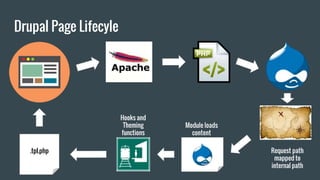
Drupal Page Lifecycle
Drupal Page Lifecyle
Request path
mapped to
internal path
Hooks and
Theming
functions
.tpl.php
Module loads
content
WYSIWYG Text Editors
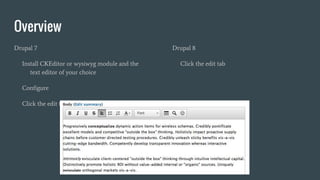
Overview
Drupal 7
Install CKEditor or wysiwyg module and the
text editor of your choice
Configure
Click the edit tab
Drupal 8
Click the edit tab
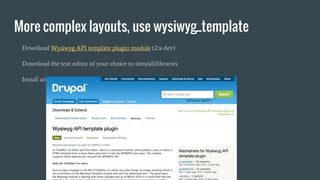
More complex layouts, use wysiwyg_template
Download Wysiwyg API template plugin module (2.x-dev)
Download the text editor of your choice to sites/all/libraries
Install and configure the Wysiwyg Template module
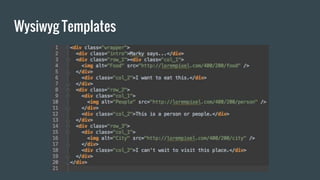
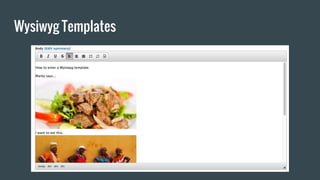
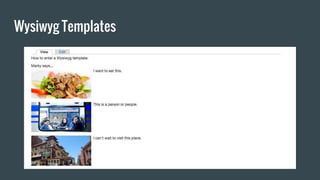
Wysiwyg Templates
Wysiwyg Templates
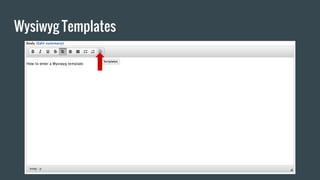
Wysiwyg Templates
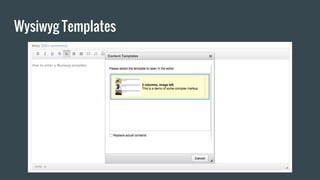
Wysiwyg Templates
Wysiwyg Templates
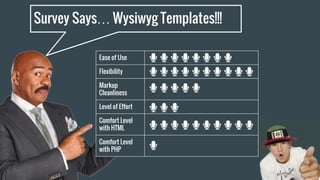
Survey Says… Wysiwyg Templates!!!
Ease of Use
Flexibility
Markup
Cleanliness
Level of Effort
Comfort Level
with HTML
Comfort Level
with PHP
Theme Template Files
Overview
1. Find the template
2. Override it in your theme
Drupal Temp Plates != Drupal templates
Image: Chris Wells (used by permission)
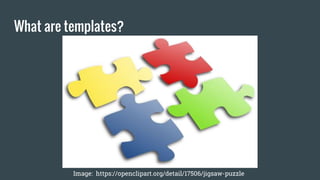
What are templates?
Image: https://openclipart.org/detail/17506/jigsaw-puzzle
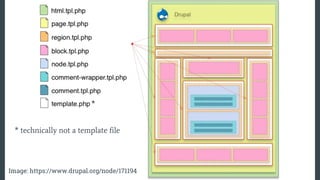
* technically not a template file
*
Image: https://www.drupal.org/node/171194
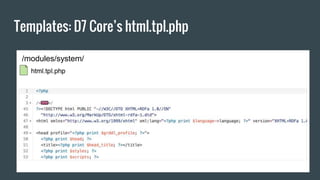
Templates: D7 Core’s html.tpl.php
/modules/system/
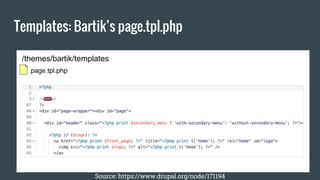
Templates: Bartik’s page.tpl.php
Source: https://www.drupal.org/node/171194
/themes/bartik/templates
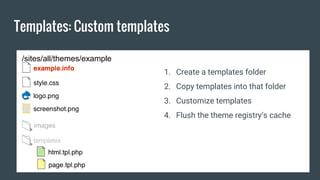
Templates: Custom templates
/sites/all/themes/example
templates
1. Create a templates folder
2. Copy templates into that folder
3. Customize templates
4. Flush the theme registry’s cache
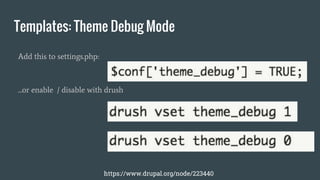
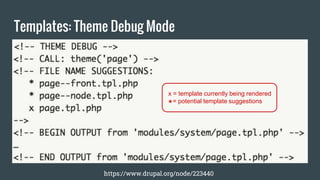
Templates: Theme Debug Mode
Add this to settings.php:
...or enable / disable with drush
https://www.drupal.org/node/223440
Templates: Theme Debug Mode
https://www.drupal.org/node/223440
x = template currently being rendered
*= potential template suggestions
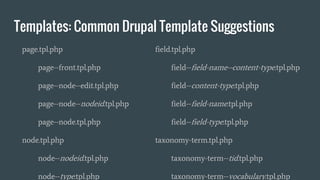
Templates: Common Drupal Template Suggestions
page.tpl.php
page--front.tpl.php
page--node--edit.tpl.php
page--node--nodeid.tpl.php
page--node.tpl.php
node.tpl.php
node--nodeid.tpl.php
node--type.tpl.php
field.tpl.php
field--field-name--content-type.tpl.php
field--content-type.tpl.php
field--field-name.tpl.php
field--field-type.tpl.php
taxonomy-term.tpl.php
taxonomy-term--tid.tpl.php
taxonomy-term--vocabulary.tpl.php
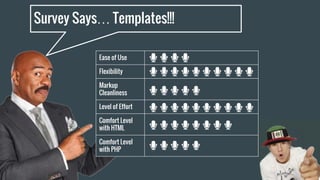
Survey Says… Templates!!!
Ease of Use
Flexibility
Markup
Cleanliness
Level of Effort
Comfort Level
with HTML
Comfort Level
with PHP
Views
Views: Overview
1. Views templates
2. Views UI
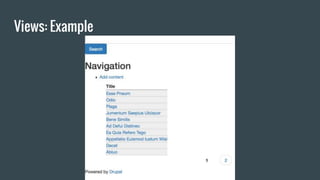
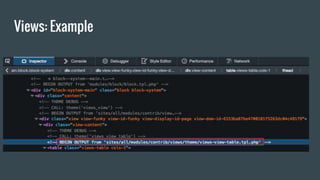
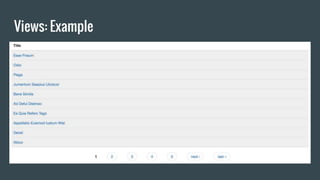
Views: Example
Views: Example
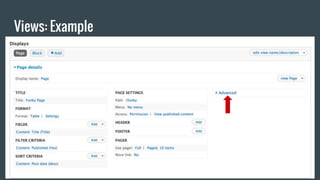
Views: Example
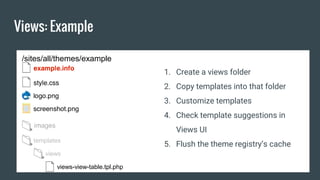
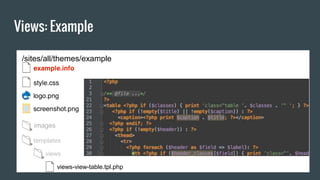
/sites/all/themes/example
templates
views
views-view-table.tpl.php
1. Create a views folder
2. Copy templates into that folder
3. Customize templates
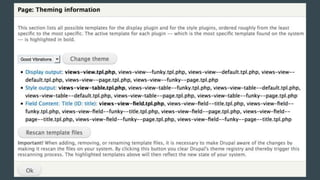
4. Check template suggestions in
Views UI
5. Flush the theme registry’s cache
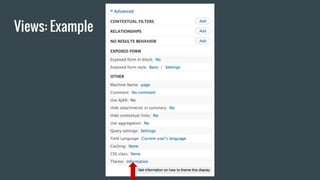
Views: Example
Views: Example
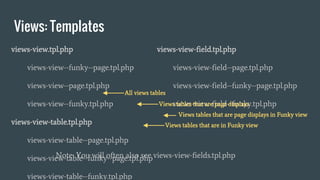
Views: Templates
views-view.tpl.php
views-view--funky--page.tpl.php
views-view--page.tpl.php
views-view--funky.tpl.php
views-view-table.tpl.php
views-view-table--page.tpl.php
views-view-table--funky--page.tpl.php
views-view-table--funky.tpl.php
views-view-field.tpl.php
views-view-field--page.tpl.php
views-view-field--funky--page.tpl.php
views-view-field--funky.tpl.php
Note: You will often also see views-view-fields.tpl.php
All views tables
Views tables that are page displays
Views tables that are in Funky view
Views tables that are page displays in Funky view
Views: Example
/sites/all/themes/example
templates
views
views-view-table.tpl.php
Views: Example
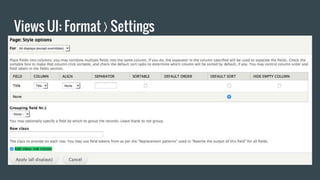
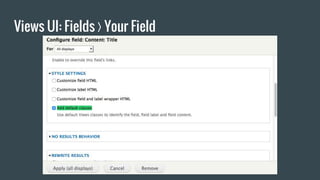
Views UI: Format ❭ Settings
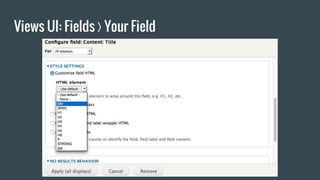
Views UI: Fields ❭ Your Field
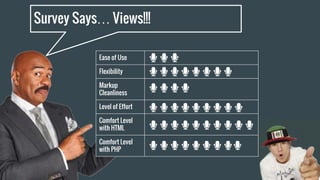
Survey Says… Views!!!
Ease of Use
Flexibility
Markup
Cleanliness
Level of Effort
Comfort Level
with HTML
Comfort Level
with PHP
template.php
About - hooks, $vars, and oh so many options
A train station between the drupal core/module layer and the templating layer
TONS of ways to affect generated markup
Location of all theming hooks
Two main types of functions:
Preprocessing functions - Drupal render arrays
Theming functions - actual markup generation
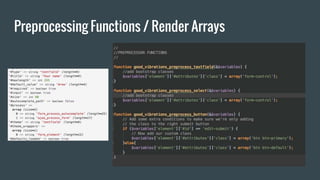
Preprocessing Functions / Render Arrays
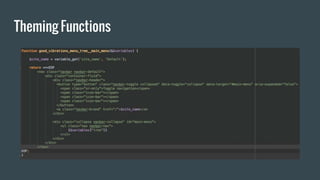
Theming Functions
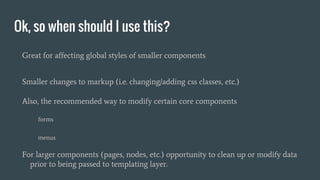
Ok, so when should I use this?
Great for affecting global styles of smaller components
Smaller changes to markup (i.e. changing/adding css classes, etc.)
Also, the recommended way to modify certain core components
forms
menus
For larger components (pages, nodes, etc.) opportunity to clean up or modify data
prior to being passed to templating layer.
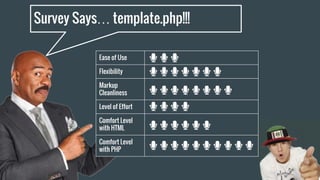
Survey Says… template.php!!!
Ease of Use
Flexibility
Markup
Cleanliness
Level of Effort
Comfort Level
with HTML
Comfort Level
with PHP
Fences Module
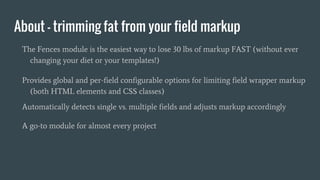
About - trimming fat from your field markup
The Fences module is the easiest way to lose 30 lbs of markup FAST (without ever
changing your diet or your templates!)
Provides global and per-field configurable options for limiting field wrapper markup
(both HTML elements and CSS classes)
Automatically detects single vs. multiple fields and adjusts markup accordingly
A go-to module for almost every project
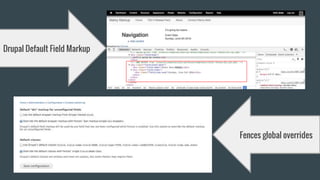
Drupal Default Field Markup
Fences global overrides
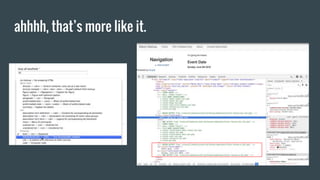
ahhhh, that’s more like it.
En garde!!! Let’s get fencing.
Can be used in basically any new project
Use with caution on existing projects, css/js may expect certain markup, classes, etc.
Essentially handles a lot of the grunt work of creating custom field templates (field--
[type].tpl.php) in your theme
Excellent for managing field-specific markup
Features a long list of HTML elements to wrap your fields in (including HTML5 elements!)
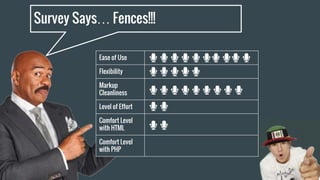
Survey Says… Fences!!!
Ease of Use
Flexibility
Markup
Cleanliness
Level of Effort
Comfort Level
with HTML
Comfort Level
with PHP
Display Suite Module
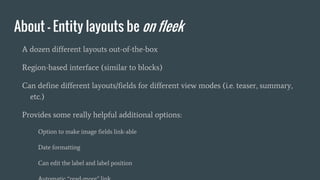
About - Entity layouts be on fleek
A dozen different layouts out-of-the-box
Region-based interface (similar to blocks)
Can define different layouts/fields for different view modes (i.e. teaser, summary,
etc.)
Provides some really helpful additional options:
Option to make image fields link-able
Date formatting
Can edit the label and label position
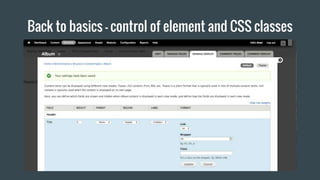
Back to basics - control of element and CSS classes
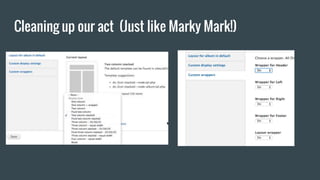
Cleaning up our act (Just like Marky Mark!)
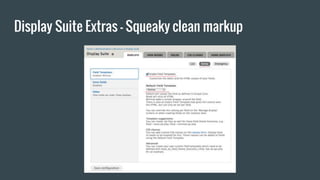
Display Suite Extras - Squeaky clean markup
As always, tons of customization
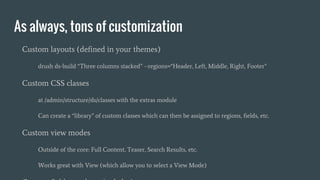
Custom layouts (defined in your themes)
drush ds-build “Three columns stacked” --regions=“Header, Left, Middle, Right, Footer”
Custom CSS classes
at /admin/structure/ds/classes with the extras module
Can create a “library” of custom classes which can then be assigned to regions, fields, etc.
Custom view modes
Outside of the core: Full Content, Teaser, Search Results, etc.
Works great with View (which allow you to select a View Mode)
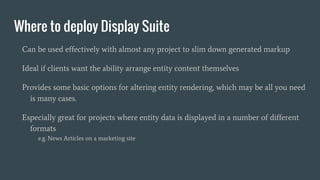
Where to deploy Display Suite
Can be used effectively with almost any project to slim down generated markup
Ideal if clients want the ability arrange entity content themselves
Provides some basic options for altering entity rendering, which may be all you need
is many cases.
Especially great for projects where entity data is displayed in a number of different
formats
e.g. News Articles on a marketing site
Ease of Use
Flexibility
Markup
Cleanliness
Level of Effort
Comfort Level
with HTML
Comfort Level
with PHP
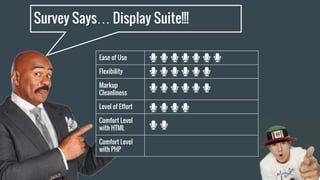
Survey Says… Display Suite!!!
Panels Module
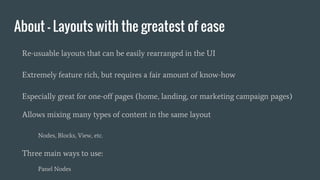
About - Layouts with the greatest of ease
Re-usuable layouts that can be easily rearranged in the UI
Extremely feature rich, but requires a fair amount of know-how
Especially great for one-off pages (home, landing, or marketing campaign pages)
Allows mixing many types of content in the same layout
Nodes, Blocks, View, etc.
Three main ways to use:
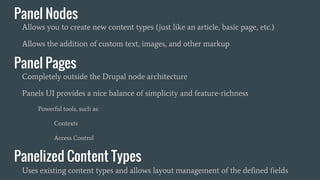
Panel Nodes
Panel Nodes
Allows you to create new content types (just like an article, basic page, etc.)
Allows the addition of custom text, images, and other markup
Panel Pages
Completely outside the Drupal node architecture
Panels UI provides a nice balance of simplicity and feature-richness
Powerful tools, such as:
Contexts
Access Control
Panelized Content Types
Uses existing content types and allows layout management of the defined fields
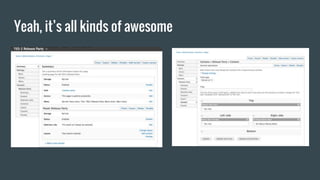
Yeah, it’s all kinds of awesome
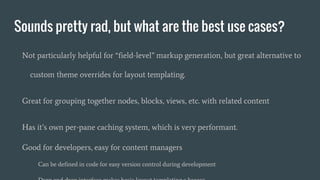
Sounds pretty rad, but what are the best use cases?
Not particularly helpful for “field-level” markup generation, but great alternative to
custom theme overrides for layout templating.
Great for grouping together nodes, blocks, views, etc. with related content
Has it’s own per-pane caching system, which is very performant.
Good for developers, easy for content managers
Can be defined in code for easy version control during development
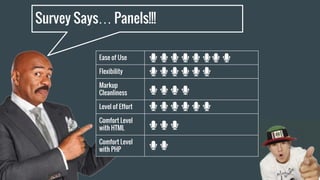
Survey Says… Panels!!!
Ease of Use
Flexibility
Markup
Cleanliness
Level of Effort
Comfort Level
with HTML
Comfort Level
with PHP
Marky Mark’s Rap Up
WYSIWYG Text Editors
Theme template files (.tpl.php)
Views
template.php functions
Fences Module
Display Suite
Thank you!!!
Q & A

Marky Markup and the Funky Bunch

Editor's Notes

  • #6 Things to consider Ease of use is the User Experience Level of effort is how long to master You comfort level with HTML, PHP
  • #8 Browser initiates request Web Server routes to index.php Bootstrap Drupal Map path (i.e. /posts/why-marky-mark-is-awesome) to internal path (i.e. node/14) Associated module loads content (the Node module in this case) “Middleware” can add, extend, or alter outgoing content Modules Themes Drupal passes content variables to template files (.tpl.php) for rendering Full page markup is assembled and returned to the Browser
  • #21 Templates generate markup. Think of them as the pieces of a puzzle that build the html that appear on Drupal pages.
  • #22 template.php file is not required, but can be helpful. We’ll talk more about it later, but for right now just know that it is closely tied to the .tpl.php files.
  • #23 Drupal 7’s core templates are found in /modules/system folder.
  • #25 A few notes: Drupal’s theming system will automatically detect the templates in your theme folder and load that version of the template instead of the previous one. Make sure that Drupal’s caching and CSS / JSS aggregation are turned off during development If you have a lot of templates you may want to create subfolders inside the template folders to help keep them organized
  • #33 Important Note: Theme debug mode does not make views template suggestions
  • #34 A few notes: Drupal’s theming system will automatically detect the templates in your theme folder and load that version of the template instead of the previous one. Make sure that Drupal’s caching and CSS / JSS aggregation are turned off during development If you have a lot of templates you may want to create subfolders inside the template folders to help keep them organized
  • #38 Minimum of two templates for every View All Views have views-view.tpl.php All Views have a style template. Ours is views-view-table Views displays also have templates
  • #39 In our case, we just need to add the class of table to the table tag and flush caches.
  • #47 Developed to allow preprocessor functions greater granularity when altering markup
  • #71 Our go-to is template files Source control low-overhead future friendly The one we use the least is Panels