Design To Theme:A Beginners GuideBy Danté R. TaylorMediacurrent Senior Drupal DesignerDrupal Camp AtlantaOctober 2, 2010
About MeBachelor of Fine Arts (BFA) from Savannah College of Art and DesignWorked as a Designer for the past 10 yearsHave worked with Drupal since version 4.7 releaseBiggest project in Drupal is savannahnow.comFavorite project in Drupal is ymib.com
Who this presentation is forIf you are new to Drupal and need a basic idea of where to beginIf you want to understand the process of turning a design into a Drupal theme If you want to make improvements to an existing theme or design`
What we will coverCommon tools to use to turn your design files into a Drupal themeHow to look at a design the Drupal wayCommon theme techniques and practices
Presentation FormatTopic 1: Use The Right ToolsTopic 2: Design-to-Theme ConceptsTopic 3: Common Theme Techniques
Topic 1:Use The Right Tools`
The right toolsPhotoshop
Illustrator
Fireworks
Gimp
Firefox
Chrome
Safari
Internet Explorer
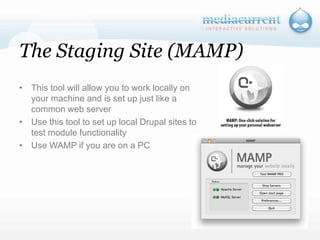
MAMP
Staging Site
Colorzilla(Firefox Plug-in)
DigitalColorMeter
FireBug(Firefox Plug-in)
Web Developer (Firefox Plug-in)
Text Editor (Dreamweaver, BBEdit, gEdit, notepad, etc)
Theme Developer Module`
PhotoshopAdvanced Image/photo manipulation toolCan be used for web design layoutUsed to create bitmap and vector artworkBasic image slicing functionality Most designers will deliver finial creative files in a Photoshop formatIndustry standard software
FireworksAdvanced Image/photo manipulation tool for web designBuilt-in features for web design professionalsAdvanced image slicing functionality Firework is not as commonly used tool for non-web designers & publishersIndustry standard software for web designersFireworks works well with Photoshop
The GIMPIts Open Source and powerful!Advanced Image/photo manipulation toolBasic image slicing functionality Most designers will not deliver final creative files in a GIMP formatNot an industry standard softwareSome Photoshop transparencies and filters will cause issues when working between toolsMajor differences in UI compared to Photoshop and Fireworks
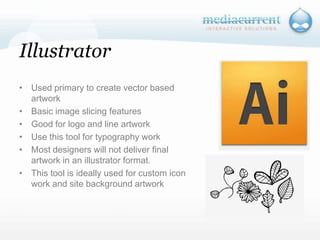
IllustratorUsed primary to create vector based artwork
Basic image slicing features
Good for logo and line artwork
Use this tool for typography work
Most designers will not deliver final artwork in an illustrator format.
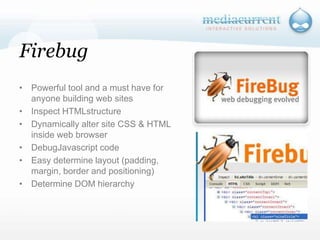
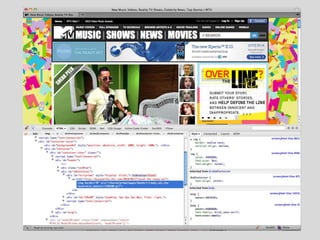
This tool is ideally used for custom icon work and site background artworkFirebugPowerful tool and a must have for anyone building web sites
Inspect HTMLstructure
Dynamically alter site CSS & HTML inside web browser
DebugJavascript code
Easy determine layout (padding, margin, border and positioning)
Determine DOM hierarchy
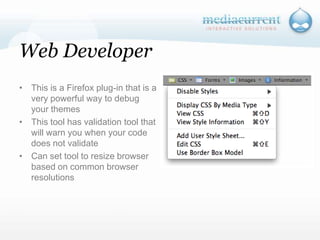
Web DeveloperThis is a Firefox plug-in that is a very powerful way to debug your themes
This tool has validation tool that will warn you when your code does not validate
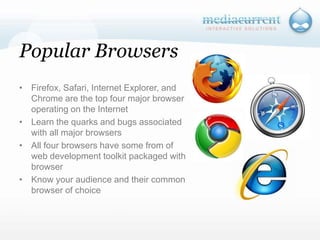
Can set tool to resize browser based on common browser resolutions Popular BrowsersFirefox, Safari, Internet Explorer, and Chrome are the top four major browser operating on the Internet
Learn the quarks and bugs associated with all major browsers
All four browsers have some from of web development toolkit packaged with browser
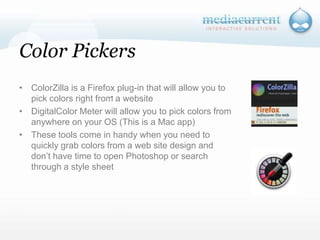
Know your audience and their common browser of choiceColor PickersColorZilla is a Firefox plug-in that will allow you to pick colors right from a website
DigitalColor Meter will allow you to pick colors from anywhere on your OS (This is a Mac app)
These tools come in handy when you need to quickly grab colors from a web site design and don’t have time to open Photoshop or search through a style sheet`
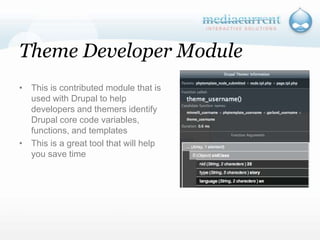
Theme Developer ModuleThis is contributed module that is used with Drupal to help developers and themers identify Drupal core code variables, functions, and templates

Drupalcamp Atlanta 2010 Design-to-Theme